


Although it still feels like a bit of a tribute, for most Android users, if you are like the editor, you gave up the Google input method that you have been trying to use for a long time, and finally started using Gboard because of the various good features that were subsequently added. I believe that the latest OCR text scanning function, which was revealed by foreign media this time, is likely to be brought in subsequent updates, will make you more willing to use this input method application with rich functions. Continue reading the text of the report that Google revealed that the Gboard input method will have a smart lens function for taking photos, scanning text, and OCR.
▲Image source: 9to5Google
Google’s exposed Gboard input method will receive photo-scanning text OCR smart lens function
As the machine learning-related software and hardware used in smartphones become more and more powerful, the functions that can be brought through image recognition are becoming more and more abundant, and many of them are gradually being integrated into other functions. Compared with the text recognition function that must be implemented through specialized applications such as the Google Lens Smart Lens App, it seems to be a good idea to directly introduce image recognition input through the keyboard input method function that is more relevant and intuitive for inputting text!
▲Image source: 9to5Google
It can only be said that although it still feels a bit like a tribute (just… it seems that Samsung and Apple have similar integration), but for most Android users, if you are like the editor, you gave up the Google input method that you have been trying to use for a long time, and finally started using Gboard because of the various good features that were added later. I believe that as revealed by foreign media this time, the latest OCR text scanning function that is likely to be brought in subsequent updates will make you more willing to use this ultra-featured input method.
▲Image source: 9to5Google
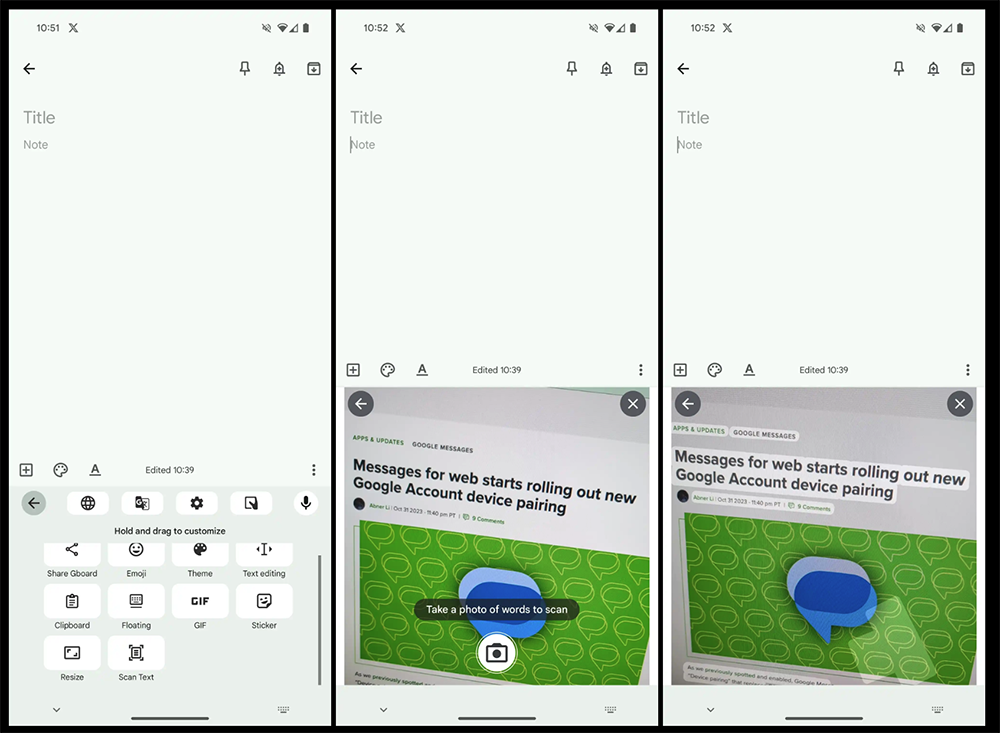
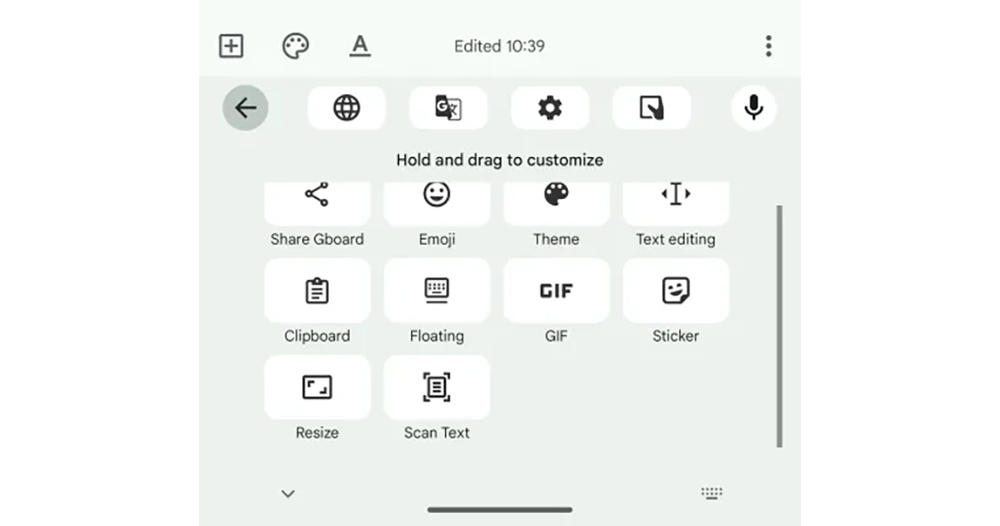
Foreign media 9to5Google dug into the latest Android version of the beta version of the Google Gboard input method (v13.6) and found that a new feature called “Scan Text” popped up in the menu. As the name suggests, it is not surprising that it has the function of scanning text through the lens for input.
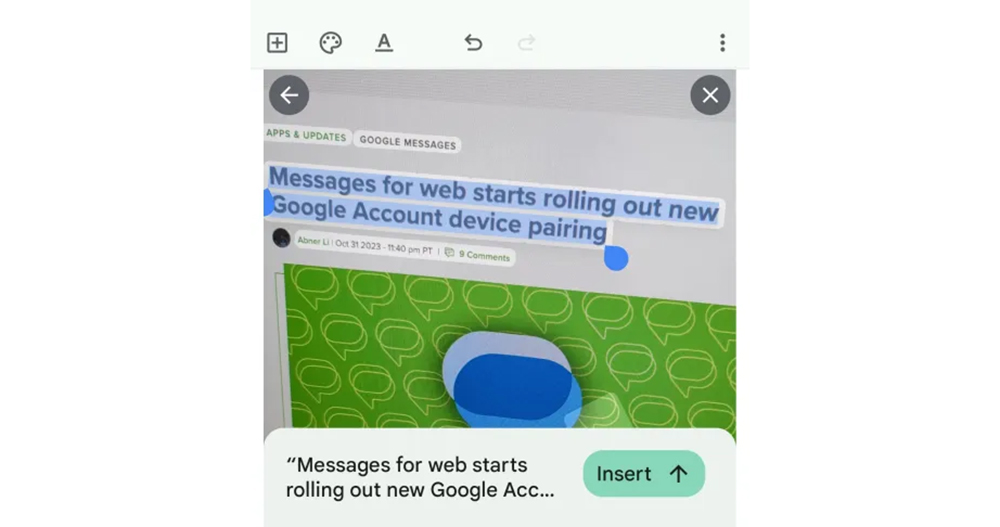
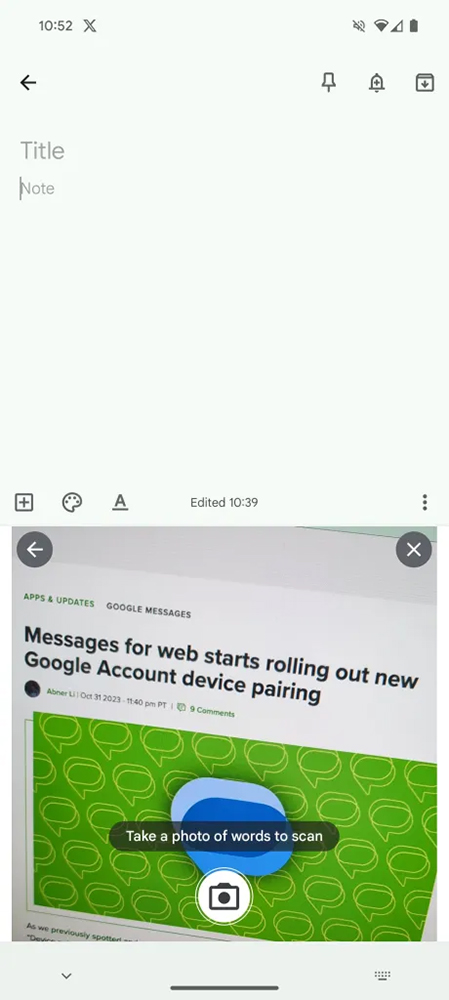
Foreign media also tried it and found that it is very similar to the built-in interface and accuracy of Google Lens. You will need to take a still photo through the lens, and then the interface will automatically light up the area with recognized text. Once selected, you can quickly import it into the keyboard input range; the interface will remain open to respond to other text selection needs.
▲Image source: 9to5Google
This kind of OCR function actually also provides built-in functions in the iOS system. The main test of the degree of practicality is how powerful each AI machine learning is in image-to-text recognition.
I wonder if you have used similar functions – or have you already had fun using Google Lens? After the integration through the text input method, I believe it will make the overall input experience smoother – at least there will be less need to copy and paste back and forth. But I always feel that it would be cooler if I could directly identify and join without pressing the button to take a photo? Maybe we can wait and see if the final official version will have a fresher experience.
Citing sources|Via|References
Further reading:
Source: KOCPC Chinese