


Next week is the annual Halloween. In addition to the annual trick-or-treating activities, there are also various Halloween costume parties. What other Halloween plans do you have? If you want to feel the Halloween atmosphere easily, you can actually use LINE to do it from now on. Recently, LINE’s Halloween limited chat room background effects have been launched. During this period, as long as you enter the special effect keywords in the chat room, you can summon the mysterious LINE mysterious partner!

LINE’s Halloween limited chat room background effects are launched. Enter these 3 sets of special effect keywords to summon a mysterious partner!
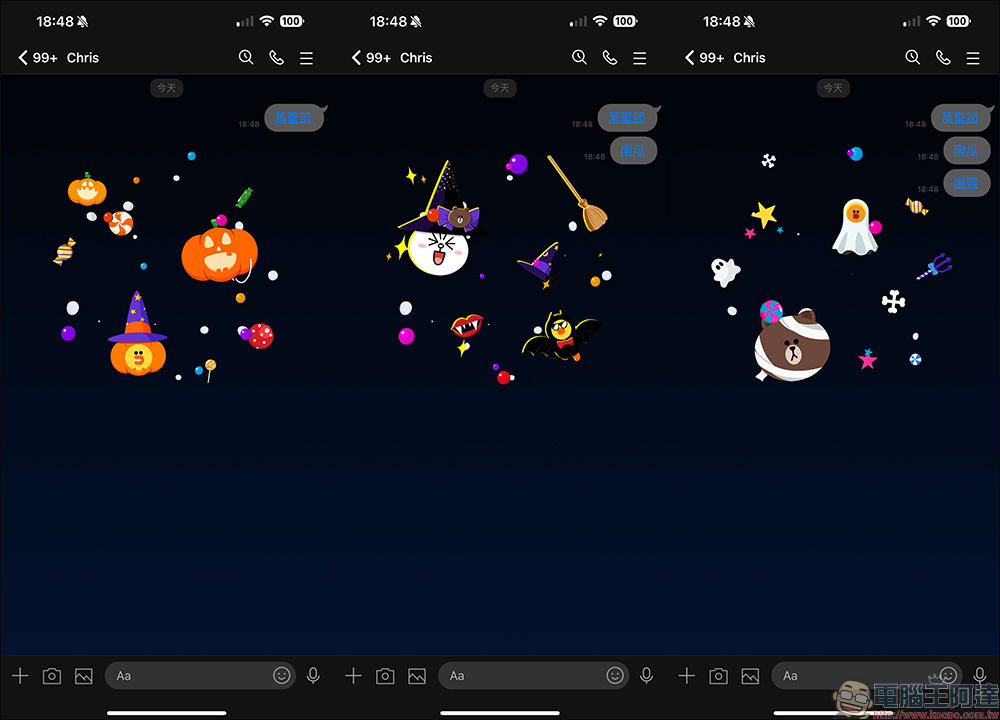
On Halloween every October 31st, many people will meet with their friends to decide what theme they will dress up for this year, and participate in trick-or-treating activities, pumpkin lantern decorations and other activities. Many restaurants and brand owners will also launch Halloween-themed activities during this period, allowing everyone to participate in the lively atmosphere of Halloween in different ways. Recently, LINE officially launched Halloween-limited chat room background effects. As long as you enter keywords in the chat room, you can summon Bear, Bunny, and Sally to “make trouble” in the background!
There are three groups of keywords for Halloween chat room special effects this year, including “Halloween”, “Pumpkin” and “Ghost”. Entering any of the above keywords can randomly generate chat room background special effects.
If your mobile phone version is LINE 12.0.0 (inclusive) or above, when you enter a keyword and the chat room special effects appear, the keyword will be presented in the form of a link. If you want to replay the chat room special effects later, just click the keyword link! You can enjoy summer fireworks effects over and over again without having to reload your friend’s messages all the time!
Halloween chat room special effects period
This year’s Halloween chat room effects run from October 25th until November 1st at 10am.
Halloween chat room special effects version
In addition to the mobile version, this year’s Halloween special effects are also available on the computer version. The applicable app versions are as follows:
- LINE iOS 9.15.0 (inclusive) and above
- LINE Android 10.2.0 (inclusive) or above, and Android OS 7.1 or above
- LINE PC version 5.19.0 (inclusive) or above
How to turn on/off chat room effects?
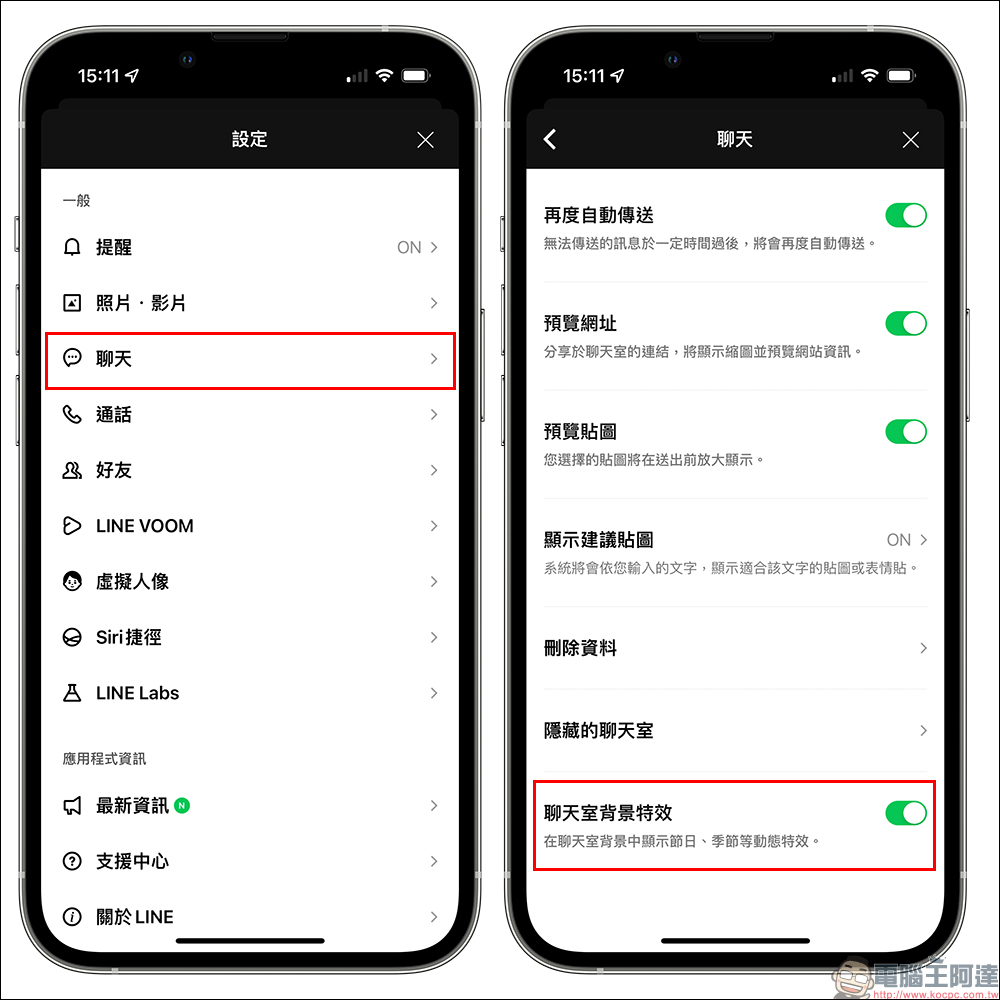
Chat room effects are all turned on by default, but if you enter the correct keywords during the event but do not see the chat room background effects, you can first try to completely close the LINE App and then reopen it, or go to “Settings” > “Chat” and confirm whether the chat room background effects are turned on.
Of course, if you don’t want to see the chat room background effects, you can also manually turn off the “chat room background effects” yourself.
Halloween LINE homepage special effects (coming soon)
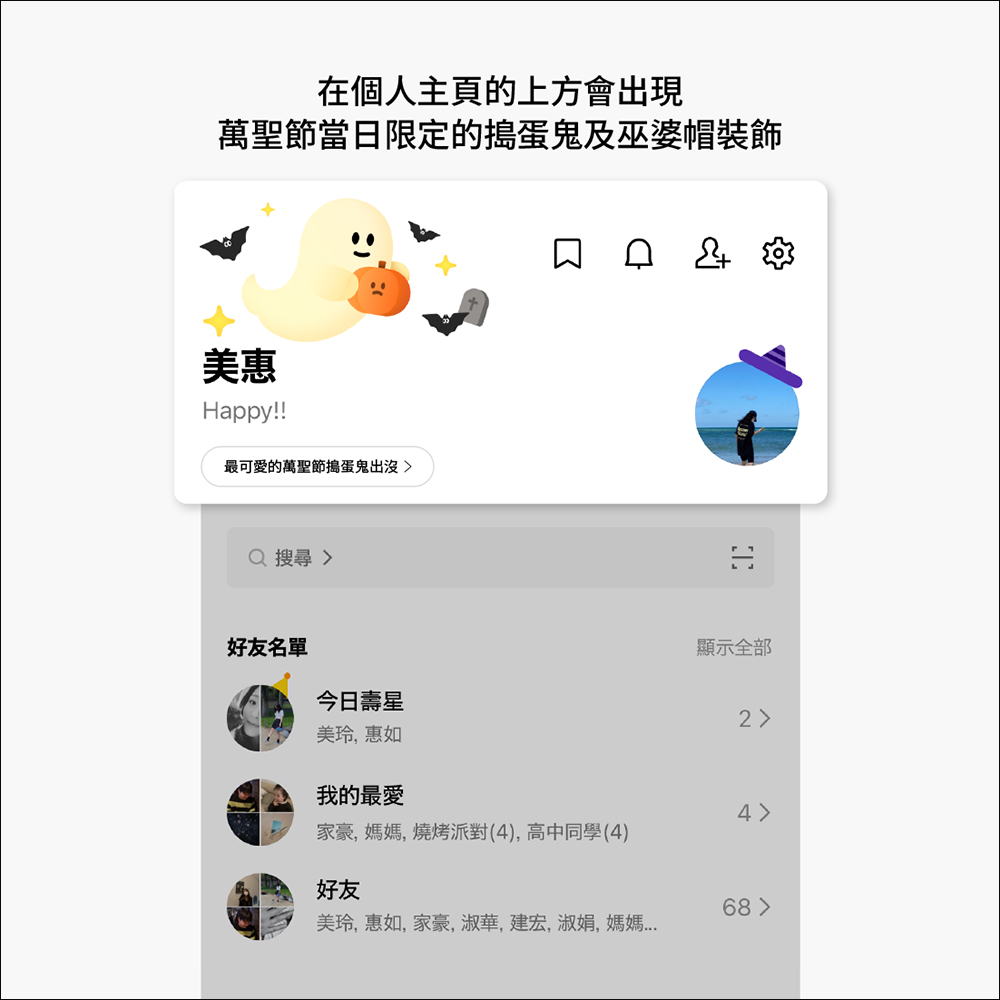
On October 31st, Halloween, you can still see cute LINE homepage special effects on the LINE homepage! Homepage special effects will only appear from 00:00 to 23:59 on October 31st. As long as you are running LINE iOS or Android 12.17.0 (inclusive) or above, and Android must be 7.1 or above, you can see the homepage special effects.
Why can’t I see the homepage effects?
If you find that your APP and system versions are supported, but you do not see Halloween special effects on Halloween, it may be due to the following reasons:
- If the special effects display period happens to be your birthday, the birthday special effects will take priority over the homepage.
- Please confirm that “Playback Effects” is turned on in LINE settings, or re-open LINE APP
- Setting path: LINE Home>Settings>Playback Special Effects)
- If your phone has a function to reduce special effects, please find and turn off the function in the settings.
- iOS setting path: Settings>Accessibility>Dynamic Effects>Reduce Dynamic Effects
- Android setting path: Settings > Assistance Tools > Remove Animation (varies by model and version)
- If you have newly installed the LINE APP in the near future, the APP may not be able to download the special effects materials immediately, which may result in the special effects not being displayed properly on the day of the event.
Further reading:
LINE free sticker collection: 18 free LINE stickers available for download for a limited time
Source: KOCPC Chinese