


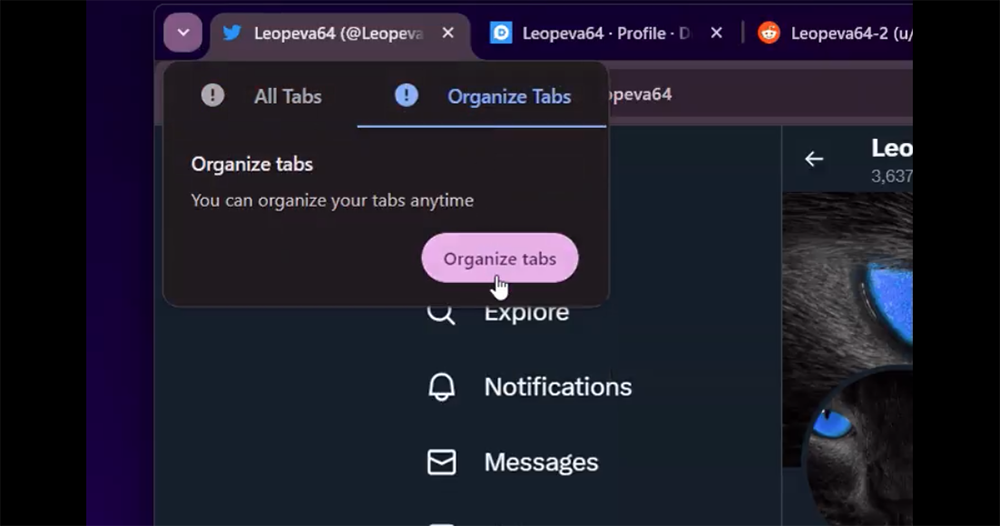
Google has recently put a lot of effort into the tab/page pagination experience of its signature browser. For example, the new Flag function that can synchronize and save paginated groups in the bookmark bar is a very interesting new experience. Now, someone has begun to discover an interesting feature “Organize Tabs” that will be automatically enabled in Canary’s Chrome 120. It will appear when there are a certain number of open tabs, allowing you to turn on the automatic grouping function that automatically organizes all open tabs through the new “Organize Tabs” drop-down menu in the upper left corner of the window. Continue reading the text of the report on the appearance of Google Chrome’s new “Organization Pagination” automatic grouping function.
▲Image source: Leopeva64
Google Chrome’s new “Organization Pagination” automatic grouping feature appears
Google has recently put a lot of effort into the tab/page pagination experience of its signature browser. For example, the new Flag function that can synchronize and save paginated groups in the bookmark bar is a very interesting new experience. Now, someone has begun to discover an interesting feature “Organize Tabs” that will be automatically enabled in Canary’s Chrome 120.

According to Leopeva64, an expert on browser functions, the new features found in the latest Chrome Canary will appear when a certain number of tabs are opened. Allows you to turn on the automatic grouping function that automatically organizes all open tabs through the new “Organize Tabs” drop-down menu in the upper left corner of the window.
▲Image source: Leopeva64
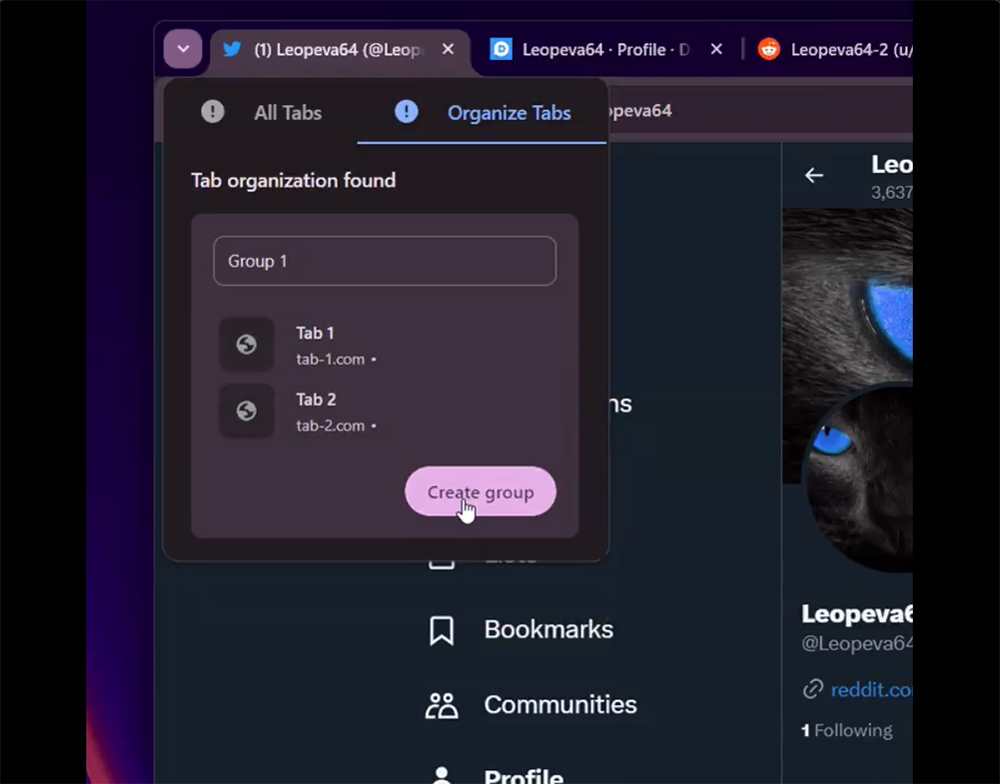
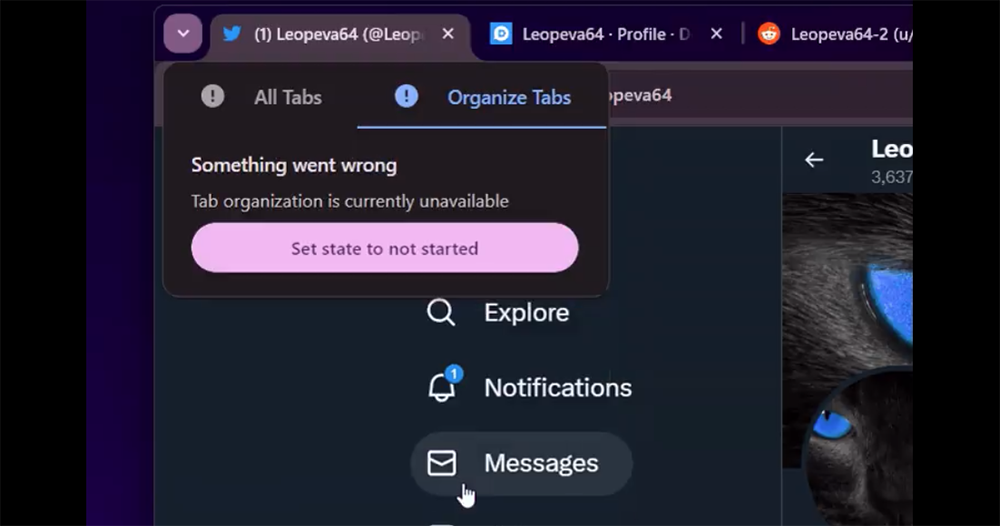
That is to say, from the current demonstration, you can see that although the overall steps appear to be relatively simple, you can also really see that after automatic grouping, Chrome will pop up several tab groups for customizing the group names. However, when you really confirm to “Create group”, Chrome will pop up an error message (picture below). It can be seen that this feature in Chrome Canary is not only still under testing, but there are actually quite a few bugs that need to be corrected.
▲Image source: Leopeva64
However, judging from the current functions, this organizational paging function should be able to help many users who are too lazy to group, but open a bunch of tabs when they have nothing to do. They find it confusing and irritating and hope someone can help. It is a good function for lazy people to group with one click.
Although it is a pity that it is not yet confirmed how practical this feature is, it is believed that Chrome 119 will enter the stable version in the next two weeks. I believe that Chrome 120, which is equipped with new features this time, should also make this feature more complete before it is converted to the official version.
https://twitter.com/Leopeva64/status/1710317260416467336
Before that, maybe you can play around with the new feature of saving pagination to the bookmark bar in this latest version. In addition, foreign media Android Police also mentioned that the new version of Chrome should also bring a new feature that can preview web pages in links by hovering – although, they also bluntly stated that this feature should be a bit of a tribute to the iOS / iPadOS feature (laughs).
Further reading:

Source: KOCPC Chinese