


Notifications are an important part of the smartphone experience, especially messages and emails. You may also want to turn on notifications for apps on social platforms such as Instagram, LINE, X, Facebook, etc. While notifications can ensure you don’t miss new messages or updates, they can also be annoying, especially if there are too many at once.
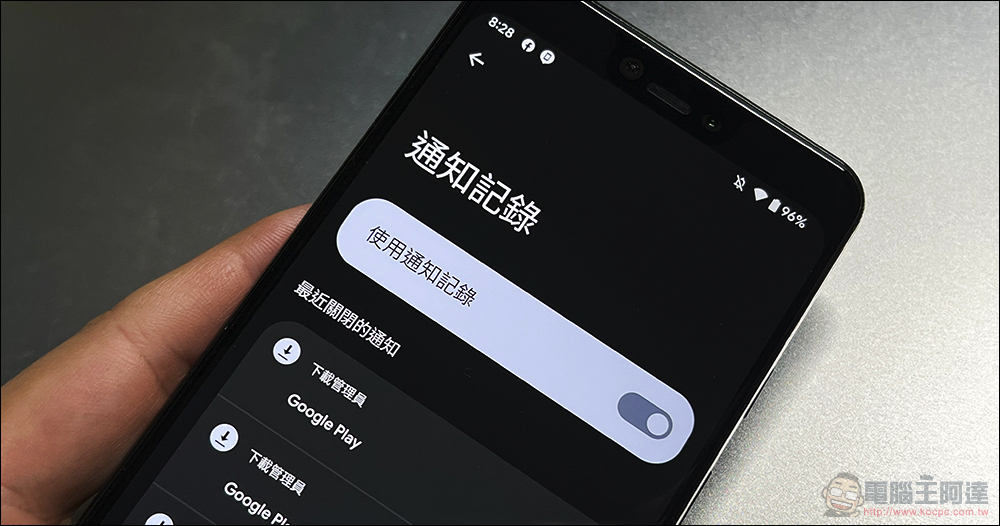
Deleted an important notification by mistake? How to enable notification logging in Android?
On Android phones, new notifications can be easily dismissed by swiping in the notification shade. If you hate seeing the notification bar full of notifications, you can also clear them all instantly with one click. Deleting notifications is almost an instinctive behavior, but sometimes, you may accidentally delete important notifications that you shouldn’t receive, such as messages from friends or transaction reminders on e-commerce platforms. If you ignore a notification on your Android phone and later realize it’s important, there’s a way to view it, but only for a limited time. Android has a feature called “Notification History” that allows you to view all notifications in the past 24 hours, but you must turn it on first.
Turn on notification history on your Android phone
Notification history has been available on Android phones for years, but the method of getting into the settings differs depending on which smartphone each person is using. Some models like Google Pixel use a stock version of Android, while other phones like Samsung have their own interface (in the advanced settings of notifications). Below we will use the native version of Pixel for operating instructions. Although the location and path of other phones may be different, the naming should be similar:
- Open the Settings app and click Notifications.
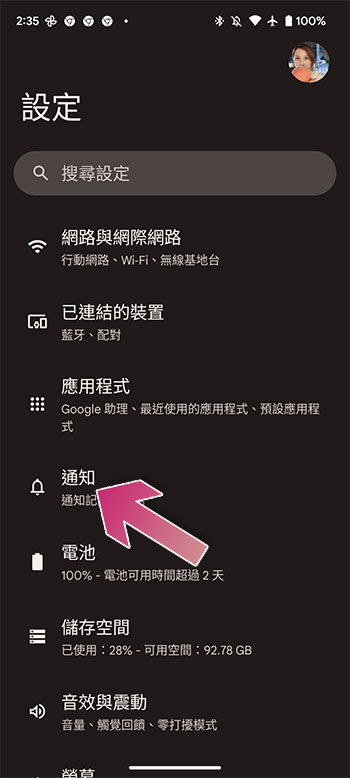
- Click “Notification Record” in the notification.

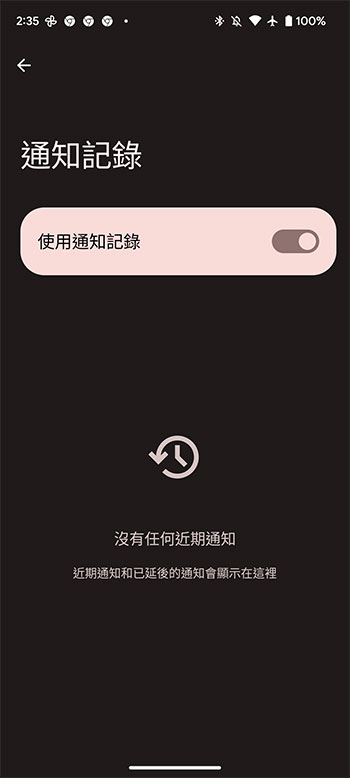
- Turn on the “Use Notification Logging” switch.
How to check missed notifications on Android phone
After enabling notification history on your Android phone, all messages in the past 24 hours will be saved here. The easiest way to view notification history on Android is through the notification bar:
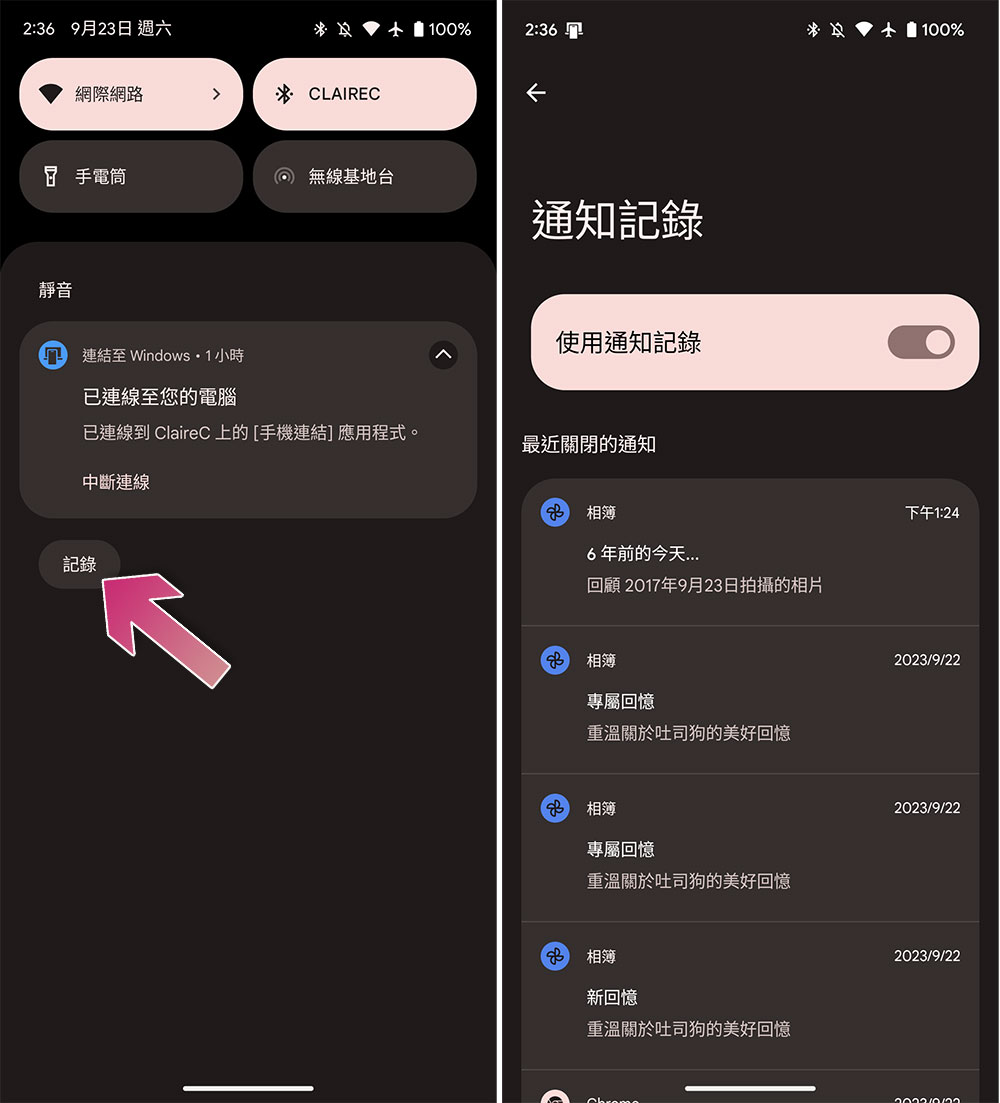
- Swipe down from the top of the Android phone screen to bring up the notification interface.
- You can see the “Record” button on the bottom left.
- Click “Record” to enter the history interface to view all notifications in the last 24 hours.
Source: KOCPC Chinese