


Now AI Although generating text content is very easy, the wording and phrasing used can still feel like it wasn’t written by a human. The AI Humanizer introduced in this article is an iOS app that can rewrite AI content to sound more like human writing, and it also allows you to set appropriate styles based on your needs.A lifetime license is currently being offered free for a limited time, meaning that as long as you get it during the promotion period, you can use it for free forever with no restrictions. Those who need it shouldn’t miss out—the original price is $49.99.。(The limited-time free offer has ended.)
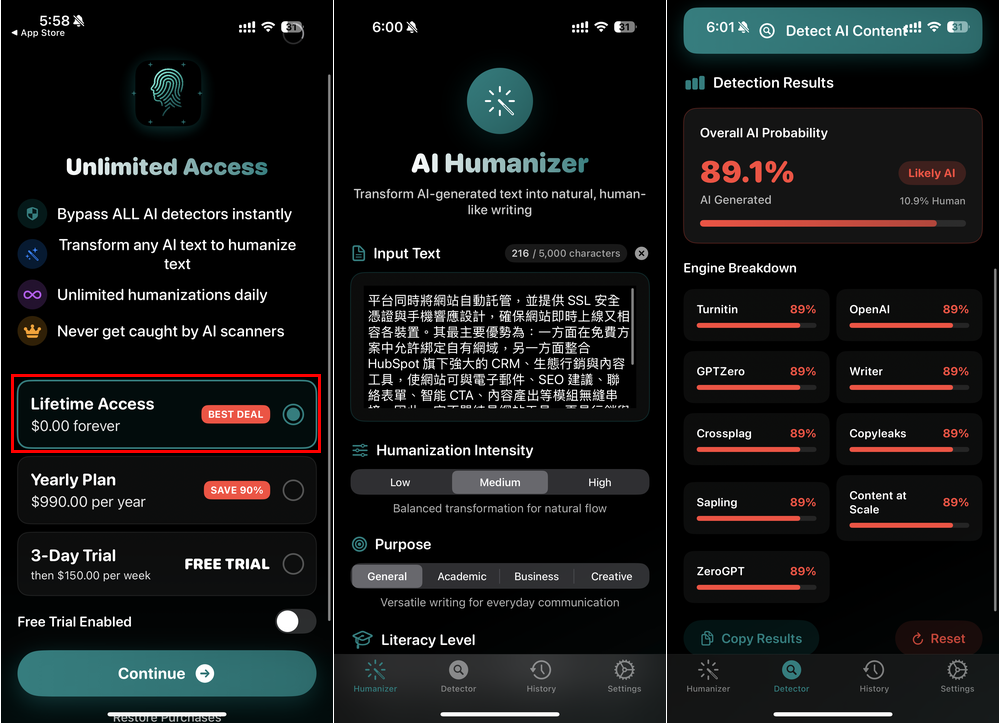
AI Humanizer rewrites text to match human writing, with built-in AI content detection capabilities.
AI Humanizer is a tool that promises to transform cold, mechanical AI-generated content into a natural, fluent style that reads like human writing. It also includes a built-in AI detector to help you assess whether the content you have is likely AI-written. All detection and rewriting records are saved so you can quickly review them later.
Before we begin, a quick reminder: AI Humanizer hasn’t announced how long the lifetime free access will last. Most of these promotions only last 1–2 days, so before making any payment or taking any action, be sure to carefully check whether there’s a charge. Only a $0 price means the free offer is still active. If there’s any amount showing, don’t pay—this is very important.
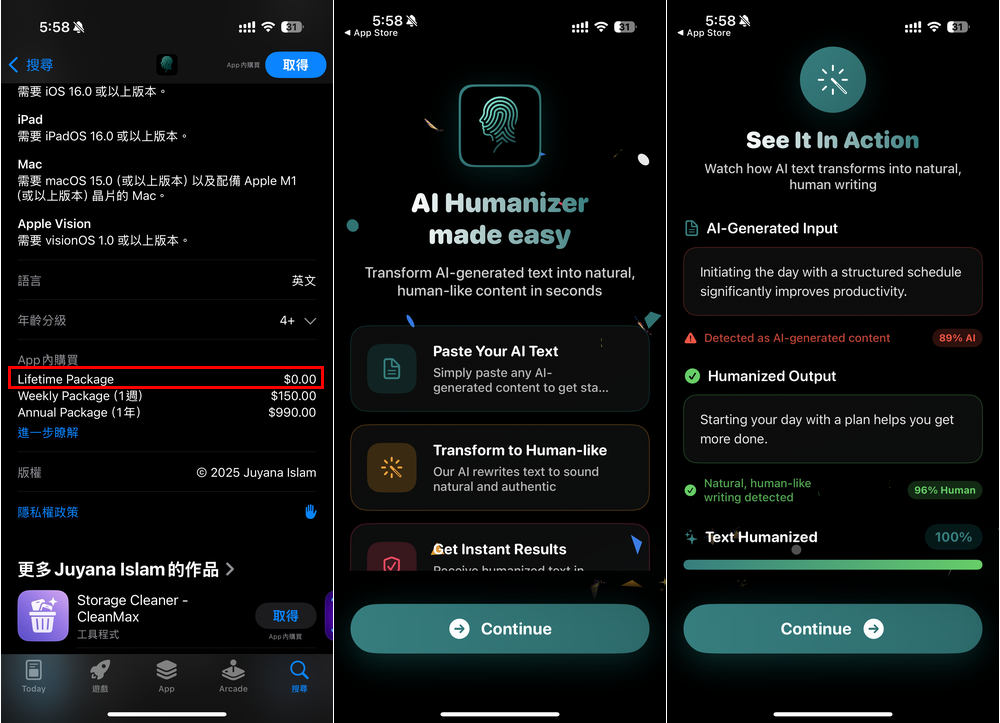
After following the link above to the AI Humanizer App Store page, scroll down to see the Lifetime Package under In-App Purchases. If it shows $0.00, there’s a high chance the lifetime version is still free. If it goes back to $49.99, it’s gone. When you first open it, there will be some introductory explanations. If you’re interested, you can take a look:
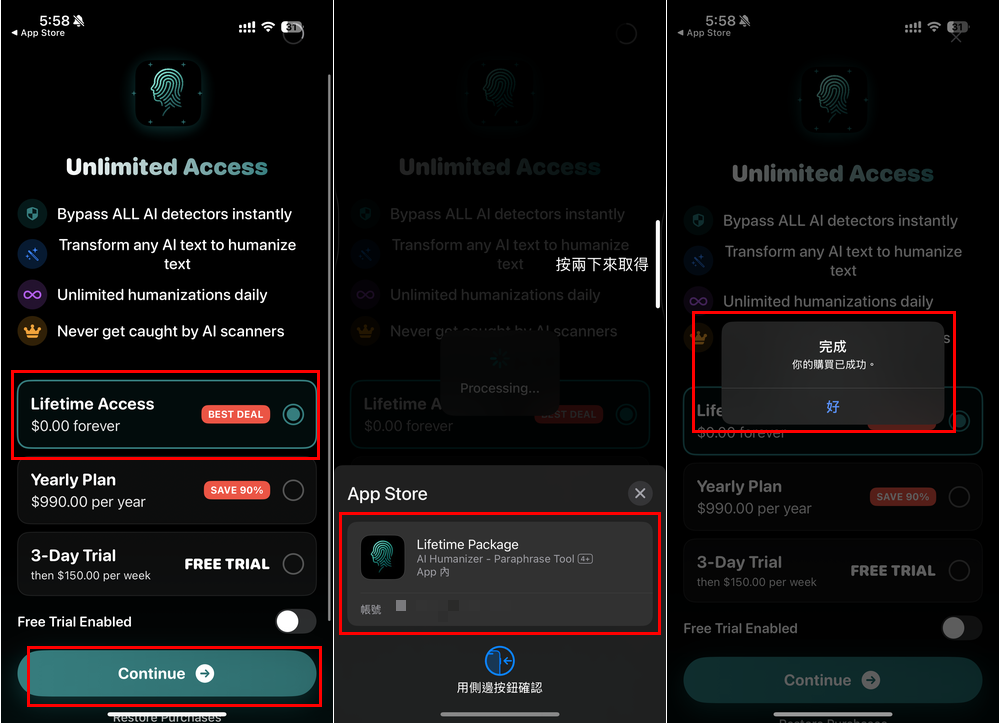
Next is the most important step. After the subscription screen appears, if it’s still free, you’ll see Lifetime Access $0.00 forever. Select that one, then tap Continue below. Check whether there’s an amount; if not, you can safely double-click to confirm. When “Your purchase was successful” appears, it’s done:
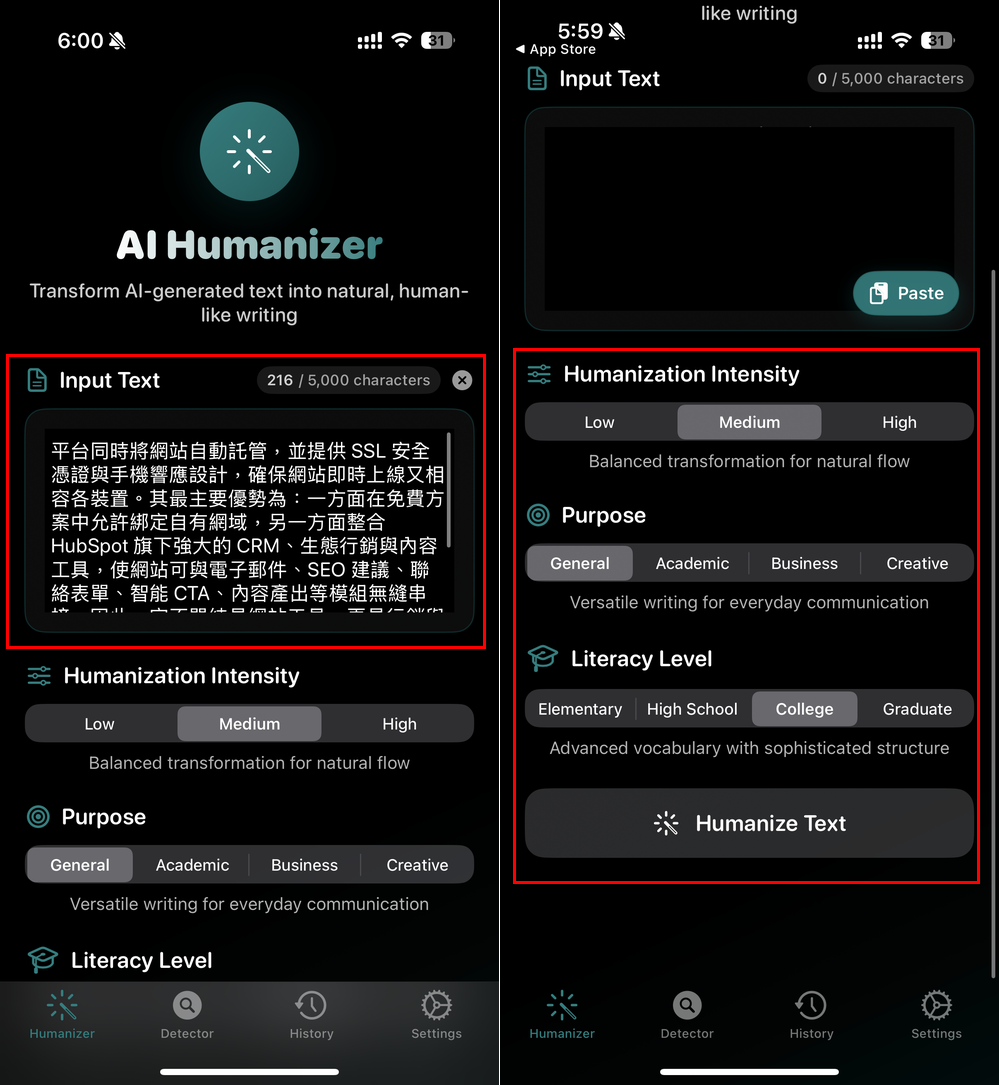
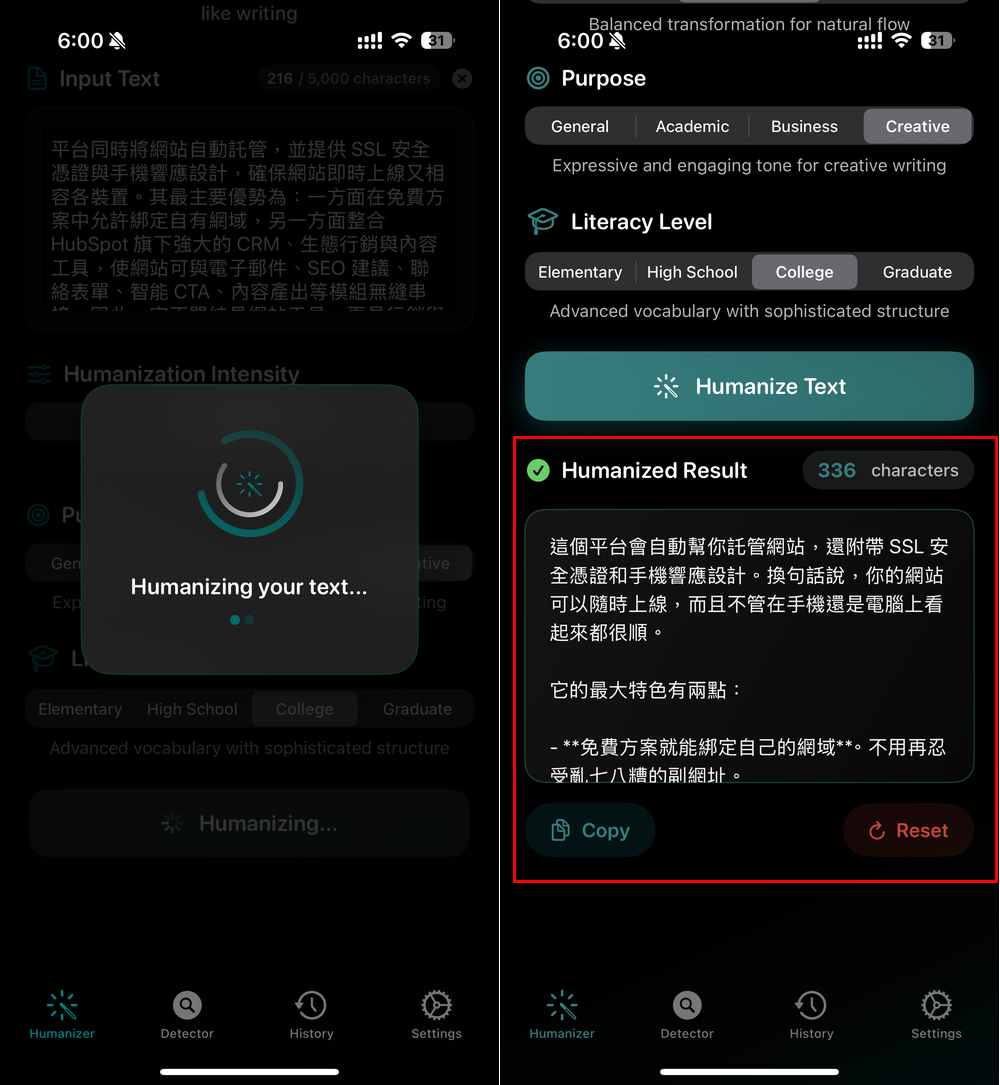
Next, you can start using it without restrictions. Humanizer rewrites content into a human style. Paste the content you want to rewrite into Input Text, with a maximum of 5,000 characters per use. Below, there are also adjustable settings, such as Humanization Intensity with Low, Medium, and High; Purpose with General, Academic, Business, and Creative; and Literacy Level can also be adjusted, with Elementary School, High School, College, and Graduate. After setting it up, click Humanize Text:
The rewriting speed is quite fast, and once completed it will display in Humanized Result. Below are the before and after contents for your reference.
Before rewriting:
平台同時將網站自動託管,並提供 SSL 安全憑證與手機響應設計,確保網站即時上線又相容各裝置 。其最主要優勢為:一方面在免費方案中允許綁定自有網域,另一方面整合 HubSpot 旗下強大的 CRM、生態行銷與內容工具,使網站可與電子郵件、SEO 建議、聯絡表單、智能 CTA、內容產出等模組無縫串接 。因此,它不單純是網站工具,更是行銷與銷售流程的一環,特別適合中小企業、創業家、自由工作者甚至社區單位快速建立具品牌辨識的線上門面。
After rewriting:
這個平台會自動幫你託管網站,還附帶 SSL 安全憑證和手機響應設計。換句話說,你的網站可以隨時上線,而且不管在手機還是電腦上看起來都很順。
它的最大特色有兩點:
– **免費方案就能綁定自己的網域**。不用再忍受亂七八糟的副網址。
– **能直接整合 HubSpot 的各種工具**。像是電子郵件行銷、SEO 建議、聯絡表單、智能 CTA、內容產生等等,全部都能連在一起。所以這不只是一個單純的架站工具。更像是一個行銷和銷售的好幫手。非常適合像中小企業、創業家、自由工作者,甚至是社區團體。如果你需要快速建立一個有品牌形象的網站,這個平台很值得一試。
我自己幫朋友做網站時,最怕搞不定手機版。這種自動響應設計真的省了我不少麻煩。**簡單、方便,重點是夠實用。**
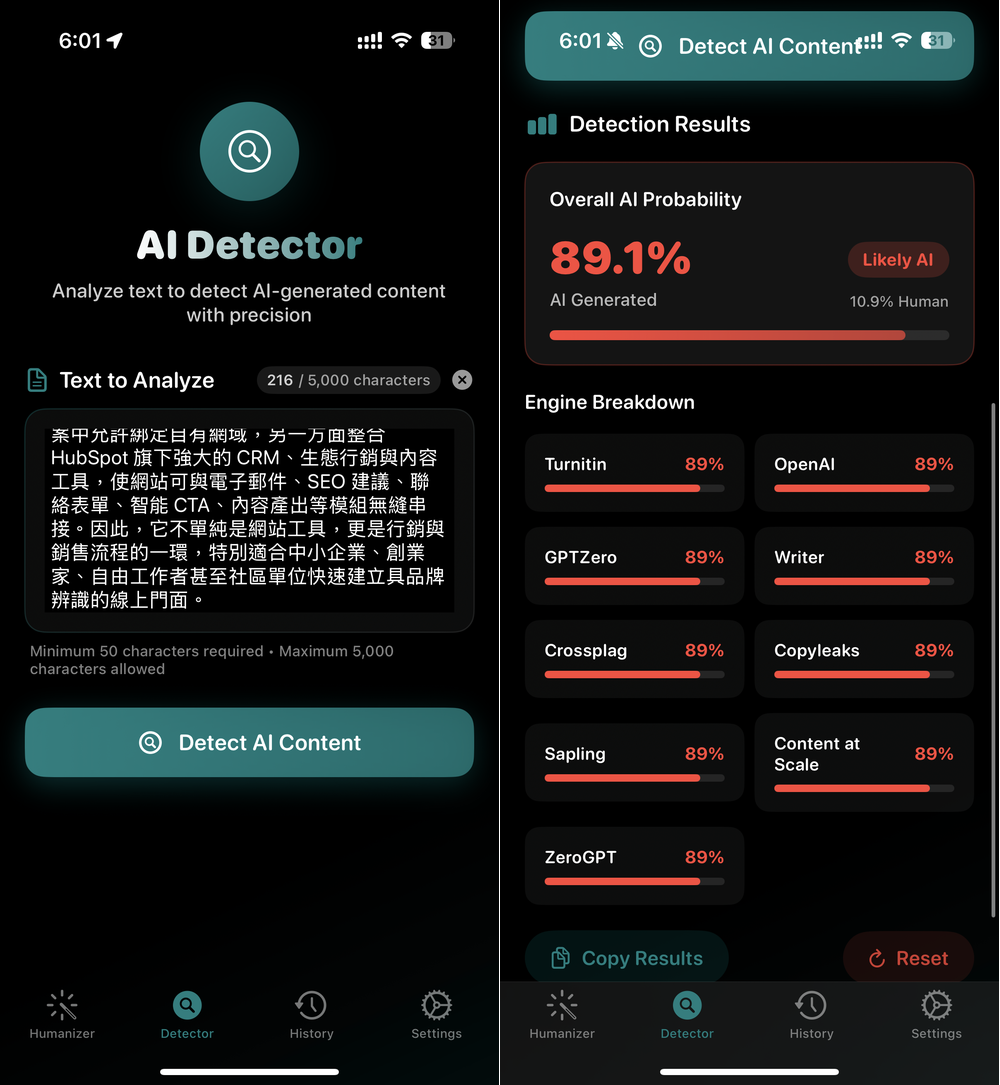
Detector, on the other hand, is an AI content detector that uses various engines to determine a score for AI content:
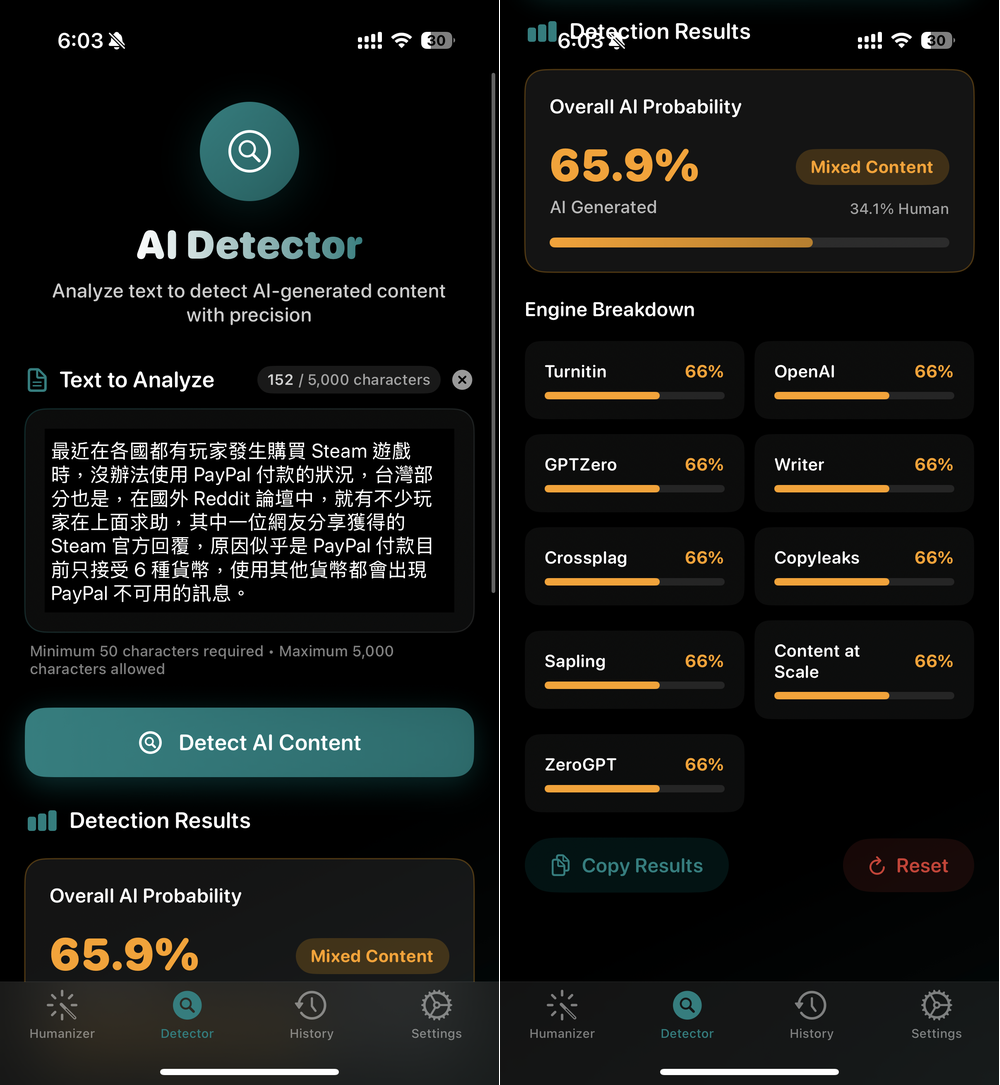
Unfortunately, there’s no way to adjust the detection sensitivity. From my testing, it seems pretty strict—even content I wrote myself gets flagged as 65.9% likely AI-generated, which shows the accuracy isn’t very high.
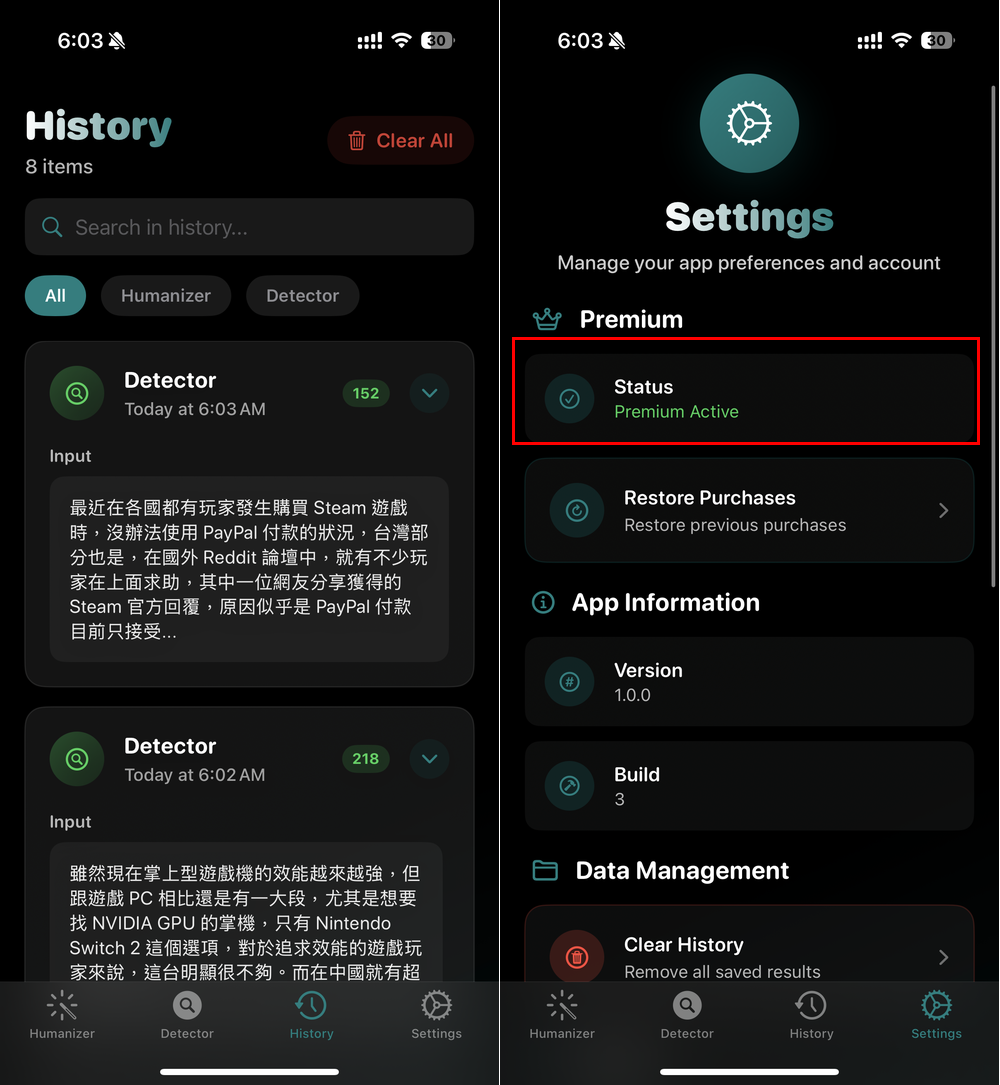
So all rewritten and checked content will be recorded in the History menu. If you’re worried that your account hasn’t been upgraded to the lifetime version, you can check the Premium status in Settings to see if it shows Active.
Source: KOCPC Chinese