


Today I will share with you an Ada for your own use Android Studio with Vibe Coding written in a way Android App:「Must Remember: Never miss an important event”. The idea for this app came about more than ten years ago. I wonder if you would think that the current Google or Apple CalendarnoteAlthough the function “is available”, it often does not serve as a reminder? Because these built-in calendar apps usually just make a “ding” sound on the home screen when the designated time comes. If the phone is not around or you are not paying attention, you will often miss the agreed things (at least I often do). soI have always wanted to have an alarm clock function that can “repeatedly and clearly remind” meApp, but there has been no software that meets my needs for so many years. It may cost tens of thousands to find someone to develop it, but it may not be possible. Until recently, with the support of AI in Vibe Coding, the threshold for program development was finally not as high as before. A while ago, I suddenly remembered this app that I had been thinking about for many years, so I gave it a try. After several failures, I finally completed the app in two or three days and put it on the Play Store. Here I would like to share with you my personal creation.
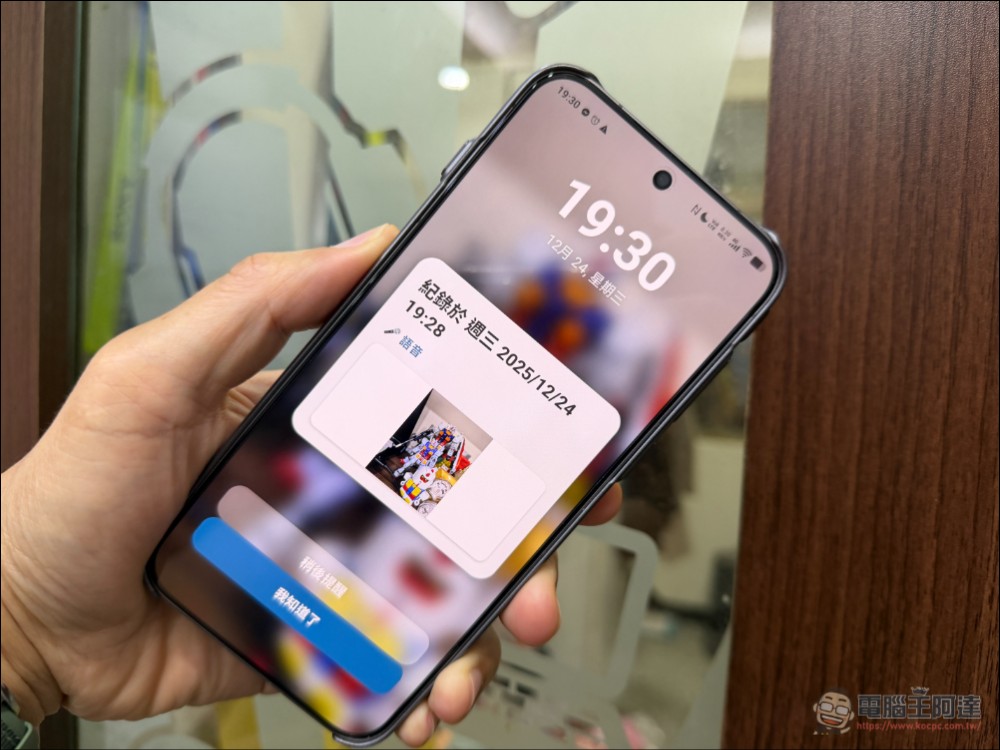
Must Remember: Never miss an important event
First, go to the Play Market and search for “Must remember” and download it. Currently there is only the Android version. If the response is good, I will study the iOS version (because it is quite expensive to apply for an iOS developer, and Android is my main computer). In addition, this App does not record any data or upload any data to the cloud. All note content is local on the phone, so you can use it with confidence:
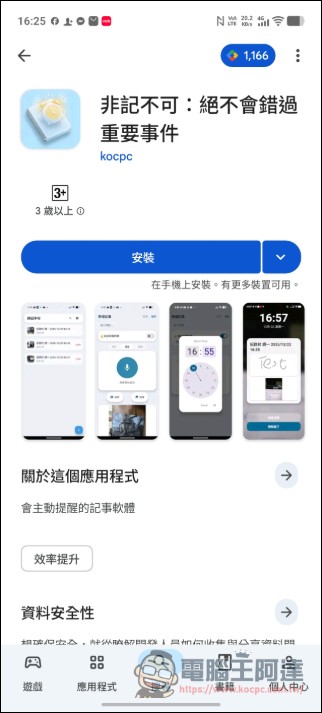
Download, must remember, please click me
2026/05/26 UPDATE, it has finally been updated half a year after its launch. Previously, because the upload key was lost, I didn’t know how to deal with it and had to leave it alone. Recently, AI has been used to solve this problem and correct known bugs. New features include:
• Fixed the issue where the calendar cannot be opened by clicking on the date block when setting the reminder time.
• Added search function to instantly search titles, content and genres.
• Corrected the process of adding multiple photos, taking new photos will no longer overwrite existing photos.
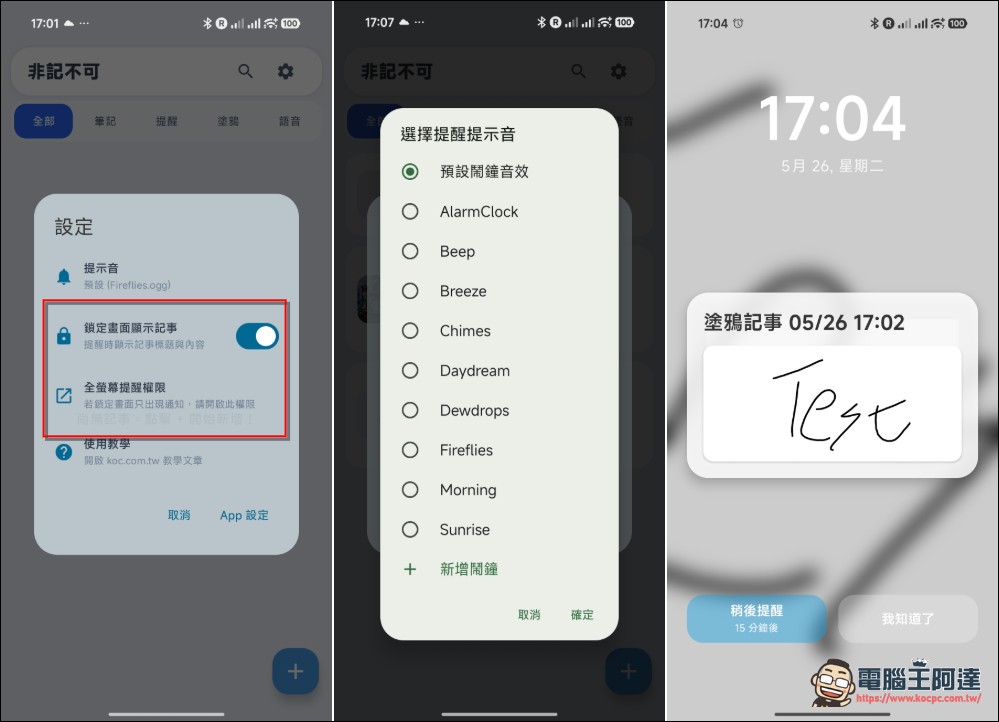
• Added a new full-screen reminder permission entry to improve the lock screen reminder display.
• Improved reminder trigger stability and notification title display.
• Improved naming rules for notes with empty titles, making text, voice and graffiti notes easier to identify.
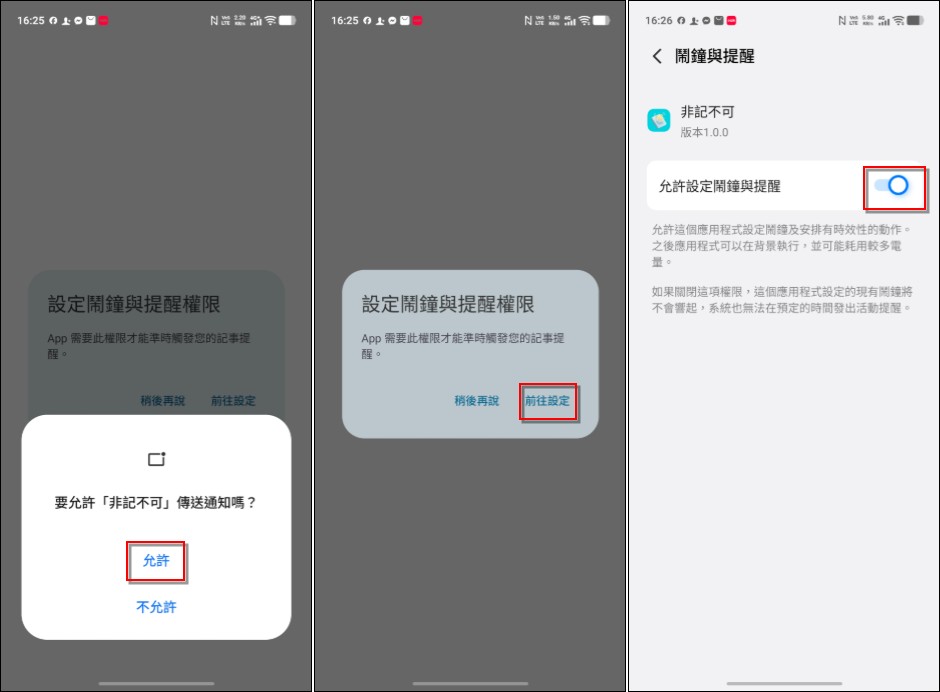
After downloading and executing, it will first ask for several permissions, the main ones being notification and alarm clock permissions. If you don’t agree, the app will be useless in principle. Remember to allow these permissions:
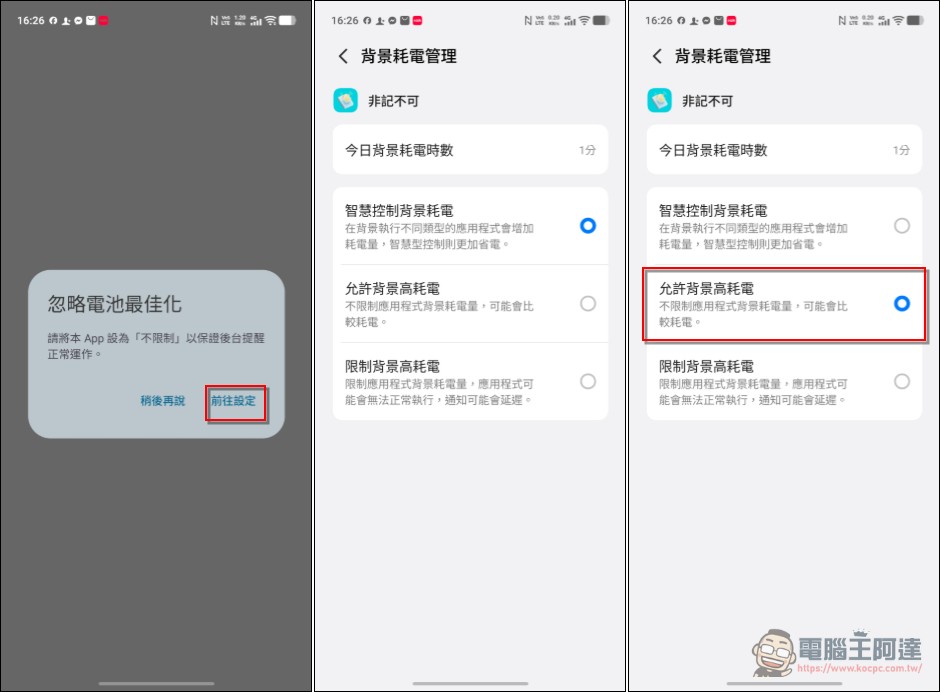
Next, there is a battery optimization setting. This is to prevent some models from killing the background. The Pixel default is on, and other brands recommend turning on “Allow background high power consumption” (actually this app should consume no power at all, just to avoid being frozen or clearing the background):
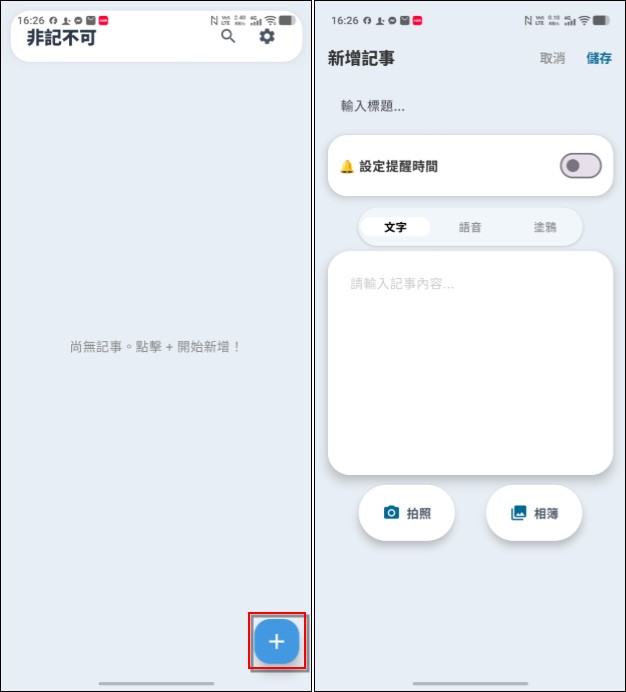
Then enter the main screen of “Must Remember” and click the “+” in the lower right corner to add a new note. Note types are divided into three types: “text” (typing), “voice” (recorded notes) and “doodle”. Each type can be taken with a photo or use photos or screenshots in the album to enhance memory:
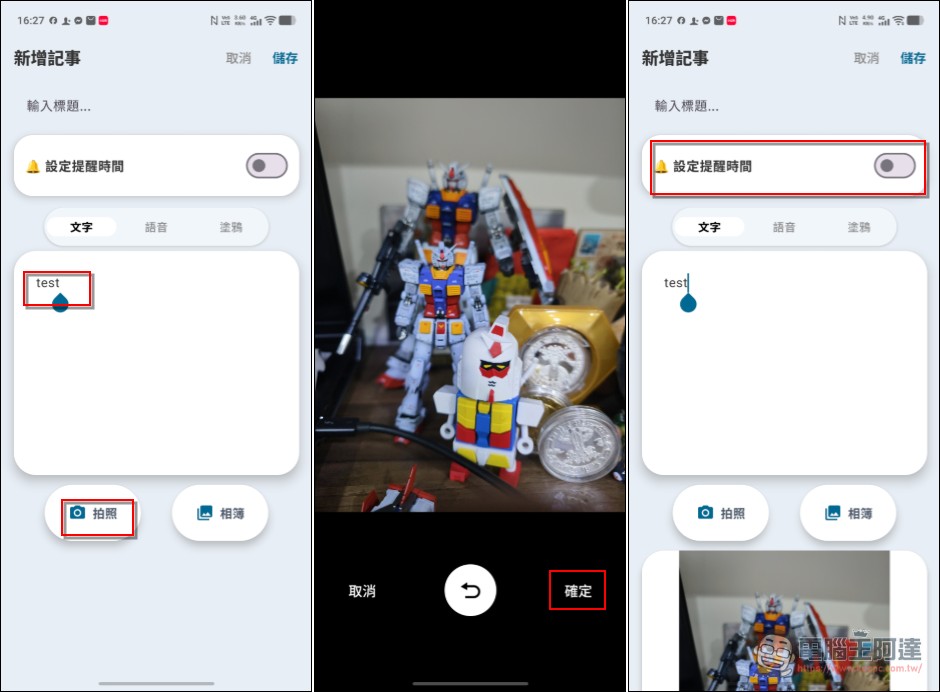
written notes
Take “Text Notes” as an example. The title at the top is the title of the note. It doesn’t matter whether you enter it or not. If you don’t set it, the archive time will be used as the note title by default. If you want to enhance your memory with photos or screenshots, just take a photo or select a photo and confirm. Finally, if you need to be reminded of this note, turn on “Set reminder time” (it’s okay if you don’t set it, just focus on one):
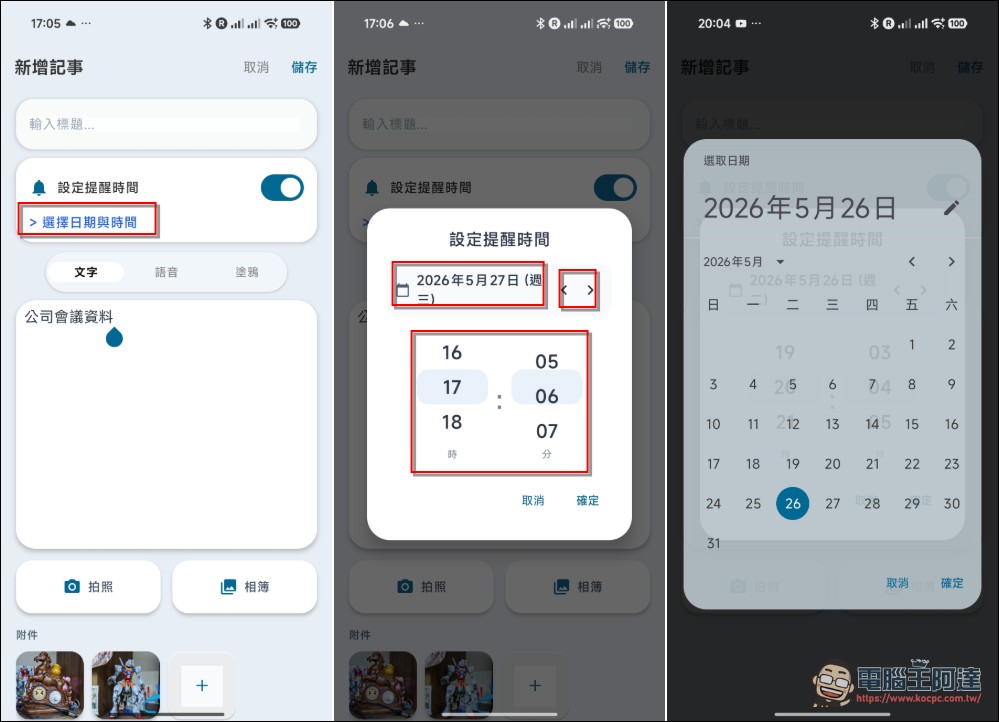
After opening it, you can set the date and time. The new version here has modified the original interface. Click on the date to enter the calendar interface to select other dates. The < / > next to it can set the day before and after. The time is changed from the original clock to a more intuitive dial setting. Finally, click “OK” to specify the time:
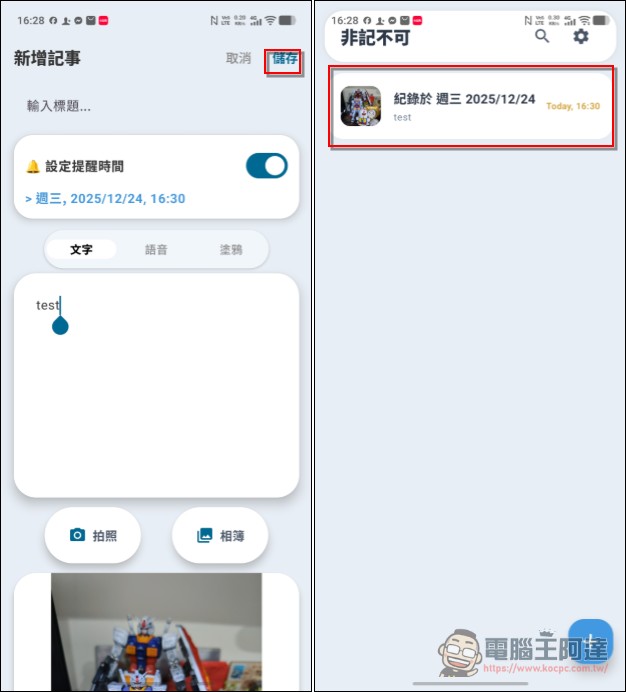
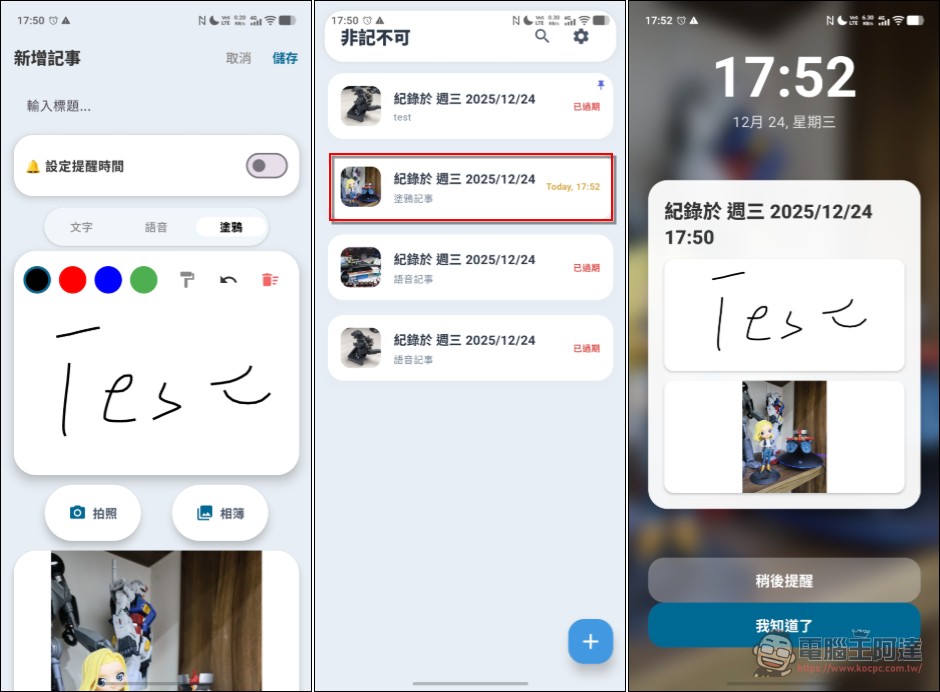
After setting, you can click Save, and the note will appear on the main screen. If there is a matching picture, there will also be a preview:
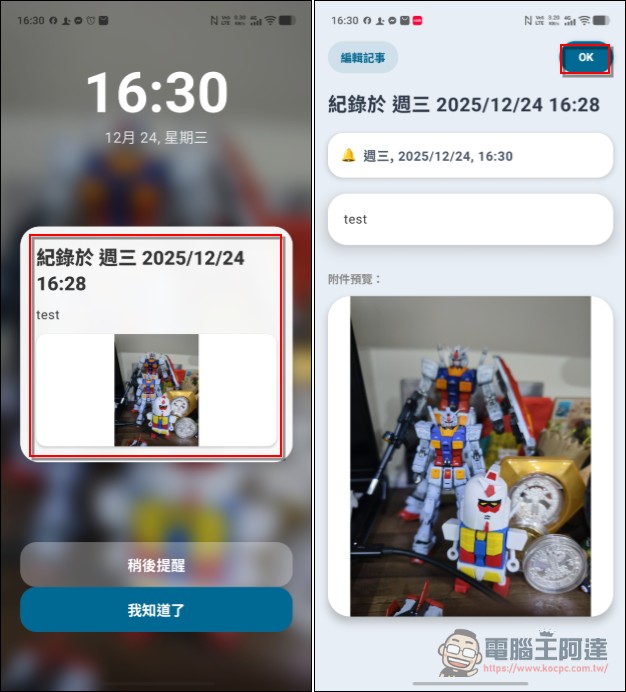
Afterwards, no matter whether your phone is sleeping or you are doing anything, a full-screen notification will pop up when the time is up (remember to turn on this feature in the settings, some models need to be turned on manually). There will be the title, content and photo of the note in the middle. Click the middle area to read it directly. You can also click “I Got It” when the alarm reminds you (the system defaults to you already knowing the content, and the note content will not be displayed or notified again). If you happen to be busy at the moment, you can also execute “Remind Later”, and the note will ring again in ten minutes:
Voice Notes
If you are too lazy to type like me, you can also use recording to take notes. When you use it for the first time, you will be asked for microphone permission. Just select “When using the application”:
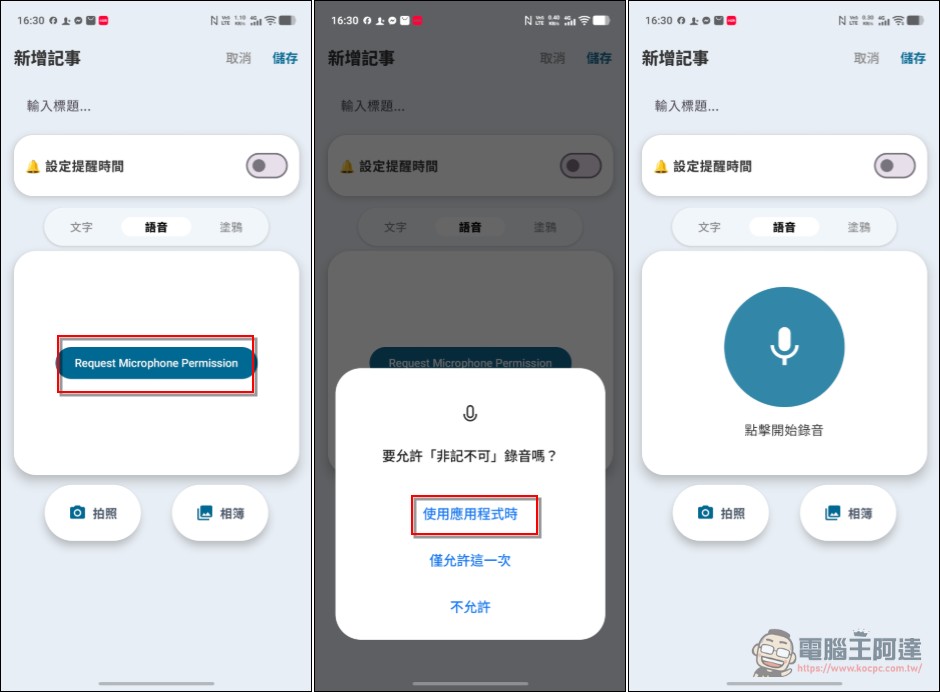
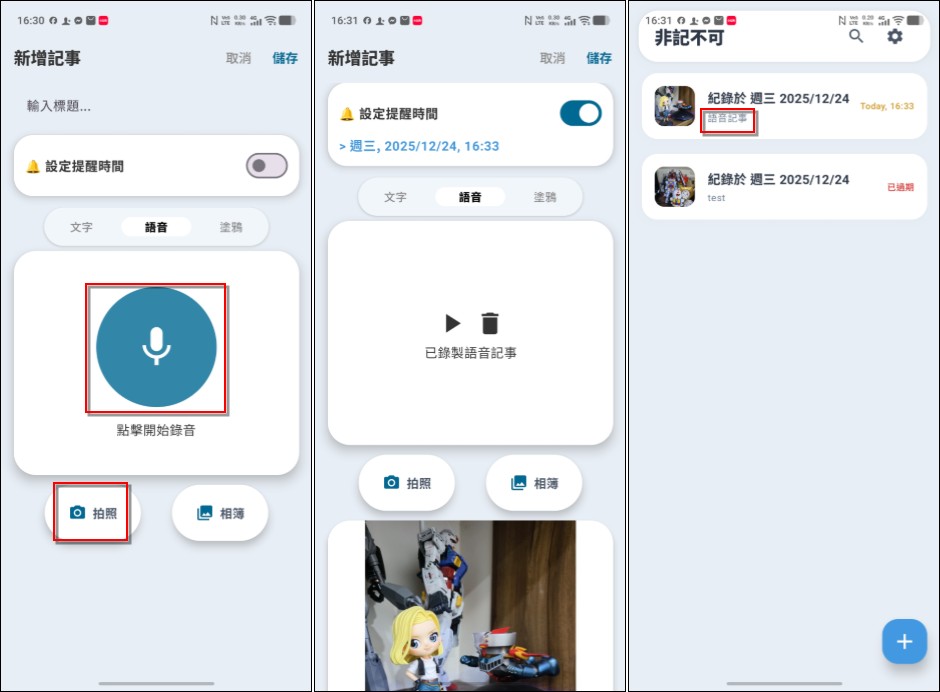
When using it, just click on it to start recording. After you finish speaking, click again to end the recording. It can also be used with photos or pictures. Of course, you can also set the time. After saving, you can see the voice note on the main screen:
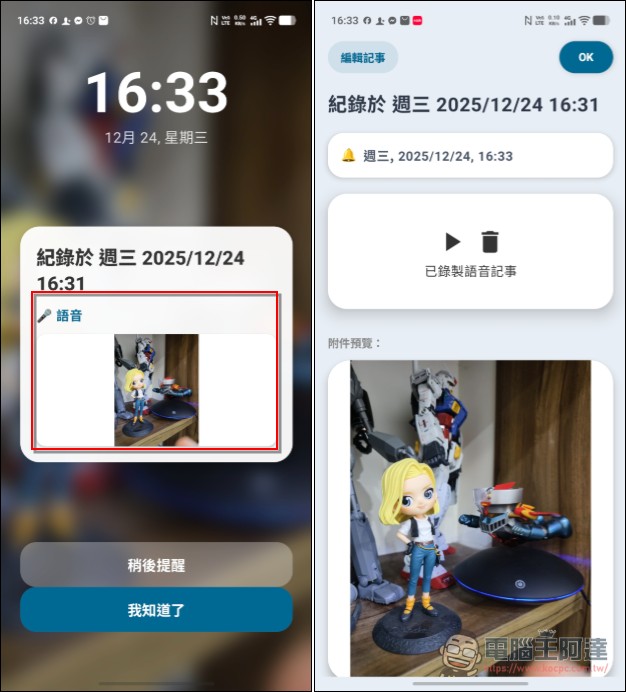
The voice note will also be displayed when the notification jumps. After clicking it, you can listen to the recording content:
Doodle notes
The graffiti note is the same as the two notes above, except that it has the function of handwriting. Sometimes we only need to write a few words and we will know what to do when we see it, so I did not set the input box to be very large. It has color selection and eraser functions:
Note management
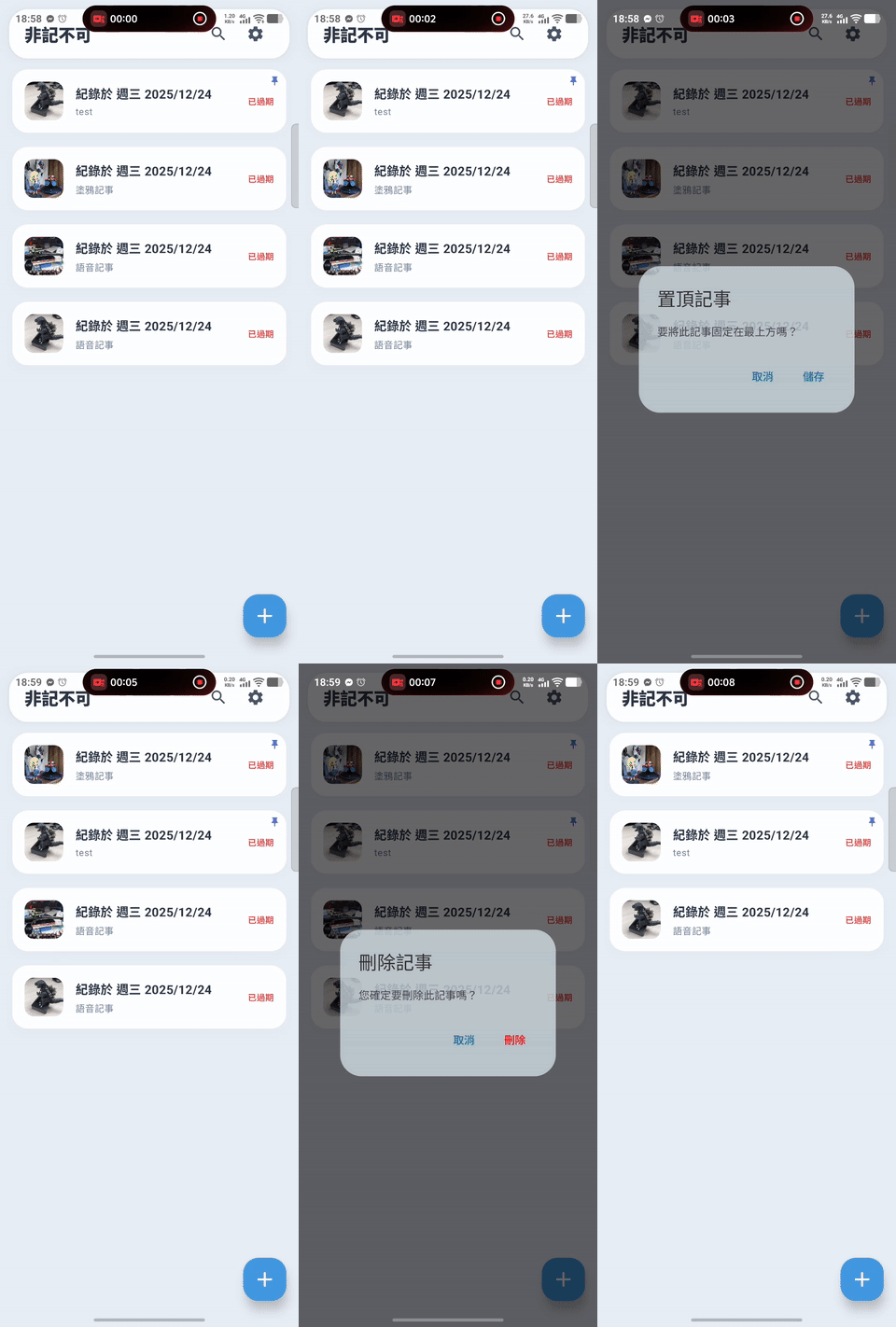
Finally, there is note management. On the main screen, as long as you swipe left on a note, it will be pinned to the top in the order of creation time (there will be a PIN in the corner of the note). Swipe right to delete the note. The logic is very simple (UPDATE:“Settings” currently has no function, before it was supposed to be used for language or note management, but later it was directly changed to multi-language and left and right sliding, so it was not done. It is regarded as a reserved item):
Setting interface
This version also adds the “Settings” function (it was installed for trial use before, but I forgot to use the function). Now you can set optional note prompts, and you can also turn on the lock screen full-screen reminder (some models have to be turned on manually by default):
Download, must remember, please click me
write at the end
I mainly made this app for my own use, thinking that “maybe” someone might have the same needs, so it took me a few days to put it on the Play Store. It cost about 500 to 600 yuan of Gemini 3 Flash Token to assist in the development. If you have any problems or bugs in using it, you can leave a message on the market and I will deal with it if I have the time and ability (actually the most difficult part of Vibe Coding is catching bugs and correcting them, which is much more troublesome than writing programs). This app is completely free. If there are enough users, we may consider putting it on the iOS version. If you find it difficult to use, I welcome you to develop a more complete APP than I thought. If you find it useful, you can also buy me a cup of coffee. Unexpectedly, I have also become an App developer🤣.
Source: KOCPC Chinese