

• About Us
King of Computer Media
  • Home
  • Tech News
  • AI News
  • Apps & Tutorials
  • Mobile & Telecom
  • Lifestyle
  • About Us
No Result
View All Result
  • Home
  • Tech News
  • AI News
  • Apps & Tutorials
  • Mobile & Telecom
  • Lifestyle
  • About Us
No Result
View All Result
King of Computer Media
No Result
View All Result

Home - Cross-platform App - You can also create photos using Photoshop while typing Chinese characters! Tutorial on the super easy-to-use AI “generate coloring” function that supports Traditional Chinese

You can also create photos using Photoshop while typing Chinese characters! Tutorial on the super easy-to-use AI “generate coloring” function that supports Traditional Chinese

ROSS by ROSS
September 2, 2023 - Updated on August 4, 2026
in Cross-platform App

The Generative Fill and Generative Expand functions achieved using Firefly technology were previously only available in pure English, and it still felt somewhat alienated from us. However, with Adobe’s update, the current Photoshop (beta version) has also officially supported Traditional Chinese for generative AI-related functions. Continue reading You can also Photoshop pictures by typing Chinese characters! The super easy-to-use AI “generate coloring” function that supports Traditional Chinese teaching report content.
打中文字也能 Photoshop

You can also create photos using Photoshop while typing Chinese characters! Tutorial on the super easy-to-use AI-generated coloring function that supports Traditional Chinese

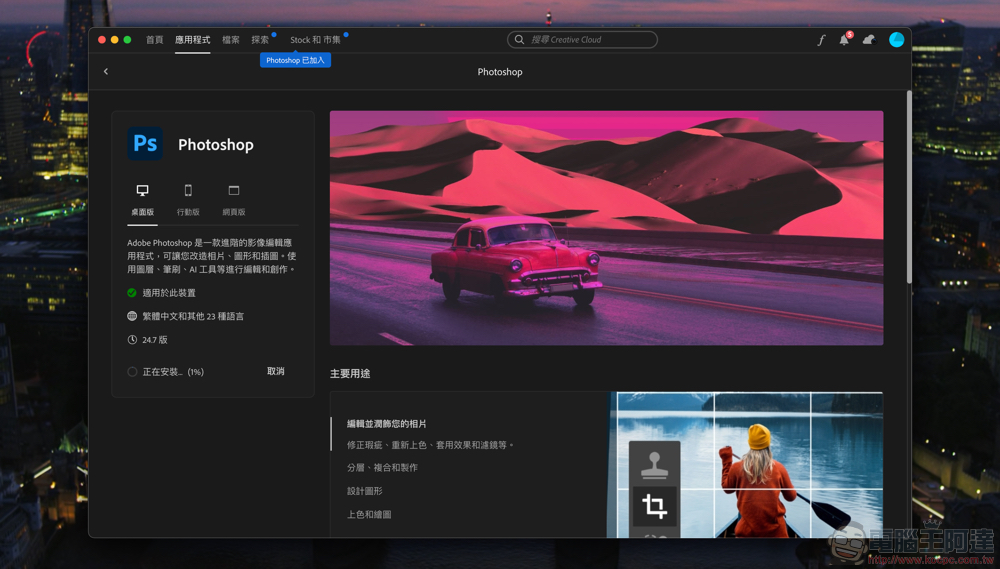
Quickly embrace generative AI (GAdobe uses the power of energetic AI for creative purposes such as images. The biggest news recently is probably that the various image resources they have accumulated since the Sensei AI period have evolved into the current Adobe Firefly enterprise version, which allows them to quickly solve the copyright issues encountered by many people using image generation AI (see more:Can’t find copyright-free, commercially usable AI image generation? Adobe Firefly Enterprise Edition will be your best answer)。

Such results have now been gradually transferred to other Adobe applications.
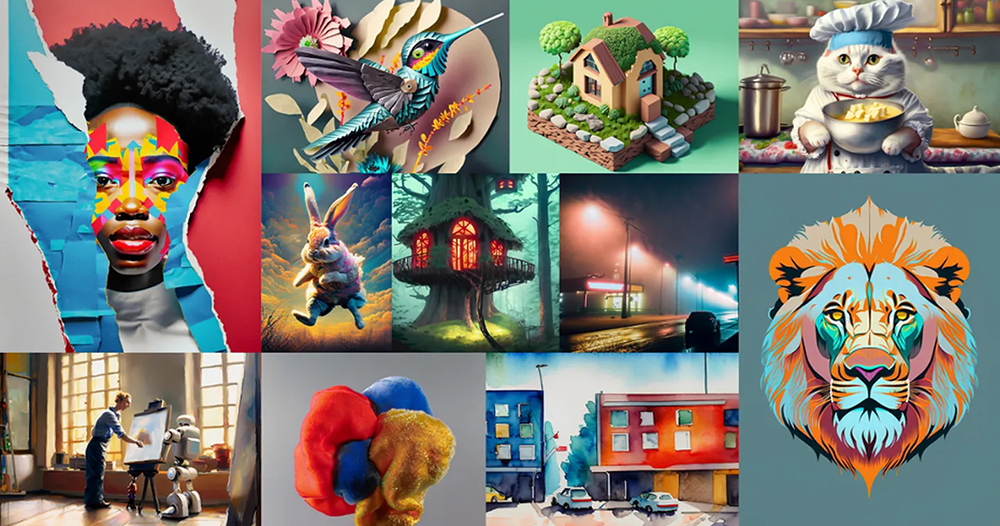

▲Image source: Adobe

In fact, Photoshop can use generative AI to fill colors and expand backgrounds, as well as its amazing effects. I believe you have seen it in many sharings and teachings. However, these Generative Fill and Generative Expand functions, which are achieved using Firefly technology, could only be achieved in pure English before, and it still feels somewhat alienated from us.

However, with Adobe’s update, the current Photoshop (beta version) has also officially supported Traditional Chinese for generative AI-related functions. I have used it a little recently, and I think I can really recommend it to everyone, so that you who may have been completely confused about finding P pictures can now complete PS creations that you may have never imagined you could complete by just typing with your fingers.
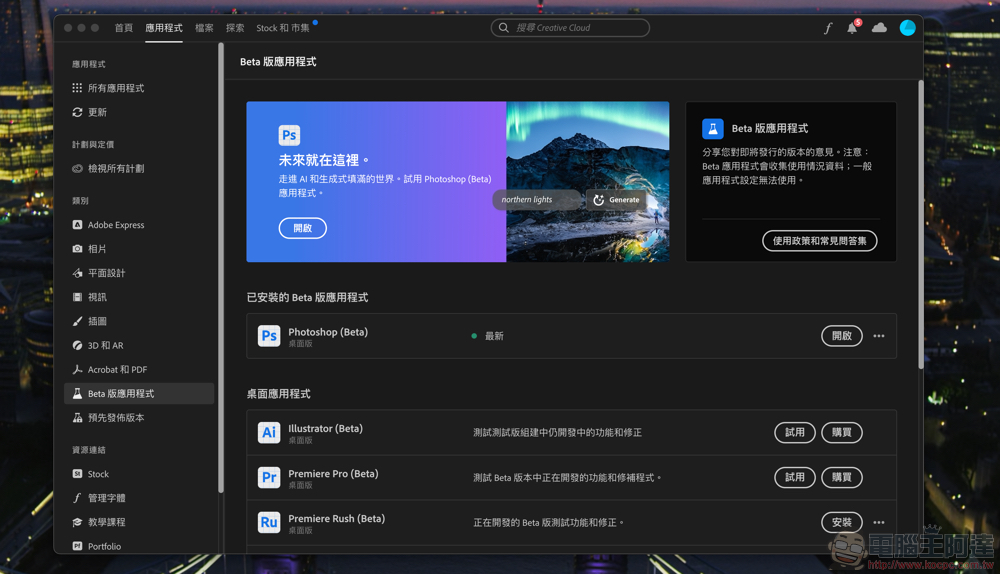
First, you will need to find Photoshop (Beta) in the “Beta Apps” section of Adobe Creative Cloud and install it – you should be able to download it if you have a Photoshop subscription plan. Once installed, you can easily use features such as generating extensions.
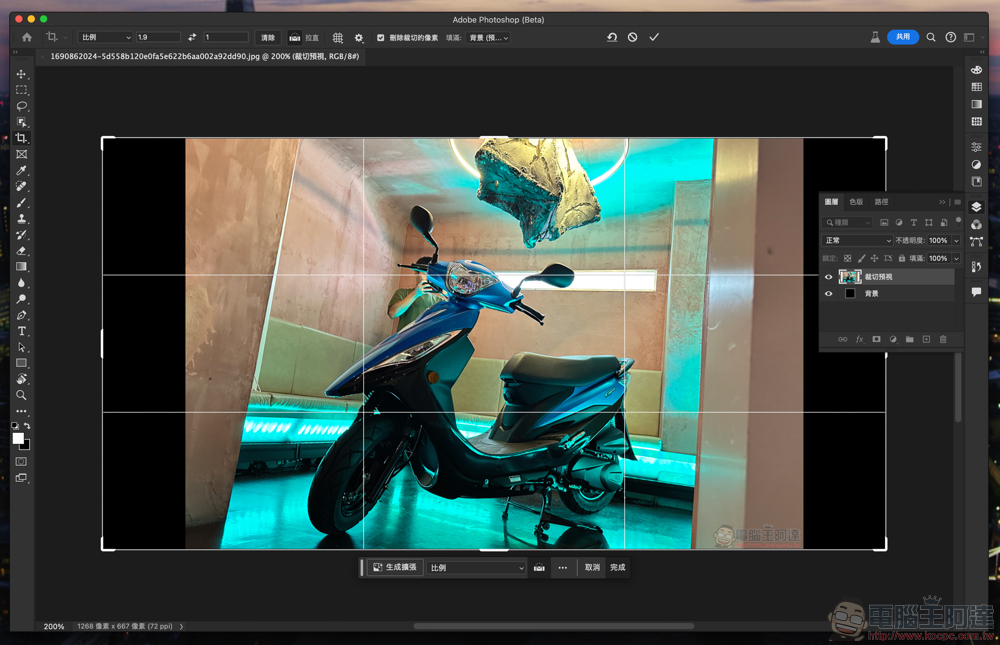

Like the picture above, just expand the range and click “Generate Expansion” in the floating window. Photoshop will quickly generate three sets of expanded images for you to choose from – the results like the one below are actually quite good! :
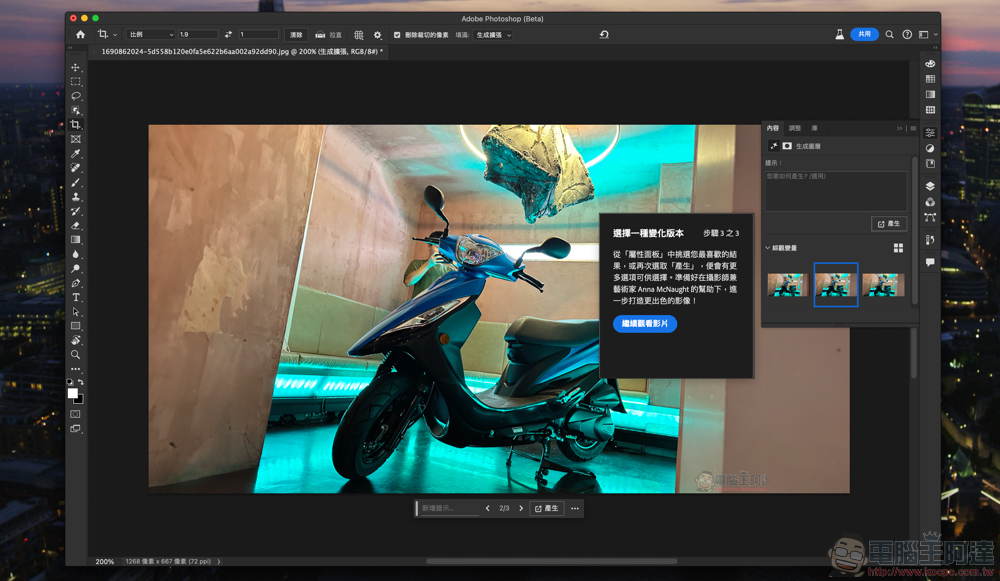
Next, of course, I want to teach you how to generate color (Generative Fill) function, first simply use the selection tool to select the subject:
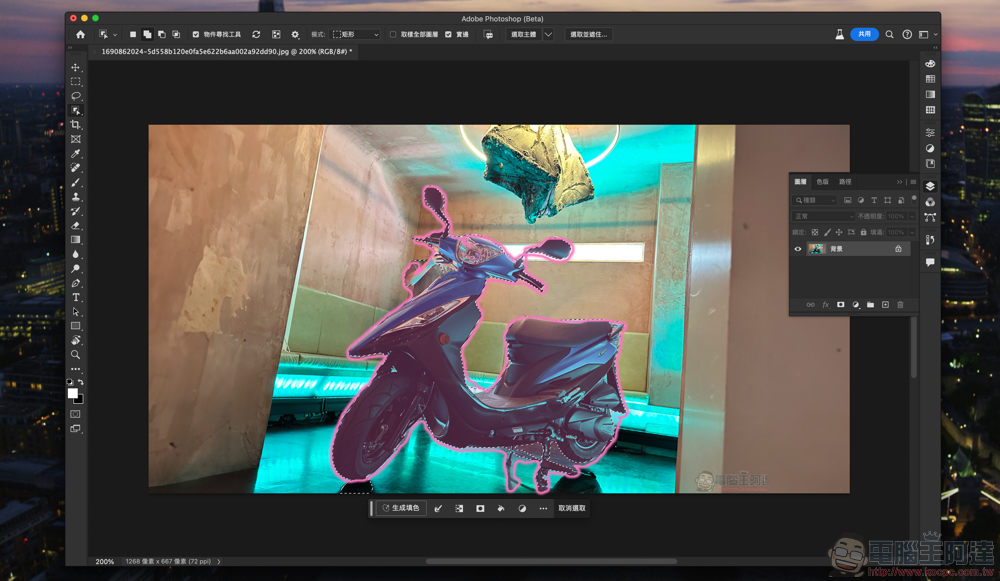
Reverse selection range:
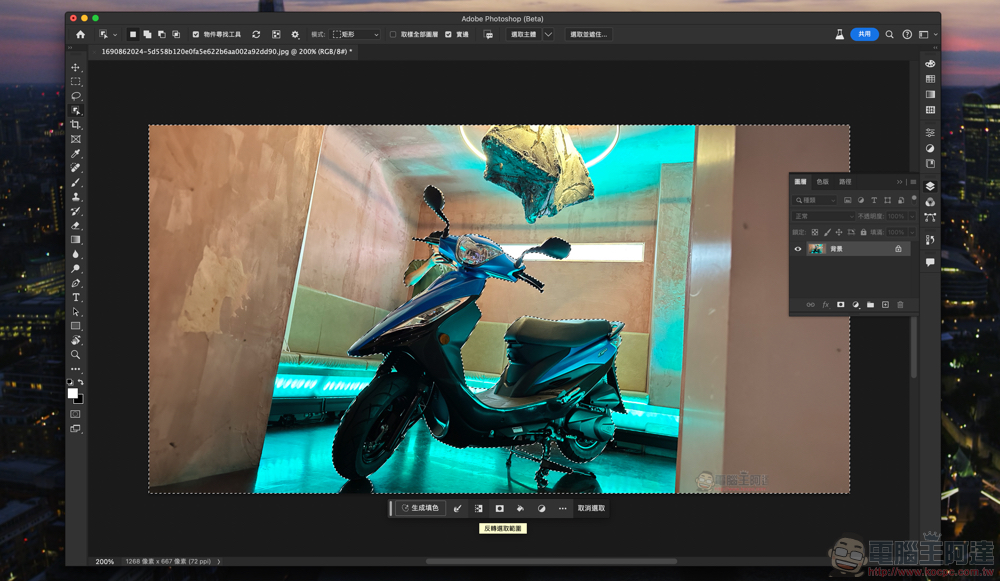
Then click “Generate Fill” in the floating window and enter the rendering keywords you want to draw – yes, it’s that simple! :
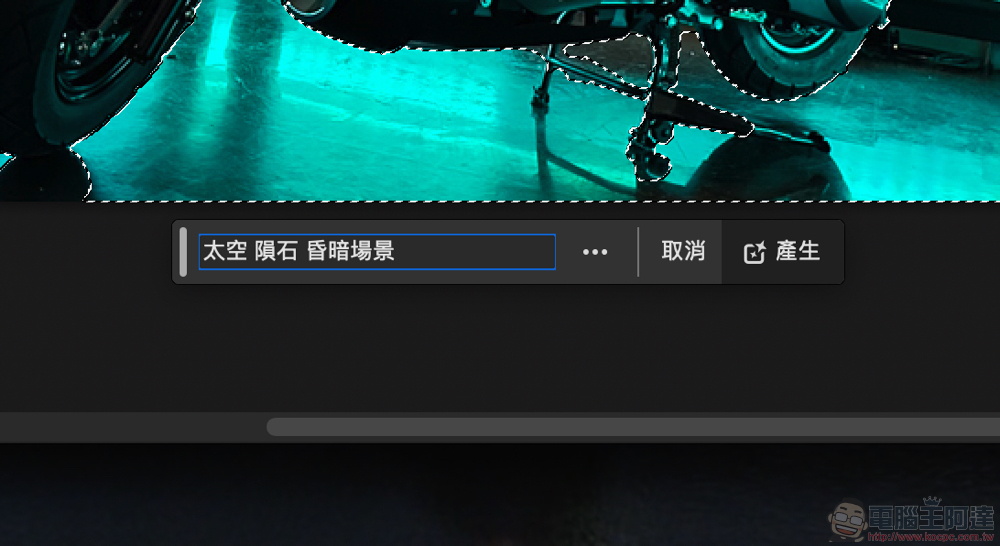
Then it will provide you with three options just like the generative extension function:
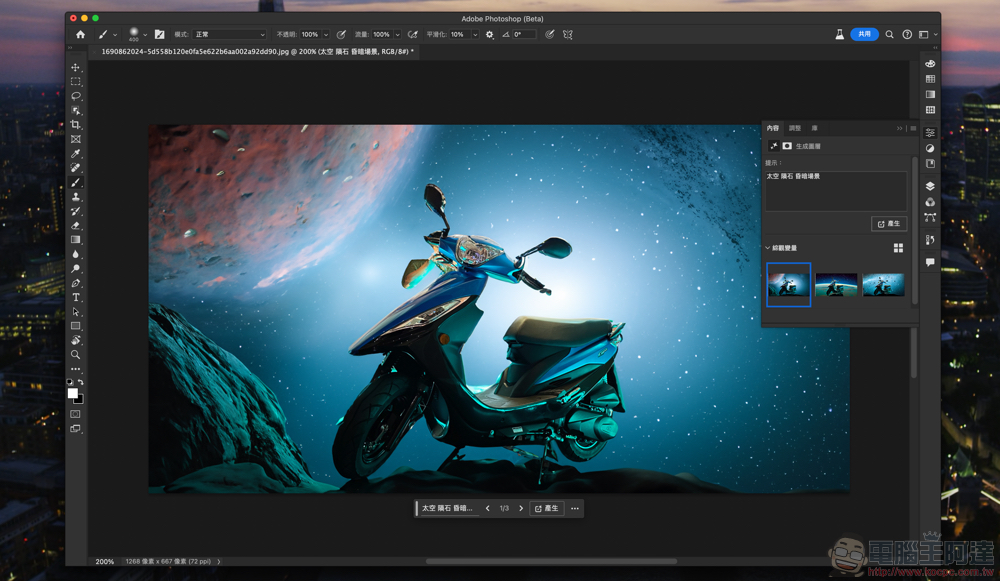
Here I find that the range I just circled is a bit flawed, so I’ll make some corrections:
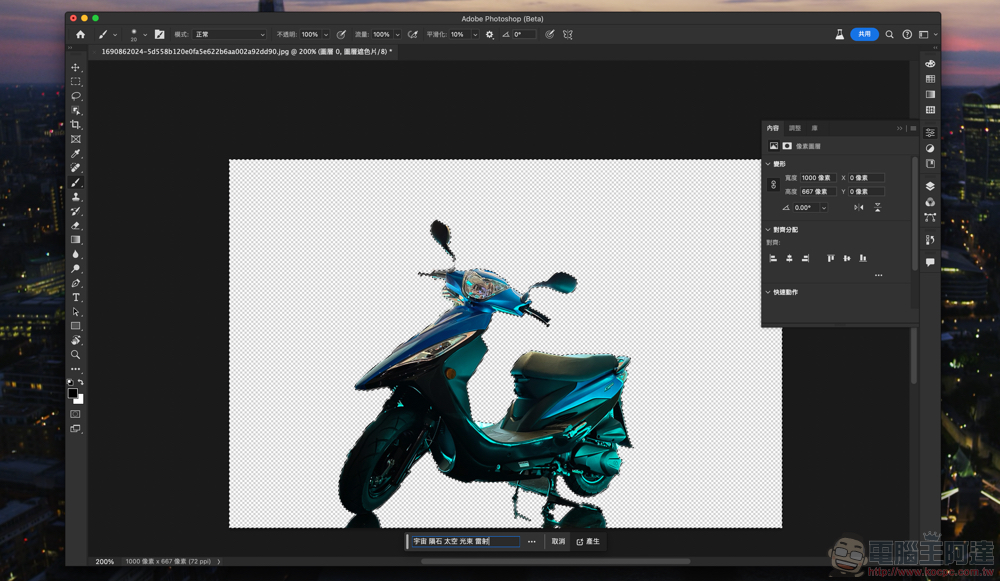
Then through similar keywords, the post-production work of AI image generation is completed with good results! Isn’t it very simple? You can try it too!

Further reading:
Gwangyang GP125 has extended its discount to three models for orders exceeding RMB 40,000! News of the extension of the 39,800 discount will (should) be announced on Monday

Source: KOCPC Chinese

Tags: AdobeAdobe FireflyaiGAIGenerative AIPhotoshopPSTeachingTraditional Chinese

Recent Posts

  • Meta Muse Lands on Mac: Personal AI Agent Begins Operating Your Files, Messages, and Calendar (Muse for Mac)
  • First oMLX performance results for M5 Ultra Mac Studio leak: prefill speed 3-4x faster than M3 Ultra, data taken down after exposure.
  • After the iPhone 17, the frame material was changed back to aluminum alloy. Is it better than titanium?
  • The iPhone 18 Pro series, Apple Watch Series 12, Apple Watch Ultra 4, and AirPods 5 are now on sale—a first look, with warm “Burgundy Red” and striking “Glacier Blue.”
  • The battery replacement cost for the iPhone 18 Pro / Pro Max has gone up again! Compared with 5 years ago, the increase has doubled.

Recent Comments

No comments to show.
  • About Us

We welcome partnership inquiries and product review opportunities from smartphone manufacturers, iPhone accessory brands, and app developers.koc kocpc.com.tw|Privacy Policy |Hosting & Maintenance: Fast Line Taiwan, A-Chang Digital Technology

No Result
View All Result
  • Home
  • Tech News
  • AI News
  • Apps & Tutorials
  • Mobile & Telecom
  • Lifestyle
  • About Us

We welcome partnership inquiries and product review opportunities from smartphone manufacturers, iPhone accessory brands, and app developers.koc kocpc.com.tw|Privacy Policy |Hosting & Maintenance: Fast Line Taiwan, A-Chang Digital Technology