


I wonder which theme do you usually use for LINE? Recently, after LINE was updated, a new feature that can automatically change themes was quietly launched. This time I would like to share with you how to set up the LINE theme carousel function, and how to make good use of the update frequency to allow LINE to automatically replace LINE themes of different styles at regular intervals! With a simple setting trick, LINE can be displayed in a white theme at dawn and switch to a black theme at night.
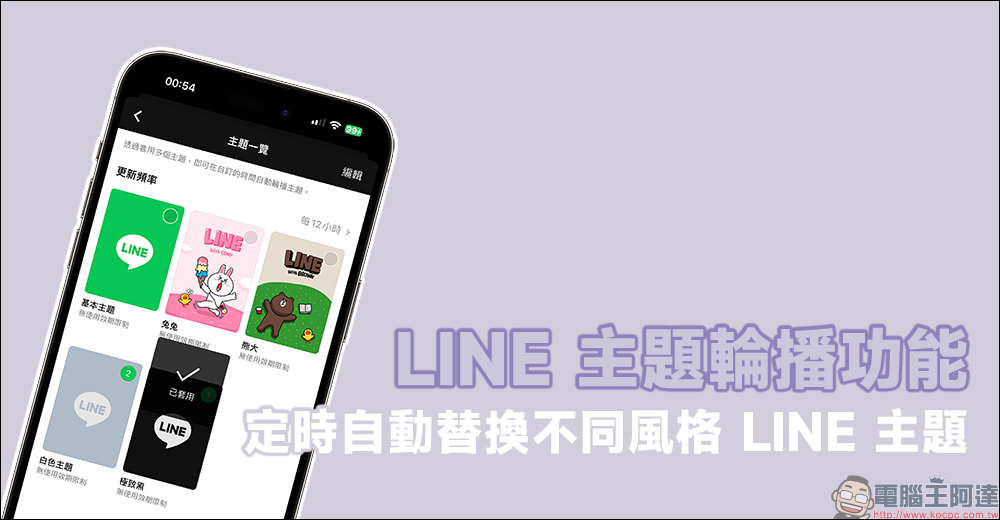
LINE theme carousel function can automatically replace different styles of LINE themes within 12 hours at the fastest time! (teaching)
Have you been using the same LINE theme for several years without realizing it? Sometimes you want to change flavors but are too lazy to switch manually? Recently, LINE launched the “topic carousel” function. Users only need to check the LINE theme they want to replace, and the system will automatically replace it according to the user’s settings. For users who have not spent money to buy themes, they can actually choose multiple LINE themes for rotation through this function. For example, if you use the light-colored “White Theme” during the day and switch to the “Ultimate Black” dark theme at night, you can set it to automatically switch between light and dark modes!

How to set up “theme carousel”?
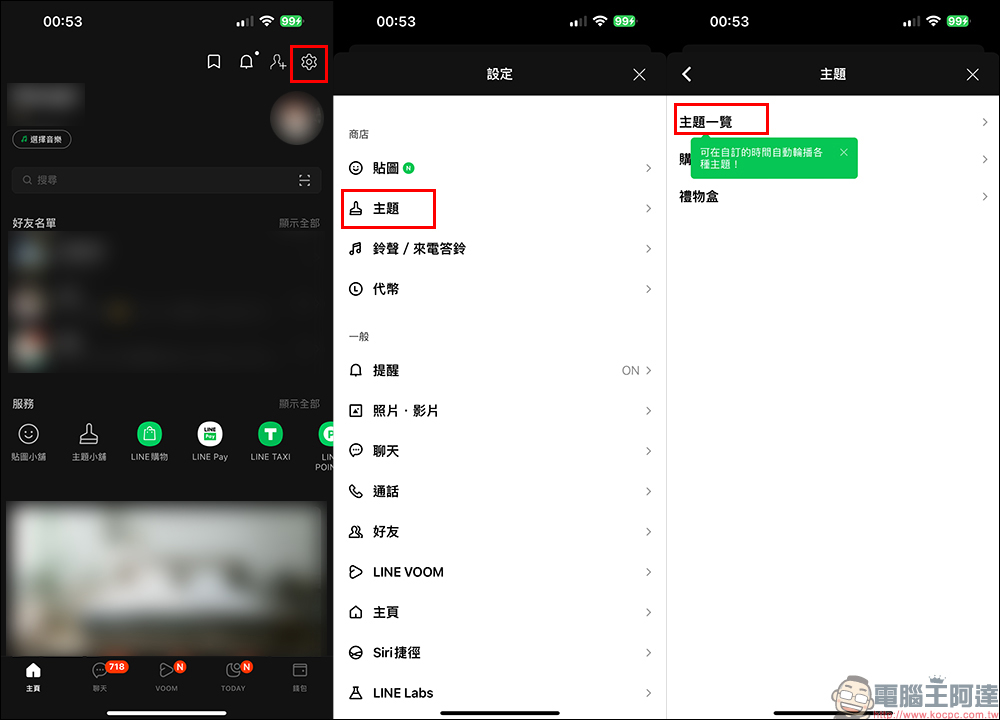
First, after updating LINE to the latest version, click the gear button in the upper right corner of the LINE homepage to go to the “Settings” page, then select “Theme” > “Theme List”:
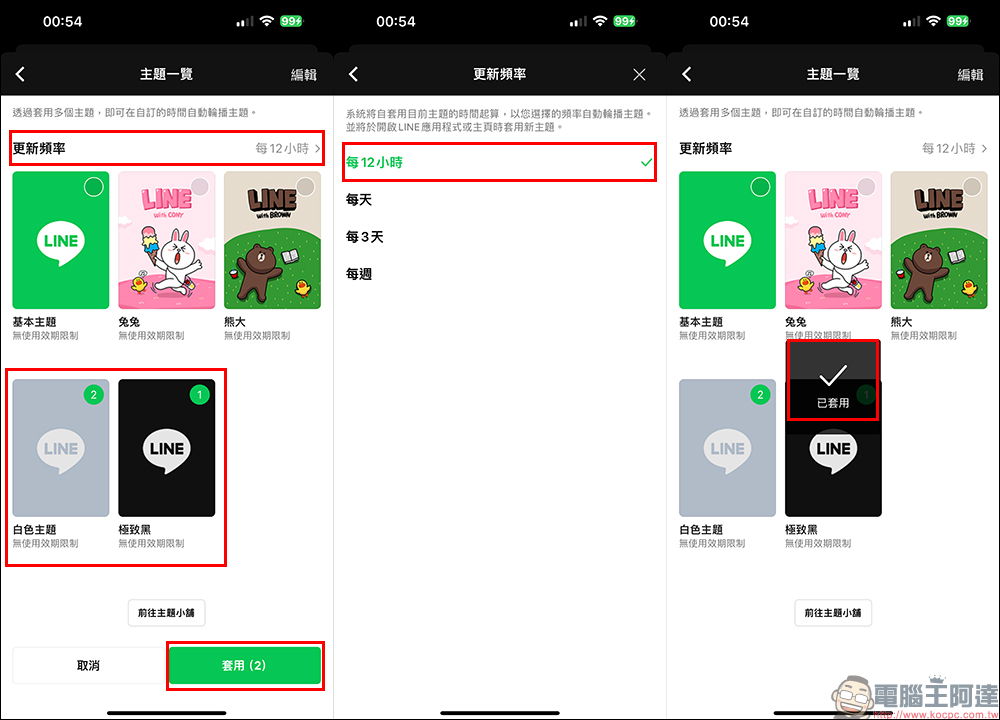
At this time, the screen will default to check a LINE theme currently in use. Users can check multiple LINE themes here to automatically rotate the theme at a customized time! There are currently four options for update frequency, namely “every 12 hours”, “every day”, “every 3 days” and “weekly”. You can choose the update frequency according to your preferences. However, here I will choose “every 12 hours” according to the frequency of day and night for demonstration.
It should be reminded here that the update frequency is calculated based on the setting “Apply”, so the time of application is also very critical.
How to automatically switch themes between day and night?
Since there is currently no way to replace the LINE theme according to the specified time in the settings, and LINE’s “theme carousel” function is calculated based on the setting application, then if you want LINE to automatically switch to the “Extreme Black” dark theme at dark and automatically switch to the “White Theme” at dawn, then choosing the time to apply is very critical.
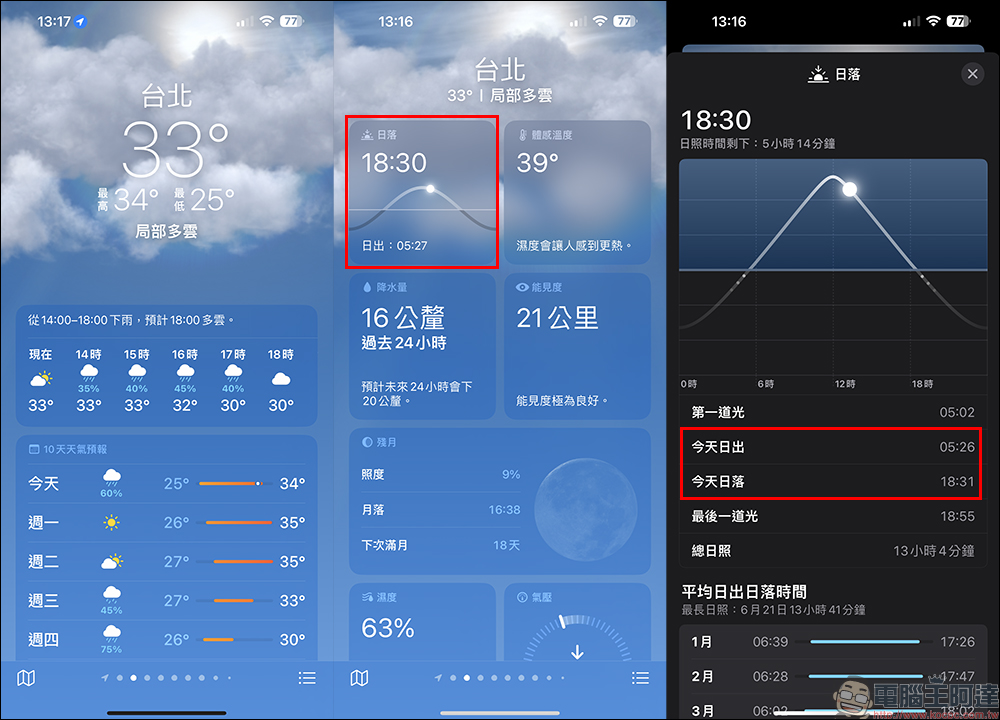
So how do you know the time of sunrise and sunset? In fact, weather apps like iOS can see the daily sunset and sunrise times in your location. We only need to apply the LINE theme at the estimated sunset or sunrise, and the system will automatically replace the theme in the future. Of course, because there is a difference in the length of sunshine between summer and winter in the northern hemisphere, the day and night switching theme here is just a rough idea.
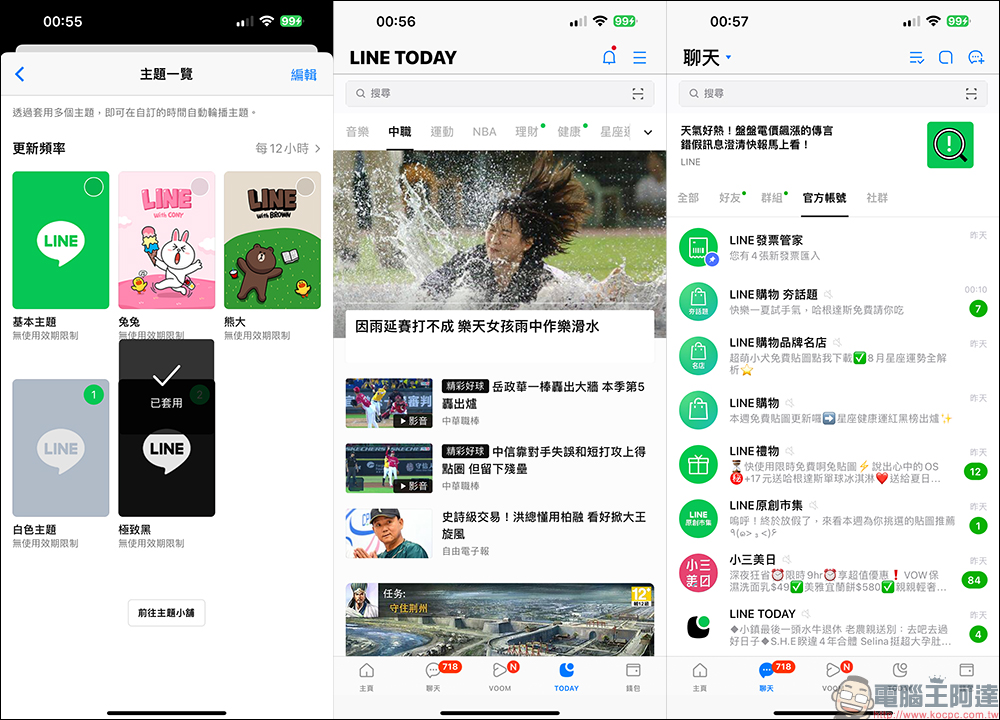
We only need to set the update frequency of “every 12 hours”, and then check the “Extreme Black” theme at sunset. At this time, the order will be displayed as “1”, then check the “White Theme”, the white theme will be displayed as “2”, and finally click “Apply”. At this time, the LINE theme will start to display in the first set “Extreme Black”. It will automatically change to the “White Theme” 12 hours from this time, which is around dawn.
The “Ultimate Black” theme is free, and the background of LINE will be switched to black with dark gray text display.
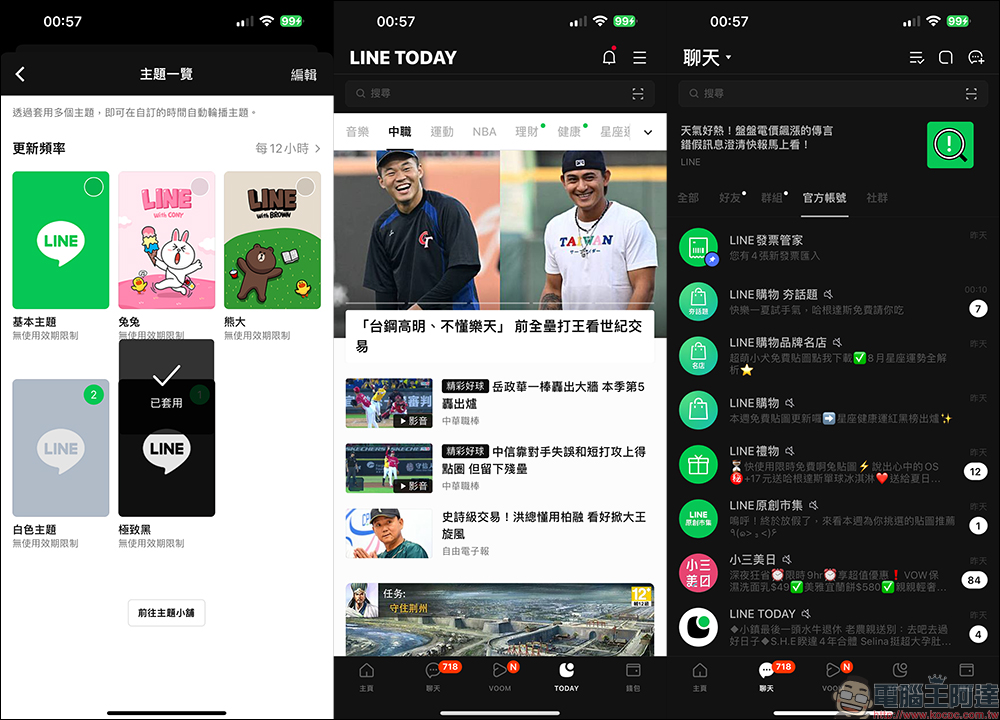
LINE’s “White Theme” is also a free theme, and the background is mainly white with light gray. If the user wants to set up automatic switching of LINE themes between day and night at dawn, they can choose to set “White Theme” as the priority, and then check “Black Theme” as the second option.
LINE App download or check for updates:iOS version (App Store)|Android version (Google Play Store)
Further reading:
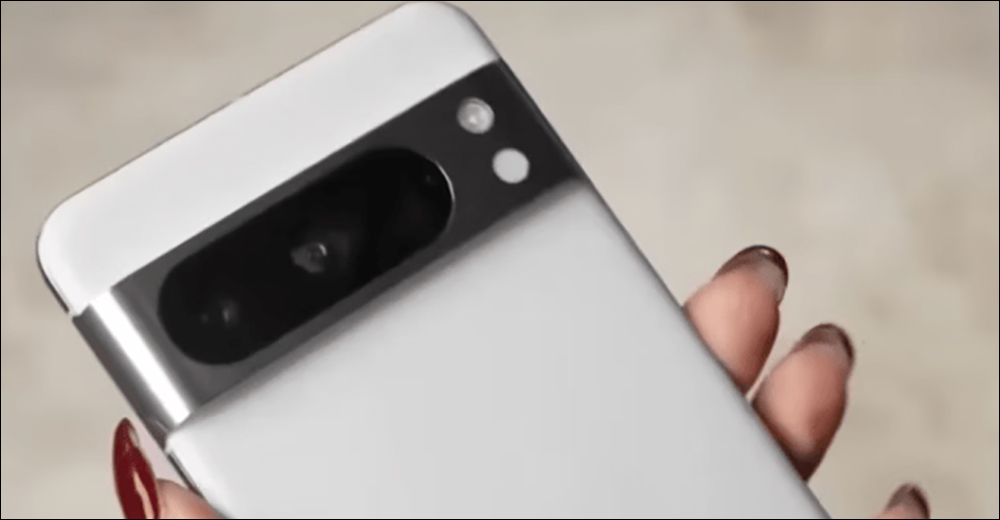
Google Pixel 8 / Pixel 8 Pro latest leaks! The capacity still starts at 128GB and is available in 3 colors. The price is expected to increase slightly.
Source: KOCPC Chinese