


At this year’s Google I/O, the company showed that custom emojis can also be turned into the wallpaper of your mobile phone and the movie dynamic wallpaper function that makes photos more vivid. With the release of the June 2023 update, in addition to improving a series of overall experiences, it also brings new features, and the emoji wallpaper and movie dynamic wallpaper are included in this update. This time, follow us and learn how to create super fun custom emoticon wallpapers!
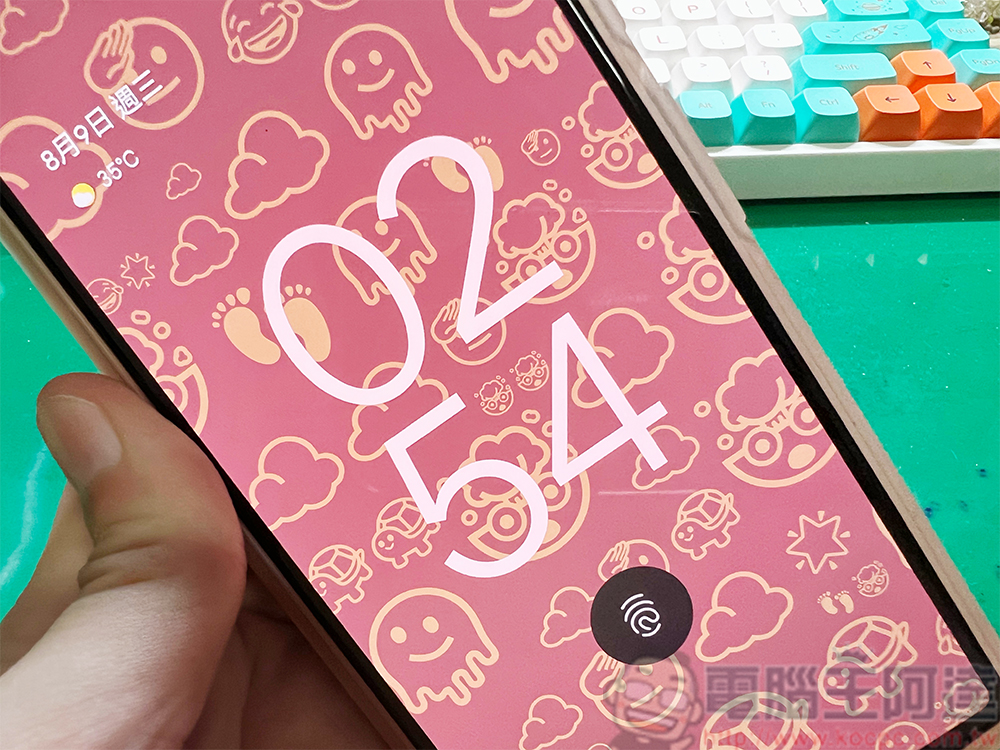
How to customize fun emoji wallpapers and movie dynamic wallpapers on Pixel?
Emoji wallpaper
Emoji wallpapers were first seen at the Google I/O 2023 Keynote showcase. As the name suggests, they allow you to create lively and interesting wallpapers with your favorite emojis. You can customize, mix and match from over 4,000 unique emoji stickers, and adjust the colors and patterns to make them look more interesting. It is highly recommended to play with the emoji wallpaper to give your Pixel a completely new look. Below, I’ll be demonstrating on a Pixel 6 running Android 13, but the steps are the same on almost all supported Pixel phones (Pixel 6 and newer).
- Press and hold the wallpaper on the home screen, then select “Layouts & Styles”.
- Click “Change Wallpaper”.
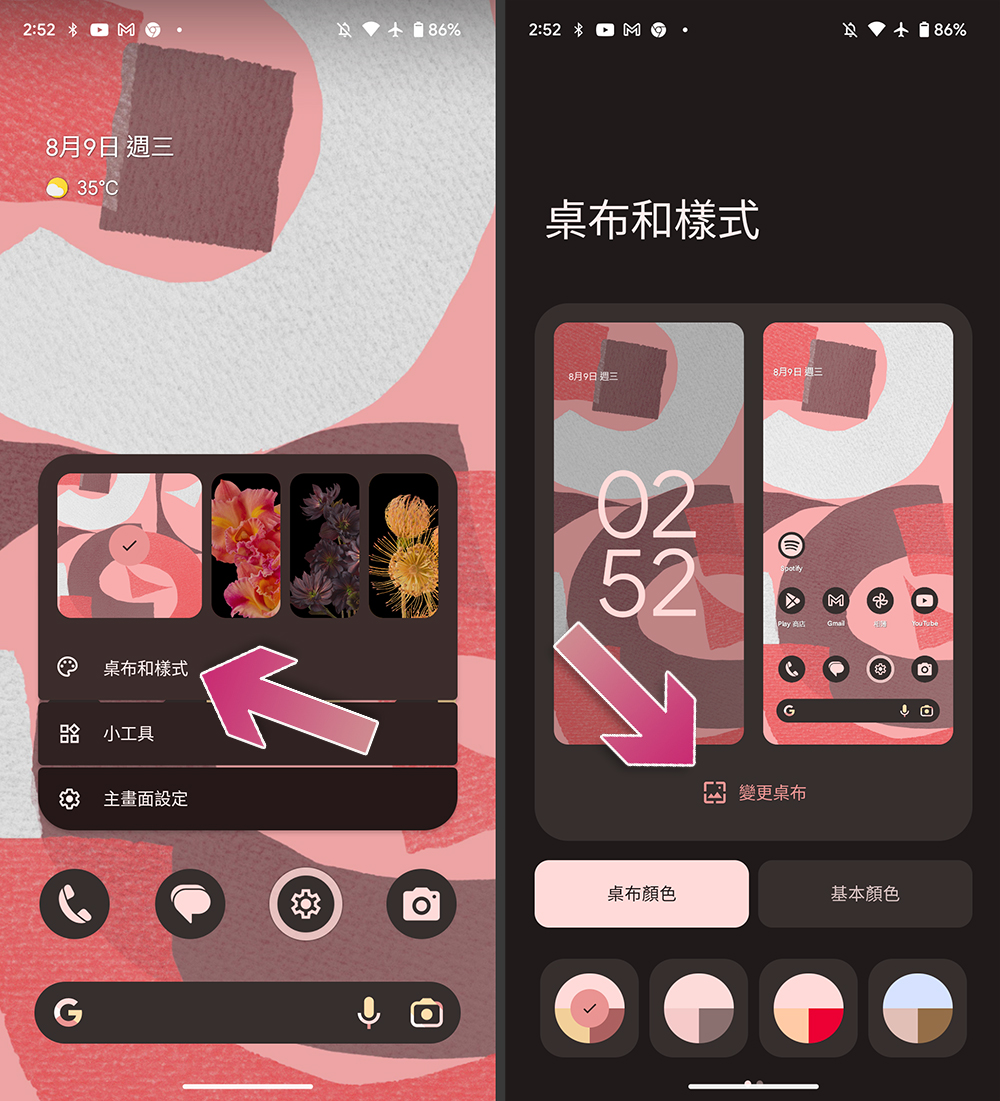
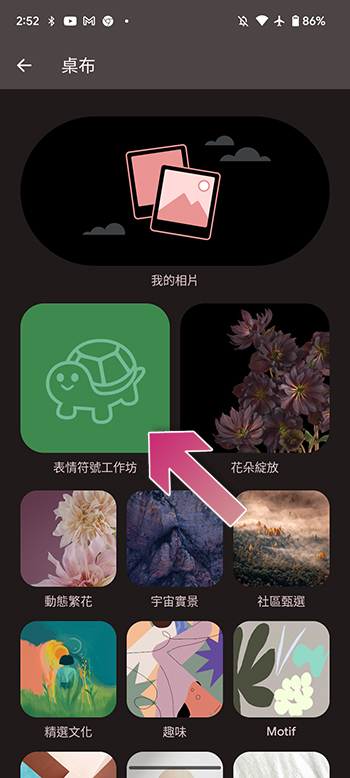
- Click “Emoji Workshop”.
- Next, you can choose up to 14 emoticons, and you can also customize the arrangement of the symbols, adjust the size of the symbols, and the overall color matching. When finished, click the checkmark in the upper right corner of the screen.
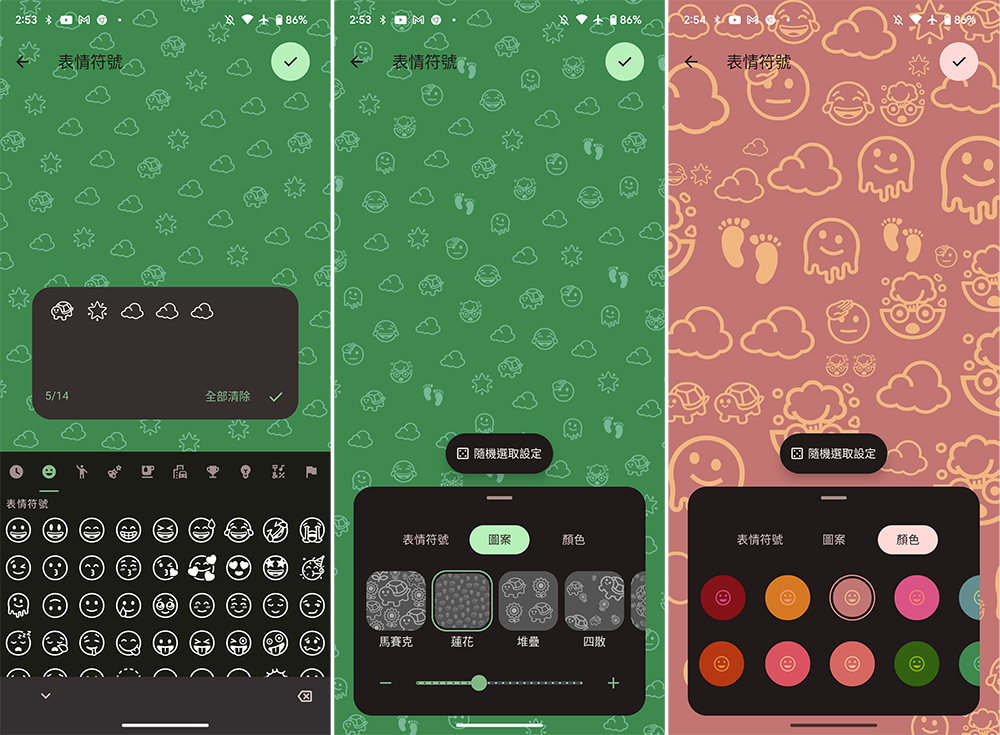
- Finally, click on the upper right corner to set the wallpaper.
Movie dynamic wallpaper
The creation of movie dynamic wallpapers is slightly different from emoji wallpapers. Let’s take a look:
- Press and hold the wallpaper on the home screen, then select “Layouts & Styles”.
- Click “Change Wallpaper”.
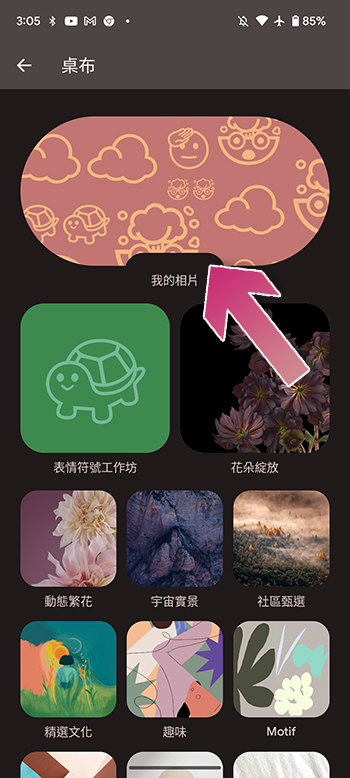
- Then click on the top and largest “My Photos” and select a photo from the album that you want to use as a wallpaper.
- After selecting the photo, click on the symbol that looks like a shining star on the right side of the screen, and then open the “Create Movie Live Wallpaper” in the small prompt window below.
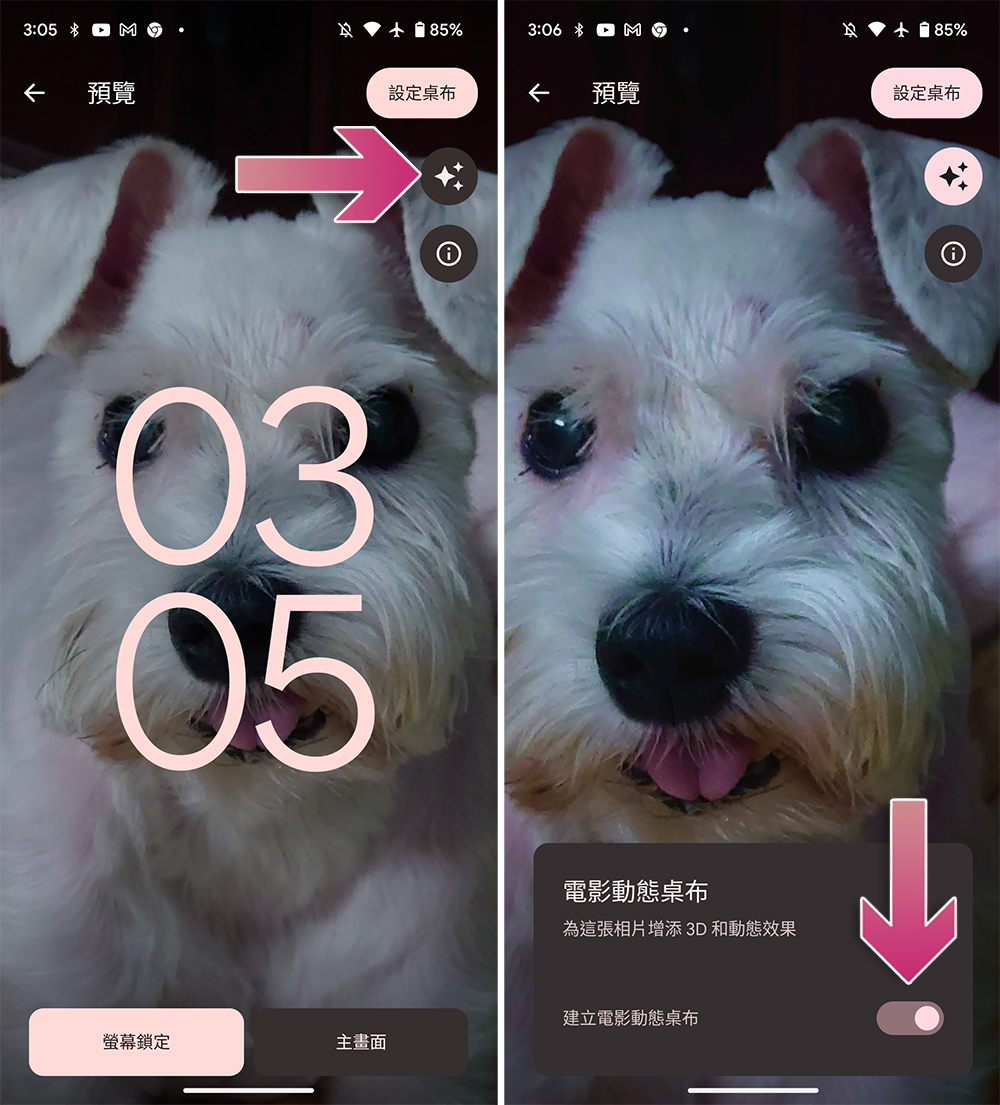
- After the system is applied, you can set it as a wallpaper.
The Emoji and Movie Live Wallpapers both have a touch of motion and add a more personal touch to your Android home screen. The emoticon wallpaper will have a slight dynamic response to screen touches and clicks, with a jelly-like bouncing feeling. Movie wallpapers, on the other hand, add a depth effect to existing images, but whether the effect is obvious or not depends on the photo selected. These two features are currently limited to Pixel phones, and it is unknown whether they will be available for other Android phones in the future.
Source: KOCPC Chinese