


In the past, when purchasing high-speed rail tickets through mobile apps, you could only choose the right seat. However, for passengers with unfixed itineraries and temporary needs for riding, in the past, they could only purchase tickets on-site at the high-speed rail station. In order to provide passengers with more convenient services, Taiwan High Speed Rail recently announced the launch of a new free seat ticket purchase method. Just download the Taiwan High Speed Rail T-EX mobile ticket purchase app and you can use your mobile phone to purchase high speed rail unrestricted seat tickets at the station. Continue reading this article to learn how to do it!
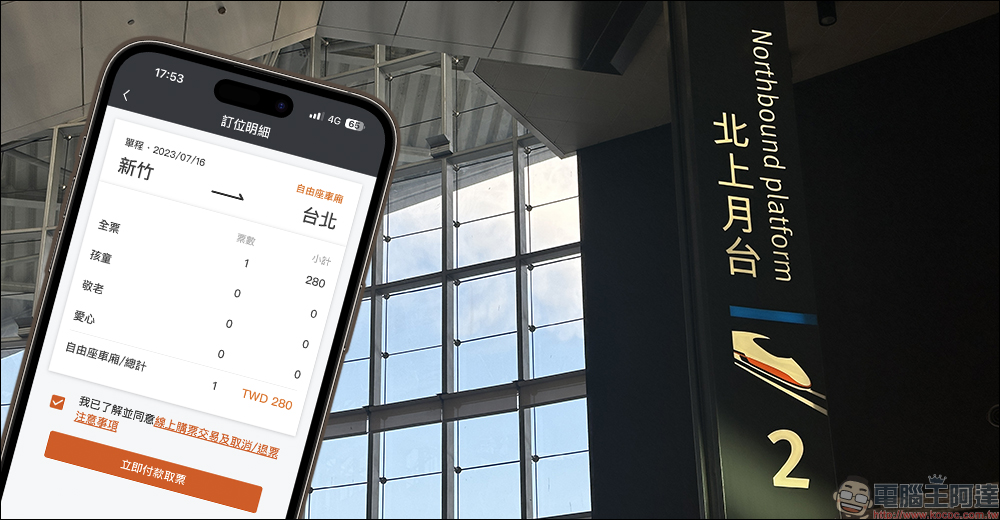
Taiwan High Speed Rail T-EX mobile ticket purchase app supports mobile ticket purchase for “free seats” in the station (tutorial)
Some time ago,Taiwan High Speed Rail AnnouncedPassengers are now allowed to use the “Taiwan High Speed Rail T Express Mobile Ticketing Service” App to purchase same-day free seat tickets. Passengers only need to download the latest version of the T-EX mobile ticketing app (iOS: v6.61/Android: v6.60), turn on the Bluetooth function of the mobile phone, and then arrive at the station (or go to the ticket window, automatic ticket vending machine, entrance gate and other surrounding areas), they can immediately purchase a free seat ticket departing from the station on the same day through the “Today’s Free Seat” section of the App, and directly enter the station with the ticket with the QR code sensor on the ticket purchase phone!
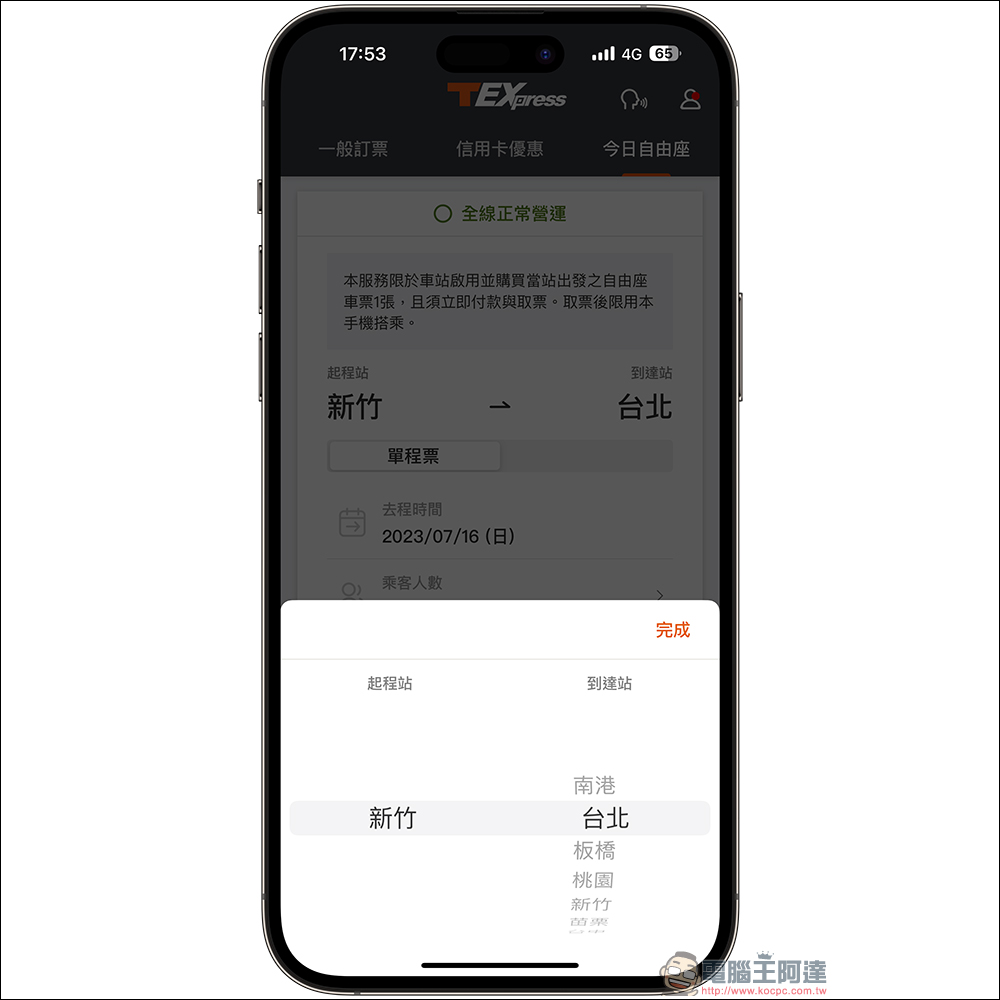
Open the App and select “Today’s Free Seat” and allow the T-EX Mobile Ticketing App to use Bluetooth. At this time, the starting point is fixed to the station at the location you belong to, and the date is also preset to today’s date. As long as the user selects a free destination, he or she can click “Start Ticket Purchase” to proceed to the next step.
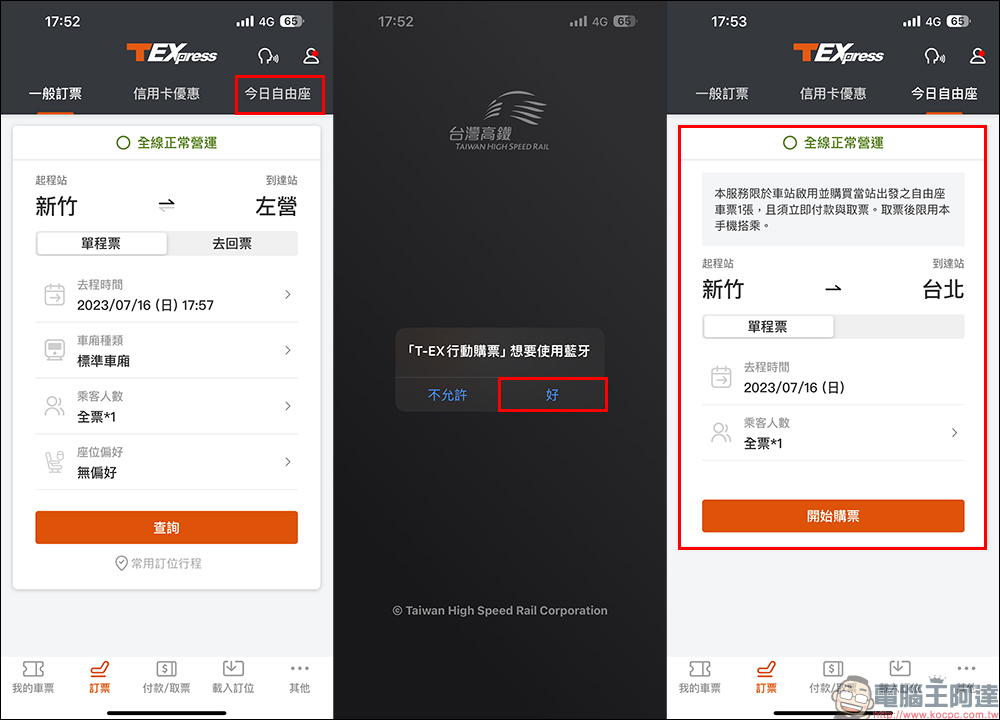
The starting point will be fixed at the current station, which directly avoids the problem of choosing the wrong station in a hurry. It is much more convenient to just choose the destination station.
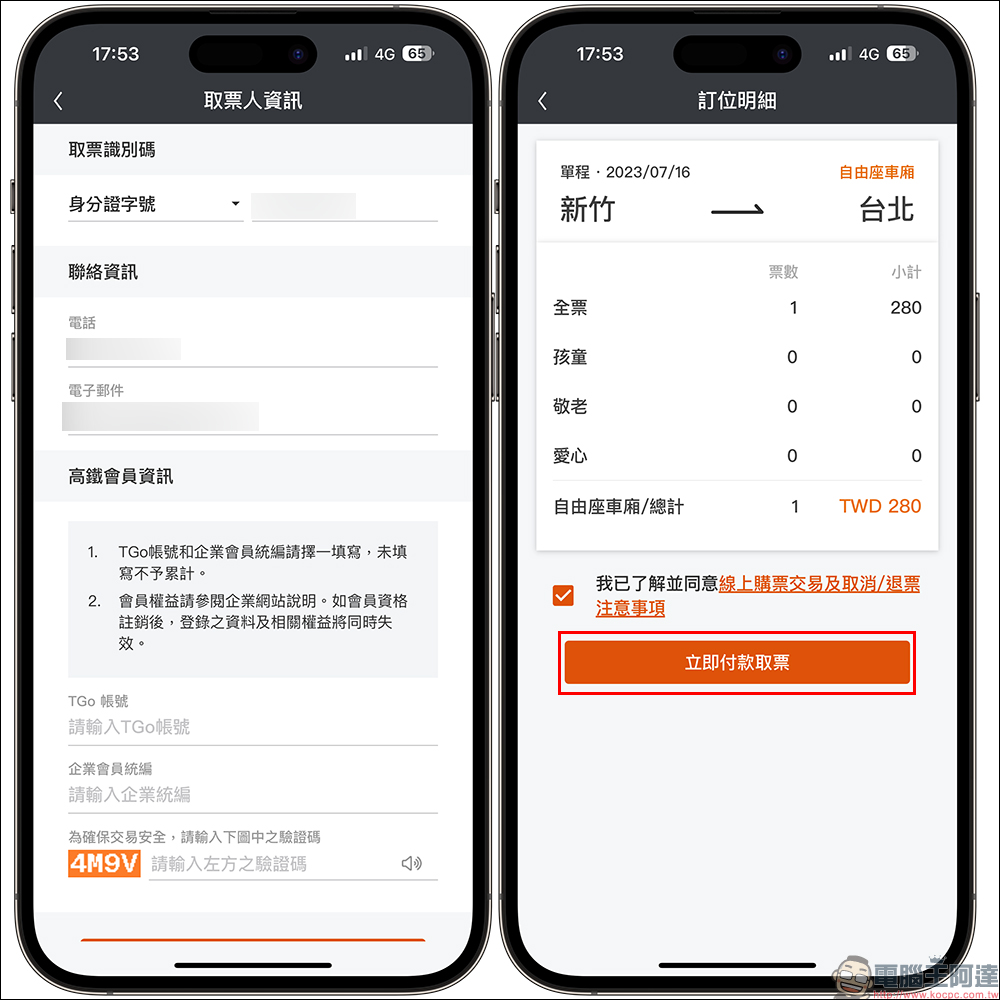
Then enter the ticket collection information, contact information, TGo account number, corporate membership editor (if any), and finally enter the verification code to proceed to the next step. On the reservation details page, confirm the destination and carriage type again, and then click “Pay Now and Get Tickets”.
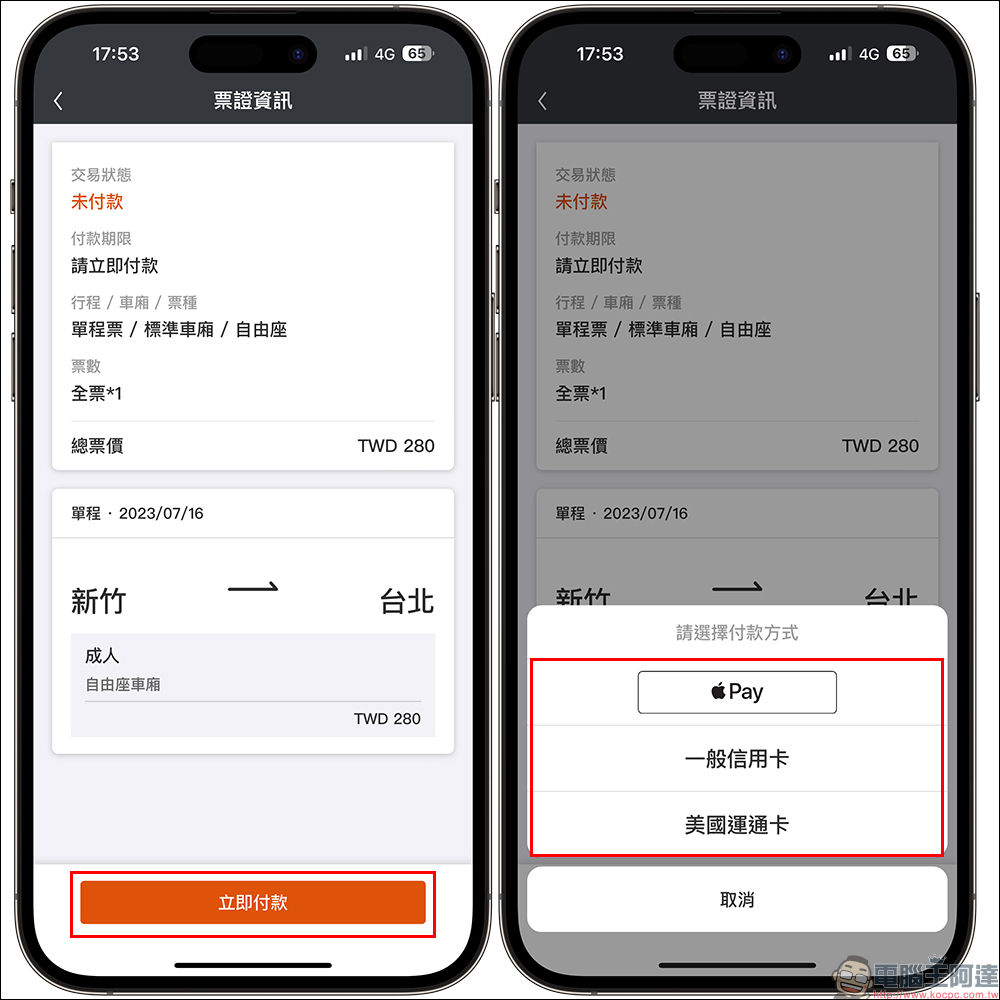
At the bottom of the ticket information page, click “Pay Now”. Passengers can choose Apple Pay (iPhone), general credit cards, and American Express cards. I would also like to remind everyone that since the rewards of some credit cards do not include Apple Pay, if you need to accumulate rewards for some credit cards, you must choose the correct payment method.
Once the ticket is purchased successfully, passengers can directly enter the station and take the train with the QR code sensor of the ticket purchase phone! Choosing to buy tickets via mobile phone also brings many conveniences. One of the most impressive ones is that you are not afraid of accidentally losing your physical ticket during the ride. After all, if you are in a crowded free-seat carriage, it is easy to accidentally lose the ticket in your pocket. Use the mobile app to buy tickets to enter and exit the station, open the app to sense the QR code, and you can quickly exit the station gate, which also saves some time for busy passengers who are in a hurry. The download links for the iOS and Android versions of the App are also attached below. You can directly click on the link to download.
Taiwan High Speed Rail T Express Mobile Ticketing Service App:
iOS version (App Store)|Android version (Google Play Store)
Further reading:
2023 Apple BTS back-to-school project starts, LINE shopping plus 4.5% LINE POINTS rewards without limit! (7/14-7/18)

Source: KOCPC Chinese