


People who frequently travel to Japan must know the Suica transportation card, but in addition to Suica, Japan also has many different transportation card options. Among them, ICOCA, which is second only to Suica in popularity, officially supports Apple Pay transportation cards! This is also the third Japanese transportation card that can be used with Apple Pay transportation cards after Suica and PASMO. ICOCA can be used not only for rides, but also for small daily electronic purchases.
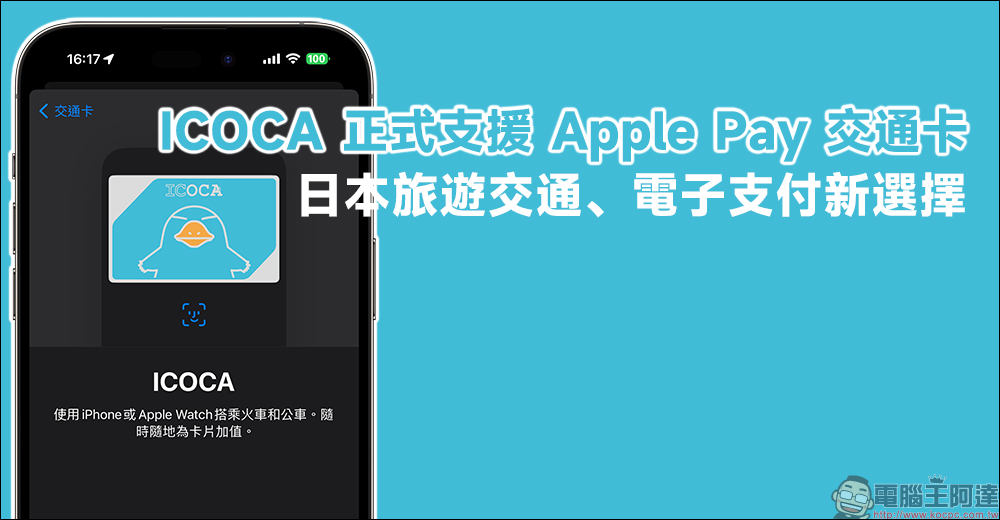
ICOCA officially supports Apple Pay transportation card, a new choice for travel transportation and electronic payment in Japan!
ICOCA, launched by JR West, has the same functions as Suica and has the functions of a stored value ticket and an electronic wallet. Yesterday (27th), the official also officially announced the opening of support for Apple Pay transportation cards! ! And not only Japanese mobile phone users, people in Taiwan can also add ICOCA directly to “Wallet” to use it on iPhone and Apple Watch without regional restrictions.
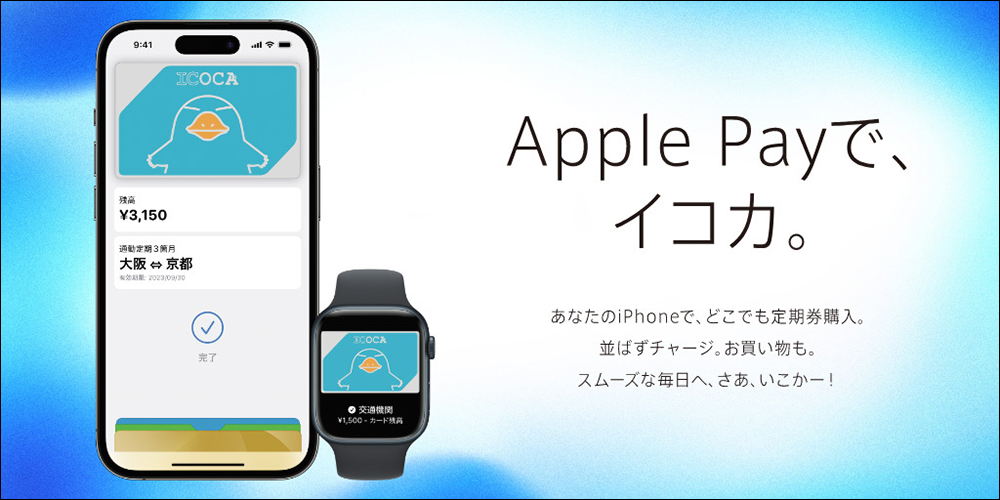
Official promotional video:
Which models support Apple Pay transportation cards?
Like the previous Suica, the ICOCA Apple Pay transportation card also has model restrictions, such as it needs to be:
- iPhone: iPhone 8 (inclusive) or above, and installed to the latest version of the system
- Apple Watch: Apple Watch Series 3 (inclusive) or above, and installed to the latest version of the operating system
How to add ICOCA to Apple Pay transportation card?
If the iPhone at hand can support the Apple Pay transportation card, it is more recommended to directly put ICOCA on the iPhone or Apple Watch this way than with a physical card. In addition to making it easier to manage consumption and balance, you can also recharge the Apple Pay transportation card anytime and anywhere in the future.
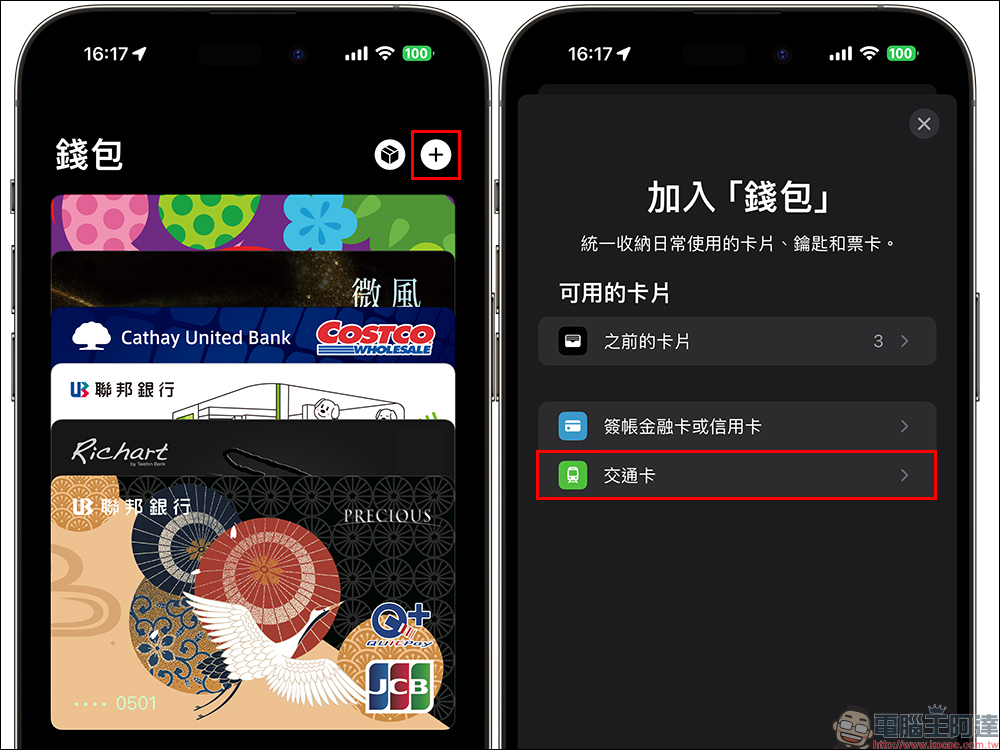
First, open the “Wallet” App and click the “+” in the upper right corner of the screen to add the new card to the wallet, then select “Transportation Card” to proceed to the next step:
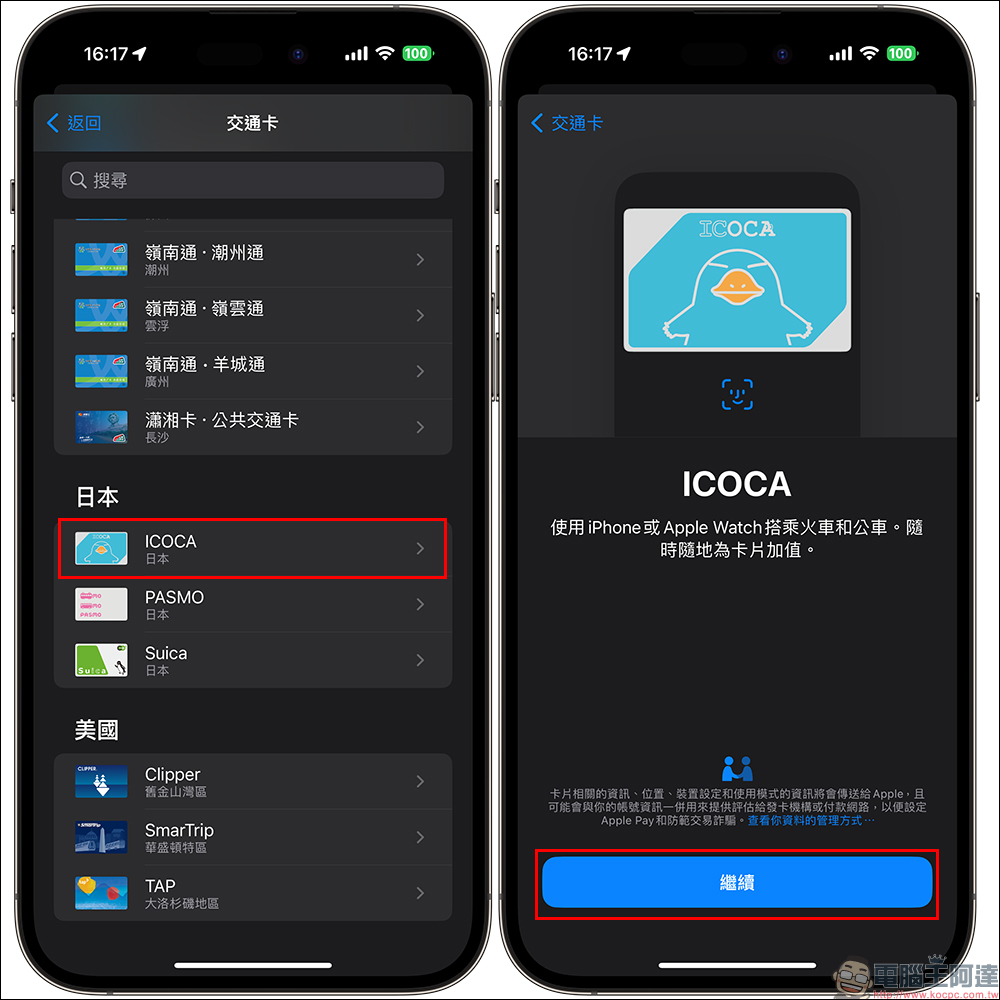
Currently, Apple Pay transportation cards support transportation cards from Japan, the United States, China, and Hong Kong. We can see in the Japanese category that there is ICOCA added this time above Suica and PASMO. Click “Continue” to proceed to the next step:
For some people who frequently travel to Kansai, they must have had an ICOCA physical card on hand some time ago. At this time, just click “Transfer Existing Card” to transfer the balance of the physical card directly to the digital card in the iPhone. In the future, you can just use the Apple Pay transportation card directly on the iPhone, and you no longer need to carry a physical ICOCA card when you go to Japan! Just enter your ICOCA ID number and follow the instructions.
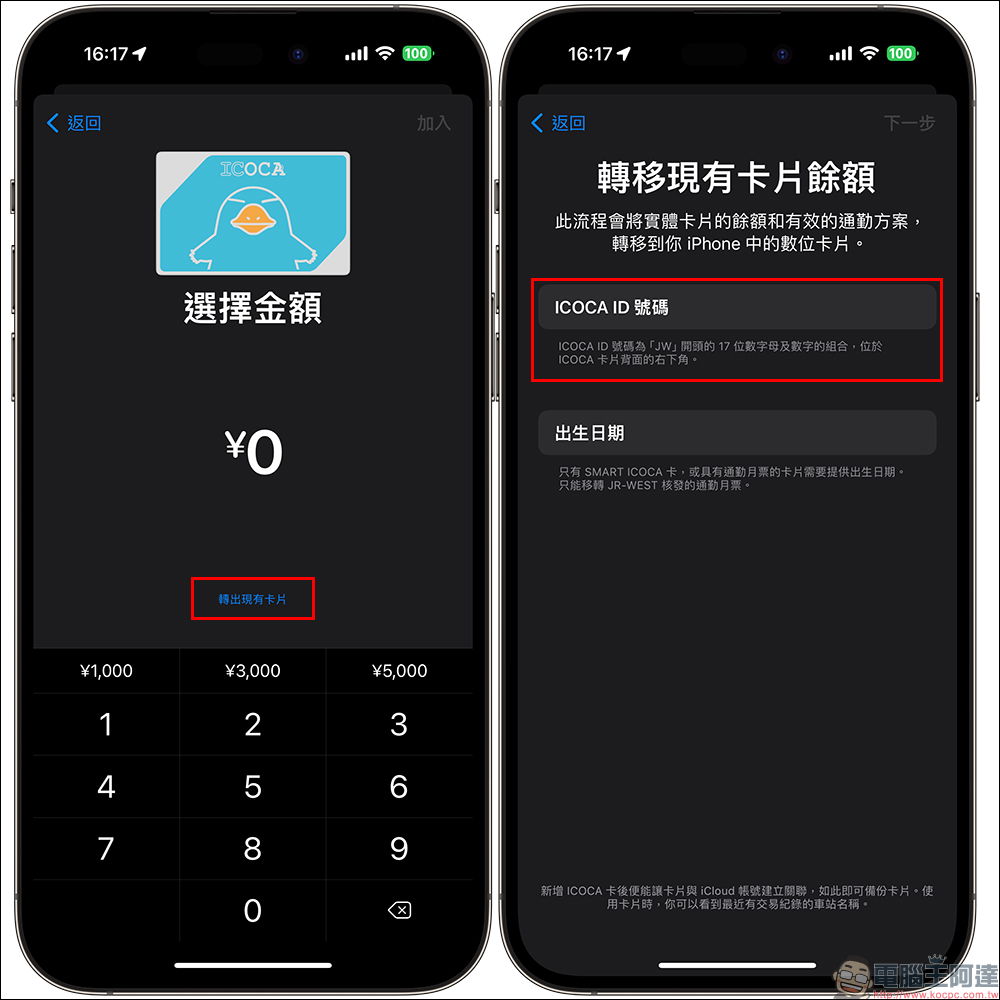
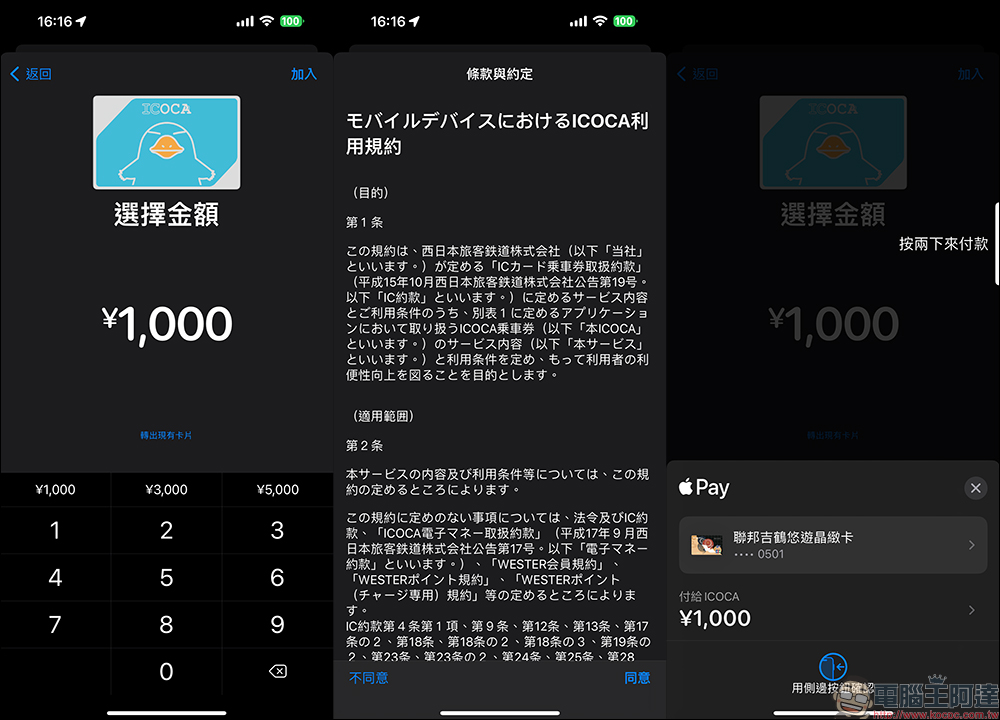
If you don’t have any Japanese transportation cards on hand, or want to get an ICOCA Apple Pay transportation card, just select the amount and enter the amount you want to recharge, then click Join and use Apple Pay to recharge.
How to transfer ICOCA to Apple Watch?
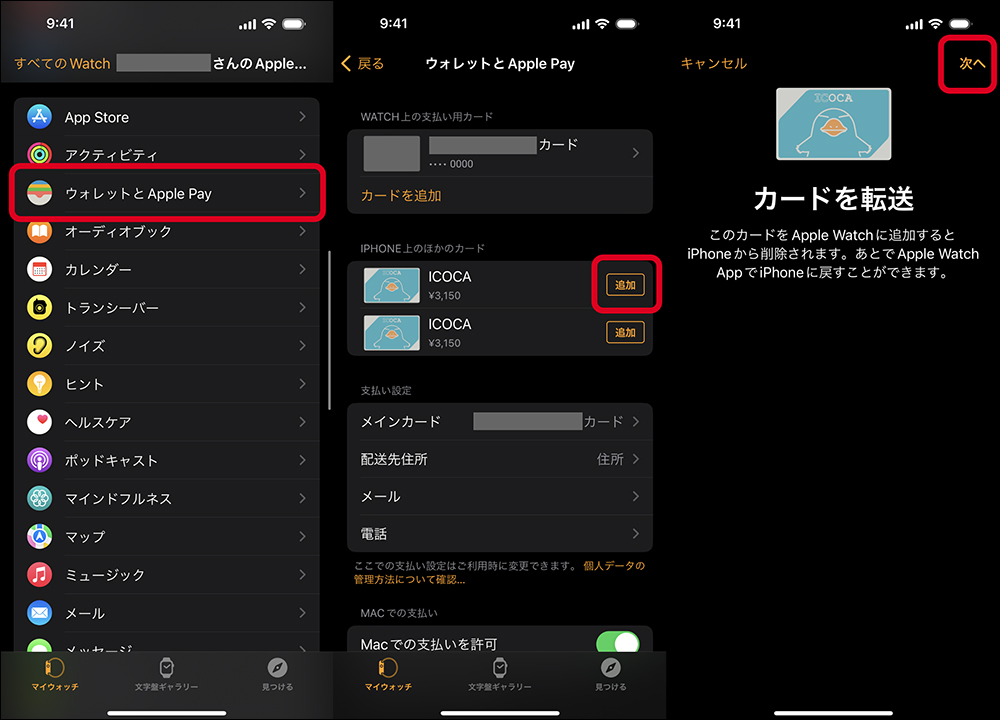
Apple Pay transit cards can not only be used on iPhone, but can also be transferred from iPhone to Apple Watch. As long as you open the “Watch” App on the iPhone and find “Wallet and Apple Pay” in “My Watch”, you can select the transportation card you want to add from the iPhone. Finally, follow the operation to transfer the iPhone’s ICOCA to the Apple Watch for use.
Further reading:
iPhone vibration mode settings, freely create vibration frequency and intensity for incoming calls! (teaching)
Source: KOCPC Chinese