


The automatic deletion function of 2FA verification SMS mentioned in the latest iOS 17 introduction seems to be more convenient than imagined! If you also find it annoying to see a bunch of these messages in your messages. Please continue reading the article on how to make iPhone automatically delete the completed 2FA two-stage authentication message.
▲Image source: MacRumors
How to make iPhone automatically delete completed 2FA two-stage authentication message
At the WWDC 2023 conference where the long-lost One More Thing, also known as Vision Pro, appeared, even in the entire process, which was so compact that even Mac products could be carried through it very quickly, seeing the 2FA two-stage authentication automatic deletion function being specially introduced, it seemed that I was wondering whether this function is really so important!
However, as developers began to get closer to the latest system of Apple smartphones, they found that this function is more convenient than imagined! I believe it will also make people look forward to this public beta version for a quick experience. However, this function does not seem to be turned on except by default (at least in the currently released version), and the settings feel a bit hidden. So in this article, I will share with you early on where this useful function is placed!
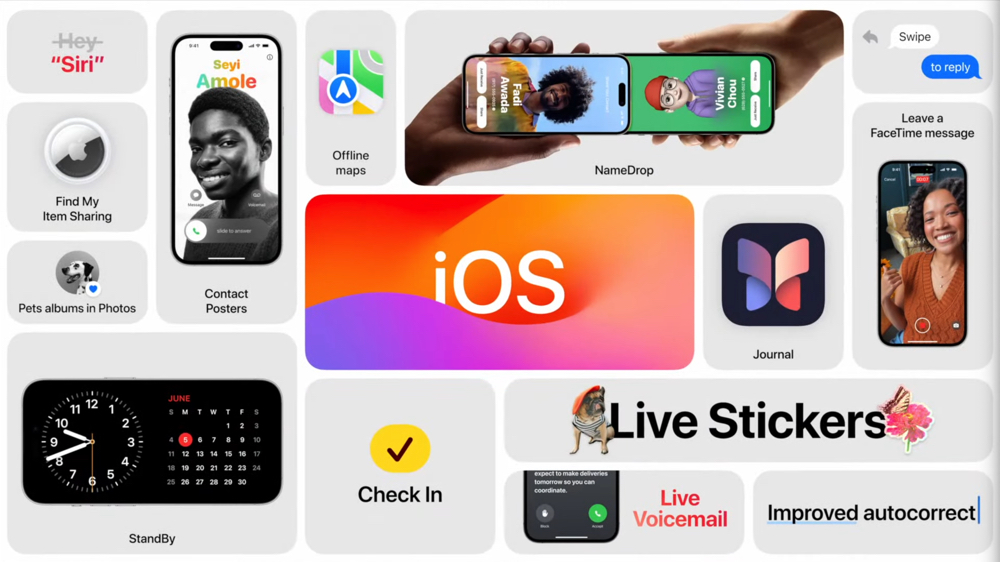
▲Image source: Apple
Since it is a function related to SMS, the editor originally guessed that this function, which will automatically delete the message after the 2FA two-stage authentication through SMS is automatically filled in, should be placed in the “Message” function settings. As a result, according to foreign media sharing, this setting is actually placed in “Password” – note, this does not refer to “Face ID and Password”!
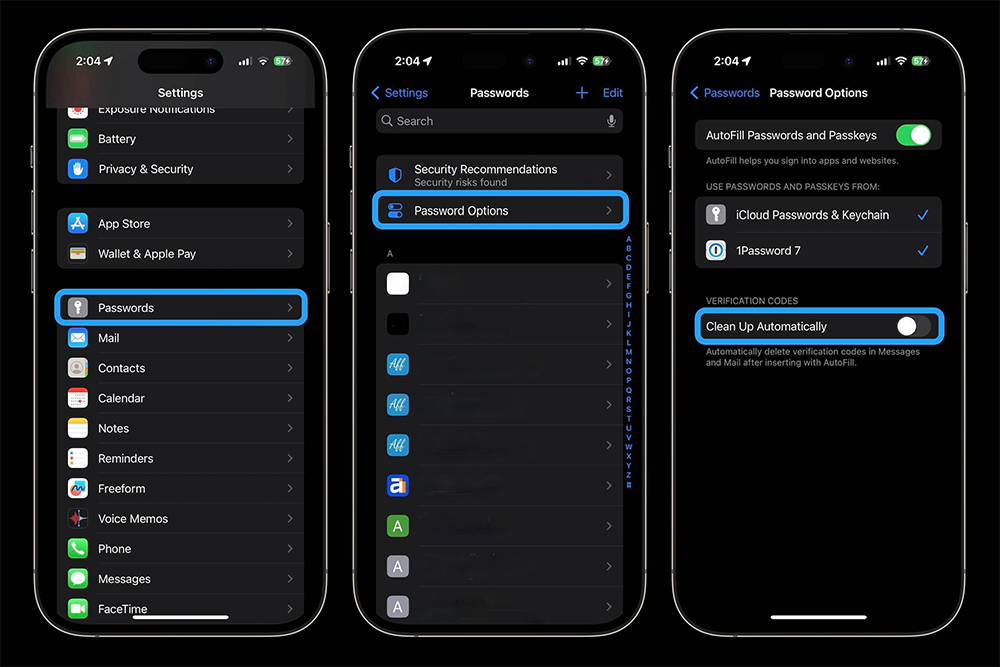
▲Image source: 9to5Mac
You probably want to avoid accidentally deleting important text messages. For iOS 17, after automatically filling in the 2FA password, Apple further thoughtfully provides the function of automatically clearing text messages. You will need to turn it on in the options to use it – if you receive a message, a setting notification to turn on this feature will also be pushed.
According to foreign media information, after you upgrade to iOS 17, you will be able to find the new setting of “Clean Up Automatically” at the bottom of “Settings > Password > Password Options”. Once this feature is turned on, it will follow the SMS password auto-fill function launched in iOS 15 and further assist users in automatically clearing these messages after automatically filling in the 2FA authentication password – after all, there shouldn’t be much use in keeping this kind of limited-time information, right? This is indeed a very thoughtful little feature.
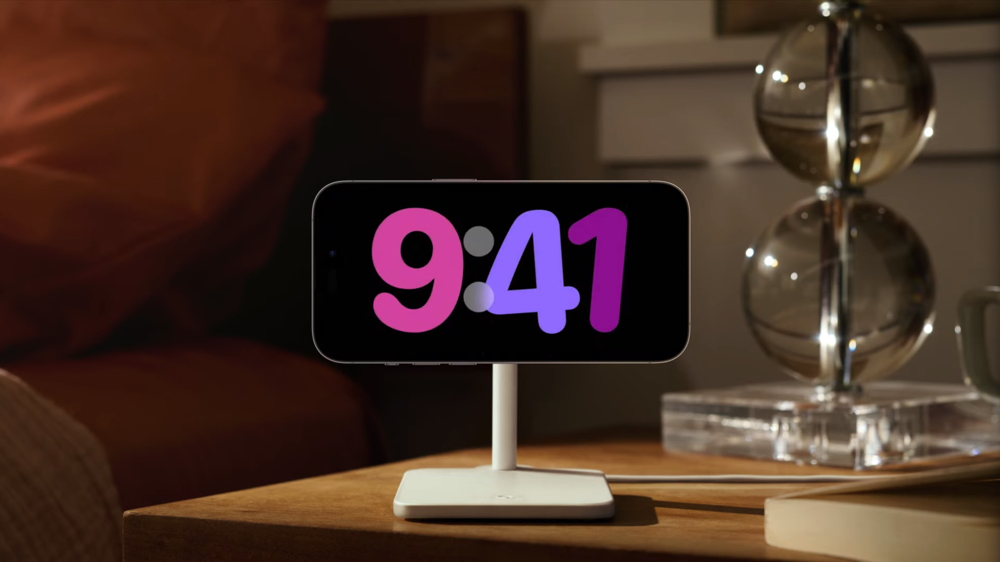
▲Image source: Apple
The new generation of iOS 17 is currently being tested as a development version.顺利的话,目前预期应该下个月就能让一般使用者以 Public Beta 公开测试版本进行抢先体验。 The feature that I am most looking forward to right now is probably the latest Standby Mode when charging when the screen is placed horizontally! In addition, I am also curious about how much practicality it can actually improve the iPhone by being able to transcribe voicemail messages, voice input and input prediction functions that benefit from improved machine learning capabilities.
I wonder what other expectations you have for iOS 17? Can you share it?
Further reading:

Source: KOCPC Chinese