


early last month, we once reported that Apple Maps in Taiwan will soon support 3D display. Sure enough, it has finally been officially opened recently. Now all users can display maps in 3D after opening Apple Maps, and it is not just Taiwan. I am currently in Japan, and Japan also supports it. The representative said that there should be many countries opening up this wave, and I will teach you how to use it below.
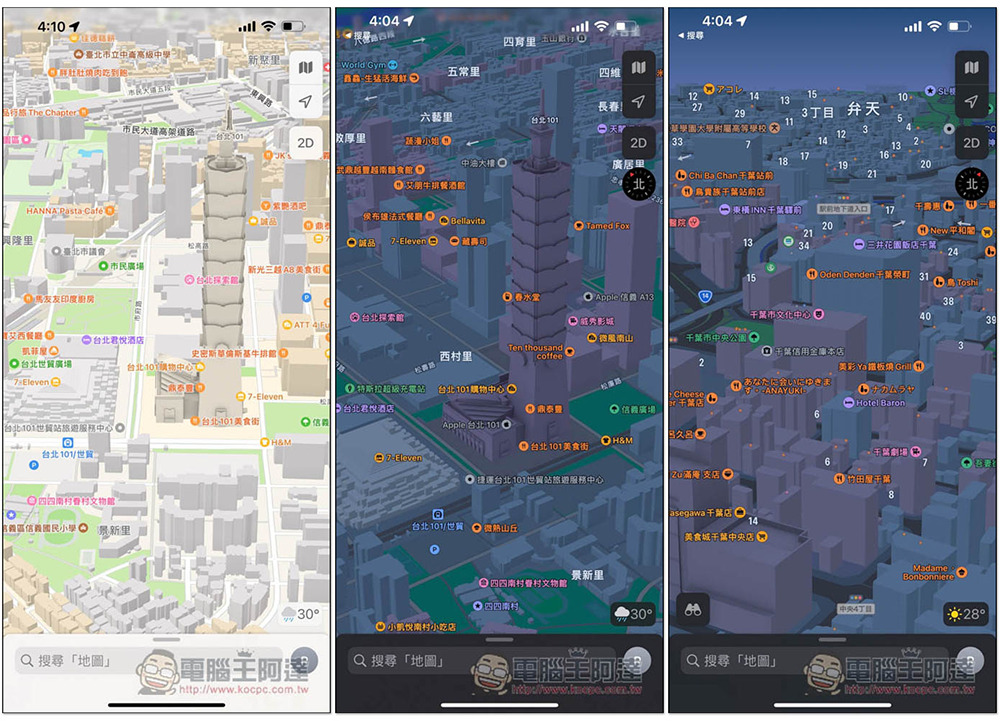
Apple Maps 3D display officially launched in Taiwan, this article teaches you how to use it
After opening Apple Maps, the default display mode is still 2D. At this time, it is recommended to enlarge the map first, and then switch to 3D display to make it more obvious. If the map range is too wide, the 3D effect will not be very good:
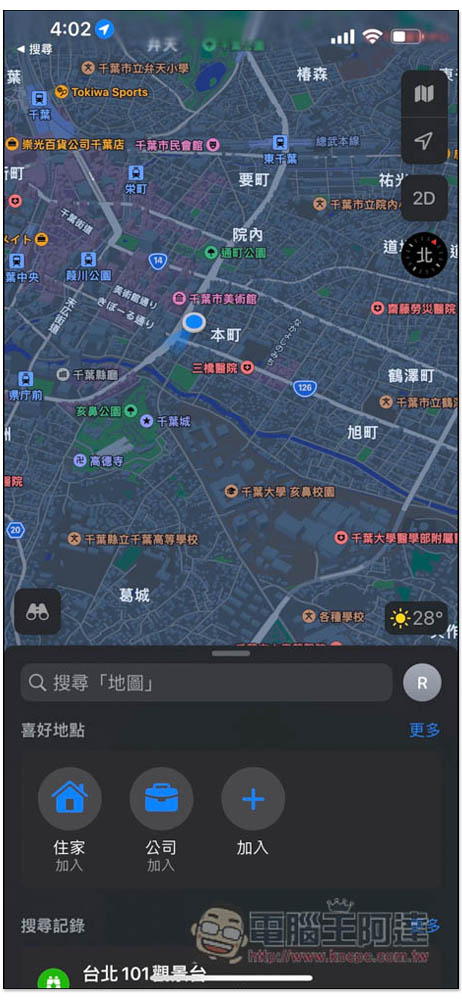
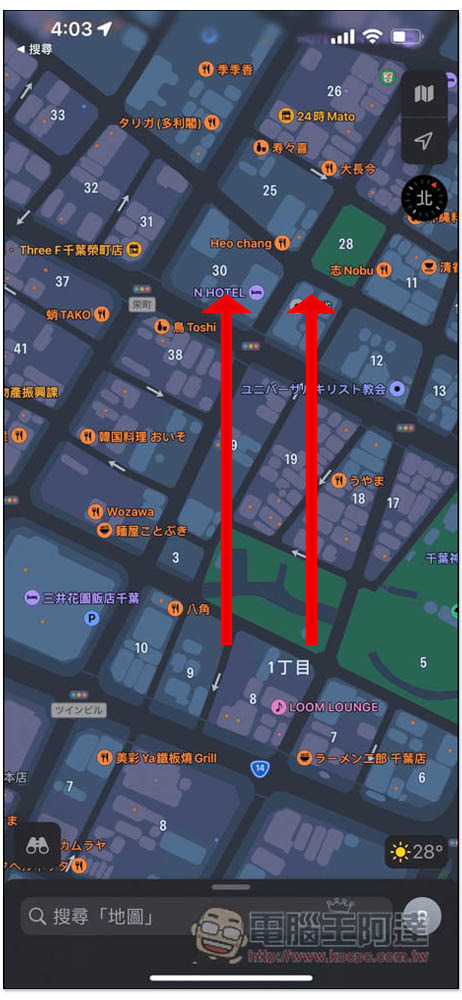
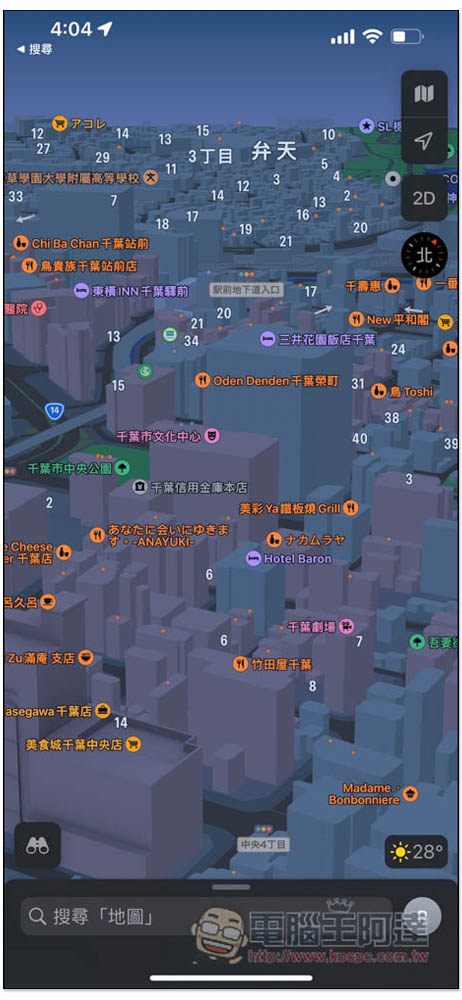
After zooming in, please press and hold anywhere on the map with two fingers and slide up. You will see that the screen becomes 3D:
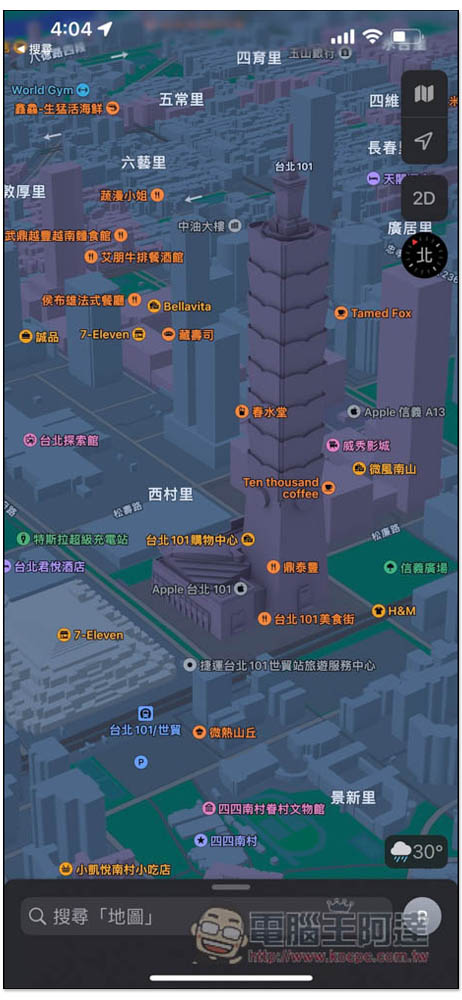
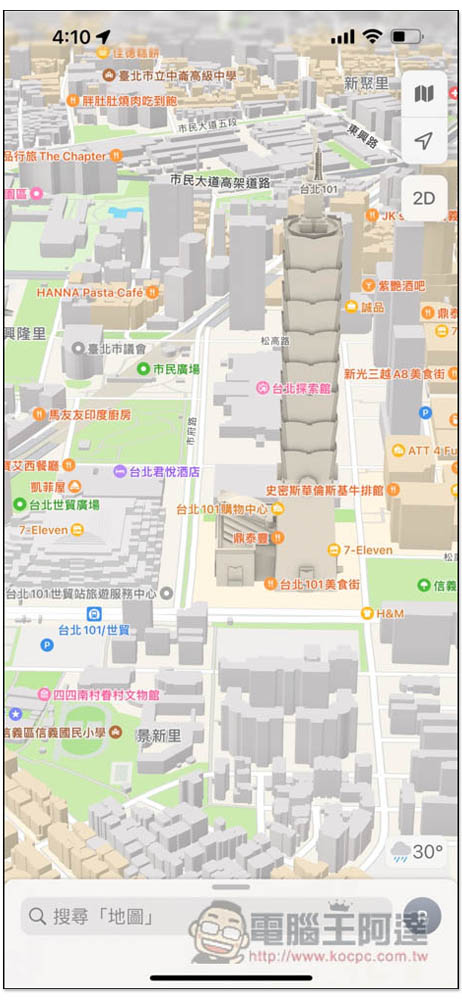
As shown in the picture below, my iPhone is currently set to dark mode, so the screen looks gray. The 3D map in light mode will be more beautiful. I will also teach you how to switch to it below:
The 3D map of the 101 building is pretty good. This 3D display mode is pretty good. When you go to a place you are not familiar with, you can find the place you want to go faster. Refer to the 3D buildings next to it:
In addition to the above tutorial, there is another way to turn on Apple Maps 3D display mode, it depends on which one you like.
The second method is to switch the map to satellite display mode first. You will see the 3D function on the right. Click to switch to 3D display mode:
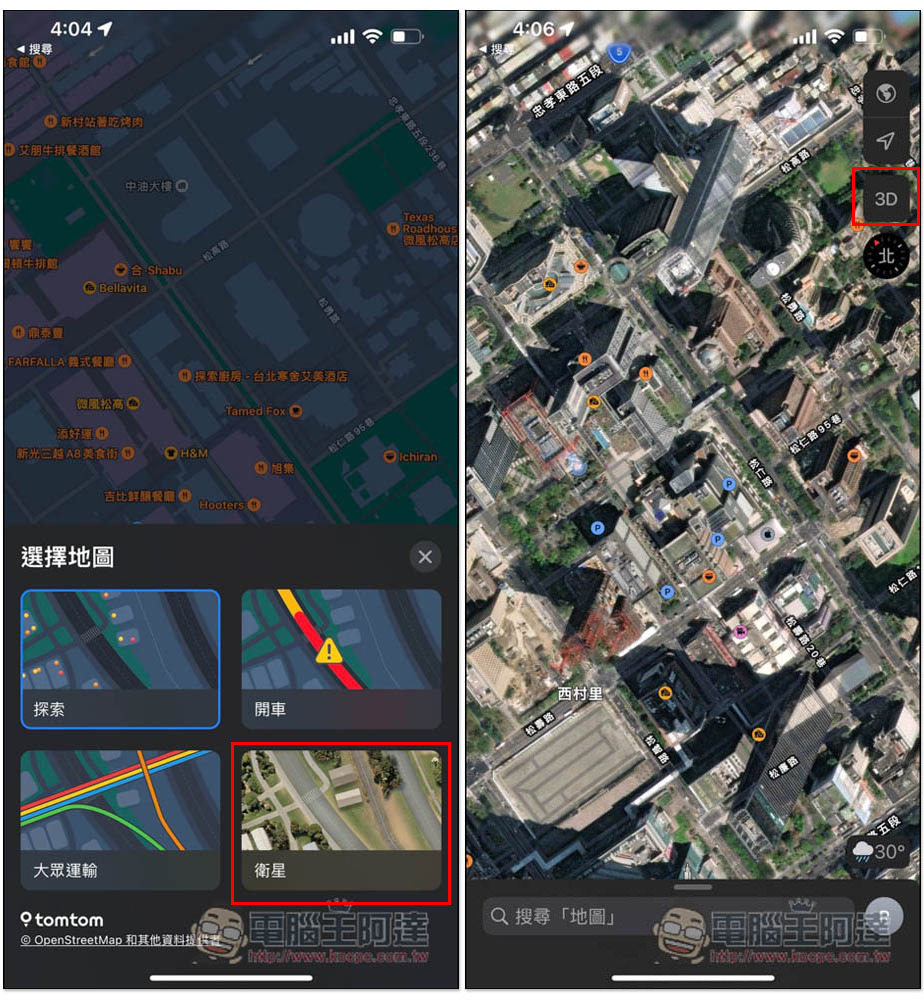
However, the 3D effect of satellite mode is very poor, so please switch the map to exploration to get the same 3D effect as above:
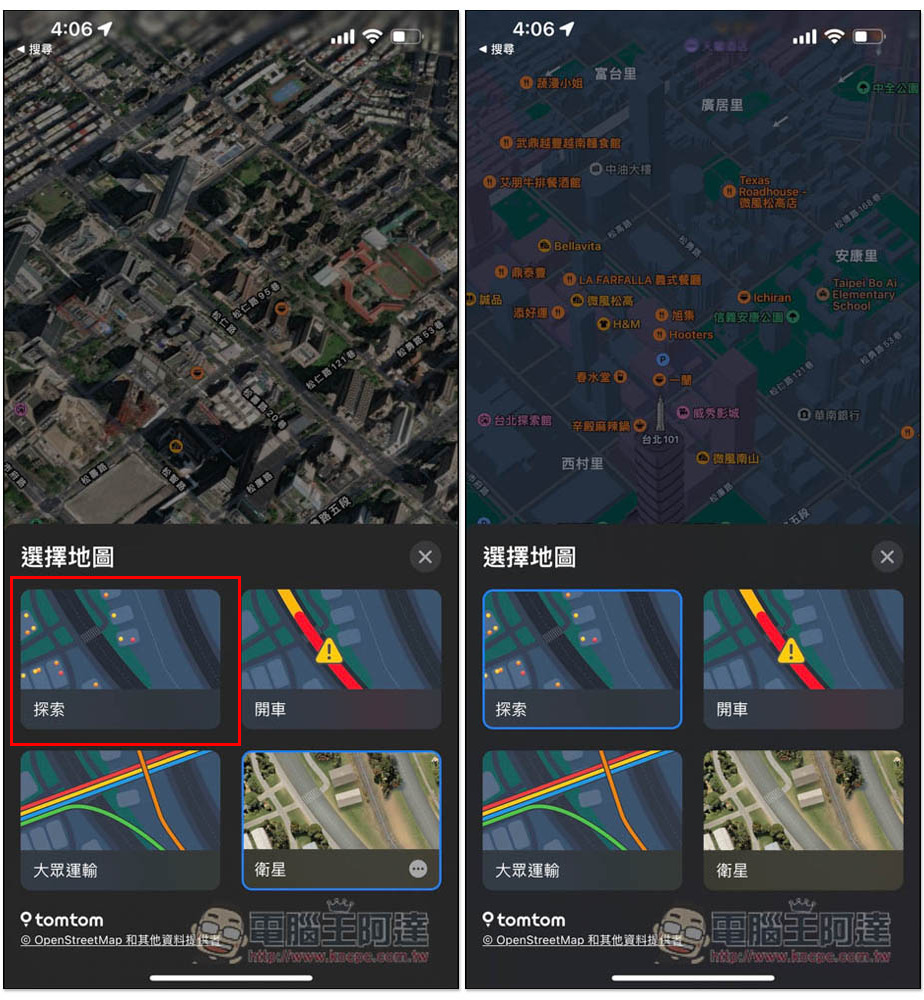
I think there is room for improvement in the color matching of the Apple Maps 3D display mode in dark mode. It is a bit too gray and not so comfortable to browse. The light mode is better. Those who want to try it only need to go into settings and change the display to light color (Settings -> Screen Display and Brightness):
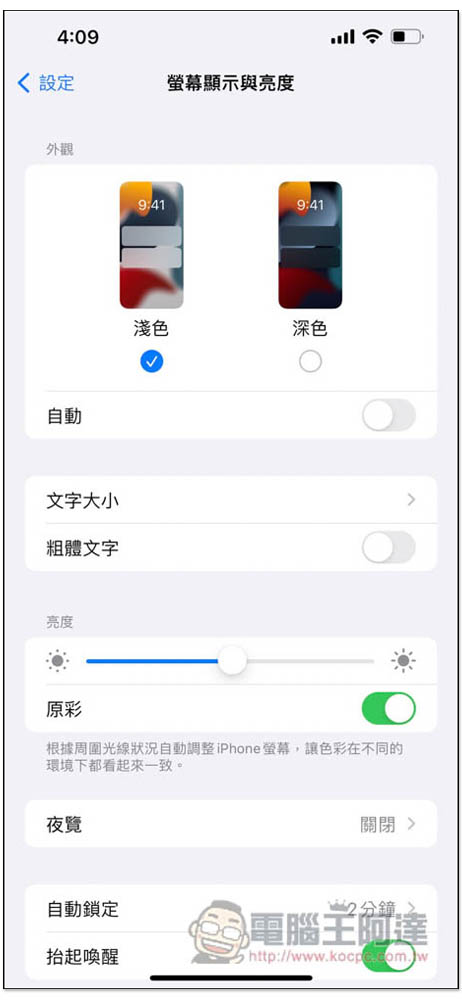
The picture below is the Apple Maps 3D display in light mode:
At first, Apple Maps was open to regions outside the United States. It could only be used in countries such as Finland, Norway, Sweden, Austria, Croatia, the Czech Republic, Hungary, Poland, and Slovenia. Now it is also supported in Taiwan and Japan, and it is very likely that other Asian countries will also (previously, Justin O’Beirne’s pre-orders also included Hong Kong and Slovakia). Readers in other countries can try it out on their own.
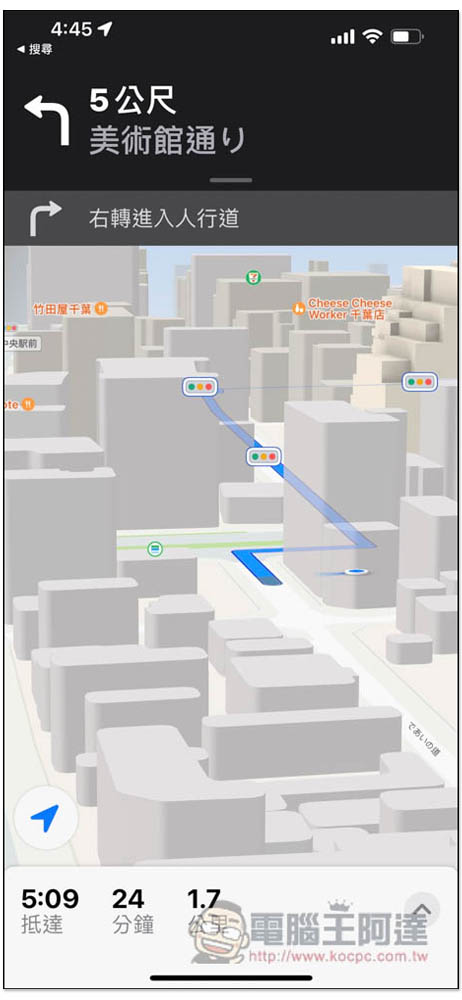
In addition to exploration maps, driving and public transportation maps also support 3D. In addition, you can also switch to 3D display mode during navigation. The method is the same as the first one, just swipe up with two fingers:
It has been several years since Apple Maps was launched, and the user experience has been continuously improved. For example, the 3D display mode opened in Taiwan and other countries this time is quite good. However, there still seem to be very few people using Apple Maps. Most people still use Google Maps. Therefore, it seems that there is still a long way to go before Apple Maps wants everyone to switch to them.
If there are no unique features, it would be difficult for people to abandon Google Maps and switch to Apple Maps. After all, Google Maps is too powerful and supports multiple platforms, while Appel Maps is relatively weak.
Source: KOCPC Chinese