


Google One is a must-have service for many Android users. With it, you can automatically back up important content on your phone, including photos, contacts, messages, etc. If your phone is damaged, lost, or upgraded, you can restore all content to a new Android device. In addition, you can manage your existing Google account storage space across Google Drive, Gmail, and Google Photos. Now Google One has added a new small feature that allows you to easily check your mobile phone IP address and network.
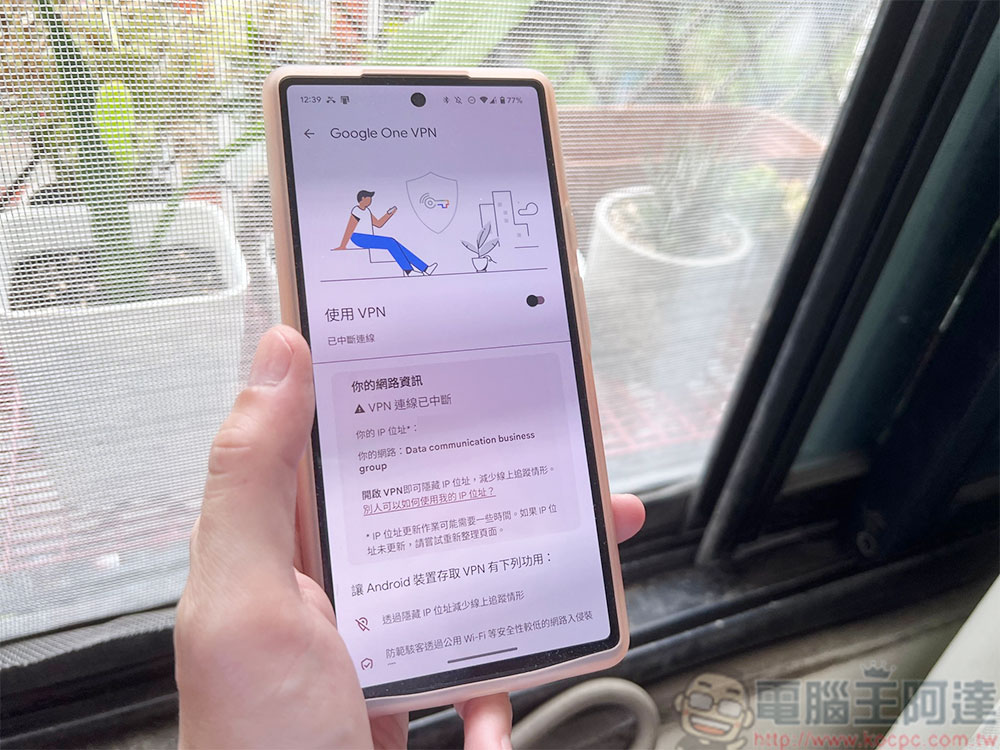
The Google One app for Android can now help you find IP addresses and networks
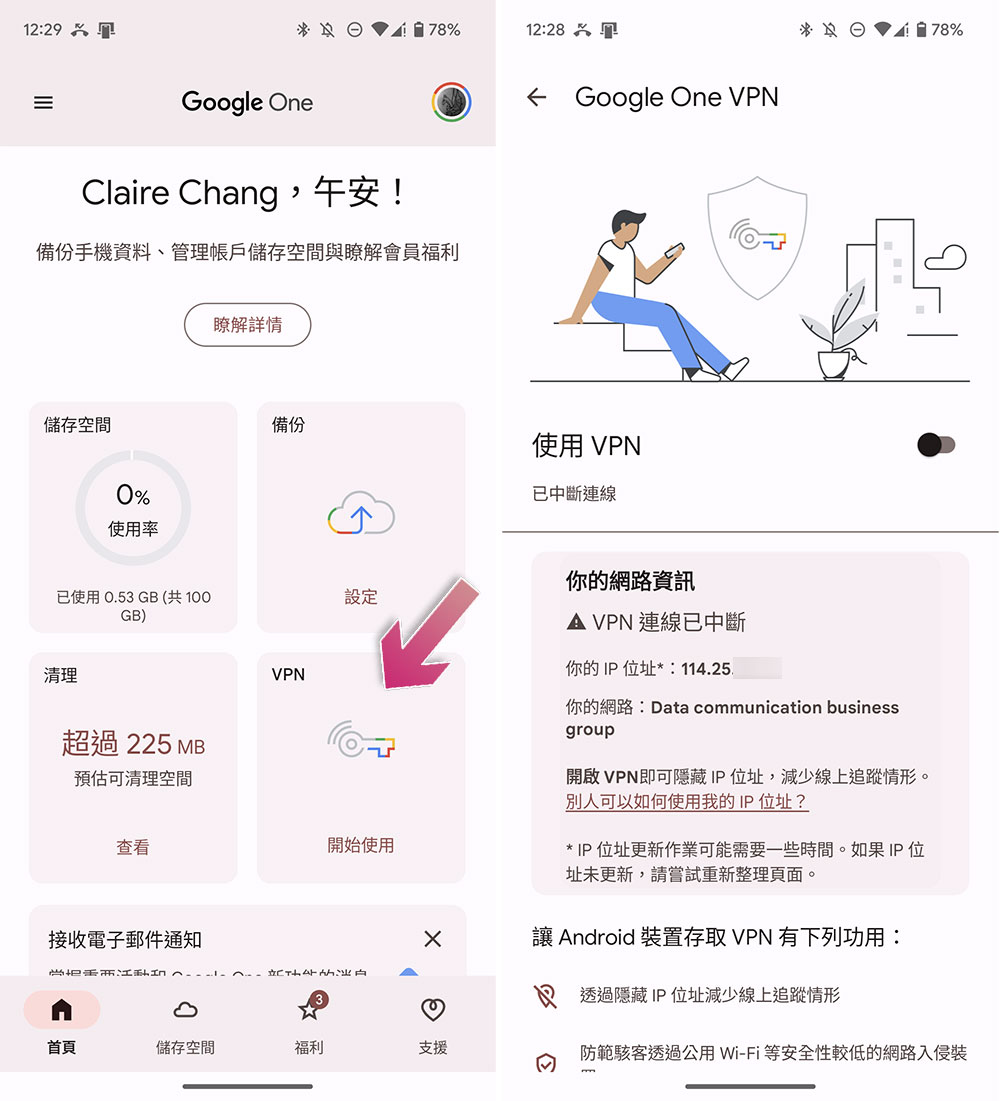
Google One recently improved user security and privacy by adding a simple tool to the Android app that allows users to check their IP address. Open the Google One app for Android and click the “VPN” icon on the homepage. A new network information field will appear, where you can see your VPN status, and then list your IP and your network (ISP or network operator).
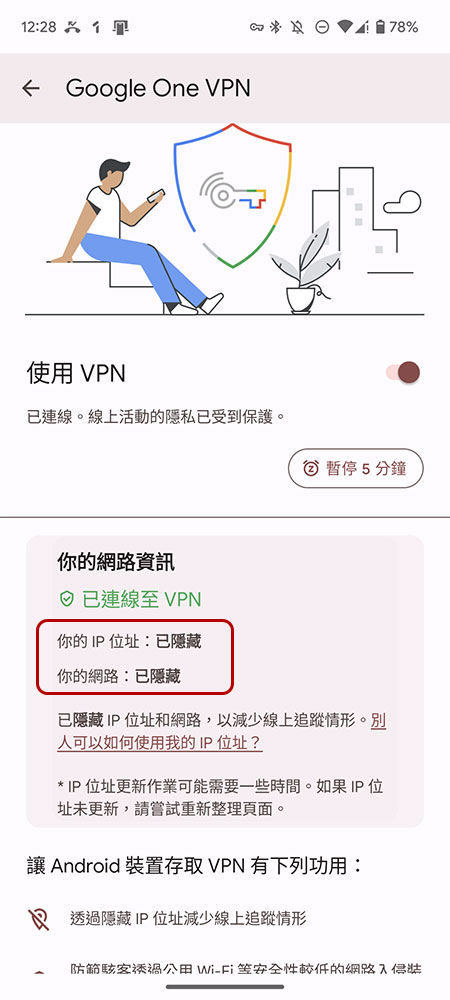
When you enable Google One’s VPN service, these two pieces of information will change to display “Hidden”. Google points out that after turning on the VPN service, there will be a slight delay in hiding your IP address. If there is no update message, please try updating the page.
Of course, there are other ways to check your IP address, including in system settings, but this is far more convenient than navigating to an external website. Also, when you’re on public Wi-Fi and want to find out who’s responsible for connecting to that network, it’s easier to view network information in Google One.
This small feature was launched in version 1.179 of the Android version of the Google One app. It is not currently available in the iOS app, but it is not ruled out that Google will also make it available in other versions in the future.
Source: KOCPC Chinese