


For a long time, compressing file contents into Zip files and then hiding them in emails or download sites has been one of the most direct ways for malicious actors to spread. Some threat actors use Zip that requires a password to increase the recipient’s trust. It can be said that they use all possible methods. Now Microsoft is running virus scans on these password-protected Zip files in its OneDrive cloud space to find out these hidden bad things.

Microsoft OneDrive starts scanning password-protected Zip files for malicious viruses
For most people, the news that Microsoft has begun scanning password-protected Zip files in Cloud Drive for viruses is a boon to prevent users from inadvertently downloading dangerous malware. Security researchers have long archived malware in password-protected Zip files and then exchanged them with other researchers via SharePoint, so this new initiative is clearly a nuisance for security researchers.

Security analyst Brandt said that while I completely understand the benefits of doing this for anyone other than a malware analyst, it would be a big problem for someone like him who needs to send malware samples to colleagues, which is a bit nosy. Brandt also said that last year Microsoft’s OneDrive began backing up malicious files he had stored in Windows folders because his endpoint security tool established an exception list, or allow list. It turned out that once the files were in OneDrive, they were removed from his laptop’s hard drive and flagged as malware in his OneDrive account.
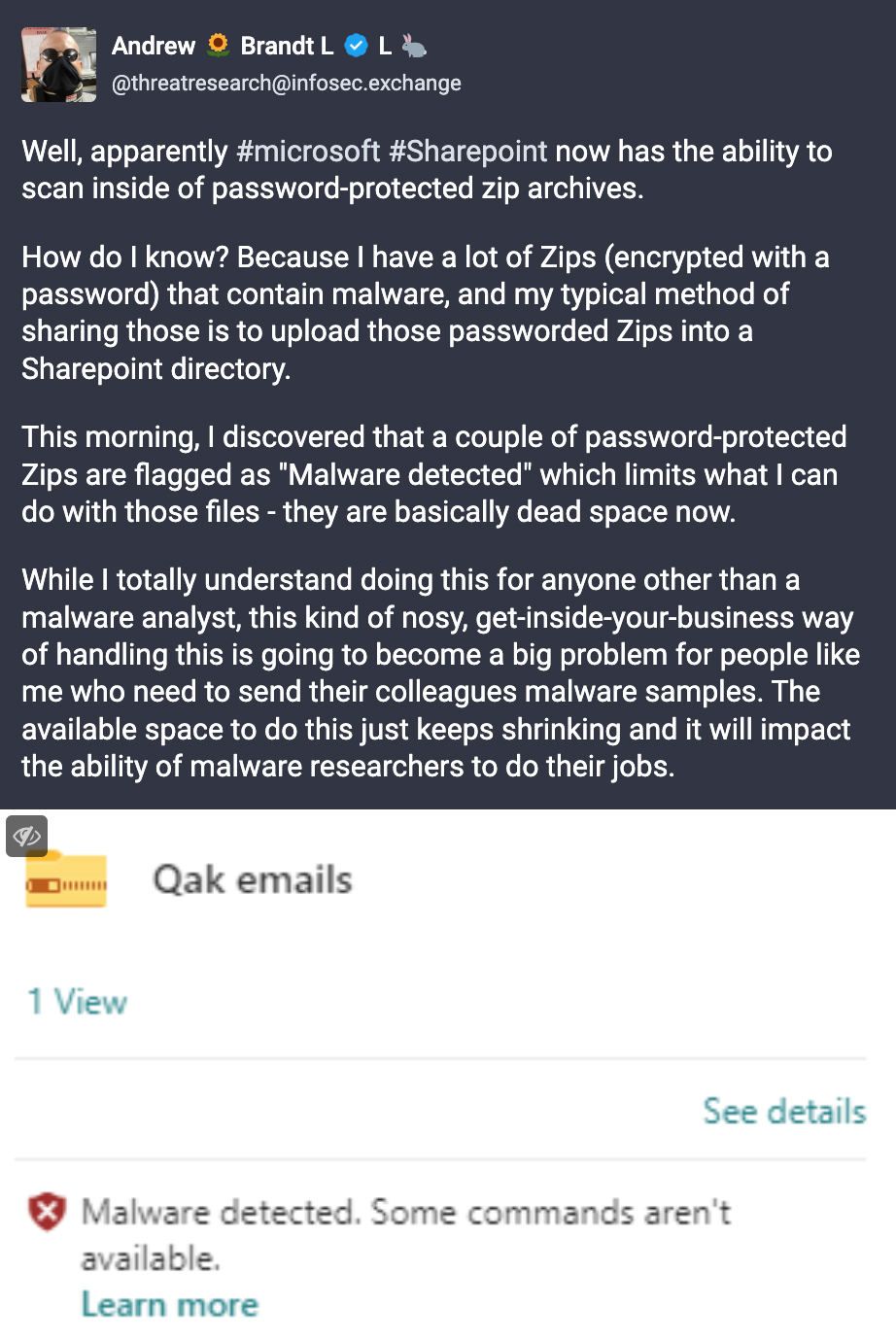
This approach illustrates the fine line that online services walk between trying to protect end users from common threats while respecting user privacy. As Brandt points out, actively cracking password-protected Zip files can feel invasive. At the same time, this approach virtually ensures that large numbers of users won’t fall prey to attacks trying to infect their computers. The most ideal and acceptable approach would be to leave this scanning option open for users to switch on and off to meet everyone’s work and privacy needs.

Finally, you should remember one thing: Password-protected Zip files only ensure that the contents of the archive cannot be read. ZipCrypto is the default way to encrypt Zip files in Windows, and it’s easy to override. Another, more efficient method is to use the AES-7 encryption built into many compression programs when creating 256z files.
Source: KOCPC Chinese