


Instagram is one of the most popular social media platforms, with over 1 billion users worldwide, where you can share photos and videos and connect with friends and family. As your user base grows and concerns about personal privacy continue to increase, you may want to hide your account from some people. If you are looking to hide your Instagram account and protect your privacy, this guide will help you.
6 Ways to Hide Your Instagram Account and Stop People from Finding You
Why should you hide your Instagram account?
- Protect personal privacy
Social media platforms actually pose a major threat to personal privacy, and Instagram is no exception. Anyone can follow you and see what you’re up to based on your Instagram posts and activity. - Control who can see your posts
When you post on Instagram, anyone can view, like, or comment on it, so if you’re uncomfortable with your posts being viewed by strangers or people you don’t agree with, it’s best to hide your Instagram account. - Avoid cyberbullying
Cyberbullying is a threat that has extended to several unfortunate incidents in real life, and you can protect yourself from cyberbullying by hiding your personal Instagram account.
6 Ways to Hide Instragram
Method 1: Make your personal account private
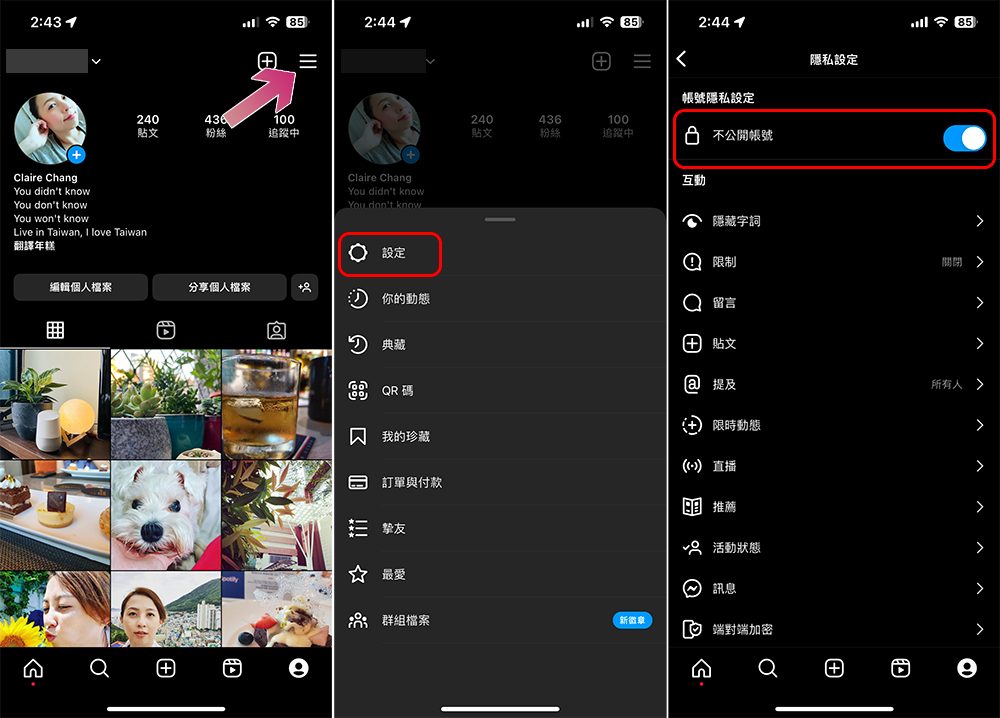
One of the easiest ways to protect your privacy and hide your content on Instagram is to make your account private. By making your account private, you can control who can follow and view your content. Your posts and Stories will then be visible only to existing and new followers you approve.
- Open the Instagram app, switch to your personal page, and click on the three horizontal lines menu in the upper right corner.
- Click Settings in the menu.
- Click “Privacy Settings” in Settings.
- Just turn on the switch behind “Private Account”.
Method 2: Change user name and name
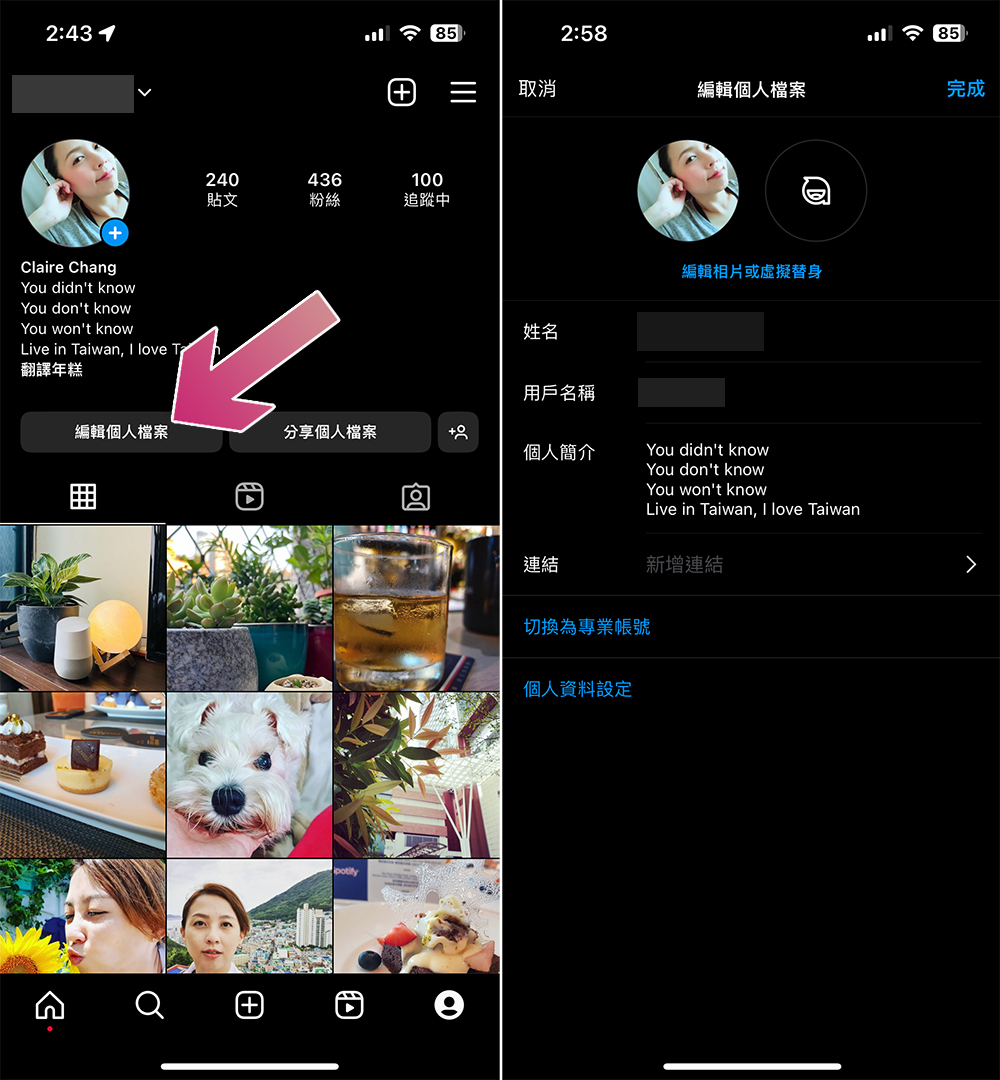
This way you can make your account unrecognizable to people who are spamming you or making you feel uncomfortable, which will completely change your Instagram and make it harder for people to find your account. You must change the existing user name and name at once. Just open the Instagram app, switch to your personal page, and click “Edit Profile” to change your avatar, name, and username immediately.
Method 3: Disable syncing contacts
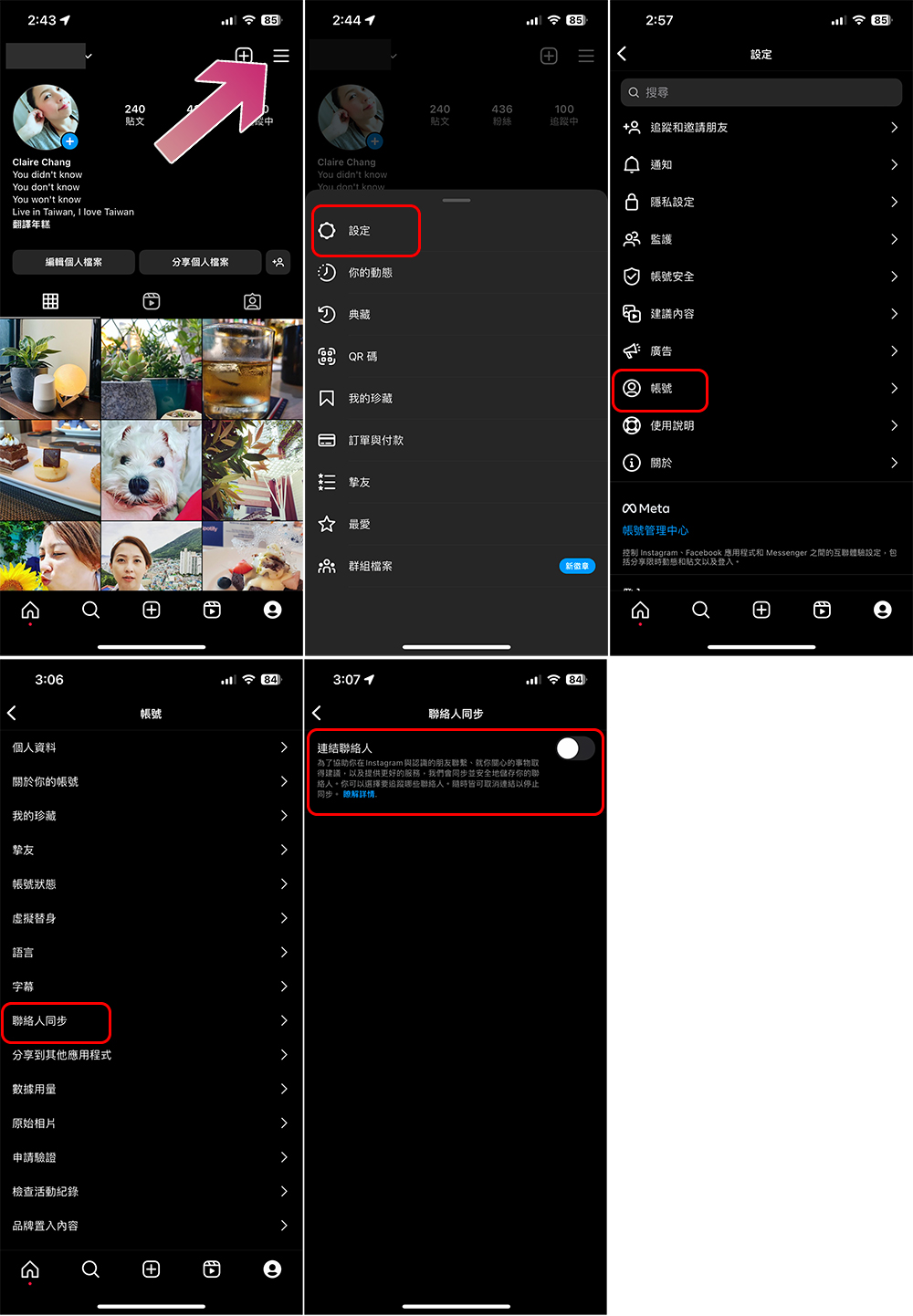
When you create an Instagram account on your mobile device, your contacts on your phone are synced, and two things happen. First you’ll see suggestions for contact accounts you can follow, and secondly, your account will appear in contact suggestions. This makes it difficult to hide the account from people in your contact list. To do so, you must disable synchronized contacts.
- Open the Instagram app, switch to your personal page, and click on the three horizontal lines menu in the upper right corner.
- Click Settings in the menu.
- Click “Account”.
- Find the “Contact Sync” item and close it after entering it.
Method 4: Turn off showing account suggestions
You can only perform this method through a computer browser and cannot perform it on mobile devices.
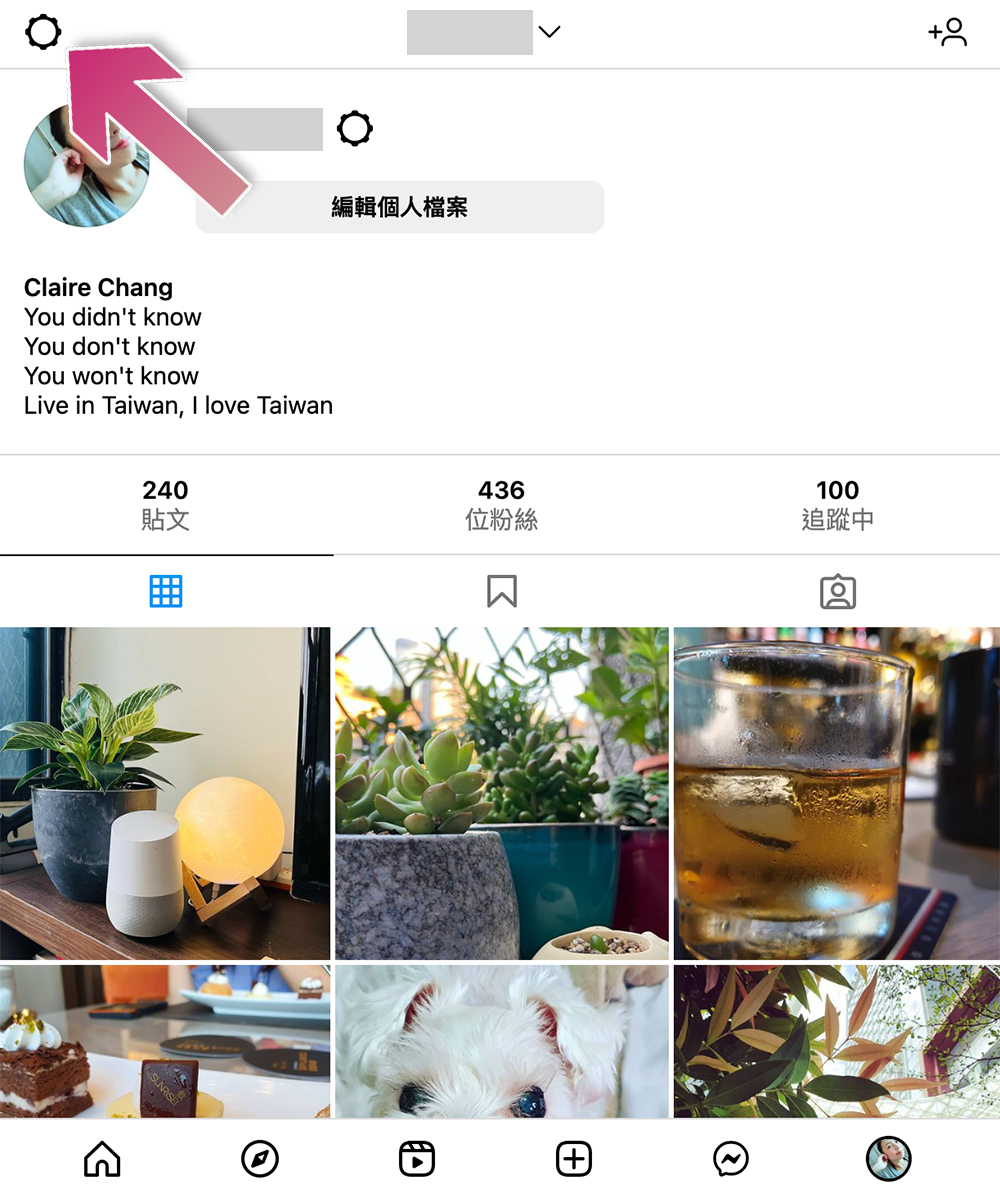
The purpose of the account suggestion function is that if other people follow accounts similar to yours, your account will be randomly recommended to them. In addition, based on the accounts you follow, the system will also recommend other accounts that you can follow. To disable account suggestions, you can do the following:
- Click the settings symbol (gear) in the upper left corner of the Instagram page.
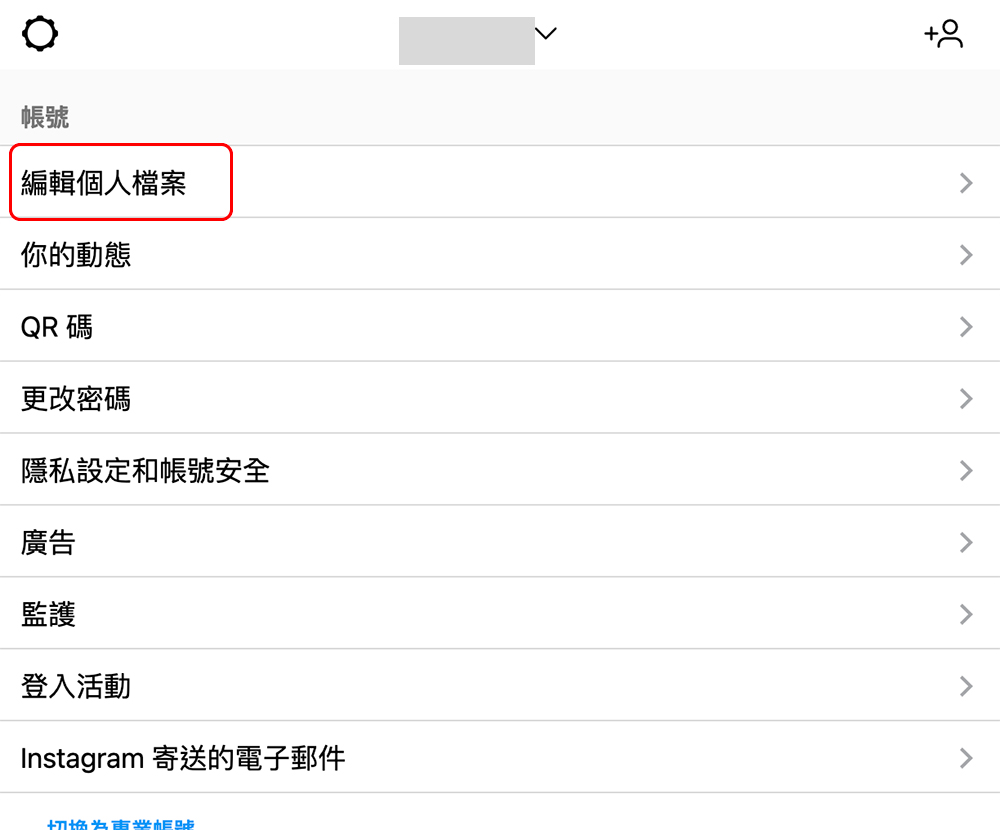
- Select “Edit Profile”.
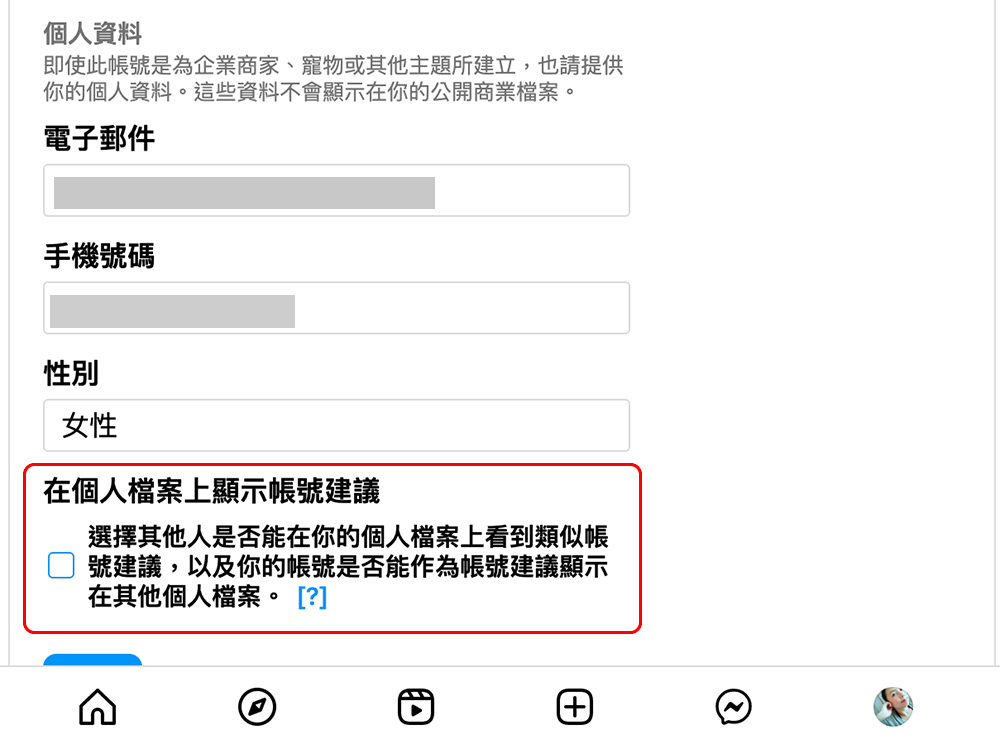
- Scroll to the bottom, uncheck the “Show account suggestions in profile” checkbox (the default is checked), and finally click Submit.
Method 5: Block the account you want to stay away from
If you don’t want your account to be discovered by specific users, the easiest way is to block them, especially those who always post spam content or make you feel uncomfortable, such as stalking, harassment, etc., you can use the block to stay away from them. Blocking a specific account will make it difficult for them to follow and view your content unless they have another alter account. Blocking an account on Instagram is easy and there are two ways to do it:
Practice 1
- Go to the specified account.
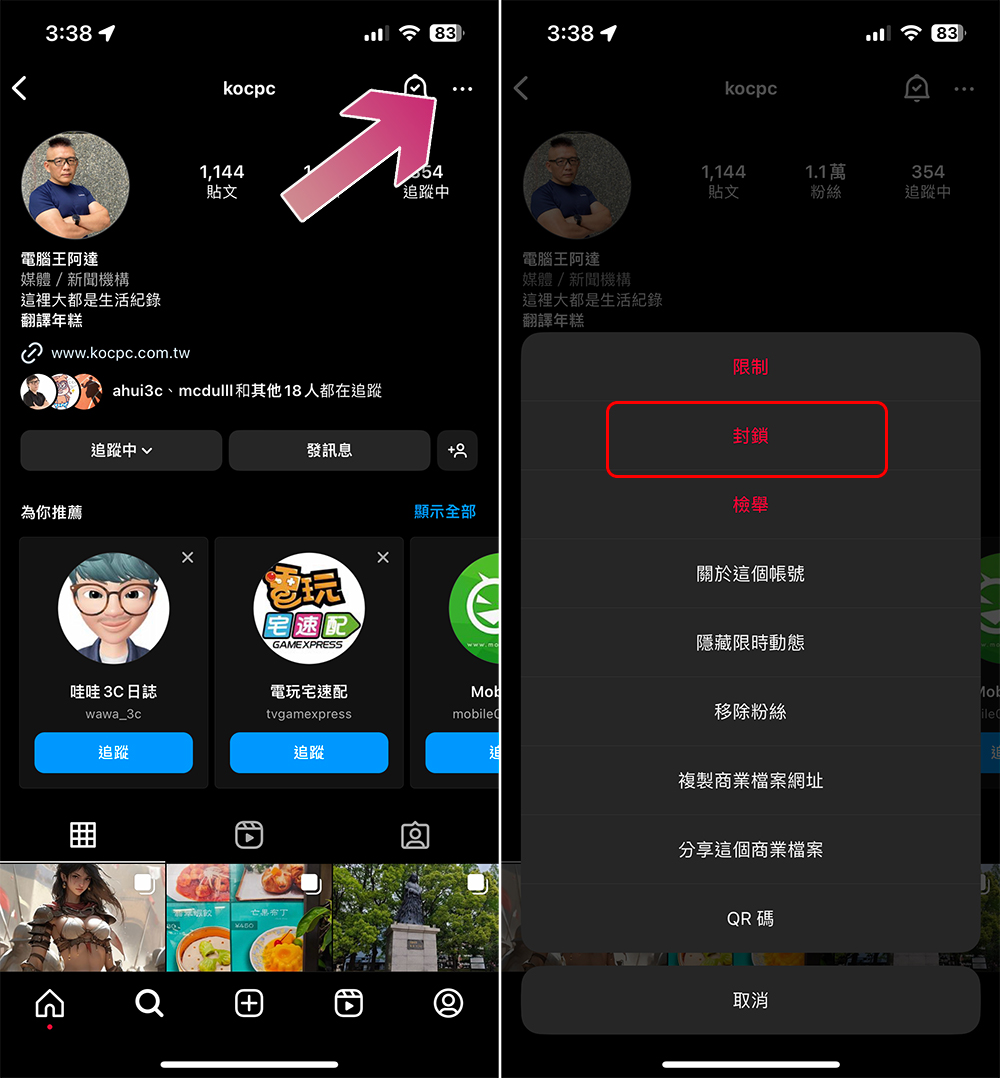
- Click the three-dot menu in the upper right corner of the account’s homepage.
- Just select “Block”.
Practice 2
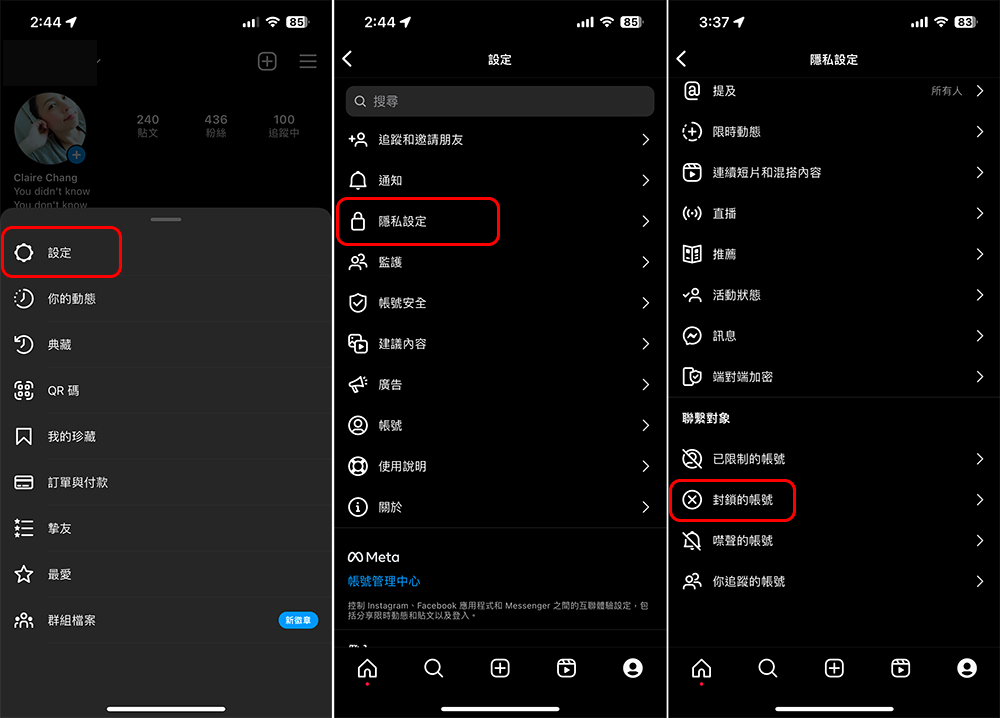
- Open the Instagram app, switch to your personal page, and click on the three horizontal lines menu in the upper right corner.
- Click Settings in the menu.
- Click “Privacy Settings” in Settings.
- Scroll to the bottom, click “Blocked Accounts”, and then click the “+” sign in the upper right corner to add the accounts you want to block.
Method 6: The Ultimate Method – Deactivate Personal Instagram Account
If you feel that all the above methods are too lightweight to achieve the purpose of making you invisible, the only and last option is to deactivate your personal Instagram account. This method is also the most direct and effective way to make you disappear from Instagram. Note that once you deactivate it, you won’t be able to access the account or follow people until you re-enable it.
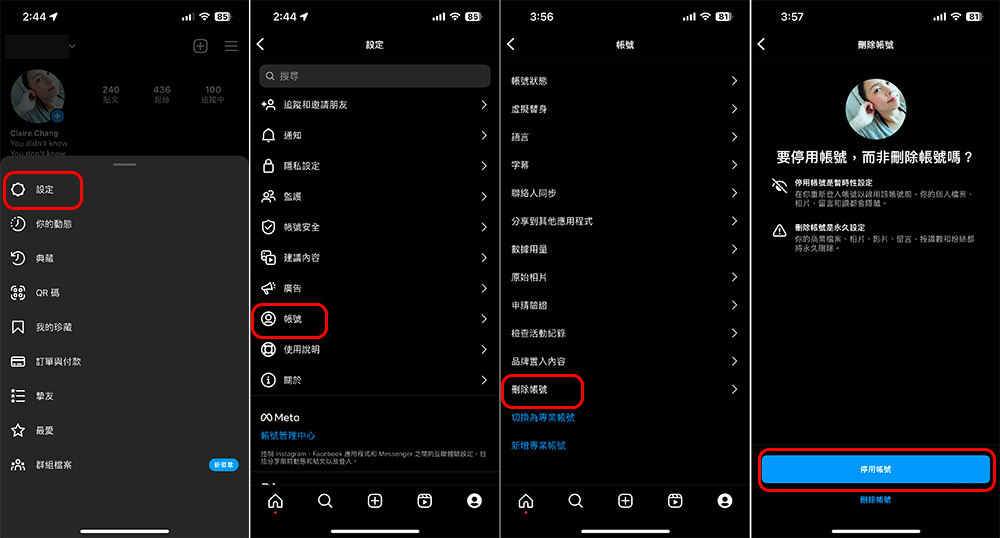
- Open the Instagram app, switch to your personal page, and click on the three horizontal lines menu in the upper right corner.
- Click Settings in the menu.
- Click “Account”.
- Scroll down to find “Delete Account”.
- Then select “Deactivate Account.” Deactivating an account can be reactivated later, but deleting the account will cause the entire account to disappear.
If you want to keep your Instagram account private or hide it from acquaintances, these are the different methods or steps that are required. If you follow the steps above, other people you know won’t be able to find your account and follow you unless you tell them your new username.
Source: KOCPC Chinese