


Still troubled by yellowed and blurryOld photographFeeling troubled? There’s now an amazing website called “Restore Old Photos” for you to use. AI Restore old photos, just upload the image and in less than a minute, it’s done.FreeRestore damaged, blurry photos, or even work miracles by turning black-and-white shots into color! The best part is that the entire process is completely free, requires no account registration, and leaves no watermark—once restored, you can download and keep them right away. Want to help your family relive those memory-filledPhoto, now is the perfect time!
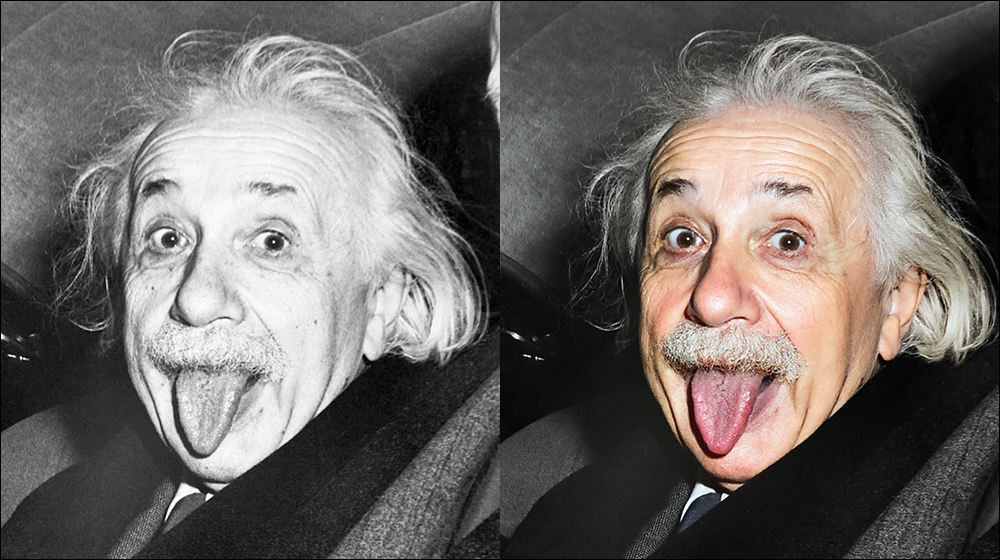
Super powerful old photo restoration tool! Restore Old Photos uses AI to help you bring back memories for free—restore old photos in one click, no registration, no watermark, super convenient.
In everyone’s photo album, there are always a few yellowed, damaged old photos—maybe your parents’ wedding picture, your grandfather’s military uniform photo from his youth, or a shot of you picnicking at the park with your family as a kid. These photos carry not just images, but priceless memories. But what if the photos are already blurry or covered in scratches?
Now, there’s an incredibly user-friendly online tool that lets you use AI to “restore memories” completely free and without logging in! All you need is a few simple steps: upload a photo, wait for the AI to process it, and within seconds, a clear, vividly colored new photo appears before you. It can repair damage, fill in missing sections, and even colorize black-and-white photos and boost resolution, making old photos look as crisp as if they were just taken. This article walks you through just how powerful this AI photo editing tool really is—from how it works, to its standout features, and the incredible before-and-after transformations—all neatly organized for you!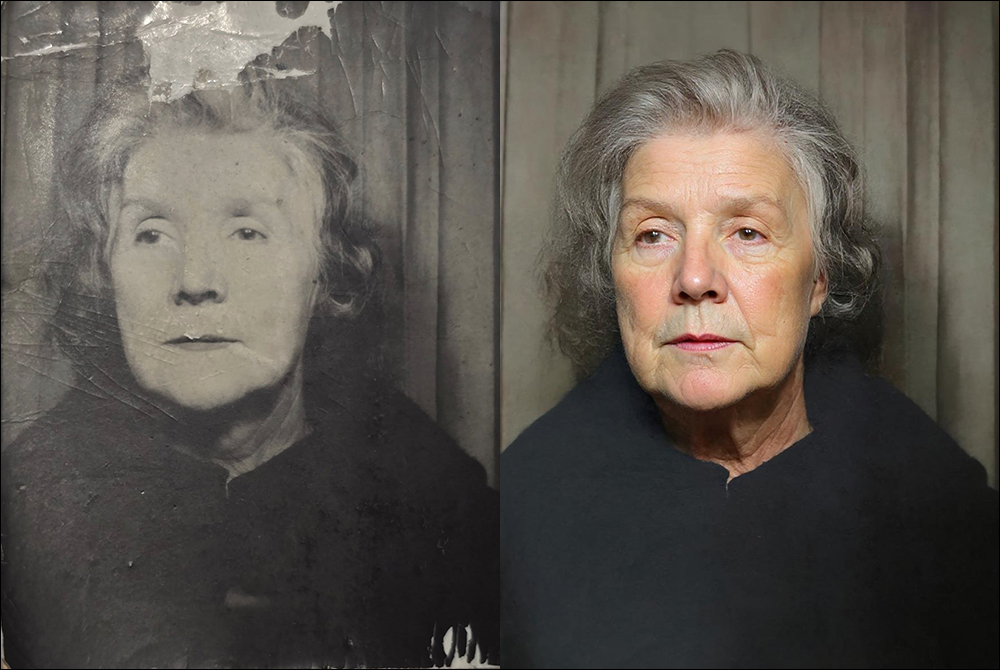
Restore Old Photos – Free AI Old Photo Restoration Tool
How do I use Restore Old Photos to fix photos? In just 4 steps, old photos become new memories in seconds.
This online AI photo editing tool is incredibly easy to use. No Photoshop skills are needed at all, and there’s no software to install. As long as you can upload a photo, you’re all set. The entire process is as follows:
Step 1: Upload the old photo.
Whether you have yellowed black-and-white photos or scratched color photos, as long as they are in JPG, PNG, GIF, or WEBP format and do not exceed 10MB, all can be uploaded.
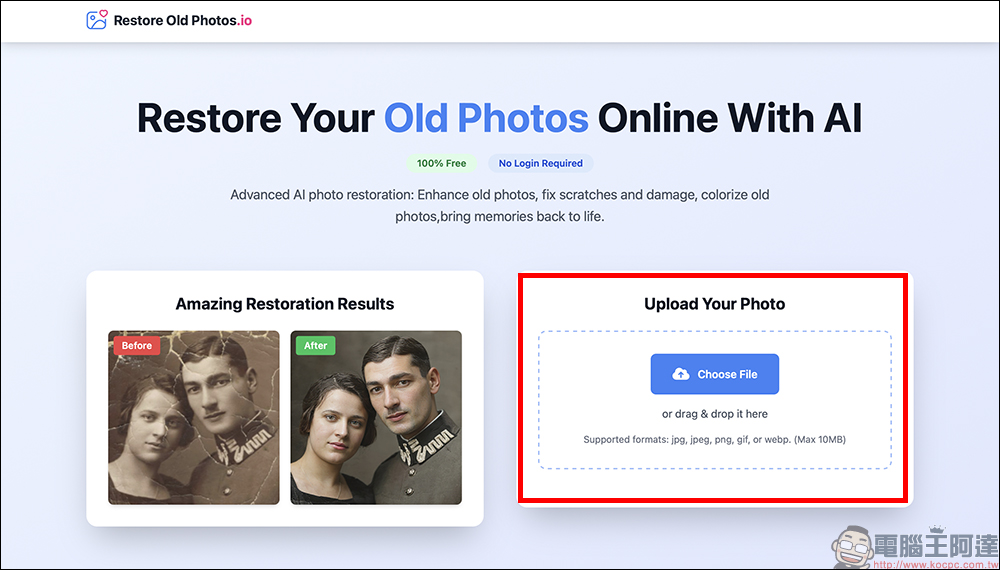
After uploading, click “Restore Photo” to start analyzing and processing the photo.
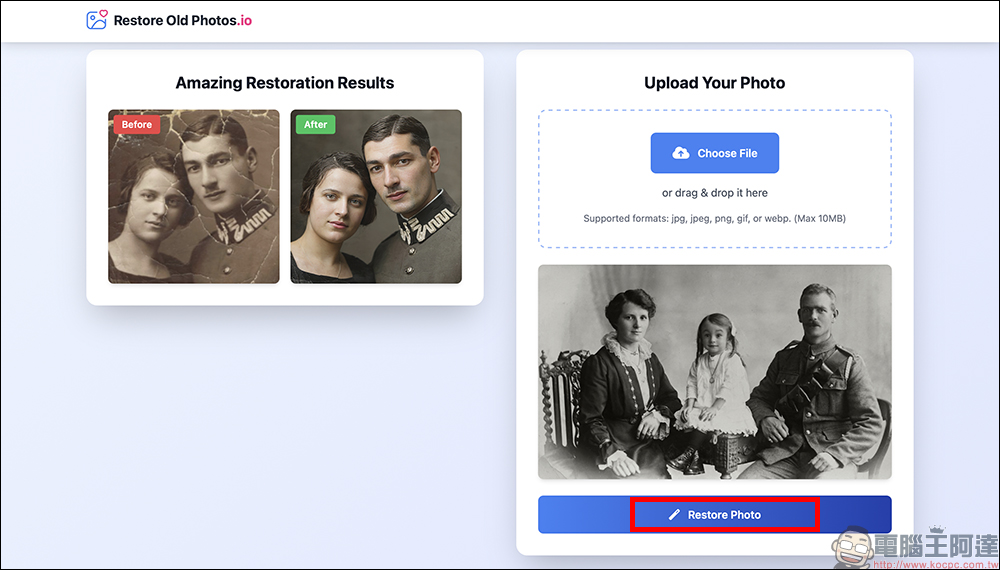
Step 2: AI Intelligent Analysis
AI will automatically scan damaged areas in photos, including creases, cracks, blurred areas, or missing corners, and analyze and assess them.
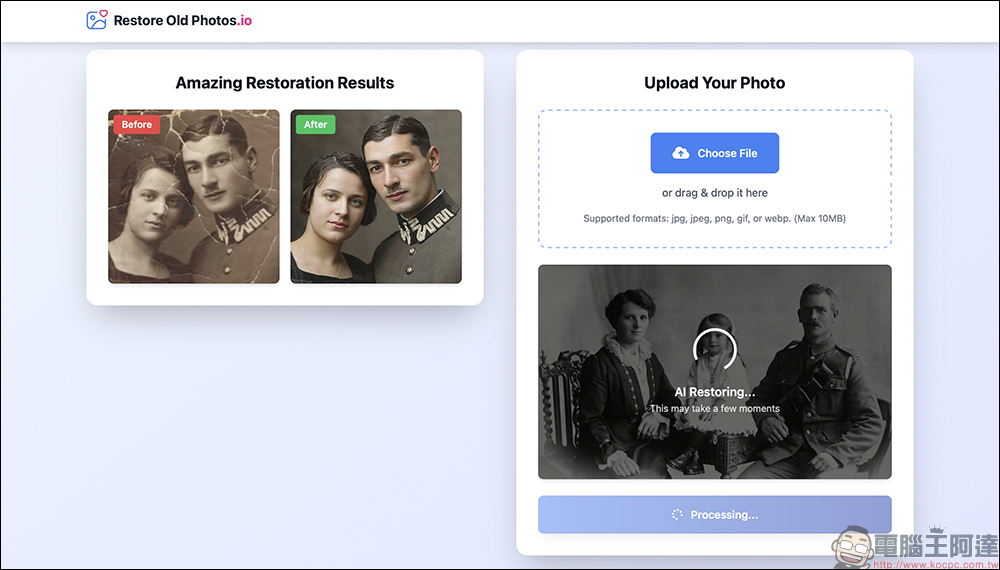
Step 3: Automatic Repair
This is the moment when a miracle happens. AI, based on the millions of photos it has learned from, automatically repairs damage, restores color, enhances clarity, and even colorizes black-and-white photos for you.
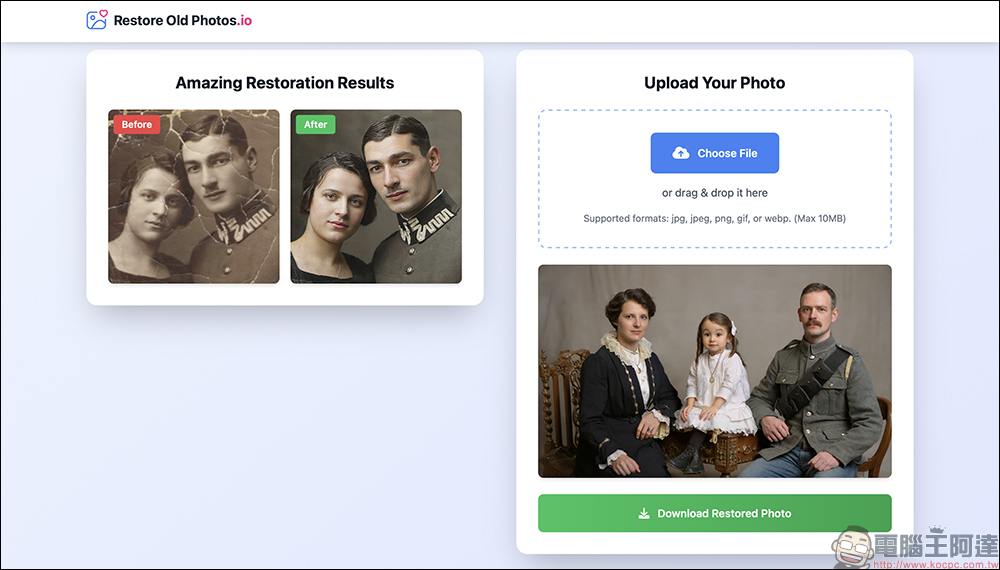
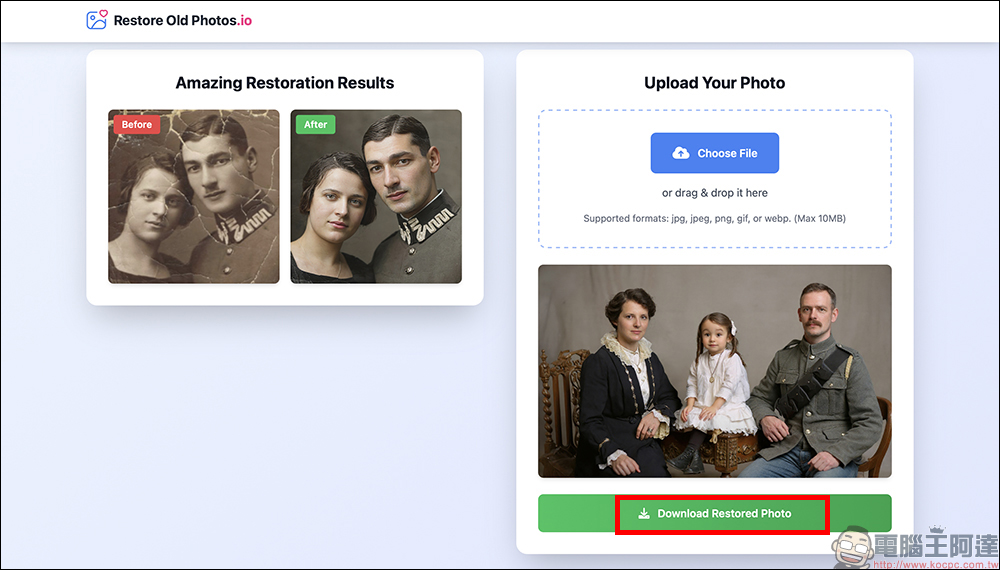
Step Four: Download the finished product.
After a few seconds, you can click “Download Restored Photo” to download the high-resolution restored version of the photo. No registration, no watermark—you can immediately print and frame it, or send it directly to family to keep.
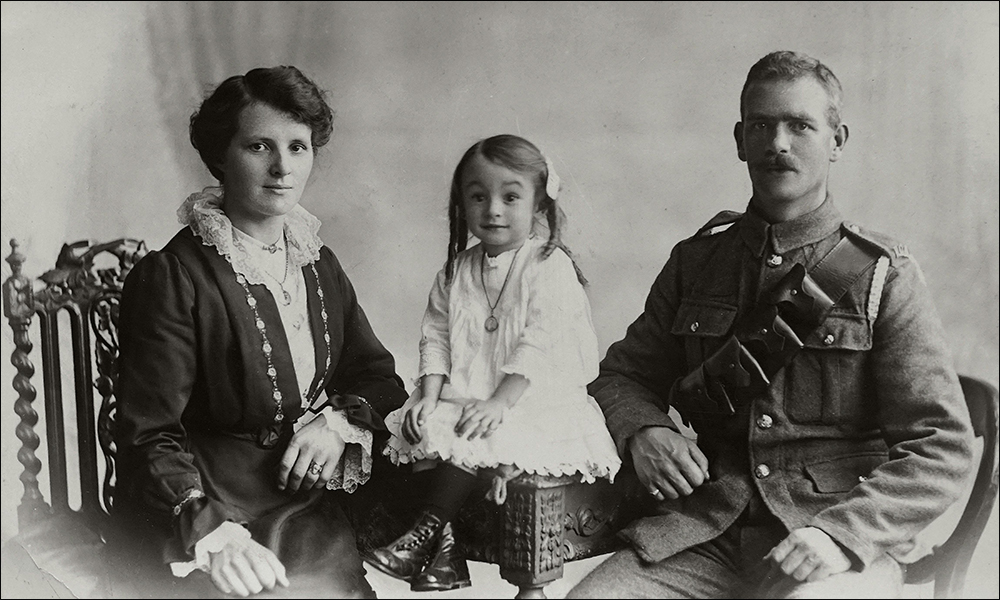
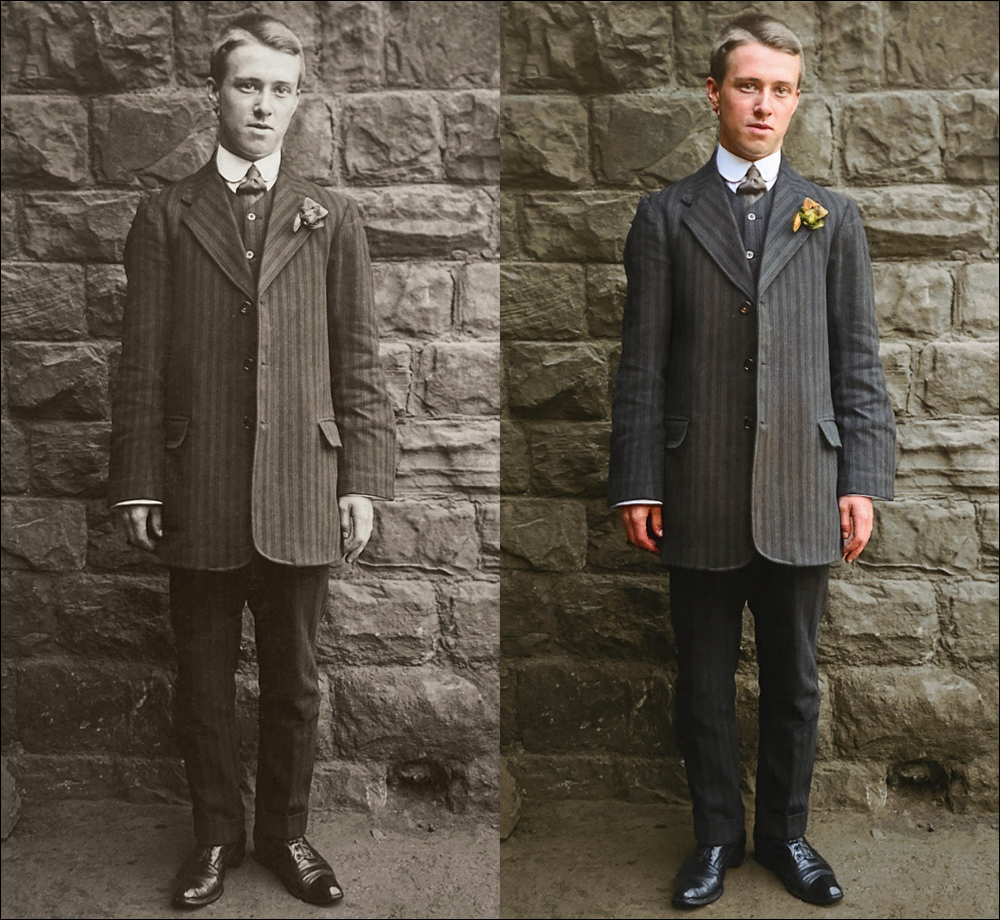
First, let’s take a look at what the original old photo looks like:
Using the Restore Old Photos introduced this time for AI restoration turns out like this—it’s truly amazing!

You might be wondering, can a free tool really be that impressive? In fact, this AI photo editing tool’s performance is truly astonishing. First, it processes incredibly fast—no need to wait for hours like with traditional editing; it completes the restoration in just a few seconds. As for image quality, the restored photos are not only clearer but also bring back details with remarkable accuracy, and it can even enhance resolution, making the photos suitable for printing or digital storage without any issues. All of this is thanks to the powerful AI deep learning system behind it, trained on millions of photos, with extremely high accuracy in recognition and restoration.
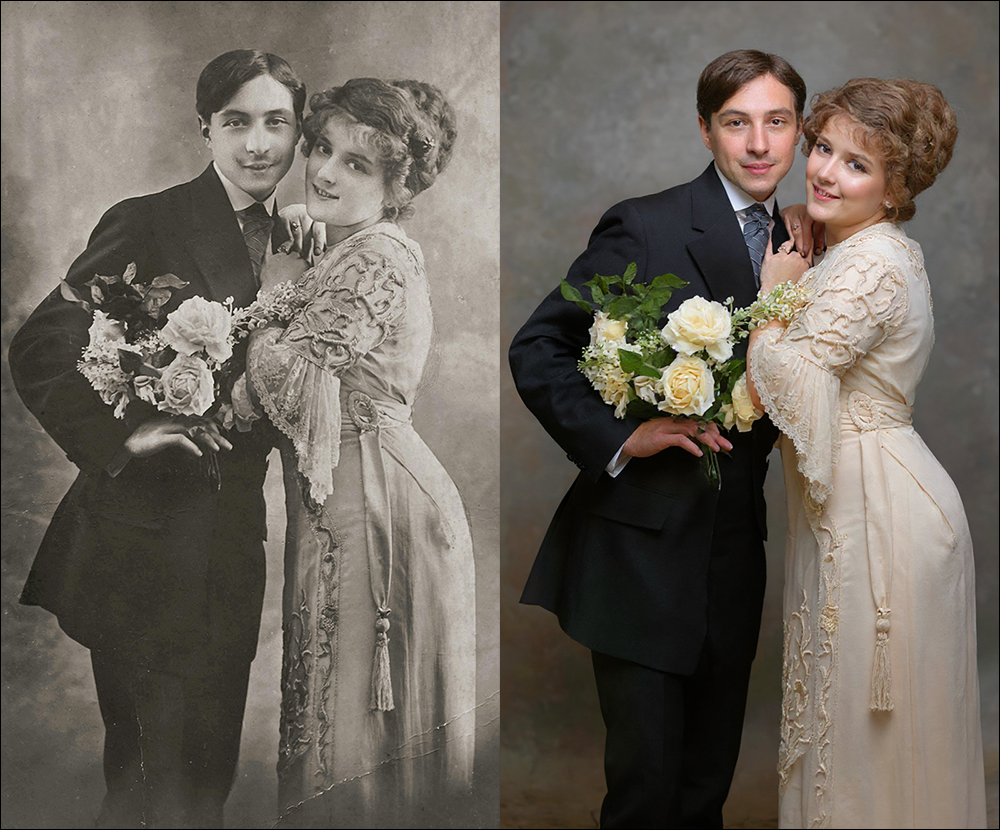
Not only that, this tool also places a strong emphasis on privacy and security. Users’ uploaded photos are automatically deleted after processing and are never stored. As for the types of photo damage, there’s no issue at all—whether it’s yellowing, blurriness, wrinkles, color shifts, or even missing corners, all of it can be handled. What’s more, the entire process is completed online, with no need to install any software or register an account. It truly offers zero barriers, so anyone can easily get started.
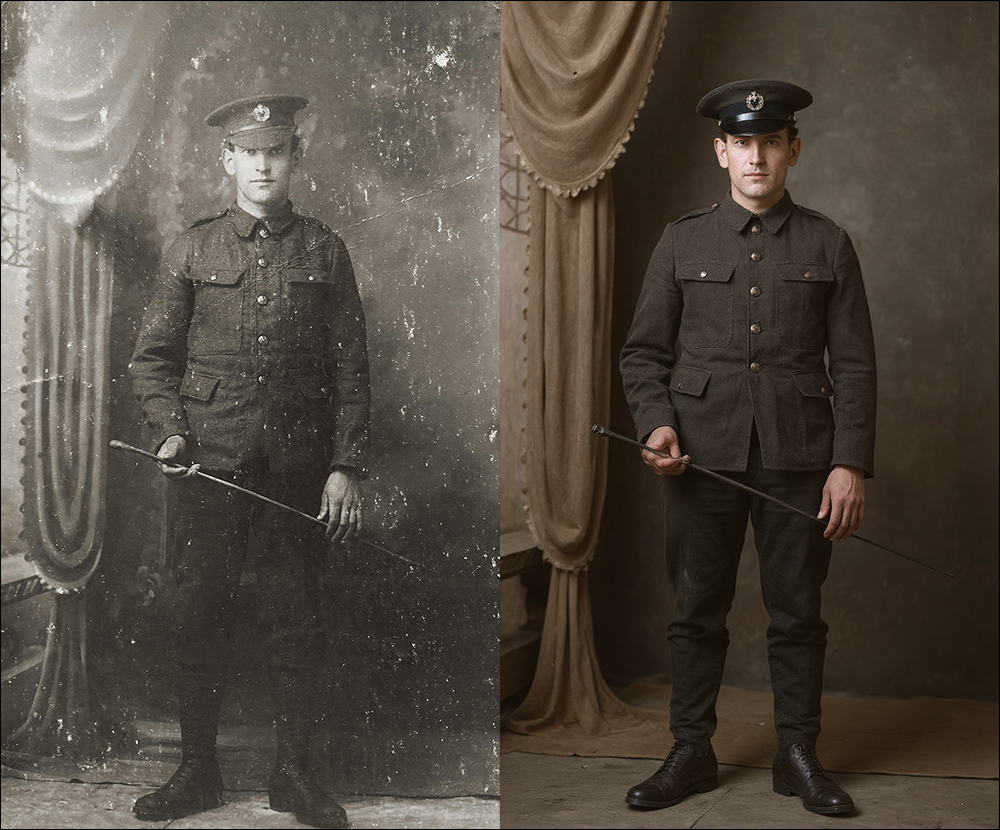
Traditional photo restoration usually requires professional artists, with costs ranging from a few hundred to a few thousand yuan, and you often have to wait several days to get the finished result. But now, all it takes is opening a browser and clicking a few times—in less than a minute, old photos can look brand new and come back to life.
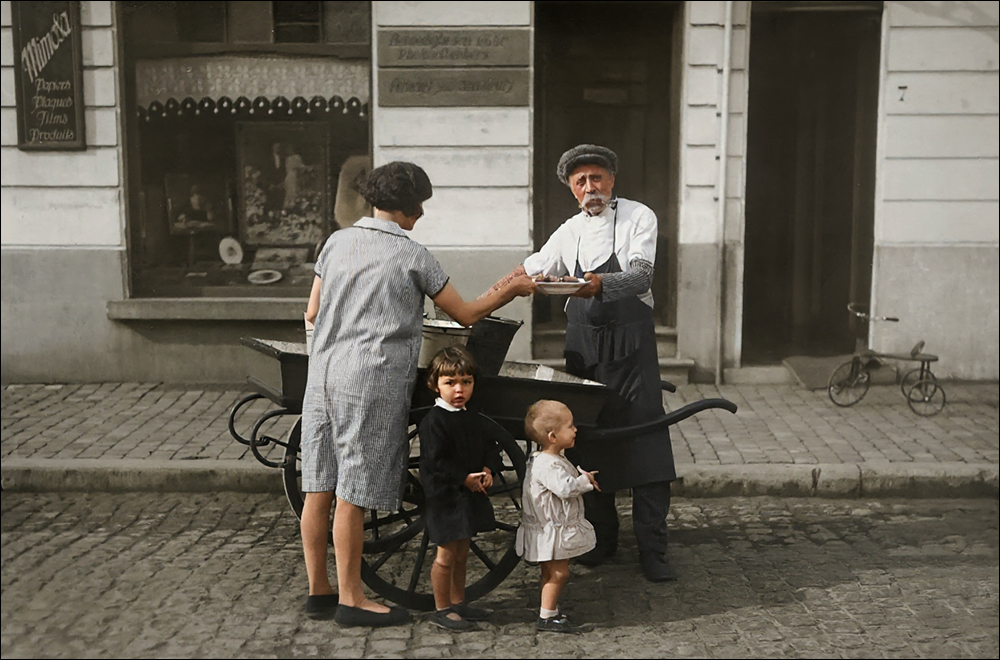
This isn’t to say that AI is going to replace photo retouchers—it’s about letting more people easily restore old photos full of memories without worrying about high costs or steep technical barriers. Whether you want to print photos to give to family, restore your grandparents’ old group photos or memorial portraits, create commemorative albums and digital frames, or even just want to let your parents relive their younger days, this AI tool is perfect for you.
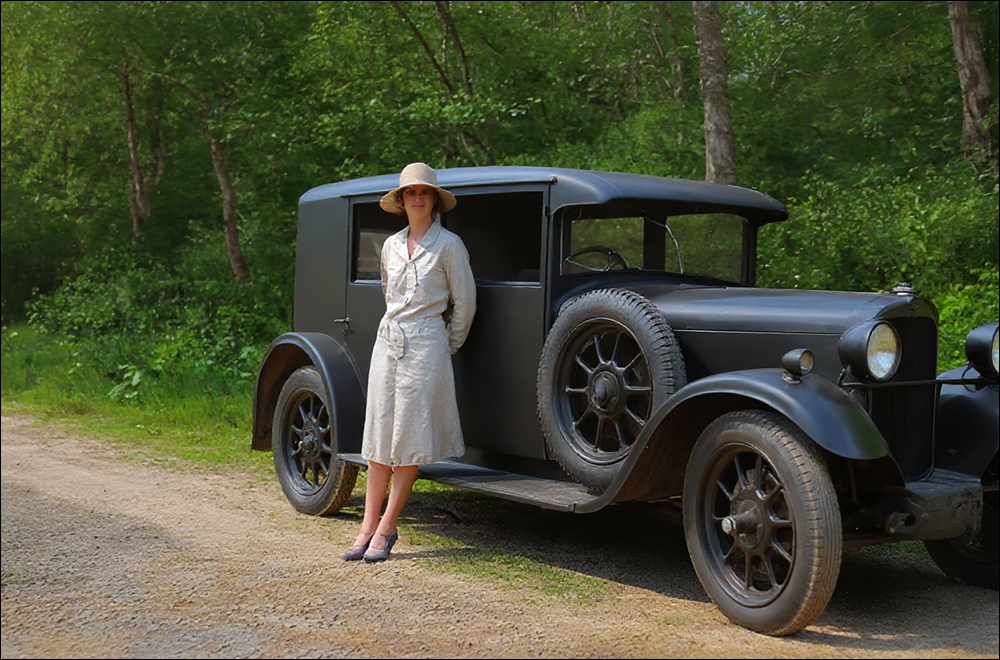
The author also tested multiple old photos from different scenes, attempting to restore each one. It was found that as long as the damage on the photo itself wasn’t too severe on the face—especially if the eye area wasn’t too blurry—most could be automatically restored into near-perfect photos.
Conclusion
Behind every old photo is a memory worth treasuring. Now, with this AI restoration tool, these memories can finally shine again. It’s simple, free, and doesn’t even require registration—there’s really no reason not to give it a try! If you have yellowed, damaged old photos tucked away in a drawer, why not upload one right now and see the magic of AI for yourself? You’ll be amazed at the results and will cherish these time-worn precious images even more. Go try Restore Old Photos now!

Restore Old Photos Free AI Old Photo Restoration Tool
Further Reading:
Source: KOCPC Chinese