


The “Recall” function of LINE chat rooms has always been loved by many users. Once a message is accidentally sent by mistake, the message can be recalled as soon as possible, helping many people resolve social misunderstandings and conflicts.
However, in the past, LINE could only recall text messages, voice messages, location information, chat information, stickers, photos or files within 24 hours. If an incorrect message was posted in an album or notepad, it would easily lead to misunderstandings. From now on, this feature has finally been upgraded! Messages in photo albums and notepads can also be retrieved!
LINE recall function upgrade: 1 click to recall error messages in photo albums and notepads
Since LINE launched the “Recall” function many years ago, it has become one of the LINE functions that users love to use. Whether in a one-on-one chat room, a group chat room with hundreds of people, or a social chat room with thousands of people, if you send the wrong message or send a message that you regret and want to retract, you can use the “Recall” function to retract text messages, voice messages, location information, contact information, stickers, photos or files within 24 hours.
However, in the past, if the wrong photo was uploaded to the photo album, even after the wrong photo in the photo album was deleted, the chat room messages would still remain in the chat room, and you would inevitably worry about causing other people’s misunderstanding. LINE Starting from LINE 13.5.0 (inclusive) and above, iOS or Android phones can already support a more complete “recall” function! From now on, all messages in the “Photo Album” and “Notes” can be recalled in the chat room.
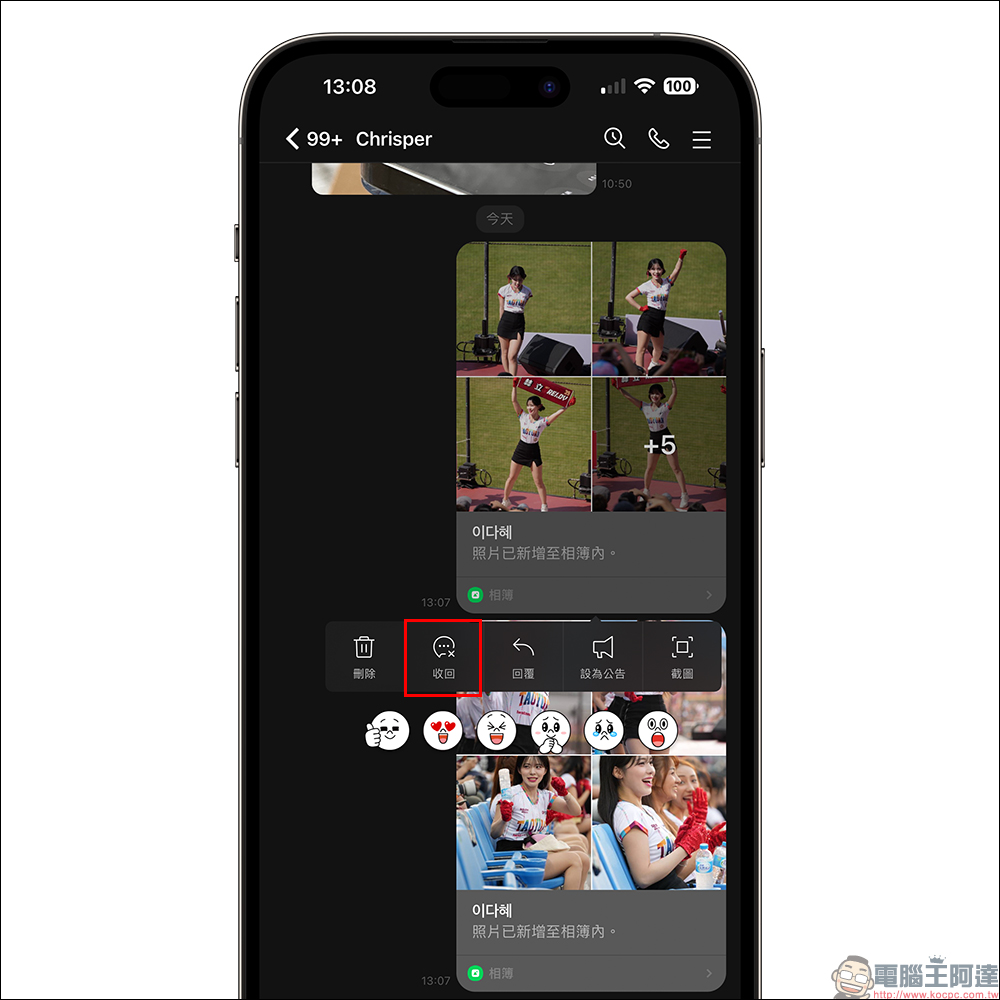
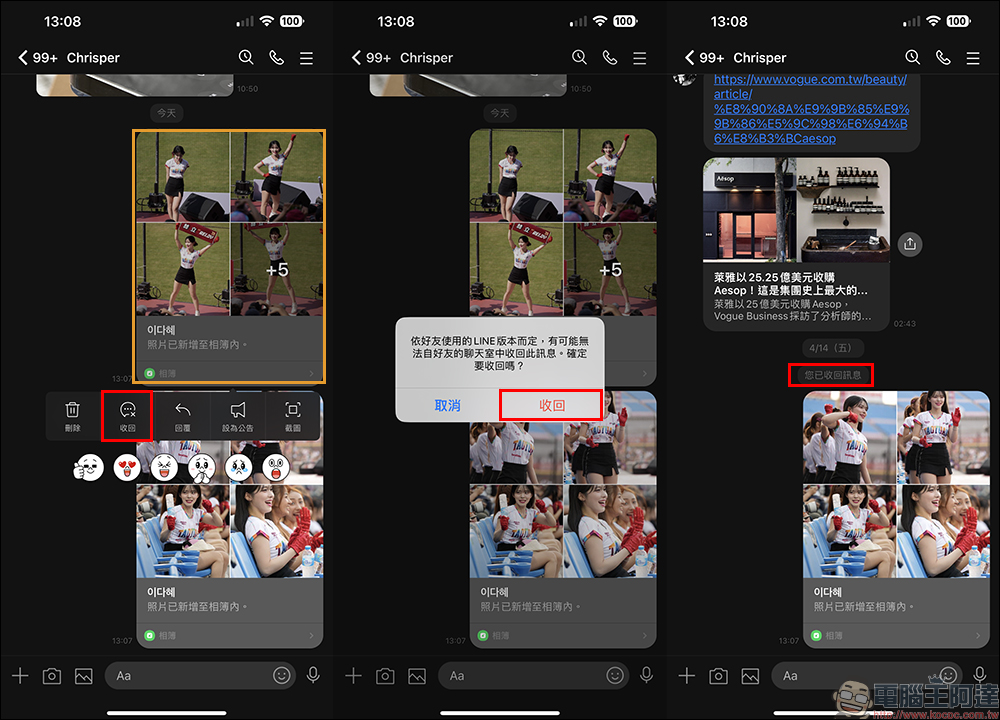
If you want to recall the photo album messages in the chat room, you only need to long press the album you want to recall, and then click the “Recall” button in the function menu. A window reminder will pop up on the screen. Click “Recover” again to recall the album messages. However, the album recovery function can only be recovered within 24 hours after the message is sent!
After the user finishes editing the note in the LINE chat room, the note message will also appear in the chat room. Even if the contents of the note are corrected later, the incorrect note content that has been sent will still remain in the chat room discussion thread. If you want to delete the wrong notepad message, you can also recall the notepad message directly in the LINE chat room!
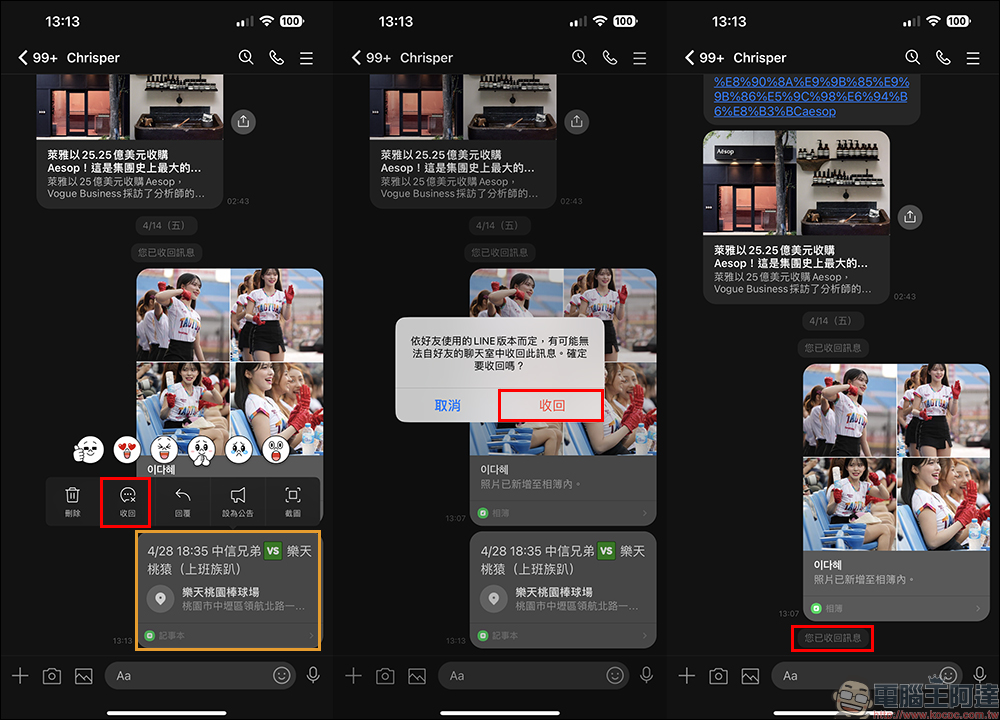
It is also necessary to add some important concepts here. If a user “recalls” photo album and notepad messages in a chat room, the recovered content will not appear in the chat room discussion thread. In fact, after the message is recovered, the photos uploaded in the album and the contents of the notepad “will not be deleted.” Therefore, if you want to remove the wrong photos from the photo album or delete the wrong information in the notepad, you still have to manually enter the photo album and notepad to delete it.
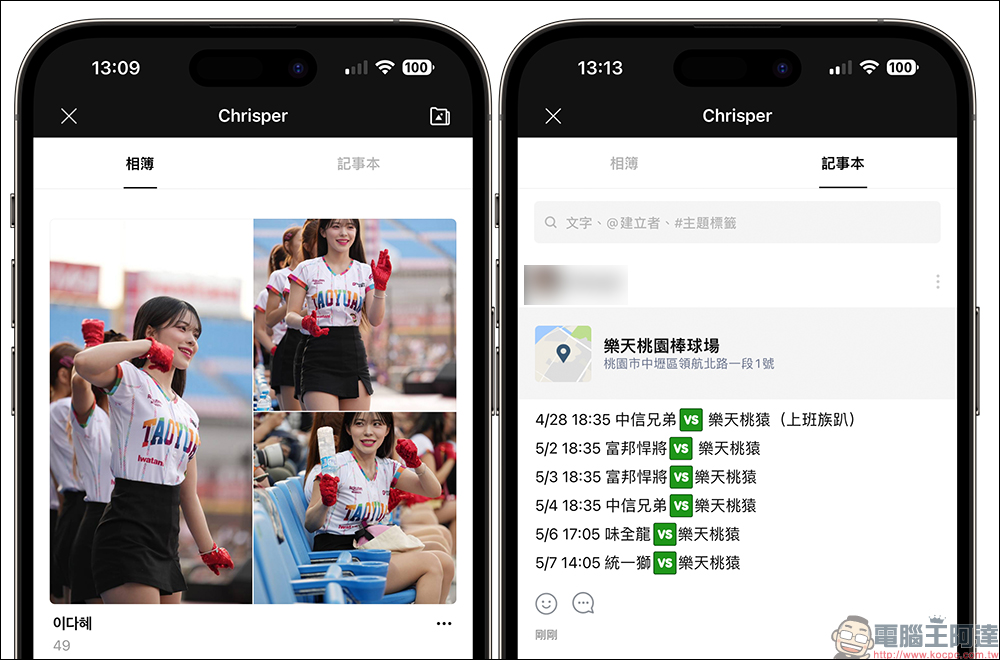
In addition, LINE’s “Photo Album” and “Notepad” recall functions are now the first to be targeted at mobile users. Regardless of whether the other party has updated to LINE 13.5.0 (inclusive) or above, as long as the original user retracts the message, all LINE users in the same chat room will no longer be able to see the retracted message!
Further reading:
Spotify iOS 16 lock screen/home screen widget setting tutorial

Source: KOCPC Chinese