


When you buy a new Mac or iPhone, after installing a third-party app and starting to use it, a window will pop up from time to time asking you to leave a rating or review on the App Store. While rating and reviewing apps is a constructive feedback for developers, some people don’t like to rate or don’t have the time to do it. So, how do you block these third-party app requests? Fortunately the method is not difficult.
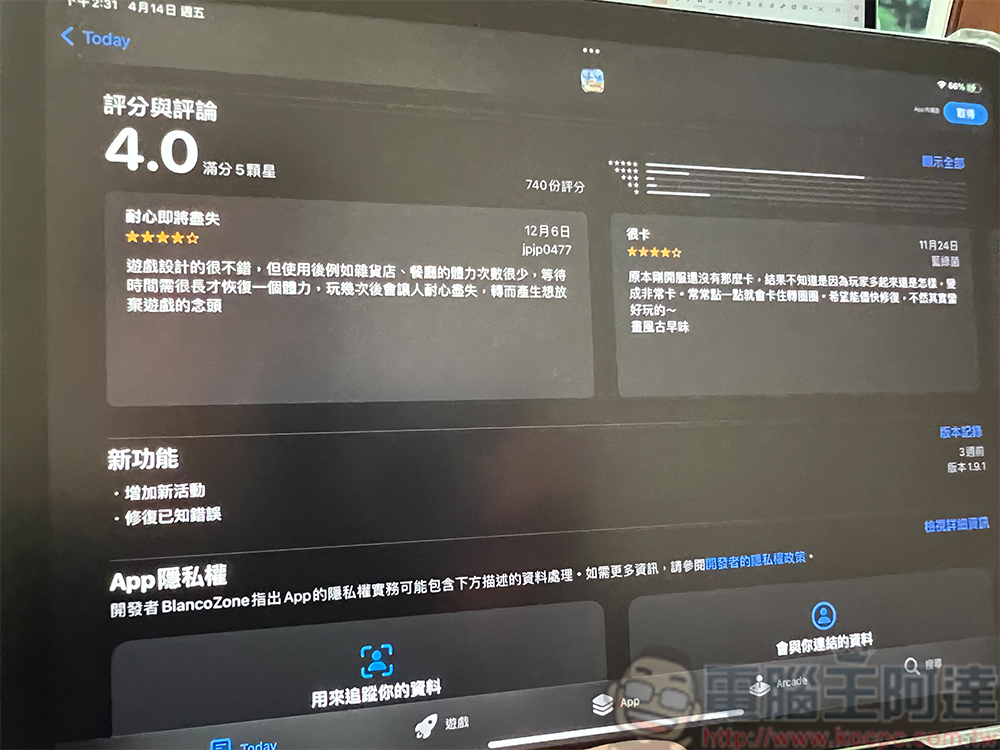
How to stop third-party apps on macOS and iOS from constantly asking you to rate them?
Rating or leaving comments on an application should be very voluntary. You can take the initiative to rate or comment if you like it or have something to say. The small window that randomly pops up to beg for ratings may seem innocuous at first, but then it becomes too annoying to be prompted one after another, especially when you are concentrating on your work.
Turn off macOS rating and review requirements
Whether you are using macOS Ventura or other versions of the system, fortunately you can manually disable these prompts. Please follow the steps we will teach you below!
- Open the APP Store app on your Mac.
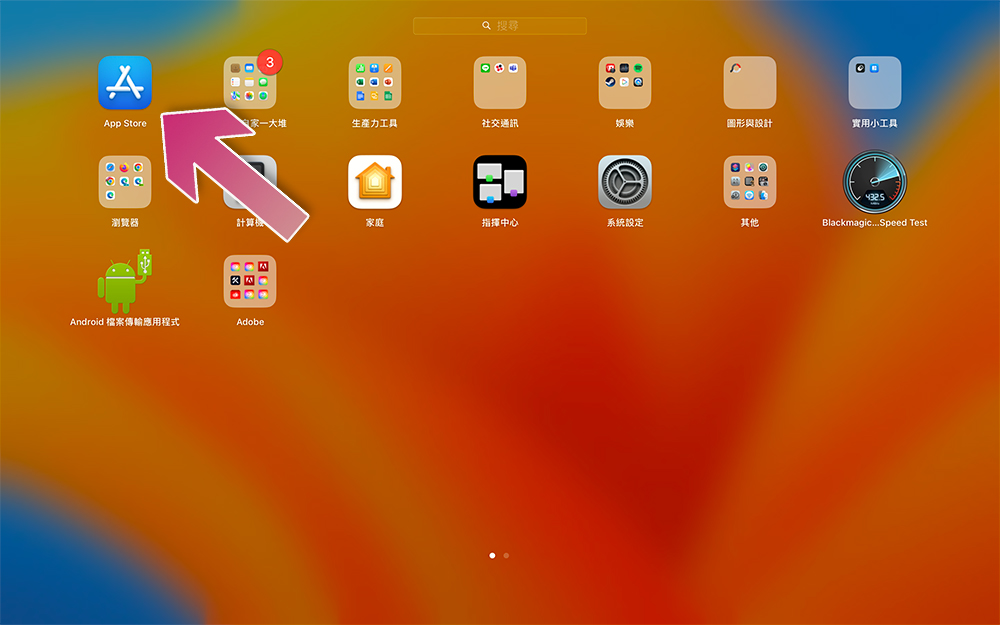
- Click “APP Store” on the function bar and select “Settings” from there.

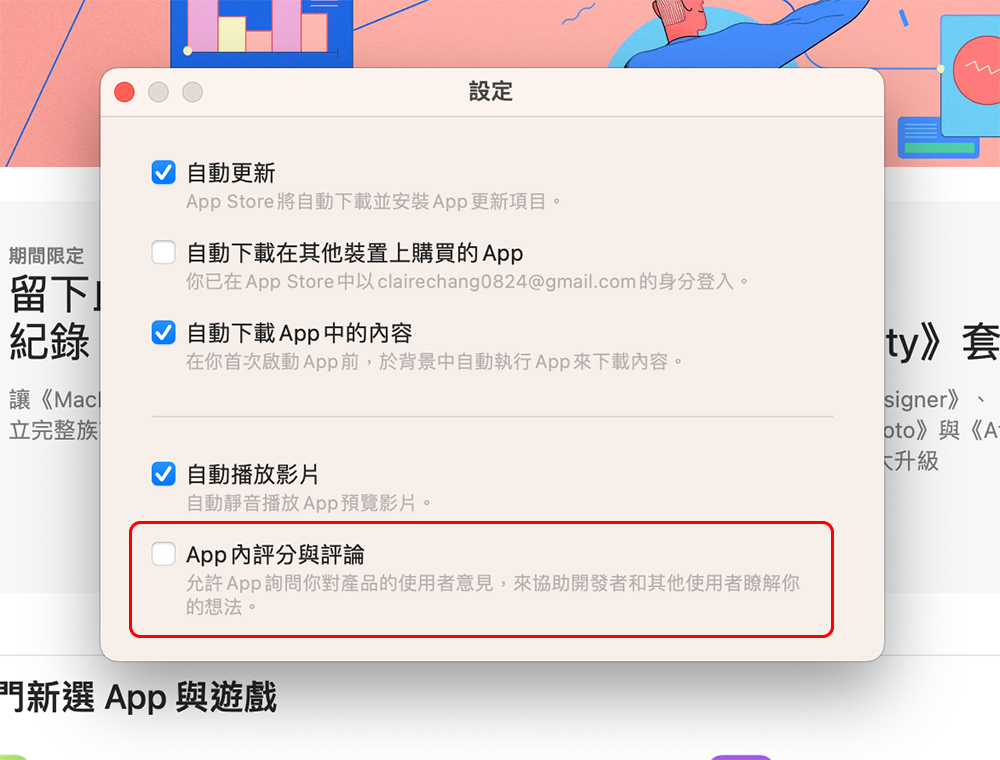
- Just uncheck the “In-App Ratings and Reviews” option.
Turn off iOS / iPadOS rating and review requirements
The logic for iOS/iPadOS is different from macOS. macOS is very intuitive for the settings of each application, which means that the settings of each application will be on the top function bar when you open the application. On iOS and iPadOS, Apple puts almost all settings in the “Settings” application, so you can’t find options the same way you use a computer. Below, the author also lists the setting steps for iOS / iPadOS for your reference.
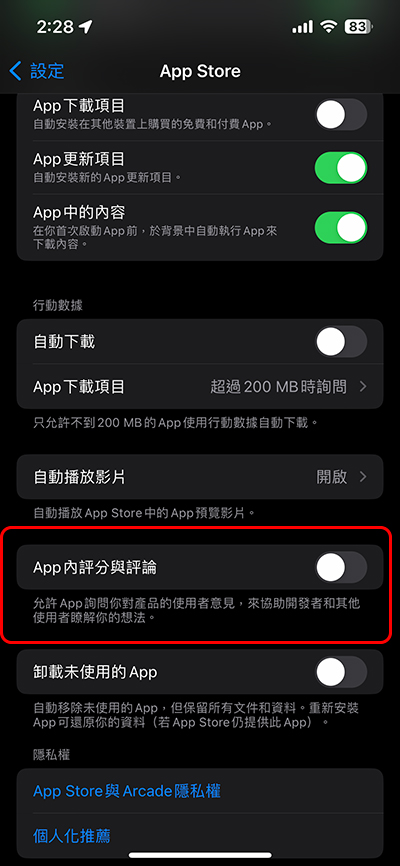
- Open the Settings app on your iPhone/iPad.

- Scroll down to find “APP Store” and click to enter.
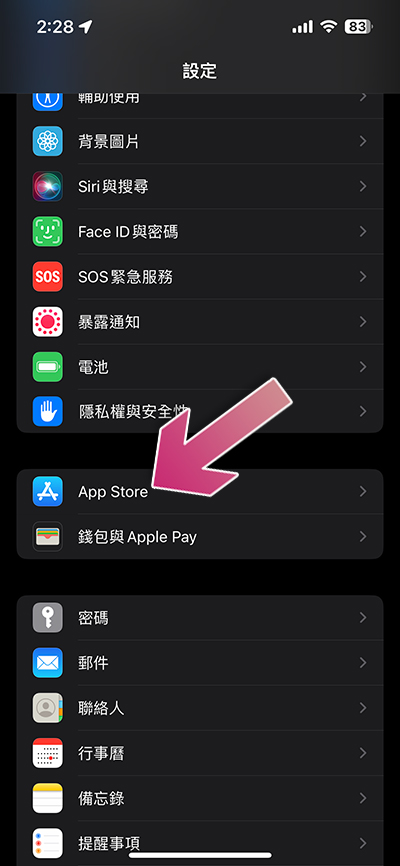
- Scroll down and turn off the “In-APP Ratings and Comments” option.
Although many people like me don’t like to rate or comment, if you like the app very much and want it to be better and more complete, you might as well take the time to leave your suggestions or opinions so that the developers can collect enough user opinions to make adjustments and improvements.
Source: KOCPC Chinese