


The topic of AI has been very hot recently. Many tools that use AI as an auxiliary can save a lot of time, and the threshold is also lower than before. For example, using iPhone can also easily play AI drawing, there are also various combinations ChatGPT’s LINE bot, even something like ChatPDF This way, you only need to upload the PDF and analyze directly using simple questions and answers, saving time reading documents. This time, I would like to share with you a useful LINE Moonshot robot. It can not only ask questions, but also automatically draw and synthesize pictures.
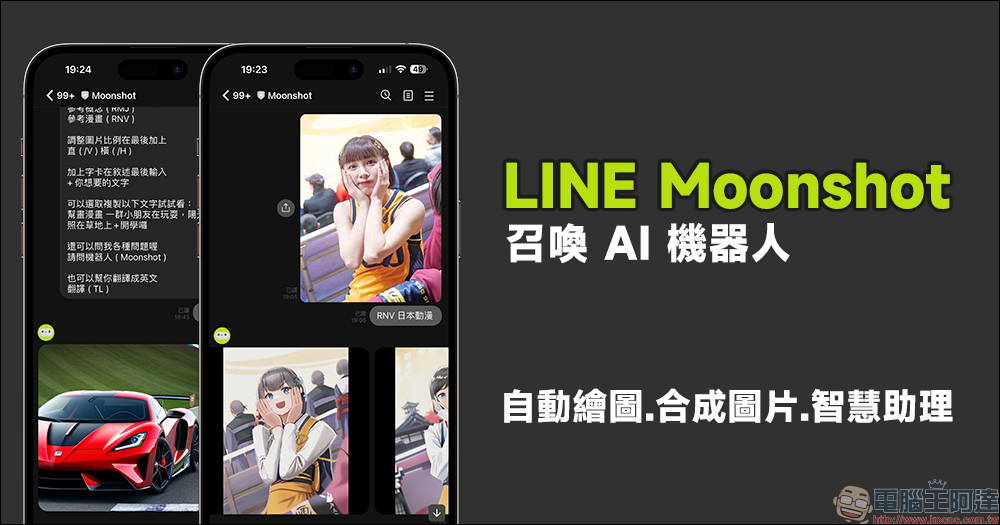
LINE Moonshot summons an AI robot with super powerful functions! Input text with 1 key to automatically draw, synthesize pictures, and support smart assistants
There are many useful robot tools under the LINE platform. In addition to the two useful robot tools we shared before,Free LINE ChatGPT chatbot, today I will introduce a useful AI drawing robot. Just add Mooshot as a friend and enter simple commands in the chat room, and it will help draw pictures in various styles! In addition, you can also change the picture style according to the uploaded picture material.
AI drawing
Moonshot’s AI drawing function allows users to automatically generate three different styles of pictures by inputting instructions and keywords of the picture theme.
For example, first enter the Chinese (or English) commands: help draw realistic (SD), help draw concepts (MJ), help draw comics (NV), then add the text description of the picture, and then send the message. Moonshot also shared tips for using the AI drawing function, such as typing: “Help draw comics. A group of children are playing, the sun is shining on the grass + school is about to start.” Using a more complete text description can make the finished product more in line with expectations.
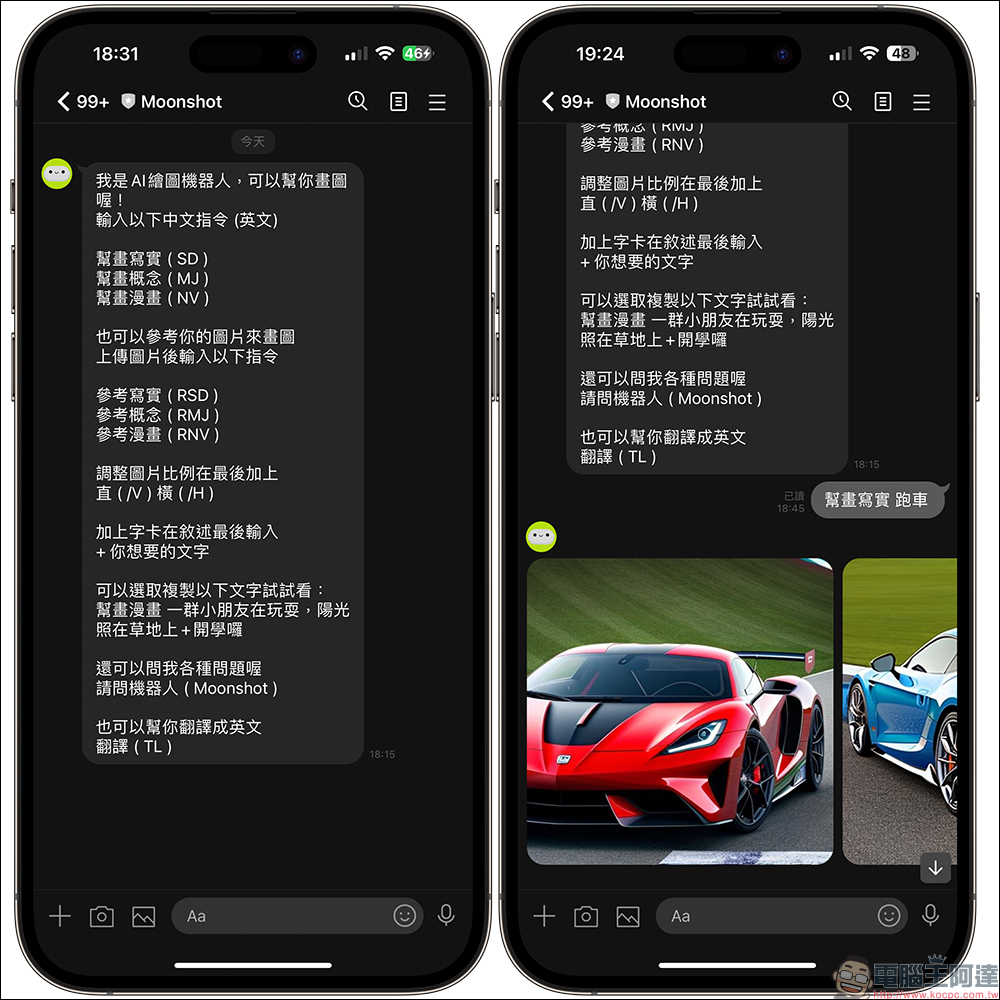
The following keywords are the three sets of pictures generated by “help draw realism” and “sports car”:
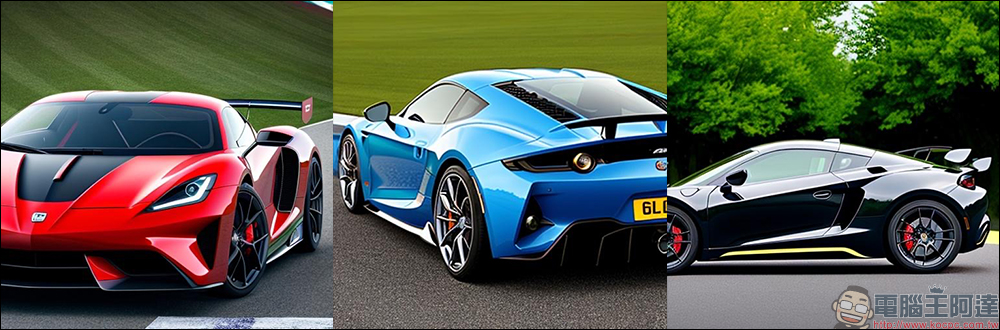
Moonshot can also draw conceptual or comic-style images.
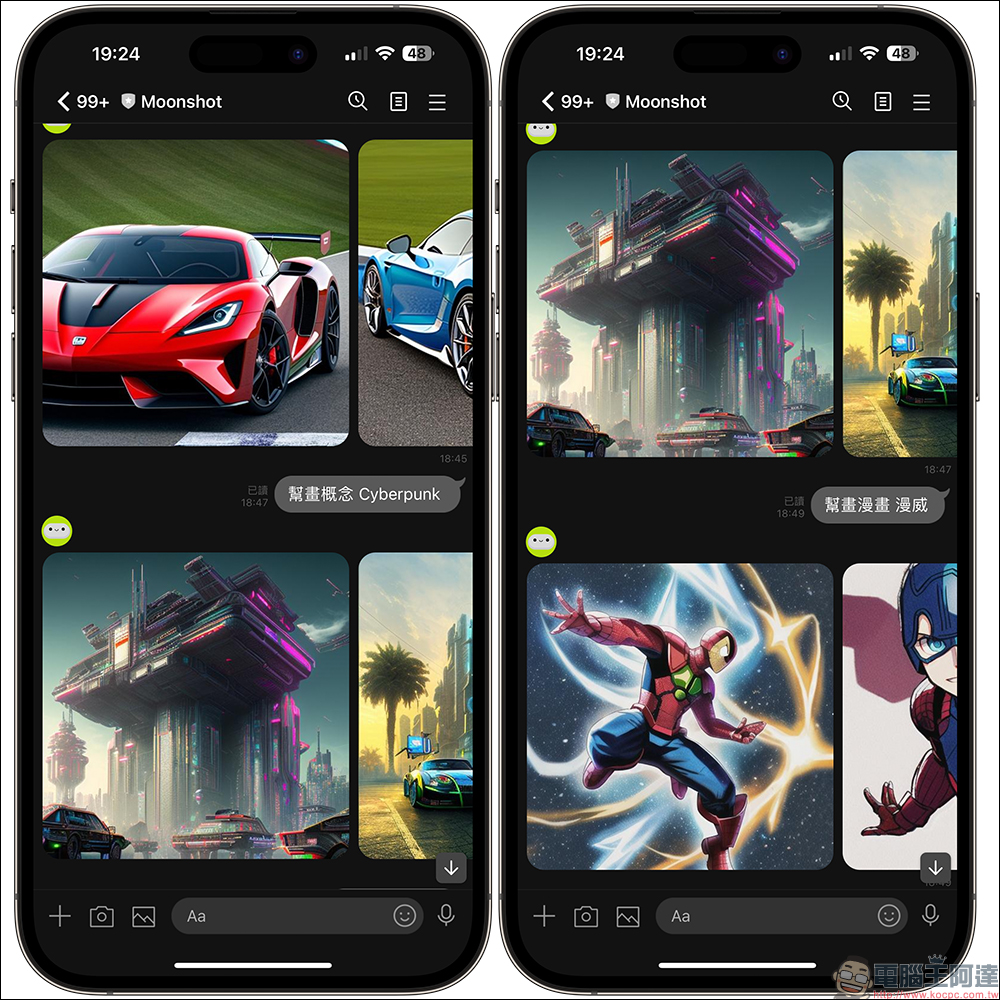
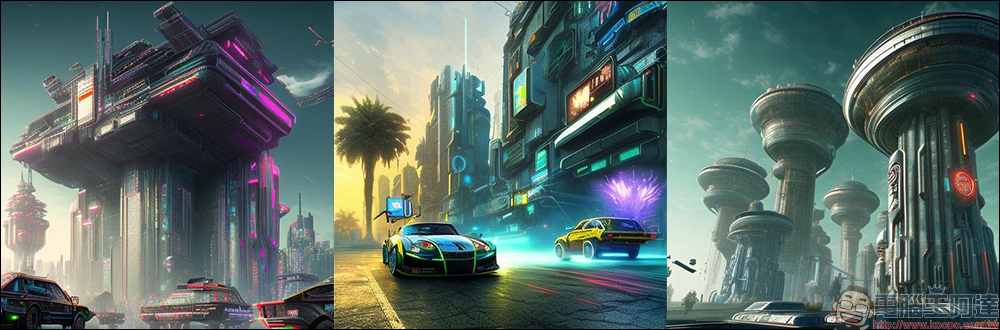
The following is the finished picture produced by combining “Honghua Concept” with “Cyberpunk”.
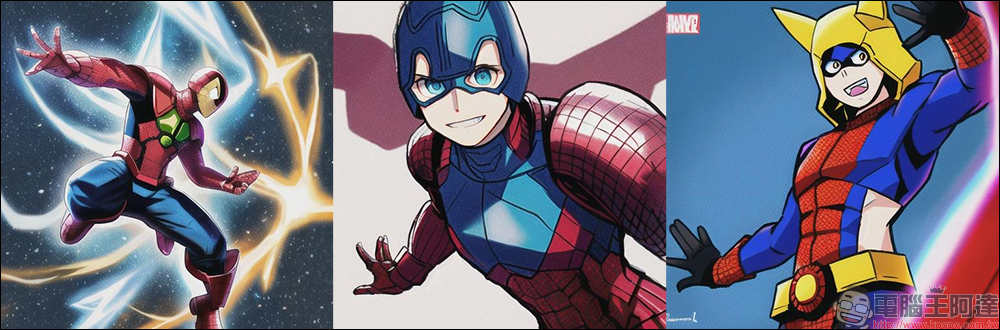
The following are the picture results produced by “Hanghua Comics” combined with the “Marvel” style.
Picture change style
Moonshot can also draw pictures by referring to pictures uploaded by users. You only need to upload the picture and enter the command to change the picture style. The picture changing style provides three style options: “Reference Realism (RSD)”, “Reference Concept (RMJ)”, and “Reference Comics (RNV)”. You can enter either Chinese or English commands. After the picture reference style, just add the style description you want to generate.
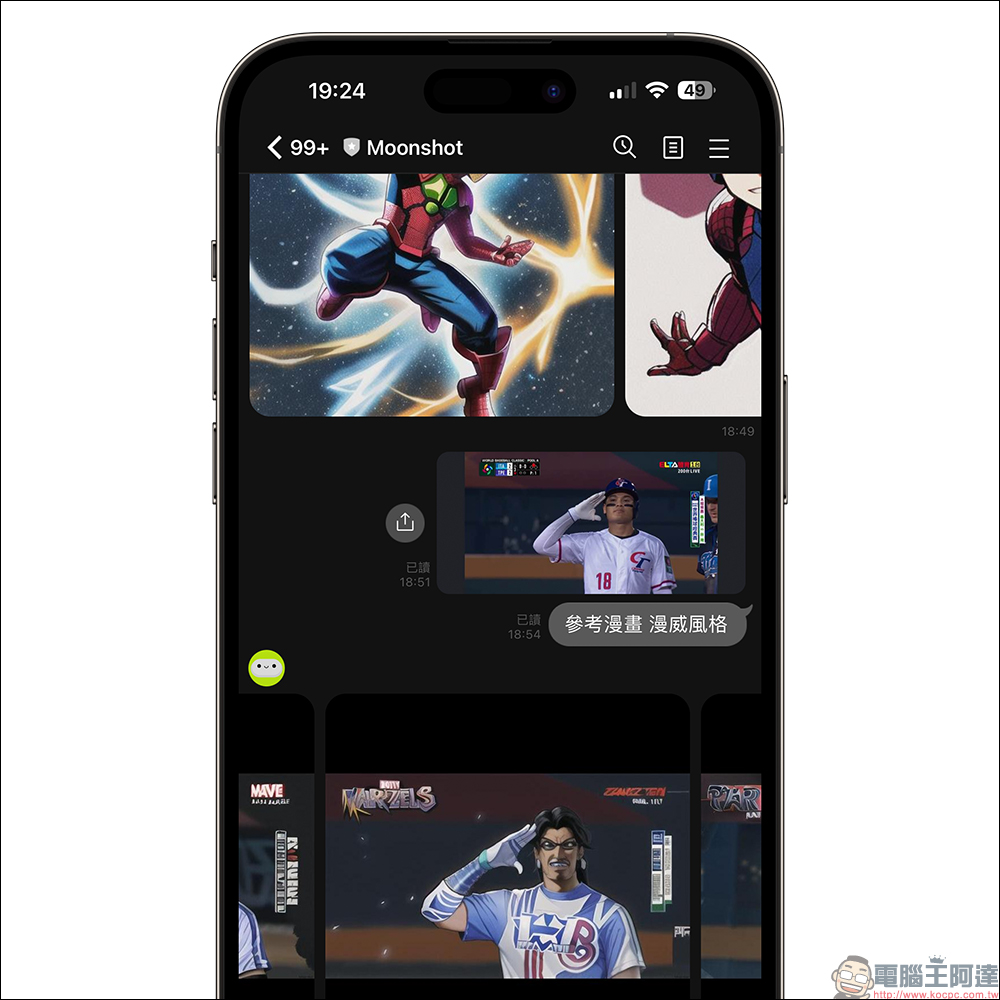
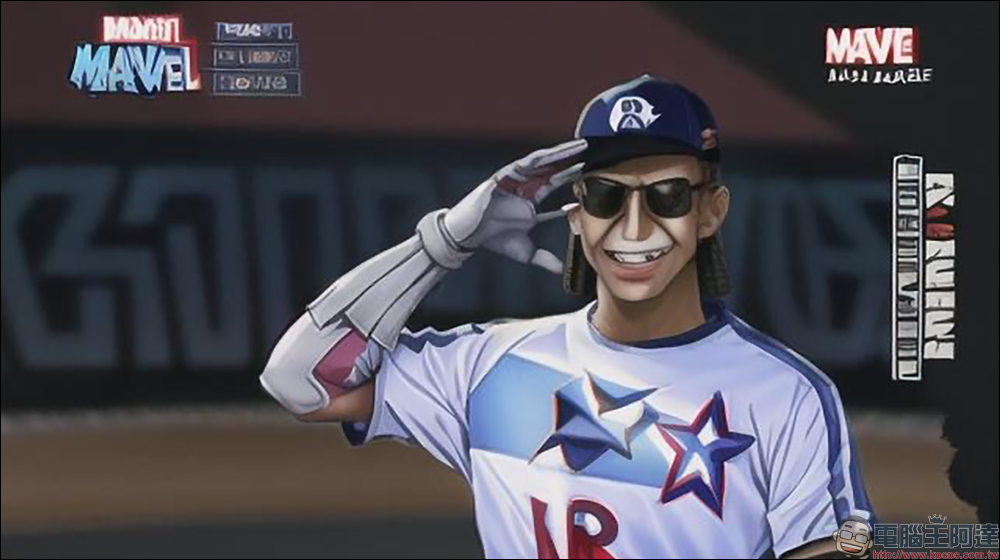
Below, the author uploads a salute and celebration picture of Zhang Yucheng of the Chinese team hitting the bases during the recent preliminaries of the WBC World Baseball Classic. Please use Moonshot “Reference Comics” + “Marvel Style” to modify the style of the photo.
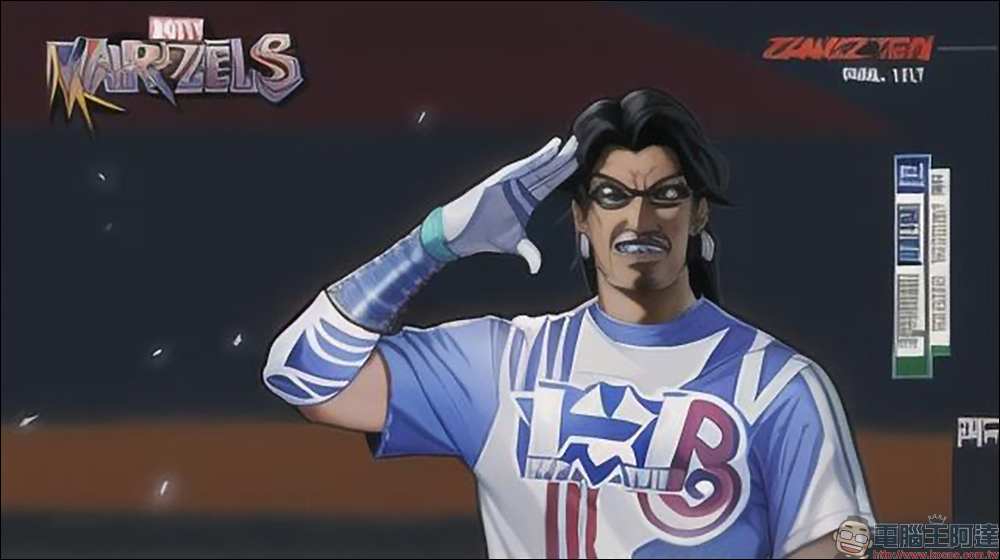
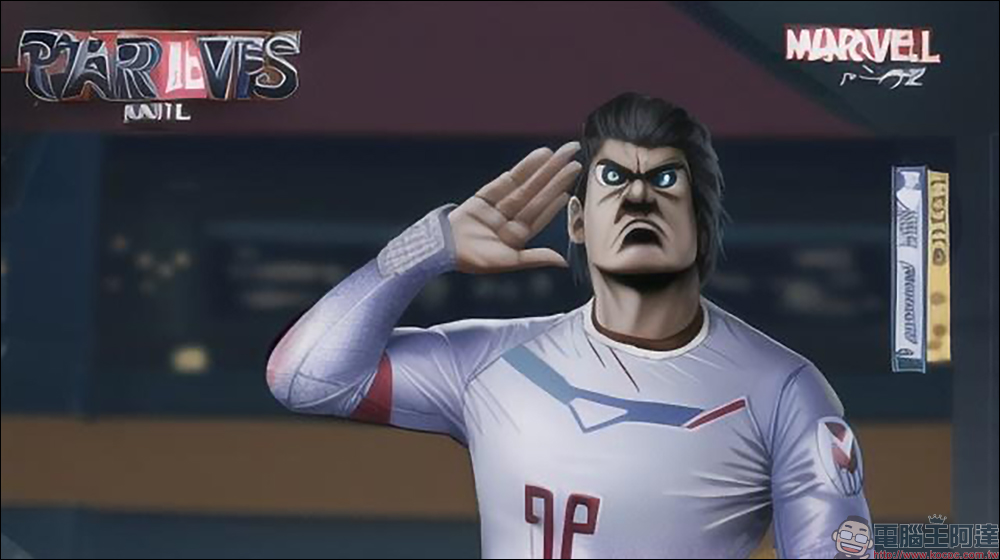
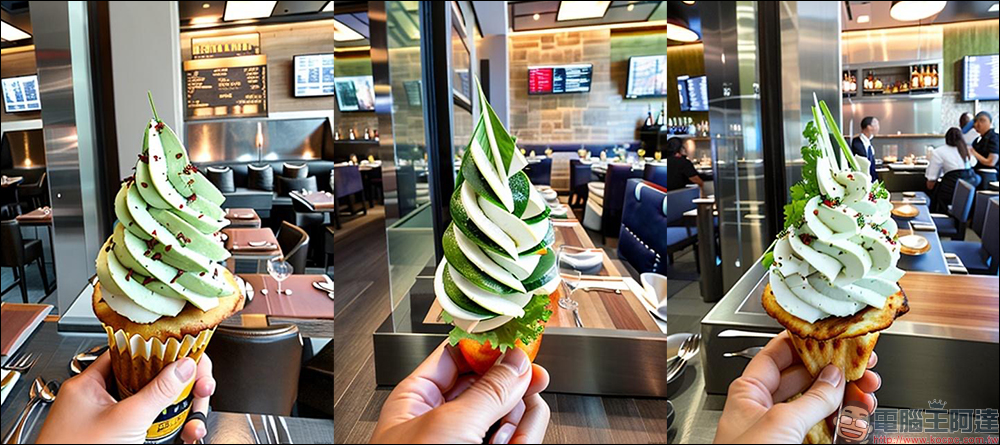
Then upload a photo of ice cream taken in a supermarket, and ask Moonshot to change it to a “fine-class restaurant” style using the “reference realism” style.
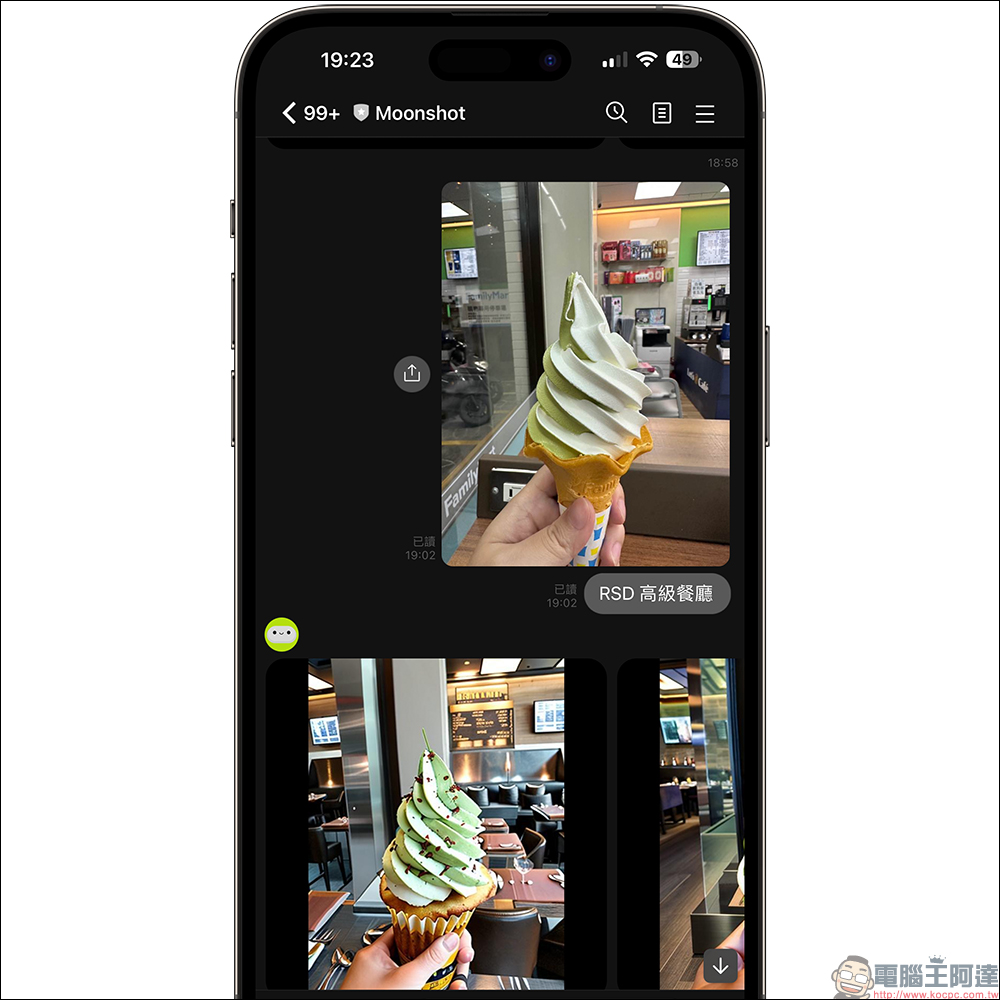
The final three sets of image results generated by Moonshot are as follows:
Let’s try another photo of street architecture taken by the author in South Korea. The styles were modified using “reference realism” + “Nordic style” and “reference comics” + “Junji Ito” style.
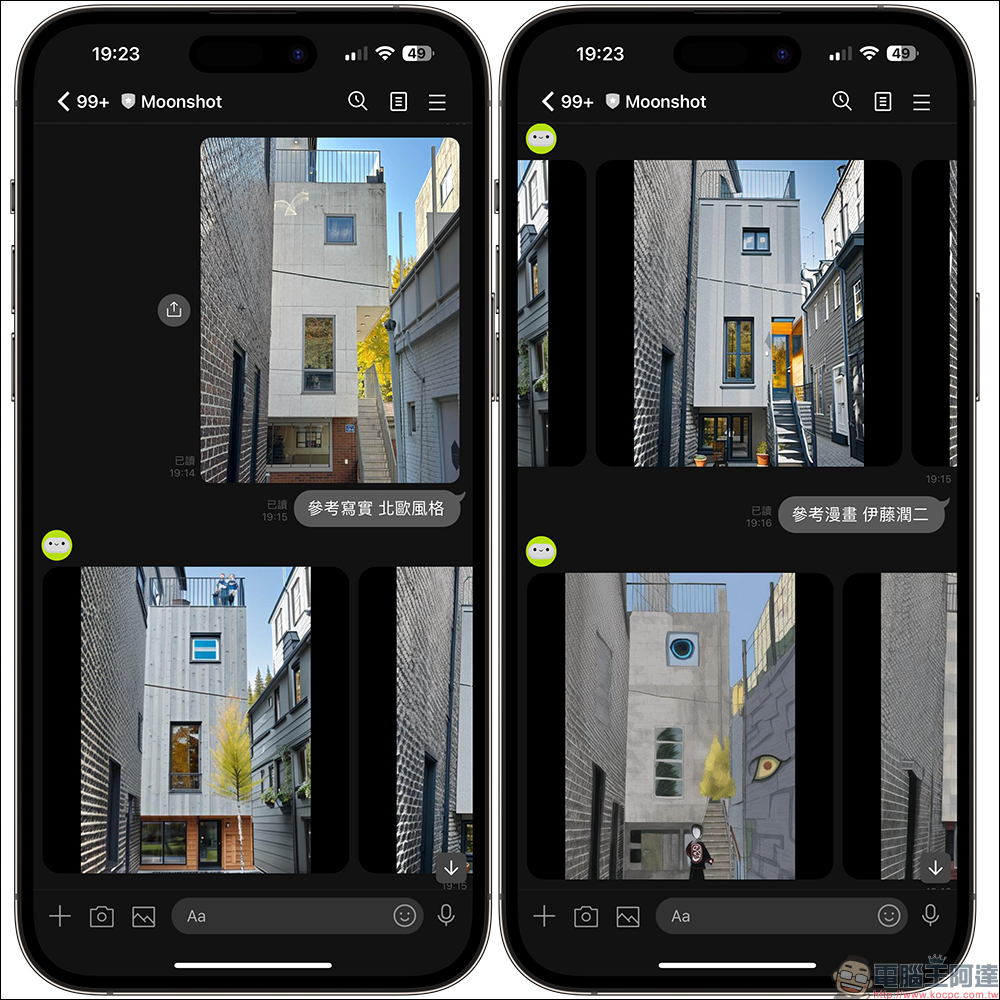
The following is the finished picture produced by “Reference Realism” + “Nordic Style”.
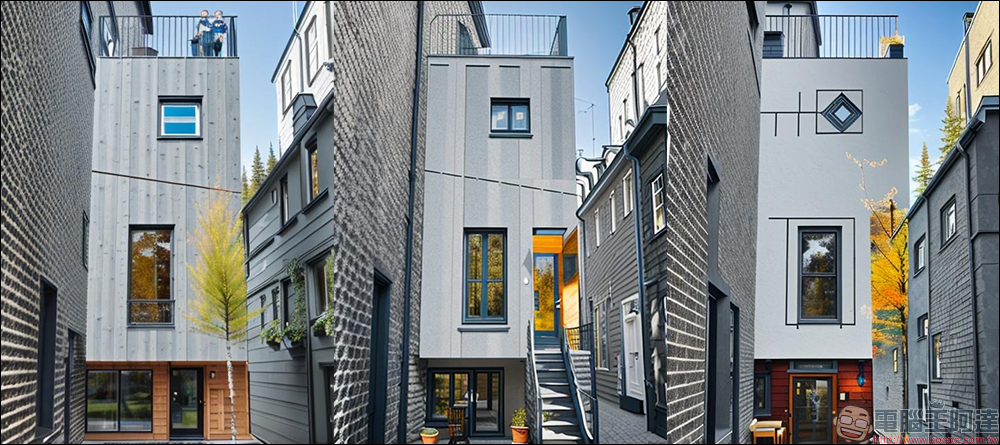
The following is the finished picture produced by “Reference Comics” + “Junji Ito”.
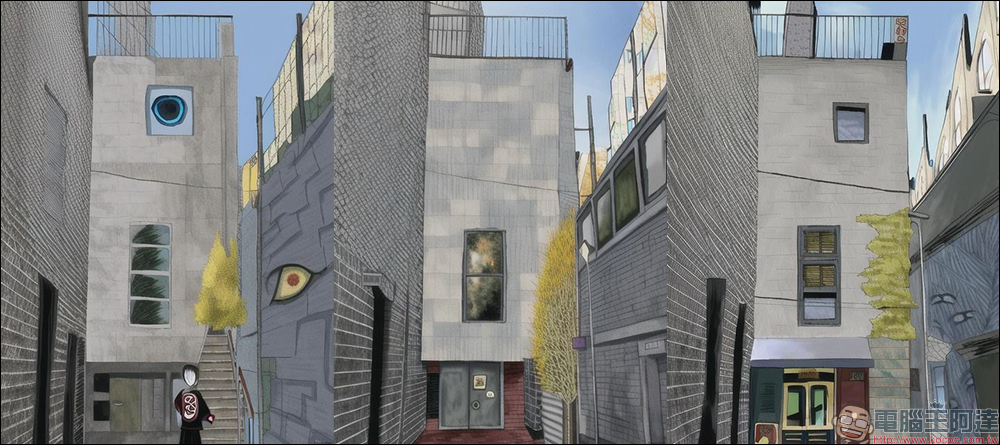
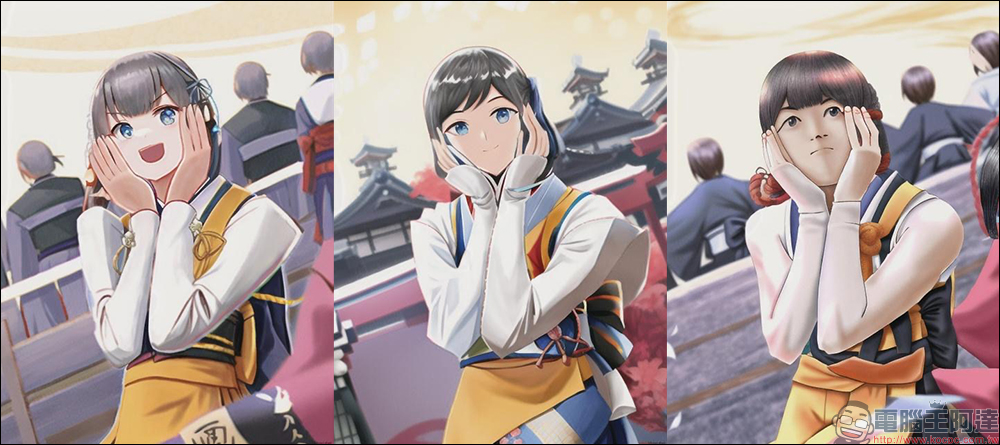
Next, upload a photo of the professional basketball cheerleading team, and ask Moonshot to modify it in the style of “Reference Comics” + “Japanese Movement Slowness”.
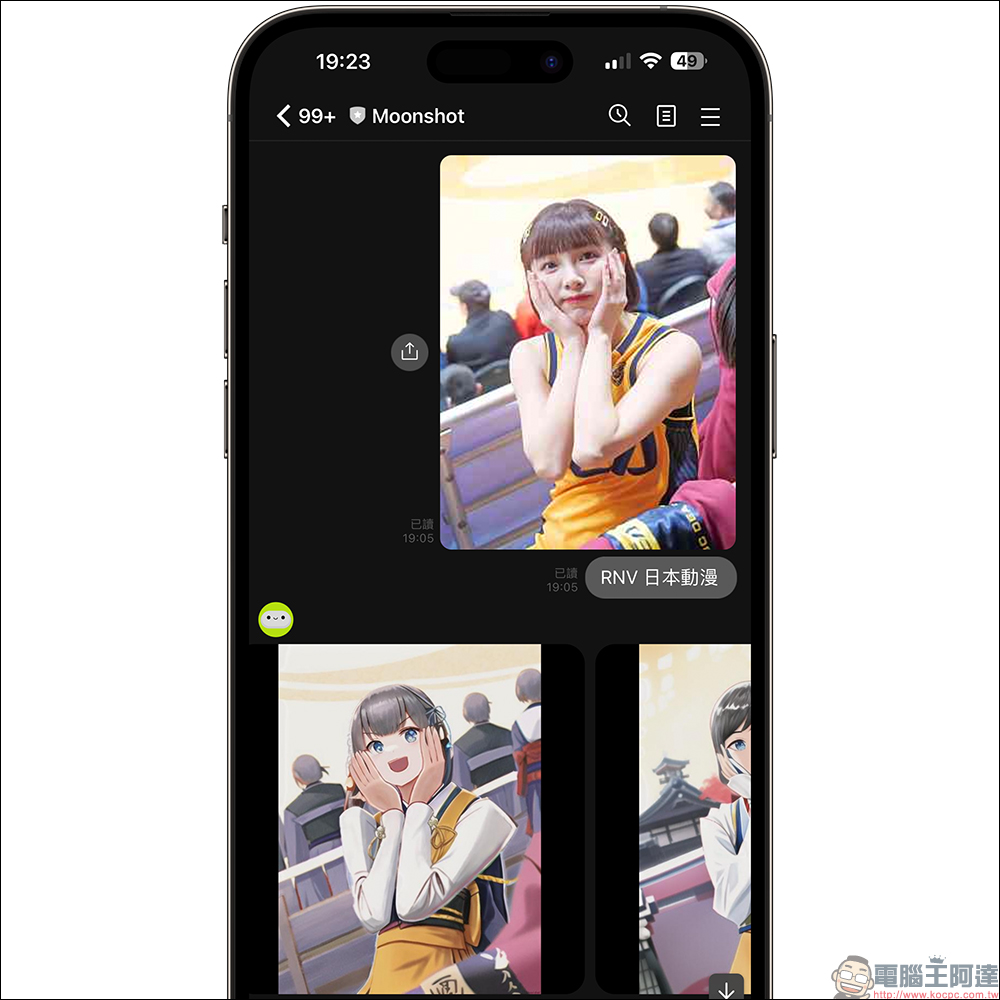
The modified picture is as follows:
Modify picture style + add text
Continuing the previous function of modifying the picture style, you can actually add text content to the picture at the same time. Similarly, after uploading the image, enter the image style modification instructions, then add a detailed description, and finally add “+ text content”.
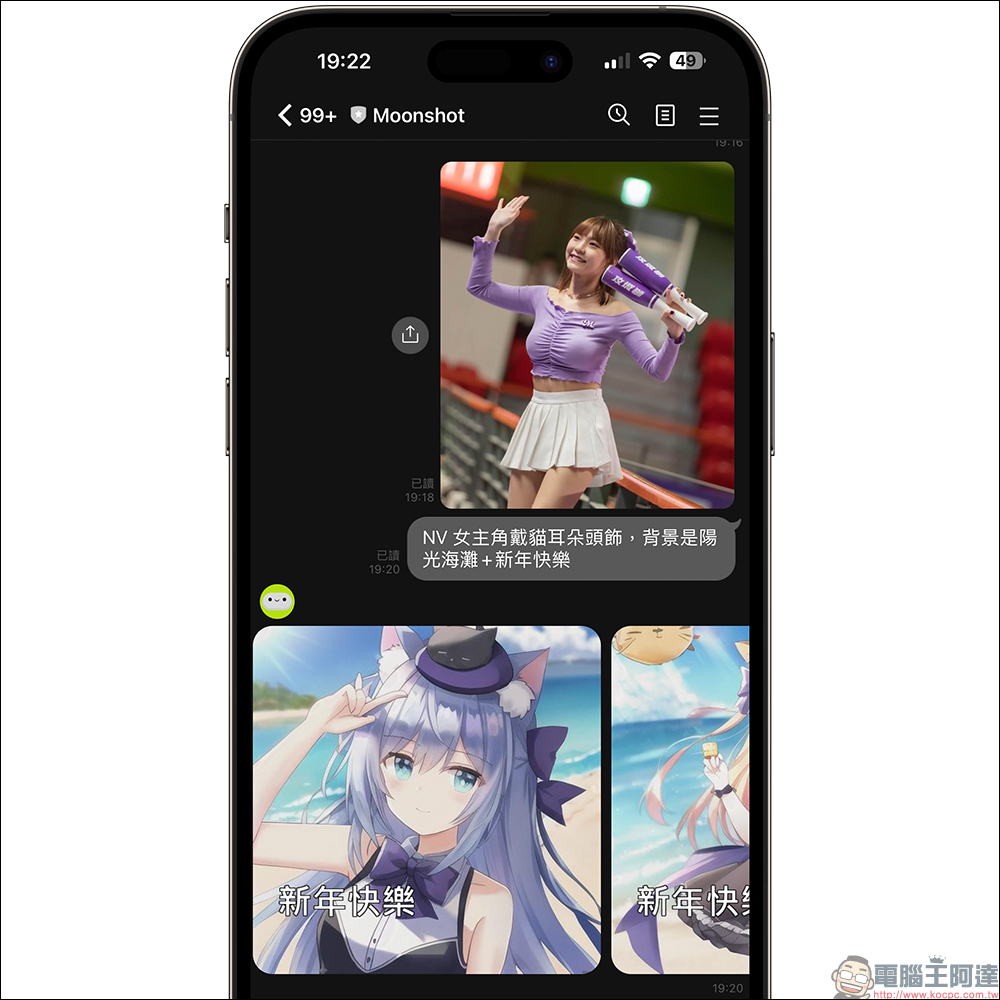
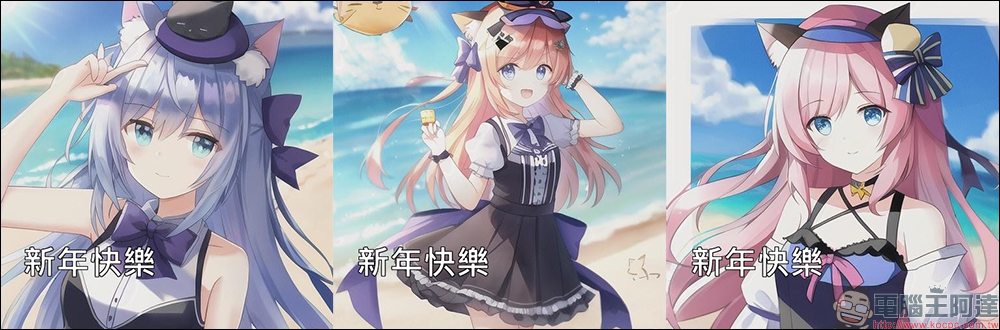
The resulting picture is as follows:
Other picture features
In addition, Moonshot can also adjust the image proportions, just enter straight (/V) and horizontal (/H) at the end of the description.
AI assistant function
The previous LINE ChatGPT robot allowed the AI robot to directly respond to questions raised by users through text Q&A. The same is true in Moonshot. Just type “Ask the robot” first and then attach the question you want to ask. Actual testing found that Moonshot’s answer accuracy is better than that of ChatGPT. However, it may be limited by the LINE platform, which cannot provide further detailed tables or branches. The following attractions can only be presented in a columnar manner.
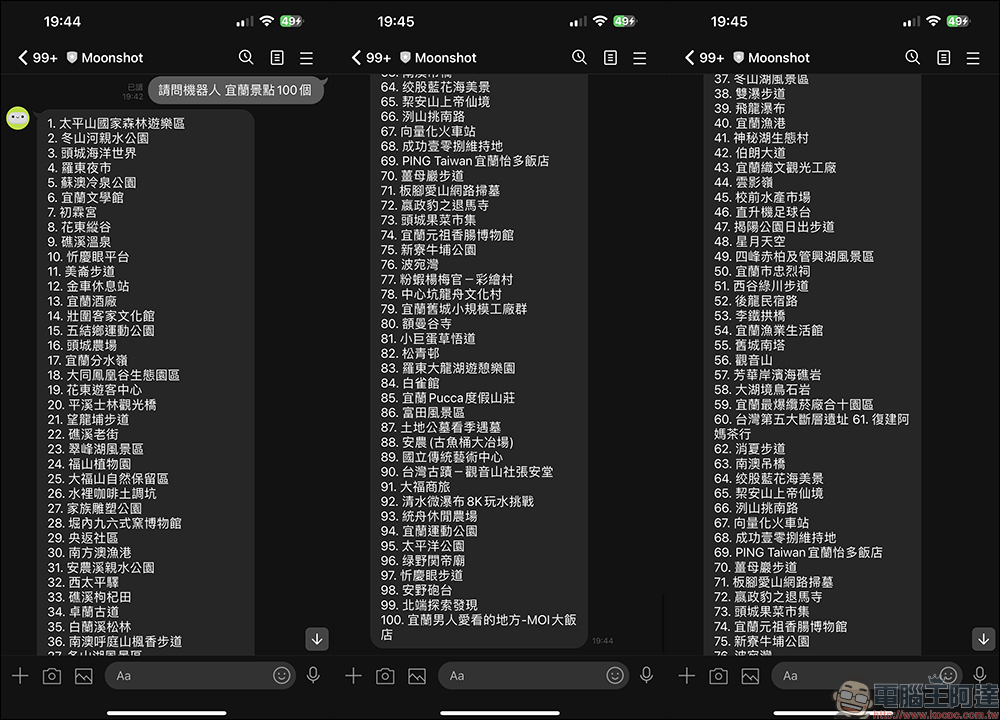
Finally, also attach Friend link of Moonshot official account (please click me), just click on the image below or scan the QR Code to add it as a friend and start using it!
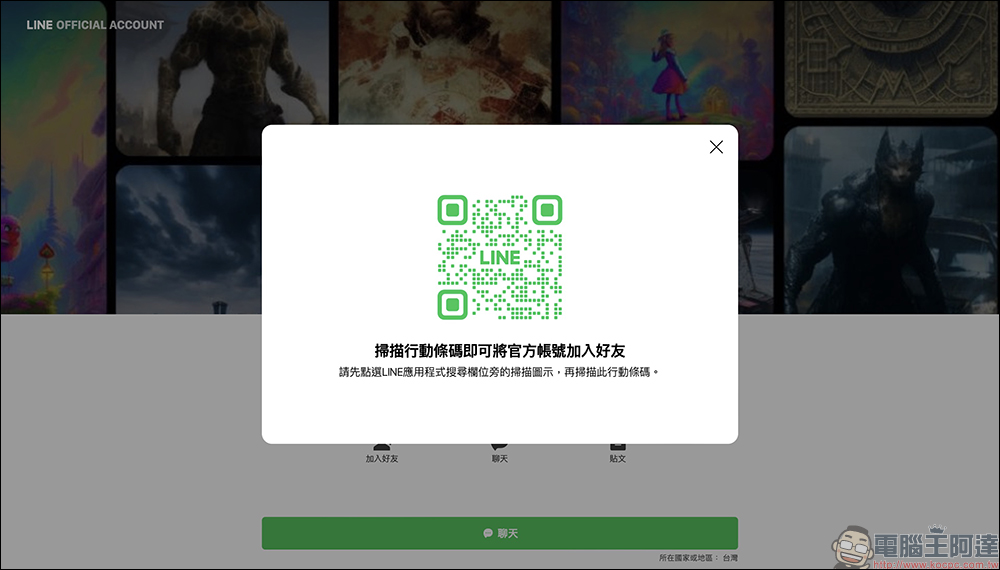
Moonshot (LINE official account):Click me to add friends
Further reading:
YouTube announces it will stop serving overlay ads in April to improve user experience
Source: KOCPC Chinese