


For Microsoft Word users, in the past, they may have had to rely on external applications to quickly access the plain text pasting function. Now, you can get this new shortcut key on the latest M365 Home and M365 Business Standard Beta Channel, V16.0.15831.20174 for Windows and V16.67.1113.0 for Mac. Continue reading Microsoft Word finally has a shortcut key for pasting report content in plain text.
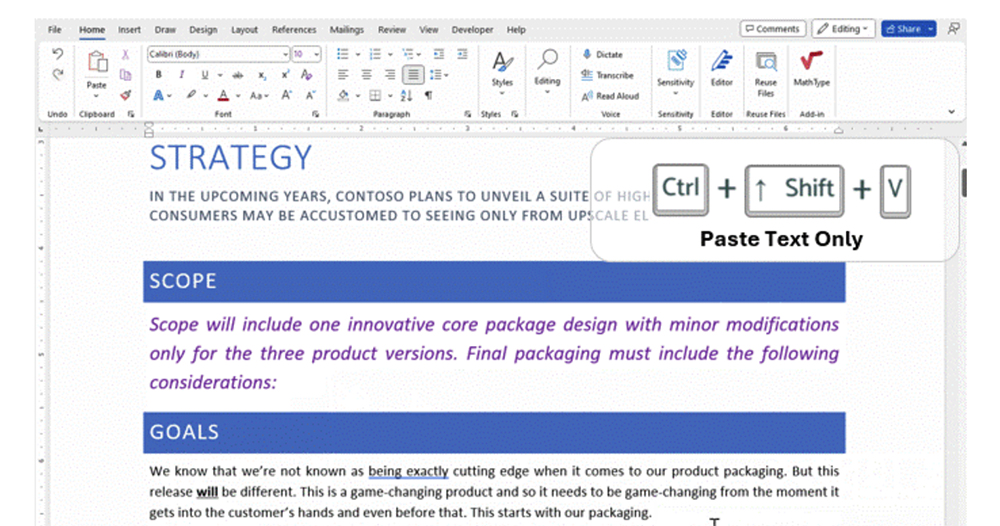
▲Picture source for this article: Microsoft
Microsoft Word finally has a shortcut key for pasting plain text
Promise me, remember the shortcut key operation “Control + Shift + V” or “CMD + Shift + V” on Mac.
Eh… In fact, this shortcut key is already very common in many apps and services. However, for users of Microsoft Word, in the past, they may have had to rely on external applications to quickly obtain such functions (emphasis on rapid acquisition). Now, you can get this new shortcut key on the latest M365 Home and M365 Business Standard Beta Channel, V16.0.15831.20174 for Windows and V16.67.1113.0 for Mac.

I believe everyone has long known that “Control (or CMD) + Shift + V” is used in many applications to “Paste Text Only” the copied content. This is a good function to avoid the problem of “strange formats are added” in email or word processing applications – sometimes because the formats or fonts are not very different, it is really annoying to not find any problems with the format for a while!
However, before this function, Microsoft’s word processing application Word seemed to reserve this shortcut key for the use of “Paste Format Painter”. There are no additional shortcut keys for the so-called plain text pasting function.
And maybe it’s becauseBing has been driving all sorts of innovative nerves at Microsoft recently(Hey, this guess is a bit too far). Through a tweet from Microsoft 365 Insider, many Word users will finally get great convenience through this small update – at least, there will be a lot less formatting errors in the future? At the same time, Microsoft also uses Windows PowerToys Provides the function of directly using plain text to paste shortcut keys on the system – please be careful when using it. Foreign media said that it has encountered problems that cause related functions to malfunction (perhaps it will be improved in the future).
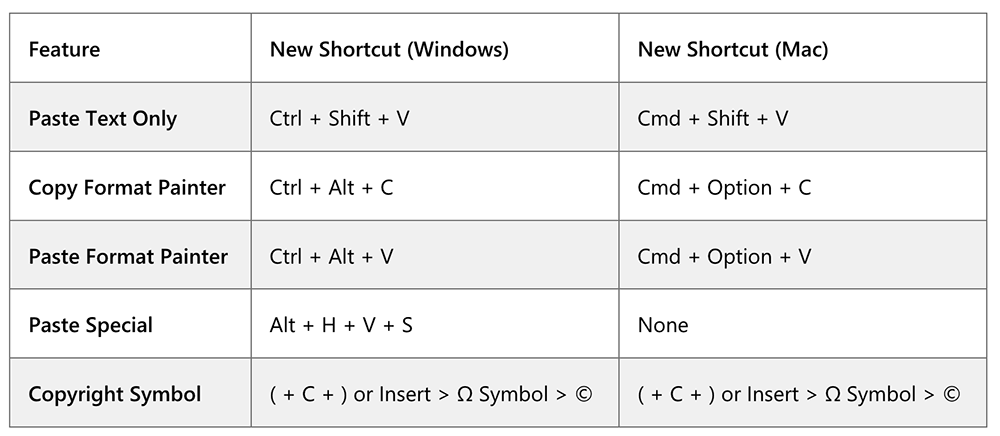
Regarding the shortcut keys related to copy and paste, Microsoft has also updated the table bar to list the shortcut key changes after the Word update for Windows and Mac systems.
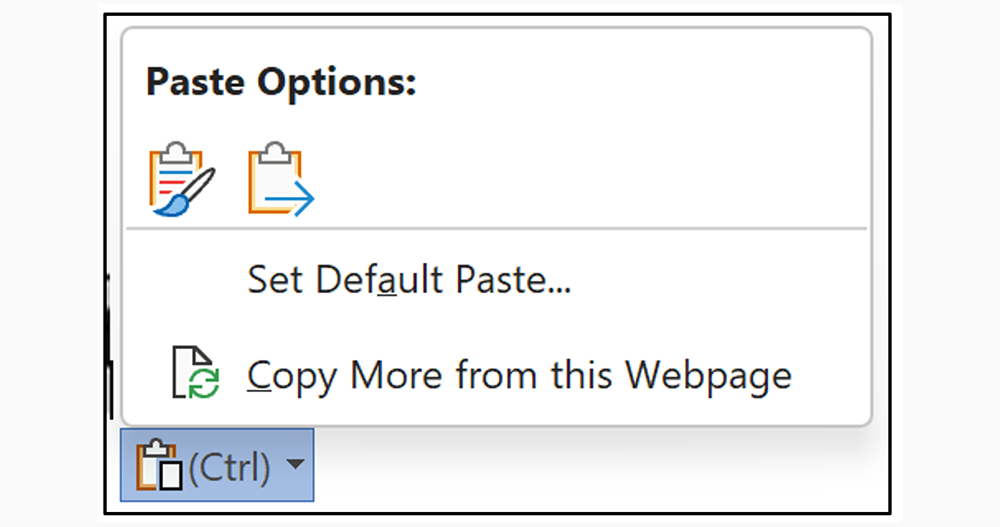
It is also mentioned in the official post that if you are not comfortable with this feature, you can go to “File > Options > Advanced” to find the relevant settings for cut, copy and paste, and check “Keep bullets and numbers when pasting text with Keep Text Only option”. Or you can press Ctrl in the floating window where the content is pasted to set the expanded options. But since Microsoft seems to want to fully implement this new shortcut key, I feel that I may have to change my habits in the future, right?
Further reading:
Xiaomi 13 Series debuts in Taiwan, pre-order starts today. Check out the launch information here!

Source: KOCPC Chinese