


As Microsoft launches the Bing version of ChatGPT, some browser manufacturers also see this business opportunity and want to take advantage of this to quickly increase the number of users. MixerBox mobile browser App recently announced the launch of a new version equipped with OpenAI GPT-3. When searching for any keyword, in addition to the original web page results, there will also be a ChatAI chatbot reply to provide you with more practical answers. Both iOS and Android versions are available. It is completely free and boasts ultra-high privacy. It is 100% traceless and will not store any search history.

MixerBox mobile browser – combined with ChatAI chatbot, search results are not only web pages, but also AI replies
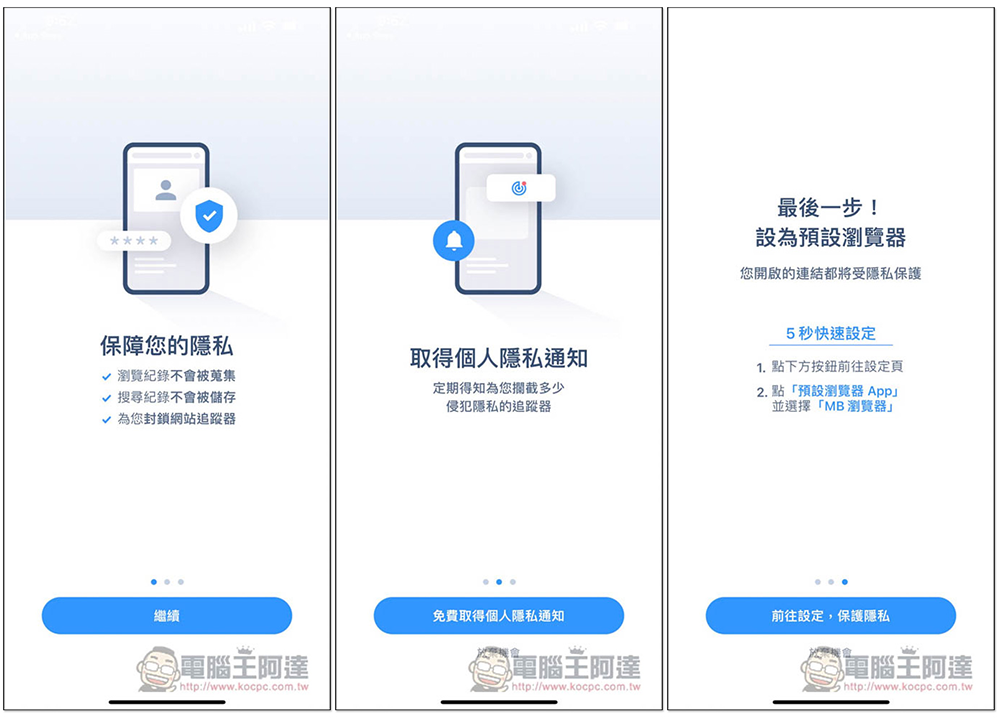
There will be an introduction when you open it for the first time. In addition to the ChatAI chatbot, this feature also includes “search history will not be retained, 100% traceless”, “block website trackers”, “automatically close pagination”, “reduce pop-ups” and “high-speed browsing experience”. You will also be asked if you want to set it as the default browser. It is recommended that you try it first. If you feel good and like it, it is better to set it again:
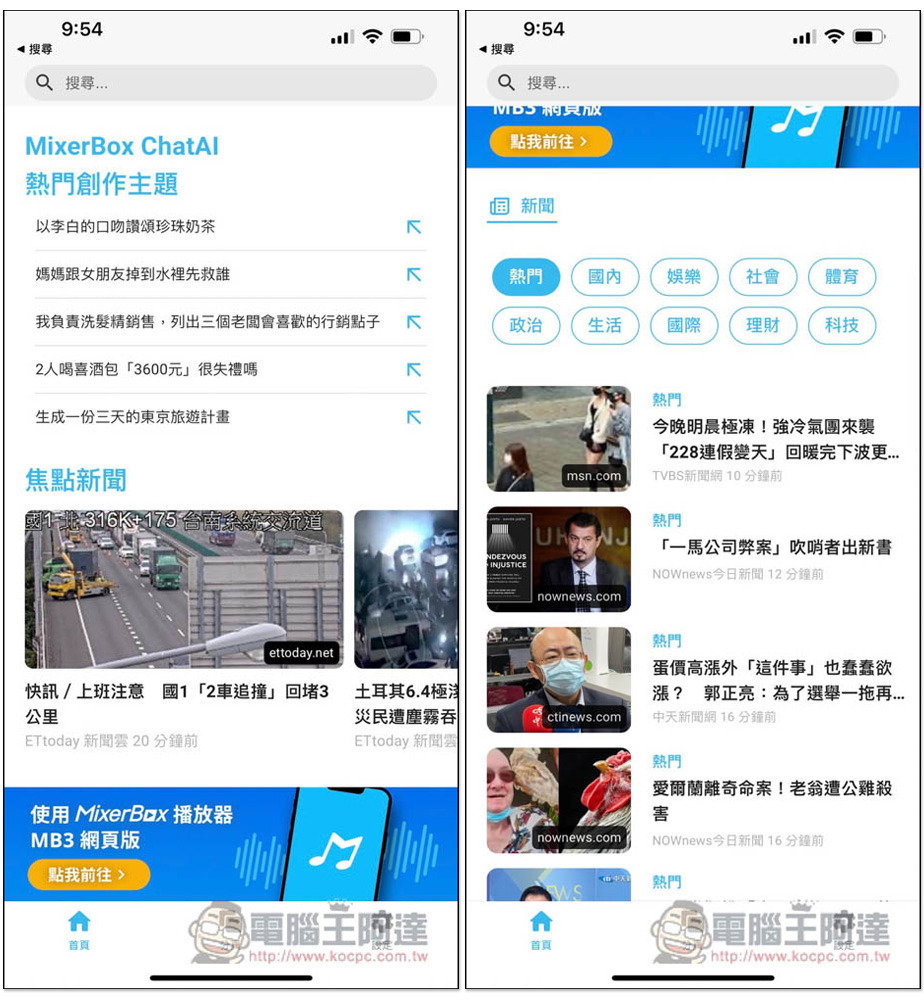
At the bottom of the homepage, there will be focus news, as well as news about various industries. To “Search”, just click on the address bar above:
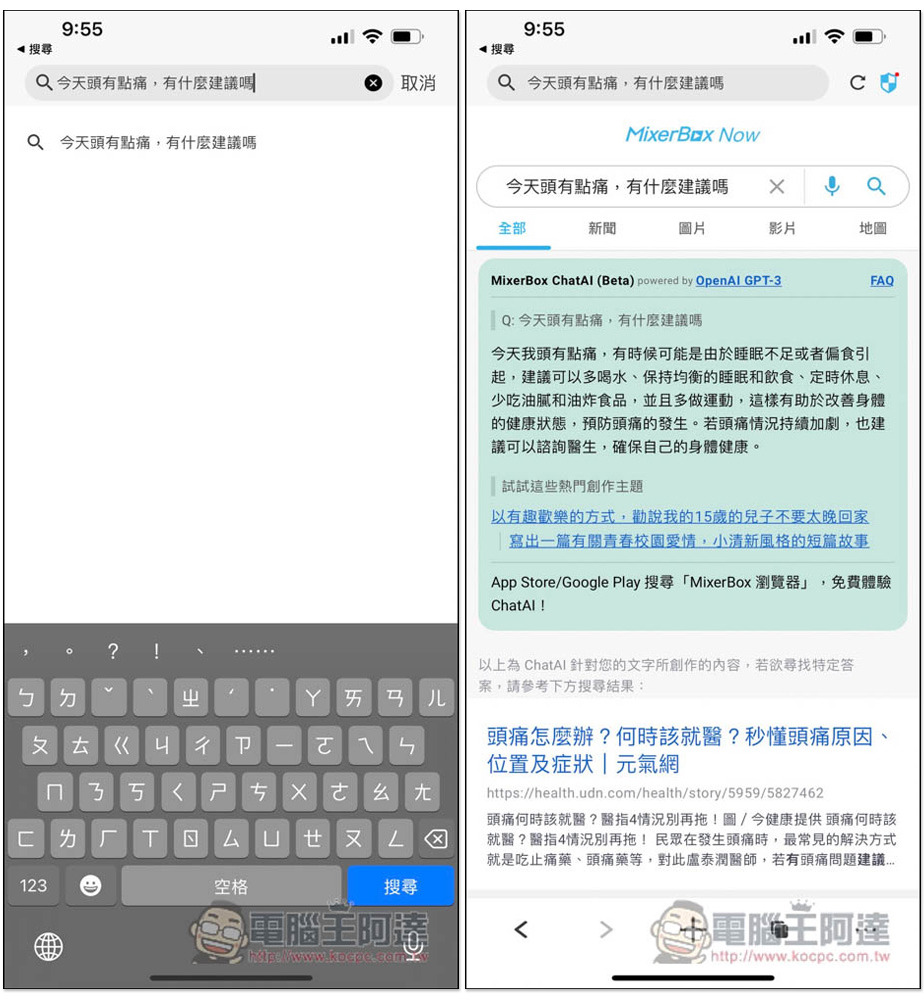
I tested “I have a headache today, do you have any suggestions?”. In addition to the relevant web page results being displayed on the next page, there was also a MixerBox ChatAI reply at the top, telling me “I can drink more water, maintain a balanced sleep and diet, take regular breaks, etc.” However, “try these popular creative themes” I feel is quite redundant and completely irrelevant:
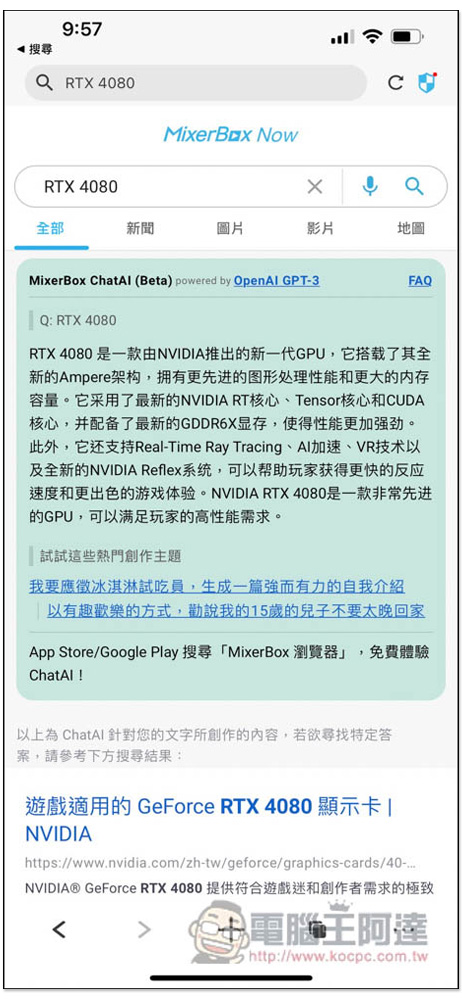
Enter the product name and ChatAI will also provide relevant introduction, but sometimes it may be in Simplified Chinese. Although the answers provided by ChatAI are quite good, compared with chat room functions such as ChatGPT and Bing, it is still not that convenient. I cannot continue to ask based on this topic and can only get one answer:
Click on the FAQ on the right to view ChatAI’s FAQ. It is currently still in beta, so the stability may not be that good. In addition, this is not ChatGOT, but uses the same OpenAI GPT-3 model:
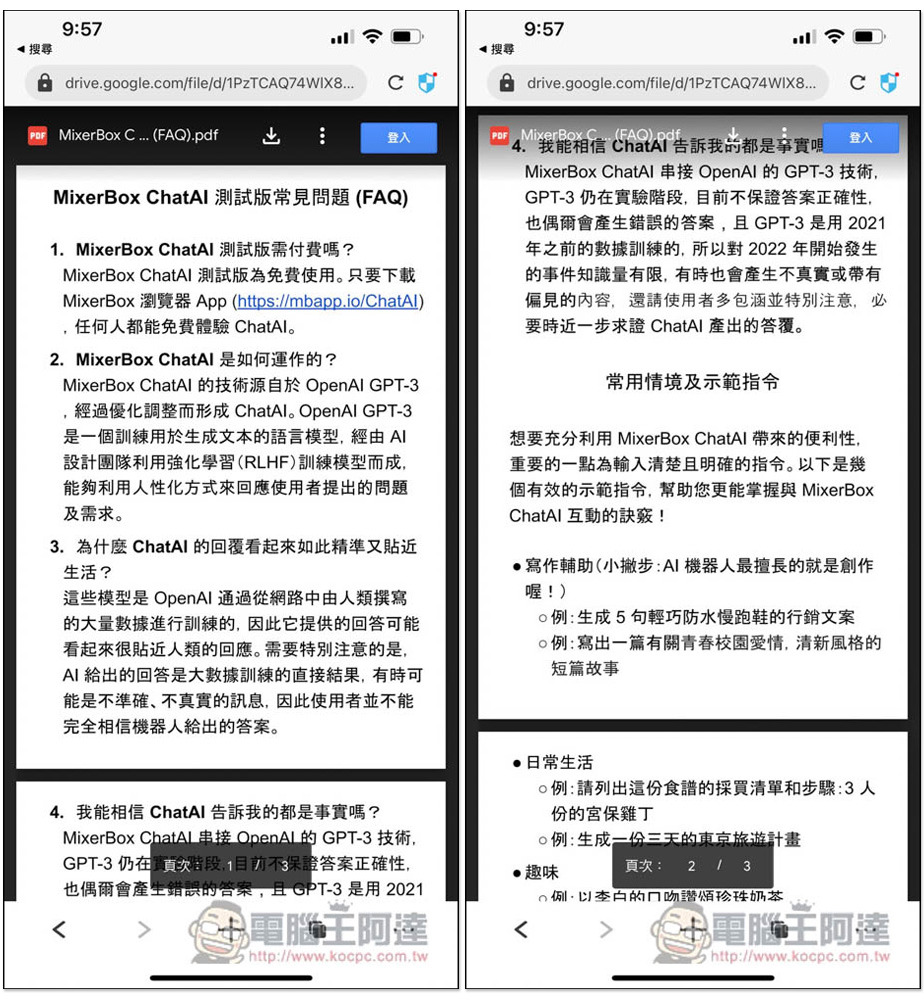
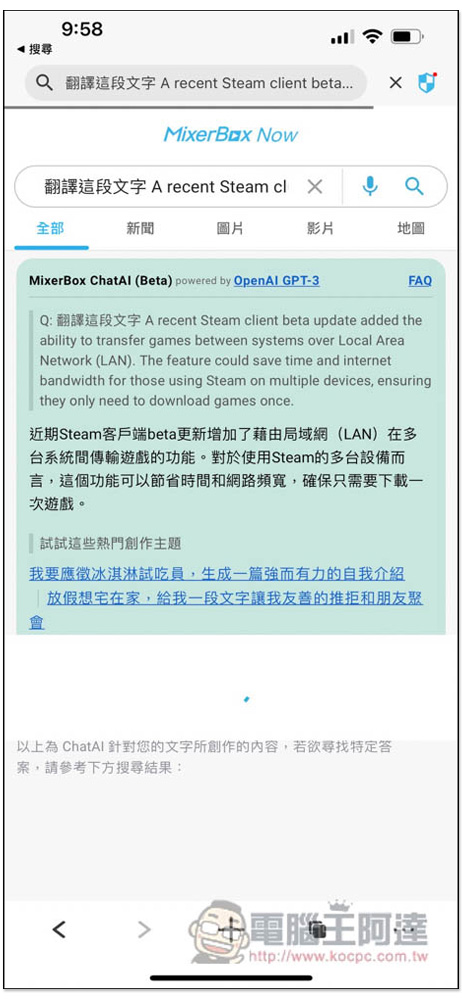
Can also be used to translate foreign languages:
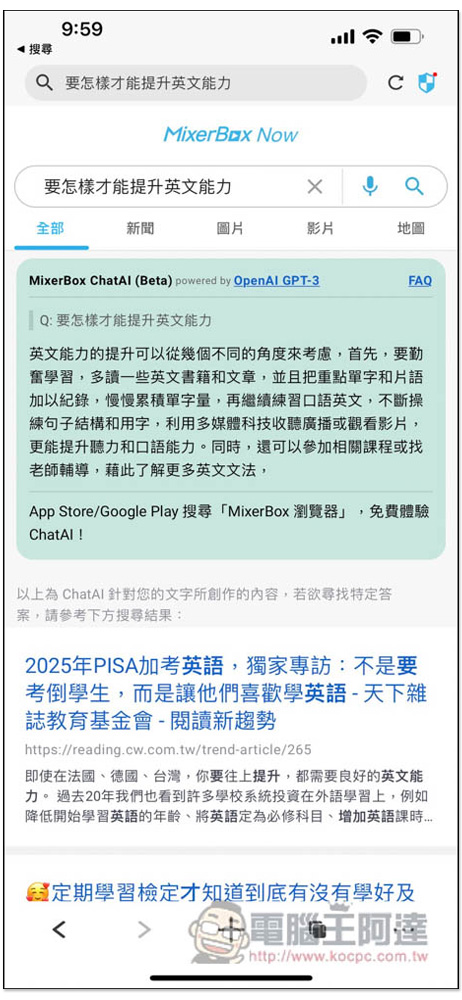
The stability mentioned earlier means stopping without a complete answer. If you want to get a complete answer, you need to search the topic again. You cannot enter “continue” like ChatGPT:
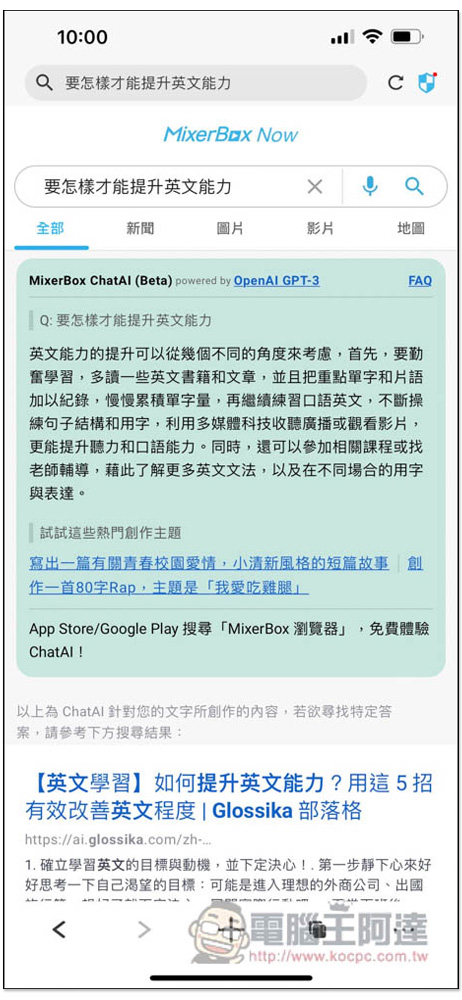
As shown below, after half of the answer just now, there is “and the words and expressions used in different situations” that are not displayed:
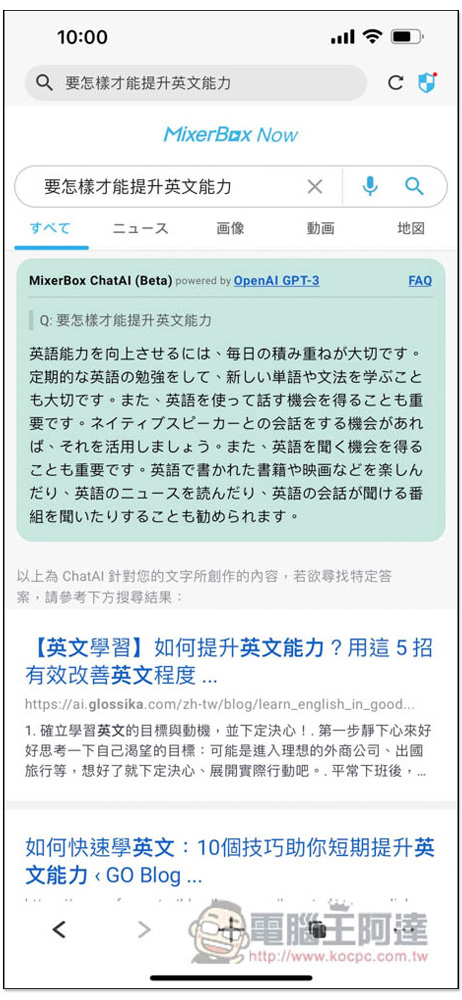
Another thing to note is that although the App Store is advertised as the Chinese version of the ChatAI AI chatbot, if you are not in Taiwan and the IP location is in another country, the answer language will be different. Like me in Japan, the answer will be in Japanese, and there is currently no setting that can be modified. It can only be solved by VPN to the Taiwan server or asking for answers in Traditional Chinese. This may not be so convenient for users living abroad:
It is uncertain whether this ChatAI will be charged in the future. Currently, there are no restrictions and it is completely free.
Source: KOCPC Chinese