


Previously NotebookLM launches Podcast dialogue generation featureAt the time, it caused a sensation in the market—the conversations were not only natural but also comprehensive in their explanations, and you could hardly tell they were AI-generated. It felt like listening to real human recordings. Unfortunately, it only supported English at the time, so Chinese users couldn’t have a deep experience with it. But the good news is that Google recently announced NotebookLM’s Audio Overviews feature now supports more than 50 languages, including Chinese. I just tested it myself and successfully generated a Chinese podcast from Chinese content, and the voice sounded very natural too.
NotebookLM’s Audio Overviews feature supports more than 50 language versions.
Earlier on Official Google BlogIn it, they announced that Audio Overviews is adding support for more languages. In addition to the original English, it now includes Traditional/Simplified Chinese, French, Japanese, Korean, Malay, Thai, and so on—basically covering all major languages.
Audio Overviews can convert content into audio overviews, including fun and lively podcast conversations, and it’s free for everyone as long as you have a Google account.
In addition, Google has also added an “Output language” option in NotebookLM’s settings, allowing you to adjust the language for generating Audio Overviews based on your needs. We also previously had…NotebookLM tutorialThose who are interested can take a look:
How to use NotebookLM to generate a Chinese Podcast conversation?
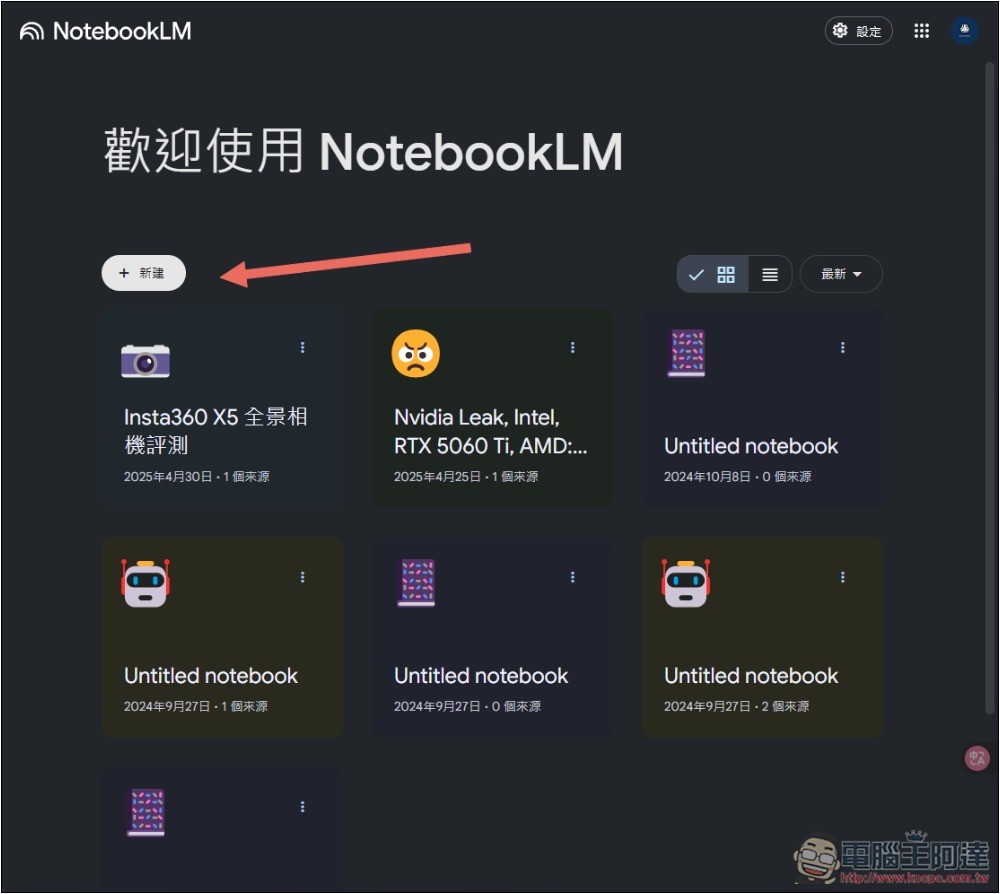
First, you must have a Google account, then go to NotebookLM Website, click the “New Task” function above:
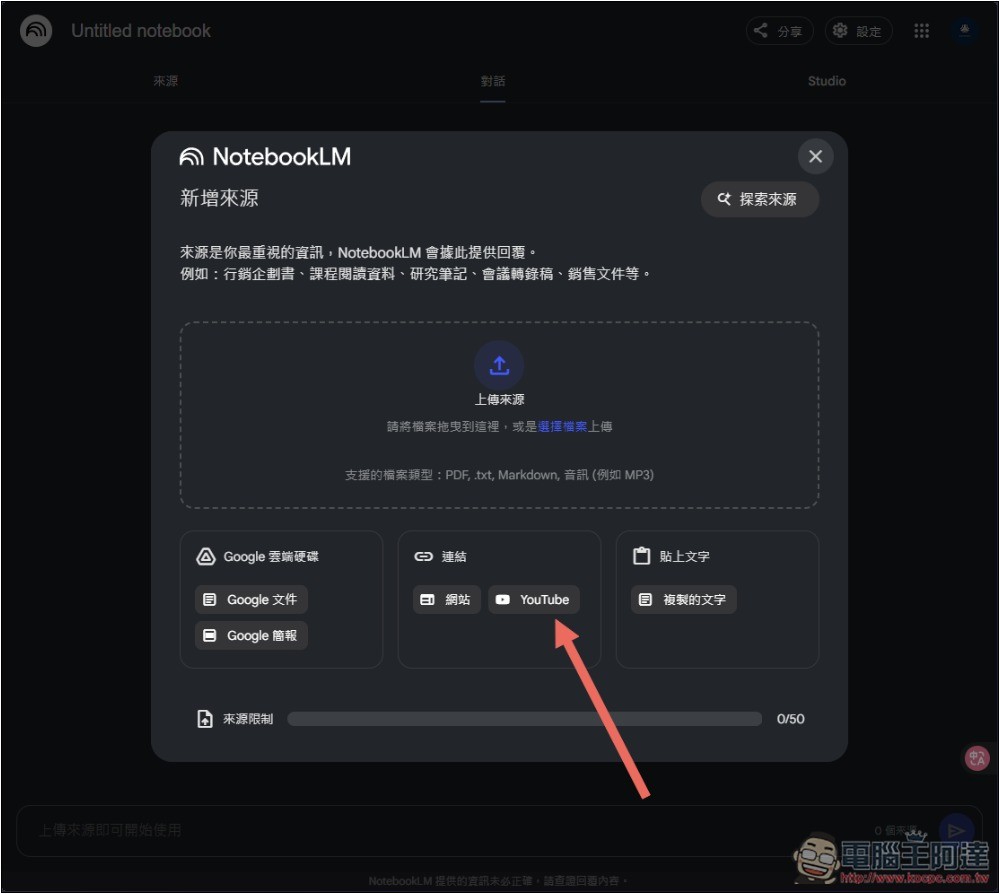
NotebookLM supports multiple sources, including manually uploading files (documents and audio), importing from Google Drive, website or YouTube links, and manually pasting text. I’ll use a YouTube video as an example here:
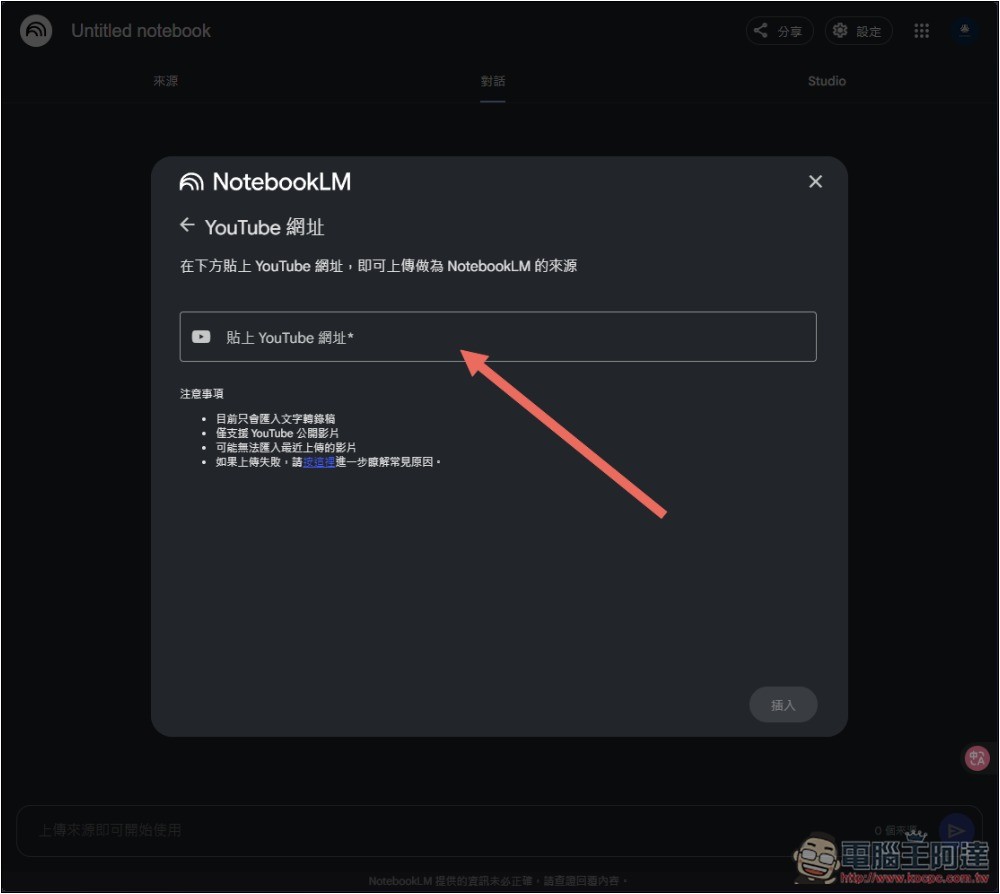
Next, paste the URL of the YouTube video you want to convert into a podcast conversation, and click Import below:
I used the latest “Insta360 X5 Panorama Camera Review” video on the Computer King Ada YouTube channel. After entering the main interface, the Deep Dive Conversation below the voice summary on the right is the Podcast. Press Generate on the right:
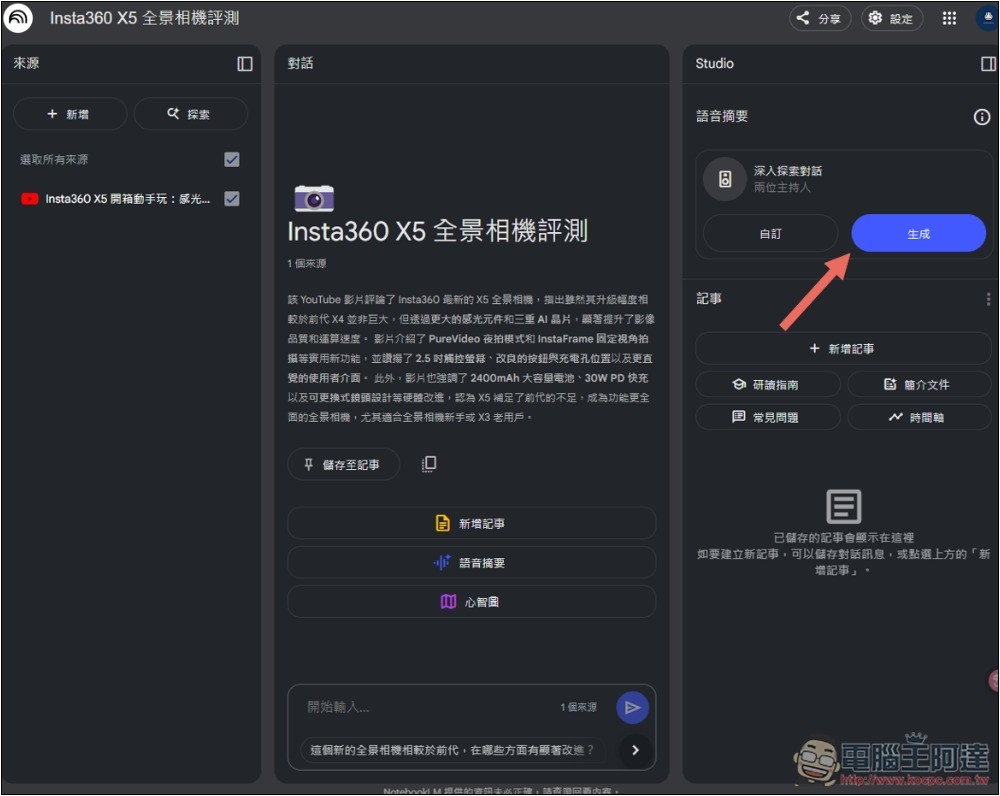
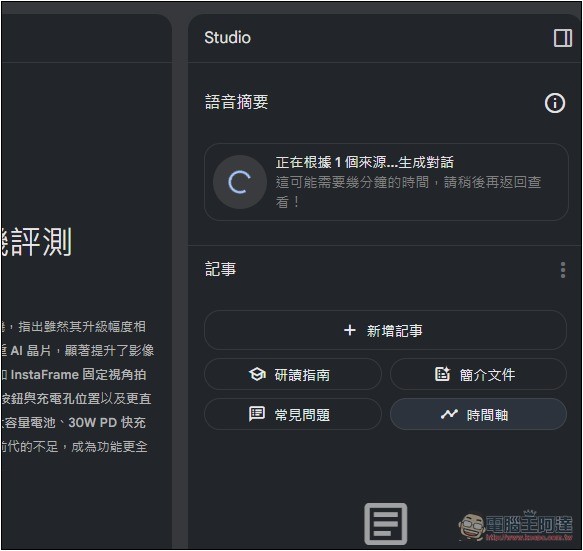
This video is about 12 minutes long. The generation time didn’t take too long either—it finished in just a few minutes. If you don’t want to wait, you can also come back later to check.
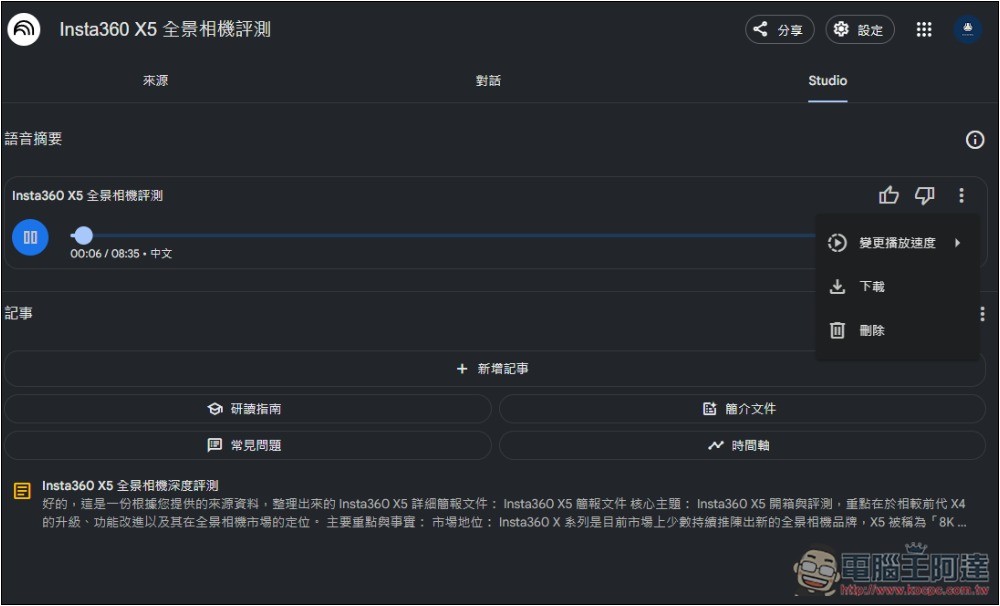
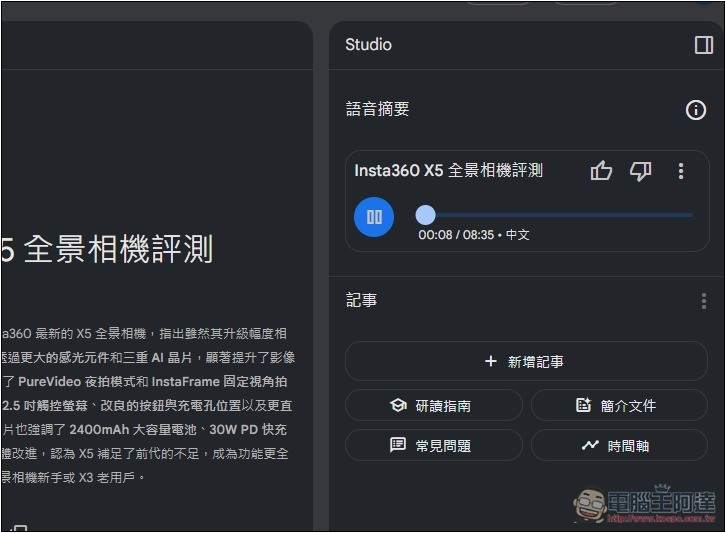
After finishing, press the play button to preview. You can see Chinese annotations next to it. It really is a conversation in Chinese, and I think it’s already quite natural. They speak with intonation, and the two hosts also interact:
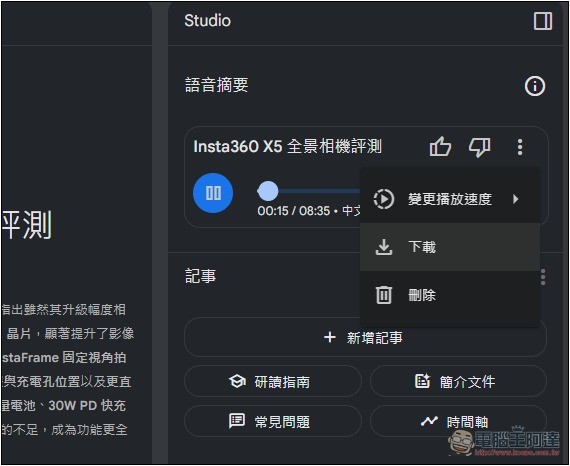
If you’re satisfied with this Podcast content, besides listening online, you can also download it:
Below is the Podcast audio file I tested. You can listen to it first to get a feel for it.
This is the full video:
How to change the target language of NotebookLM’s Audio Overviews?
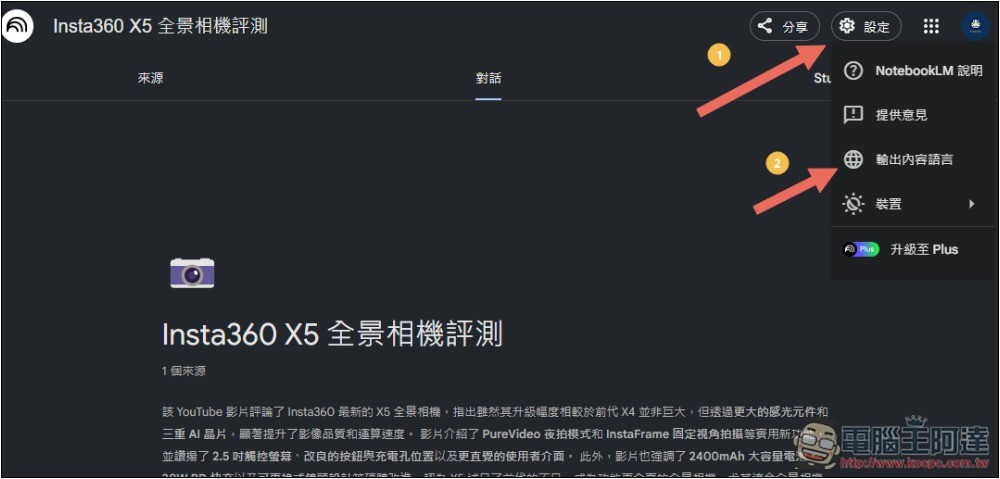
If you want to change to another language, open the settings menu at the top right, and you’ll find the “Output Content Language” setting:
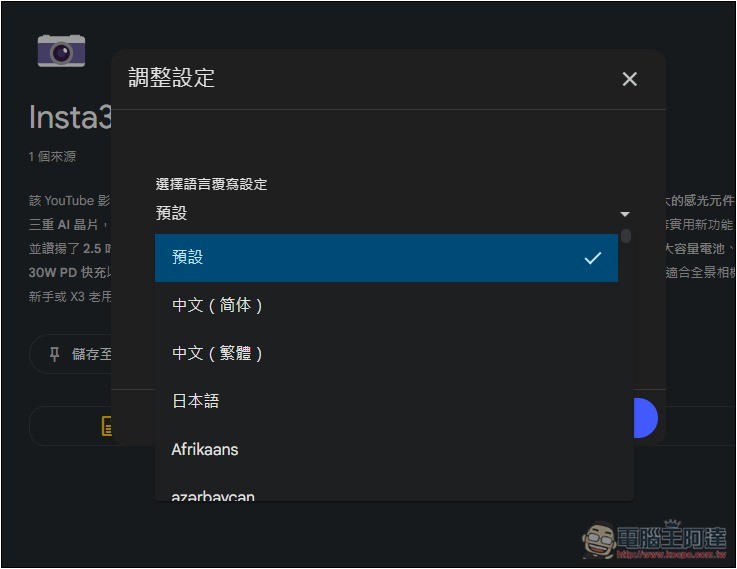
Change the default to the language you want to generate.
Source: KOCPC Chinese