


As a service that allows anyone to register for free and chat with it, OpenAI has deliberately limited the capabilities of the ChatGPT chatbot. Limit the search database of artificial intelligence machine learning to information before 2021, so many new knowledge will directly raise their hands (do you have hands?) in surrender. However, despite such limitations, some experts now use Chrome/Firefox browser plug-ins to allow the ChatGPT chatbot to easily retrieve and organize real-time data searched by Google. Continue reading to break through the ChatGPT data retrieval time limit! Teach you how to crack the text of OpenAI’s powerful artificial intelligence search for real-time news reports.
▲Image source: Anzor Qunash
Break through the ChatGPT data retrieval time limit! Teach you how to crack OpenAI’s powerful artificial intelligence search for real-time new knowledge
The well-known foreign OpenAI team has launched a “ChatGPT” chatbot based on the GPT-3.5 model. It will answer questions in natural language. It can be used for free as long as you register. It also supports Chinese.Previous attempts by the Computer King Ada team, ChatGPT answered really seriously. It will interact in a conversational manner, allowing ChatGPT to answer follow-up questions, admit mistakes, and correct incorrect content. Of course, it will also reject inappropriate requests or requirements.
▲Image source: Anzor Qunash
However, as a service that allows anyone to register for free and chat with it, OpenAI has deliberately limited the capabilities of the ChatGPT chatbot. Limit the search database of artificial intelligence machine learning to information before 2021, so many new knowledge will directly raise their hands (do you have hands?) in surrender. However, despite such limitations, some experts now use Chrome/Firefox browser plug-ins to allow the ChatGPT chatbot to easily retrieve and organize real-time data searched by Google.

This is currently available at Chrome Online App Store (Portal)and Firefox Browser ADD-ONS Extensions (Portal) Find the handy feature called “WebChatGPT」。
It will be able to extend its functionality through web pages and search for relevant information from Google experts before asking questions to the ChatGPT chatbot. In short, it combines ChatGPT and Google search to break through the current limitation of only sorting and learning data before 2021.
WebChatGPT Browser Extension: Make your ChatGPT smarter by giving it access to web search results.
WebChatGPT installation and use tutorial
After installing WebChatGPT, the browser will have a corresponding permission warning:

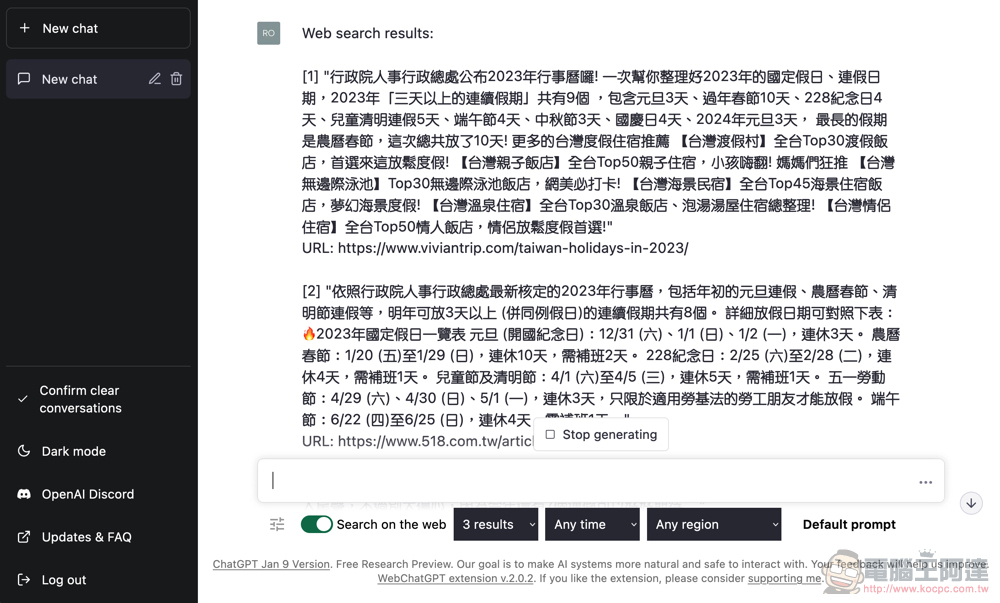
After completion, WebChatGPT will add a row of function buttons at the bottom of the ChatGPT dialog window interface:
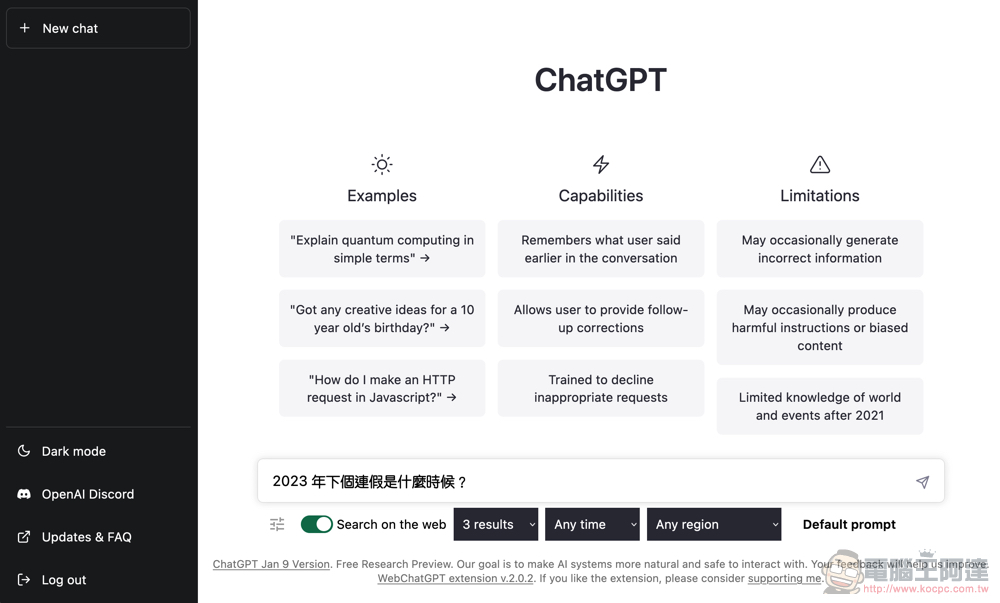
You can set the number of searches, time range and search area in detail. If you don’t need real-time search results, you can also turn it off directly through the switch: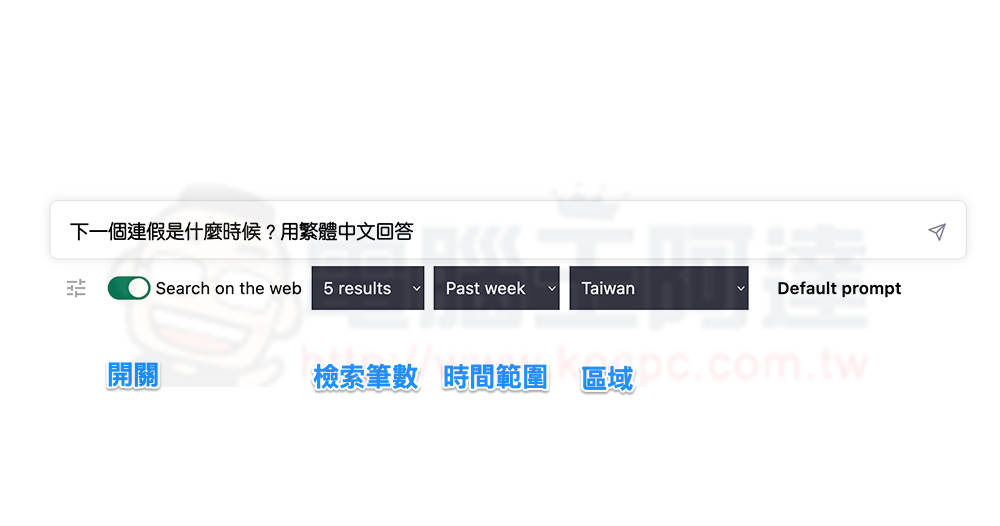
If you know how to use programming language and other conditions to make the search more precise, you can also set more advanced Default conditions through WebChatGPT:
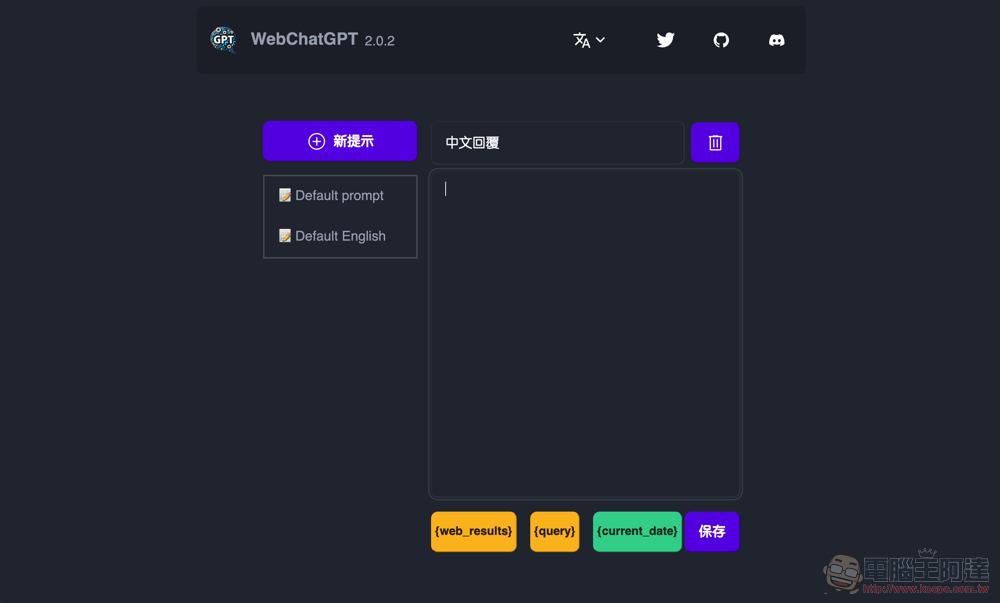
With the help of WebChatGPT, the ChatGPT chatbot will have the ability to search and organize information searched by Google in real time. The biggest problem with using this service at present is that if you want it to reply in Chinese, it is still a bit unclear. Additionally, it currently only simplifies the process of pasting search results into a chat window. However, overall the convenience of use has been improved a lot:
Further reading:

Source: KOCPC Chinese