


“Business Card Recognition King” is my third vibe coding app. In fact, I have been in need of this app for a long time. Every time I go out to participate in an event, I will take back a lot of business cards. Because I am too lazy to record the data, I will become more and more desperate and don’t want to organize it. In fact, there have been apps like “Mengtian Business Card King” in the market, but to be honest, I didn’t think the recognition rate was good before. I don’t think the ones I can try are worth the money, and some even charge a monthly fee, so I never want to spend the money. Later we sharedHow to use ChatGPT plus taking photos to do similar functions, the effect is also good, but after all, the whole process still needs to be run by hand. Since we are in the AI era, we might as well ask the AI Agent to handle it. As a result, after a few rounds of dialogue with Codex, we made this small app. Here we still maintain the past practice of not making a paid version for everyone to use for free.

Business Card Recognition King: Ad-free, free business card recognition and sorting Android App
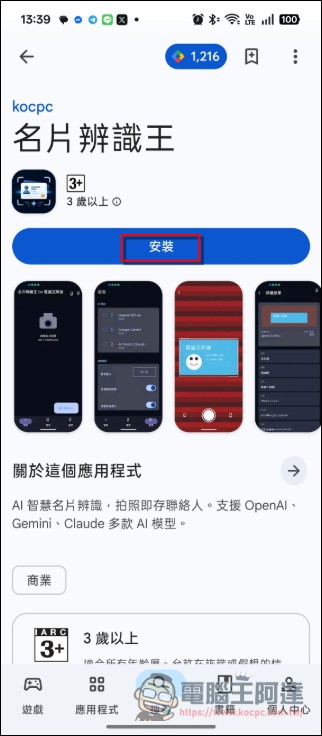
First go to the Play Store to download“King of Business Card Recognition” (please click me), and download it directly. In principle, because I only make free software for iOS, it costs 3,000 yuan a year. There are probably less than ten people who have sponsored me for coffee before. I can’t go back to the basics. (To be honest, even the stickers I developed before, Memorize Artifact and other websites, the monthly traffic fee exceeds 10 US dollars, I kind of want to close it):
Set API KEY (including free API Key application)
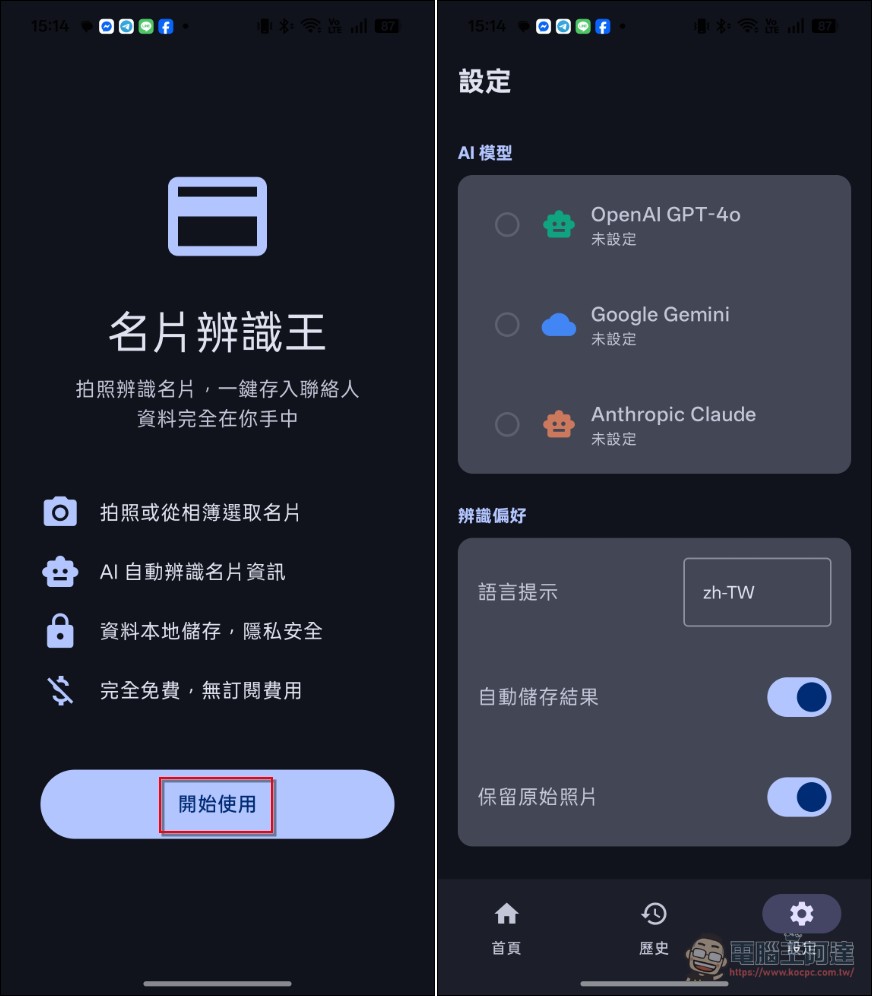
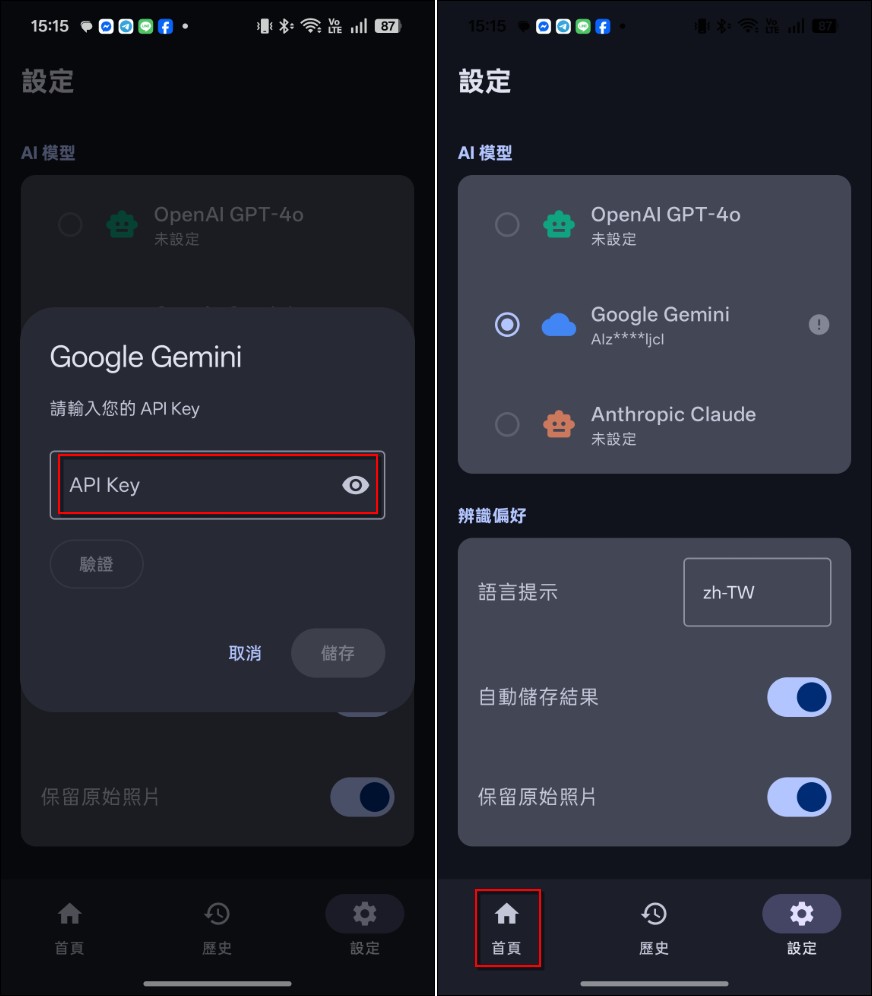
After installation, open Business Card Recognition King and click to start using it. When entering for the first time, you will need to set the API Key. It supports the API KEY of OpenAI GPT, Google Gemini and Anthropic Claude. I have tested it and it works. You can set your own API KEY. The language setting supports Chinese, English, Japanese and other mainstream languages. After the business card is taken, it will be automatically recorded and archived:
In principle, API KEY has to be paid. However, if you are a Google user, you have a certain free quota every month. If you only record business cards, it is almost impossible to use up. The application method for free API KEY is as follows. Many people don’t know Google AI Studio In fact, there are also free API Key quotas available. If you use it to raise Openclaw and spray them all in two times, it should be enough to run this application. Beforewrite in this, I pulled it out and put it below. If you want to know more about it, please read it yourself. The easiest way is to apply for a small account and don’t tie it to a credit card.
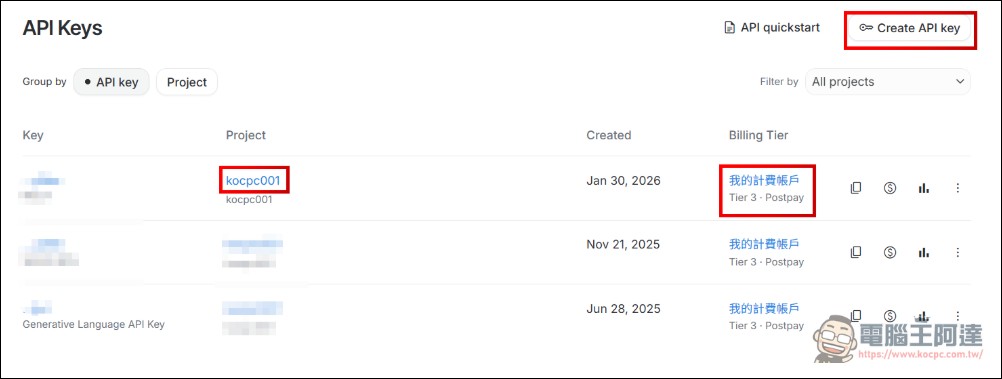
If you have ever bound a credit card and generated an API Key for drawing or using it with a third-party CLI, there are a few points where people are more likely to get into trouble. Here are some additional explanations. If your account is already bound to a credit card by a project, and a paid API KEY has been created (such as kocpc001, the project name you named yourself), look carefully at your Billing Tier. There will be levels. Although the API KEY you obtained in this project also has a free quota,Once you exceed the free quota, you will start to be charged, this is a point that many people will not pay attention to and then be charged money. If you just want to test free API services, here is what you need to knowHow to create another project that will not deduct money no matter what? API KEY, first go to AI StudioCreate API KEY (upper right):
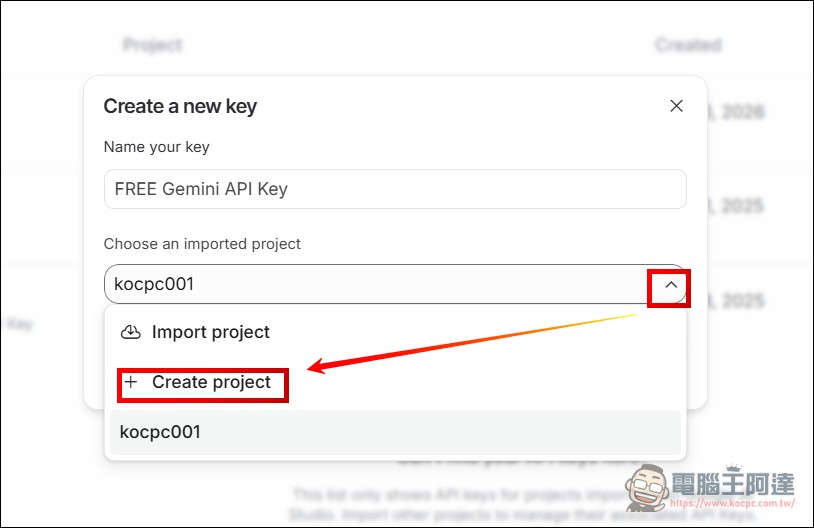
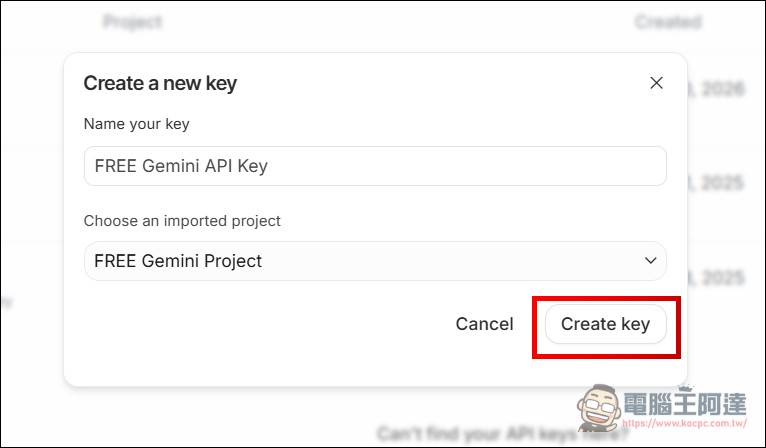
Then give it a name. To distinguish it, I use FREE Gemini API Keys, and then select Project–>Create Project:
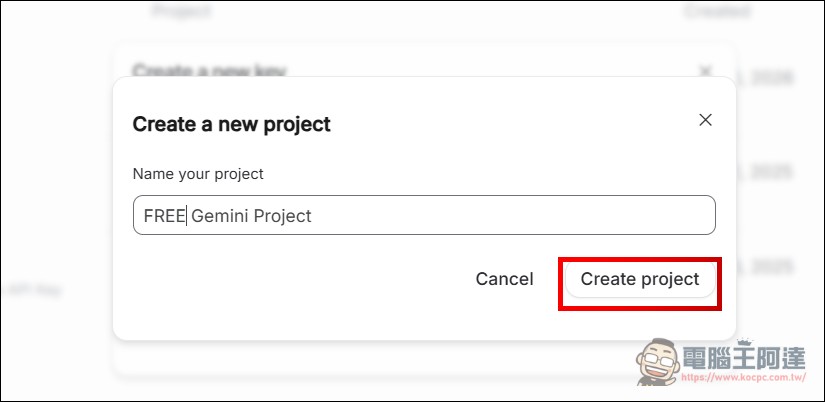
I named the project “FREE Gemini Project” (you can call it whatever you want, as long as you can distinguish it), and then created the project:
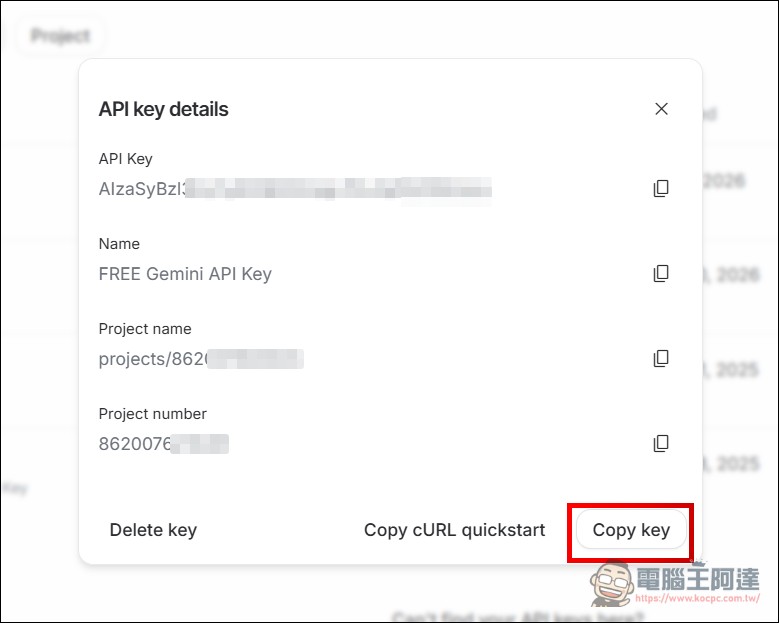
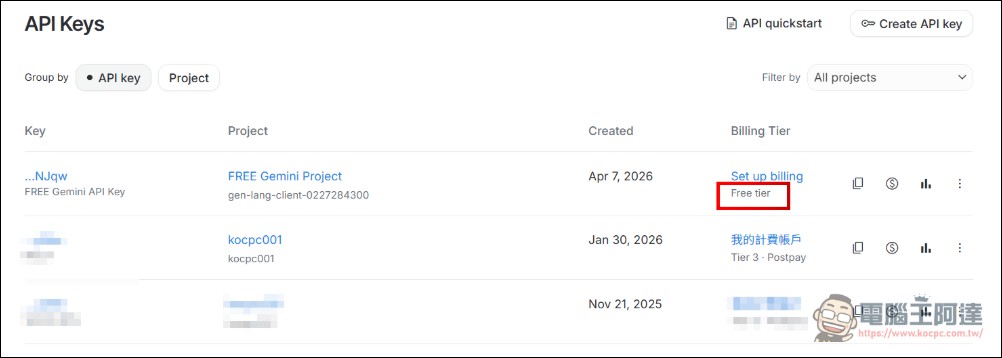
The simplest way to distinguish is in the API Keys list. The Api Key just now shows “Free tier”. Once the free quota is used up, it will only cool down. Other Keys are still billing accounts and will not deduct money (unless you click Set up billing). If you don’t understand what I’m talking about above, just create a small account without a credit card. It doesn’t need to be too complicated:
After obtaining the API Key, you can use it in your commonly used AI tools, or you can use it directly in Google AI Studio. Next, we can use it directly in Business Card Recognition King. I have tested it and it can be used for free.
After getting the API KEY, then paste it on the API KEY. You can click on the verification below to check whether it can be used. If it can be used, switch back to the “Home Page”:
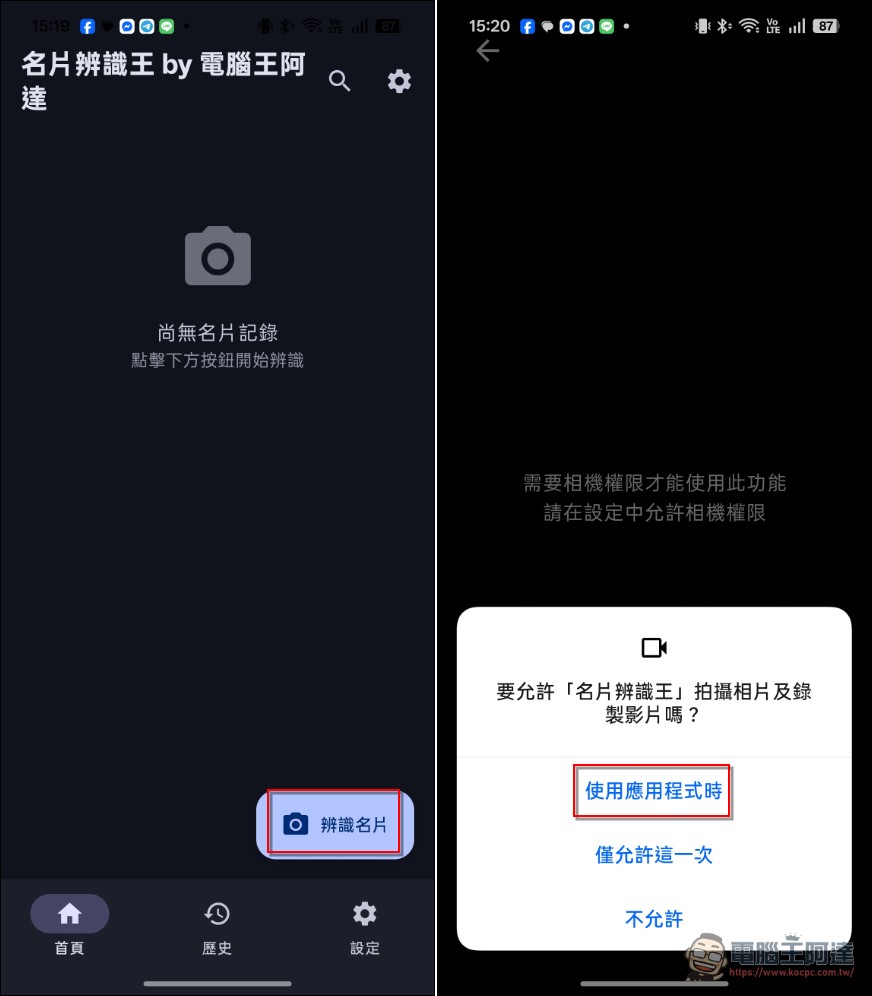
Next, start using it directly. Click to identify the business card. The first time you use it, you will be asked for camera permission:
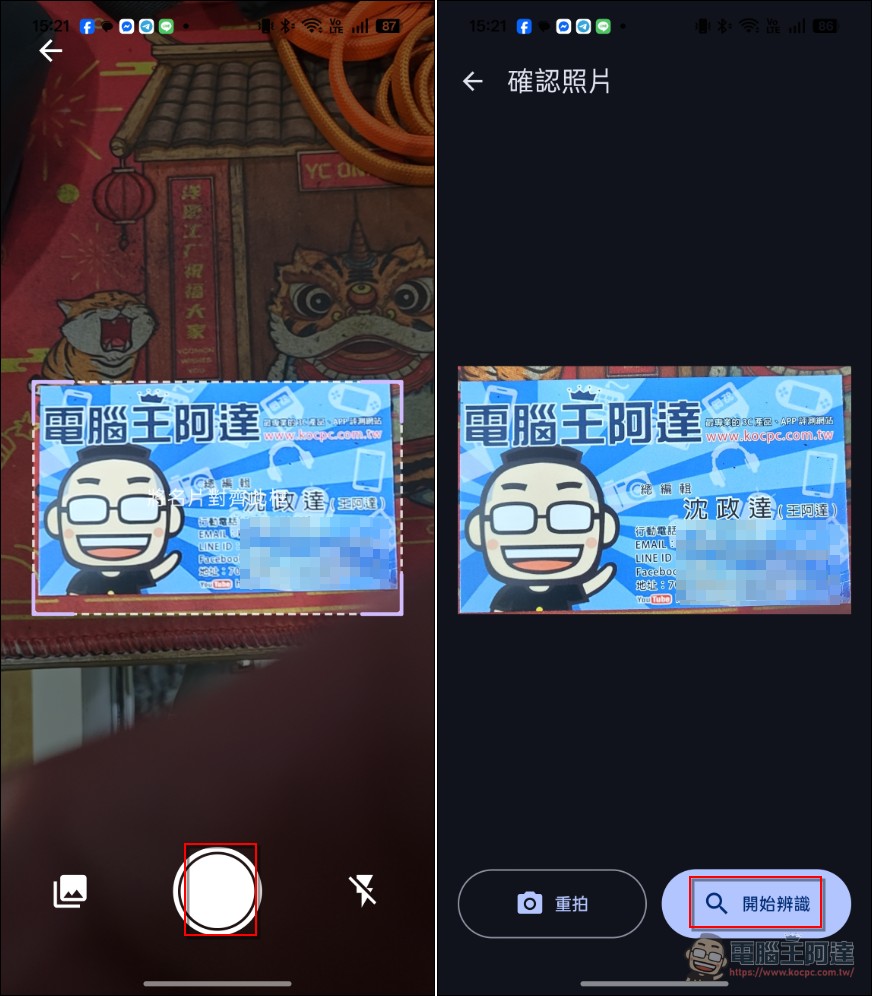
Then align the business card into the frame and click to take a photo. If it is a straight photo, place it horizontally. I have tested it and it is fine. After taking the photo, check to see if there is any blur due to hand shaking. If it works, click Start Recognition:
Then the recognition results and the number of tokens used will be displayed. I have just changed the Gemini model to the latest version. Theoretically, the recognition rate is better. However, due to Google’s own problems, it sometimes takes a few seconds longer. Scroll down and check the content. If the recognition is wrong, click on the upper right corner to edit the content yourself. If there is no problem, you can export the VCF file or save the contacts. Next, you will see where to save the contacts. I recommend saving the contacts:
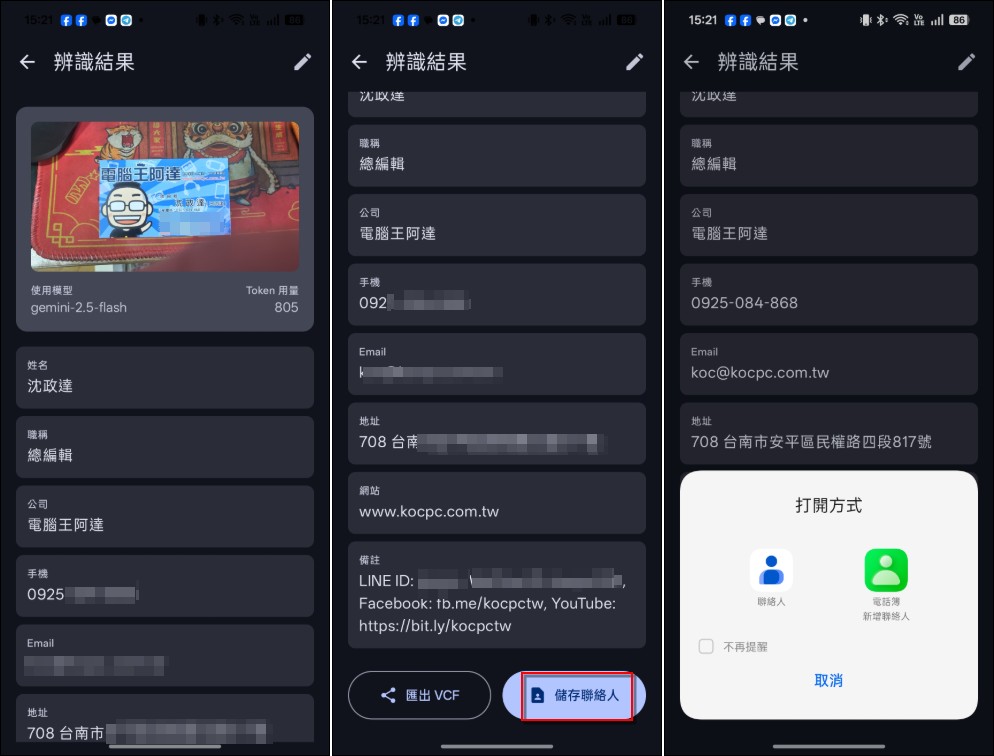
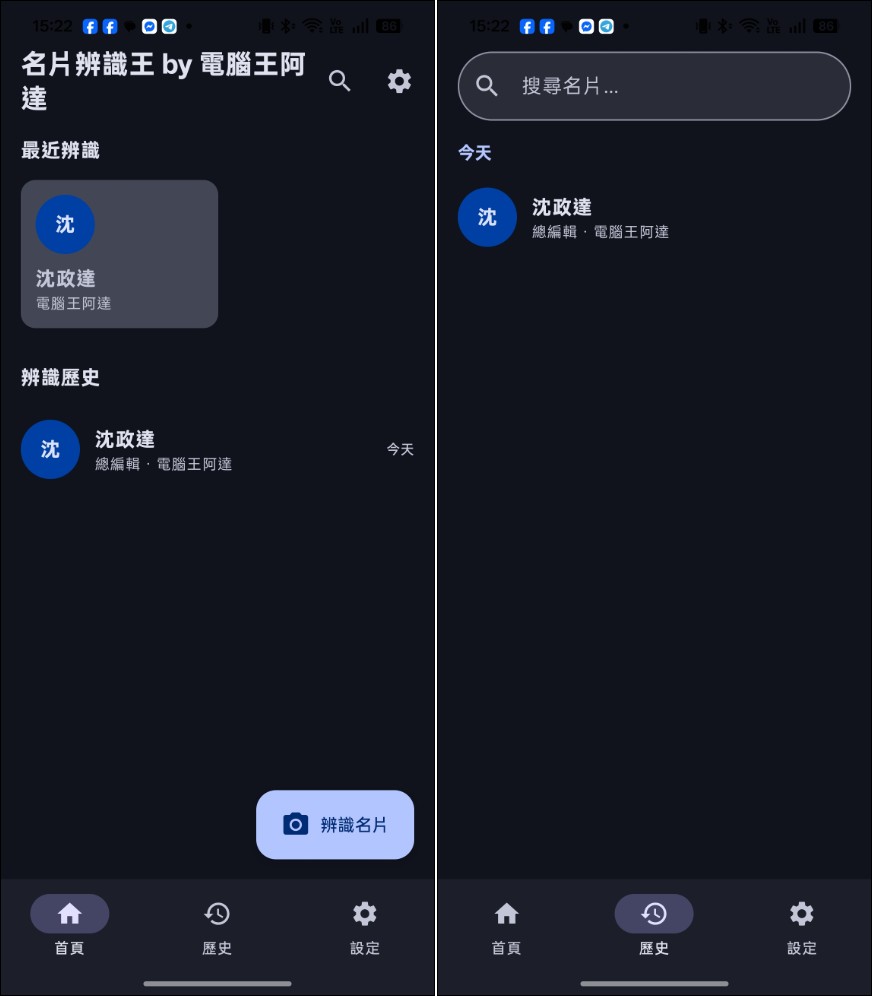
After saving, there will be a history list of business card recognition records on the homepage, and there will also be a list in the history. The photos of the business cards will also be stored in the phone and will not be uploaded to any cloud. In principle, unless there are big bugs, this app should not need to be updated. If you find it difficult to use, you are welcome to develop one. If I don’t want to put ads in the app someday, I may make an iOS version:
Download “Business Card Recognition King” (please click me)
Source: KOCPC Chinese