


If you are using Facebook, you often find that a bunch of people you haven’t seen suddenly appear in the “invitations sent” in the Facebook friend function, or even strangers have been added to your friend list. You may even suspect that you may have been infected by a Trojan horse or computer virus, or even your account may have been stolen by a strange person. After a quick check, I couldn’t find the reason.
It must be said that the editor has had similar troubles before. It was later discovered that the problem was caused by the preview function of the new Facebook user interface, which made it very easy to accidentally press the “Add Friend” button on the desktop version. And now, we have also discovered that Facebook itself may have noticed that this feature may cause trouble to many people, so there is also an option to cancel this floating window in the settings. Continue reading Facebook preview window keeps you from adding friends randomly? Teach you how to cancel this annoying function in one move (tutorial) Report text.
The Facebook preview window often prevents you from adding friends randomly? Teach you how to cancel this annoying function in one move (tutorial)
See Facebook officially announced that Creator Workshop will be “soon to be retired” and will be completely replaced by Meta Business SuiteNews, have you also remembered the various discomforts experienced after Facebook’s previous major revision? Do you even miss the old version of the interface?
Seriously speaking, as far as the dark mode is concerned, I wouldn’t particularly want to go back to the previous page. However, when it comes to it, people often feel that they are evil or poisoned. Ever since I started using the new version of Facebook, I have always had the problem of accidentally adding others as friends. Then you will feel that the problem of Facebook getting worse as it changes is really a headache.
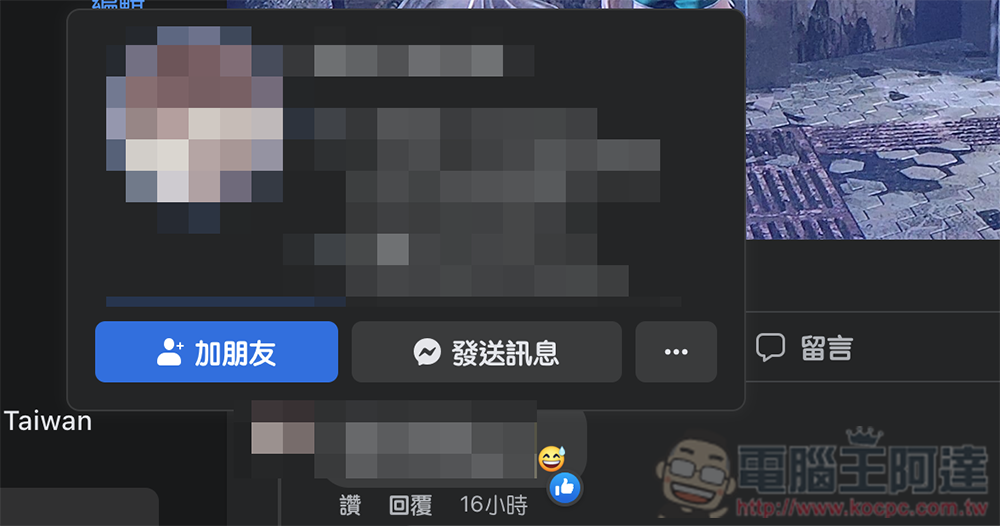
I believe that many people who feel the same as me should already know the real cause of this problem. That is the desktop version derived from the new version of Facebook. As long as you move the mouse cursor over the name of a person in the news feed, the quick preview floating window function of that person will be displayed.
Speaking of which, this function itself is not a big problem and is considered easy to use. But the most annoying thing is that many times when you want to click like or do other operations, the floating screen will suddenly appear, causing the problem of accidentally clicking – and often I click to add friends instantly, and then the preview window closes and disappears instantly, leaving me confused.

So it’s actually quite common that you don’t even know who you’re touching – so annoying! And the “Sent Invitation” page is not yet a page link, so it cannot be shared with everyone to check directly – just go to “friend invitation” Look for “View sent invitations”. The editor recently discovered a new option to turn off this preview function, and I would like to share it with you here.
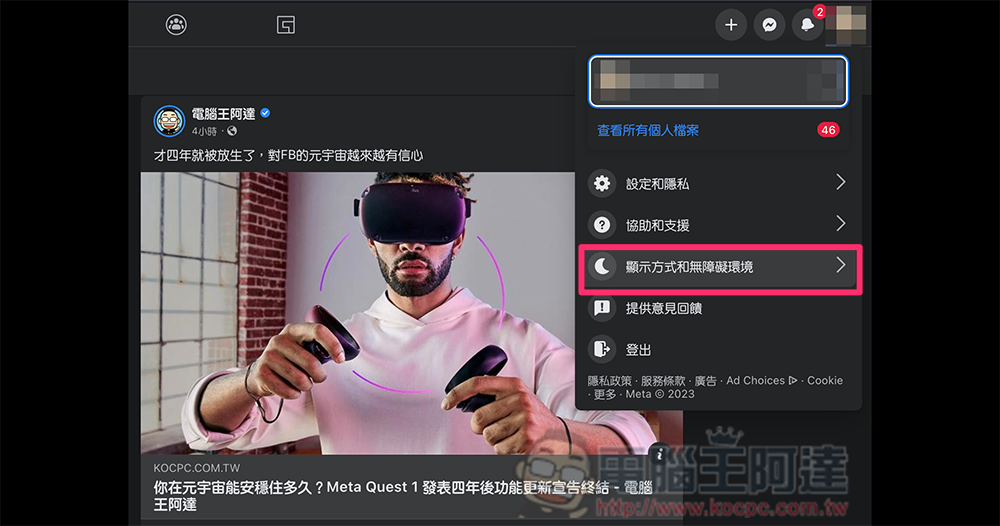
First, click on the avatar in the upper right corner of the Facebook homepage, and you will see the “Display and Accessibility” options:
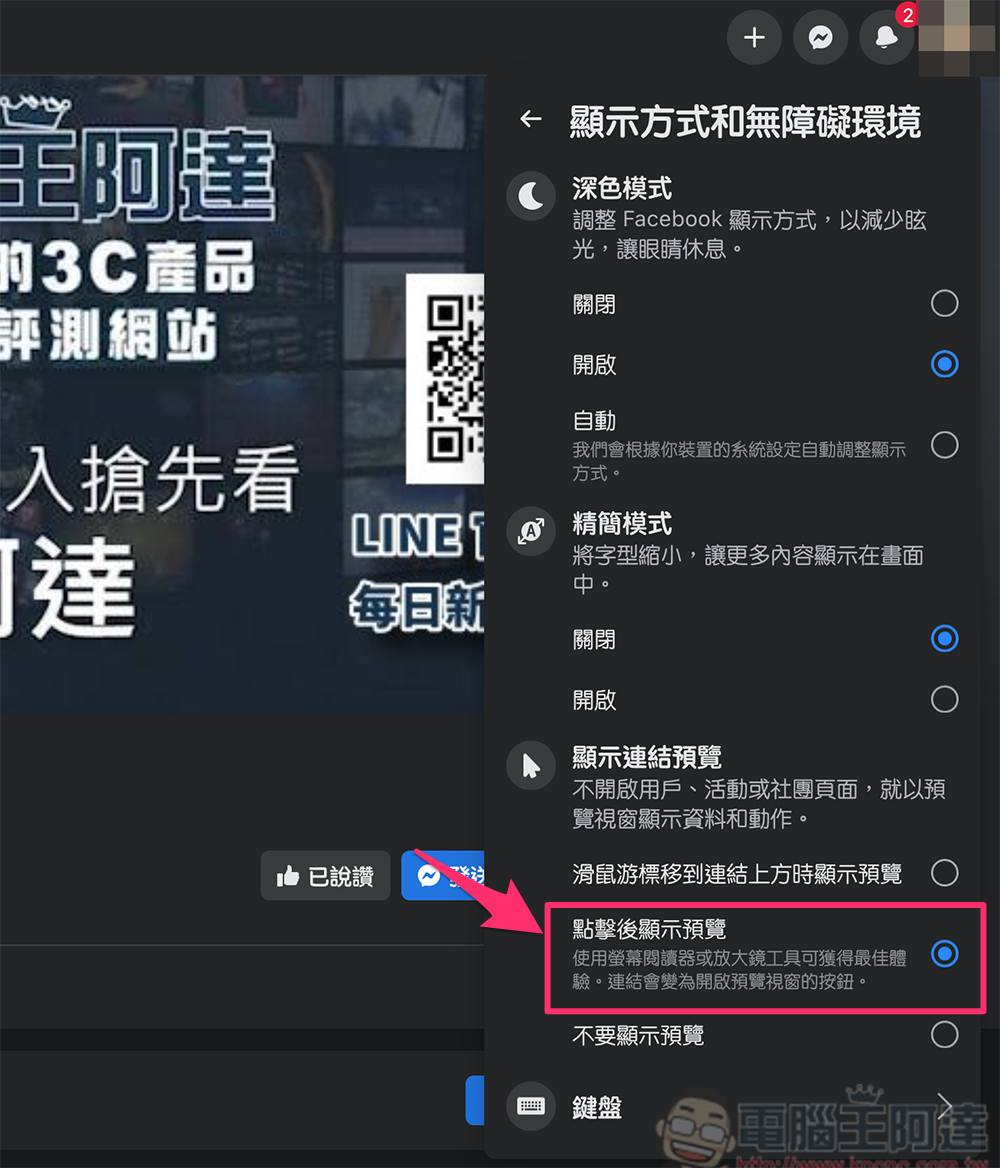
After clicking in, find the “Show link preview” at the bottom:
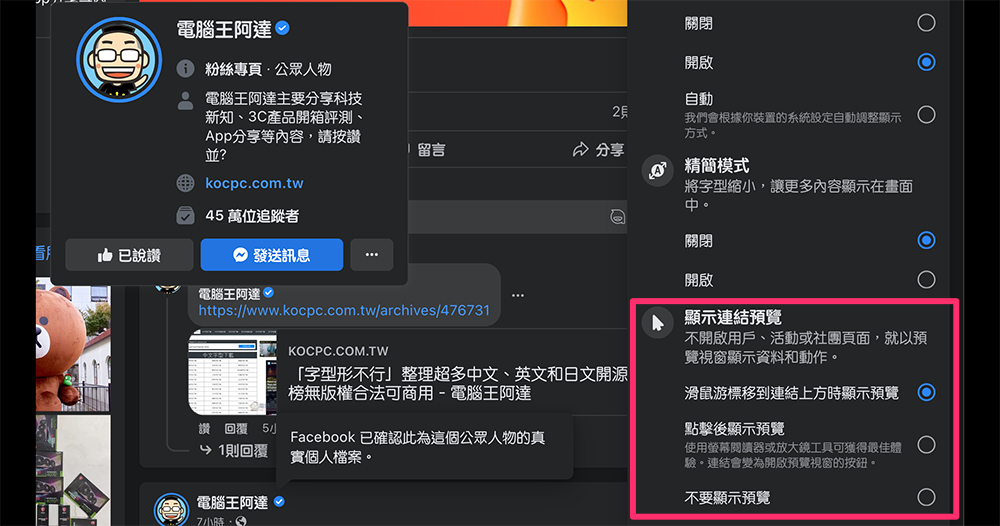
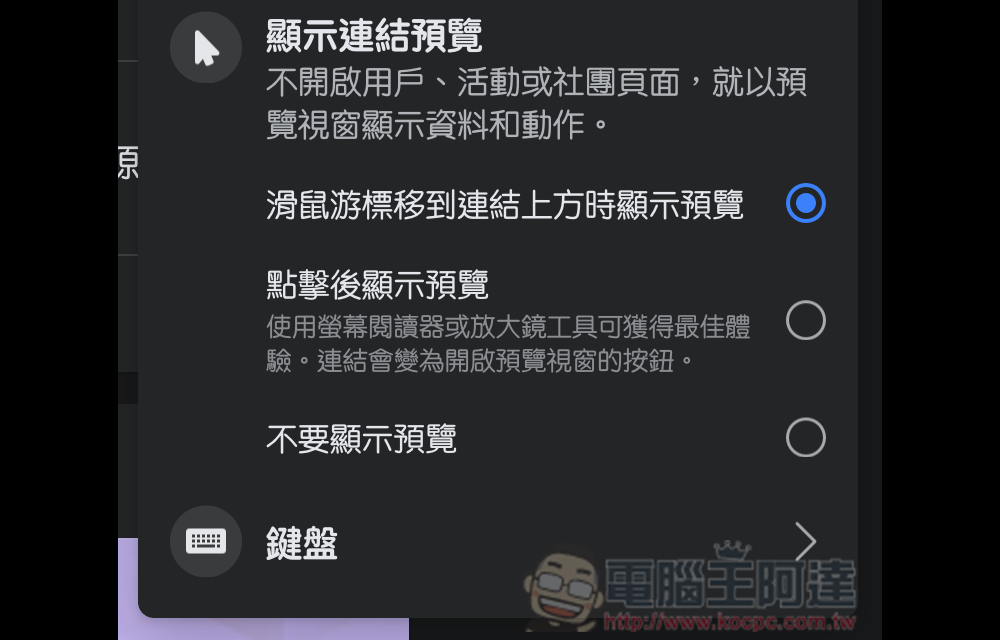
Here you can choose whether to turn off this feature, or select “Show preview after clicking” like the editor did – after selecting this setting, if you still want to see a quick preview window, just click on the user’s name or picture, and it will still be displayed:
Further reading:

Source: KOCPC Chinese