


As travel restrictions around the world are gradually lifted, people will have more opportunities to travel abroad. Tipping is a common culture in European and American countries, and it is often confusing to share the expenses when traveling with a group of friends. In fact, Apple Watch can also calculate tips! As long as you turn on the hidden function of the built-in computer, you can customize the tip percentage and the number of people, and automatically calculate the amount of expenses that each person needs to share.
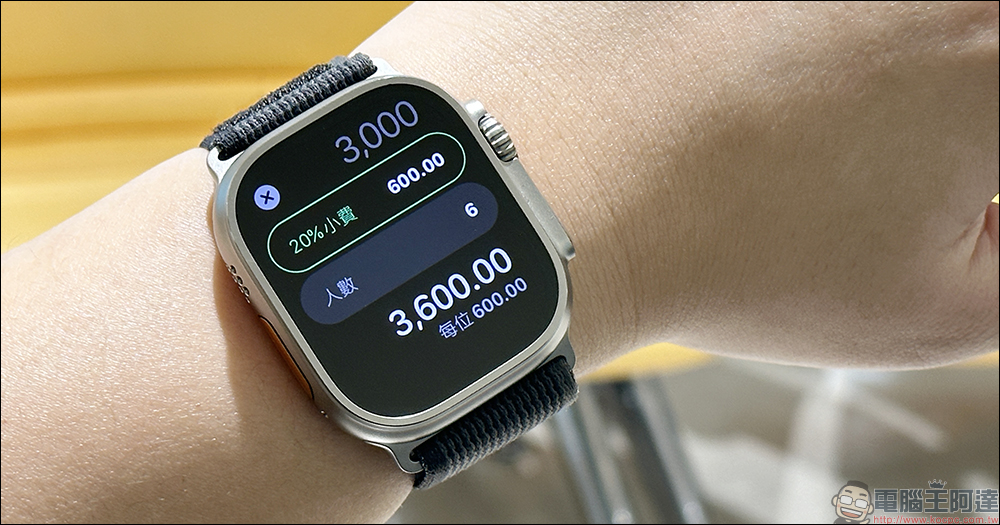
Apple Watch counts as a tip too! Built-in computer function can customize tip percentage and number of people (teaching)
When traveling or dining out, if you want to calculate the meal expenses that each person needs to share, in addition to picking up the computer on your phone, you can also use the built-in computer function of Apple Watch to easily calculate the average portion of the expenses that each person has to bear. However, when traveling in European and American countries, it is often necessary to set aside extra expenses for tips. If the expenses shared by each person after tips are included, group travel is often a time-consuming process. In fact, the built-in computer app of Apple Watch can easily calculate tips! However, this function is a hidden function in the computer.
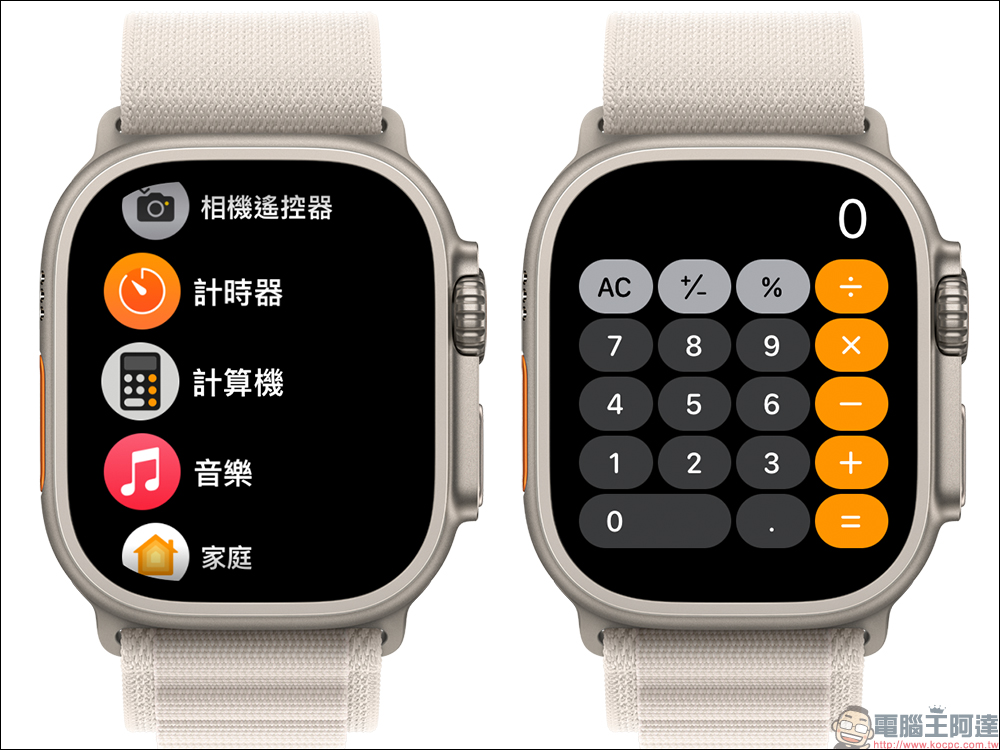
To turn on this feature, first open the “Settings” app on Apple Watch, and then select “Computer” on the settings page. Be sure to remember to adjust this function in settings first, instead of opening the computer app directly!
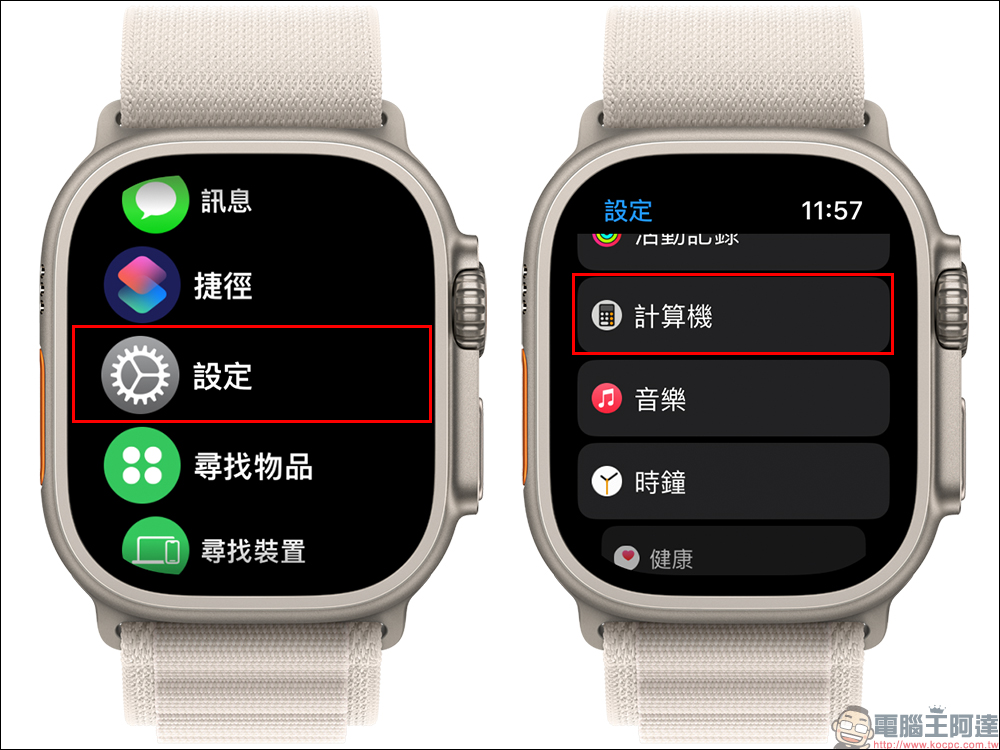
Then the computer settings are set to “Percentage” by default. If you want to calculate tips, just change the check box to “Tipping Function”.
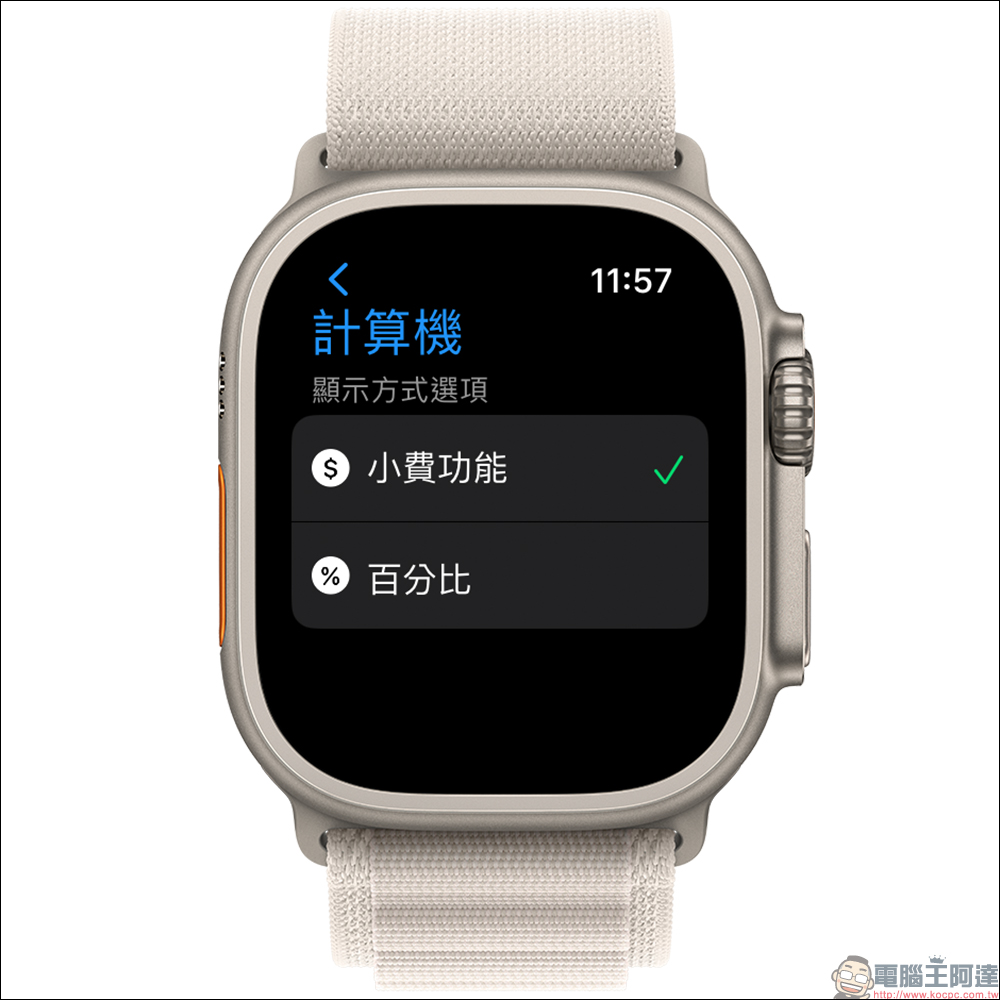
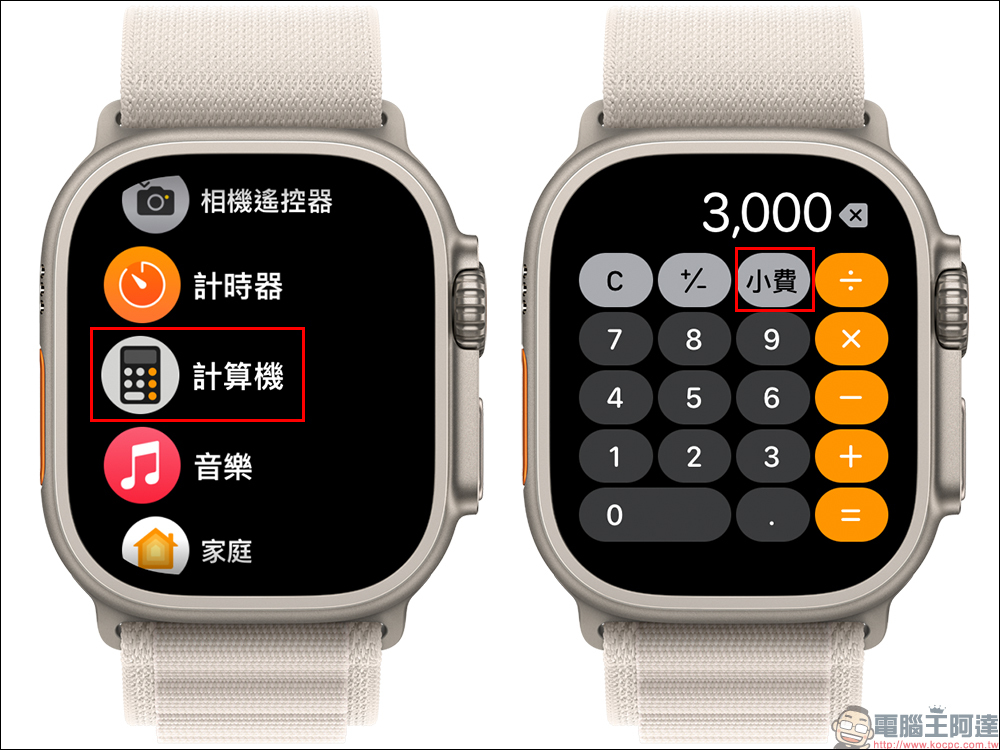
When you change the percentage of your computer to the tip function, when you open the computer app, you will find that the percentage (%) to the left of the division sign has become a “tip” button. Take the meal cost of NT$3,000 as an example. Enter NT$3,000 into the computer and click the “Tip” button.
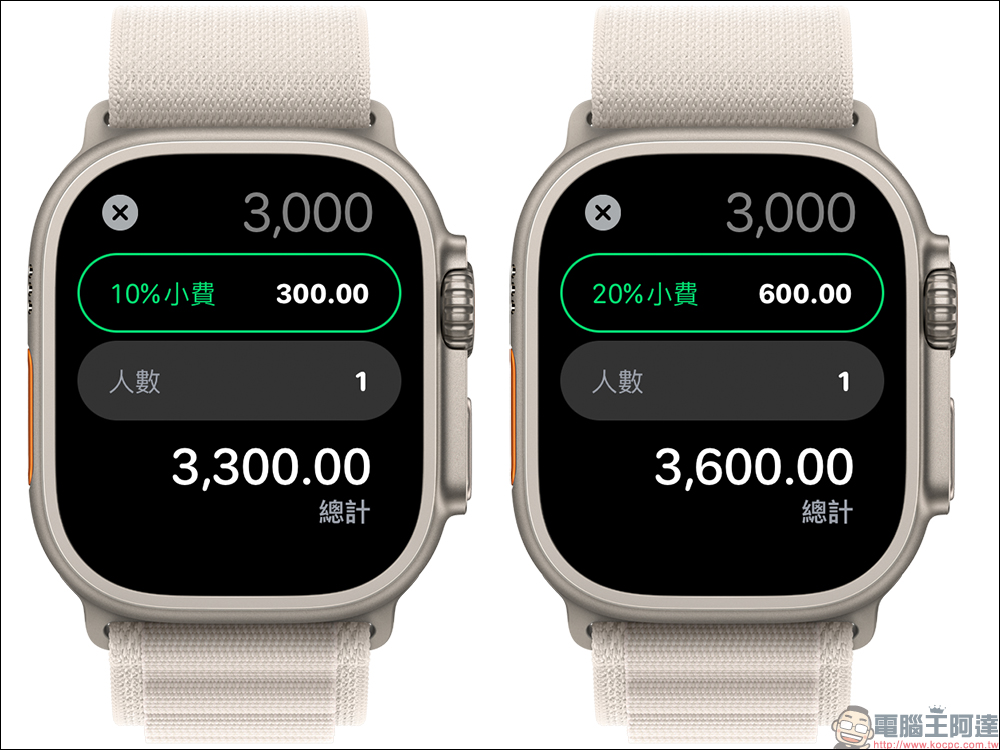
Then the tip percentage will appear on the screen. The default tip is 10%. The user can also scroll the digital crown of Apple Watch to adjust the tip percentage from 1% to 100%. As the tip percentage is adjusted, the computer will automatically calculate the tip amount required for that amount. Taking NT$3,000 as an example, a 10% tip would be NT$300, a 20% tip would be NT$600, and so on…. In addition, the total amount including tip will be displayed at the bottom of the screen.
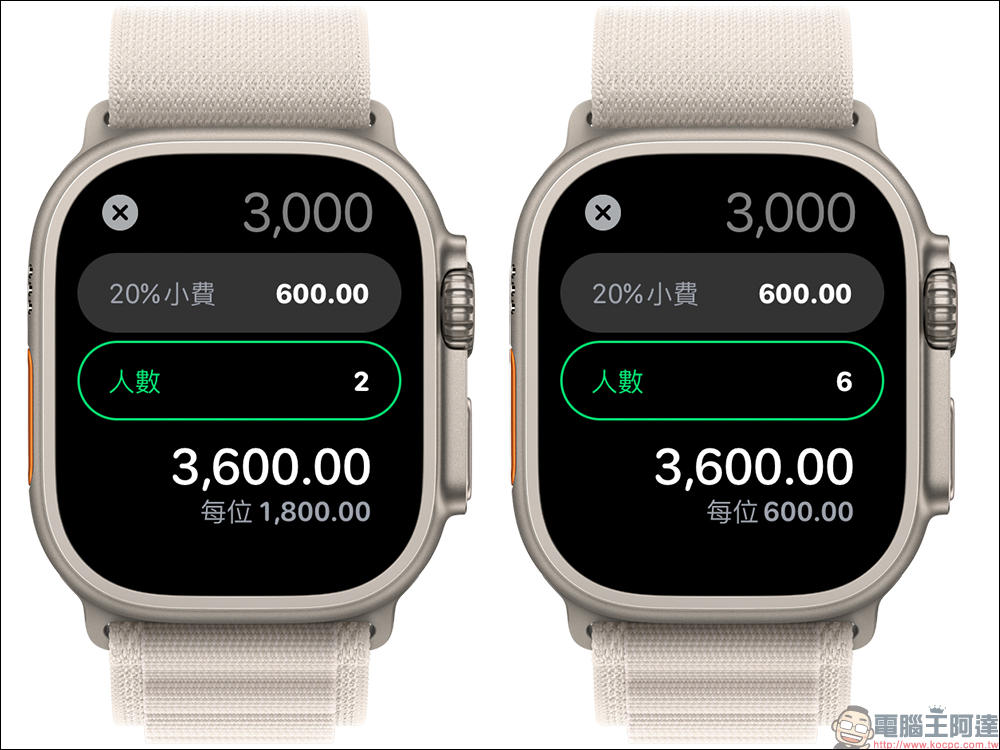
If there are multiple people who want to share the cost, click “Number of People” below and scroll the digital crown to adjust the number of people settings, and the cost per person will be automatically updated. For example, the total amount of 3,000 yuan plus 20% tip is 3,600 yuan. If it is shared among 2 people, it is 1,800 yuan per person. If it is shared among 6 people, it is 600 yuan per person. The minimum number of people can be set to 1 person, and the maximum number can be set to 50 people for sharing. I believe it can meet most of the meal cost calculation needs.
To be honest, this function is not only for users who want to travel to European and American countries. They can easily use Apple Watch to calculate the tip they need to pay and the average cost. It is a very convenient hidden function. At the same time, many restaurants in Taiwan charge a 10% service fee. This method can also quickly calculate the total amount including the service fee and how much each person needs to share.
Source: KOCPC Chinese