


With OpenAI launching the new GPT-4.1, o3, and o4-mini models, performance has improved significantly compared to the previous generation. For those who haven’t subscribed to ChatGPT Plus, they’ll definitely want to see just how powerful these models are. Although there’s still no free way to use o3, GPT-4.1 and o4-mini are already available, with CURSOR and Windsurf both announcing limited-time free access for users. While these two are AI code editing tools, they can also be used for chatting, not just for writing code.

Both applications offer limited-time free access to OpenAI’s GPT-4.1 and o4-mini models.
Both CURSOR and Windsurf apps now offer free access to OpenAI’s GPT-4.1 and o4-mini models, but only in the desktop versions for now—mobile users can’t use them.
Additionally, the timeframes offered by these two applications are also different. CURSOR did not specify how long it would be available, only announced on the X social platform that GPT-4.1 and o4-mini are free for a limited time for everyone to use, while o3 requires payment.
o3 and o4-mini are available in Cursor! o4-mini is free for the time being.
Enjoy!
— Cursor (@cursor_ai) April 16, 2025
Windsurf, on the other hand, gives a specific date: GPT-4.1 and o4-mini are both free until 4/21. In fact, besides o4-mini, I also discovered that o4-mini-high is free as well:
o4-mini is now available on Windsurf.
Free for all users until 4/21! pic.twitter.com/3Lh2eed4XD
— Windsurf (@windsurf_ai) April 16, 2025
If you’re developing software or want to use AI to build your own programs, things are looking pretty good right now—both of OpenAI’s most powerful models are free to use. And if you don’t need to develop programs, that’s fine too; you can just chat or handle other needs.
How can I use the GPT-4.1 and o4-mini models provided by CURSOR for free?
CURSOR is a bit more special. Although it announced free access for everyone, GPT-4.1 and o4-mini are not enabled by default, meaning that if you don’t manually turn them on, they won’t show up in the model selector.
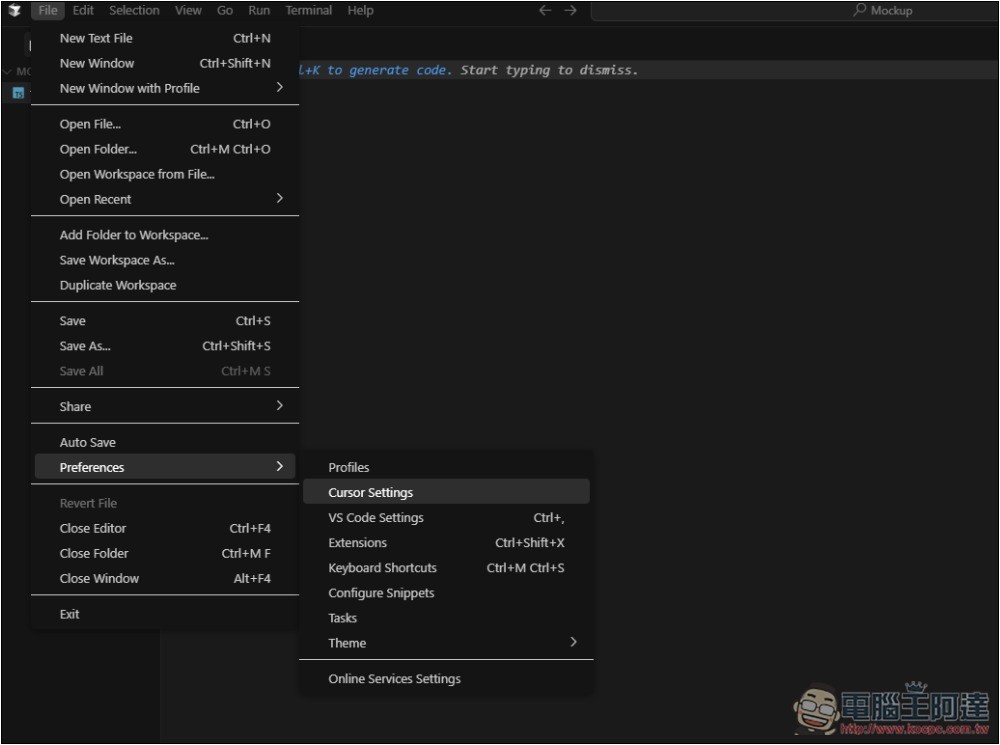
After opening CURSOR, go to Preferences -> Cursor Settings in the File menu in the top-left corner:
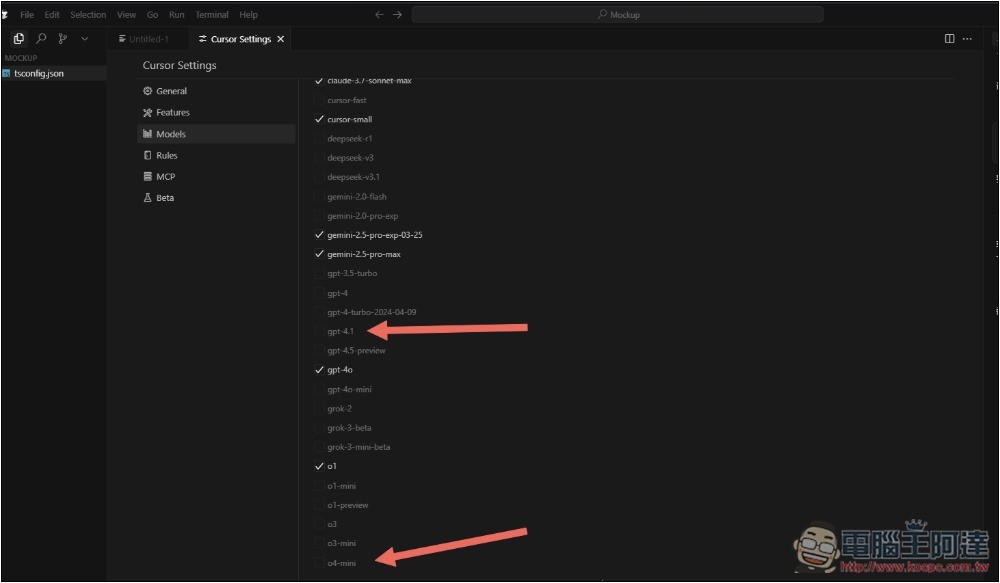
Next, go into the Model options, and you’ll see that GPT-4.1 and o4-mini are not checked:
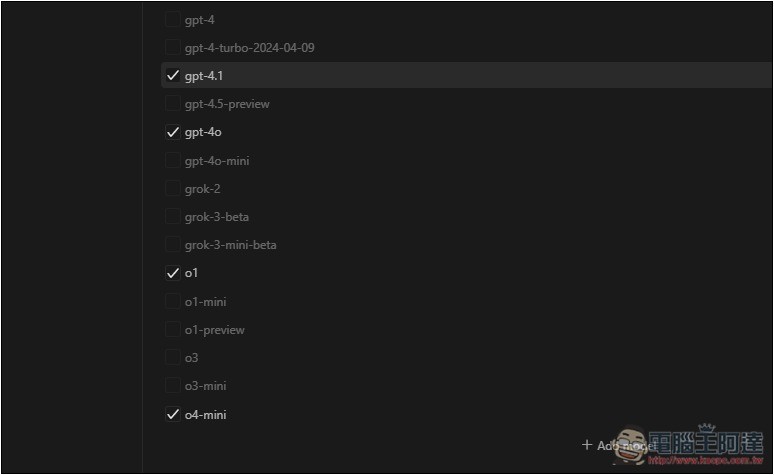
Please click to check both of these models:
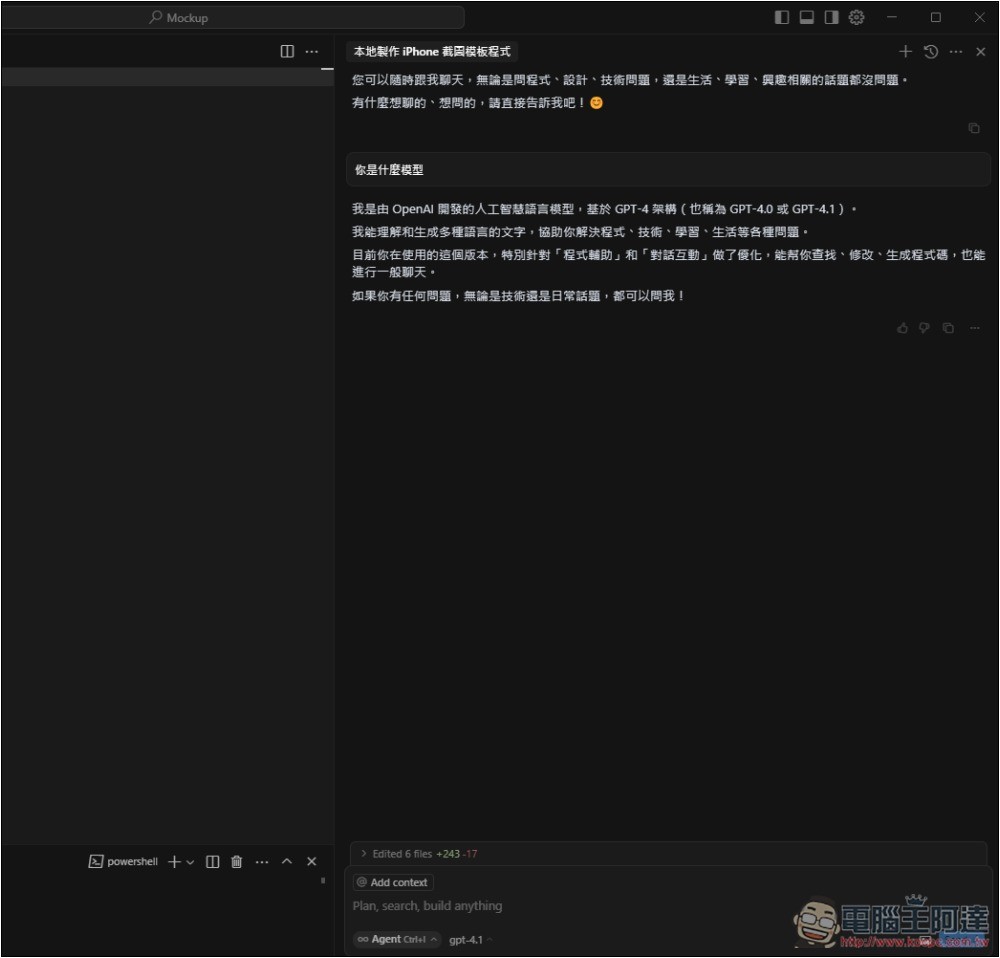
After returning to the chat interface on the right side of CURSOR, the model selector will be able to find GPT-4.1 and o4-mini:
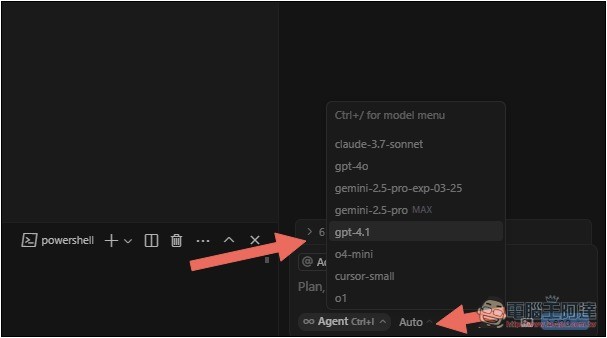
Then you can start chatting, with free access to GPT-4.1 and o4-mini. Also, note that when I tested Agent mode, o4-mini would error out. If yours is doing the same, please switch to Ask mode and it should work properly:
How can I use Windsurf’s GPT-4.1, o4-mini, and o4-mini-high models for free?
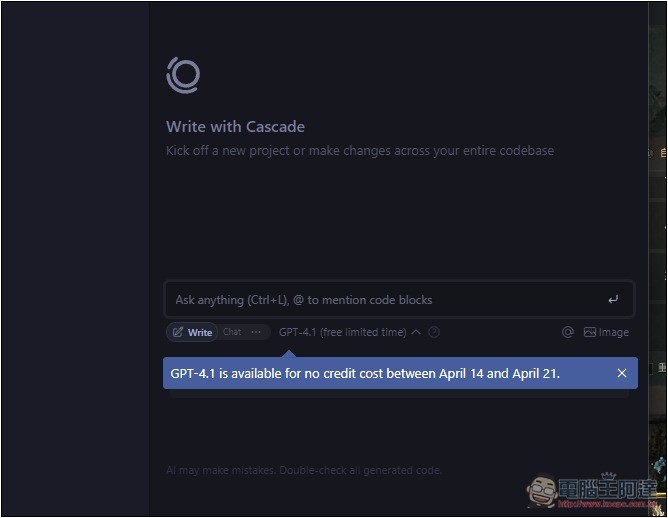
Windsurf is more straightforward — no need to enable anything separately, GPT-4.1 is the default. It even directly reminds you that GPT-4.1 and o4-mini are currently free to use:
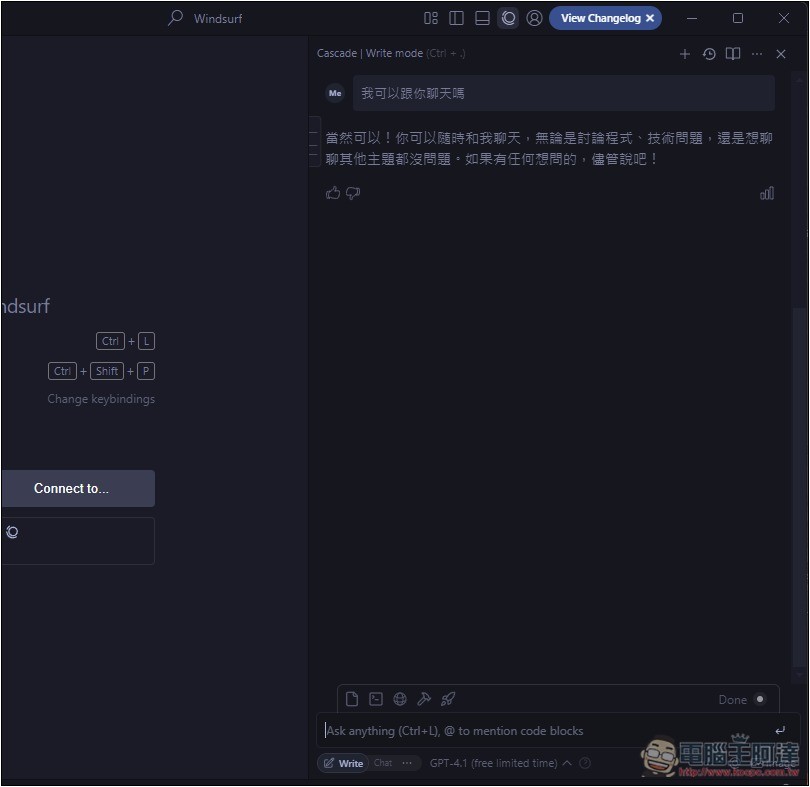
Test chat successful:
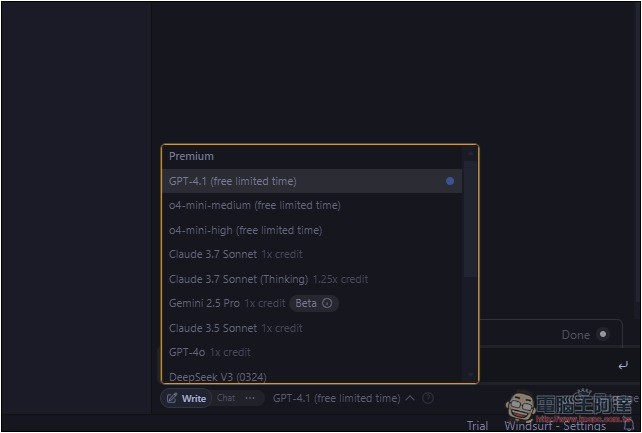
Opening the model selector, you’ll also see that o4-mini-high is free to use, even though this model is only available to paying members in ChatGPT.
Is there a usage limit?
Both Windsurf and CURSOR have only announced that they are free for a limited time, without mentioning usage limits, but based on netizens’ replies, it seems there are no usage limits. However, both should have “reasonable rate limits” to prevent abusive behavior.
Source: KOCPC Chinese