


Modern business communication relies heavily on email exchanges. Compared with communication software, email has its irreplaceable characteristics and advantages. Although you send and receive letters every day, have you paid attention to some details and etiquette when writing letters? In view of the formal nature of business correspondence, the author has compiled some small details worth paying attention to so that you can show your thoughtfulness and professionalism in your letters.
Show your professionalism, email etiquette you may not have noticed
You don’t have to be a professional writer to write emails, but you need to take some precautions into consideration when writing emails. Especially when it comes to business correspondence, courtesy and details are particularly important. You can let the recipient feel your professionalism from the letter. As long as you pay attention to a few small things, the feeling of receiving the letter will be very different. Below, the author will talk about the details that need to be paid attention to in each part according to each column.
Email field
Double check the recipient’s address
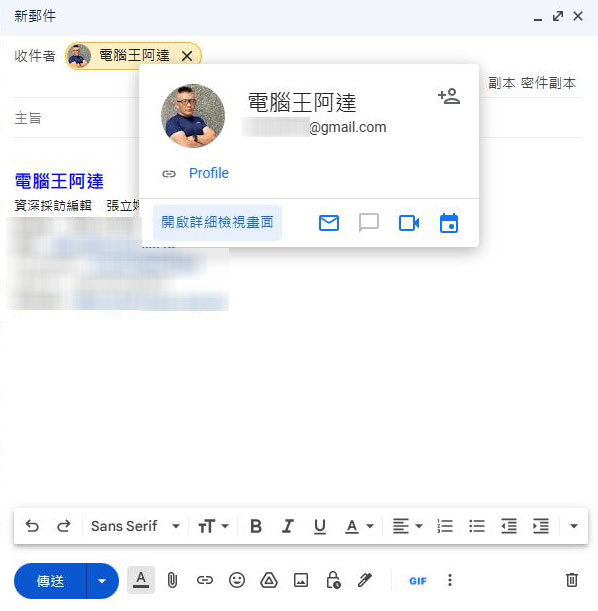
If you have ever sent an email to the wrong recipient because you relied too much on the “smart advice” in your email application, you should know how embarrassing this situation can be, especially if the email contains sensitive quotations, documents, etc. You need to be careful. It only takes an extra minute to check the recipient’s name and email address. If your mailbox application will actively convert the email address to display the recipient’s name, just click on the recipient’s name or hover the mouse cursor over the recipient’s name to display the original address and check to avoid unnecessary trouble.
The main purpose should be concise and clear
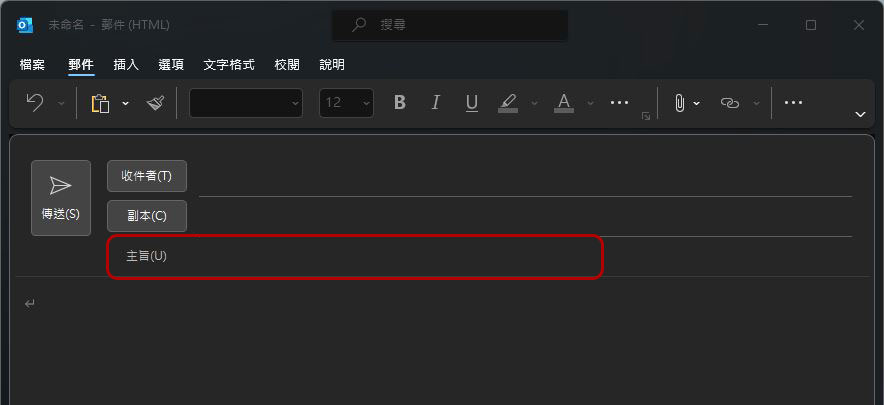
The subject of the email should be concise and meaningful, which allows the recipient to accurately view the content of the email at a glance, and even understand the importance of the email from the subject description. Therefore, you should not add too many qualifying words in the subject line. Try to keep it short and focused so that it can express the key points of the letter in the fewest words.
Add duplicates and blind copies when necessary
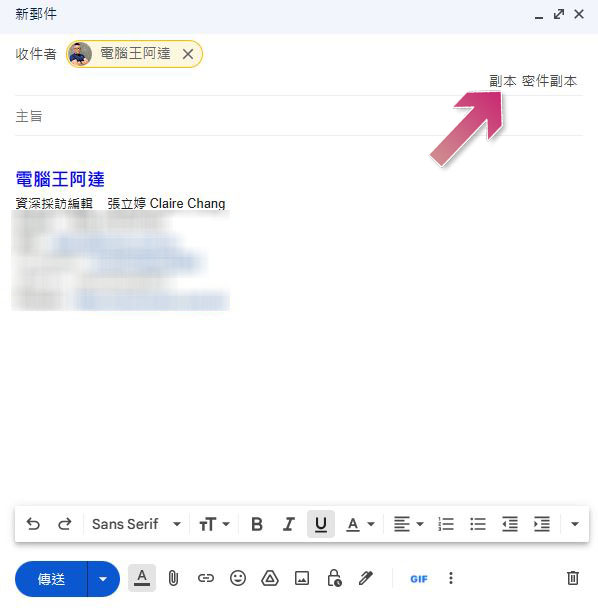
Not everyone you want to receive the letter belongs to the “Recipient” field. For example, if you send a letter to a customer, but you want your team members or supervisors to receive the content simultaneously, you can use “Copy” (CC) to fill in other people. If you don’t want the recipient to see the recipient of the copy, you can use a “blind copy” (BCC) to send to other people while maintaining their privacy. Properly use these two fields to let the recipients feel your respect, and also to synchronize the communication progress with other collaborators.
Letter text
Obviously, the main text of your letter is where you write the content of your letter, which is the largest field, but besides the main body of the letter, there are some small details that can give you extra points.
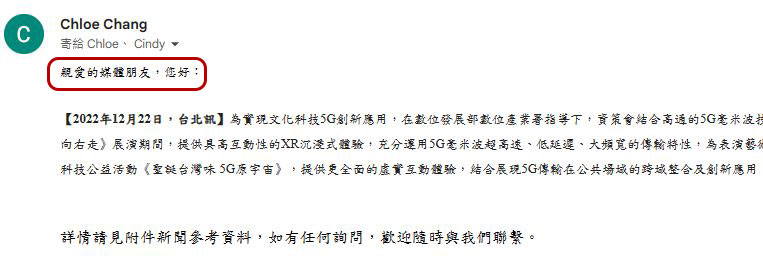
Add opening greeting
When you are writing a business email, the greeting is particularly important. For example, adding a polite beginning such as “Hello XXX” or “Dear XXX” will give people a good first impression when sending the letter. So don’t rush to write the main text from the beginning. This will make people feel a bit rash.
Use easy-to-read fonts
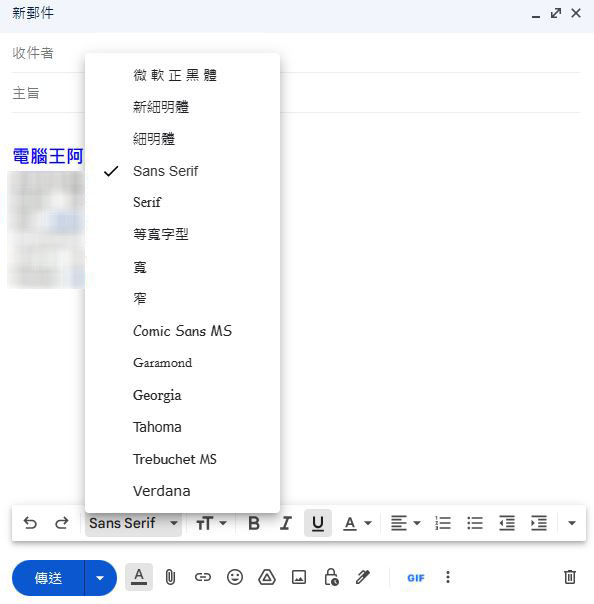
Although using different fonts for the text can show a slightly different style, for people who actually read letters, “too unique” fonts are obviously not the best choice for reading. You can write in a font like Microsoft Regular Black, the new Thin Font, or simply use the default fonts. These classic fonts are not only standard in most email clients, but they are also easier to read and more professional than overly vibrant fonts.
Add signature file at the end of the letter
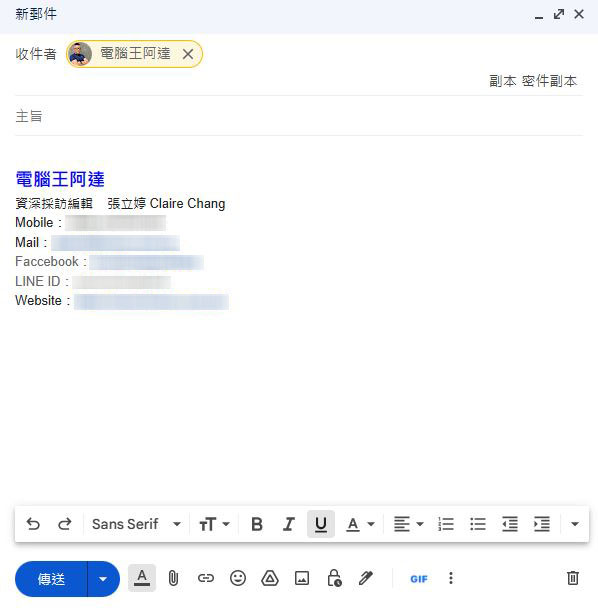
Similar to opening a greeting, not adding a signature to a business email is like having no ending and is likely to be viewed as unprofessional. The signature document should not only contain the sender’s name, but also include the basic contact information required by the recipient. Email signatures vary, but you can include your full name, company name, job title, contact number, website and social media links. Even if you don’t want to use a signature file, it is essential to include a personal name so that the recipient can better understand who the letter is from.
terminology, word usage
In addition to the basics of properly filling out each field in the email and the body of the email, there are also some details that you should pay attention to in the letter. Should you increase the size of certain words for emphasis? Should you add a sense of humor? Let’s find out together next.
Pay attention to capitalization and text formatting
This is especially important for you if you often write letters in English. It may be a habit of many people to use all capital letters, boldface, or underline to emphasize a certain phrase or vocabulary. However, if used too much in the text, it will completely defeat the purpose of highlighting the key points and make the tone seem very radical.
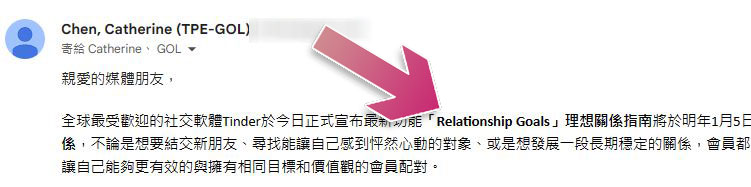
Try to avoid using all caps in your letters so that the recipient will not think you are yelling; be careful to use special text formats such as bold, italics, and underlining when necessary. If it is a Chinese letter, try not to use italics, because italics will cause reading difficulties for Chinese.
Keep humor and emojis to a minimum
While most people appreciate a bit of humor to lighten the mood, this is not a necessary part of a business email. The reason is that the recipient cannot see your body language, expressions, or hear your laughter, and it is easy to misinterpret or misunderstand your intentions in written communication, making the joke come across as serious or offensive, even though you did not mean it in the first place.
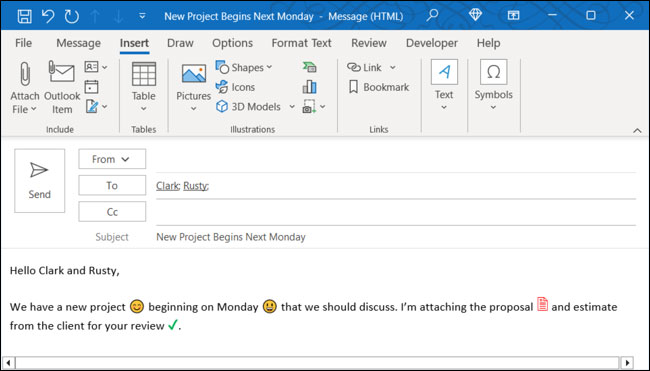
In addition to using less humor, try not to overuse emoticons in business letters. Although smiley faces, thumbs up, etc. are helpful when chatting on LINE or sending text messages, they will deduct points for professionalism in business letters.
Check attachments
I believe many people have forgotten to include attachments in letters, and later had to resend them or did not know until the other party notified you. Take a few seconds to make sure the email contains any necessary attachments before hitting send.
Other communication etiquette
Although business email etiquette is not very lively and seems rigid, you can be more polite and considerate to make the recipient feel comfortable.
Design simplified content for mobile devices
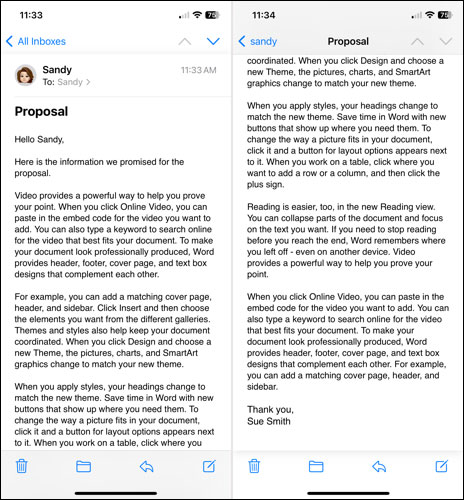
With more and more people checking their emails on mobile devices, there’s nothing worse than receiving an email with so many words that you have to scroll down several times to finish it. When writing emails, you should take mobile device reading into consideration, reduce unnecessary decorative words and redundant words, and get straight to the point.
Arrange to send letters during business hours
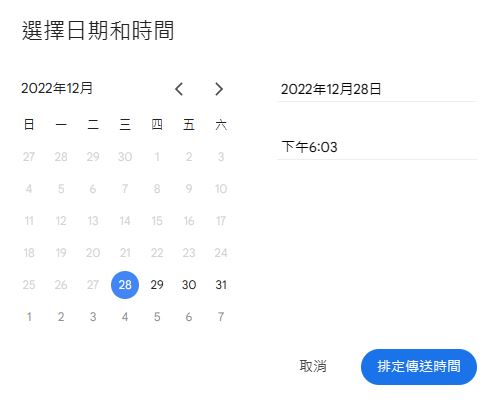
If your email application offers a convenient mail-scheduling feature, you can take advantage of it when sending your mail. The worst time to send a letter is at the end of the work day or even in the middle of the night, as this will disrupt the other person’s rest time. Unless it is very necessary or the content is very urgent (but a phone call should be faster at this time), please try to arrange the email sending time during the other party’s working hours (if you are in a different time zone, you can also help convert it).
Shorten lengthy URLs
The last point is about the link in the letter, which you may not have noticed. When you need to put a URL link in an email, some links are so long that they have to branch out. In order to prevent the link from taking up too much space in the email, you can make good use of URL shortening services or add hyperlinks to the text to simplify the display of the shortened URL, and you can also achieve the effect of pointing the other party to the target website.
Source: KOCPC Chinese