


If you are a friend who turned off iMessage due to the previous wave of spam messages such as scams that made you unhappy, after updating to iOS 16.2, I really recommend that you turn it on again. Because in addition to the filtering function originally supported by the SMS text messaging function, the new version of iOS now also provides spam filtering functions for iMessage in Taiwan, Hong Kong, Vietnam, Thailand and Singapore. In our actual testing, we rarely receive spam messages from strange accounts. Continue reading the text of the report on iOS 16.2 providing Taiwan with automatic detection of potential iMessage spam.
iOS 16.2 brings automatic detection of potential iMessage spam to Taiwan
Since the author himself continues to use iMessage, he ignored the government’s suggestion to turn off the iMessage function – after all, those scam messages are pretty easy to identify… Recently I thought it might be after a period of intensive reporting, but suddenly I found that such messages seemed to have become quieter? It was originally thought that the cancellation of the mechanism for reporting text messages during the previous epidemic, and the fact that many people had reported malicious Apple ID accounts to iMessage had the effect of blocking them. But now I know that this may be because the author updated the public beta version of iOS 16.2 early.
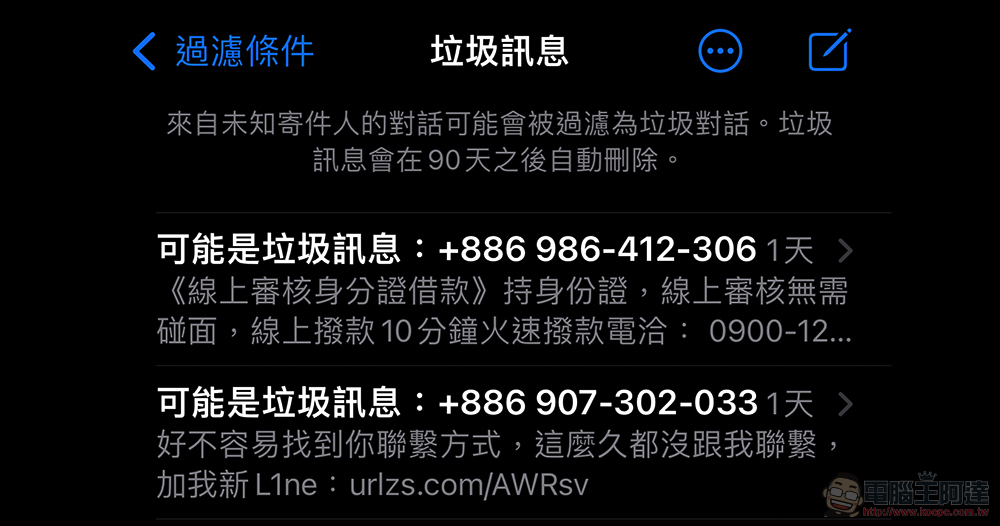
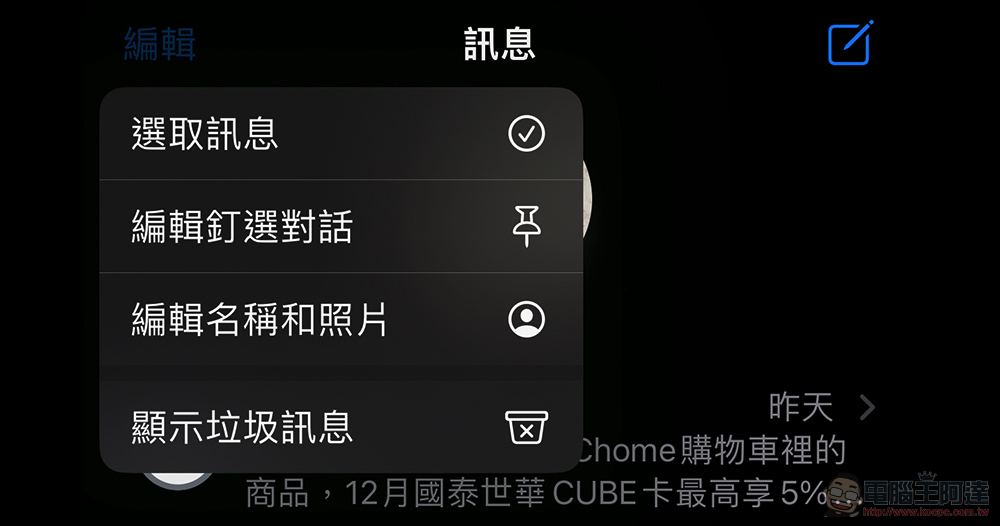
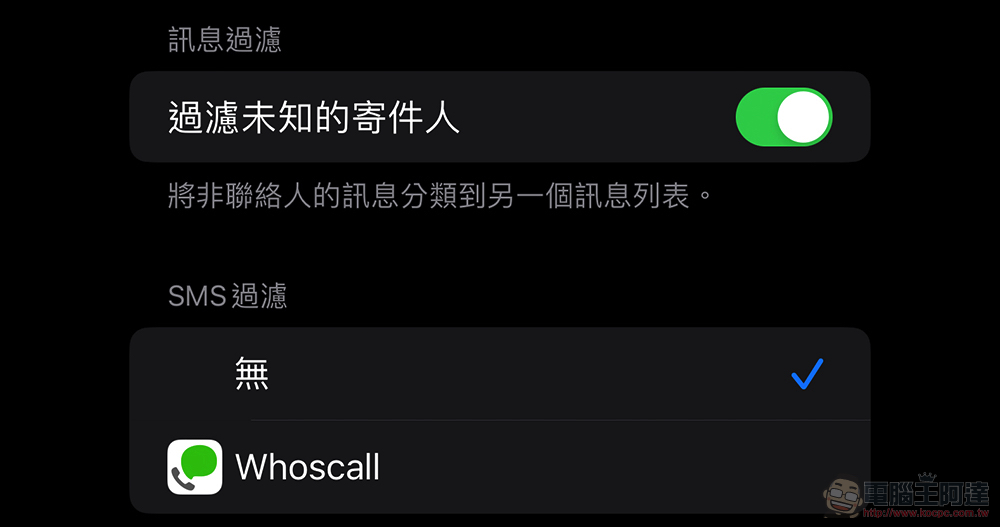
After the iOS 16.2 update, Apple provides a default automatic function that can filter spam for the iMessage messaging service, especially for users in Taiwan, Hong Kong, Vietnam, Thailand, and Singapore. After updating the system, users who have not previously turned on the “Message Filtering/Filtering Unknown Sender” function in Messages will automatically activate this filtering function and place the filtered spam messages in the “Show Spam” in the “Edit” button in the Messages App.
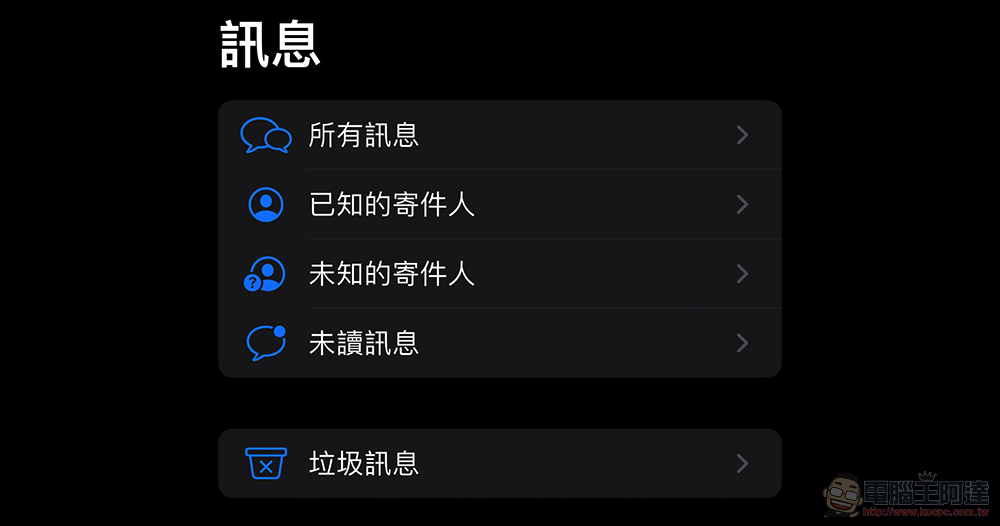
So everyone needs to know that after updating to iOS 16.2, some messages that are considered spam will not only be classified separately, but will also not be able to be replied to directly – unless you select “Not Spam” and “Remove from Trash” for the message. Since these messages will be automatically deleted after 90 days, it is recommended that you occasionally click “Show Spam” or browse the “Spam” category to see if there are any accidentally clicked messages.
Since iMessage has the feature of sending free messages to phone numbers and account names, and the number of Apple users is really huge, it naturally becomes a huge target. When we were targeted by spam messages in Taiwan before, many people were indeed very unhappy with the content of messages that were mixed with marketing advertisements and malicious fraud. It even led to government agencies issuing announcements advising Taiwanese users to turn off the iMessage messaging function.
This phenomenon is also expected to end after the official launch of the automatic detection of potential iMessage spam function in iOS 16.2. I wonder if you have received iMessage scam messages recently? At least based on my experience, I almost never see it again. I believe that for most people, they can continue to use the various good functions of iMessage with peace of mind.
Further reading:
Source: KOCPC Chinese