


In response to the need to work and study from home due to the epidemic, many people have purchased laptops. Usually after two years of use of a laptop, the performance and battery life of the laptop are often far worse than before, which makes users quite troubled. Among them, unlike mobile phones that have cheap power banks that can be used in emergencies, if the battery life of laptops drops without warning, you have to quickly find a place to charge, which is often confusing.How to check the battery health of your Windows OS laptop? The following is an explanation of how to self-check the battery health of laptops with WIndows 10 and later versions:

To check the health of the laptop battery, in addition to downloading third-party software to check, Microsoft has a built-in way to check the battery status since Windows 10. With simple steps, you can see the current maximum capacity of the battery and the factory designed maximum capacity. By dividing the two, you can easily understand the health of the laptop’s battery. The following are the steps and methods for checking the health of the built-in battery on laptops after Windows 10:
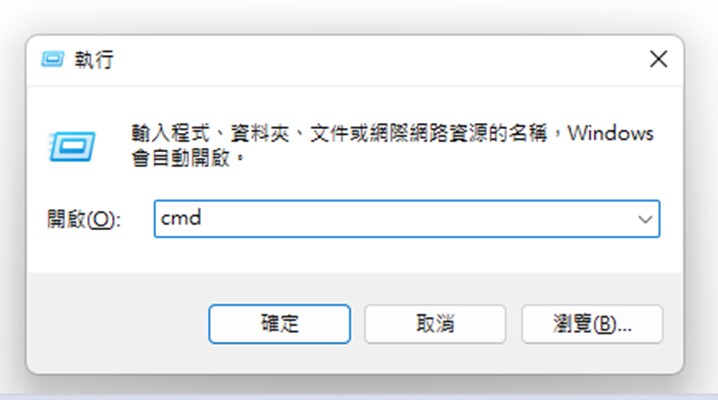
1. Press the [Window] key + [R] key at the same time:

2. Enter “cmd” and press [OK]:
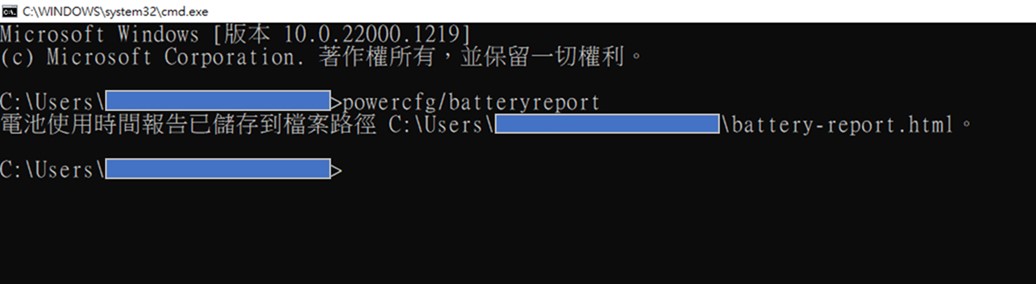
3. Enter “powercfg /batteryreport” and press [Enter] to obtain the specified file path of battery-report (C:\Users\***.***\battery-report.html)
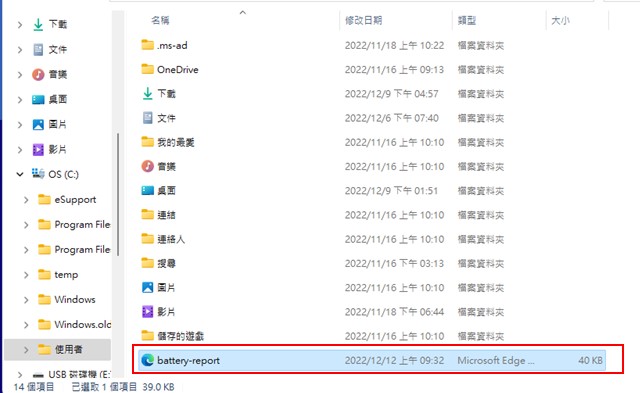
4. Go to the specified C-slot file path of the laptop and click “battery report”.
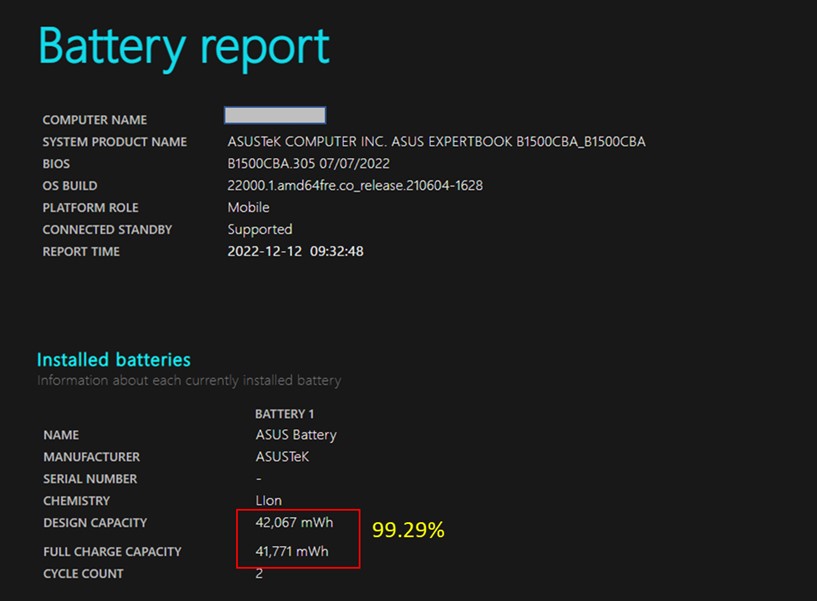
5. Check the battery’s current capacity (Full Charge Capacity) and factory maximum capacity (Design Capacity):
Current capacity (Full Charge Capacity) divided by the factory maximum capacity (Design Capacity),that is[battery health].If the battery health is lower than 80%, It is recommended to replace the laptop battery. If the laptop is only used as a desktop computer, Because the laptop is plugged in and used, it directly uses the power source of the charger., battery performance does not affect use,It is not necessary to replace the battery.
Source: KOCPC Chinese