


Many people now use AI agent tools like Codex, Claude Code, and Cursor every day. Some just occasionally ask them to write small programs, but others keep them running all day, letting them read projects, run commands, fix bugs, and even remotely operate computers at any time. However, Codex was recently found to have a fairly serious issue: users discovered that it silently writes large amounts of data to the SSD in the background, and it’s not a small increase—within 21 days, the write volume reached about 37TB. At this rate, the SSD’s warranty-rated write endurance could be exhausted in less than a year.
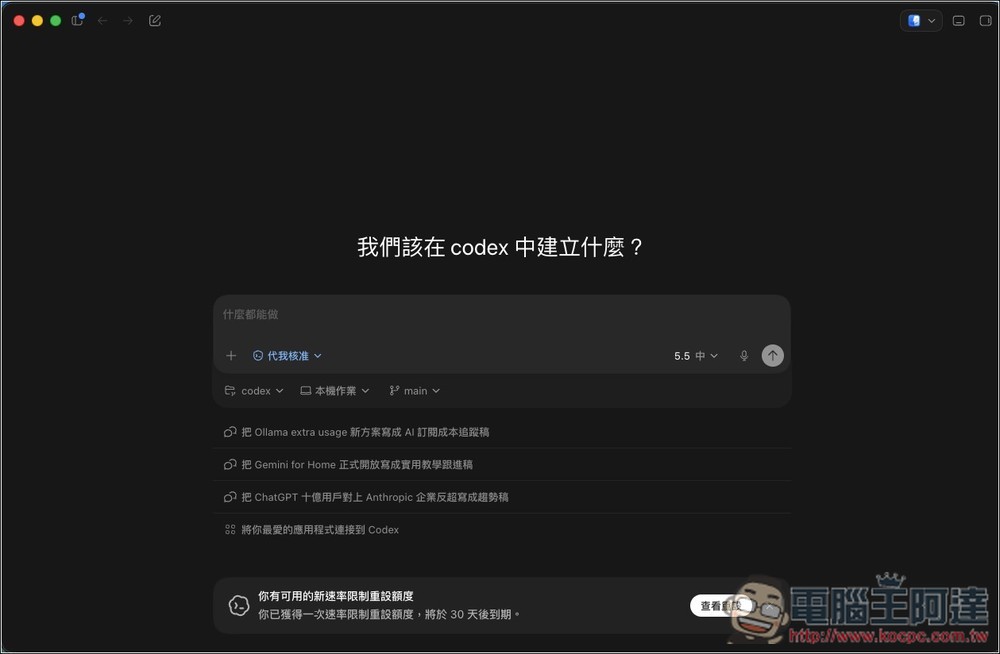
Users found Codex continuously writing local logs in the background, accumulating about 37TB over 21 days.
According to foreign media reports. NotebookCheck reported that GitHub users 1996fanrui recently reported in an OpenAI Codex GitHub issue.he found that his computer’s SSD write volume was unusually high, and after further investigation, the main source was suspected to be a log database generated locally by Codex.
He traced the issue from the system level to find out which program and which file were continuously writing. He eventually found that the local log database under Codex was the main source of the continuous write activity. The related files are located in the ~/.codex/ folder, such as logs_2.sqlite and other files used with SQLite:
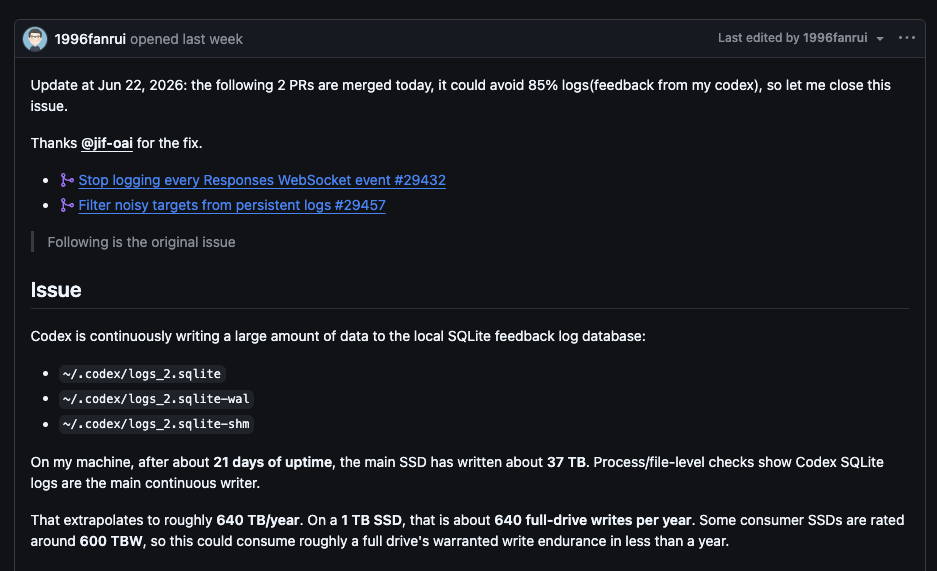
This is Codex logging some diagnostic information locally, so it’s easier to debug or report issues later.
Generally speaking, it’s normal, since many apps write logs. But Codex’s issue is that it logs too much and too often, including lots of details average users never need—like TRACE, WebSocket, SSE, and the like.
According to 1996fanrui’s description, his computer has been running continuously for about 21 days, and the main SSD has already accumulated roughly 37TB of writes. At this rate, that works out to approximately 640TB over the course of a year. Some 1TB consumer-grade SSDs carry a warranty write endurance of around 600TBW, which means if this situation persists, the SSD’s rated TBW warranty endurance could be exhausted in less than a year.

Of course, this doesn’t mean every Codex user will encounter the same level of write volume. The 37TB figure was an individual case he observed, and 640TB is the annualized number calculated based on that case’s rate. Actual situations can vary depending on usage habits, version, and operating system; some people may not experience this issue at all.
However, because this figure was so shocking, the article immediately sparked heated discussion after its publication, and many heavy users began to worry about the lifespan of their SSDs.
The good news is that OpenAI has also noticed this issue, and the issue has been closed. In an update, the author also noted that two related PRs were merged that day; based on his own Codex feedback, they would reduce log writes by roughly 85%, which is why he decided to close it.
Additionally Codex 0.142.0 ChangelogIt also notes that OpenAI listed this under Chores, explaining that persistent log writes have been reduced by no longer recording the payload of each WebSocket event and by filtering out duplicate diagnostic data.
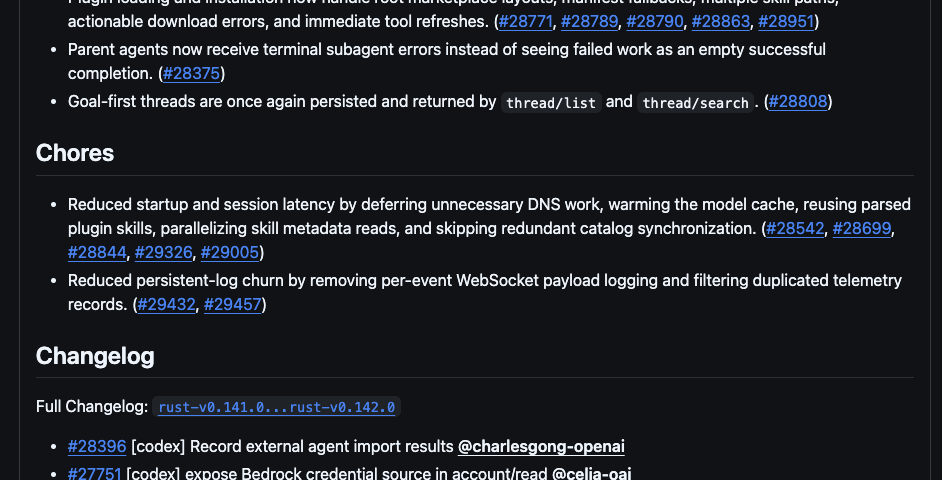
However, it’s worth noting that even after the Issue was closed, some Windows and macOS users still reported that the latest version continues to write SQLite logs continuously, so OpenAI may still need to make further improvements.
How can users ask Codex to self-check?
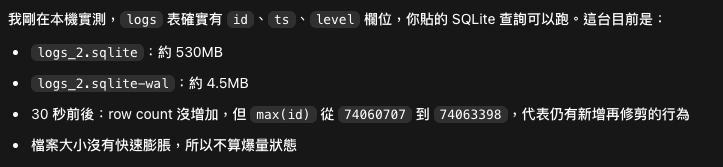
If you’re also worried that your Codex might have similar issues, you can ask Codex to check it for you, or run the following command in your terminal:
ls -lh ~/.codex/logs_2.sqlite ~/.codex/logs_2.sqlite-wal ~/.codex/logs_2.sqlite-shm 2>/dev/null
du -sh ~/.codex ~/.codex/sessions ~/.codex/logs_2.sqlite 2>/dev/null
sqlite3 ~/.codex/logs_2.sqlite "select count(*), sum(case when level='TRACE' then 1 else 0 end), max(id), datetime(min(ts),'unixepoch','localtime'), datetime(max(ts),'unixepoch','localtime') from logs;"
If you want to see whether it is growing rapidly, you can do a 30-second before-and-after comparison:
before=$(sqlite3 ~/.codex/logs_2.sqlite "select count(*)||'|'||sum(case when level='TRACE' then 1 else 0 end)||'|'||max(id) from logs;"); echo $before; sleep 30; after=$(sqlite3 ~/.codex/logs_2.sqlite "select count(*)||'|'||sum(case when level='TRACE' then 1 else 0 end)||'|'||max(id) from logs;"); echo $after
The key point isn’t whether TRACE exists, but whether files are growing rapidly, the WAL keeps expanding, or Codex is still writing heavily while idle. If logs_2.sqlite If it’s only a few tens of MB and WAL is just a few MB with no growth in a short time, there’s usually no need to worry. Conversely, if WAL is already a few GB, tens of GB, or keeps growing over several minutes, it needs to be addressed.
What should you do when you actually face a surge?
The first step is to close Codex Desktop, Codex CLI, VS Code / Cursor, and any other programs that might launch the Codex extension, and make sure no stale process is still holding the WAL file:
ps aux | egrep 'codex|app-server|SkyComputerUse|node_repl|cua_node' | grep -v egrep
lsof -nP +L1 | grep -i codex
If you see something that has been deleted logs_2.sqlite-wal If they’re still being held open by Codex processes, gracefully close those Codex sessions first; terminate any stale processes if necessary. Otherwise, even after deleting the files, the disk space may not be reclaimed.
The second step is to back up first, then process the SQLite log:
mkdir -p ~/.codex/log-backup
cp ~/.codex/logs_2.sqlite* ~/.codex/log-backup/ 2>/dev/null
If it’s simply because the file is too large, and Codex has been completely closed, you can move the old log away and let Codex rebuild it on next launch:
mv ~/.codex/logs_2.sqlite ~/.codex/logs_2.sqlite.bak-$(date +%Y%m%d-%H%M%S)
rm -f ~/.codex/logs_2.sqlite-wal ~/.codex/logs_2.sqlite-shm
Some people online also suggest that for logs Add a SQLite trigger to the table to directly block new log inserts:
sqlite3 ~/.codex/logs_2.sqlite "CREATE TRIGGER IF NOT EXISTS block_log_inserts BEFORE INSERT ON logs BEGIN SELECT RAISE(IGNORE); END;"
Important:This is a hack, not a formal fix. It may break Codex’s local diagnostics, error reporting, or some internal state tracking. So unless you’ve already confirmed that WAL is ballooning or disk space is being eaten up quickly, it’s not recommended to apply this as a first step.
Source: KOCPC Chinese