


The recent AI image generation craze has sparked again, especially retro, heartwarming hand-drawn styles like the “Ghibli style.” They’re not just flooding social media feeds—even many illustrators and creators have joined in on the trend. Although ChatGPT now has built-in image generation, free users are limited to only 3 images per day, and some people often get stuck at the very first step. Don’t worry—today I’m sharing a method that requires no VPN and no ChatGPT account. All you need is the Microsoft Edge browser and a free extension called “DeepSider,” and you can easily create AI images full of Ghibli vibes!
The overall workflow is quite intuitive—from installing the extension, registering an account, choosing an art style, to entering prompts, everything can be done in just a few steps. It’s perfect for beginners who want an easy introduction to AI image generation. If you’re also a Ghibli fan and curious about AI art, this tutorial is definitely worth bookmarking!
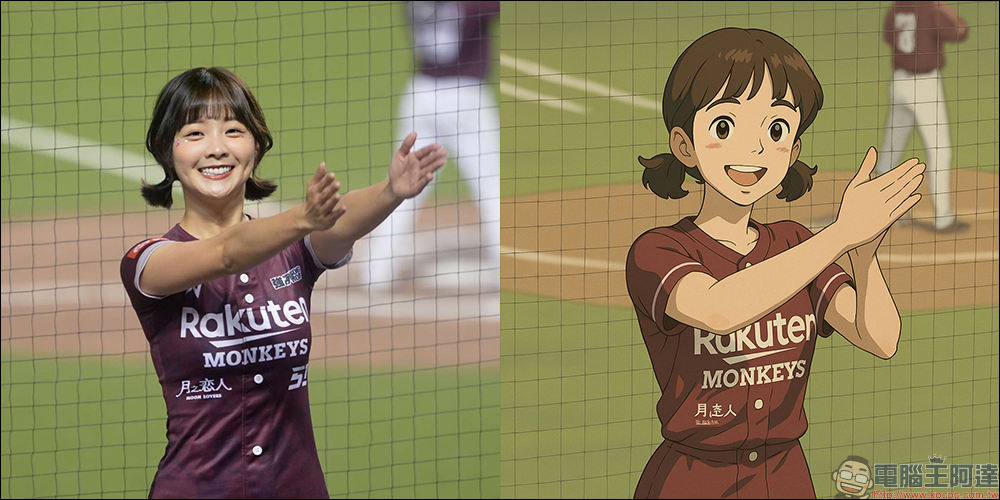
No ChatGPT account needed! Complete guide to easily generate Studio Ghibli-style images with one click — you can even play with it using the Edge browser!
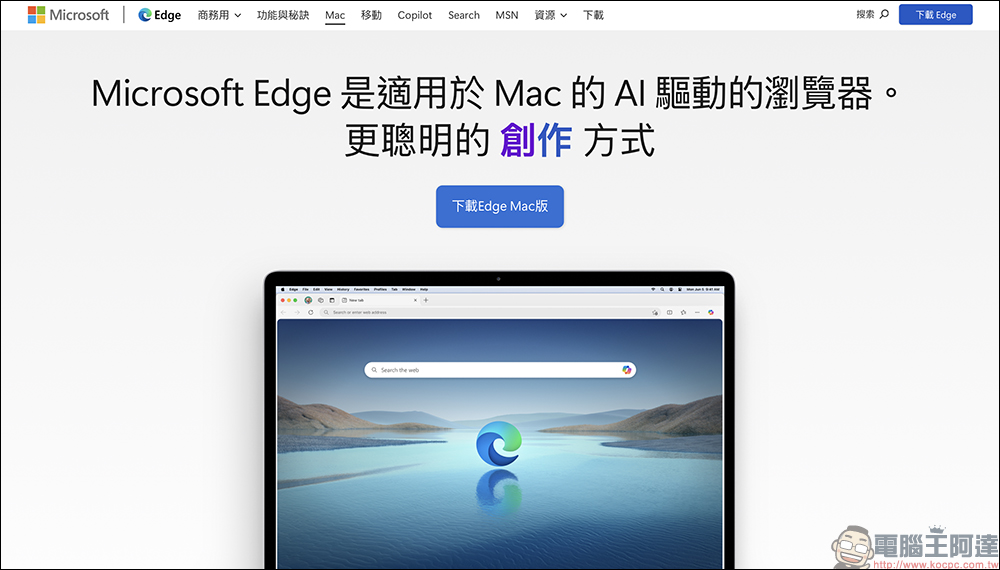
Whether you want to try out AI image generation in a “Ghibli” style or other styles, what you need now isn’t a high-end graphics card or ChatGPT Plus—you just need Microsoft’s own Edge browser. The AI image generation method introduced here works through DeepSider, an AI extension that currently only supports running in the Edge browser. If you haven’t installed it yet, you can head straight to the official download page to install the latest version of Edge.
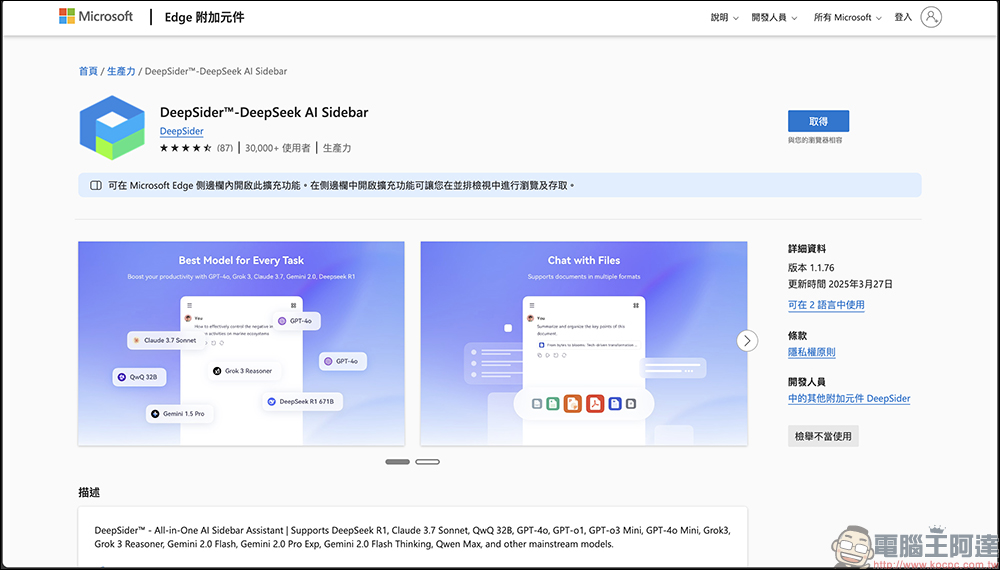
After installation, please go to the DeepSider official page to download and enable this browser extension, and then you can start registering and setting up!
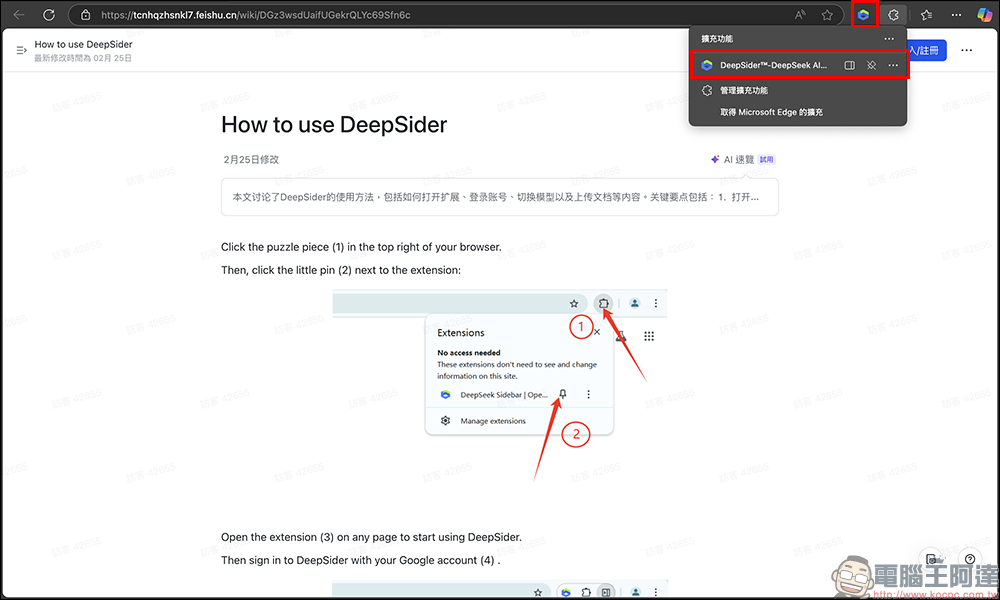
After enabling the DeepSider extension, click the plugin icon in the top right corner and the interface will pop up.
In the bottom right corner, there is a person icon. Click it to start the account registration process. Note that DeepSider currently only supports QQ email login. Although you can also link a Google account, the login process may sometimes require a verification email or a temporary password, so please make sure your email inbox can receive messages normally.
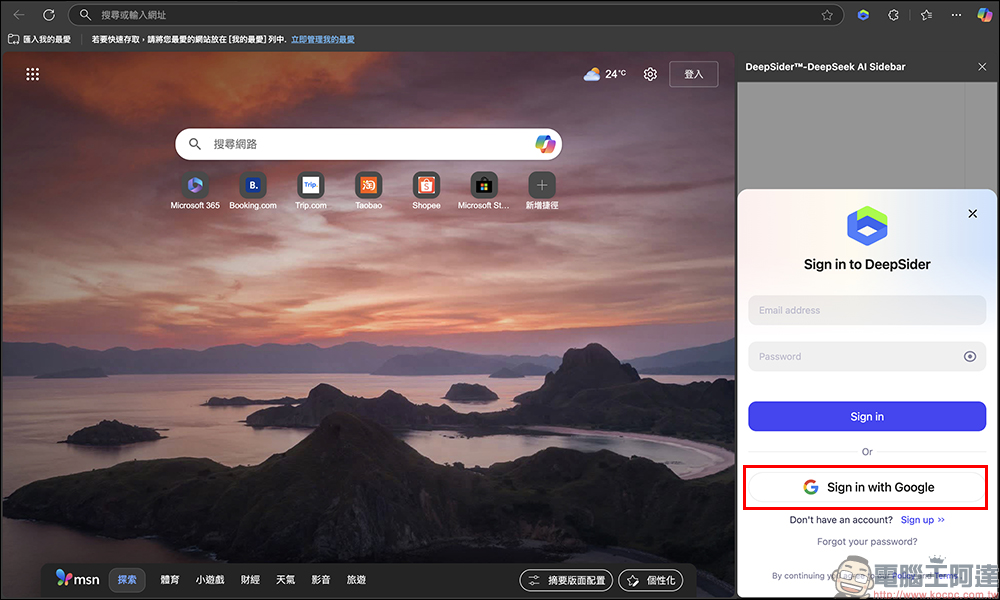
Once everything is ready, you can enter the main screen. You will see the currently used model displayed in the lower-left corner of the interface, which defaults to “DeepSeek”.
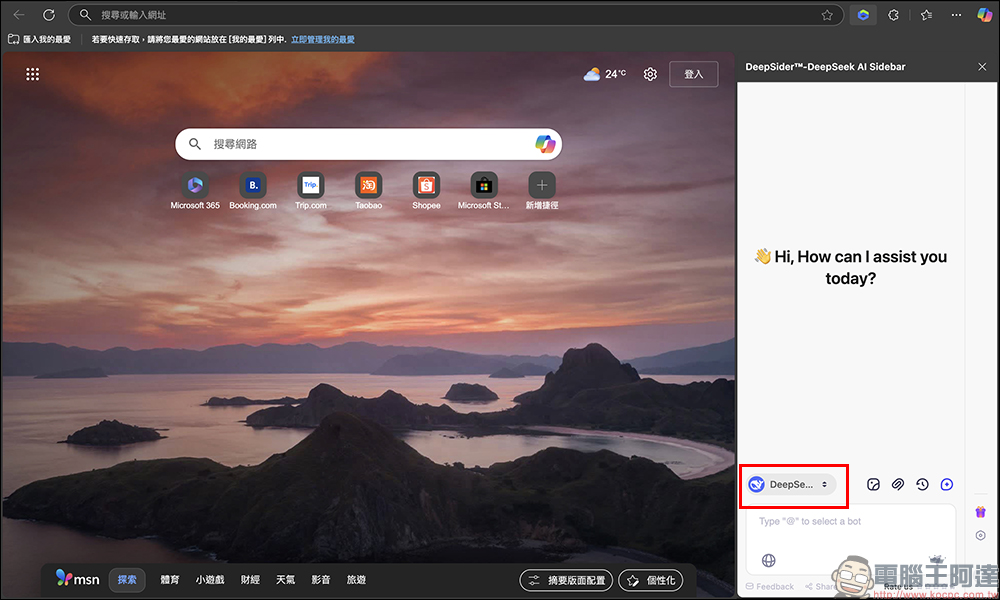
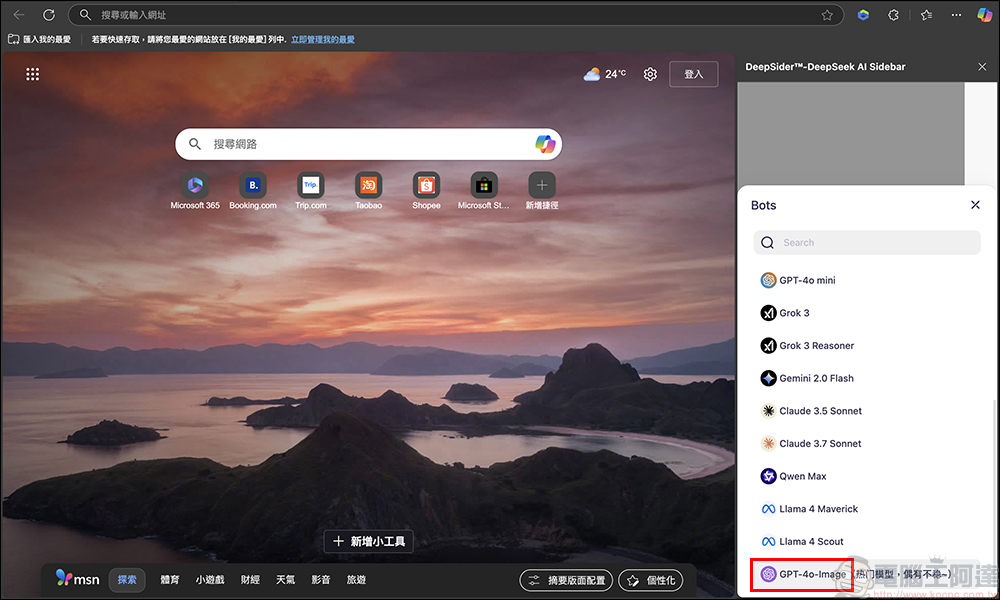
We need to click this field, then scroll all the way to the bottom, and switch to the latest “GPT-4o” model.
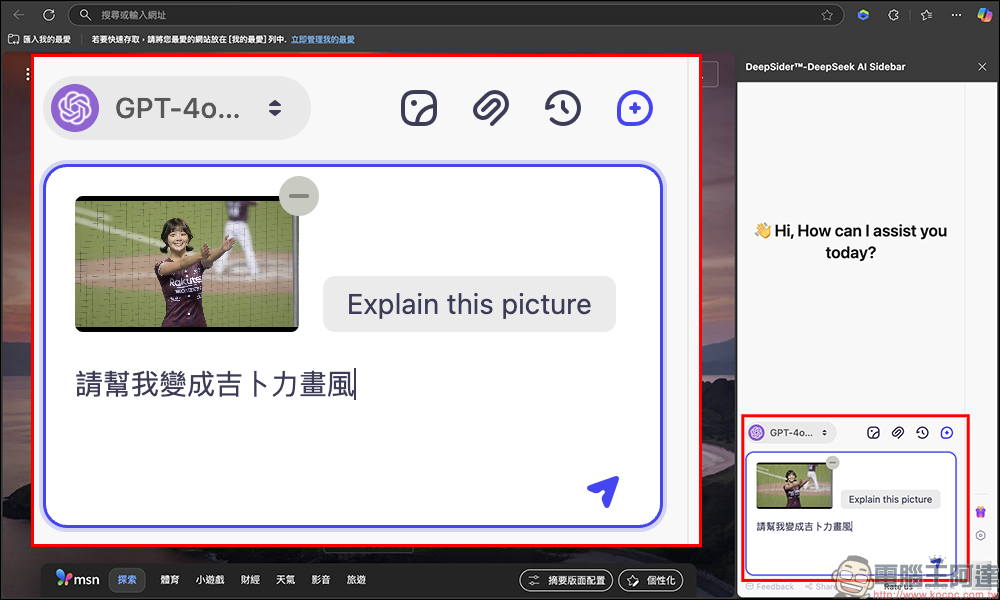
At this point, click the image upload button on the screen and select the image you want to convert to upload. Then enter the prompt: “Please turn this into Ghibli art style,” and click send to proceed to the next step.
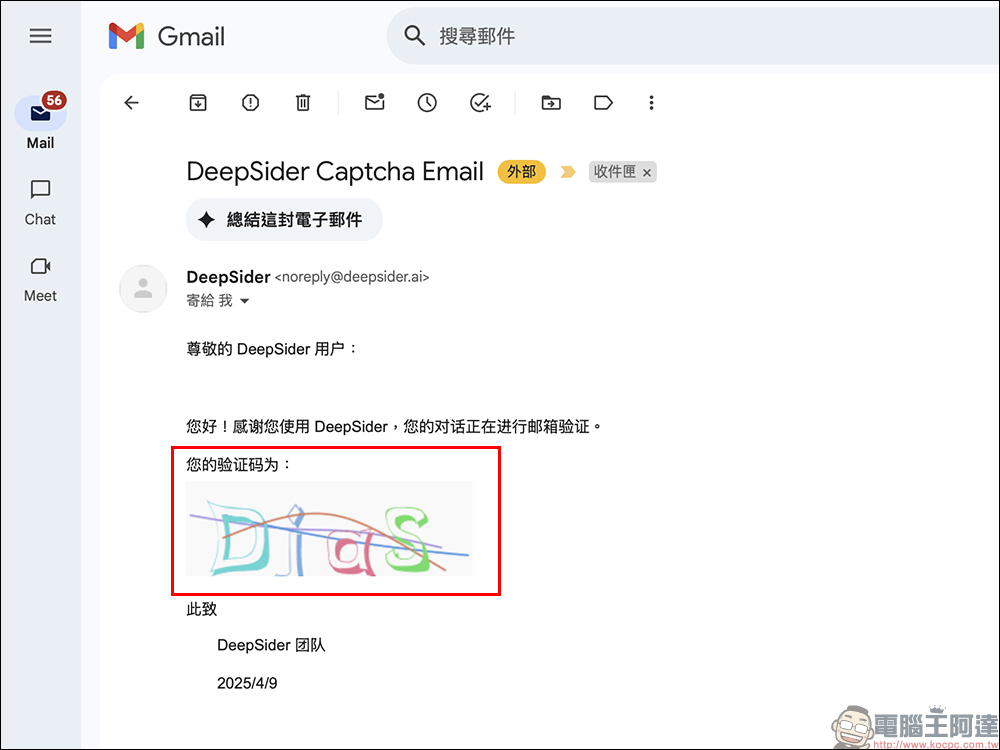
When generating images, DeepSider will send a confirmation email to the address you registered with, and it will include a verification code. Be sure to open your email and enter the code to activate the image generation feature—otherwise, the system will stay stuck waiting. While this is a bit of an extra step, the overall process is actually quite smooth, and there’s no need for a VPN or overseas account, which makes it very user-friendly for people in Taiwan.
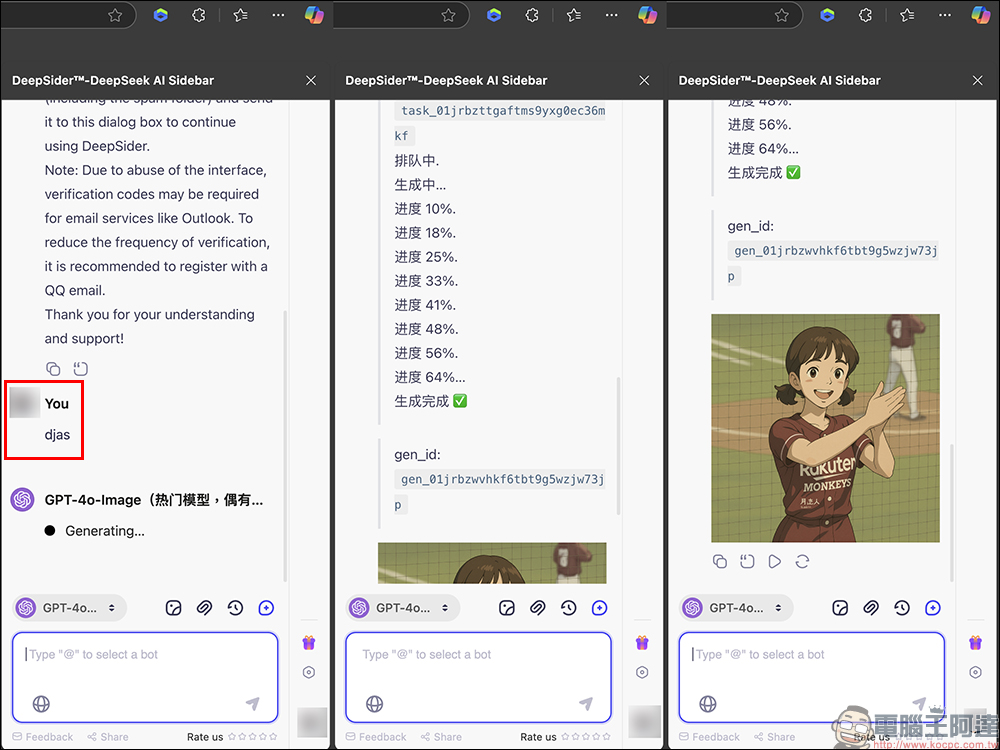
The system will show the generation progress. Usually, you just need to wait 1–2 minutes, and the image will appear in the chat box!
DeepSider’s free account currently provides a quota of 10 image generations per day and 50 per month. While it doesn’t allow unlimited output like some paid platforms, it’s more than enough for those who want to play around with style transfers or practice writing prompts on a daily basis. Additionally, it has an “invite code system” – you can invite friends to use DeepSider, and for each successful referral, you earn extra generation credits, much like an invite reward system in games.
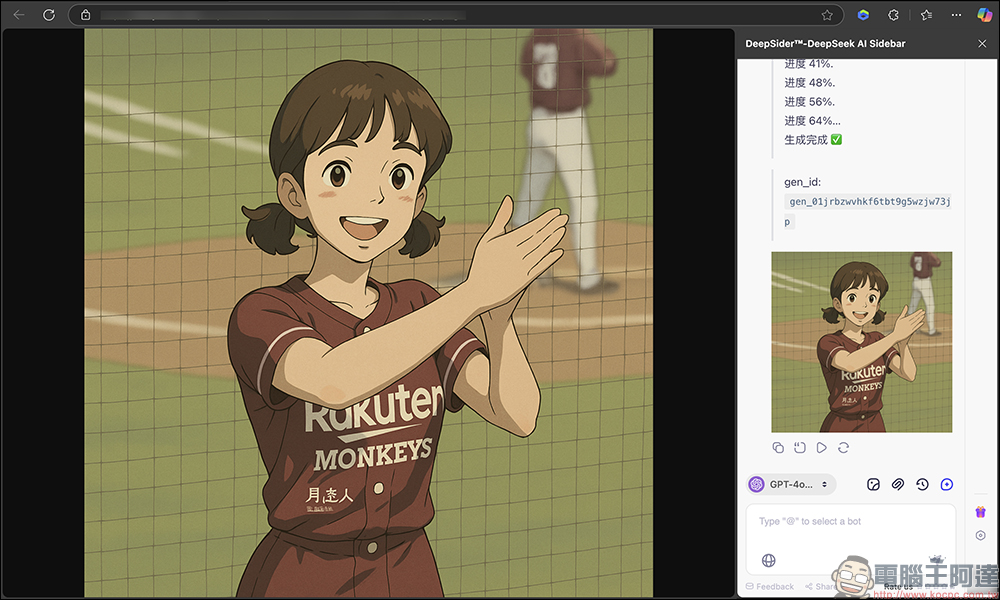
The only slight downside is that DeepSider currently only supports generating 1:1 square images, so no matter whether your original image is portrait or landscape, the final output will always be square. If you’re planning to use it as an IG avatar or LINE profile picture, it’s still suitable, but if you want it as a wallpaper or poster, you may need to manually crop or edit it further.
However, for a free service, being able to reach this level is already quite impressive. For beginners new to AI images, this is a very worthwhile starting point to try.

Conclusion
Whether you’re a die-hard Ghibli fan or just starting out with AI image generation, DeepSider is a simple and practical tool. The overall workflow is straightforward and intuitive, there’s no need for a VPN, and you don’t have to worry about the high barrier of ChatGPT Plus. As long as you’re willing to give it a try, generating 10 Ghibli-style images a day is totally doable!
If you already enjoy sharing illustrations or creative work on IG, Threads, or Facebook, why not try tossing your own photos or pet pictures into the mix? You might just stumble upon a whole new source of inspiration. Plus, a lot of platforms are now encouraging users to create across different formats, so having AI tools like this on your side can really make things twice as efficient with half the effort. Don’t forget to share this tutorial with your friends so you can all join in — and together, paint your very own “Ghibli Universe”!
Source: KOCPC Chinese