


Recently, everyone’s Facebook graffiti walls, groups, Instagram, and even Twitter must have been washed by “AI painting”, right? That is, three AI painting pictures of different styles are extended from the original photo. If you want to play with it but don’t know which app it is, this article will tell you and quickly explain how to use it. It is very simple and completely free. It is available on iOS and Android.
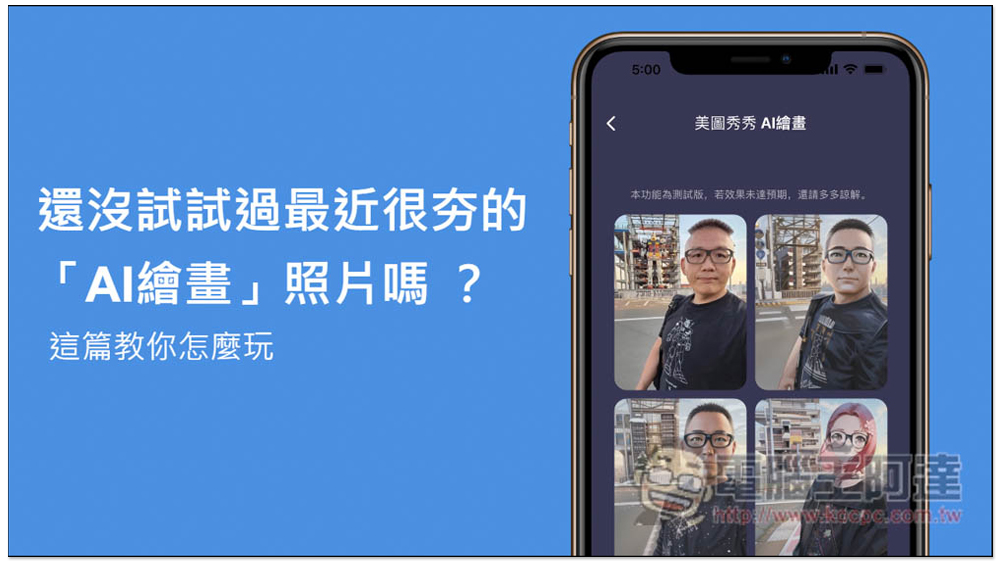
Haven’t you tried the recently popular “AI Painting”? This article teaches you how to play
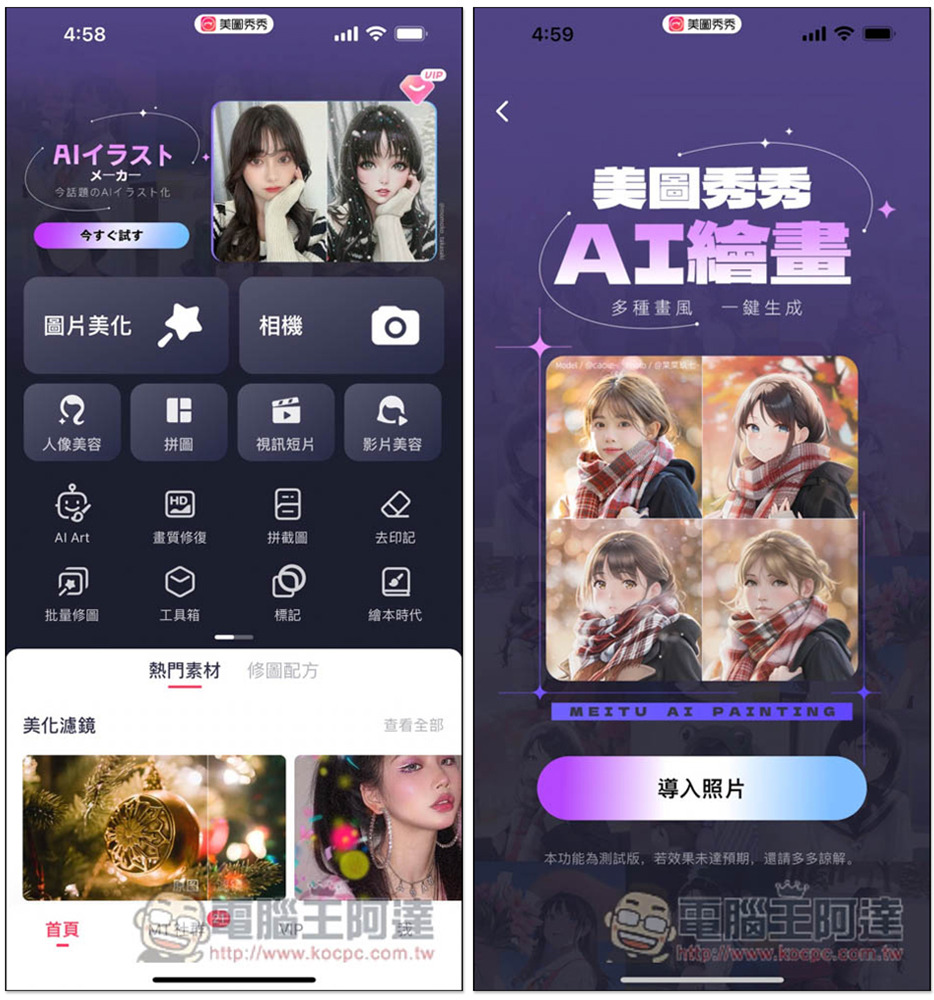
The AI painting function that is very popular recently is “Meitu Xiu Xiu”. This is a free app. After downloading and installing it, open it. “You will see the AI painting option at the top of the homepage. I am in Japan, so the top part displays Japanese, but when you click on it, it will be in Chinese.” Then click “Import Photos” below:
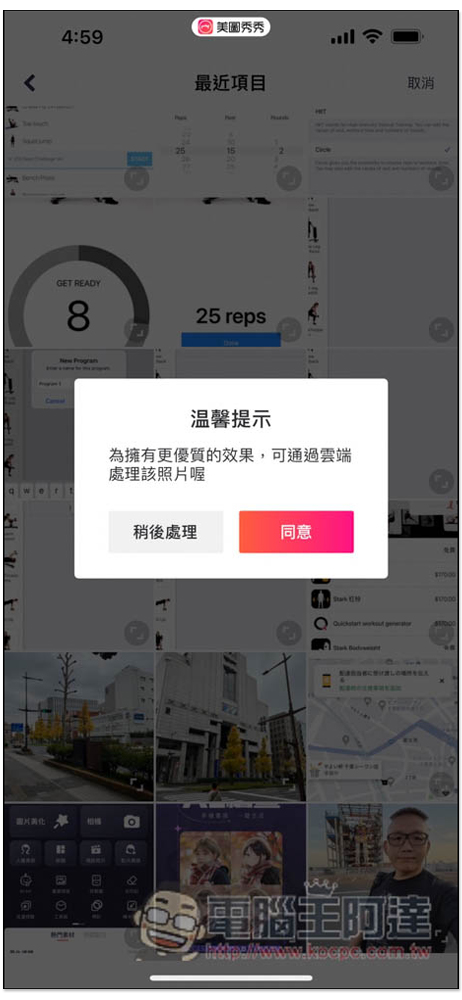
This message will pop up for the first time. It is recommended to process it in the cloud. If there is no problem, click Agree, and then select the photo you want to process:
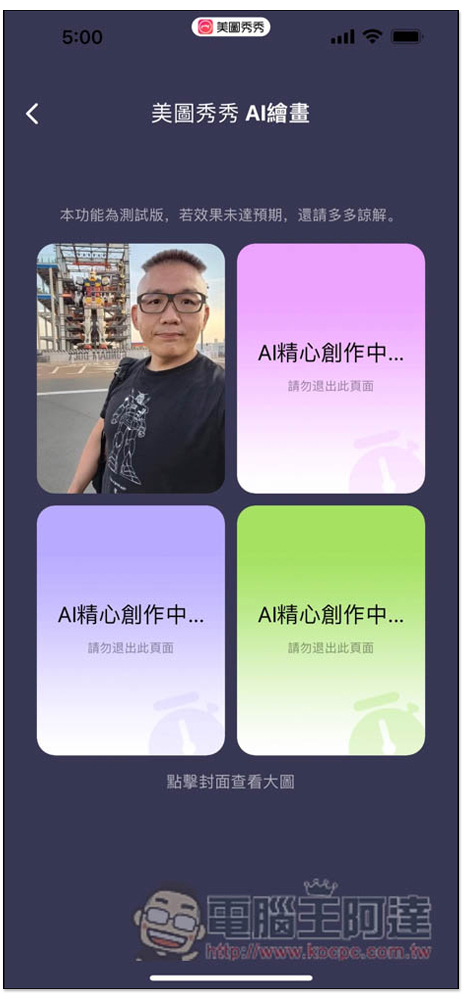
Then the creation will start. There are three pictures in total. The processing time is not long, about ten seconds. In addition, there is also a note above that “This function is a beta version. If the effect does not meet expectations, please forgive me.” Sometimes the pictures that come out may not be as good as others:
In addition, if a message “There are too many people to process, please wait…” appears, click Retry and it will be processed again:
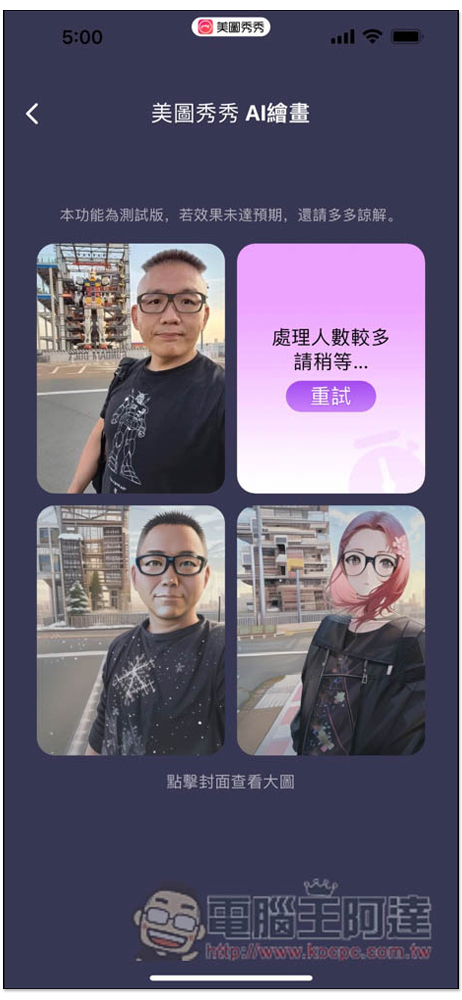
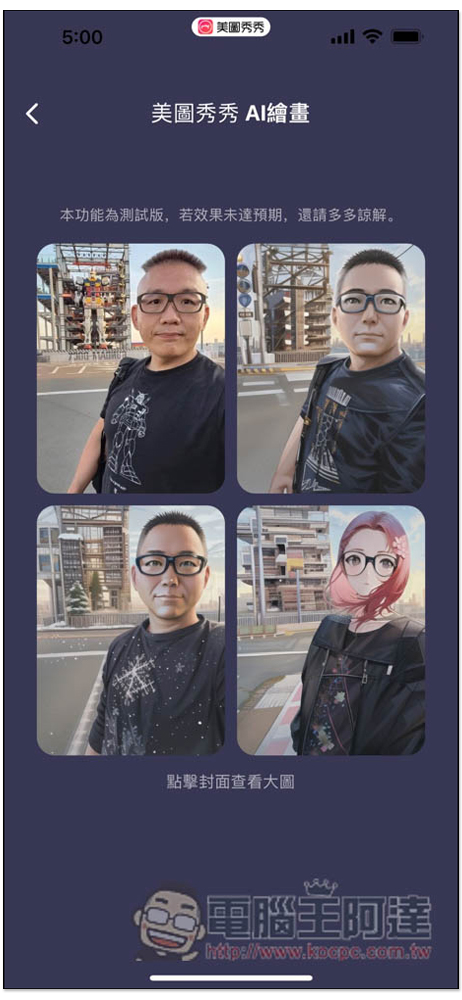
Then you will get all the pictures. The lower right part seems to have a very feminine style. Even Ada has become a girl (laughs), and she has red hair. In addition, I have also tested using the same photo to redraw the AI drawing once, and the three images obtained are the same. Therefore, if you are not satisfied, you can only try other new photos:
Each image can be expanded to view as a large image. If you like it, click “Save Image” below and it will be saved to the mobile phone album:
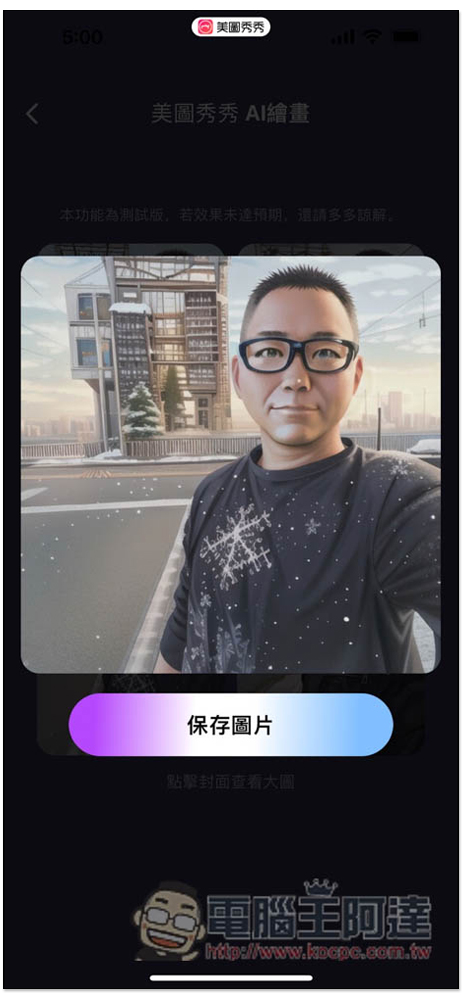
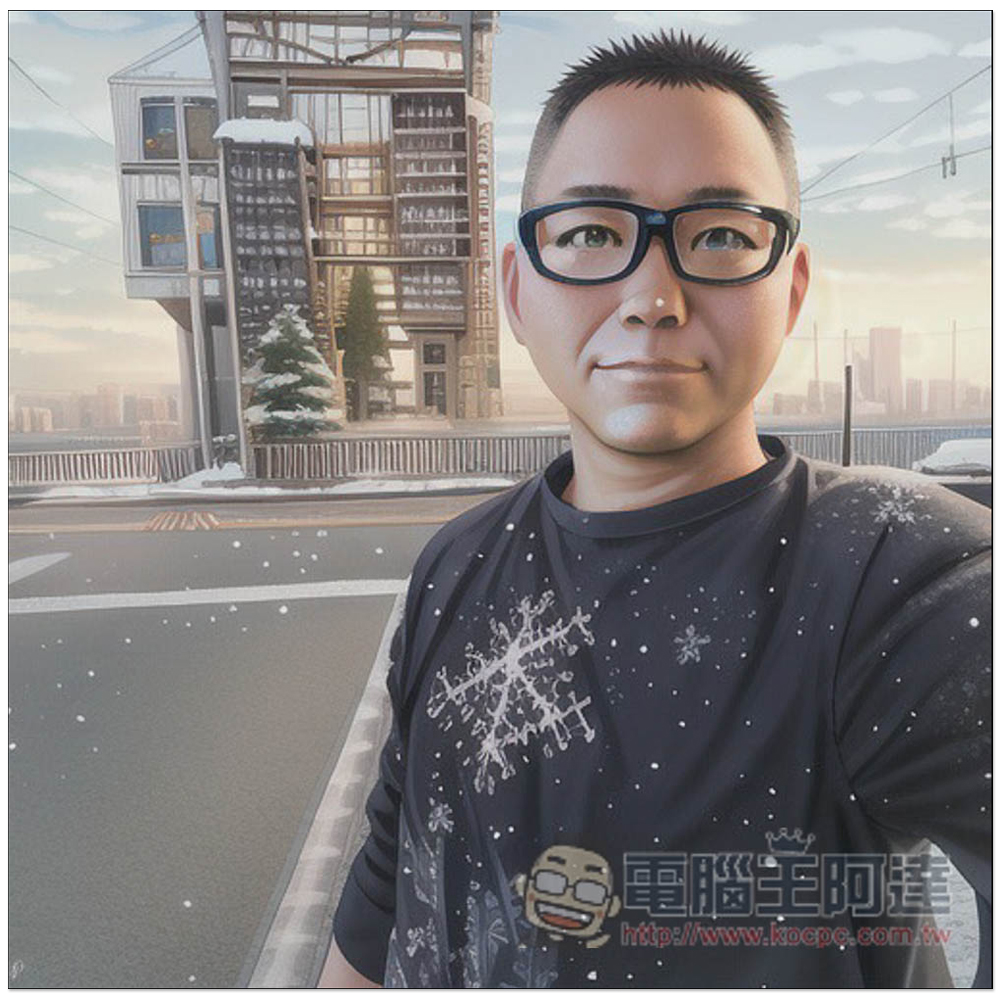
It looks really dreamy, even the steel bullets at the back are gone, it turns into a building that looks like a financial management cartoon, and the weather even turns to snow. , the most important thing is that there is no watermark:
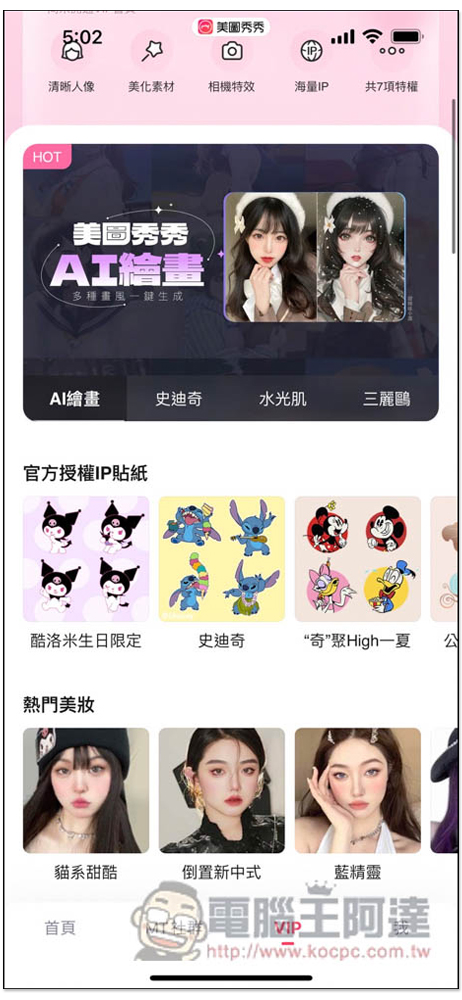
In addition, AI drawing can also be found in the VIP menu at the bottom. I am not sure whether it will be charged in the future. Friends who want to play it should try it now:
Meitu Xiuxiu is a powerful photo retouching software. In addition to the AI photo retouching introduced in this article, it also supports five major modes, including: “Portrait Beauty”, “Beautify Pictures”, “Creative Picture Play”, “Video Editing” and “Style Selfie”.
Some functions are free, and some are only for paid members. The following are the main features of each mode:
portrait beauty
- Facial Reshaping: Adjust facial features with one click
- Style beauty: natural and perfect makeup
- Skin whitening: Intelligent adjustment of clear skin texture
- Face and body slimming: Easily slim your face, slim your waist and slim your legs
- Microdermabrasion and wrinkle removal: create age-defying flawless skin
- Heightening and shaping: Long legs and a good figure like a supermodel
Beautify pictures
- Color grading: professional and detailed brightness, color temperature, and detail adjustment
- Style filters: Over 100 themed filters to improve the quality of beautiful photos
- Delete Pen: Easily eliminate all clutter and passers-by
- Border Puzzle: Multi-characteristic borders for you to play with
- Text stickers: massive fonts & stickers, freely match
- Graffiti pens: Various graffiti brushes to express your creativity
Creative play pictures
- Beautiful picture formula: easily apply popular formulas with one click
- Remove background and cut out images: intelligently remove background and quickly replace interesting backgrounds
- Magic Photo: Make still photos move
video editing
- Basic editing: video editing functions such as splicing/speed changing/cropping
- Video decoration: style filters, stickers and borders are all available
- Special Effects Transition: Apply eye-catching video effects with one click
- Video Beauty: After filming, you can easily retouch your videos in post-production
- Soundtrack & Materials: Create your own style of work
style selfie
- AR Cute Photo: Various fun and fun AR, allowing you to take selfies as much as you like
- Camera filters: multiple filter tones to easily create your own style
- Instant beauty repair: Take the photo and repair it immediately, making you beautiful and dazzling
Source: KOCPC Chinese