


Does everyone still remember when a Chinese startup recently claimed to have launchedThe world’s first general-purpose AI assistant, Manus Have you heard the news? Manus can automatically control your computer to perform actions like web searches and information gathering, making many people eager to try it. However, since its launch, Manus has remained in closed beta, requiring an invitation code to experience its services, and now it’s also charging fees that aren’t exactly cheap. But that’s okay—China’s Zhipu AI has launched two new offerings for its conversational language model Zhipu Qingyan: a new model called “Deep Thought” and an AI Agent called “AutoGLM Deep Thought.” As an AI Agent, AutoGLM can autonomously control your computer to help you accomplish what you want to do, and the best part is that it’s completely free. Today, I’ll show you how to use Zhipu Qingyan’s new AutoGLM feature for free.
China’s Zhipu Qingyan AI Agent “AutoGLM Contemplation” Debuts! Capable of Automatically Handling Search, Summarization, and Hotel Booking Assistant Tasks
Chinese AI company Zhipu AI has launched two new products for its assistant Zhipu Qingyan: a new model called “ChenSi” and an AI Agent called “AutoGLM ChenSi.” The ChenSi model can respond to open-ended complex questions, reasoning while searching the web, and summarizing long-form reports. But the AI Agent “AutoGLM ChenSi” is the focus of today’s discussion. AutoGLM ChenSi can mimic human thought processes and autonomously handle the entire process from data searching and analysis to generating reports. This might be hard to understand, so let’s demonstrate below what AutoGLM ChenSi can actually do.
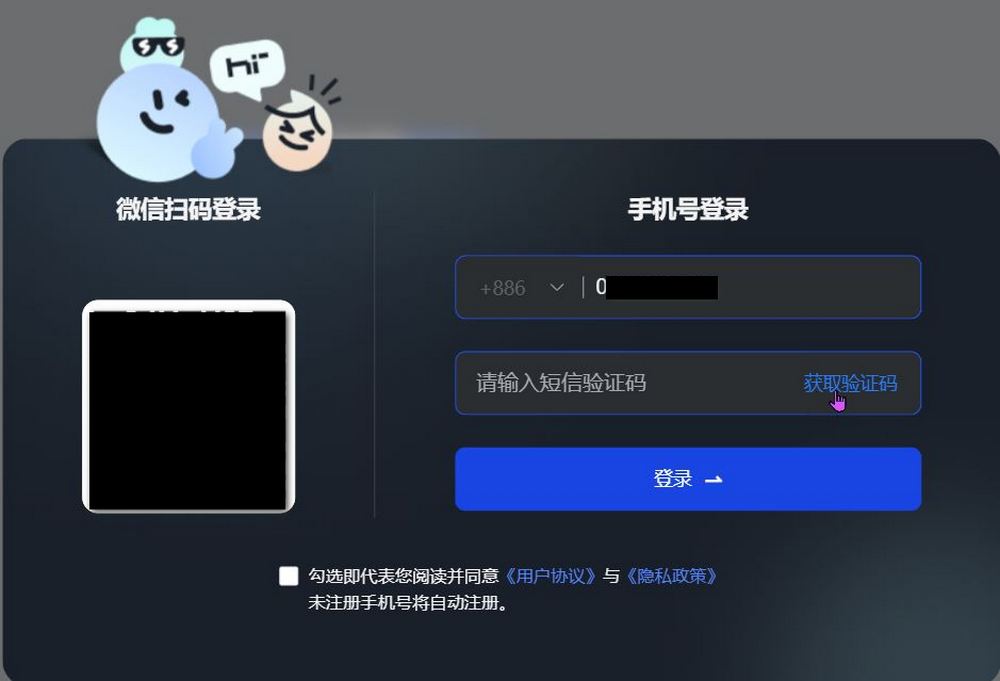
Before we start, we need to firstRegister as a Zhipu Qingyan memberYou can also register with a Taiwan phone number! After registering, we’ll add AutoGLM 沉思 to the Chrome extension, so you can experience AutoGLM 沉思’s services on Chrome. A link is provided below; you can click it directly to join. Note that Zhipu Qingyan is a Chinese AI tool. If you have concerns, please use it with discretion.
Go to the Chrome Web Store to add AutoGLM Contemplation.

After adding, remember to pin it for easier use. Next, click the Zhipu Qingyan extension and this screen will pop up; click “Advanced Mode,” then enter your request.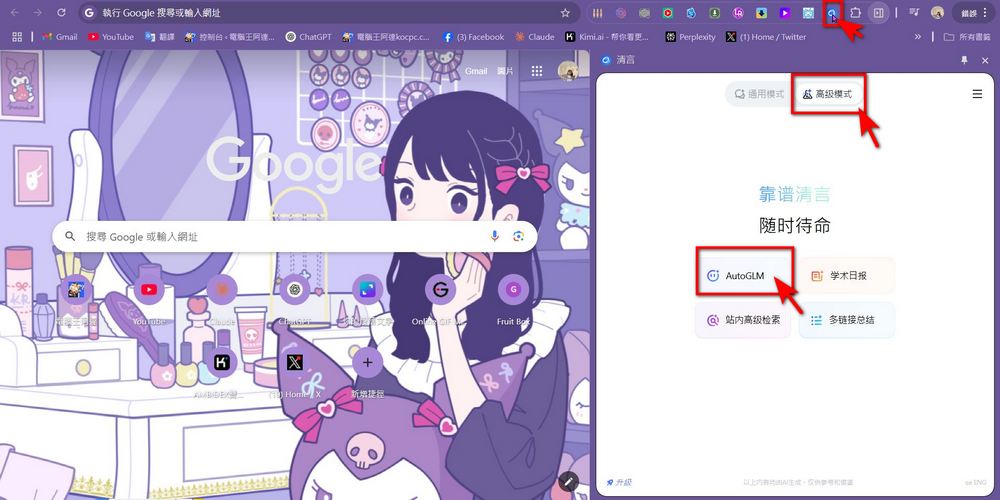
Earlier, it was mentioned that AutoGLM 沉思 is positioned as an AI Agent, so users only need to input their needs, and AutoGLM 沉思 can autonomously operate your computer to complete the tasks. For example, when the editor asked AutoGLM to “go to the 電腦王阿達 website and search for recent reports about ChatGPT,” AutoGLM would operate the computer by itself, go to the 電腦王阿達 website, and search for the keyword ChatGPT. As shown in the video below:
AutoGLM can also help you consolidate multiple links. Click on “Multi-link Summary,” then select the articles you want AutoGLM to summarize, and click send. After reading all the articles, AutoGLM will summarize the article information you requested.
You can also have AutoGLM book a hotel for you—just tell AutoGLM your travel dates, destination, and hotel preferences. AutoGLM will then handle the usual hotel booking process, from searching booking sites and selecting stay dates to picking a hotel, and it can even go all the way to the payment step before handing it over to you to complete yourself (you probably wouldn’t want an AI spending your money, right?).
The editor also tested asking AutoGLM to find hotels based on reviews and prices, but maybe it was too complex, so AutoGLM crashed halfway through. When using it, if you notice AutoGLM hasn’t taken the next step for too long, you might want to consider starting over. The editor also found that actions performed with AutoGLM are not recorded in Zhipu Qingyan’s history, so keep that in mind!
AutoGLM has many more uses. For those who want to learn more, you canGo to the AutoGLM official website.Zhipu Qingyan provides many demonstration examples. If you don’t know how to use it, you can refer to those. Although AutoGLM is still very slow and prone to crashing right now, at least it’s usable. Everyone can decide for themselves whether they want to give it a try!
Source: KOCPC Chinese