


Nowadays, everyone must have an email. Most people should use the official App directly. I used to do the same. However, as the Yahoo Email App was recently revised and added 5 major functions, I also tried it. Unexpectedly, it is really good, such as one-click unsubscription of advertising letters, super practical navigation bar, easy to find the emails you need, etc. It can be used on five well-known platforms such as Yahoo, Gmail, and Outlook. Here are 8 practical functions that I think are very good and useful for your reference. For friends who are always troubled by the fact that their mailbox space is always full, Yahoo Mailbox also provides a large free capacity of 1TB, so you no longer need to worry about this problem.
Download Yahoo Email App:https://bit.ly/3SPfvdl

8 super practical key functions
1. Not just Yahoo, all 5 major email platforms support it
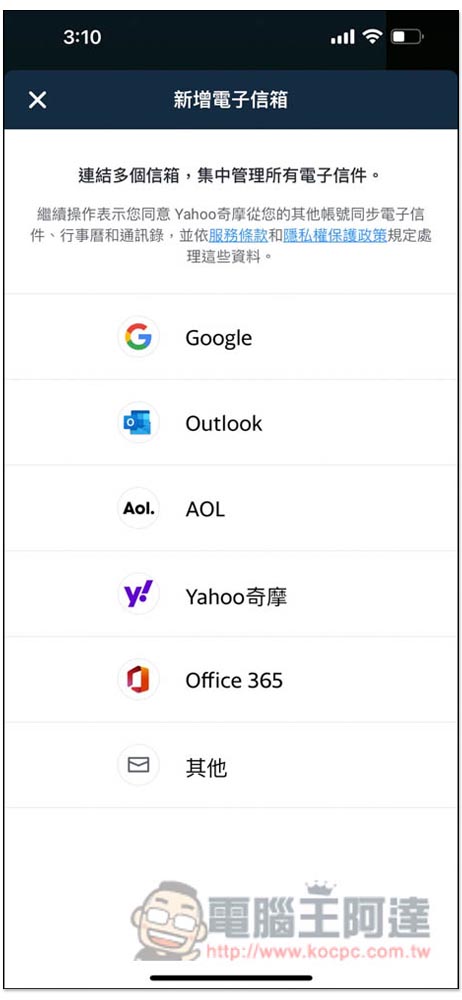
As mentioned at the beginning, many people should be like me and think that the Yahoo Email App can only be used with Yahoo mail accounts. In fact, this is not the case at all. Even if you do not have a Yahoo Mail account, you can still use it. If you are using Gmail, you can also use the Yahoo Email App to log in to your Gmail mailbox to send and receive emails. This App supports the five major mailboxes of Yahoo, Google, Outlook, AOL and Office 365. Even if the mailbox service you use is not these 5, you can also use “Others” to enter your email to see if it can be connected:
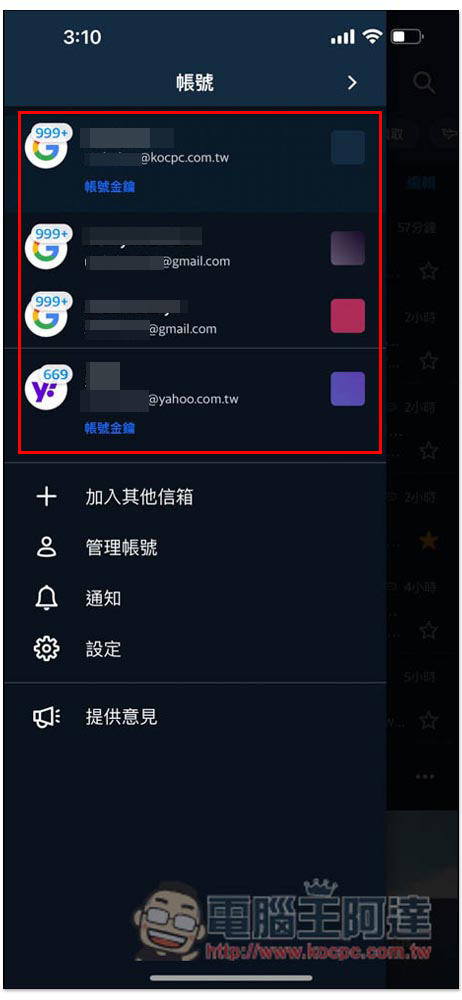
At the same time, the Yahoo Email App also supports multiple accounts. You can log in to 2 or more than 3 Gmails at the same time. This is very useful for people like me who use multiple mailbox services. Only one App is needed to manage all mailboxes. It not only saves mobile phone space, but also makes sending and receiving emails more efficient. There is no need to spend time switching between different Apps. In addition, there are icons in the upper left corner to indicate the number of unread emails in each mailbox, so you no longer have to worry about forgetting to read important emails:
2. New navigation bar makes it easier to find the emails you need
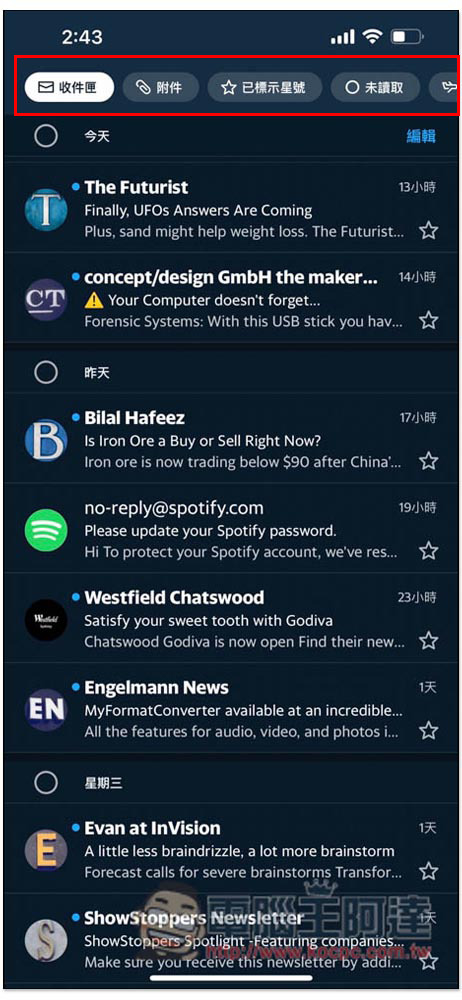
The “Navigation Bar” function added in the latest version is one of my favorites. Currently, there are six items: “Inbox”, “Attachments”, “Starred”, “Unread”, “Travel” and “Comments and Suggestions”. This is quite convenient:
For example, the “Unread” navigation bar will only list emails that have not been opened and read, and will not be mixed with other read emails. I can quickly process all new emails without fear of missing any, and I don’t need to keep scrolling down to find new emails, which saves time:
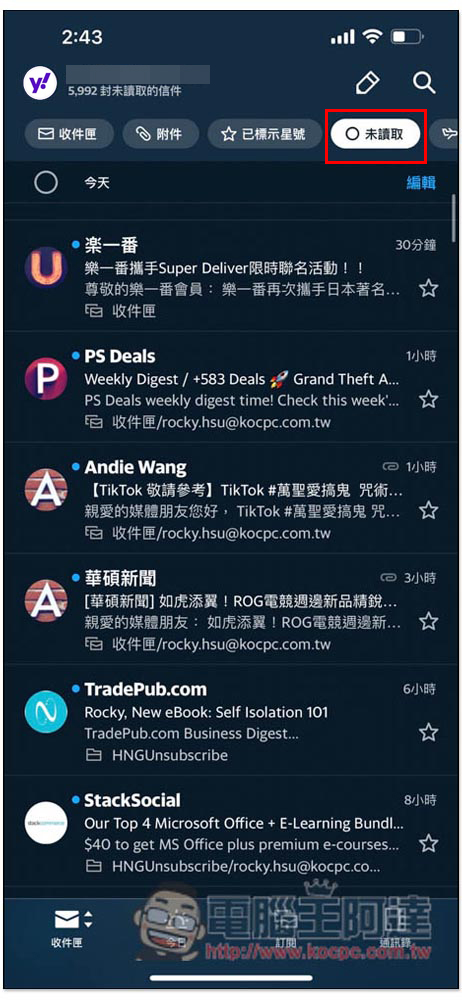
With this unread navigation, I can now turn new emails in my email box into read basically every day, which is something I could hardly do with other email apps before.
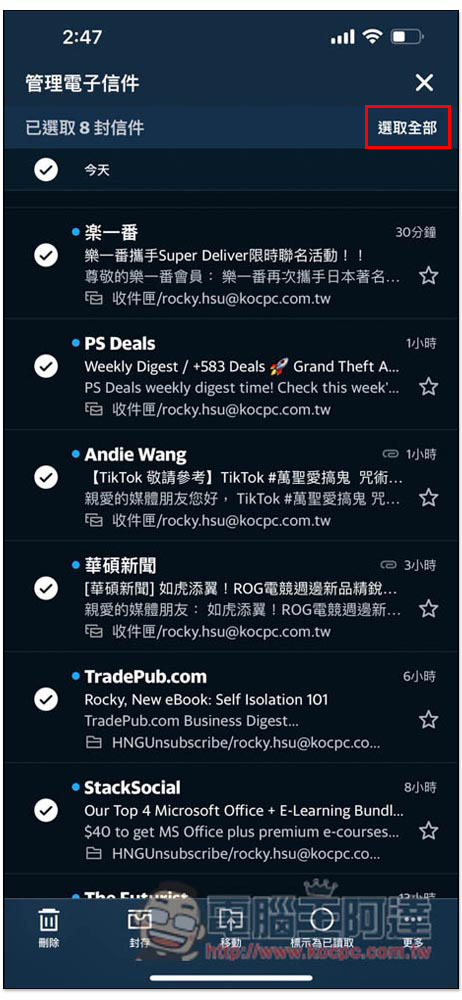
What’s even better is that it’s no problem even if there are a lot of advertising emails. This app allows you to select all unread emails with one click and mark them as read. You can easily turn a large number of unread advertising emails that you gave up in the past into read. I really love this feature:
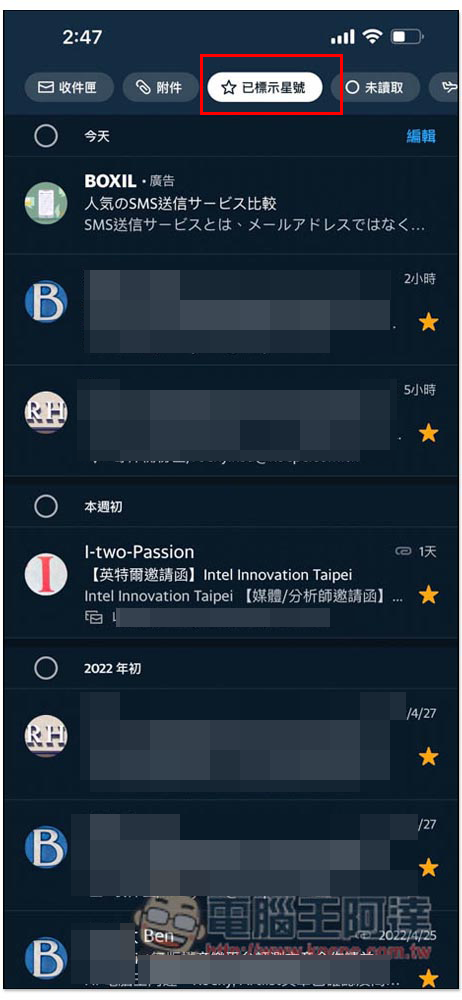
It is also very convenient to mark it with a star. Open the app and click on this navigation to quickly find important emails that have not yet been processed:
3. Exclusive classification of super practical attachments, no matter how many emails you have
When working, sometimes I need to find attachments from a long time ago. Anyone who has done so knows that it takes a lot of time. It’s okay if you still remember who the recipient is, but it’s very troublesome if you don’t know.
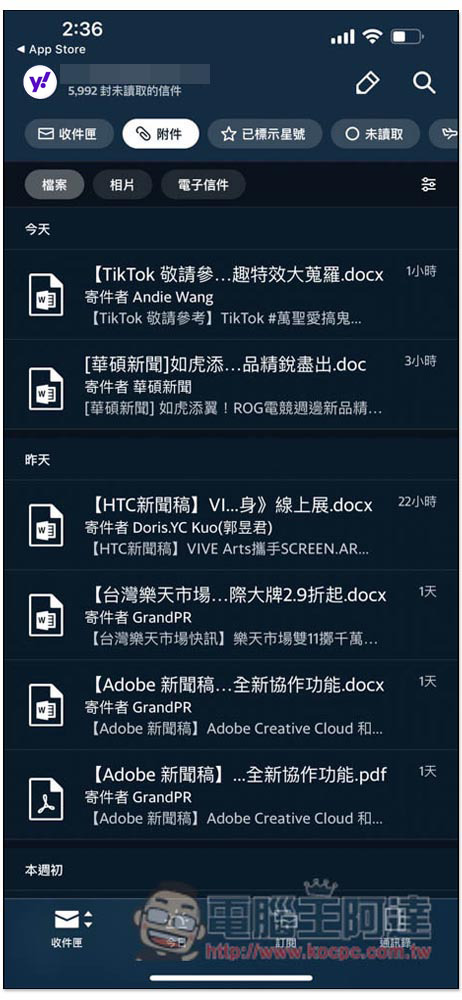
For this reason, “Attachments” in the Yahoo mailbox navigation bar is very easy to use. After selecting it, only all the attachments in the mailbox will be displayed in the list, and not the emails. In other words, even if I forget which email the attachment is in, it will be no problem. Things that originally took time become super easy in an instant. There are also three categories: files, photos, and emails:
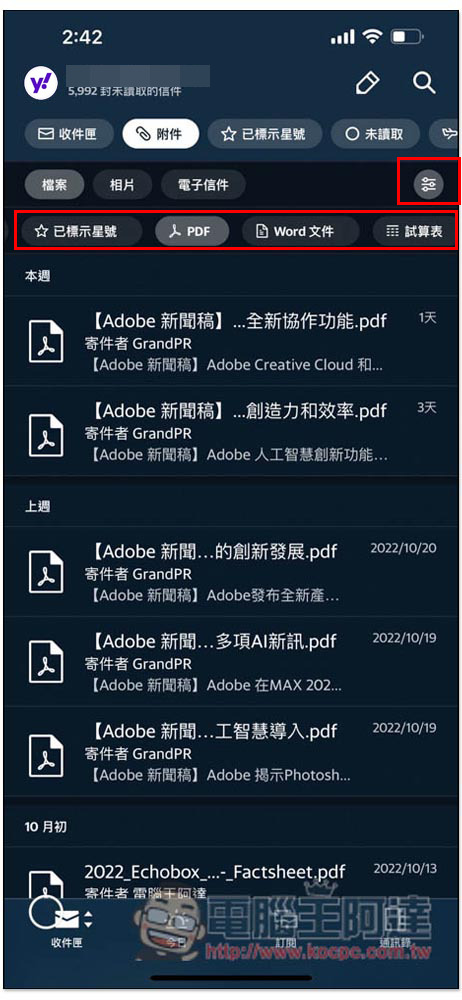
Open the filter icon on the right and specify that only Word, PDF, spreadsheet and other formats should be displayed:
In addition, emails with attachments usually take up more mailbox space, so when your mailbox space is running out, you can quickly delete these unused large emails through this navigation:
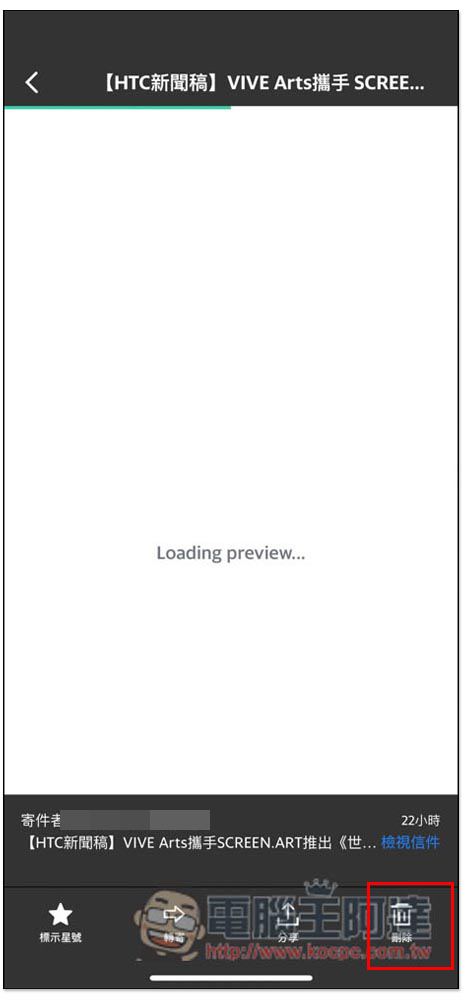
4. Quickly classify senders on the sender’s page, and easily control emails, photos, and documents.
The sender quick classification page is also very useful. Users click on the sender’s avatar in the Yahoo Mailbox App to open the new “Classify by sender” function, which can more clearly display the emails sent by each sender. Users can also delete, archive, move or mark all emails of a certain sender as read with one click after sorting and filtering. This is very useful when you want to delete a batch of emails to free up storage space, or to organize a life-long separation:
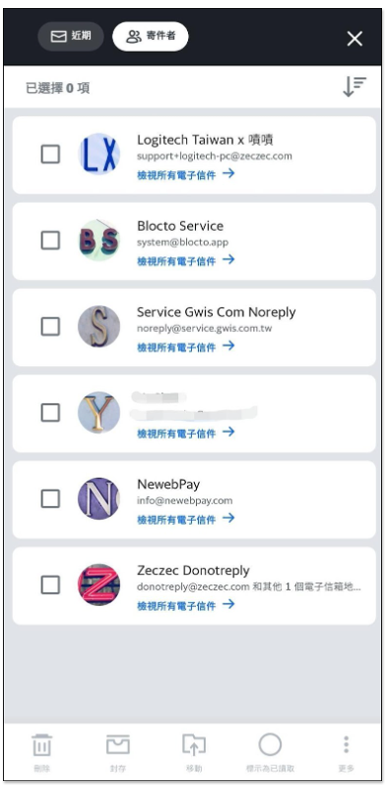
When contacting important customers, if you are worried that something has not been replied to, you can go to this page to view all correspondence. In addition, if you want to find previous letters, you can also use this function to find them. There are also three categories: emails, photos, and documents. If you want to find something, just click on that category to find it, which saves a lot of trouble:
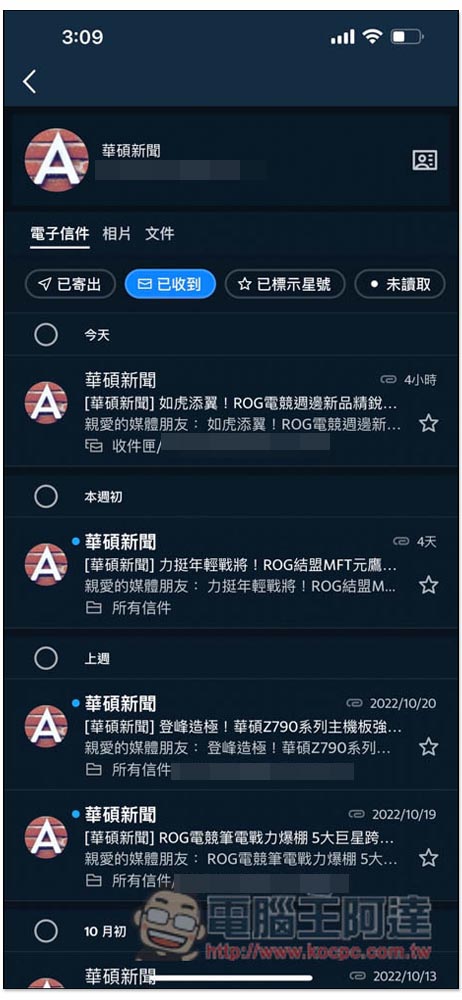
Although most mailbox apps have this function, many of them require a search method. With Yahoo, you only need to click on a single sender’s avatar to enter the page. You don’t have to enter the other person’s mailbox account yourself, and it is more suitable for mobile phone operation.
5. Unsubscribe with one click and say goodbye to annoying advertising letters
If you have used your mailbox for a long time, you must have registered for many online services. You will receive a lot of advertising letters every day. Sometimes important emails will be shuffled to the bottom, causing you to accidentally miss them. The Yahoo Mailbox App provides a considerate function. You can find a one-click “unsubscribe” function under most advertising letters. Once you click it, you will be sent a cancellation application. I will not receive it again in the future. I use this function to unsubscribe from many advertising letters.
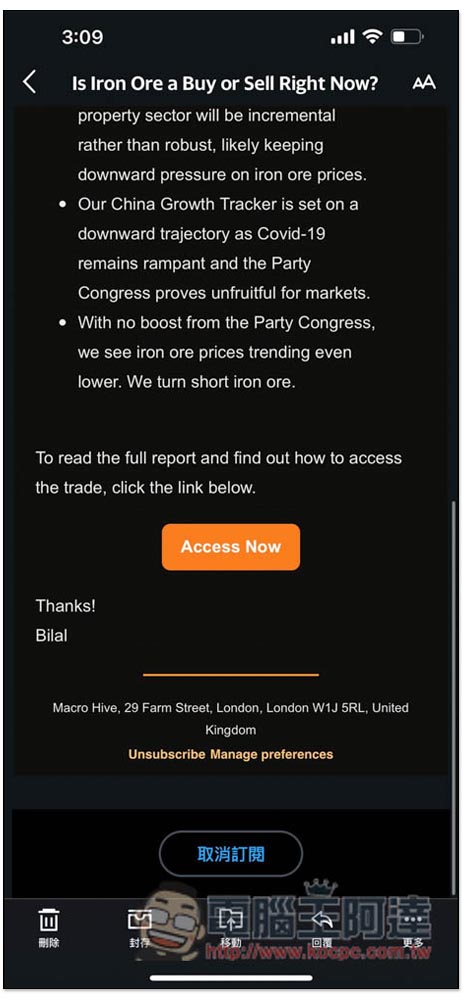
Although there are many tools on the Internet to do this, it is more intuitive and easier to unsubscribe directly from the email. When you see an advertising email you no longer want to receive, you can unsubscribe by scrolling down.
It also provides a subscription list page, which will display the subscribed emails in the mailbox, and record how often they are sent. You can also organize and quickly unsubscribe from here:

6. Personalized custom interface, each mailbox has its own theme
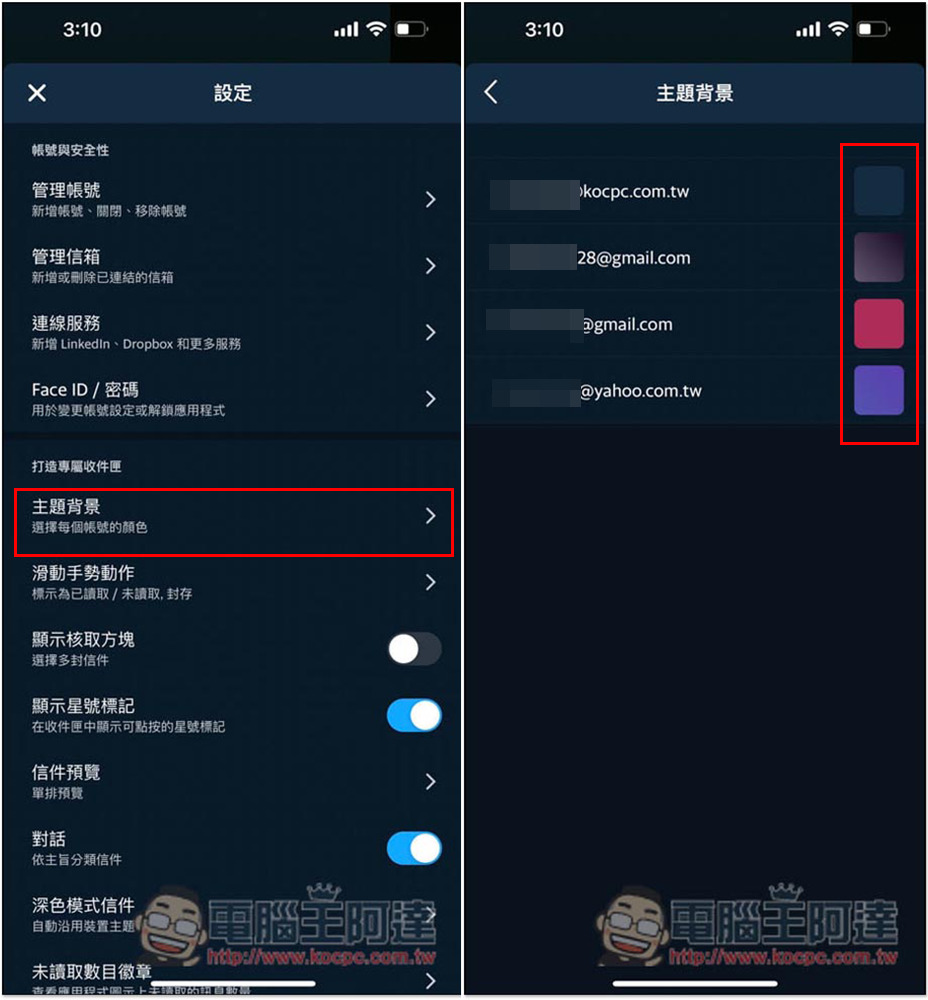
This is the first time I have seen this feature among so many mailbox apps I have used. Yahoo Mailbox App can set different theme colors for each mailbox account, such as blue for mailbox one, red for mailbox two, and purple for mailbox three. Friends who like personalization will definitely like it. Setting different colors also has the advantage that you can tell which mailbox you are using by looking at the color.
Go to “Theme” in settings and specify the color to be used for each mailbox account:
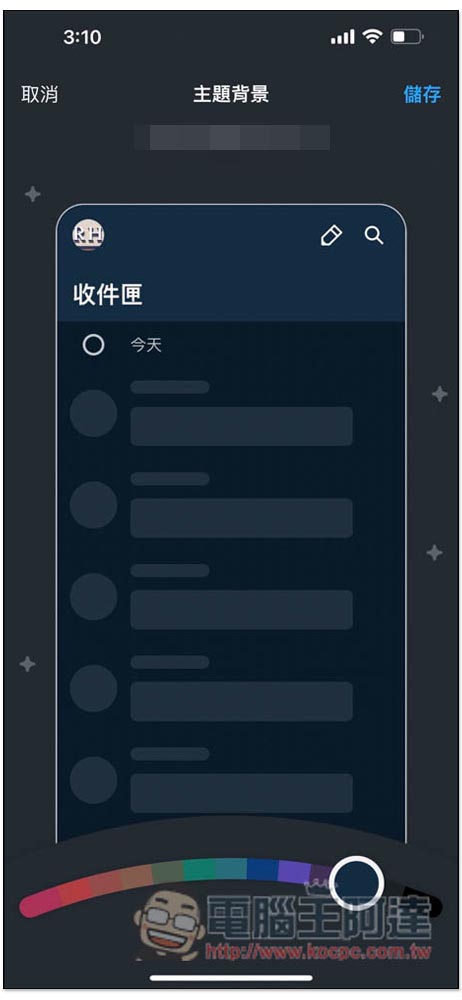
There are currently 13 theme colors:
7. Built-in news function
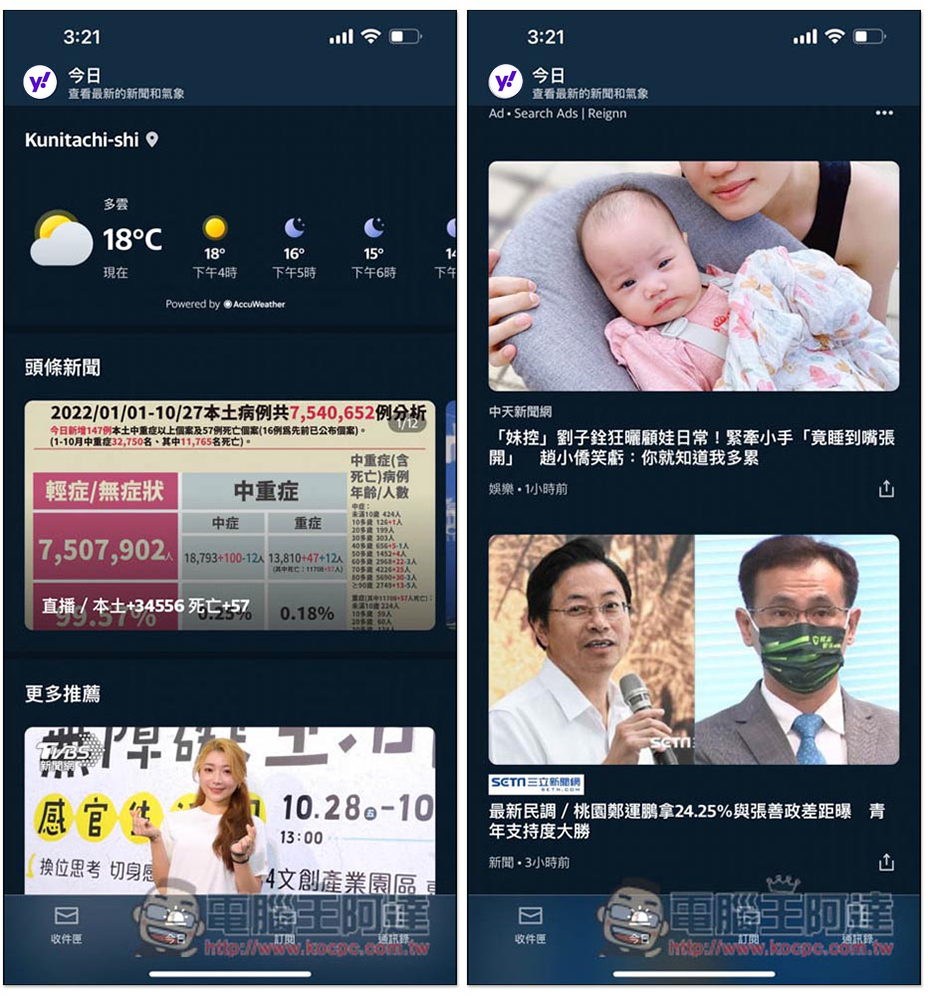
This app also integrates Yahoo News. If you have free time when checking your mailbox, you can also switch to the news page to browse the latest and major news. If you are usually too lazy to jump to another news app, it is more suitable. You only need to install the Yahoo Email App to solve your mailbox + news needs.
8. 1TB super free space, almost no need to worry about full capacity
Most people should have encountered the situation where the mailbox is full, which is very troublesome. If it is not dealt with immediately, it is likely that important emails will not be received, and often after clearing out some space, you will receive a notification that it is almost full again after a while. I have encountered it many times. This is really annoying. When deleting emails, there will be a choice barrier, and I don’t know which ones to delete.
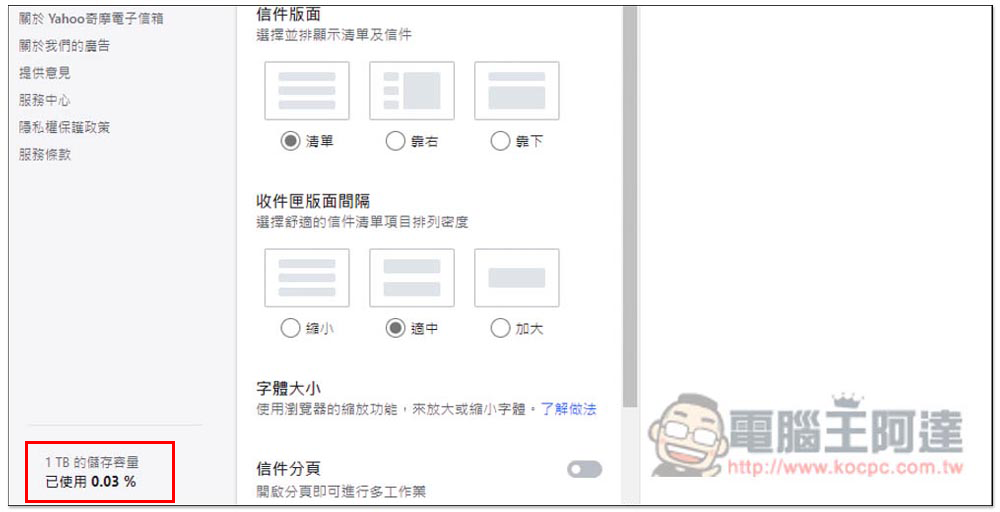
If you happen to need more mailbox capacity, Yahoo Mailbox is a good choice. It provides 1TB of super free space, which is dozens of times that of Gmail and Outlook. It can be said that you don’t have to worry about the capacity being full, or even forget that the original mailbox has capacity limits.
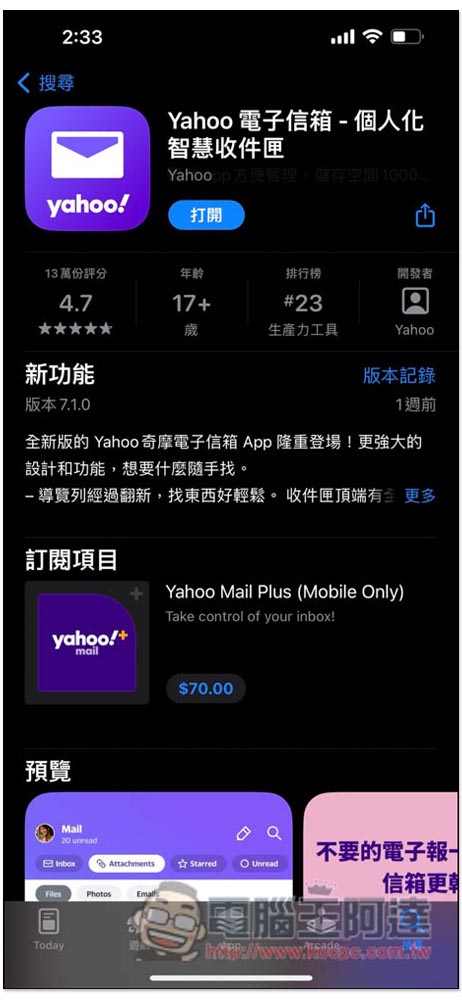
App Sotre is highly rated and its excellent performance is highly recognized.
Yahoo Email App is different from other widely used email apps on the market. It simplifies many practical functions so that users can find and use them more quickly. It’s no wonder that Yahoo Email App is highly rated on the App Store. It is very suitable for friends who want to improve efficiency or who like easy-to-use functions.
Summarize
After using it for the past few days, I have to say that the Yahoo Mailbox App is really useful. It supports multiple mailbox services. It can not only send and receive letters, but also has a built-in news function. You can check the latest current affairs when you have free time. The newly added attachment-specific category navigation is one of my favorite features, allowing me to quickly find important attachments in previous emails. The same goes for the sender category page, making it easy to find the historical emails I need or organize a large number of them at once. There is also one-click unsubscription from annoying advertising letters.
For those who haven’t found a useful mailbox app or want to try a new mailbox app, I highly recommend the Yahoo Email App.
Download Yahoo Email App:https://bit.ly/3SPfvdl
Source: KOCPC Chinese