


iOS 16 supports the lock screen widget function. Users can place widgets from weather and other applications on the lock screen. Which weather app is currently available that has a beautiful design and supports iOS gadgets? Today I would like to recommend to you the Overloock Weatherer App, which is free, ad-free and supports lock screen widgets.
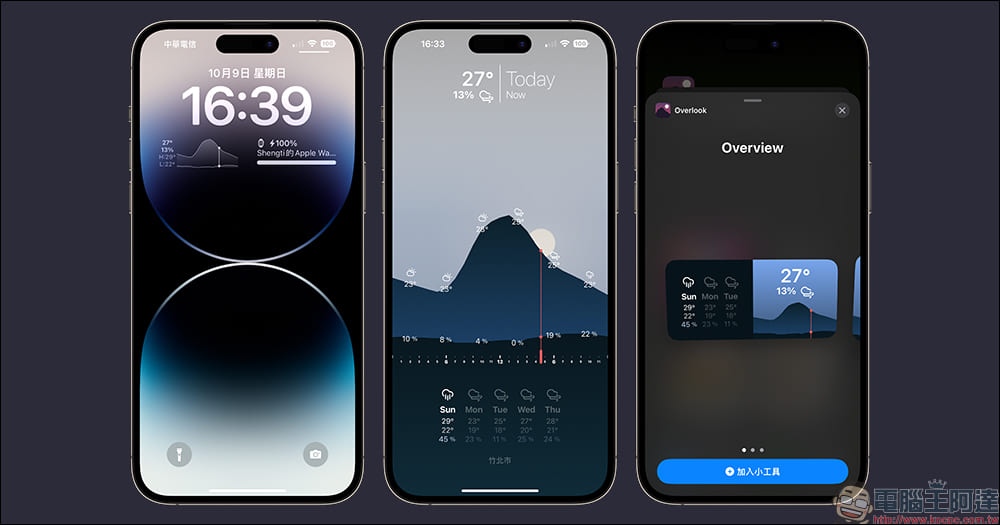
Free, ad-free, beautiful design, iOS 16 widget-friendly Overlook Weather App
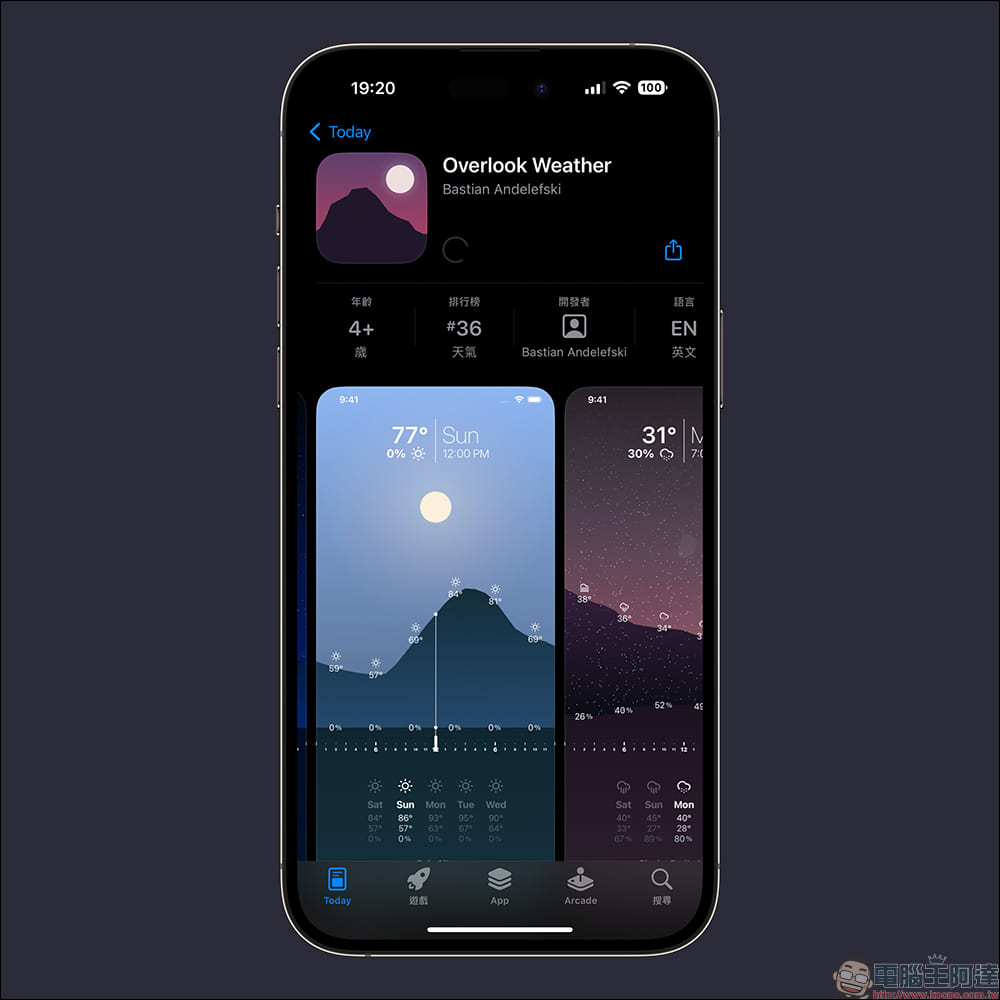
If you are tired of the built-in weather app on iOS, choosing a weather app launched by other developers will be a different style choice. This time I recommend to you this recently launched new weather app – “Overloock Weather”. Overloock Weather App is designed by German developers, has a dynamic perspective user interface, and provides a simple and wonderful user experience. It is worth noting that the Overlook Weather App supports iOS 16 lock screen widgets and home screen widgets, allowing users to place this beautiful weather app anywhere on the screen.
In addition to being completely free, the Overlook Weather App has no ads, no in-app purchases are required to use full functionality, and the App does not collect any user data.
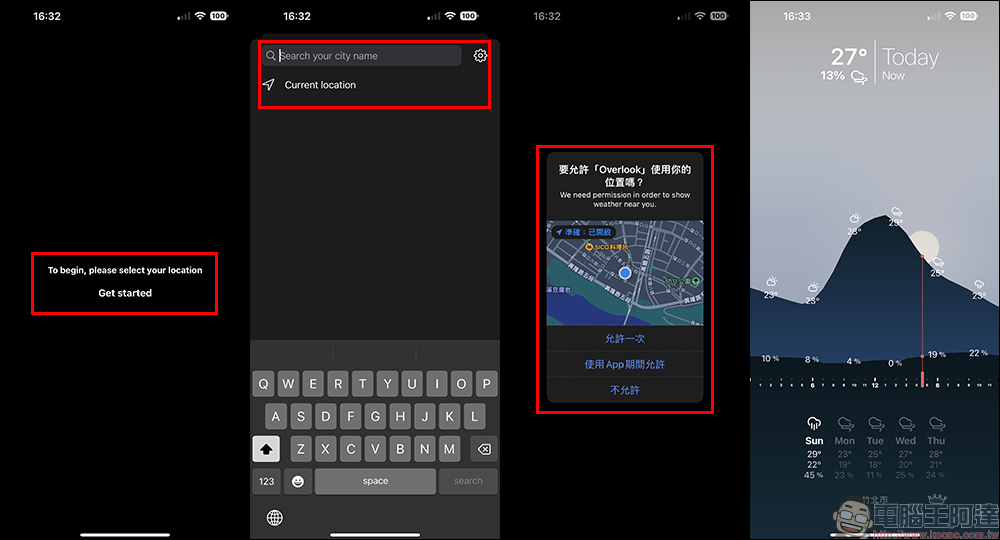
After downloading the Overlook Weather App, you need to set the user’s location when opening it for the first time. Click Current location to access your location to view the local weather.
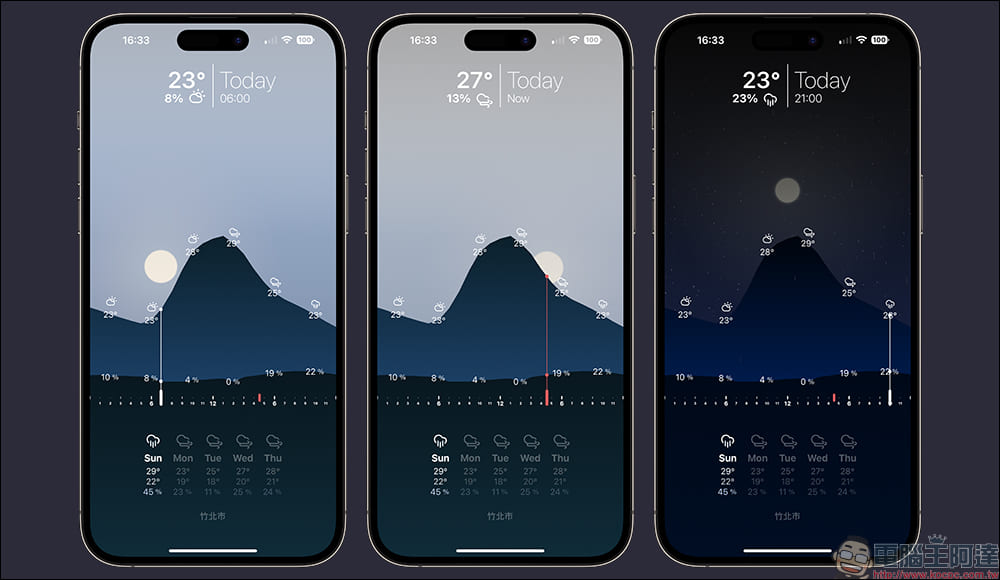
It can be seen that the interface of Overlook Weather App is quite simple. It clearly displays today’s weather, temperature, rainfall probability, and icons from day to night on the main screen according to the time curve. Users can clearly grasp the sunrise and sunset times of the day on the screen. At the bottom of the main screen, the weather, temperature, rainfall probability and other information for the next few days will be displayed. Users can also click on the future days to quickly browse the weather conditions for each period of the day.
In addition to the app itself being easy to use and beautiful, Overlook Weather App also supports iOS home screen widgets. Currently, Overlook Weather App provides three widget styles.
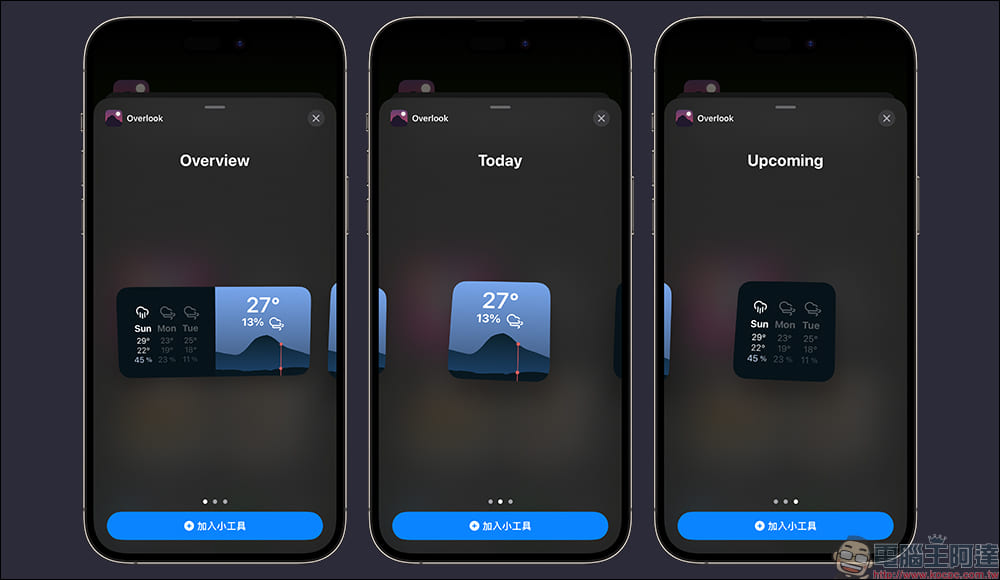
The actual rendering effects of the three gadgets are as follows:
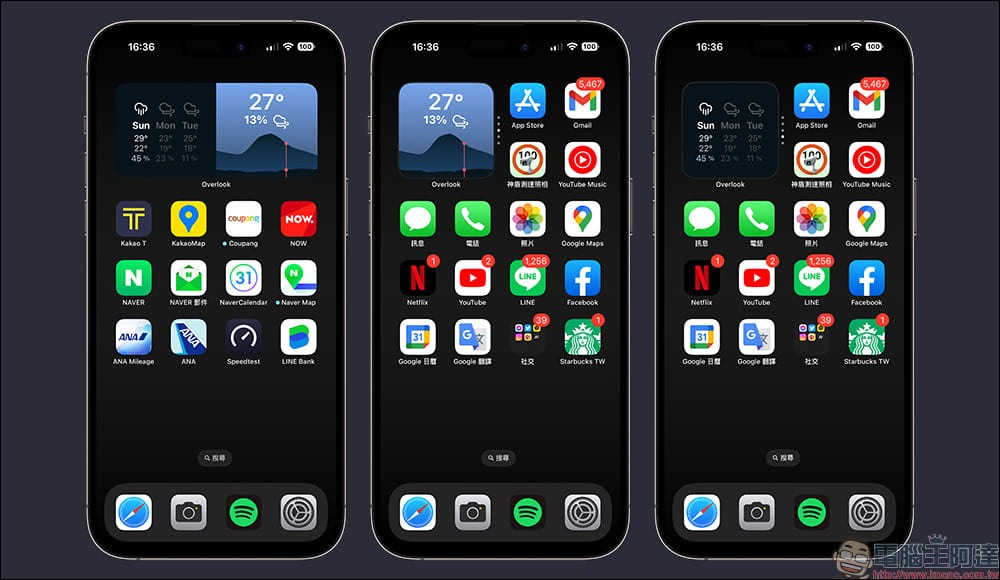
In addition, iOS 16 begins to support lock screen widgets. Users can add widgets to the lock screen for use, and the Overlook Weather App also supports this latest feature.
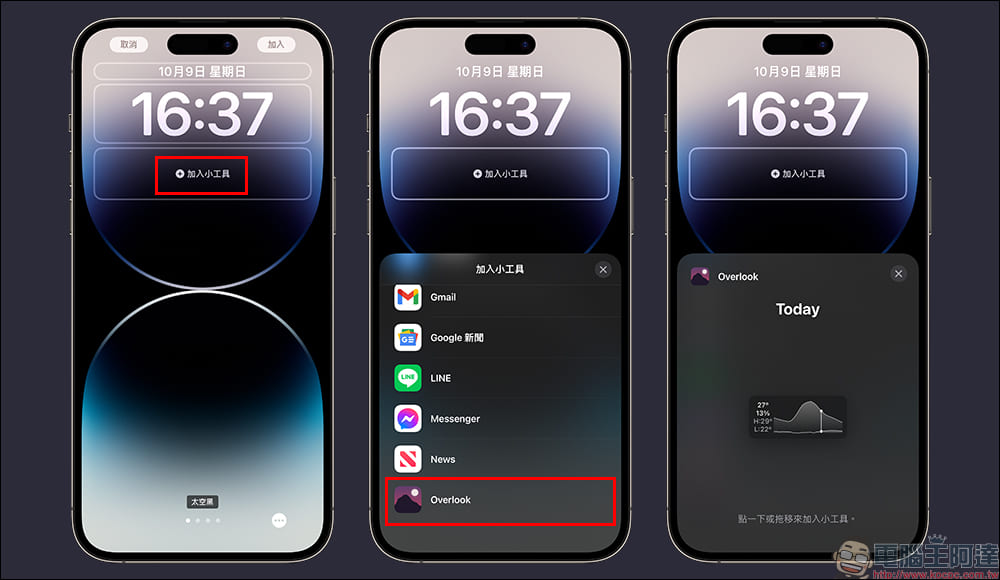
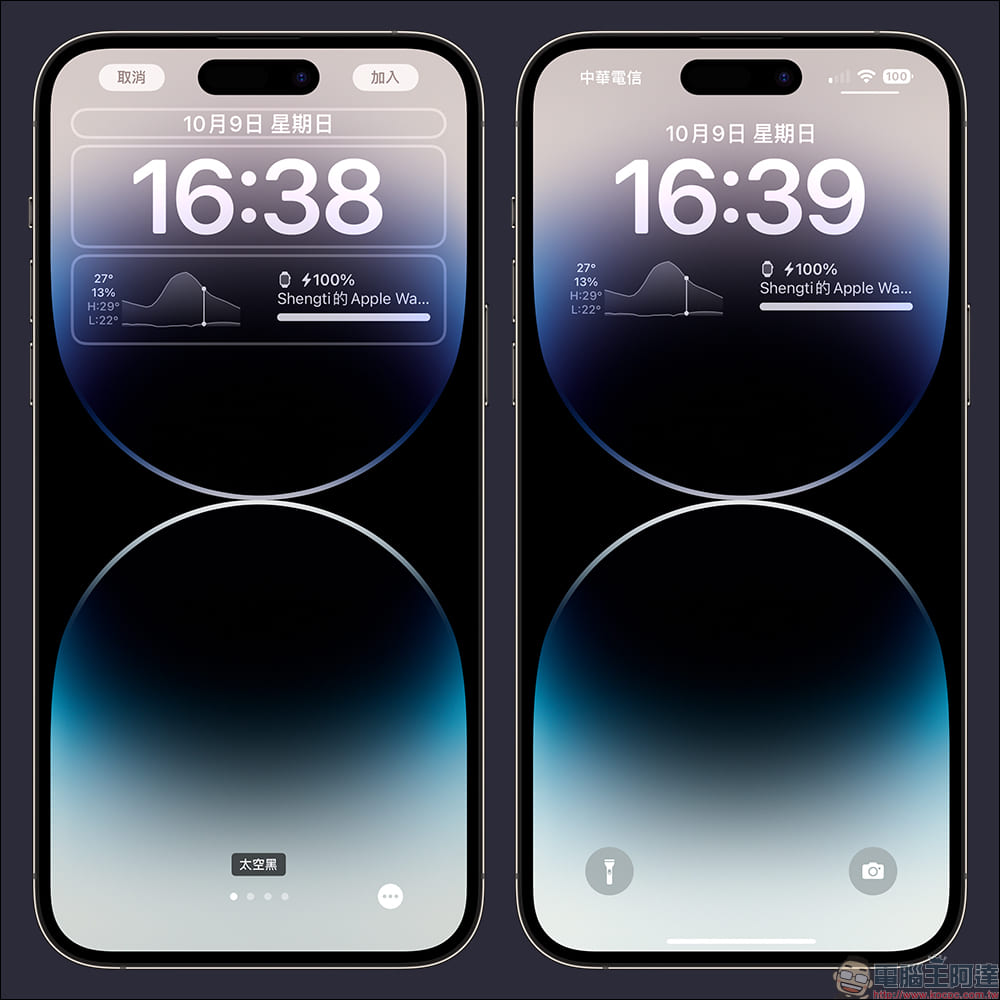
After adding the Overlook Weather App widget to the lock screen, you can view current temperature, rainfall probability, maximum temperature, minimum temperature and other information on the lock screen.
Want to download the free, ad-free, widget-enabled Overlook Weather App? The author has also organized the download links as follows. Just click on the link below to download and use it!
Overlook Weather Free Weather App Download:Click here to go to (App Store)
Further reading:
LINE Invoice Manager: automatic invoice matching, consumption analysis, and bingo games that can be redeemed for gifts

Source: KOCPC Chinese