


LINE Pay has more than 410,000 payment locations across Taiwan. I believe everyone knows its convenience, right? The map service that now provides rich local store information has been renamed “Haokang Map” and launched the official LINE Pay Haokang Map account, allowing everyone to master popular LINE Pay store information and activities. Now you can download stickers for free, sign in to complete designated tasks, and receive LINE POINTS!
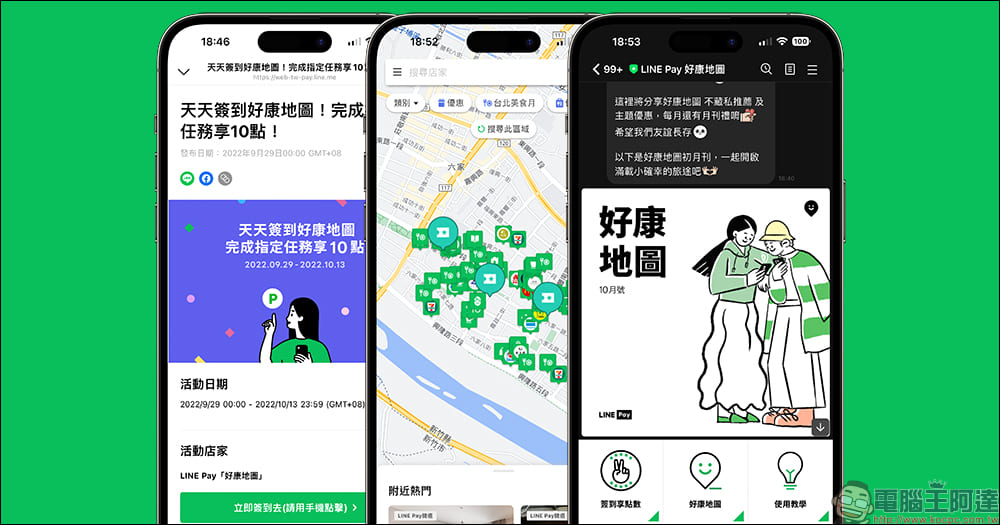
LINE Pay officially launches “Haokang Map” LINE official account, free download of cute stickers, sign in and complete designated tasks to enjoy 10 LINE POINTS
Yesterday (6th), the official LINE account of LINE Pay’s good deals map was launched. As long as you add friends, you can get notifications of various good deals at LINE Pay local stores. Use “Haokang Map” to quickly find nearby local stores or download popular theme coupons! As long as you become a friend of the official LINE Pay Haokang Map account before November 3, you can download super cute stickers for free. At the same time, in order to celebrate the new launch of LINE Pay Haokang Map, there will be a Haokang Map sign-in event from now until October 13. If you complete the specified conditions, you can get 10 LINE POINTS for free.
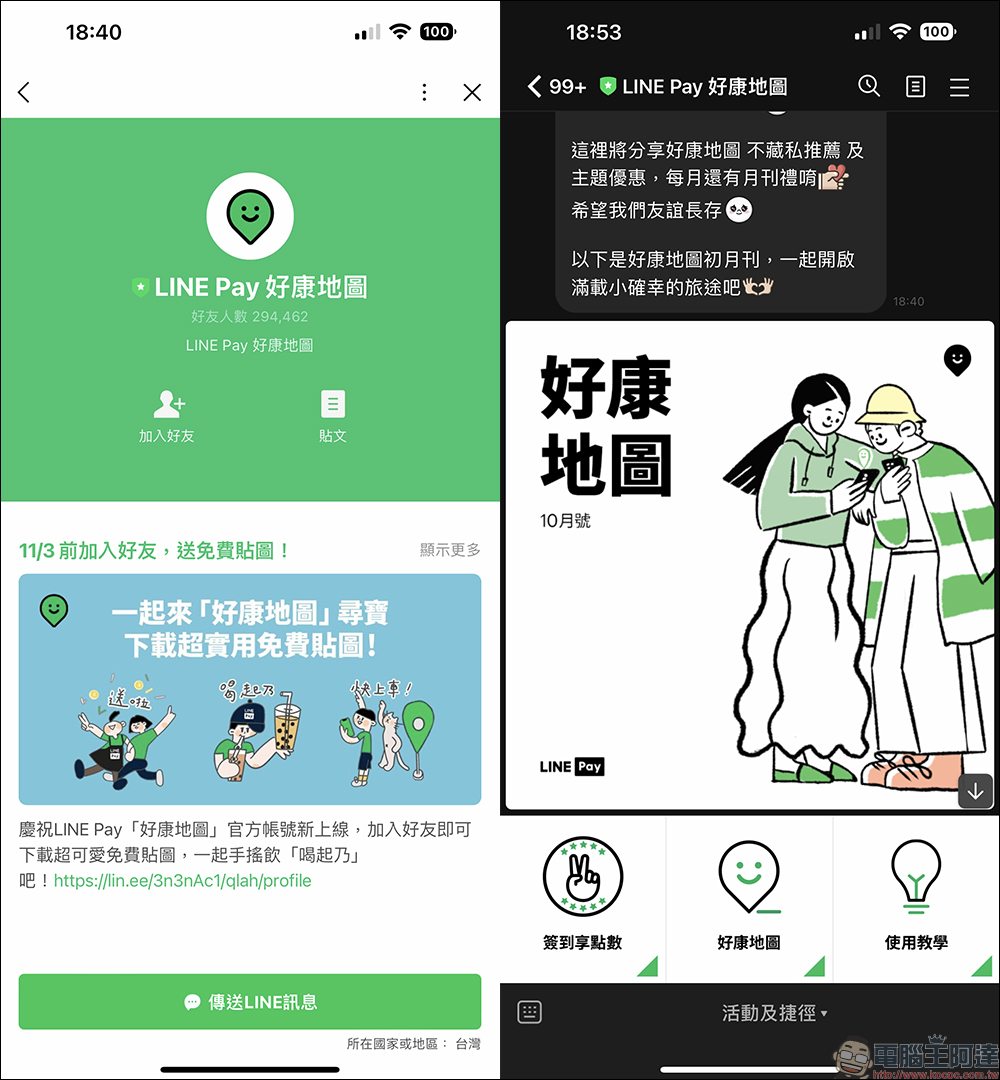
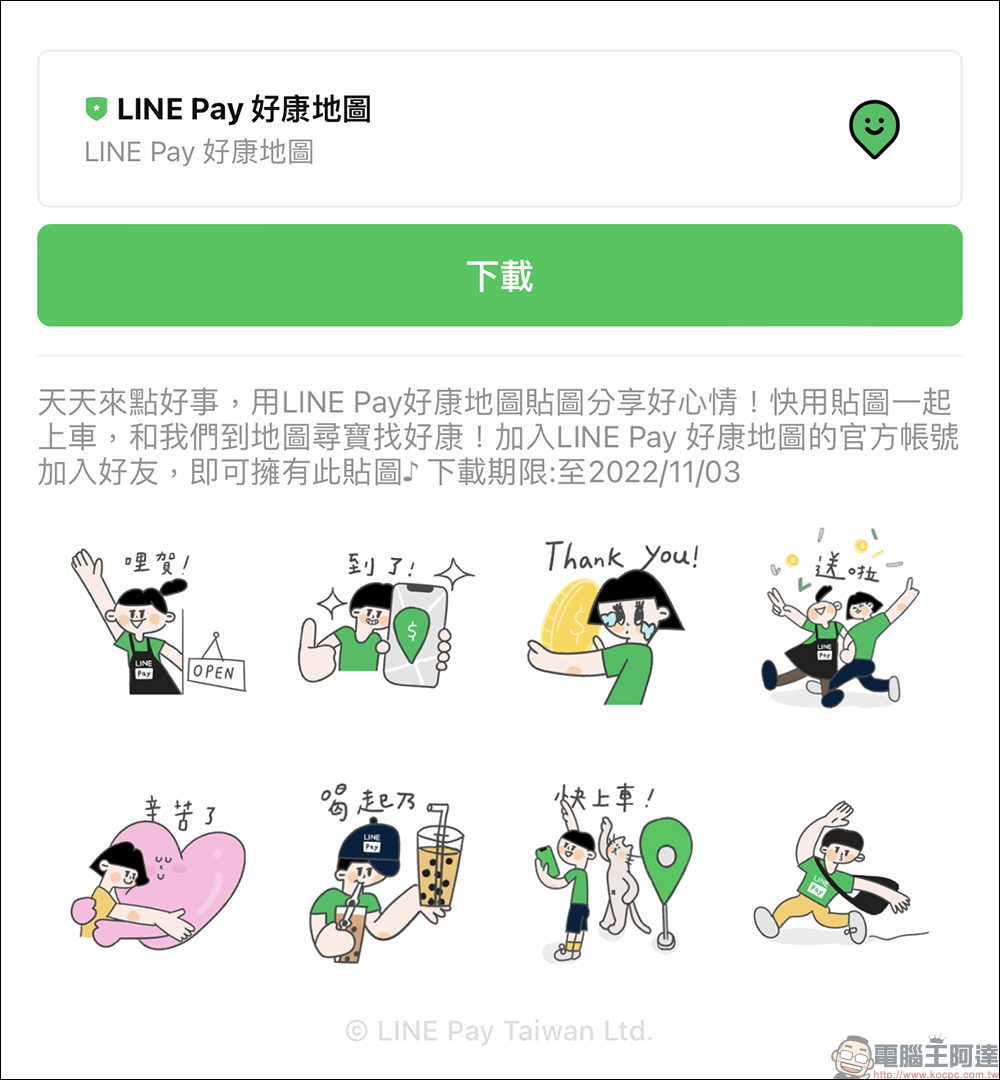
To celebrate the launch of the official account of “LINE Pay Haokang Map”, you can add “LINE Pay Haokang Map” as a friend from now until November 3.LINE Pay’s good luck map, bring some daily happiness“Download this set of free stickers to use!
On the LINE Pay Haokang Map chat room page of LINE App, expand the function list and click “Haokang Map” to find nearby store information and stores that offer coupons. Users can also find the Haokang Map button on LINE Pay on the “Wallet” page.
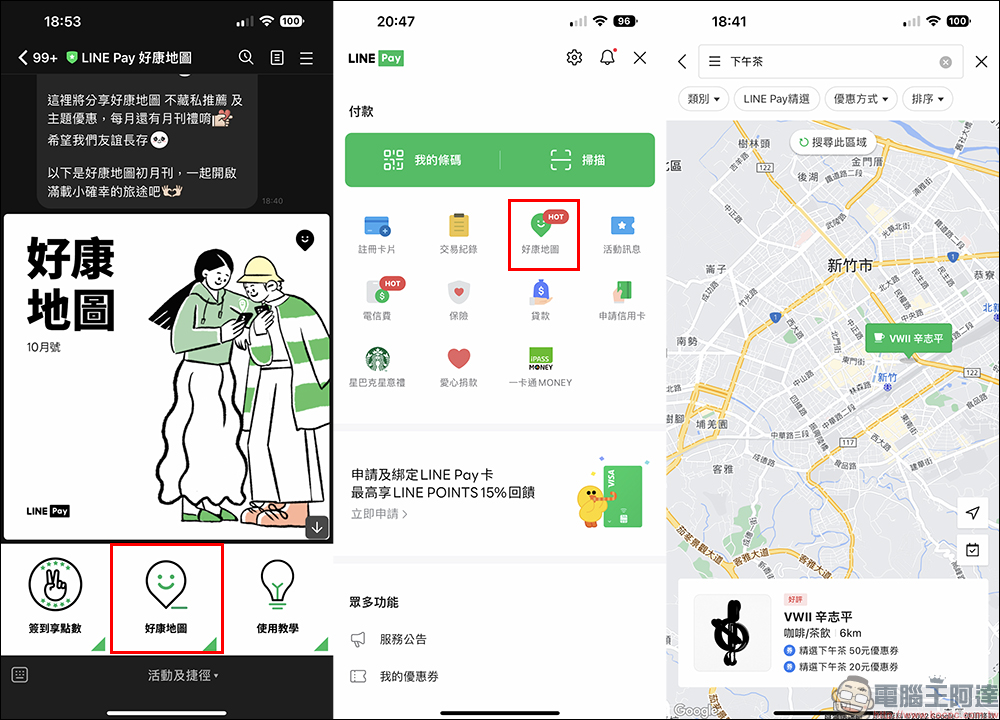
In addition, LINE Pay Haokang Map can search for recent discount information through map keywords, such as various coupon stores.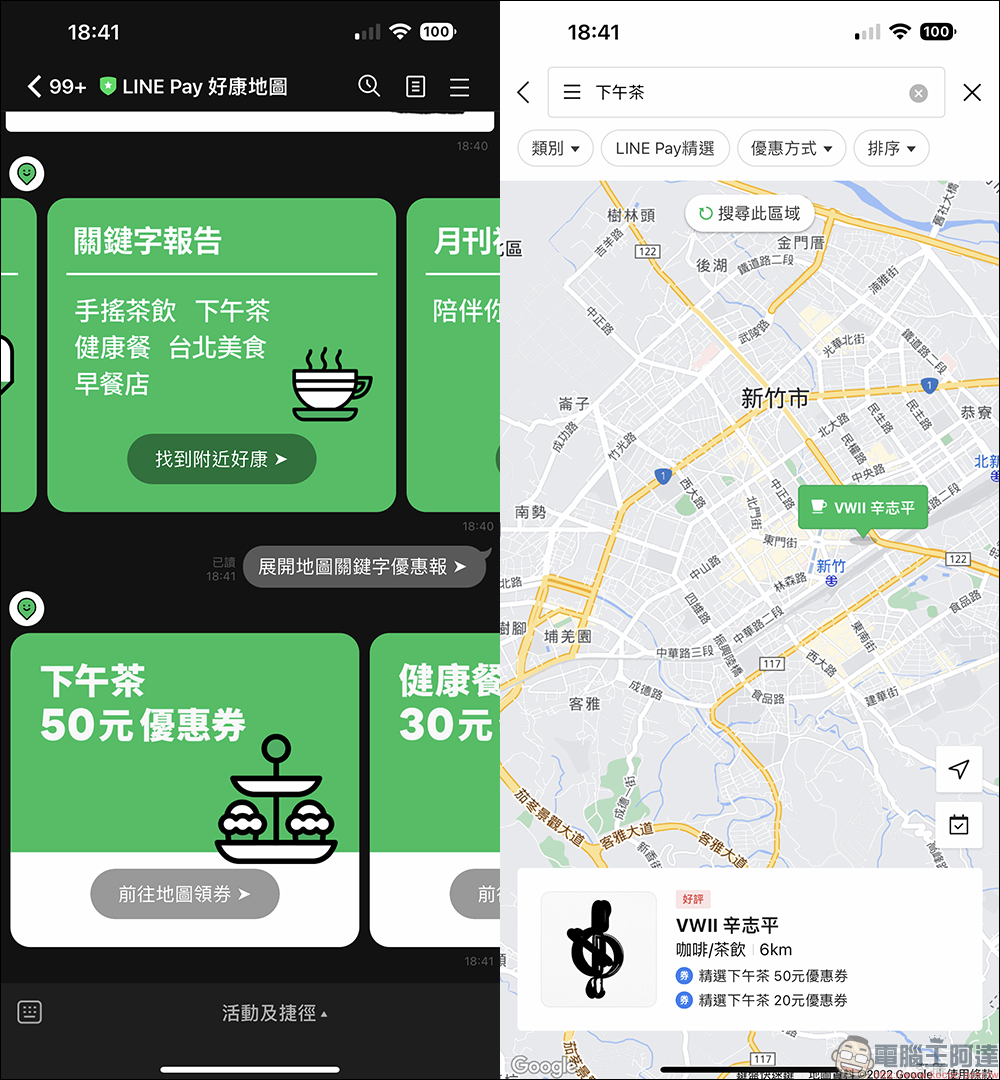
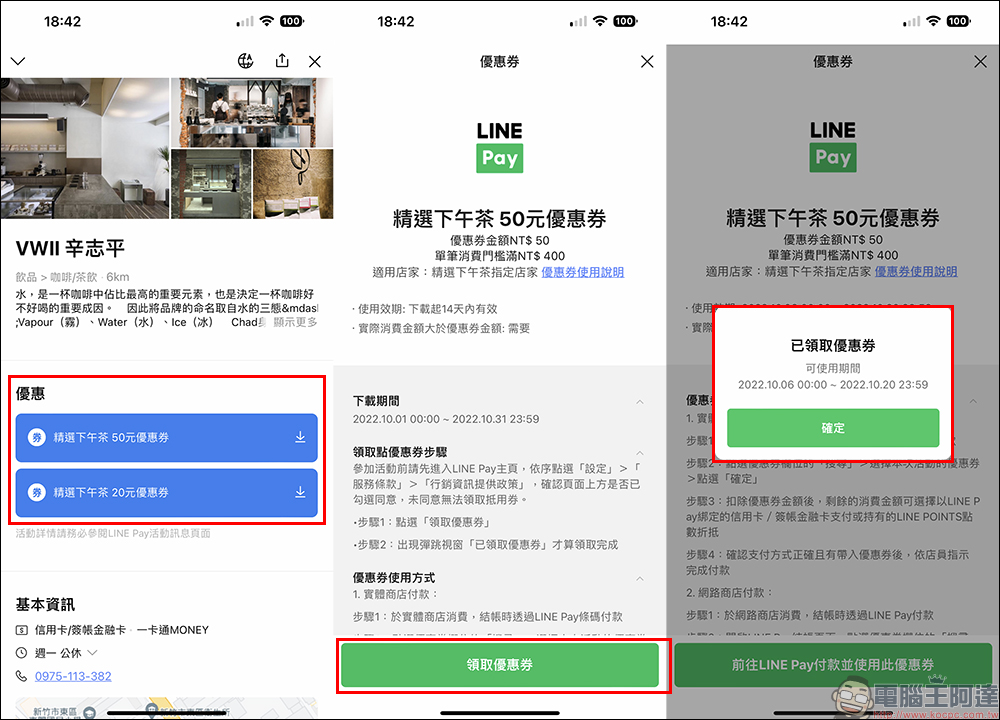
After finding a store that offers coupons on the LINE Pay map, the discount categories in the store information will display the currently available coupons. Users only need to click on the coupons to receive and use them. In addition, the validity period of the coupon can also be confirmed in the coupon description.
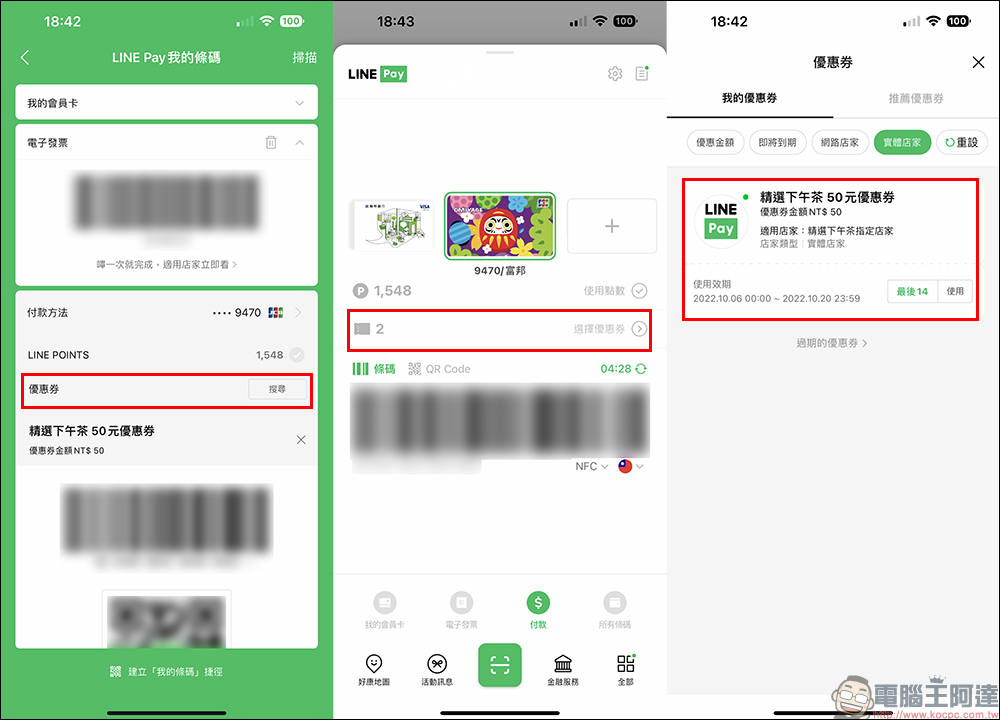
How to use the coupons received? Just click “Coupons” on the LINE App or the checkout barcode page of the LINE App to display all the coupons currently held. Then when you make a purchase at the designated store, pay with the LINE Pay barcode and click on the coupon during checkout to use it.
From now until October 13th, as long as you complete the designated tasks, you can get 10 LINE POINTS for free!
First, sign in 5 times a day on LINE Pay Haokang Map. The way to sign in is to enter LINE Pay “Haokang Map” and browse for 10 seconds, then click the “Go to Sign In” button displayed on the screen to go to the sign-in page, and click the sign-in stamp on the sign-in page. As long as you meet the task of checking in 5 times during the event, and then use the credit card/debit card bound to LINE Pay or the MONEY account to make one payment at any physical store, you can complete the task.
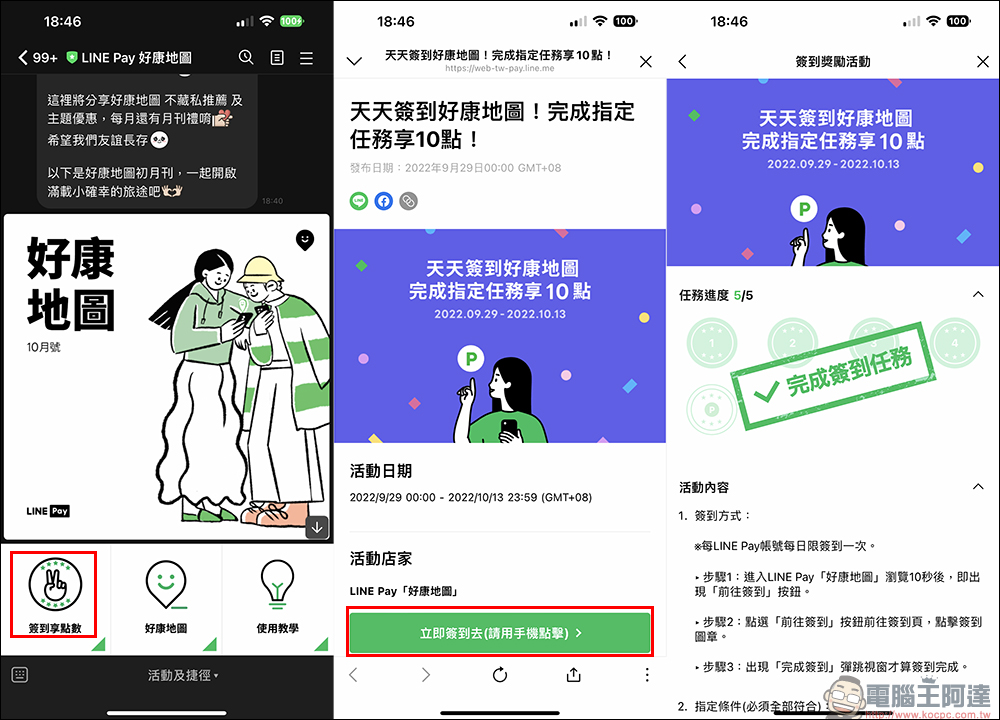
After completing the task, the 10 LINE POINTS obtained for free will be distributed gradually starting from October 14th, and will be distributed before October 25th at the latest (Please click here for event details)。
LINE Pay Haokang Map (LINE official account):Click me to add friends
Further reading:
LINE free sticker collection: 29 free LINE stickers available for download for a limited time
Source: KOCPC Chinese