


The 2022 Apple BTS back-to-school promotion is about to end. Before the end, from now until the 21st, as long as you purchase with the education discount project and use LINE shopping guide, you can enjoy up to 5% LINE POINTS rewards with no upper limit! Students or faculty who want to buy Mac computers or iPad tablets, take advantage of the last discounts!

Use Apple’s higher education discount program with LINE shopping to enjoy up to 5% LINE POINTS rewards with no upper limit! (From now until 9/21)
Unknowingly, the 2022 Apple BTS (Back to School) back-to-school discount will end on September 26. If you want to use the education discount to buy a Mac or iPad discount package, designated models and free AirPods, you must make sure to buy before the event ends.
Before the event ends, LINE Shopping has launched a special promotion, that is, from the 19th to 23:59 on September 21, as long as consumers qualify for the Apple education discount project,You can enjoy LINE POINTS 5% rebate when you purchase designated products, and there is no upper limit on the rebate amount.! Of course, there are limits to the products that can be added in this event. New products such as the latest MacBook Air (M2) are not included in the reward points.
How to participate in this event?
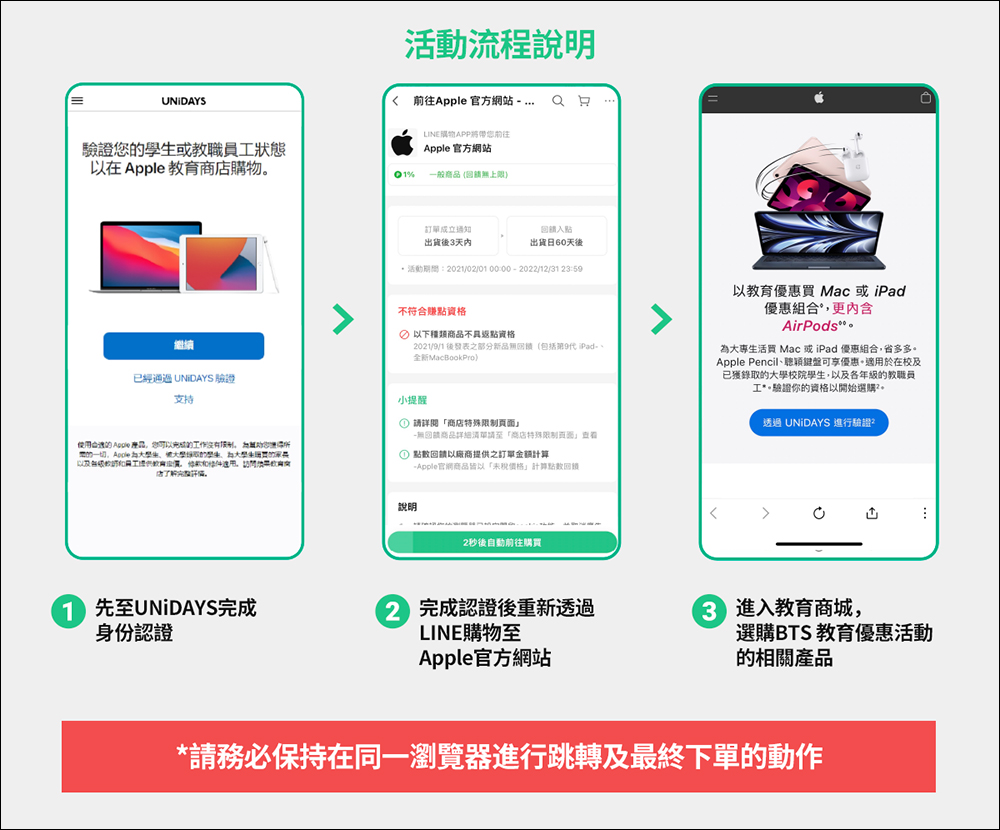
This special LINE shopping promotion is for consumers who are eligible for Apple’s educational discounts, so they must first go to UNiDAYS to complete identity verification. After completing the certification, you will be redirected to the official Apple website through the LINE shopping page, and finally enter the Apple Education Store to click on the products related to the BTS education promotion to place an order.
*Tips: Please pay special attention to keep the same browser for jumping and final ordering, so as not to make the shopping guide invalid!
LINE shopping event page (click here to go)
Apple official website (click here to go)|Apple official website-Education Mall (click here to go)
Who can buy from the Apple Education Store?
Eligible higher education students and education-related faculty and staff can purchase items in the Apple Education Store, such as the following:
- Relevant persons from colleges and universities:
- Faculty members working in public and private colleges and universities
- Students currently enrolled in public and private colleges and universities
- Parents whose children are currently studying in public or private colleges and universities.
- People related to primary and secondary education:
- Employees working in public and private primary and secondary schools
- Current elected or appointed board members
- Parents’ association members elected or appointed
- Qualified homeschoolers
- Staff working in public or private, for-profit or non-profit kindergartens
UNiDAYS Application and Verification Process
In the past, anyone could enter Apple’s education store in Taiwan. Whether they wanted to browse the educational prices of Mac computers in the education store, or if they wanted to make a purchase, they only needed to provide proof of identity document after checkout. However, starting from the beginning of this year, if you want to browse the Apple Education Store, you need to verify it through the UniDAYS system first. After passing the verification, you can browse the Education Store or even purchase goods.
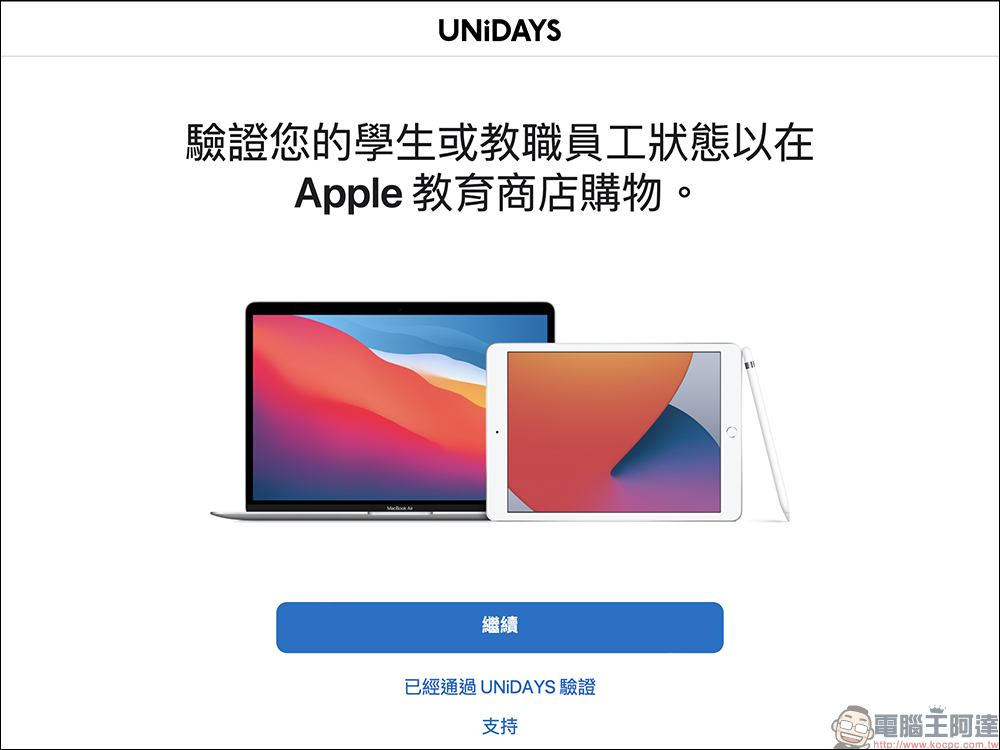
The following will quickly share with you how to apply for a UNiDAYS account and the verification process. First open the Apple Education Store and you should see the following screen, click “Verify with UNiAYS”:

If you already have an account that has been verified by UNiDAYS before, you can click “Verified by UNNiDAYS” on the screen to log in. For students or faculty who have not applied for UNiDAYS verification in the past, you can click “Continue” to proceed to the next step:
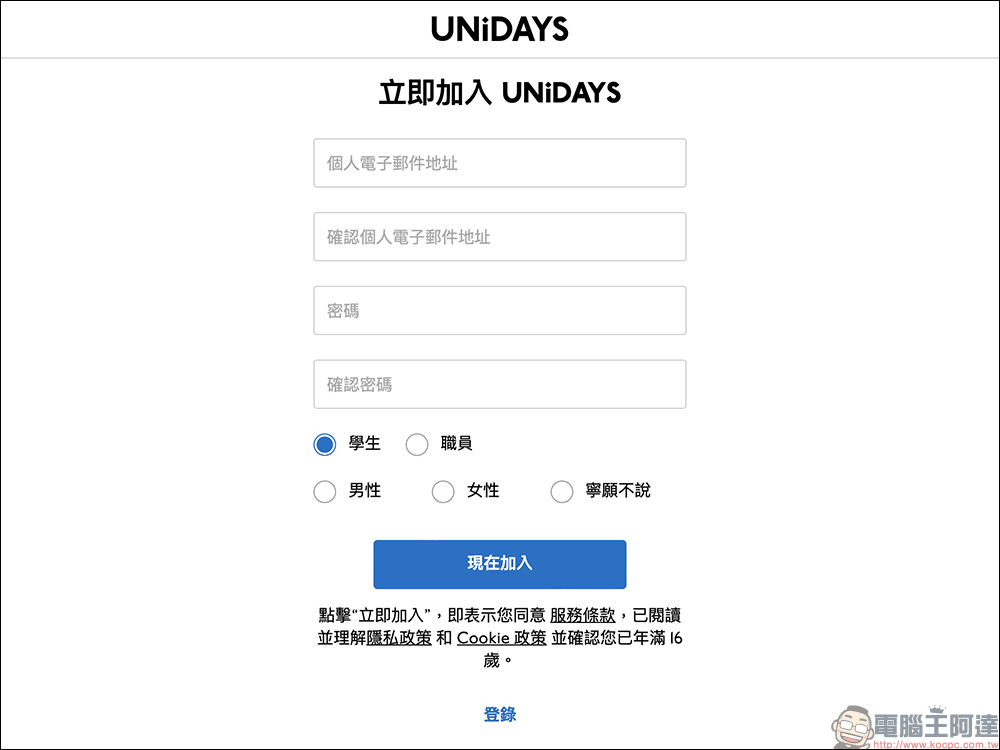
Enter your personal email address and password here. However, the email address at this stage does not necessarily need to be the school’s email. You can use your usual Gmail or other email addresses. When selecting “student” or “staff”, please be sure to select the correct qualification to facilitate subsequent applications.
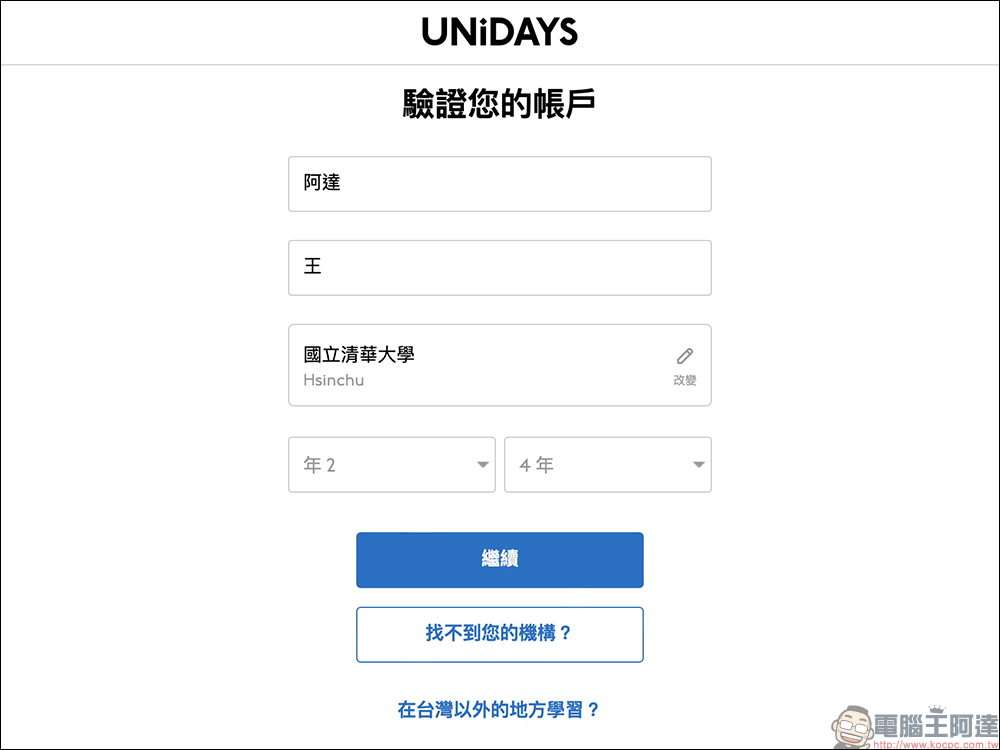
The next step is to set up the account verification process. Enter your name, school information, or education services that are eligible for the education store. Select “current year” and “total number of years” for the year below. Take four years of college as an example: currently, if it is the second year, it is set to “Year 2” and “Year 4”.
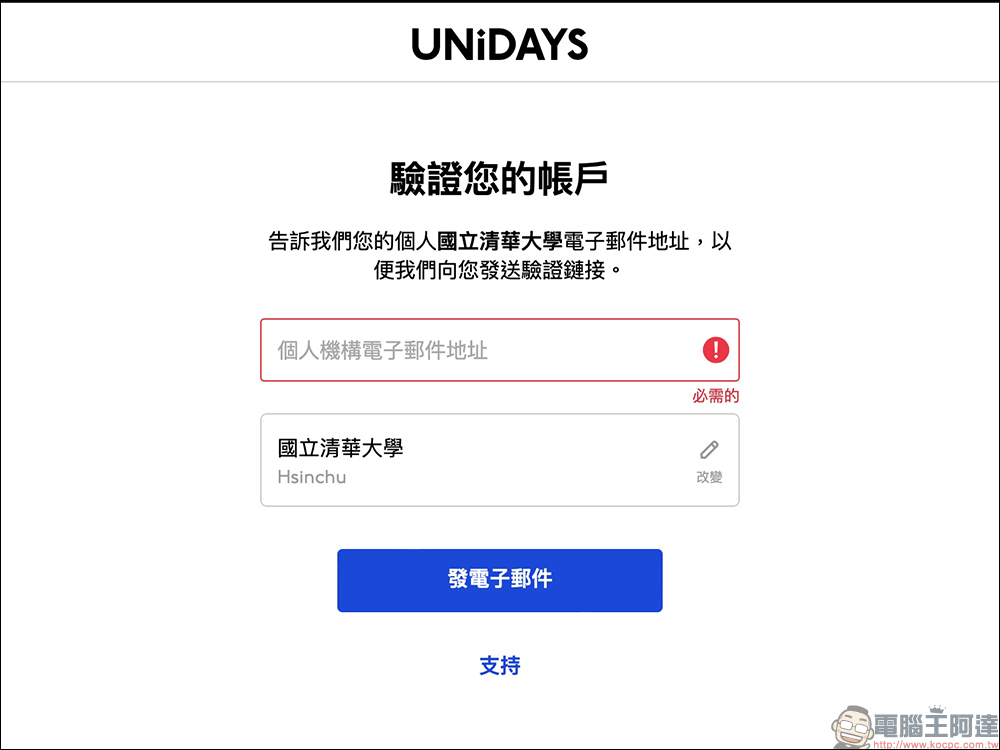
The next step is to verify the account. At this time, enter the school’s email address and the system will send a verification link to the mailbox.
Compared with the past, the Apple Education Store required uploading supporting documents such as school registration forms after purchasing goods. Now, the switch to the UNiDAYS verification method actually makes the verification of qualifications smoother. As long as the user successfully receives the UNiDAYS verification letter and completes the verification, it will be passed quickly.
LINE shopping event page (click here to go)
Apple official website (click here to go)|Apple official website-Education Mall (click here to go)
What Apple products can be purchased with the 5% rebate on LINE purchases? Which products are not eligible for gift points?
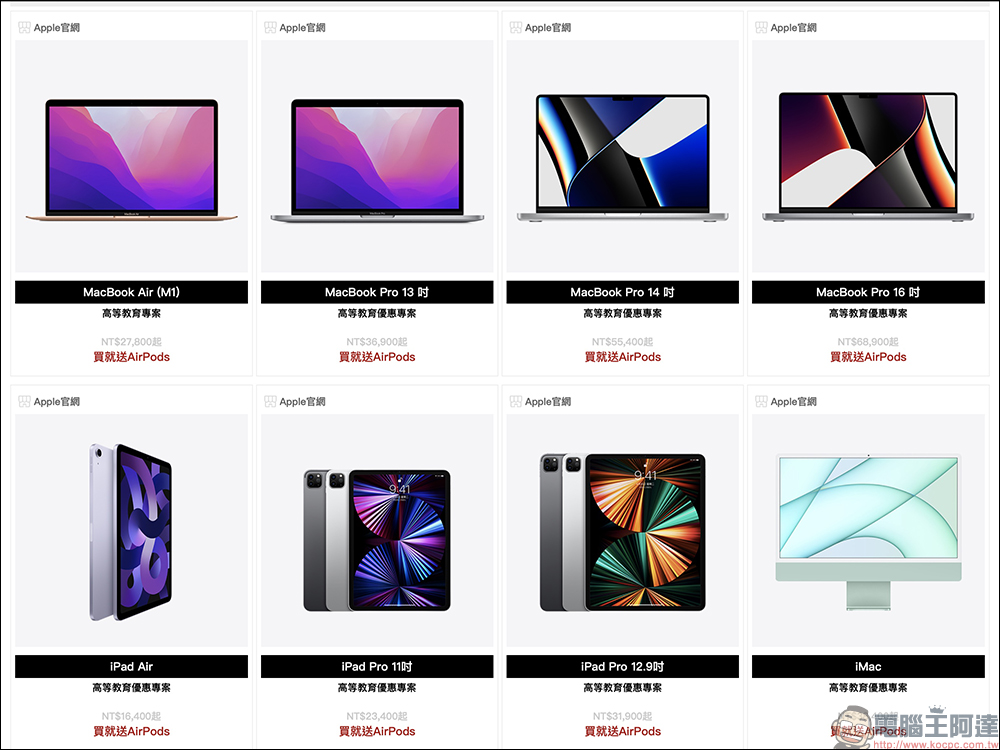
This time, if you use LINE shopping with the Apple higher education discount program on Apple’s official website, you can enjoy 5% LINE POINTS rewards on the following products:
- MacBook Air (M1): Free AirPods with purchase (*recommended purchase)
- MacBook Pro 13-inch: Get free AirPods with purchase
- MacBook Pro 14-inch: Get free AirPods with purchase
- MacBook Pro 16-inch: Get free AirPods with purchase
- iPad Air: Get AirPods with purchase
- iPad Pro 11-inch: Get free AirPods with purchase
- iPad Pro 12.9-inch: Free AirPods with purchase
- iMac 24-inch: Get free AirPods with purchase
- During other activities, you can also enjoy 5% LINE POINTS when you go to Apple’s official website to purchase designated products other than the Education Mall via LINE.
Notice! The following products on Apple’s official website are “not eligible for gift points”:
- iPhone 14
- iPhone 14 Plus
- iPhone 14 Pro
- iPhone 14 Pro Max
- Apple Watch Ultra
- Apple Watch Series 8
- Apple Watch SE (2nd generation)
- Studio Display
- Apple Pro Display XDR
- MacBook Air(M2)
- Gift cards, gift packaging, Apple Developer Program and shipping, Apple Store, and AppleCare+ purchased separately or after the main product ships
For more activity methods and precautions, please refer to the LINE shopping activity description page:Click here to go。
LINE shopping event page (click here to go)
Apple official website (click here to go)|Apple official website-Education Mall (click here to go)
Source: KOCPC Chinese