


the beginning of this monthCook just said Apple Intelligence will support Chinese.It’s already usable now! Those who have been following Apple Intelligence developments should know that this April, Apple will make Apple Intelligence support Chinese. However, because Apple’s official description of Chinese is not very clear, everyone is speculating whether it means simplified Chinese only or both simplified and traditional Chinese. Recently, the iOS 18.4 Beta 1 developer beta update has finally brought Chinese support to Apple Intelligence, and users in Taiwan can already use it. If you’re really looking forward to Apple Intelligence features and want to experience the Chinese version of Apple Intelligence before the official release, keep watching today’s report. We’ll share how to use the Chinese version of Apple Intelligence and what Apple Intelligence can do!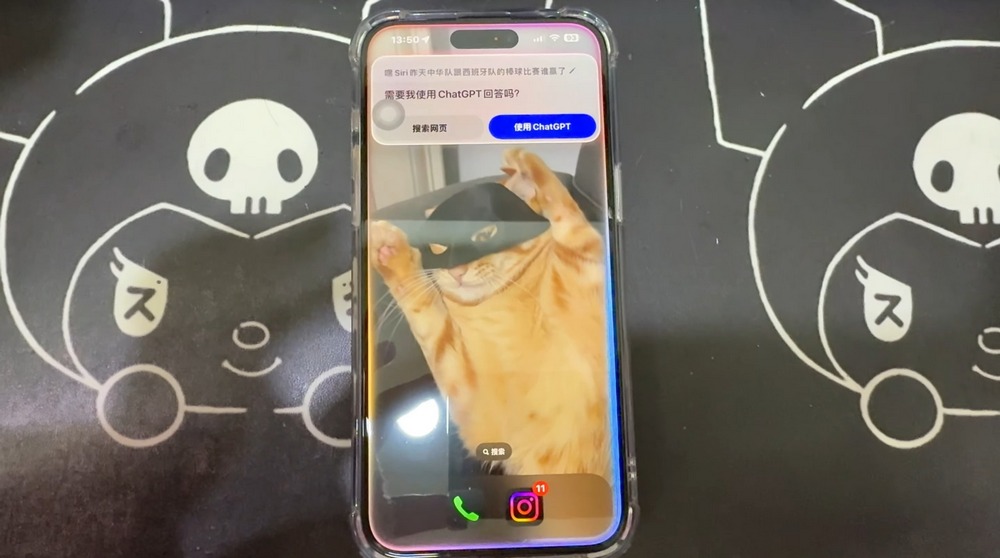
Apple Intelligence Chinese Version Arrives! Hands-On Testing of AI Features and Usage Limitations
Recently, with the update to iOS 18.4 Beta 1 developer beta, the Chinese version of Apple Intelligence has arrived. Before the official launch of the Chinese version in April, you can try out what Apple Intelligence with Chinese support can do in the developer beta first. Unfortunately, this version only supports Simplified Chinese, so if you want to get an early hands-on experience, you’ll need to set your language to Simplified Chinese and switch your region to China. If you find that troublesome or aren’t used to Simplified Chinese, you can wait until the official release in April to see if Traditional Chinese will be supported. If it is supported, we’ll write another introduction then. Just a heads up—if you follow along with the steps today, you’ll be using the Simplified Chinese version of Apple Intelligence!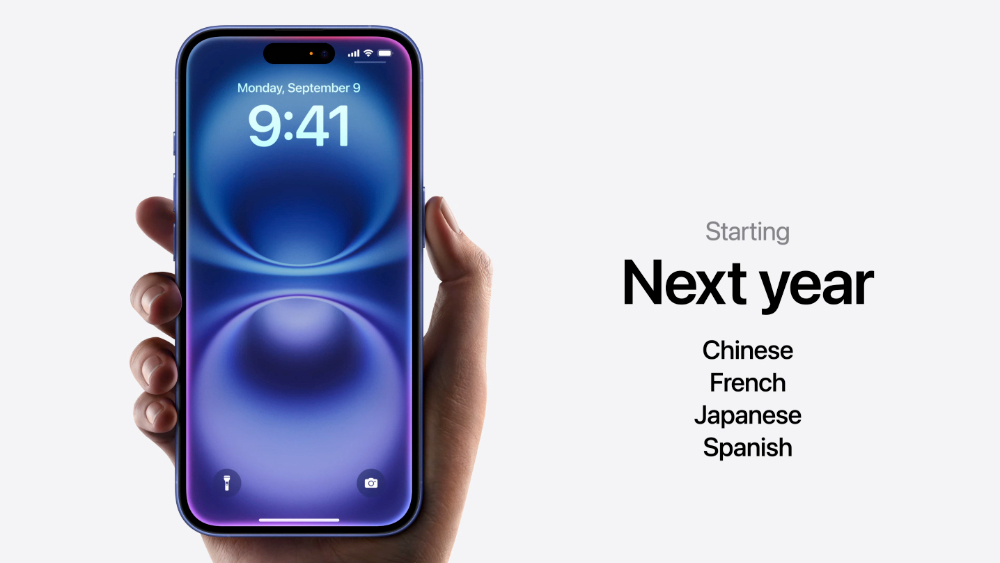
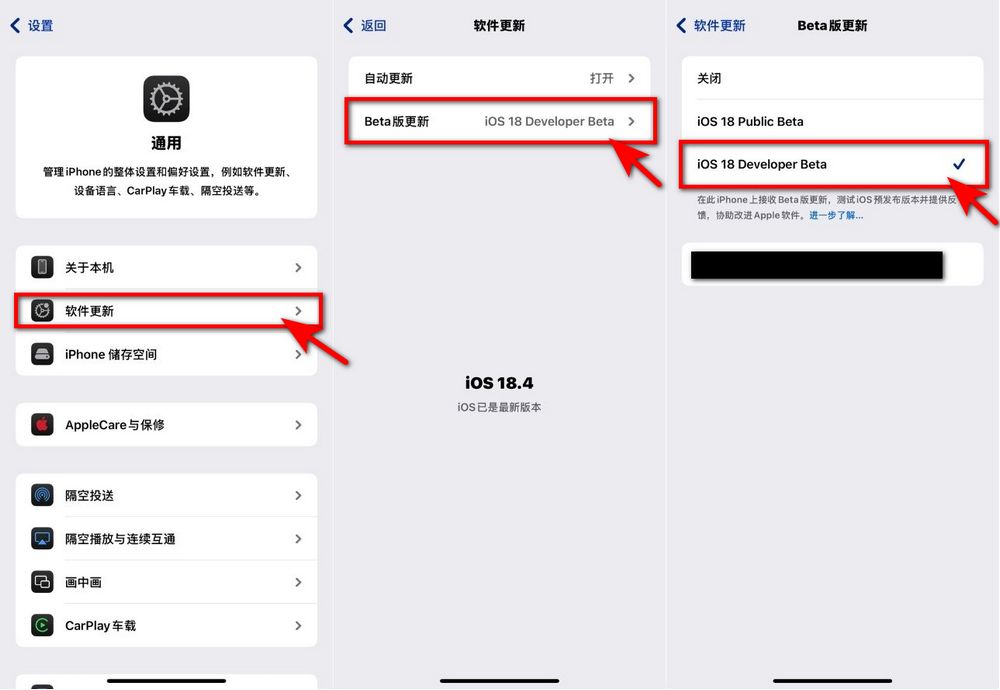
If you want to experience the simplified Chinese version of Apple Intelligence, first check whether your phone can be updated to iOS 18.4 Beta. Go to Settings → General → Software Update and see if “Beta Updates” appears on your phone. If it does, tap “iOS 18 Developer Beta” to update. Once the update is complete, you’ve finished the first step. If you don’t see Beta Updates after following the steps above, tap the link below and first follow the tutorial to get your phone to a state where it can use the Beta version, then continue with the next steps.
After updating your phone’s software to iOS 18 Developer Beta, we also need to set the language and region, because this Beta version only supports Simplified Chinese. Go to Settings → General → Language & Region, set the preferred language to Simplified Chinese, and set the region to Mainland China.(Friends who care about Simplified Chinese should not try this.)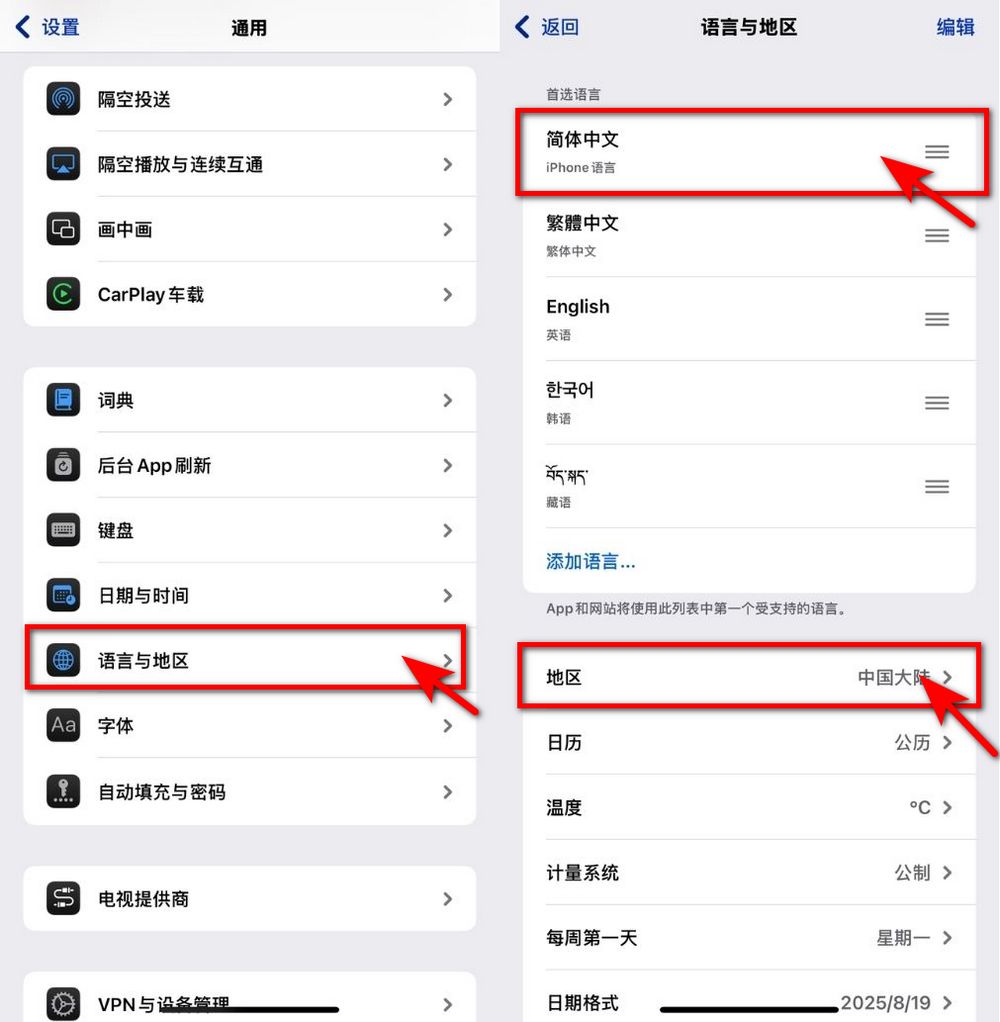
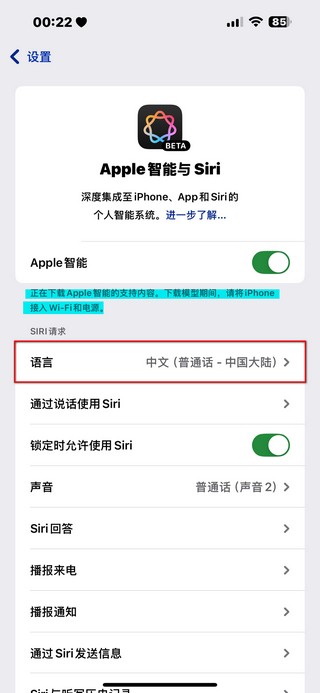
Next, go to Apple Intelligence & Siri, and set Siri’s language to “Chinese (Mandarin – Mainland China)”. After you’ve completed the above settings, you should see a notification on the Apple Intelligence & Siri page indicating that support content for Apple Intelligence is downloading. The download requires power and Wi-Fi. Once the support content is downloaded, you’ll see an option to turn on Apple Intelligence on the Apple Intelligence & Siri page. Tap to turn it on, and you can experience the Chinese version of Apple Intelligence.
What can you do with the Chinese version of Apple Intelligence?
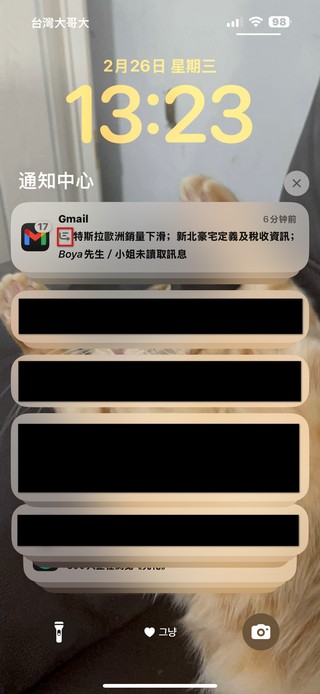
After setting up your phone, we can start experiencing the Chinese version of Apple Intelligence. So what exactly can the Chinese version of Apple Intelligence do? Our editor tested it and found that currently Apple Intelligence can help you automatically summarize your emails and notifications.
Now Apple Intelligence has partnered with ChatGPT, so we can use ChatGPT directly to help write a passage. You can also have ChatGPT rewrite content for you. However, since it’s the Simplified Chinese version of Apple Intelligence, both the recognition and generated content are in Simplified Chinese.
What can the Chinese version of Apple Intelligence do in Siri?
Now Siri can help you send photos directly to contacts. For example, when you find a photo in your album, say “Hey Siri, send this photo to someone,” and Siri will send it for you. However, it can’t add notes for you; you’ll need to add them manually.
Siri can also help you share articles directly with whoever you want, though currently this feature doesn’t allow direct sharing of content from all platforms:
In simple terms, if Siri itself can’t do something, Siri will hand it over to ChatGPT to help you get it done. For example, if you ask Siri to plan a five-day, four-night trip to Korea, since Siri doesn’t have that capability itself, it will let ChatGPT handle it for you.
Siri can also reply to you about international news via ChatGPT:
After using it, the editor thinks that the Simplified Chinese version of Apple Intelligence is still not very convenient for Traditional Chinese users. For example, features like article proofreading and rewriting only recognize Simplified Chinese characters, so users in Taiwan can’t use them. Hopefully, when the official Chinese version launches in April, it will support Traditional Chinese; otherwise, it will be hard for Taiwanese users to use the Chinese version of Apple Intelligence without any barriers.
That’s all for what the Chinese version of Apple Intelligence can do in this iOS 18 Developer Beta. What do you think of its performance so far? Since the Chinese version of Apple Intelligence is still in the testing phase, features like Image Playground and Genmoji don’t support Simplified Chinese yet, so they can’t be used normally. We previously shared a tutorial on how to get early access to Image Playground and Genmoji—you can click the link below to try them out:
Aside from the two features mentioned above, there are still many features shared at Apple’s launch event that are currently unavailable. I wonder if all features will work properly once the Chinese version of Apple Intelligence officially launches in April. If you want to learn more about what Apple Intelligence can do, you can click the link below to read the Apple Intelligence preview guide we previously compiled. It contains a detailed rundown of Apple Intelligence features, so you can review it again before the official version comes out in April! I also hope the Taiwan Traditional Chinese version will be released soon!
Apple Intelligence 前瞻整理懶人包,iPhone 16 相機控制讓 Apple Intelligence 更好用
Source: KOCPC Chinese