


Apple today previewed a new set of parental control tools aimed at making it easier for parents to manage what their children can see, who they can contact, and how long they can use apps each day. A system update launching this fall will bring a more intuitive setup process (including recommended must-have apps), “Ask Before Browsing,” “Time Limits,” and a redesigned “Screen Time” interface. These updates continue Apple’s layout in the field of children’s digital safety and once again emphasize its commitment to building a safe platform.

Apple shows off new child safety features
The first step for parents to create an age-appropriate experience for their children is to create a child account for their children. Age-based protections are automatically enabled, such as blocking adult websites, restricting age-inappropriate media content, and applying age ratings in the App Store. When parents set up a new device for their child, they will be directed to create an account. Children’s accounts are required for those under 13 and optional for anyone under 18.

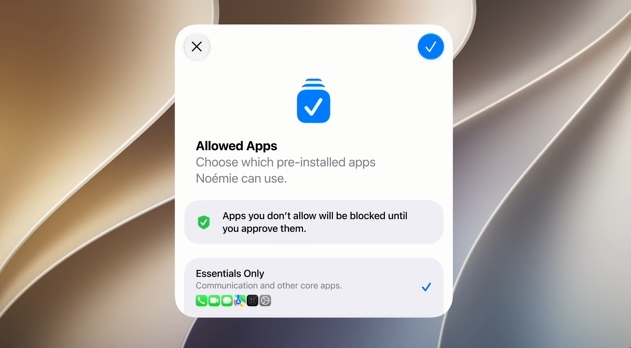
After completing the account, parents can select the apps available on their child’s device. You can start with suggested must-have apps, a curated set of apps, or just select items that parents think are appropriate and then add to them over time. If a child wants to download a new app, “Ask to Buy” will ask them to obtain parental consent first. The new “Ask Before Browsing” has been expanded to Safari. Whenever a child wants to visit a new website, a request will be made to the parent first. This feature is available on iPhone, iPad, and Mac.
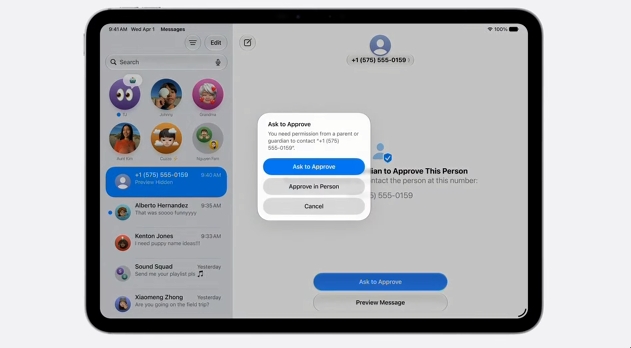
Parents can manage who their children can contact via text message, FaceTime or phone call from the start. If children want to add new contacts, the system will ask them to obtain parental consent first. The communication safety feature originally blurred messages when nudity was detected and was enabled by default for users under the age of 18. After the update, the system will also step in and block when violent or gory images are detected.
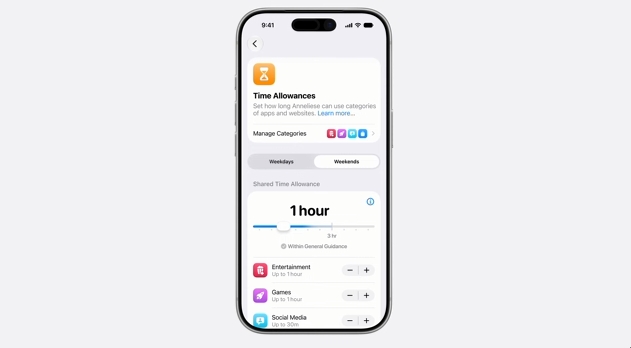
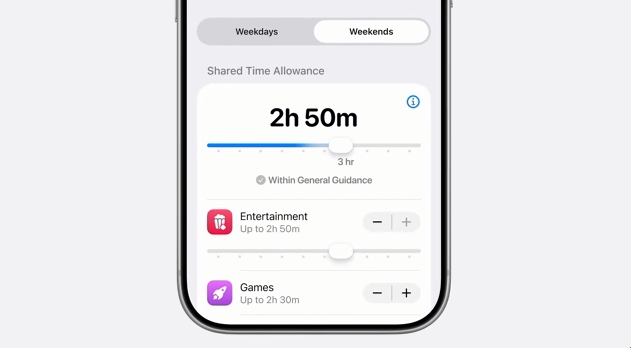
The time limit function allows parents to more flexibly manage their children’s usage time on entertainment, games, social apps and other apps. When setting, the system will provide suggestions for different age groups based on expert research, and parents can adjust them according to their needs. Parents can also set daily schedules to decide which apps their children can use at different times of the day, such as limiting games or social media during school hours to maintain focus.
The redesigned “Screen Time” allows parents to quickly understand their children’s average usage time and the most commonly used apps. Parents can instantly adjust app or network usage permissions, such as temporarily restricting use during meals or family activities; if their children need more time to complete tasks in the app, parents can easily extend it.
Parents can also use existing safety features:
- Screen Time passcode notification: Parents will be alerted when their child enters the Screen Time passcode on their device.
- User reporting tool: Report harmful content directly to Apple. It is currently available in some regions and will be expanded to the world in the future.
- Apple Watch for Kids: Allows children without an iPhone to use positioning, communication, activity recording and other functions. Parents can check the location through “Find”, while children can contact family members through phone calls and messages, and use functions such as Apple Maps, Apple Music, and Apple Cash. “Class Mode” blocks notifications and disables apps to help children stay focused.
Apple has continued to work with experts in clinical, child development and online safety fields to promote children’s digital health research for many years. Apple has also collaborated with the American Academy of Pediatrics (AAP) to adapt its Family Media Plan into a parent guide for Apple products. In addition, Apple has launched a website specially designed for parents to provide the latest tools, teaching resources and frequently asked questions to help parents get started quickly.
Source: KOCPC Chinese