


Recently, LINE launched the 12.14.0 update. In addition to the group “mark all” function of the topic function, another practical function is the optimization of the “delete data” interface. In addition to the new available space display, the space occupied by the LINE application in the current mobile phone device capacity can be clearly seen at a glance. The option of “delete data by chat room” is also added, and the chat rooms are sorted according to the amount of data from large to small, so that data can be quickly deleted from the chat room with the largest amount of data.

LINE 12.14.0 updates the “Delete Data” interface to add available space display and “Video” deletion
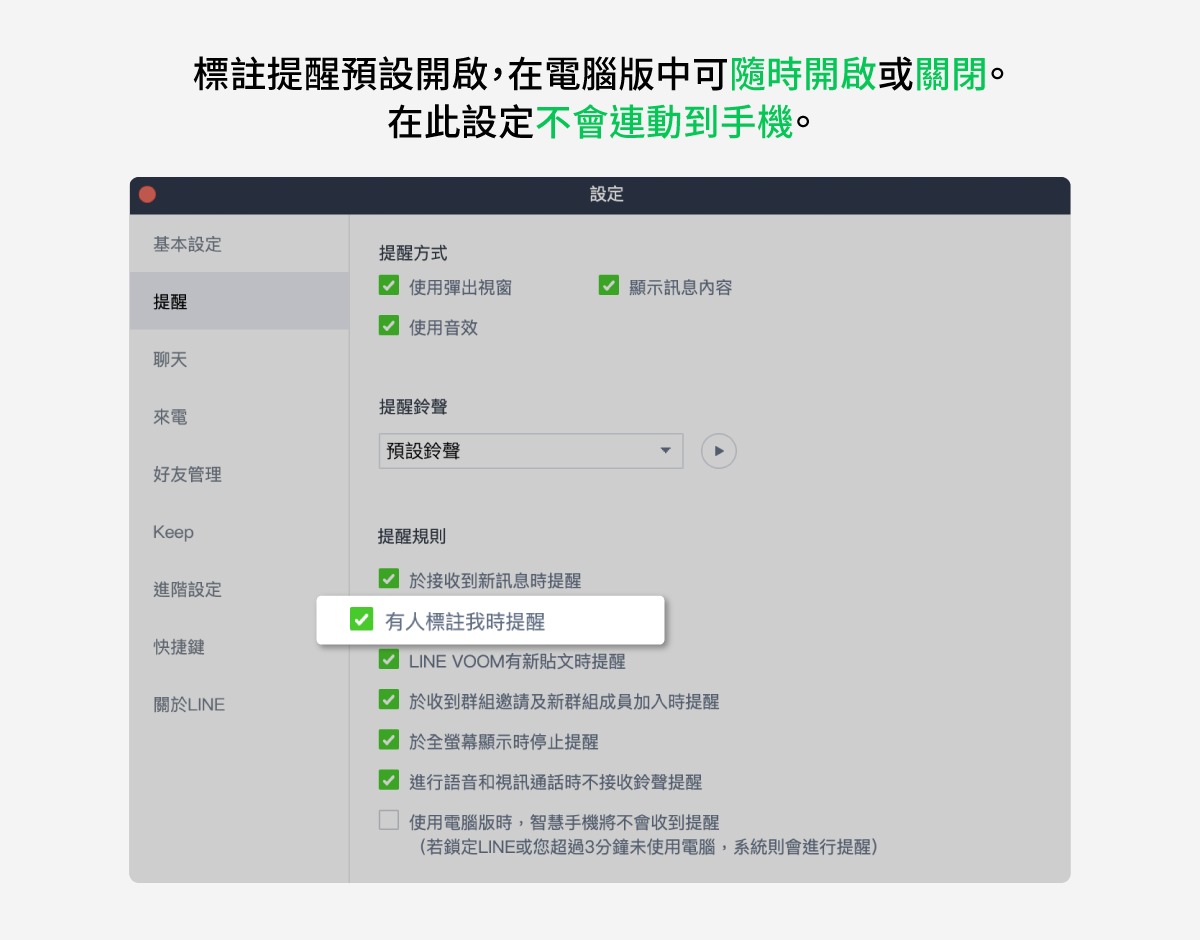
LINE has recently had a not-so-small update. In the LINE 12.14.0 update, four updates are provided, including group “Tagging All” and drag-and-drop adjustment of sticker order. Among them, group “Tagging All” can be tagged with “@All” in the group chat room by typing “@All” in the group chat room. It is very suitable for use when making announcements. The official also teaches that if you don’t want to be constantly reminded by “Tagging All”, you can also consider turning off the “Tagging Reminder”, and you can make adjustments to the computer version and the mobile version respectively.

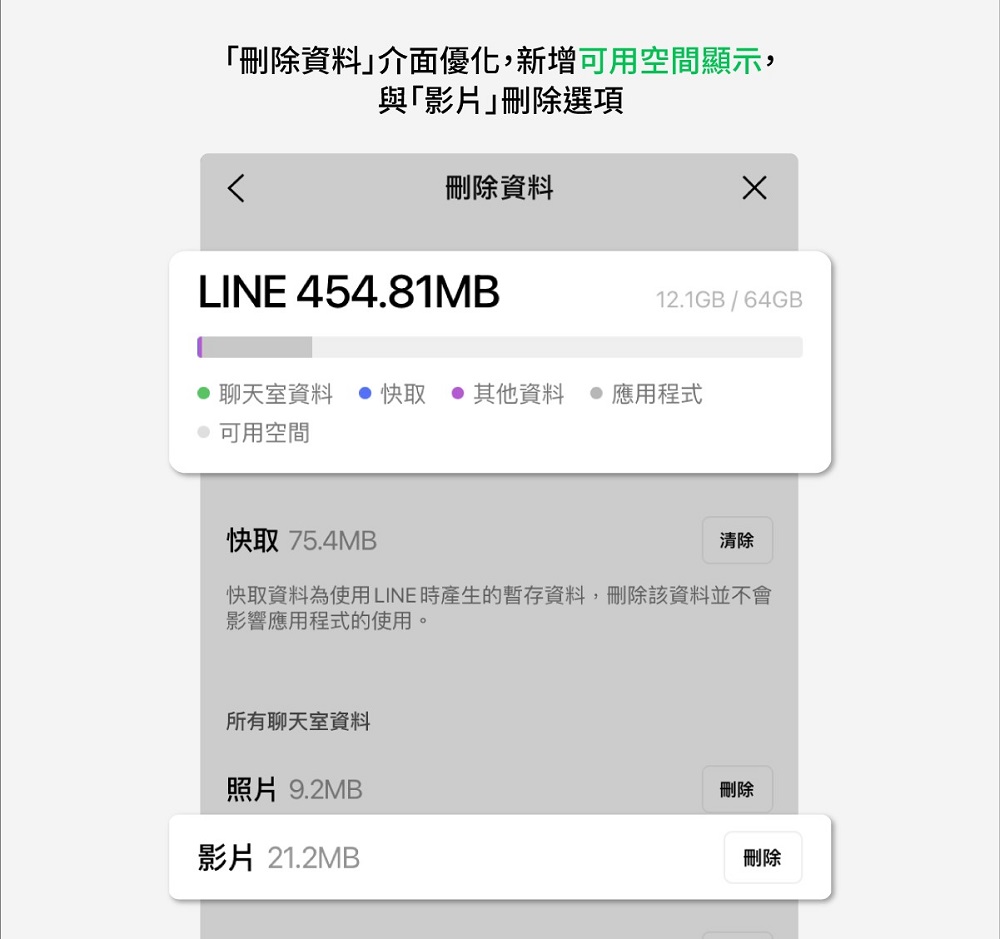
In addition to the group “mark all” function, the LINE 12.14.0 update also specially optimizes the “delete data” interface, which can quickly see the available space and perform more detailed deletion functions. There are three main optimization directions: “Add available space display at the top of the screen”, “Add “Video” deletion option”, and “Add “Delete data by chat room”.
“A new available space display is added at the top of the screen”, which can clearly show the space occupied by the LINE application in the current mobile phone device capacity. “New “Video” deletion option” can lock video files for deletion. Usually video files are larger, and deleting them can free up more space on your phone.
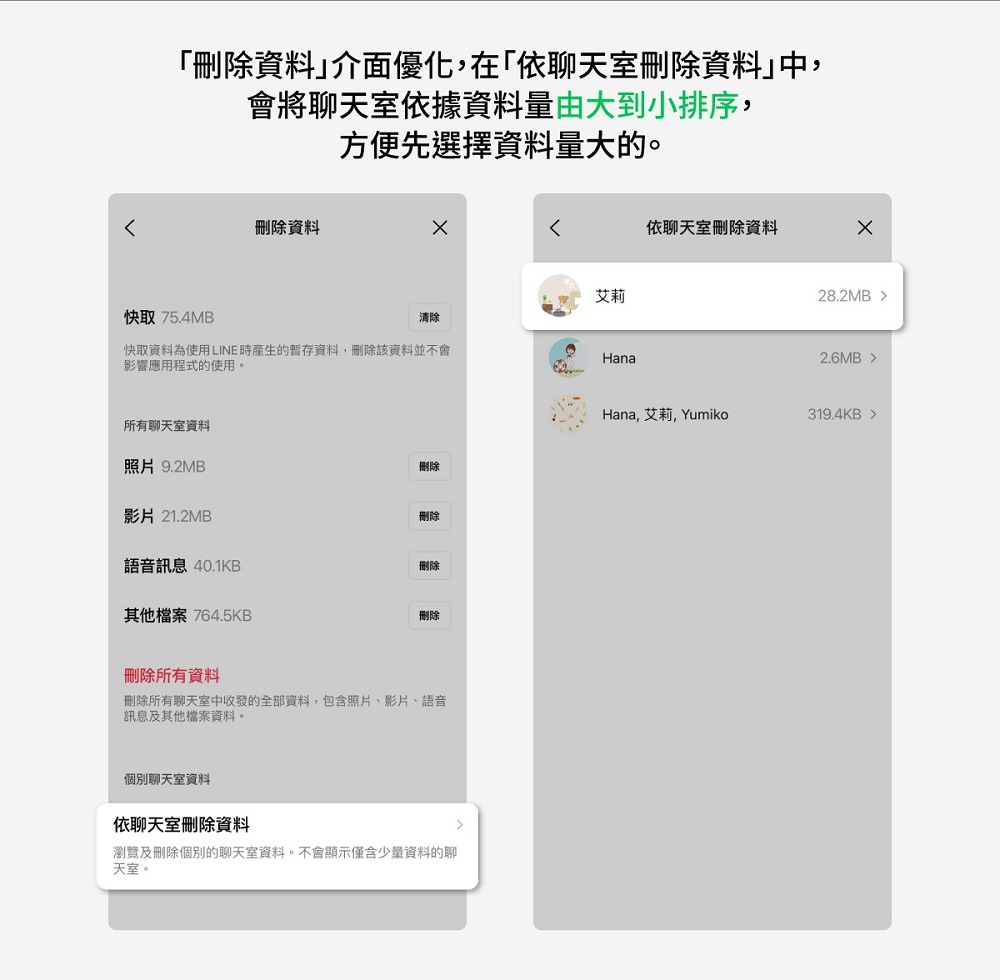
“Added “Delete data by chat room”” will sort the chat rooms from large to small according to the amount of data, so that users can delete data from the chat room with the largest amount of data.
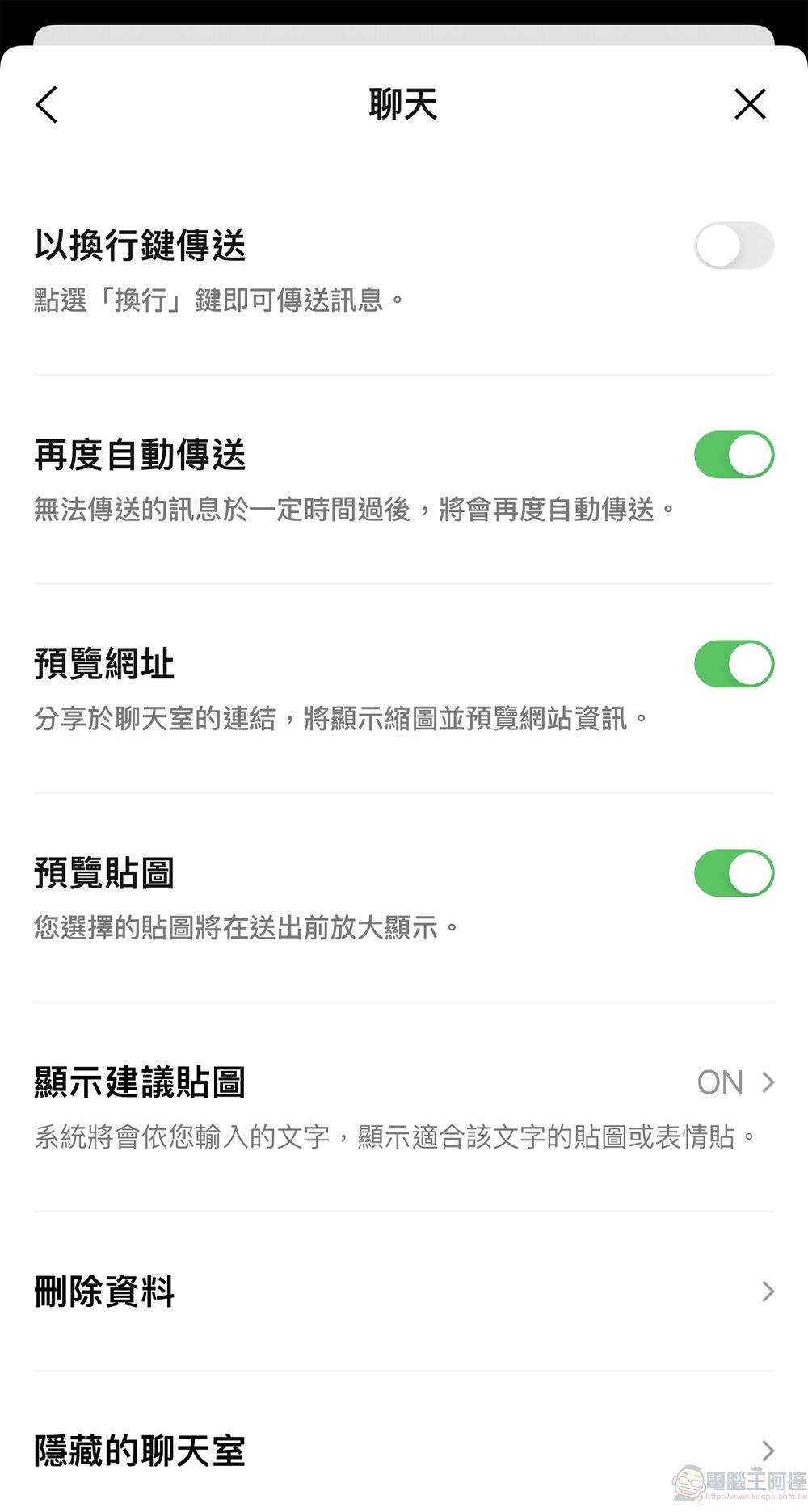
If you want to use the chat room’s data deletion function, you can go to the LINE home page Settings (gear icon) > Chat > Delete data. On the “Delete data” page, you can re-download the data after deleting it if it has not expired. The purpose is to free up space.
If you want to completely delete the “message” instead of just reducing the size of the LINE file by deleting the “data”, you can go to the LINE “Chat” page, enter the chat room to delete the message, or delete the entire chat room. Doing so will delete the “message”, and it cannot be restored or re-downloaded after deletion.
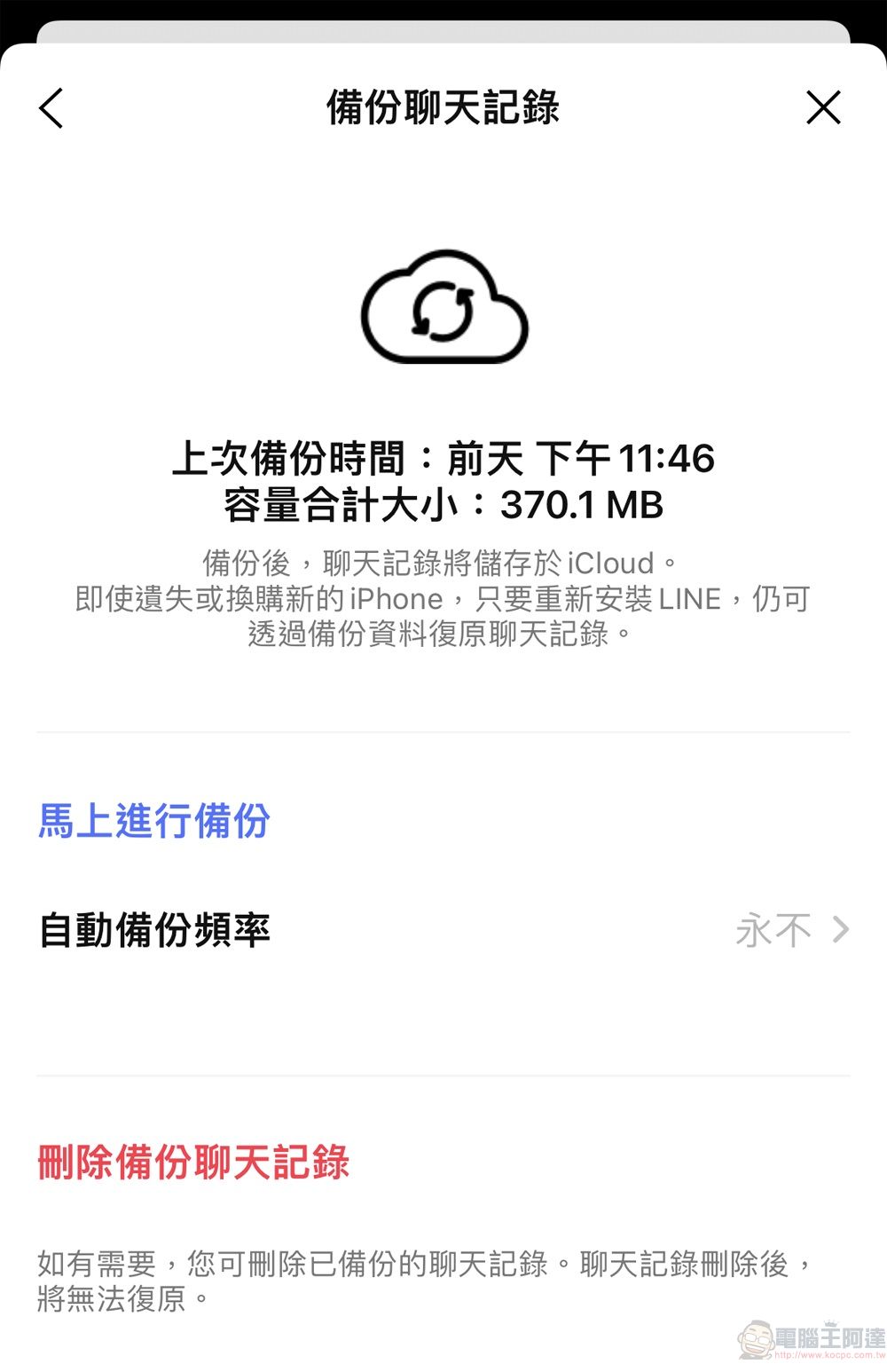
If you want to delete the backup chat history, you have to select it from the “Backup Chat History” separately.
In addition to group “mark all” and optimizing the “delete data” interface, the LINE 12.14.0 update also adds a “new sticker keyboard editing and sorting function”. Press and hold the icon on the sticker keyboard in the chat room input box to instantly adjust the order of stickers and emoticons by dragging; “LINE VOOM adds a new straight message format” in LINE In VOOM, when you copy a link from a straight video post and paste it into a chat room, a new straight message bubble will be displayed in the chat room, making the preview of the straight video more complete.


The optimized “Delete Data” interface in the update is one of the most convenient updates. If you want to delete chat room data, you no longer have to worry about deleting it once. Instead, you can select it individually based on the space consumed. People who need it can use it.
Official introduction to LINE 12.14.0 version update
Source: KOCPC Chinese