


Today, the price of the Office series is still not cheap, so for friends with limited pockets, they will definitely not be able to buy it and use the free online version of Office instead. If the browser you usually use is Microsoft Edge, then this article will teach you a very convenient trick. You can quickly enter the free online version of Office by opening a new tab. You no longer have to search for keywords on Google or open it from Favorites as before. The operation is more convenient and faster.
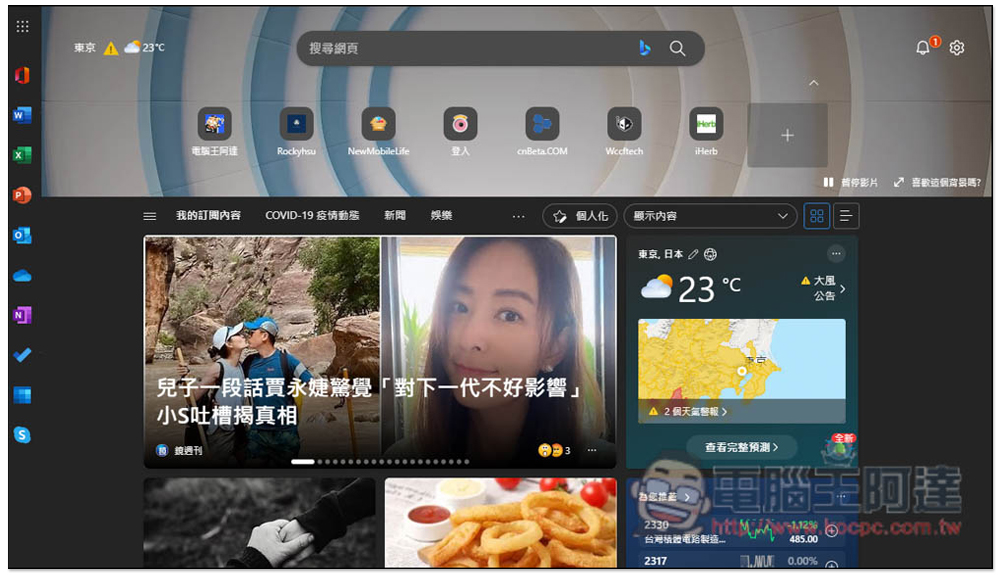
Teach you how to open the Office sidebar in the new tab of the Edge browser and quickly use the free online versions of Word, Excel, and PowerPoint
This function is only available in the Microsoft Edge browser and is not available in other browsers. In addition, it is not only supported by Windows but also by Mac operating systems. The installation link is as follows:
First, open a new tab of the browser. You will see a “Settings” icon in the upper right corner (next to the little bell icon). Please click on it:

Then the “Page Settings” menu will pop up. Scroll down and you will see the “Office Feed Field”. It is turned off by default. Please turn it on (it will turn blue when turned on):

The Office function toolbar will immediately appear on the left. If you need to use it in the future, just open a new tab of the Microsoft Edge browser and click on the left to quickly enter the Office tool web page:

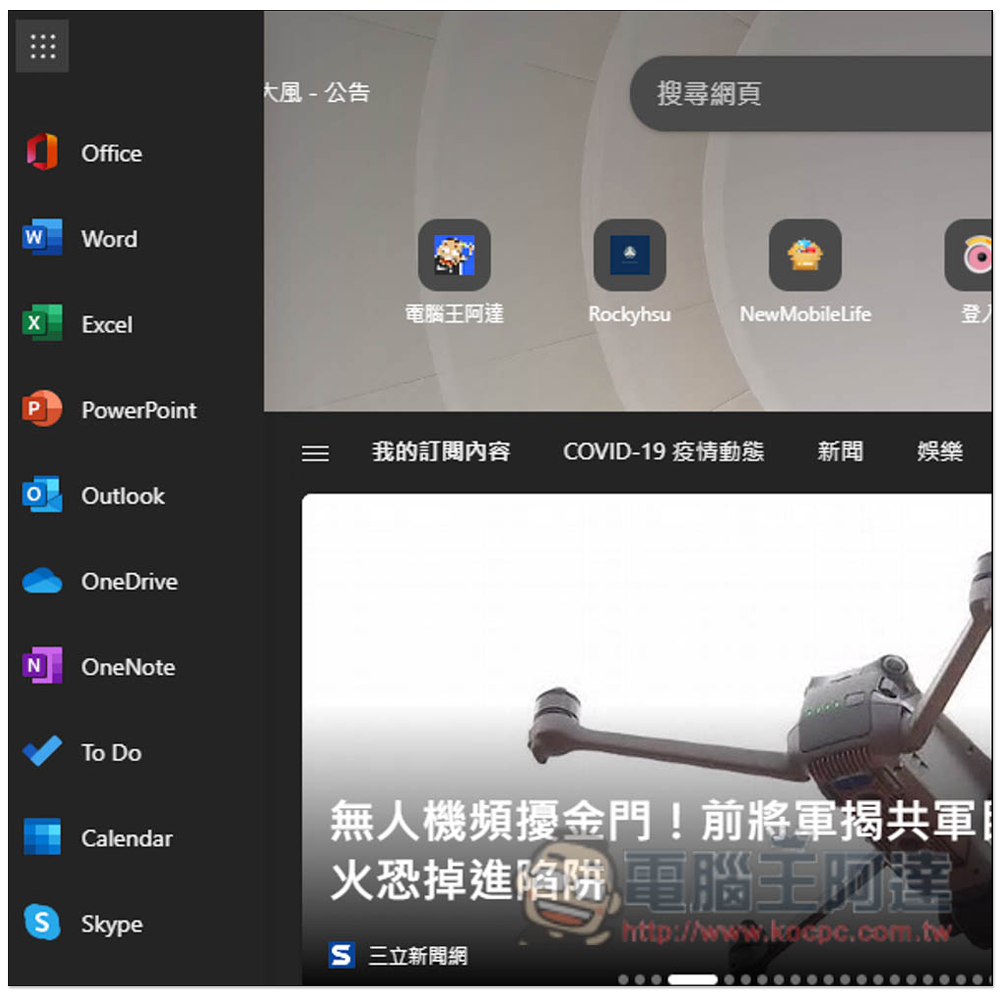
Press the three lines on the upper left to expand. There are 10 Office homepages, Word, Excel, PowerPoint, Outlook, OneDrive, OneNote, To Do, Calendar, and Skype. OneDrive can also be quickly entered from here:
Like this, after entering the Office tool, you can drag the file you want to edit into the webpage and upload it:
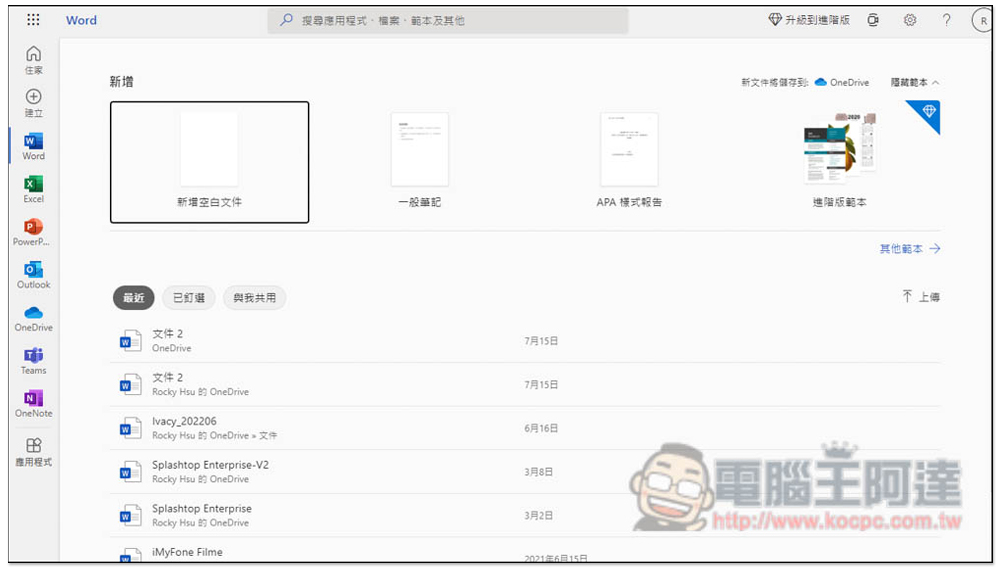
For those who have never used the free online version of Offie, let me quickly explain that unlike the desktop offline version, the online version of Office is completely free and you can use it as long as you have a Microsoft account. The only problem is that when editing files, you must upload them first, and the desktop version cannot be read directly.
In addition, Google Docs now actually supports reading Office formats, and the download also provides the function of converting to Office format. Therefore, if you often put files on Google Drive, you can just use Google Docs directly. However, sometimes the converted format content may run away.
If you really want to use the offline desktop version, you can consider other free document software. Here are three:
- LibreOffice: Available for Windows, macOS and Linux (Official website link)
- Apache OpenOffice: Available for Windows, macOS, and Linux (Official website link)
- ONLYOFFICE: Available in Windows, macOS, and Linux (Official website link)

Source: KOCPC Chinese