


Google Docs/Google Docs integrates its various service functions very quickly and with high frequency. As for Tasks, Google’s current to-do list application service. The official also announced that the function of assigning work tasks in real time will be available through the integration of Google Tasks x Google Docs dual services, allowing you to obtain it directly while editing documents. The only question is whether this is a bit too immediate and feels a bit like trying to push employees to death (eh). Continue reading Google Docs will support direct assignment of user Tasks tasks (see how to use it here!).
Google Docs will support direct assignment of user Tasks tasks (see how to use it here!)
In our previous introduction reports, we have learned about the convenient new function of using Google Docs and Google Calendar to quickly create meeting notes (see more:Google Calendar’s practical new shortcut button: Helps you quickly create meeting key recording files). Now that you can quickly switch from the calendar to start meeting minutes, assigning the tasks decided in the meeting to team members more intuitively will definitely speed up the efficiency of work and learning reports!
The Google Workspace Updates website recently added a quick Smart Canvas feature for assigning tasks to the integration of Google Tasks and Google Docs.
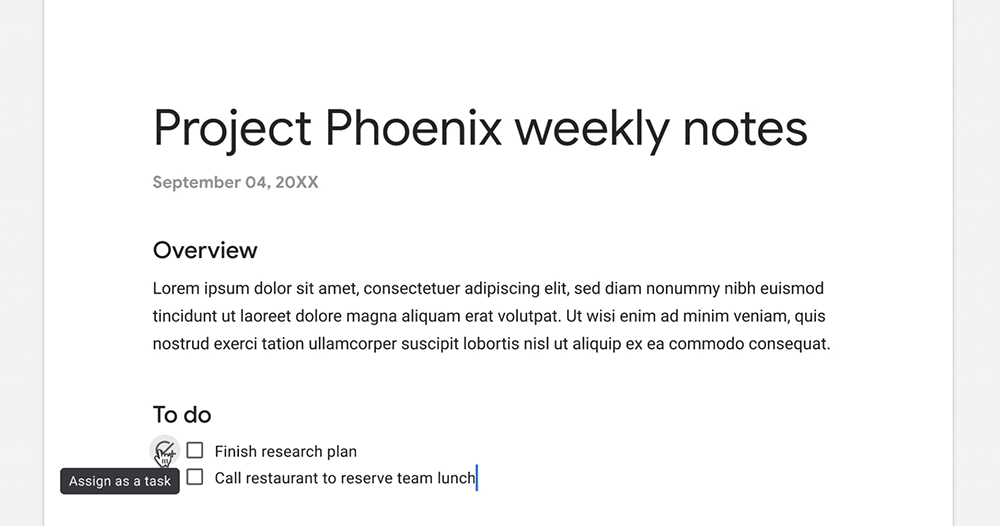
In the past, Google Docs has actually been able to provide document writing functions similar to Google Tasks or Google Keeps checkboxes by activating check buttons for to-do lists. This is very suitable for team work distribution, or even a list function for tracking progress. If it can be used directly like Google Tasks, the real-time to-do function can be used to let everyone know the tasks that need to be performed, and after completion, Google Tasks can report the progress without returning to the file. I believe it will be of great help to work efficiency!
And this is Google’s new collaboration feature integration for its Workspace users.
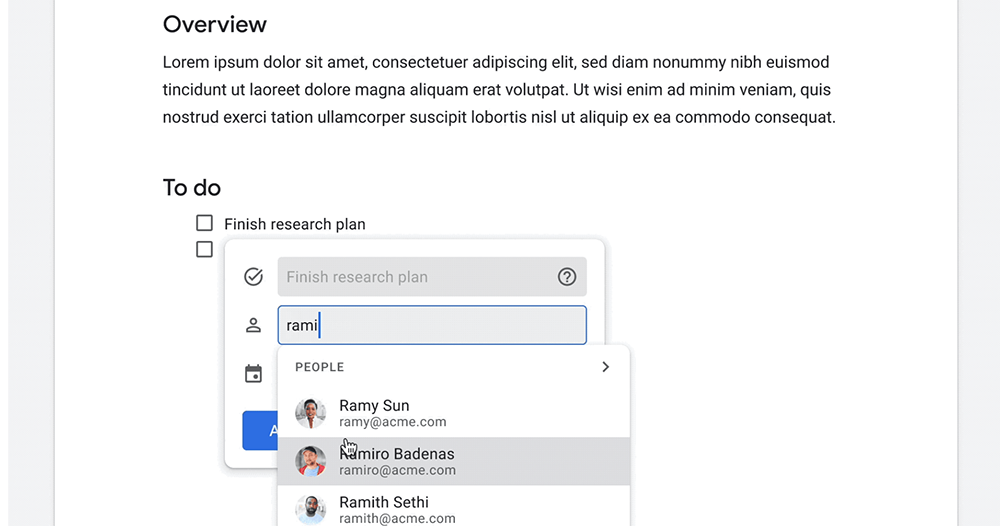
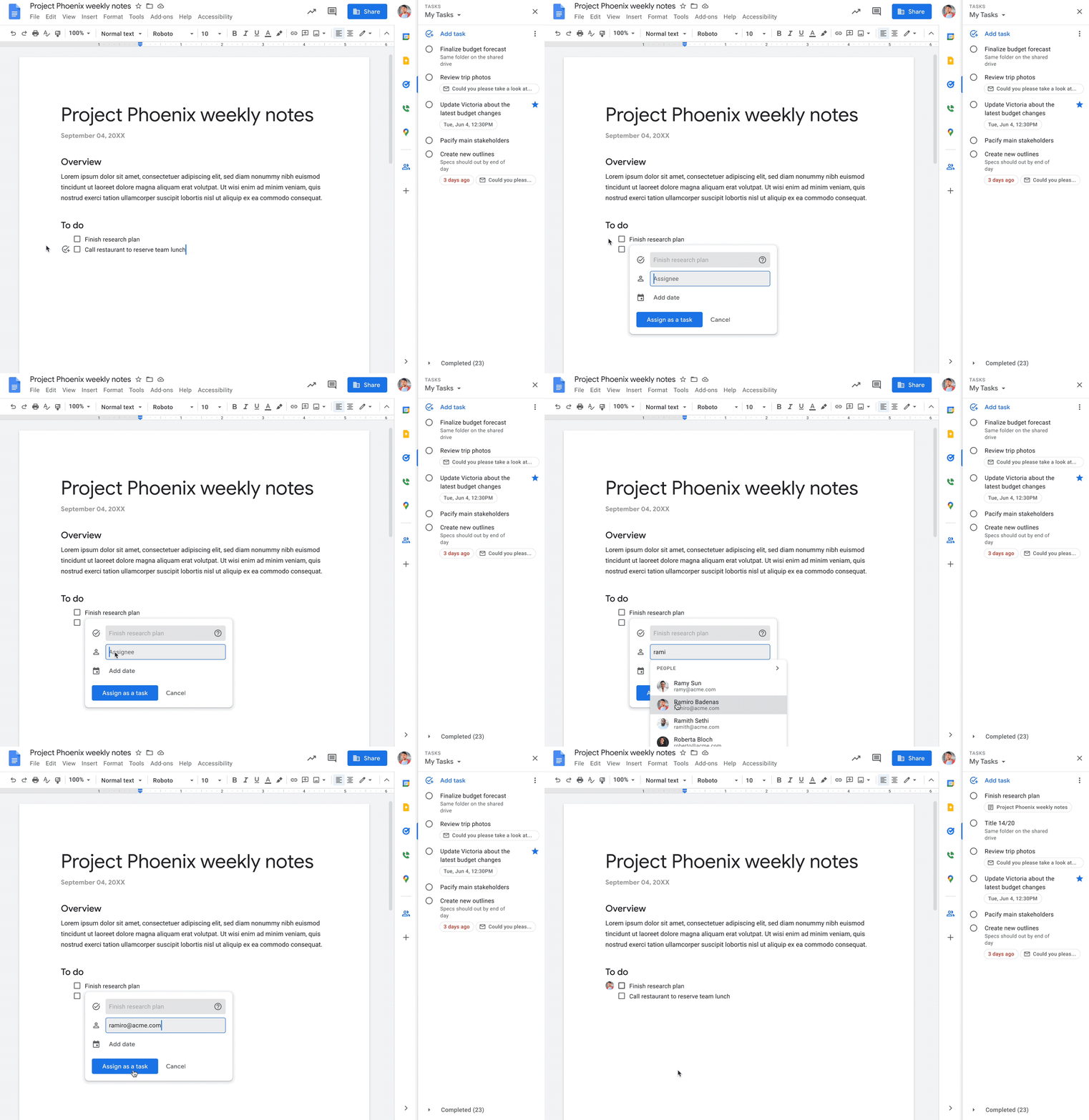
This feature will generally take about two weeks to be officially launched. According to official instructions, the Admin manager is also required to enable the switch of Google Tasks. Then you can find the round check button in front of the check box list in Google Docs. Click it to launch the task assignment floating window of Google Tasks.
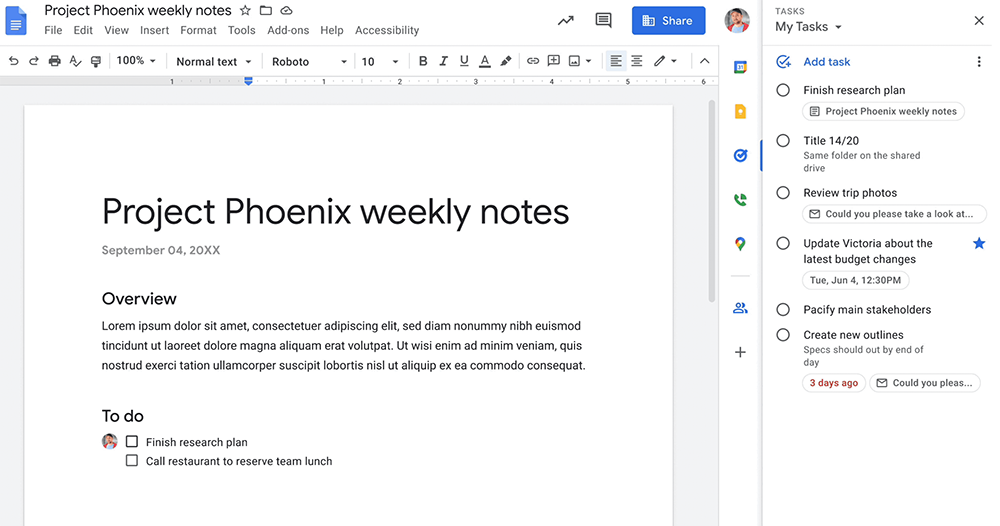
At this time, enter the name within the organization to quickly assign the item to the designated member. The best part is that after the assignment is completed, the task item will be instantly added to the user’s Google Tasks service list. This feature also allows you to specify the expiration time in the window. I believe that for teams that want to allocate learning or work projects more immediately, this will be a good feature worth turning on.
Further reading:
I hear your frustration, Google Search results will filter out unoriginal and irrelevant content

Source: KOCPC Chinese