


When watching YouTube videos in different languages, have you ever found yourself unable to understand the audio and unable to read the subtitles either? Although some videos come with English subtitles, English subtitles can still be somewhat difficult for non-native speakers to read. Today, I’d like to introduce a Chrome extension called “YouTube 翻過去.” YouTube 翻過去 is an extension designed specifically to instantly convert YouTube videos into various languages. It’s super easy to use and completely free.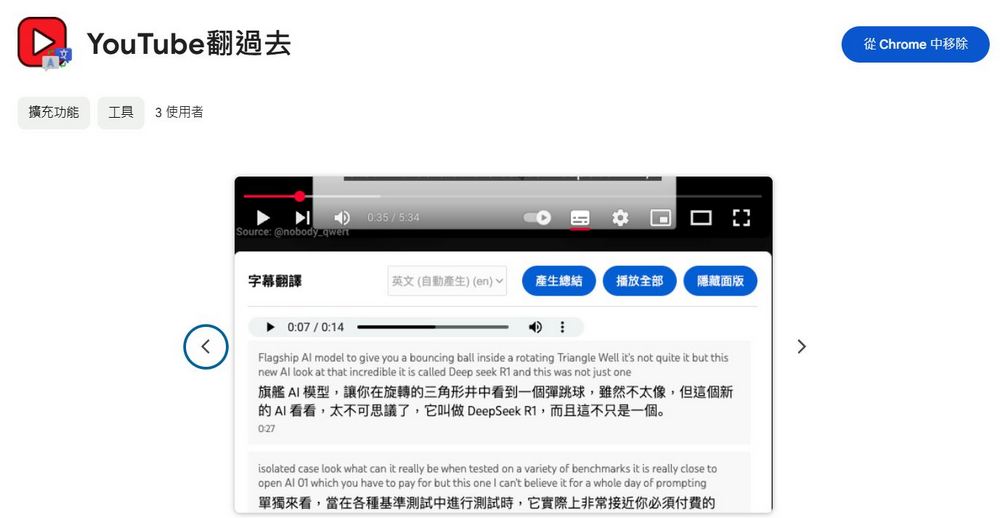
Free Chrome extension “YouTube Translate”: Real-time translation and sentence-by-sentence interpretation to enhance your YouTube viewing experience
YouTube 翻過去 can help users instantly convert YouTube videos in any language into Chinese, and it’s quite simple to use. Just add YouTube 翻過去 to your Chrome, and you can get sentence-by-sentence interpretation and translation while watching videos. YouTube 翻過去 can also help you organize the video’s main ideas, allowing you to quickly understand the video outline.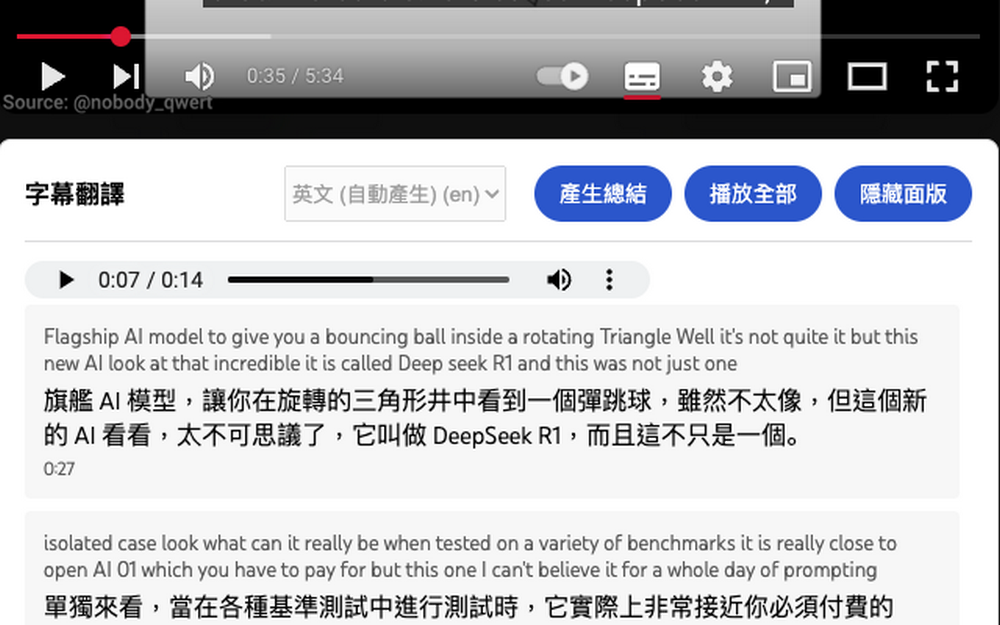
Go to YouTube and flip over. Chrome Web Store
Click the link below to go to YouTube and flip through the past. On the Chrome Web Store, after clicking “Add to Chrome”, you can start using YouTube Translated on YouTube.。
After adding YouTube Translate to your Chrome, open YouTube and play any foreign-language video. As long as the video you’re watching has embedded subtitles, you can use YouTube Translate to translate the video you’re watching.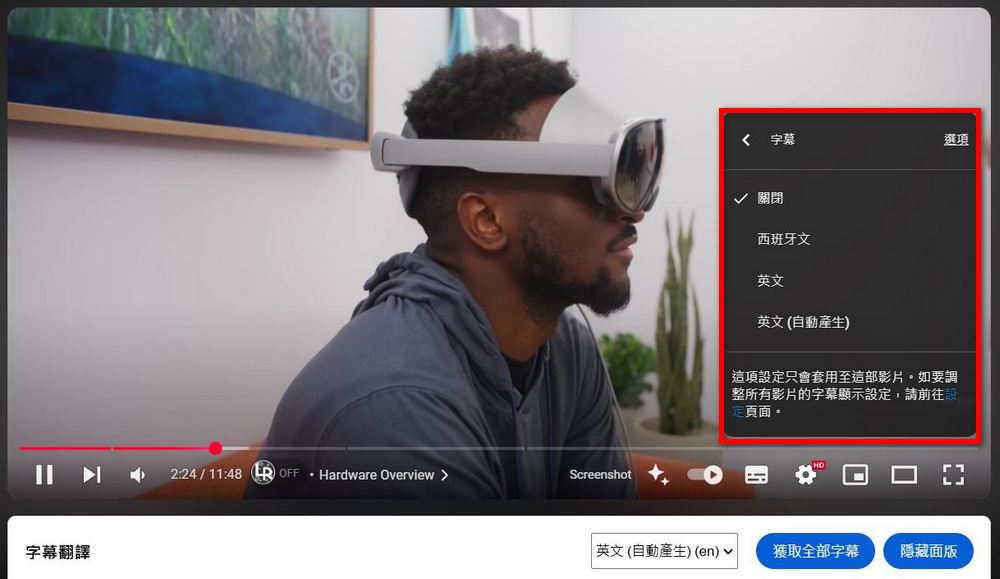
After opening the video, you will see a white box for subtitle translation. Click to select the subtitle language → select subtitles → get all subtitles. Then you will see the video’s subtitles listed one by one in the box.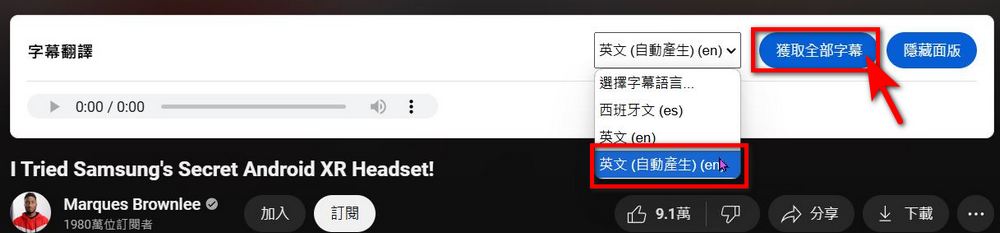
YouTube’s translation uses word-for-word interpretation and translation, so you need to click “Play All” to see the translation of each subtitle. However, I personally think YouTube’s word-for-word translation feature isn’t particularly polished yet, so when using it, you should still verify the accuracy of the translated content yourself.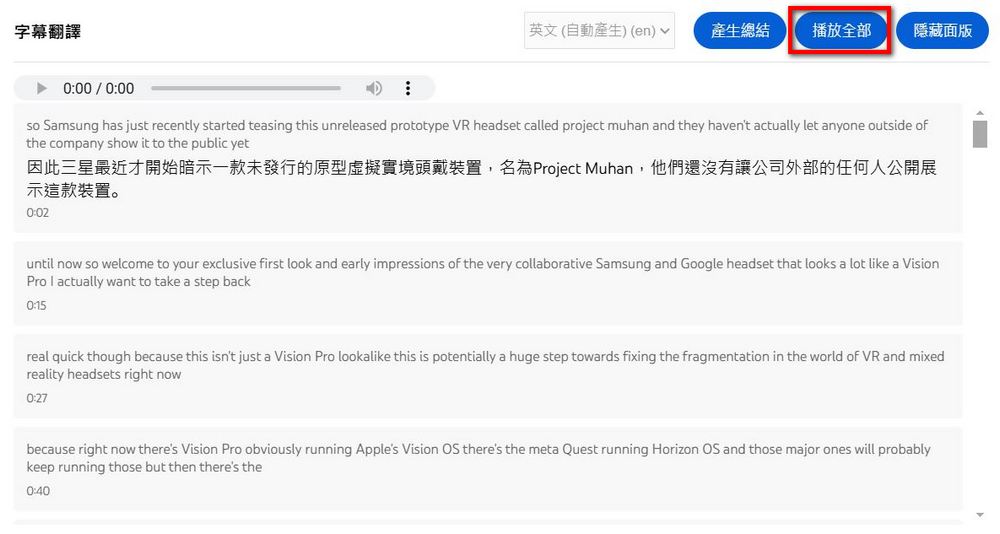
Click the YouTube translate-over icon on the extension, and you can also go to advanced settings to choose which language to translate into and what tone to use for word-by-word interpretation: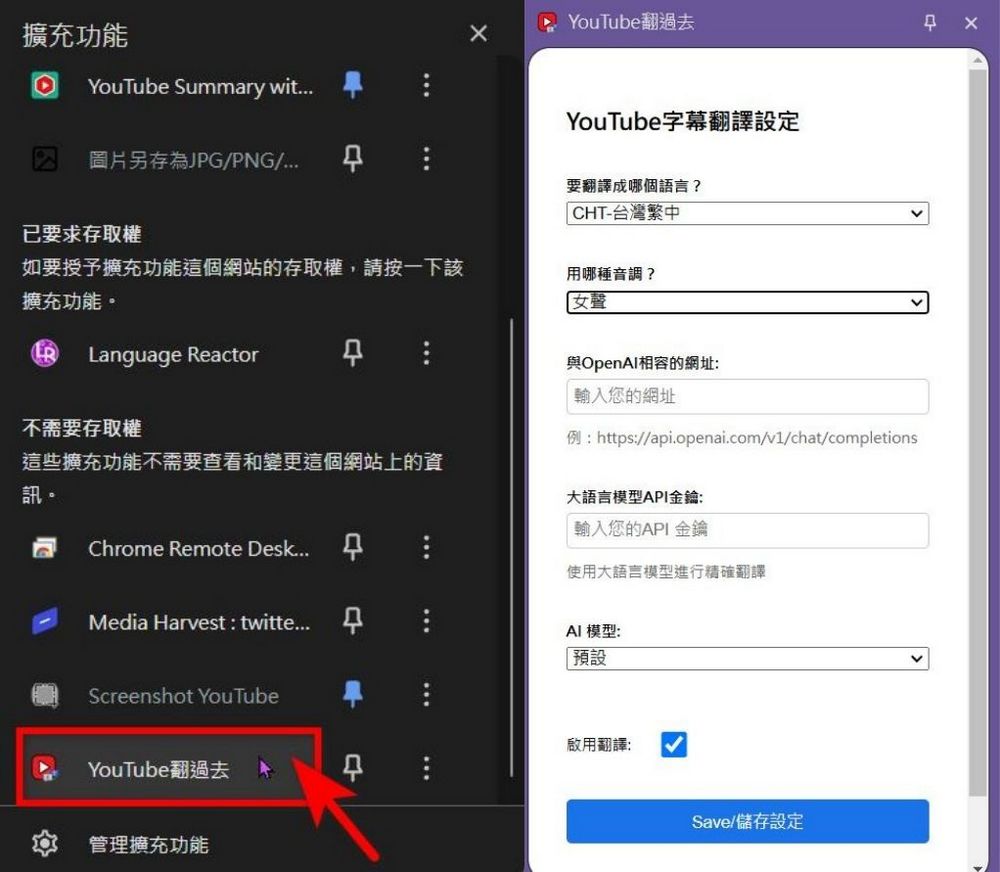
I personally often use YouTube’s “Generate summary” feature, which can help you quickly organize the content of a video. If you come across a video that’s too long, you can use the generate summary feature first to get an outline of the video.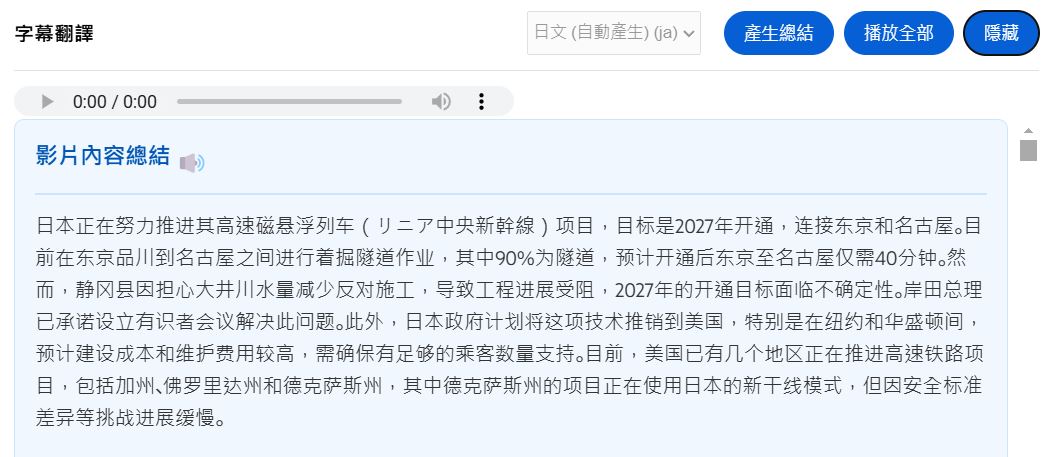
That’s all for the introduction to the Chrome extension YouTube 翻過去. If you’re interested, feel free to try it out yourself. It seems YouTube 翻過去 is still in its early stages for now — hopefully it will perform even better in the future.
Source: KOCPC Chinese