


Besides Apple and Google, some third-party AI companies are now also looking to capture the mobile AI assistant market. Recently, Perplexity, known for its AI search service, launched a new “Perplexity Assistant” feature that combines reasoning, search, and app functions to help users handle daily tasks, from simple questions to multi-app operations. It’s now available on Android, including for free users.
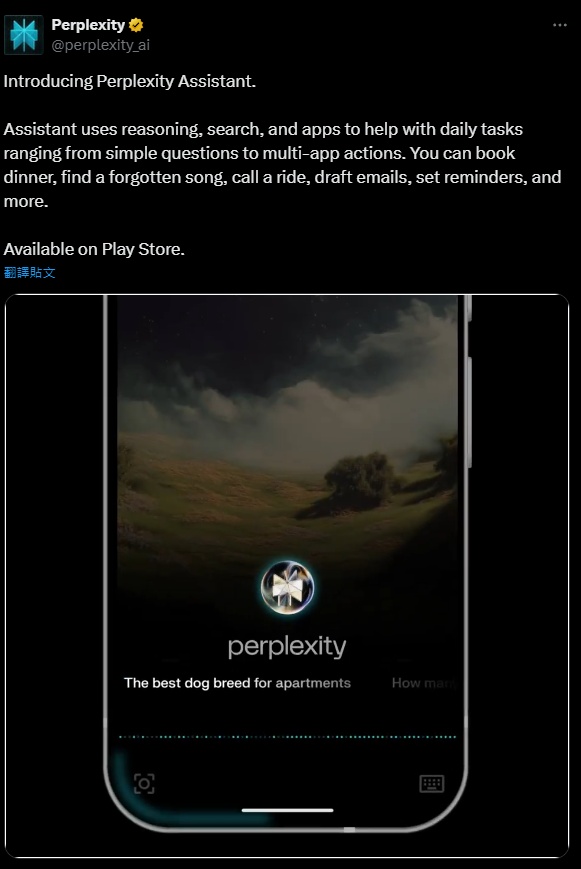
Perplexity’s latest AI assistant, “Perplexity Assistant,” makes its debut.
Perplexity Assistant is a new AI assistant built into the Perplexity App, meaning that if you’ve previously installed the Perplexity App, you don’t need to download another app — you can activate it directly within.
Perplexity Assistant will replace your existing Android AI assistant and voice assistant. It can do quite a lot, including booking dinner, finding songs you’ve forgotten, hailing rides, composing emails, setting reminders, and more. Here’s how to enable it.
After opening the Perplexity App, you’ll see the newly added Perplexity Assistant on the home page. Tap it to enter the setup steps, which basically just means following the on-screen instructions.
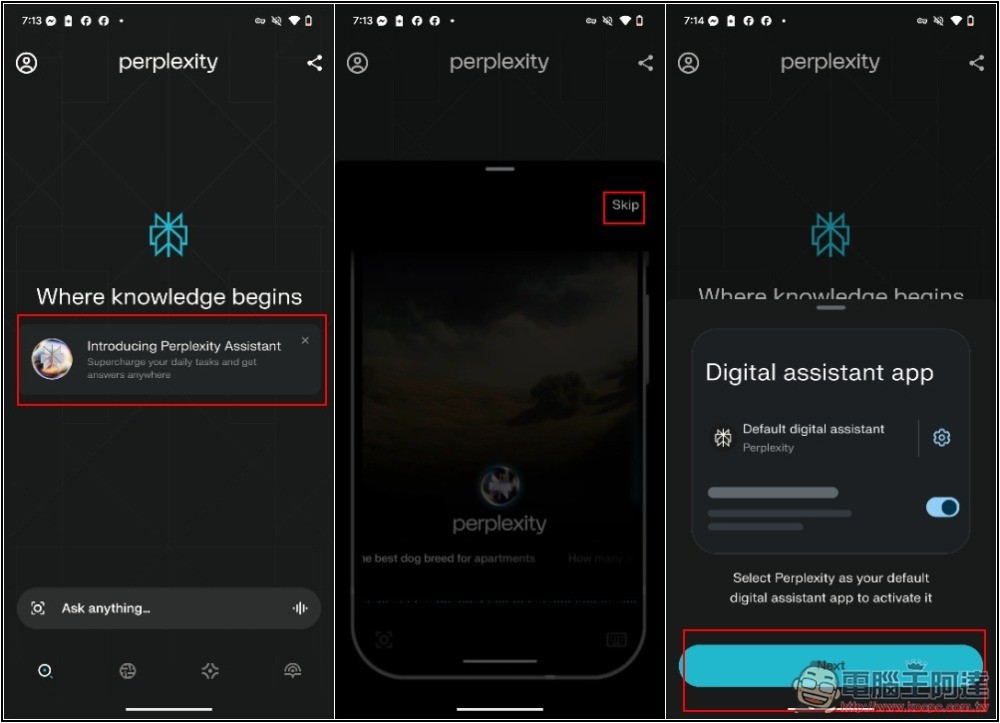
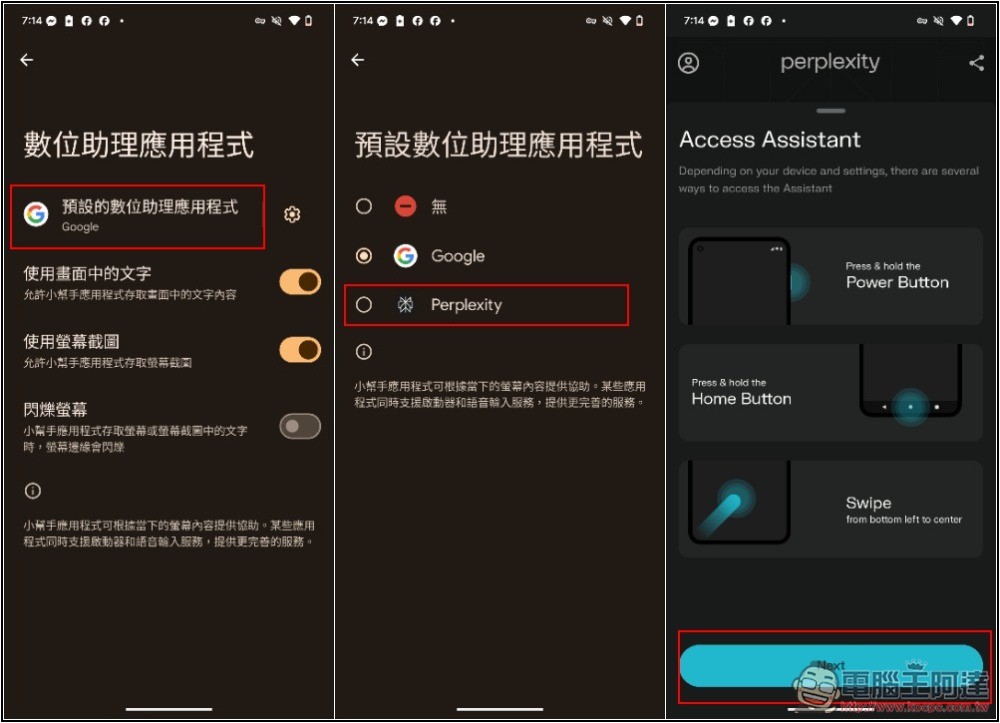
You’ll need to change the digital assistant app on your phone. For example, if I originally used Google, I’d switch it to Perplexity. Once changed, you can wake Perplexity Assistant using the three methods shown on the screen: long-press the power button, long-press the Home button, or swipe from the bottom-left corner of the screen toward the upper right.
You will also need to allow some permissions, including the microphone. The rest depends on your needs. If you don’t need the AI to send emails or messages for you, you don’t have to turn on the Contacts permission, or you can allow it later. Currently Perplexity Assistant supports 15 languages, including Chinese, English, Spanish, French, German, Japanese, Korean, and Hindi, among others:
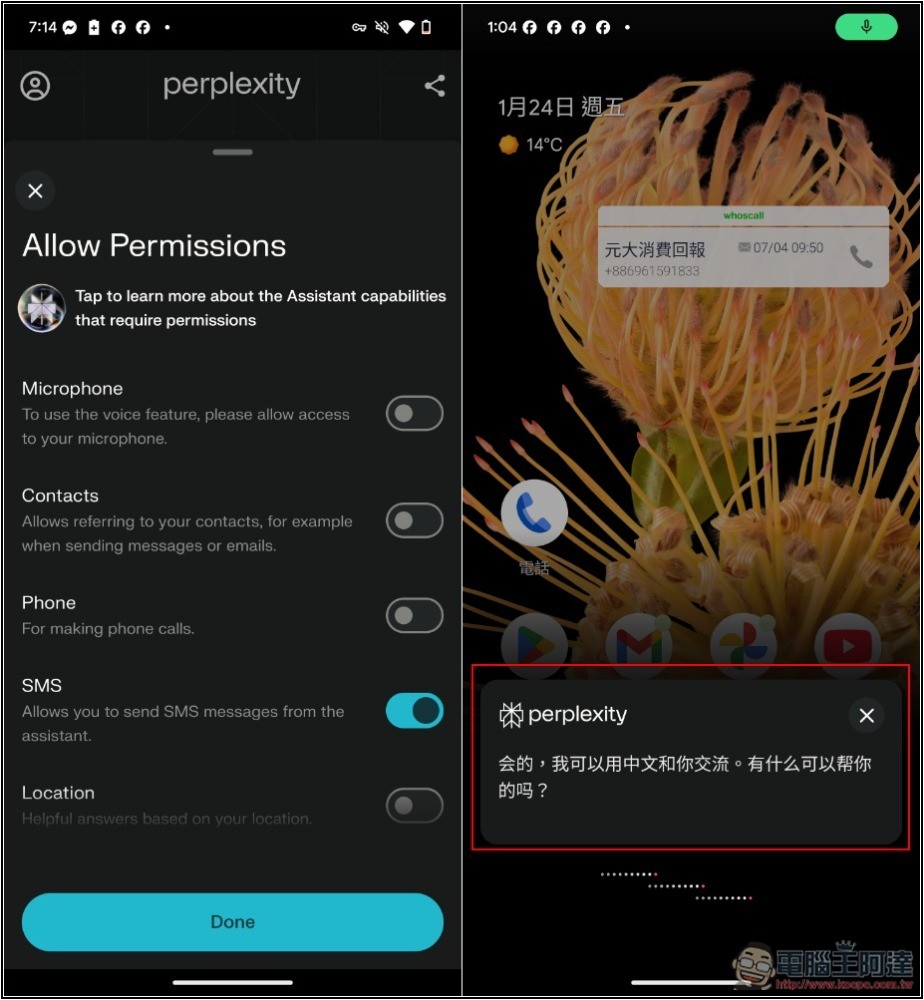
I tested Chinese and it works fine, it’s just that the default is Simplified Chinese, and the voice also has a bit of an ABC feel to it. Clicking on the answer content will open a conversation window in the Perplexity App:
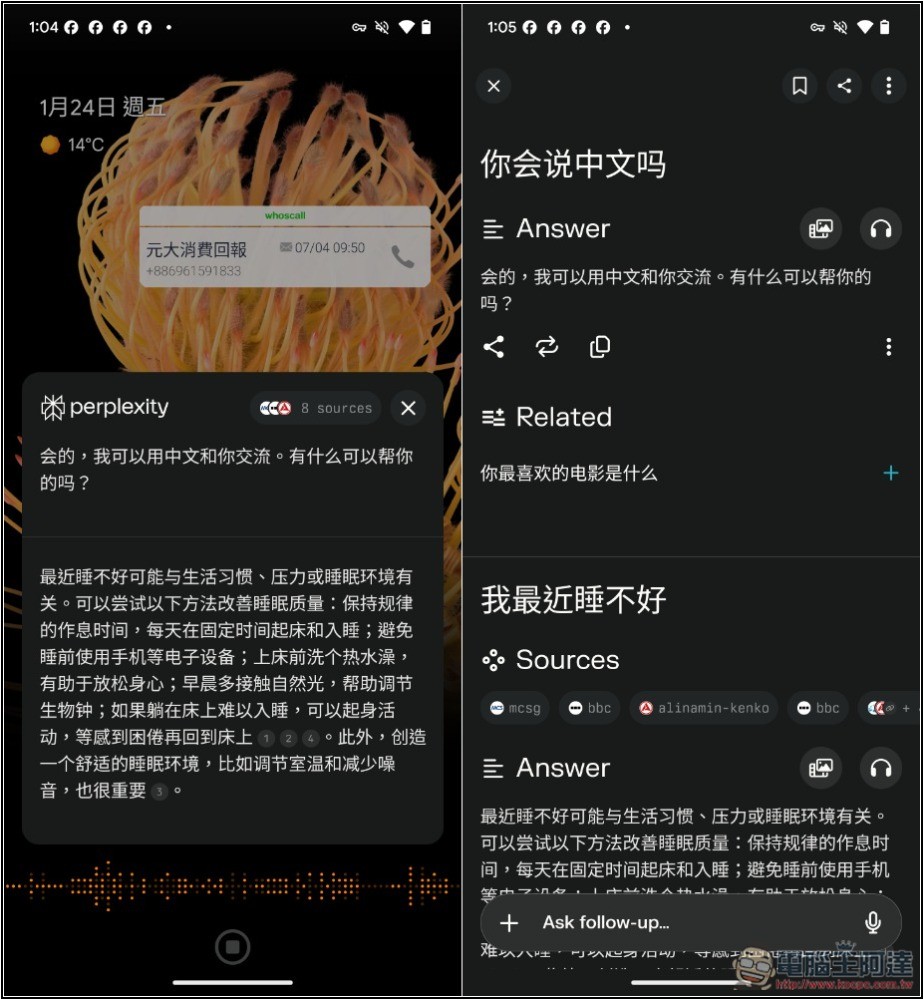
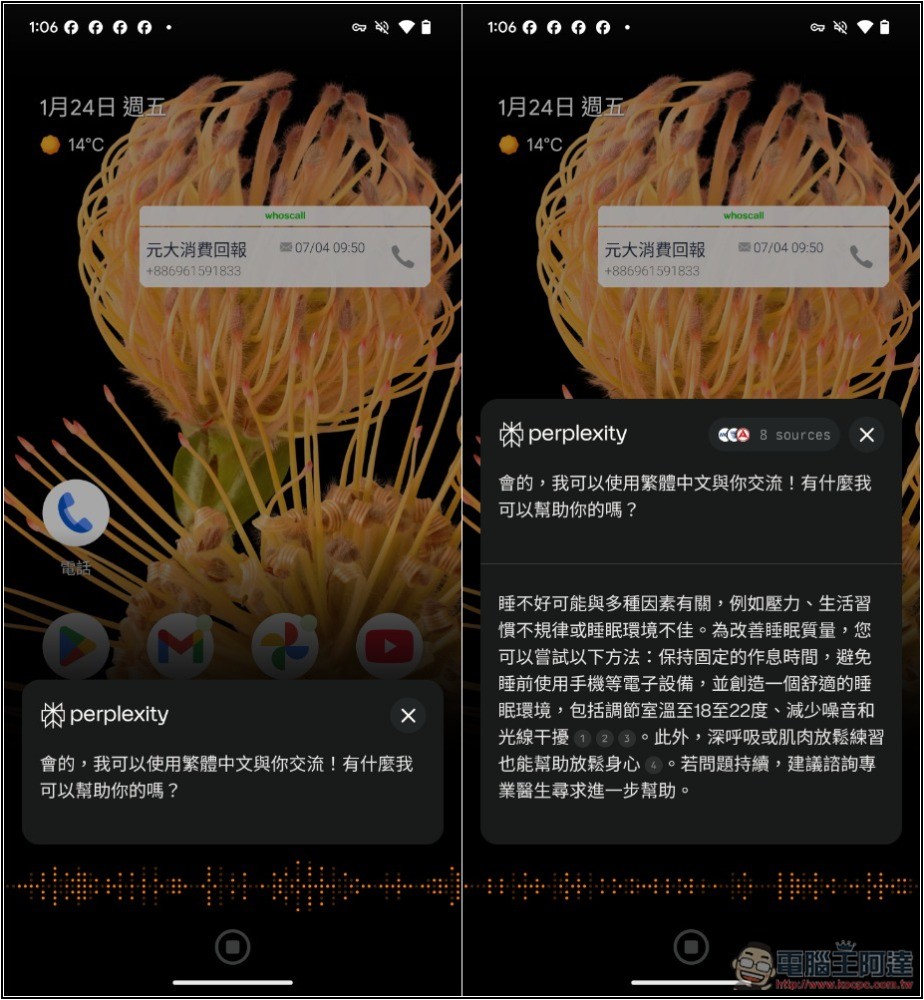
If you can’t stand simplified Chinese, you can also ask for responses in traditional Chinese, but every time you do, you have to emphasize using “Traditional Chinese.”
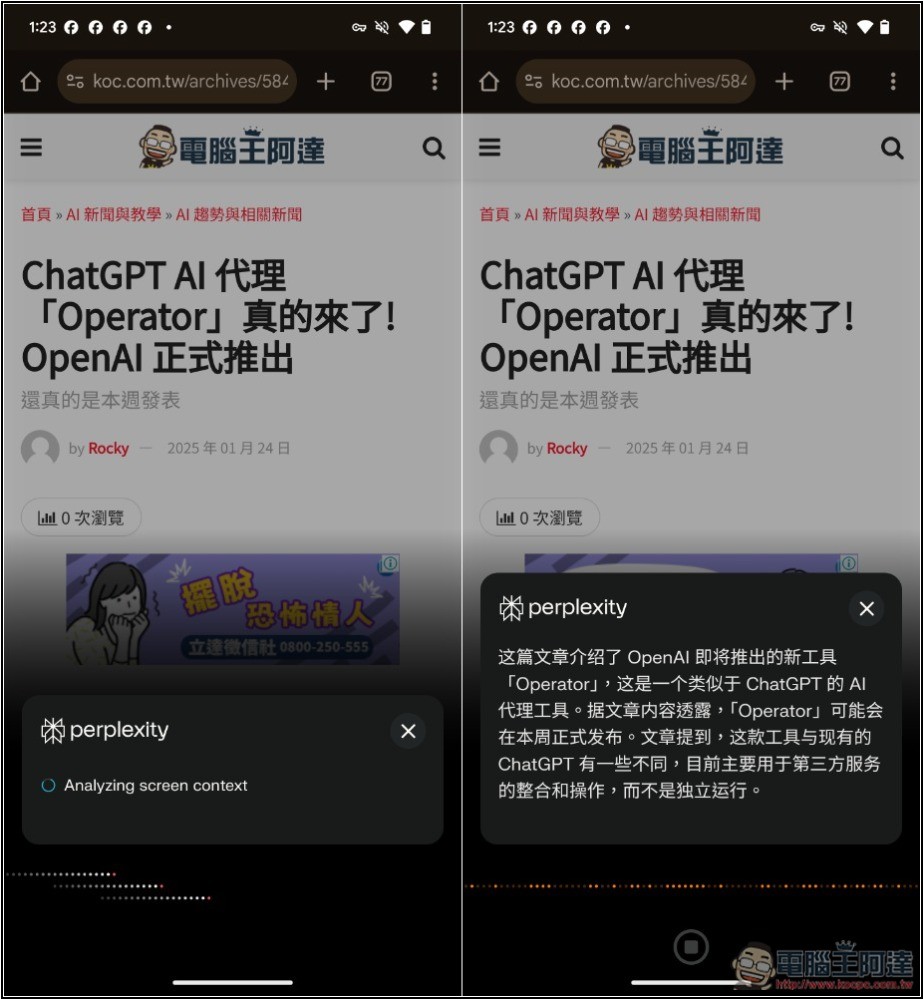
One useful thing about Perplexity Assistant is that you can directly use voice to ask it to summarize the content currently on the screen:
Perplexity’s official team has also shared many use cases; you can refer to the video below.
Perplexity Assistant can browse the web to accomplish various tasks. For example, if you’d like reminders for public events, it will find the correct time and date and set up smart reminders:
Perplexity Assistant browses the web to complete tasks for you. For example, if you want to be reminded of a public event, it will find the correct time and date and set an intelligent reminder. pic.twitter.com/ylhFiIoLjM
— Perplexity (@perplexity_ai) January 23, 2025
It can also maintain contextual coherence across different operations—for example, if you are searching for local restaurants and want to book a table, you can choose a restaurant and the assistant will help you complete the reservation:
It also maintains context from one action to another — if you’re researching restaurants in your area and want to reserve a table, choose an option and Assistant will help book it. pic.twitter.com/8rjEJkhMOf
— Perplexity (@perplexity_ai) January 23, 2025
Perplexity Assistant has multimodal capabilities, so you can instruct it to open the camera and ask questions about what you see in front of you or on your screen:
Assistant is multimodal, so you can tell it to turn on the camera and ask about what you see in front of you, or on your screen. pic.twitter.com/Jxg6m6WUV3
— Perplexity (@perplexity_ai) January 23, 2025
Other more cases:
Here are a few more examples of what Perplexity Assistant can do. We can’t wait to see how you use it.
Get it here: https://t.co/H4J9cr68So pic.twitter.com/F7ibSFfrgq
— Perplexity (@perplexity_ai) January 23, 2025
Source: KOCPC Chinese