


There are many benefits to using computer simulators to play mobile games. Not only are the graphics larger and easier to operate, but you can also easily hang up and practice. Therefore, more and more people are switching to computers to play. You must have heard of the lightning simulator, and you may even be using this one now. As the requirements for mobile games become higher, the Android 9 version “Thunder Simulator 9” that everyone has been clamoring for for a long time has finally been launched! All aspects have been greatly improved, including stronger performance, lower system resource usage, more stability when running multiple games, and the ability to play more games. It is highly recommended for friends who want to use computers to play mobile games, or who already use emulators. I will introduce it to you in detail below.
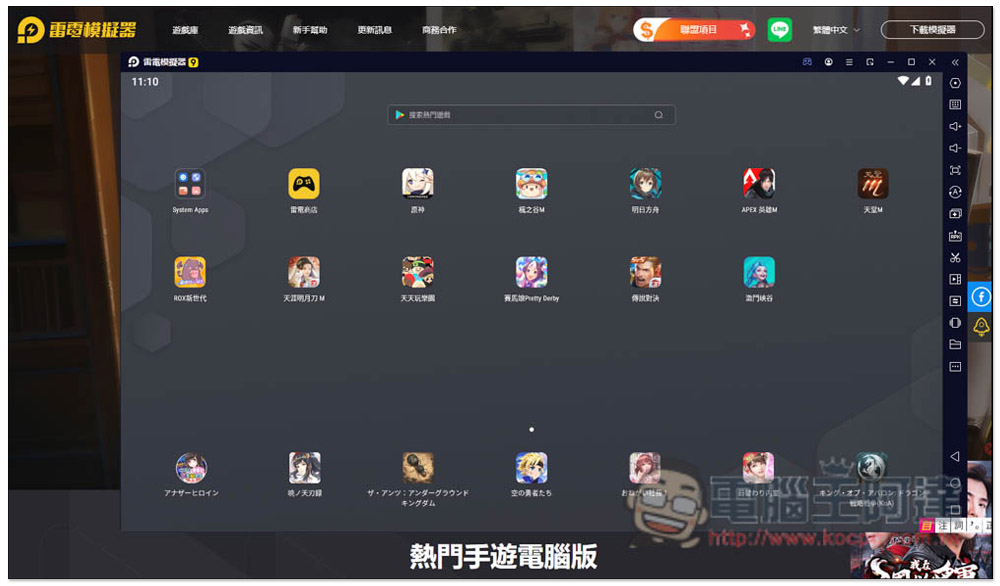
Thunder Simulator 9 is officially launched! Using Android 9 operating system
NowGo to the official website homepageAfter that, you will see the loading point of the latest “Thunderbolt Simulator 9”. Although it is still a BETA version, the overall stability is already good after I tested it. Compared with Thunderbolt 4, playing several games is not only smoother but also consumes less resources, so you can try:

Six major features of Thunder Simulator 9:
- Upgraded to Android 9 version
- Optimized for Intel 12th generation processors
- Better compatibility for games with higher CPU usage
- Slightly adjust the UI interface
- Less CPU and RAM usage
- Opening multiple games is more stable and does not drop FPS
Thunderbolt 9 and Thunderbolt 4 Software Comparison
UI interface
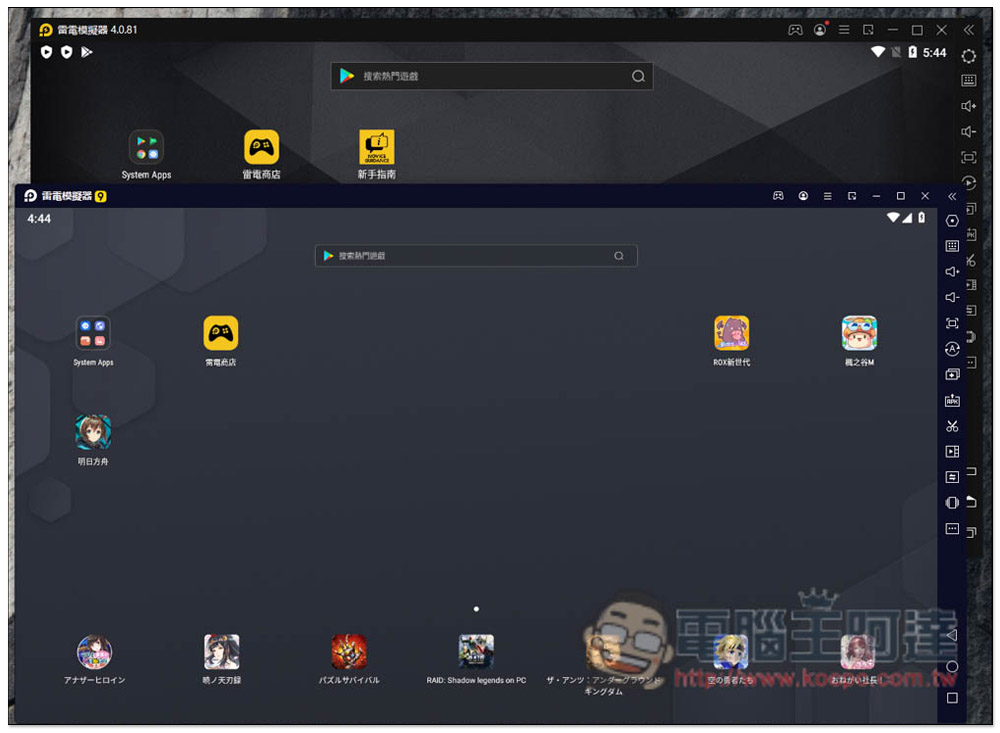
The overall UI interface of Thunderbolt 9 is similar to that of Thunderbolt 4, and the setting functions are also the same. Therefore, friends who have used Thunderbolt 4 before can switch to Thunderbolt 9 painlessly. However, there are some small changes in the UI interface, such as the logo becomes white, the time display becomes in the upper left corner (originally the upper right corner), the function icons become smaller and look more refined, and some function icons are redesigned:
Startup speed
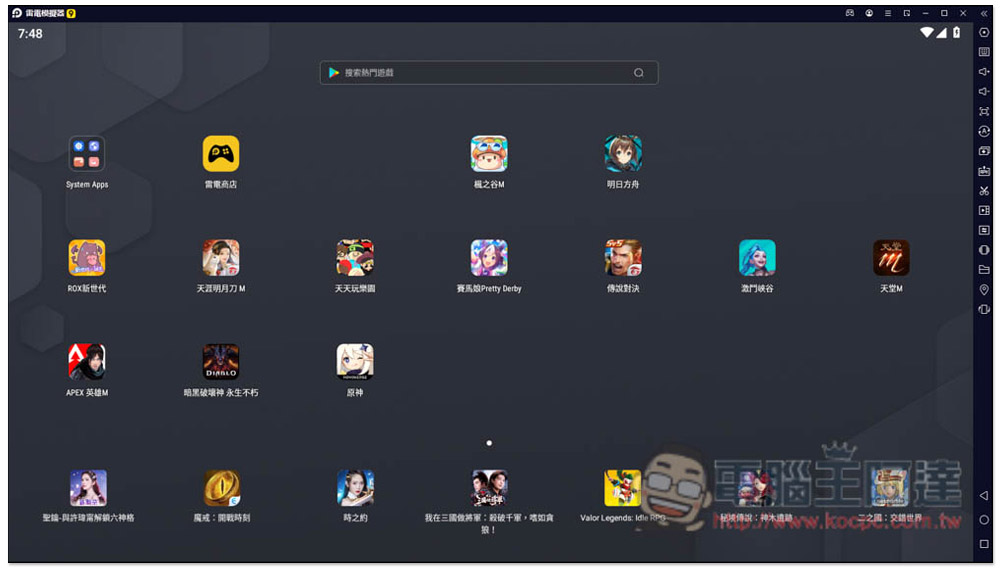
I also measured the startup speed. Before any apps were installed, Thunderbolt 9 was already 2 to 3 seconds faster than Thunderbolt 4. After more and more games are installed, the gap will definitely widen. In addition, I also tested another competing product that also has an Android 9 emulator. Thunderbolt 9 is twice as fast, which is quite eye-catching:
Support more games
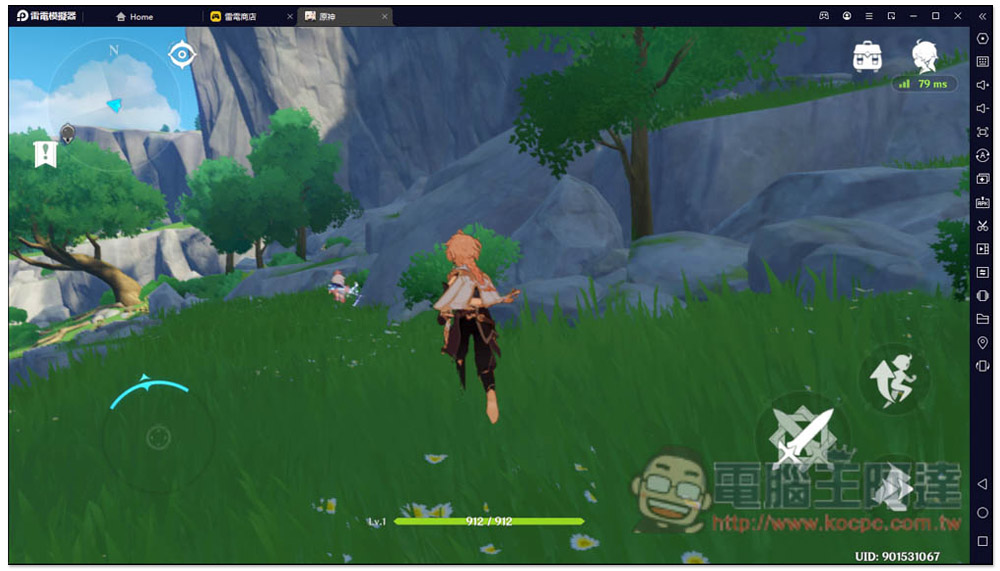
There are now some mobile games that require a higher Android version to play. The most famous one is “Genshin Impact”. If Thunderbolt 4 enters the Play Store, it will show that this version is incompatible:

After switching to Thunderbolt 9, it can be installed normally and can be opened and played. There is no need to worry about incompatibility issues, and it plays quite smoothly. Games with higher Android version requirements in the future can also be played with Thunderbolt 9:
CPU and RAM usage
Many people use the simulator to open more, so many people must be concerned about whether the CPU and RAM usage of Thunderbolt 9 has been reduced, so I will also test it. First of all, I ran a relatively light dual-player game, and I already felt that with this game alone, the RAM usage of Thunderbolt 9 has been reduced a bit for the same game content and graphics.
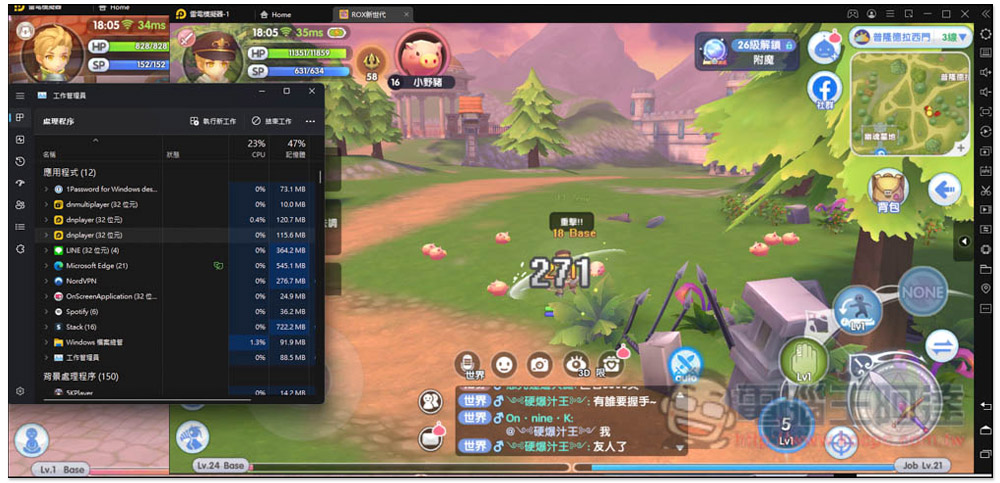
This is a screenshot of “RO Ragnarok: The Birth of a New Generation” using Thunderbolt 4 dual-player, which occupies 236.3 MB of RAM (the floating number will change according to your idle environment and screen):
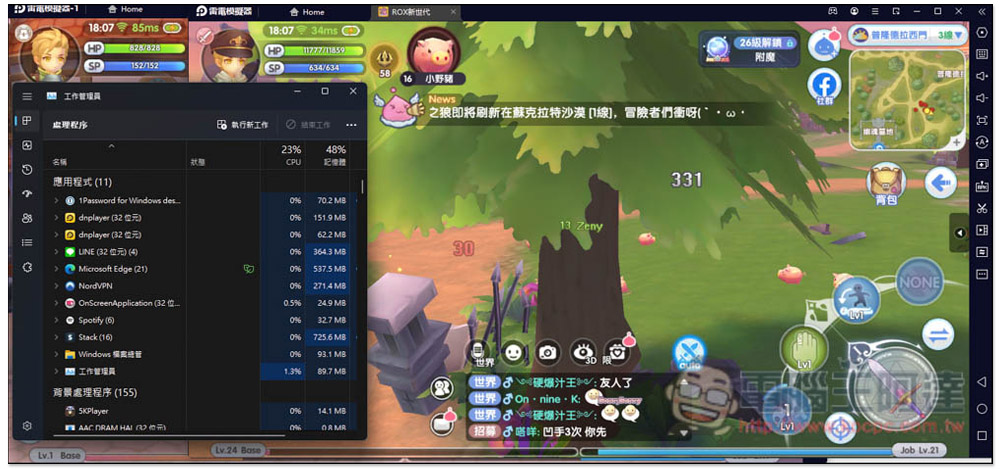
After switching to Thunderbolt 9, the first Thunderbolt simulator occupies a relatively high amount of RAM, about 151.9MB. After the second one, it becomes extremely low, with only 62.2MB left. Although the difference between dual-simulators is not very large, the difference will become larger after more are used:
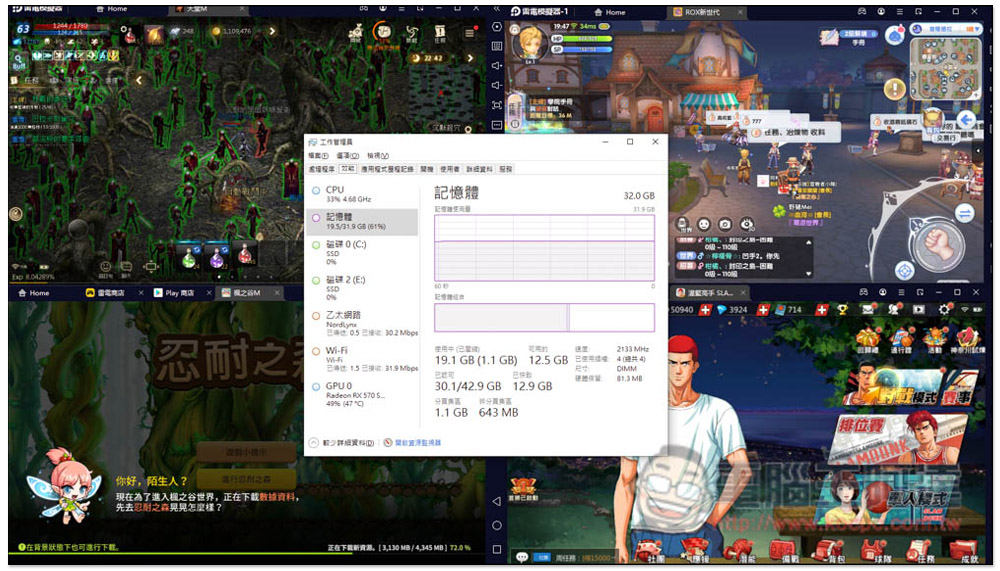
Then I tested the game in four games, and then looked at the performance status of the work manager. Both CPU and memory usage were still very low, with CPU only 33% and RAM 61%. If you are using Intel’s 12th generation processor, the CPU usage should become even lower. Thunderbolt 9 is optimized for this generation:
Optimized content of major well-known mobile games Thunderbolt 9
In addition to supporting more mobile games, Raiden Simulator 9 has also been optimized a lot for games that were originally run by Raiden Simulator 4, such as several very popular mobile games in Taiwan, such as: “RO Ragnarok: The Birth of a New Generation”, “Jockey Girl”, “Lineage M”, “APEX”, “Garena Legend Showdown”, “League of Legends: Battle Canyon”, etc.
“RO Ragnarok: The Birth of a New Generation”
In the game “RO Ragnarok: The Birth of a New Generation”, when using Thunderbolt 4 for multi-player hang-up, crashes sometimes occur. After switching to Thunderbolt 9, multi-player and FPS are more stable due to lower CPU and RAM usage.
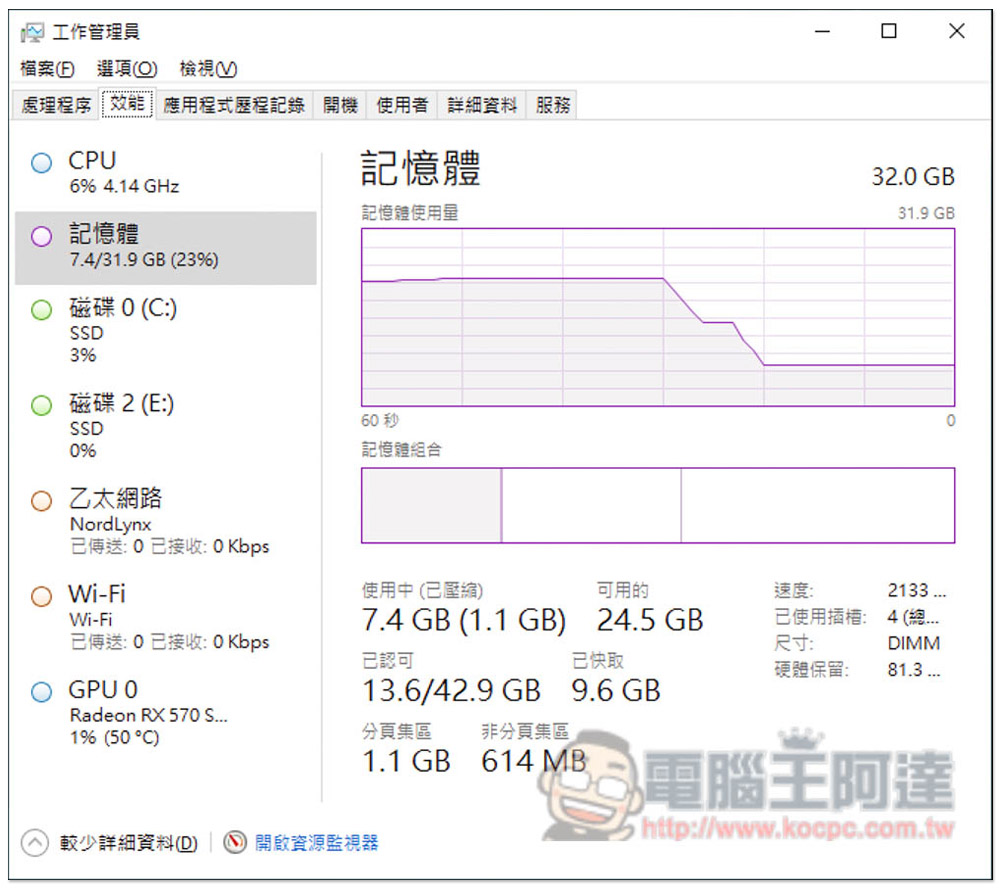
This is the CPU and RAM status of Thunderbolt 9 and Thunderbolt 4 before I turn on it. The CPU is about 6%~10%, and the memory is 23%~25%:
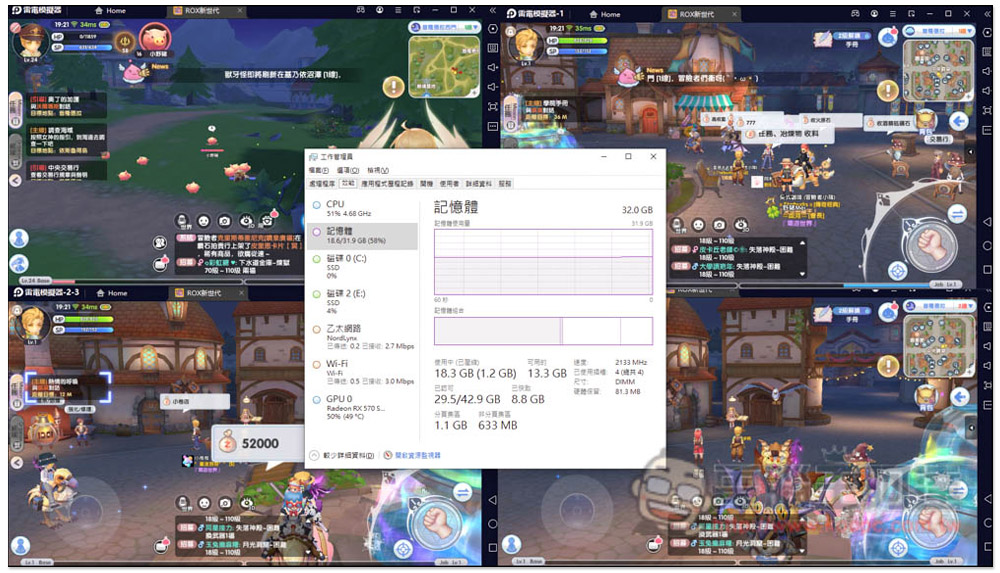
After using Thunderbolt 9 Quad to open “RO Ragnarok: The Birth of a New Generation”, the CPU is 51% and the RAM is 58%. I set each emulator to 2 cores and 2GB RAM:
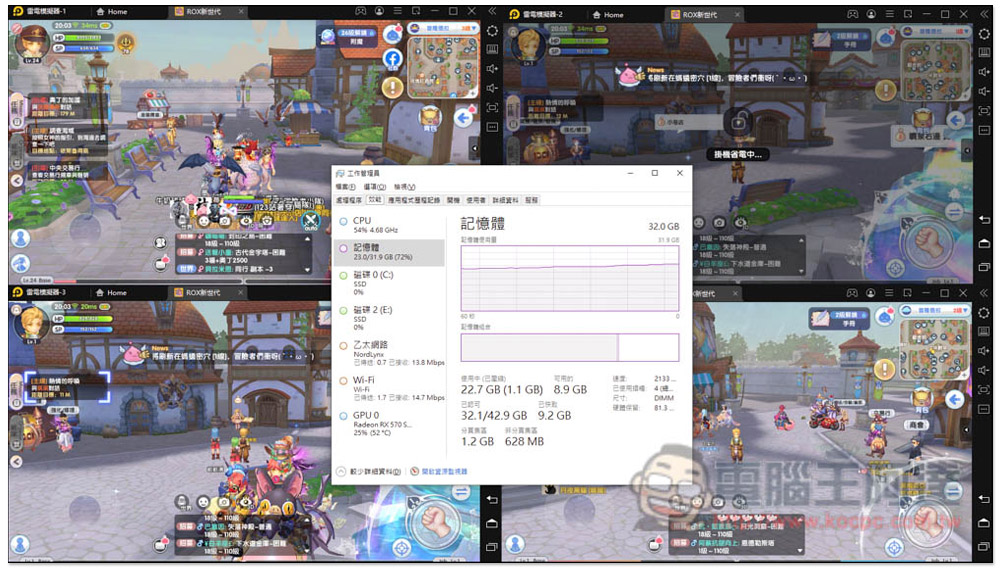
After switching to Thunderbolt 4, the CPU increased to 54%, and the RAM increased significantly to 72%. This shows that Thunderbolt 9 has improved a lot:
“Jockey Girl”
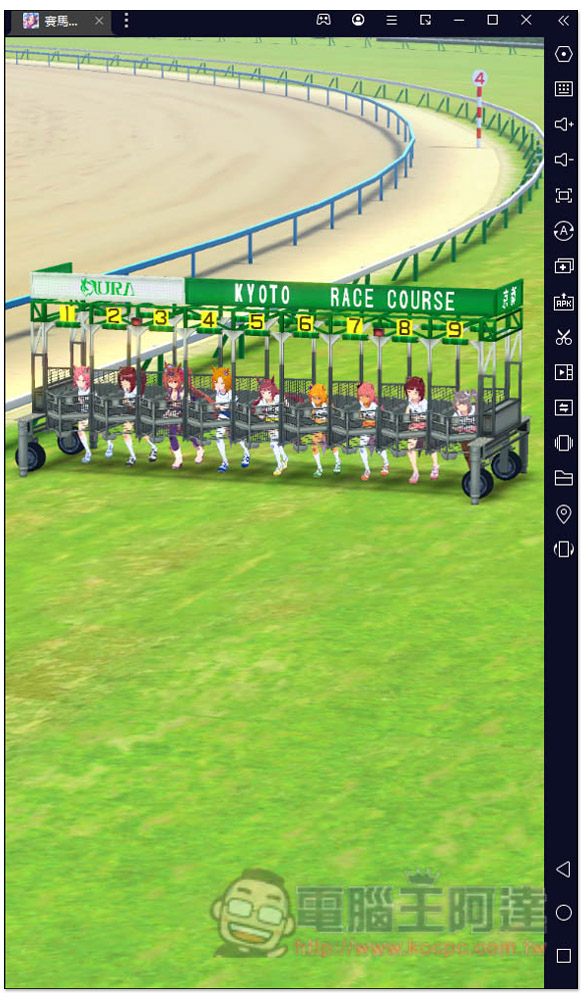
When playing “Jockey Girl” with Thunderbolt 4, crashes and freezes will occasionally occur. Thunderbolt 9 has been specially optimized for this to make the game smoother and will not crash after the initial refresh:
“Paradise M”
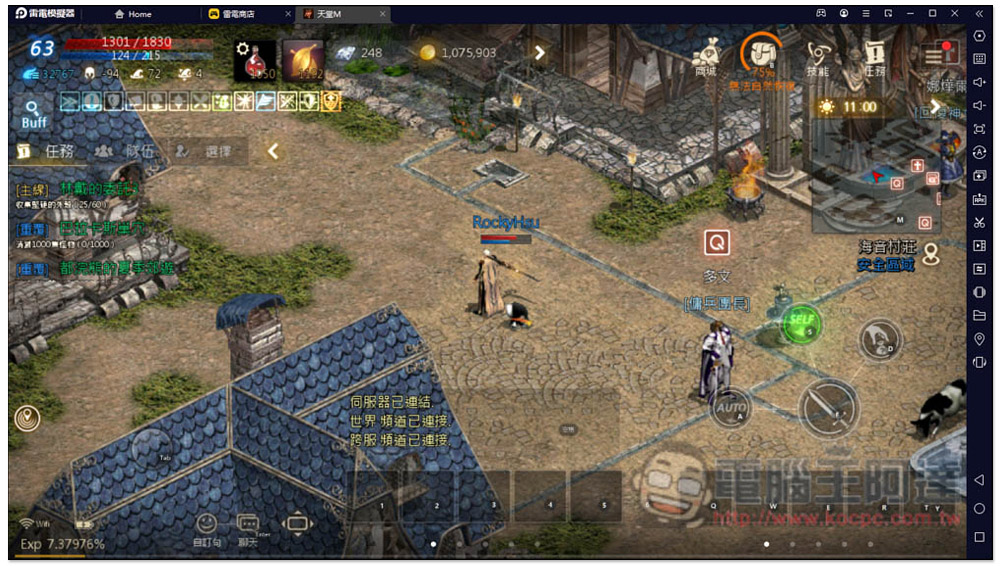
“Lineage M” will have lagging problems when it is opened for too long. I believe some players have encountered this problem, especially computers with poor hardware. And also thanks to the low occupancy characteristics of Thunderbolt 9, it becomes more stable and smoother when opened more:
《APEX》
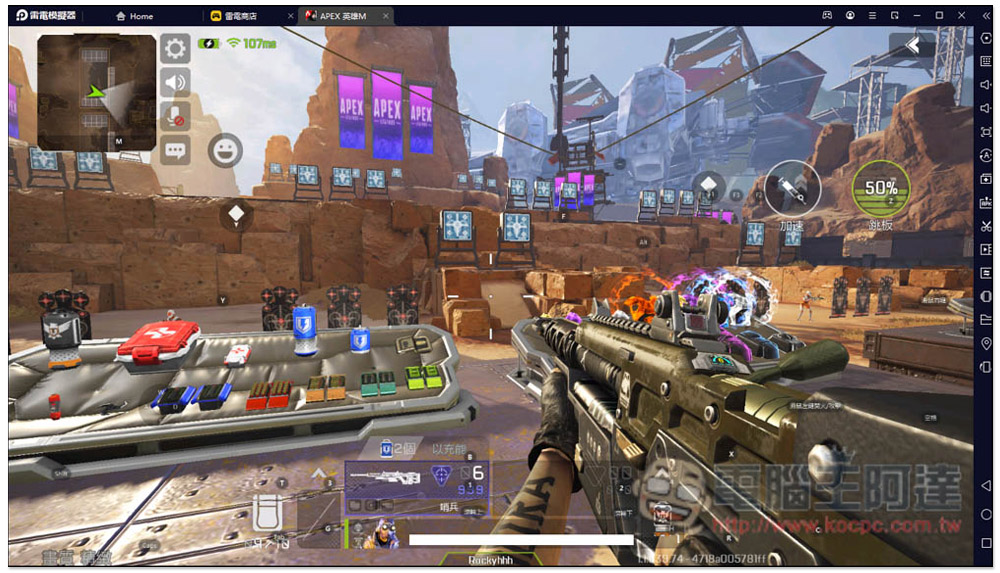
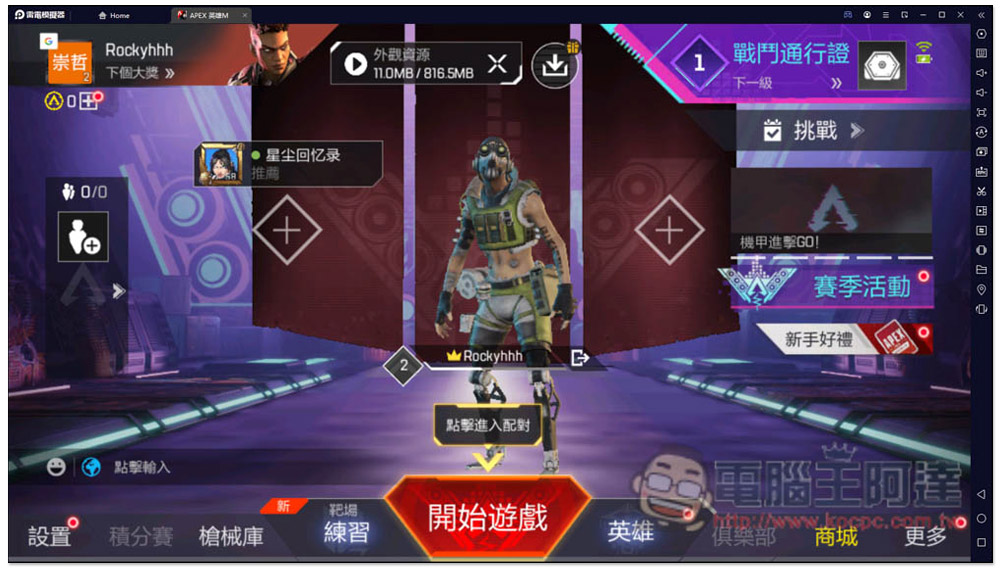
“APEX” has a so-called detection mechanism, which means it will detect whether it is played with an emulator. Compared with Thunderbolt 4, Thunderbolt 9 passes the detection more smoothly, and its FPS performance is more stable than Thunderbolt 4, and it will not drop FPS. This is extremely important for this type of first-person shooting game, allowing you to kill everyone more smoothly:
“Garena Legend Showdown”
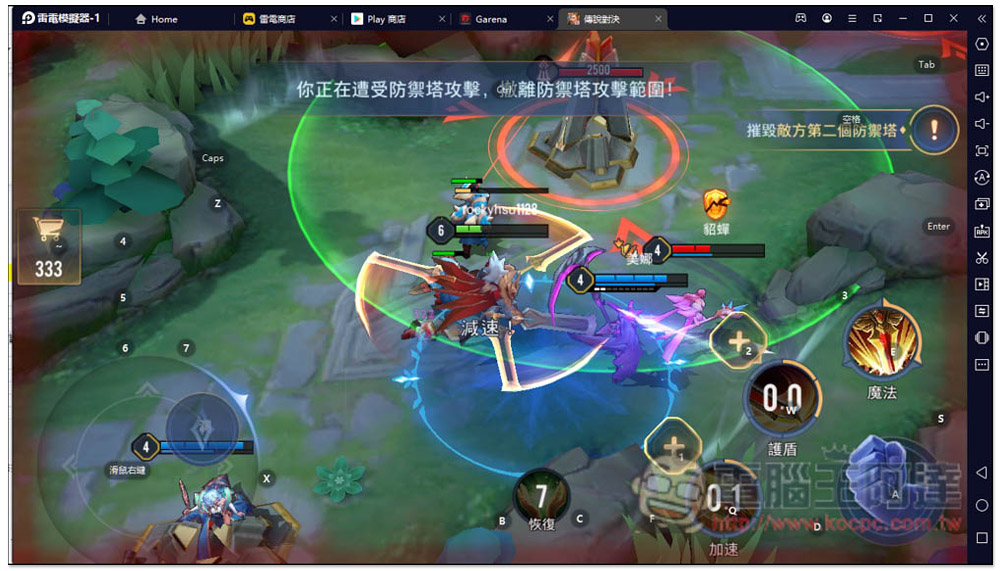
“Garena Legend Showdown” will occasionally experience network lag in Thunderbolt 4, but it is stable and smooth to play in Thunderbolt 9, and the FPS can be stabilized at 60. It also has optimized buttons. Friends who are playing this game highly recommend giving it a try:
“League of Legends: Battle Canyon”
The optimization content of “League of Legends: Battle Canyon” is similar to that of Legends Duel, such as more stable and smooth graphics, key optimization, etc. In addition, the loading lag problem that sometimes occurs in AMD computers has also been solved in Thunderbolt 9, so friends who use AMD are highly recommended to upgrade to Thunderbolt 9:
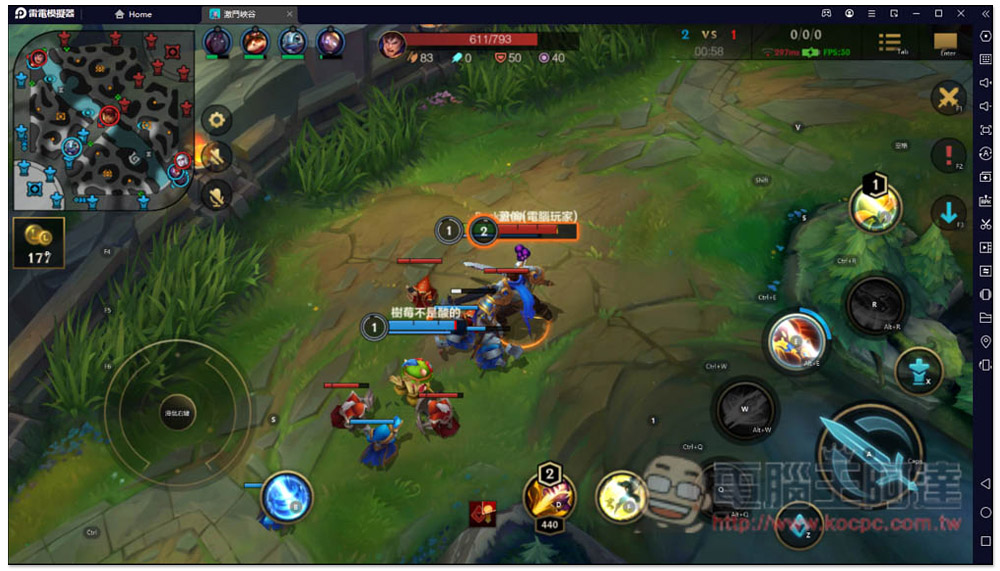
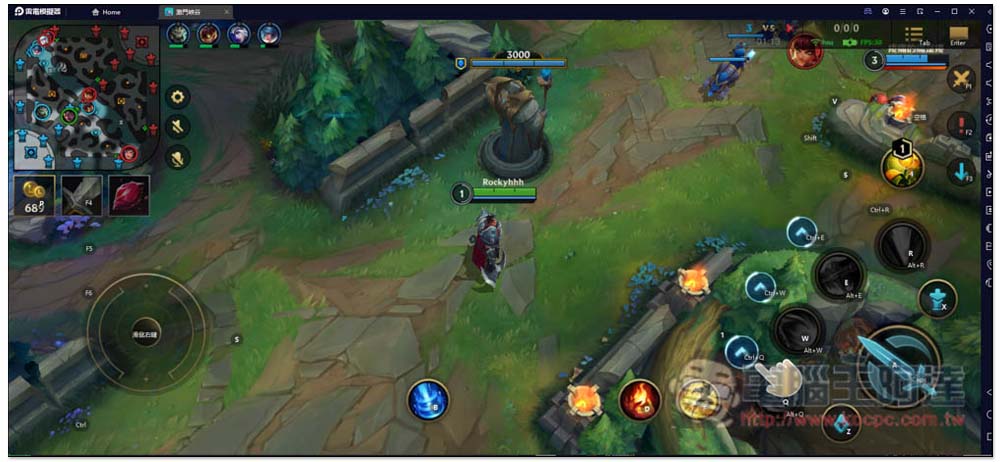
In addition, for games like this MOBA, Thunderbolt 9 also provides an “ultra-widescreen” setting that allows you to see a wider map view. The following picture shows the screen in general tablet mode. Pay attention to the left and right sides:
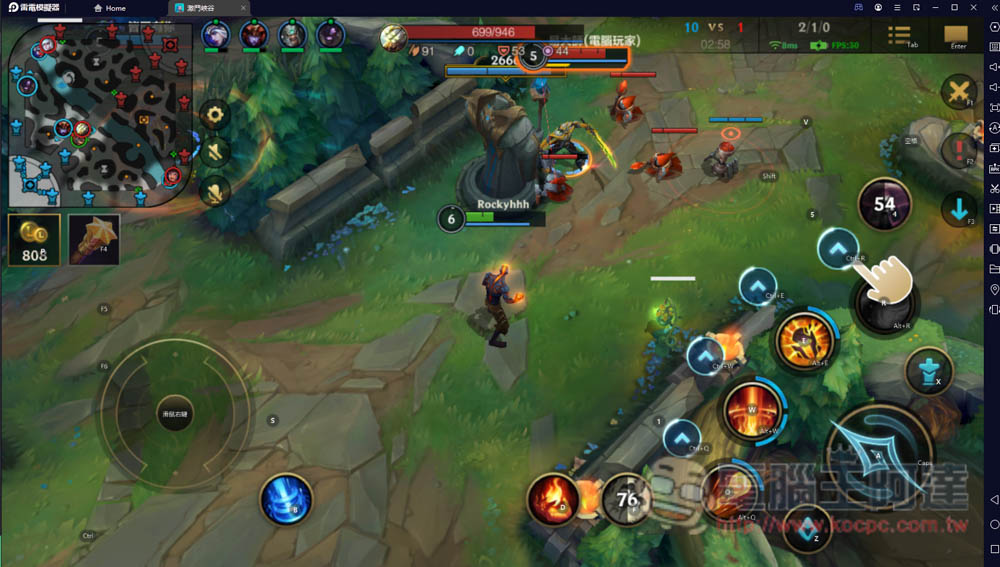
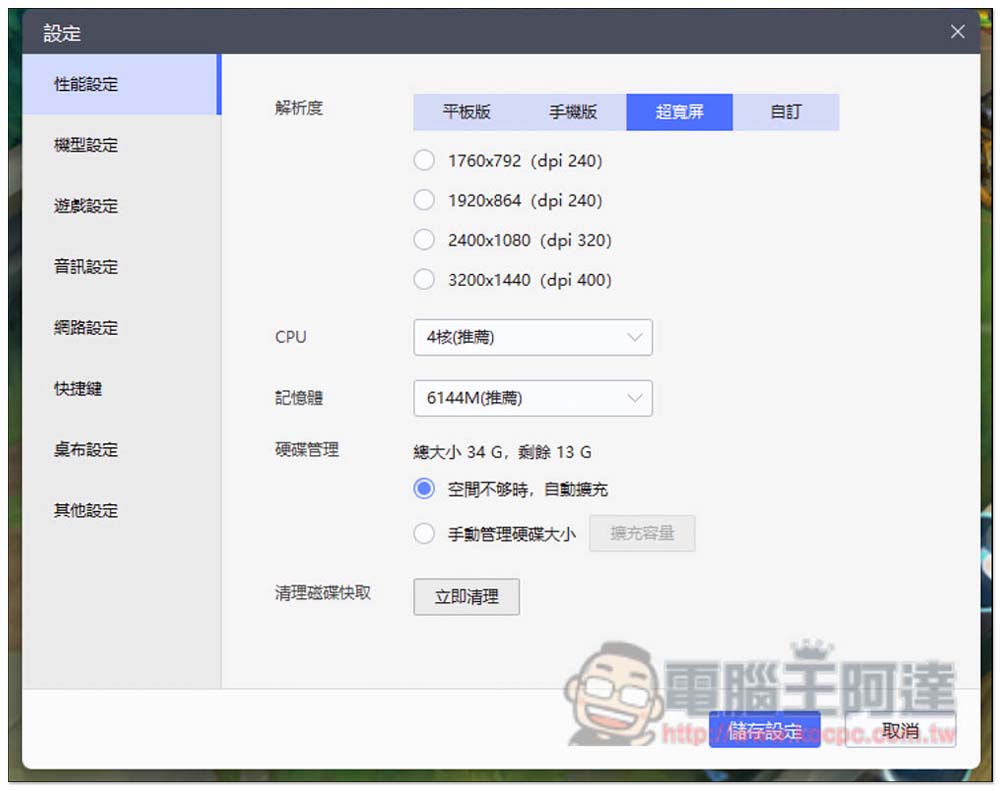
Open the software settings menu, switch the resolution option in the performance settings to “Ultra Widescreen”, and then select the resolution that suits your screen. I chose 1920×864:
Standing at the same point, you can see a wider range on the left and right sides, and it is much wider, so you can spot the enemy earlier than you do and have an advantage:
In addition to the above games, there are many games that can be played with Thunderbolt 9 for a better experience, including:
- “Arknights”, “Granblue Files”, and “MapleStory M” run more smoothly on Thunderbolt 9 without crashing, unlike Thunderbolt 4 which sometimes crashes.
- “Tianya Mingyue Dao” uses Thunderbolt 9 to no longer stutter, and the FPS performance is more stable
- “Tian Tian Wan Paradise” Thunderbolt 4 sometimes crashes when logging in, but Thunderbolt 9 does not have this problem and is more stable and smooth.
Just three simple steps to start using Lightning Simulator 9
Friends who have never come into contact with a simulator must be worried about whether it will be difficult to get started and whether it requires any professional knowledge. No need at all. You only need 3 simple steps to start using Thunder Simulator 9. Here I will teach you!
STEP1 – Go to the official website to download the Thunderbolt 9 installation file, and then install it with one click
The installation process of Thunderbolt 9 is not difficult at all. After opening the installation file, press the “One-click Install” in the middle, and then wait for it to finish running. The only thing to note is that the installation file of the emulator must be downloaded from the “official website” and not from other websites. This is very important because there have been cases in the past where someone downloaded the installation file from an unknown source website, and the installation file was implanted with a Trojan horse, resulting in the account being stolen, so remember to go to “Raiden official website“download:
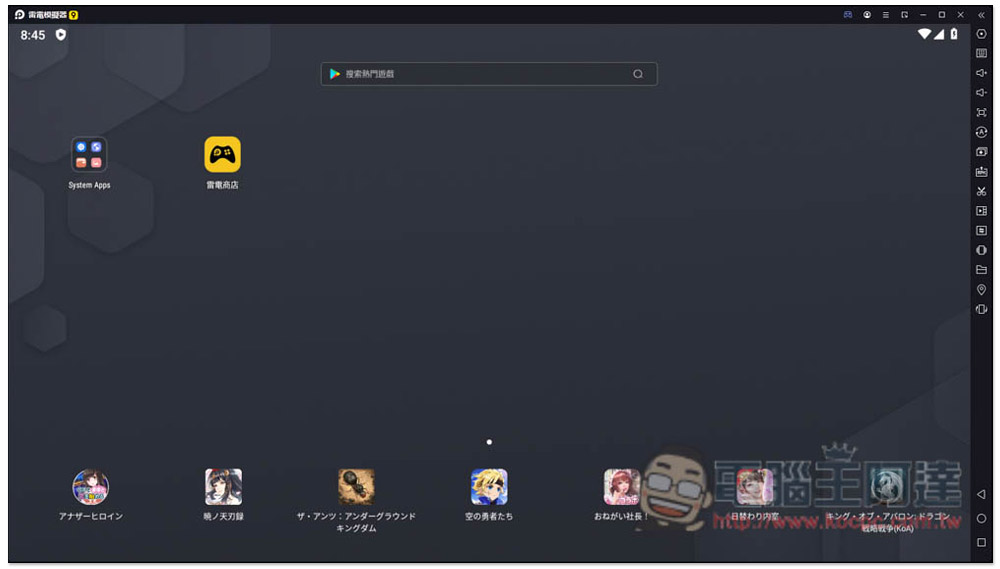
After installation, open it and you can start using it. Basically, you don’t need to adjust any settings. Unless you want full performance or multiple requirements, you need to go into the settings to adjust the parameters:
STEP 2 – Find the game you want to play from the Thunderbolt Store
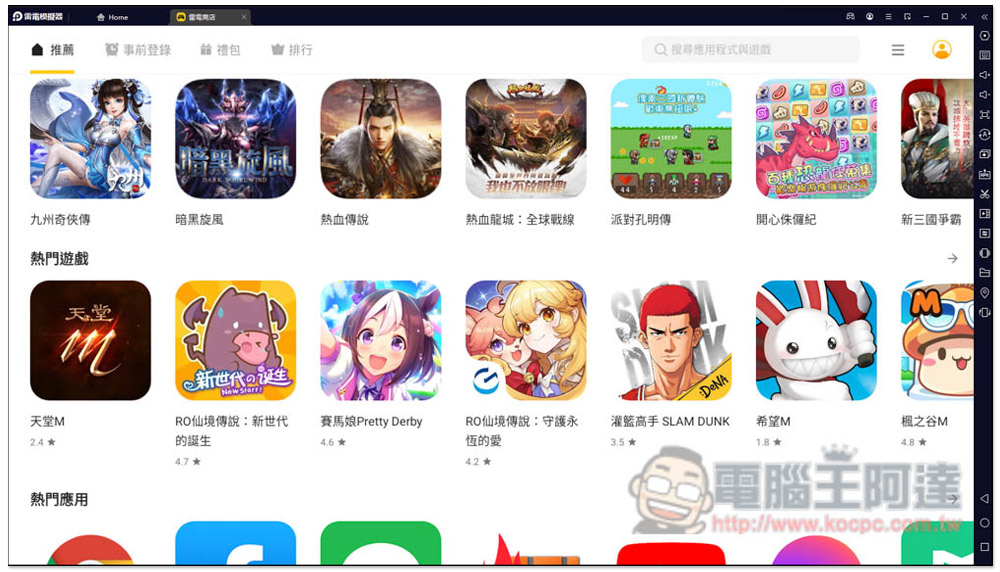
Thunderbolt Simulator is available on the Google Play Store, but I personally recommend looking for it from the “Thunderbolt Store”. I think the categories here are more organized and easier to find. Moreover, this is a store specially built for games. You can easily discover other interesting new games. In addition, the installation sources of Apps in the Thunderbolt Store are all from Google Play. That is, when you find a game you are interested in, clicking the install button will jump to Google Play, so there is no need to worry.
There are many game categories provided, and you can quickly learn which are the most popular games at the moment:
There is also a ranking function:

STEP 3 – Start playing
After the installation is complete, you can open it and start playing:
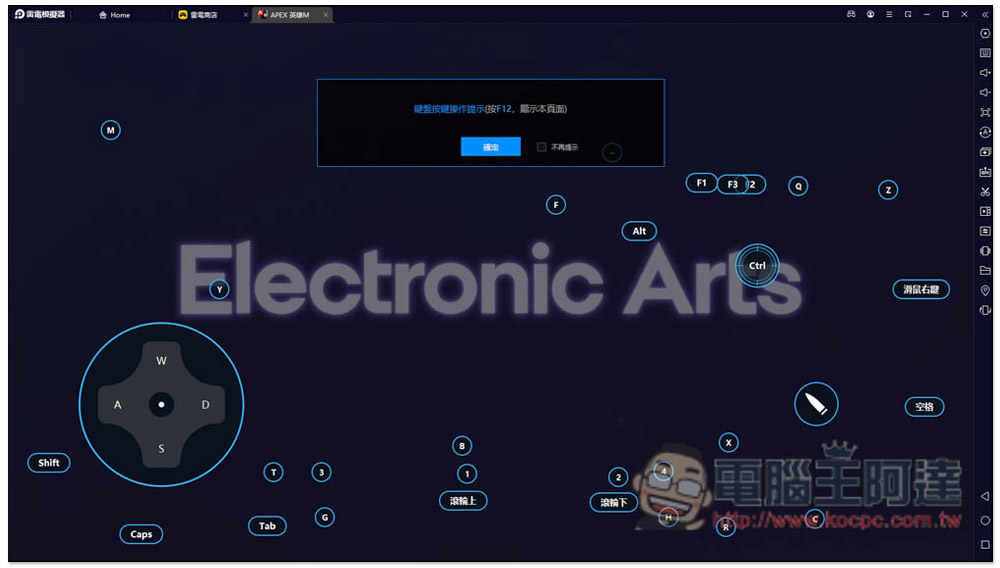
For most mobile games, Thunderbolt 9 has preset control keys. As soon as the game is opened, a prompt will pop up to tell you what the keyboard keys are for each function position, so you don’t have to set them yourself:
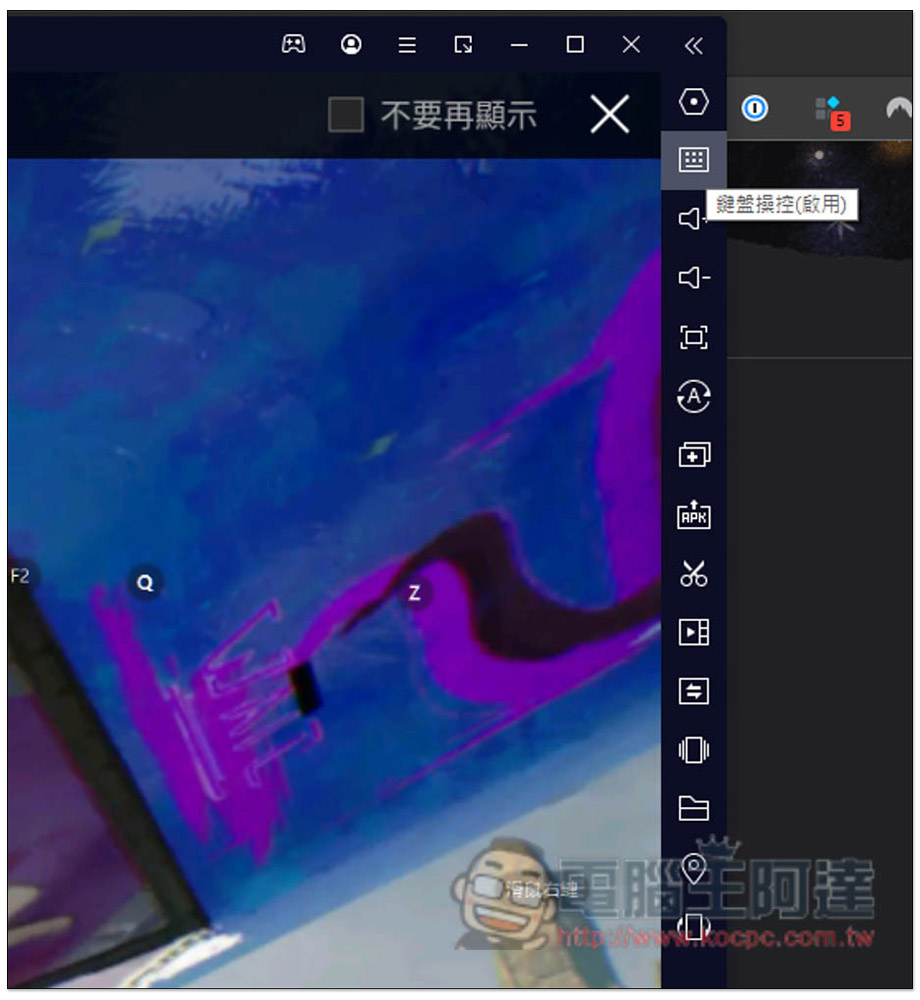
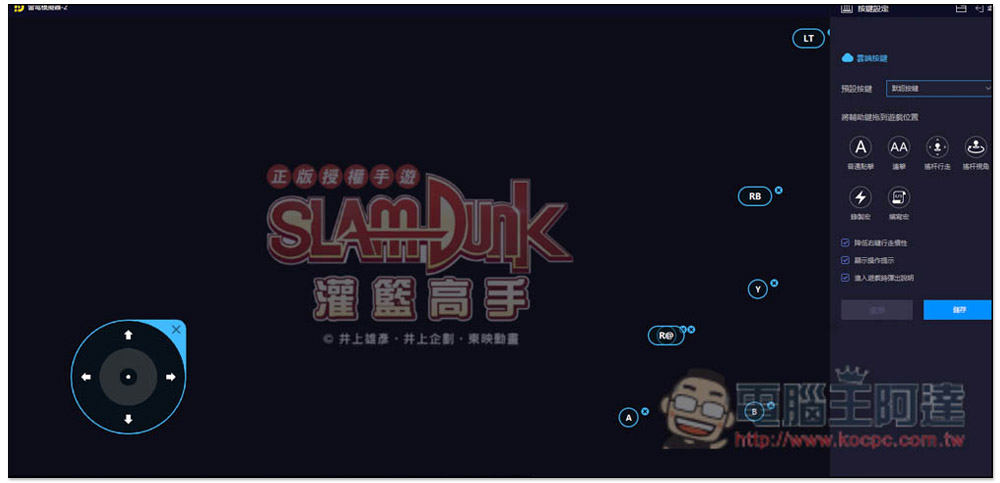
Of course, you can also change the control keys to the ones you are accustomed to. Click the keyboard icon on the function menu on the right to make adjustments:
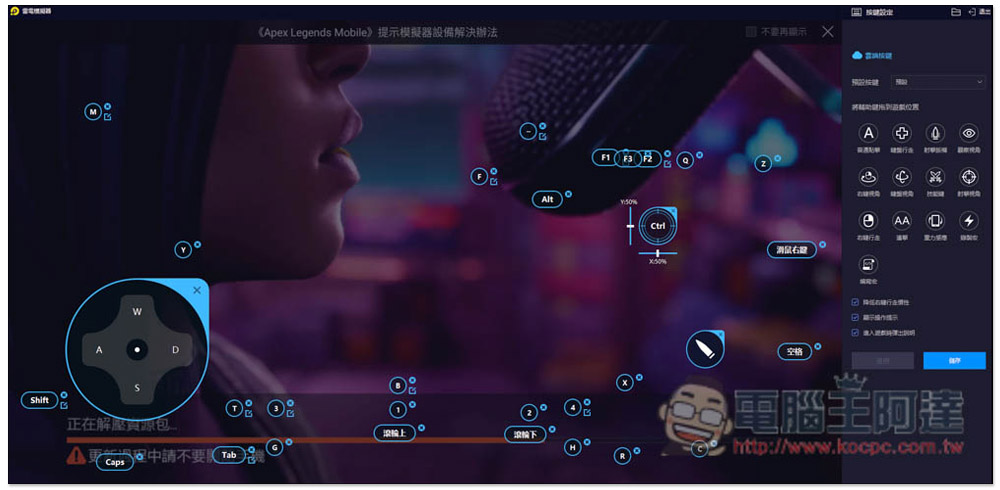
Click on the function you want to modify, and you can enter other key replacements. There are also some advanced options in the menu on the right:
Thunderbolt 9 also supports most game controllers, including PS5 and Xbox. You can start using it after connecting it to a computer. Some popular games have preset corresponding buttons. If you are not used to it, you can adjust it yourself:
Built-in ultra-complete functions
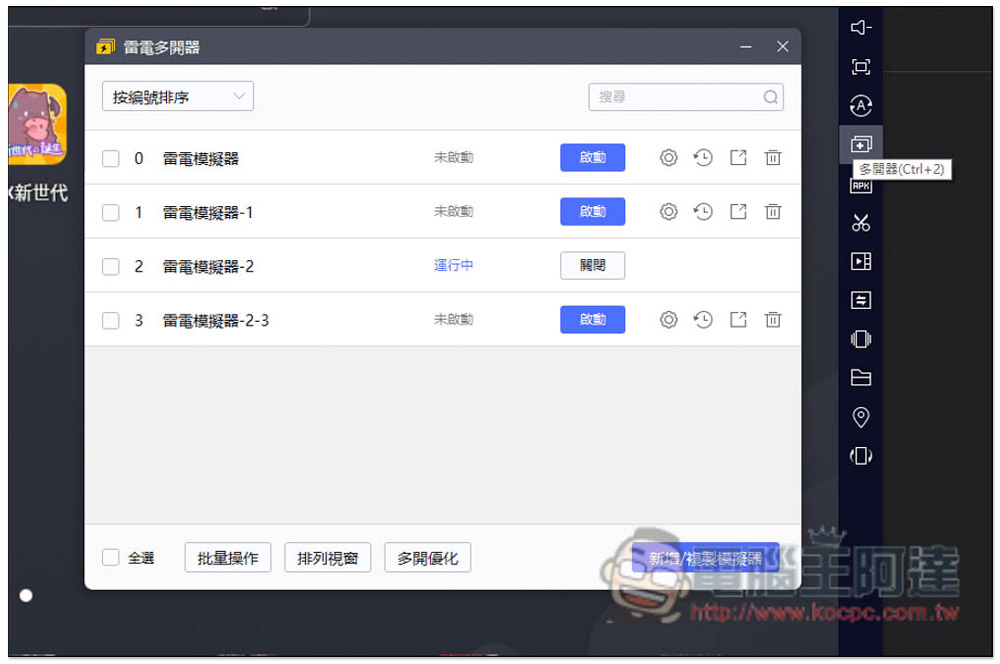
Continuing the features of Thunderbolt 4, Thunderbolt 9 has almost all the functions you need, such as screenshots, video recording, operation recording, APK installation, virtual positioning, synchronizer, multi-opener, etc.
For those who need multiple openers, Thunderbolt 9’s multi-opener has built-in batch operations. You can create multiple emulators at one time, or directly copy existing emulators, saving time on downloading and installing games. In addition, there is a convenient one-click window arrangement function. You can quickly arrange the windows of each simulator with one click:
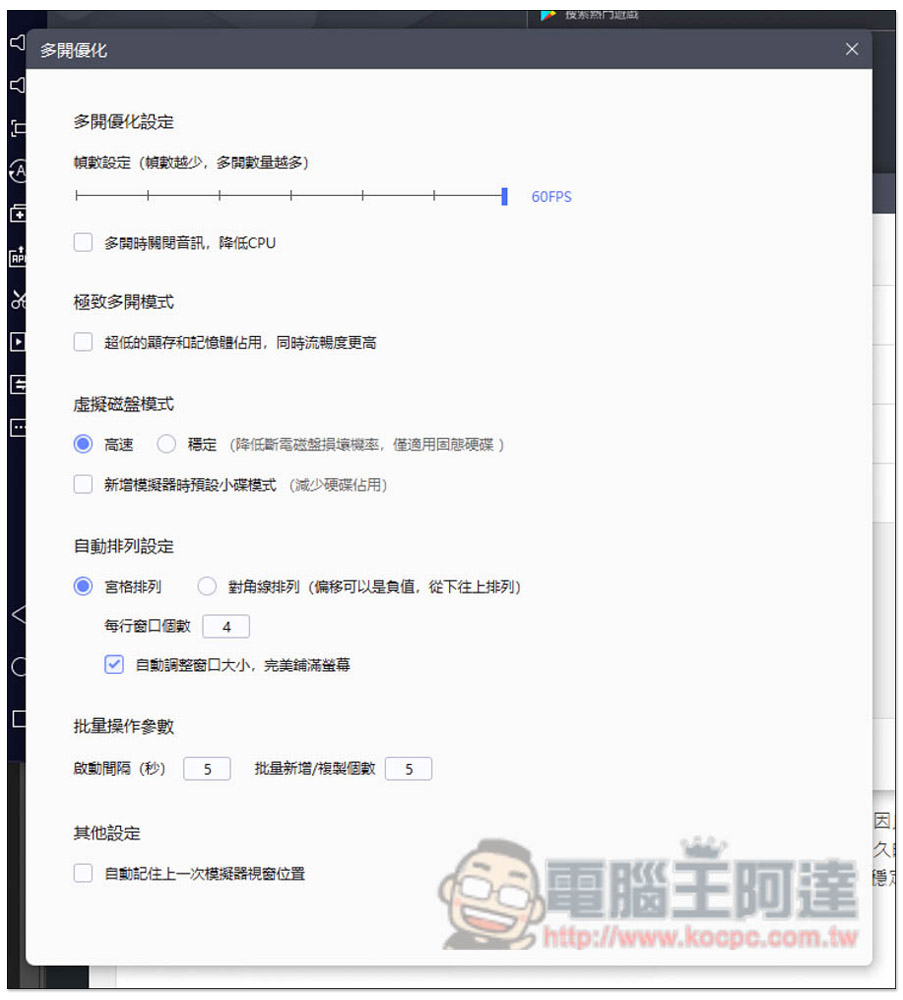
Multi-open optimization is also very good. You can set the status of all simulators at once instead of adjusting them one by one. For those who are not so good at computer hardware, you can turn on the “Extreme Multi-open Mode” to reduce the memory and video memory usage to improve fluency:
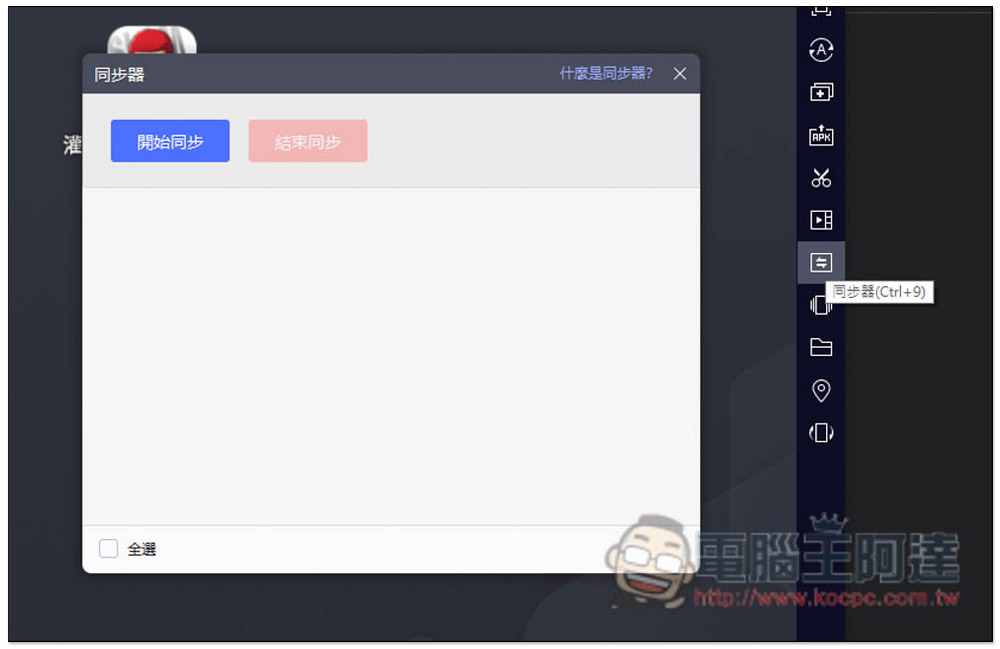
The synchronizer is mainly used if you have multiple accounts hanging up. Use this function to operate all simulator windows at once to receive daily rewards, tasks, etc.:
Screen recording quality can be set:

5 Advantages of Playing Mobile Games with Thunderbolt Simulator 9
If you are still considering whether to use an emulator to play mobile games, here are 6 advantages of using emulators for a long time.
1. You can still use your mobile phone when you hang up to practice.
When using a mobile phone to hang up to practice, you must stay on the game screen. If it jumps out, it will stop. If someone calls suddenly, the connection will be disconnected. Therefore, many people will prepare a backup mobile phone to hang up. Moreover, many people’s backup mobile phones have poor specifications. Some popular mobile games will crash when playing. In fact, you don’t have to be so tired. You can switch to an emulator and you can continue to hang up smoothly without interruption. You can also continue to slide the phone.
You may ask, what should I do if I go out? Of course, leave your computer hanging when you go out. Install the remote desktop software on your mobile phone. When you are worried, you can open the remote software at any time to track the hanging situation.
2. You can open multiple accounts with one computer
Nowadays, many people open multiple accounts and small accounts to help their own resources. If it is a mobile phone, it cannot be done (no one will prepare too many mobile phones to hang up, right?). The simulator is easy, especially the newly launched Thunderbolt 9, which has lower CPU and RAM usage. Even if you open multiple accounts and do other things at the same time, there is no problem.
3. Use the synchronizer function to operate all accounts at once to receive daily rewards
Most games provide fixed rewards, passes, etc. every day. As I mentioned before, through the synchronizer function, you can only operate one simulator window and receive rewards for all accounts simultaneously without having to operate them one by one, which is very convenient.
4. Use the “operation recording” function to create automated operations
The operation recording function is very powerful. It can record the sequence of mouse and keyboard operations. After completion, press play and it will automatically perform this series of operations. This means that if the game you play has some key combinations, you can use this function to easily achieve it.
5. The screen is larger and the playing experience is higher
Although the screens of mobile phones are getting bigger and bigger nowadays, they are still far inferior to computer screens. Whether you are playing a game that requires idle practice, first-person shooting, competition, or strategy, it is still more enjoyable to play on a large screen, not to mention that it can be operated with a handle or keyboard. It is easier to control than a mobile phone, and your skills will be immediately upgraded to a higher level.
Summarize
Thunderbolt 9 is undoubtedly one of the most powerful emulators currently. It has high game support, takes up less CPU and RAM, is more stable in multi-player and FPS, and is optimized for popular games. For those who want to use computers to play mobile games, it is highly recommended to download and try it. It is completely free to use.
Source: KOCPC Chinese