


We have previously introduced such as Suno、AI Music Generator、MusicGen Web、Fugatto、MusicFX Music generation tools and such—how many have you tried? Today I’m introducing another free music generation tool, ‘Sonauto’. Sonauto combines AI technology to let users easily create music, simplifying the music creation process. Let’s take a look at what Sonauto can do~
Sonauto, as a music generation tool, offers free music generation services. You can generate the music you like by selecting keywords. You can also write a story and let Sonauto help you come up with lyrics and a melody. Today, let’s walk through how to use Sonauto to generate songs.
Go experience the free music generation tool Sonauto.
To use Sonauto to generate songs, you need to register for an account first. After registering, you can start experiencing Sonauto. First, let me introduce the Sonauto page. At the top of the screen, enter a prompt to generate music. Below are employee-recommended tracks for your reference: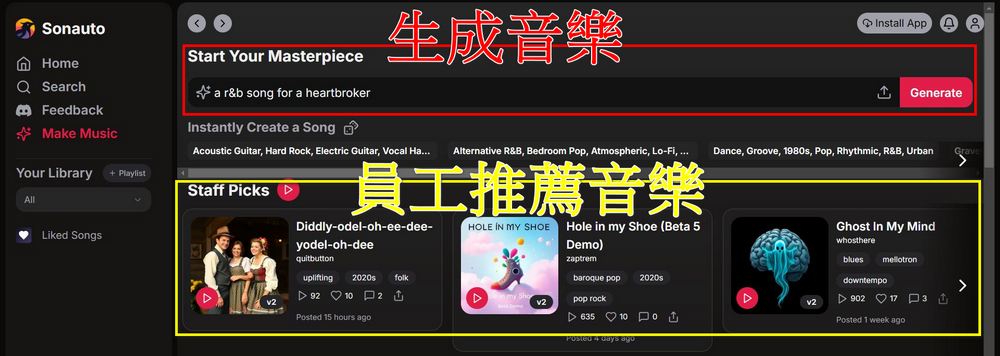
You can enter a story in the box, and let Sonauto automatically write lyrics and melodies for your story.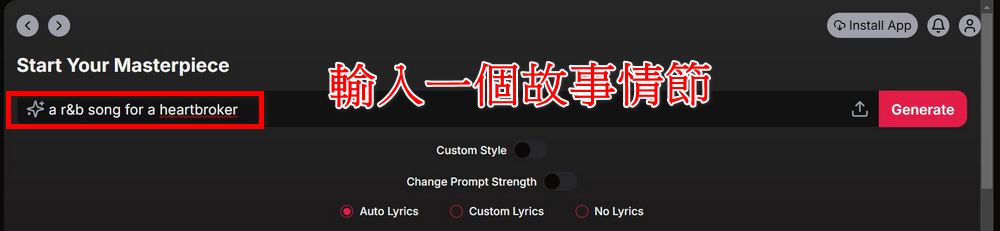
Or enter keywords like genre, era, or instruments used, and let Sonauto generate songs based on those requirements.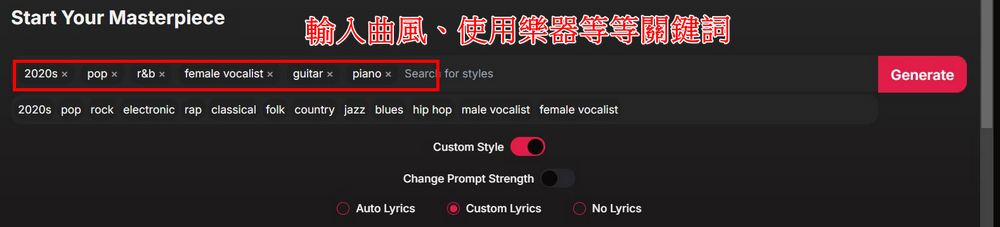
Or click Custom Style, and while entering the story, also enter the song style you want: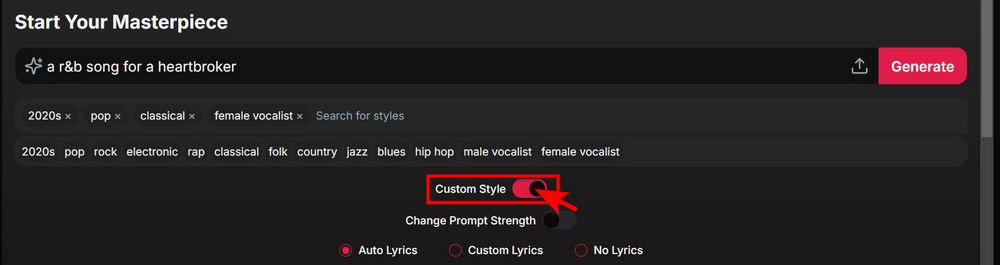
After entering the keywords and story, you can choose whether the song needs lyrics. If not, click No Lyrics. If you want lyrics but have no ideas, you can select Auto Lyrics to let Sonauto generate lyrics for you.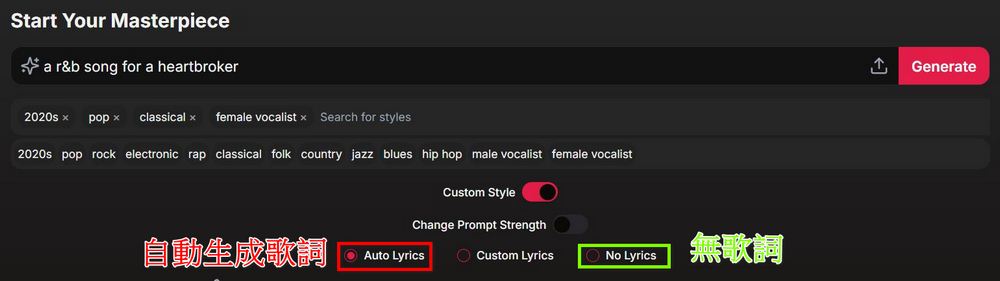
After completing the above steps, you can click Generate to create music. Sonauto will generate two songs at a time, and you can listen to them and decide whether to modify the songs. Click Extend & Edit to modify the songs.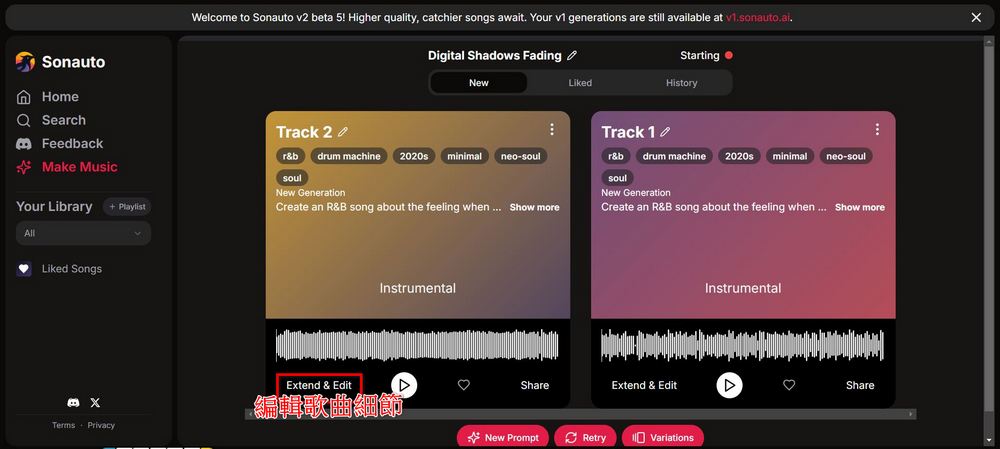
Sonauto offers users two download options. Sonauto can turn your generated song into a video, where the song lyrics will appear. Alternatively, you can simply choose to download the audio file directly.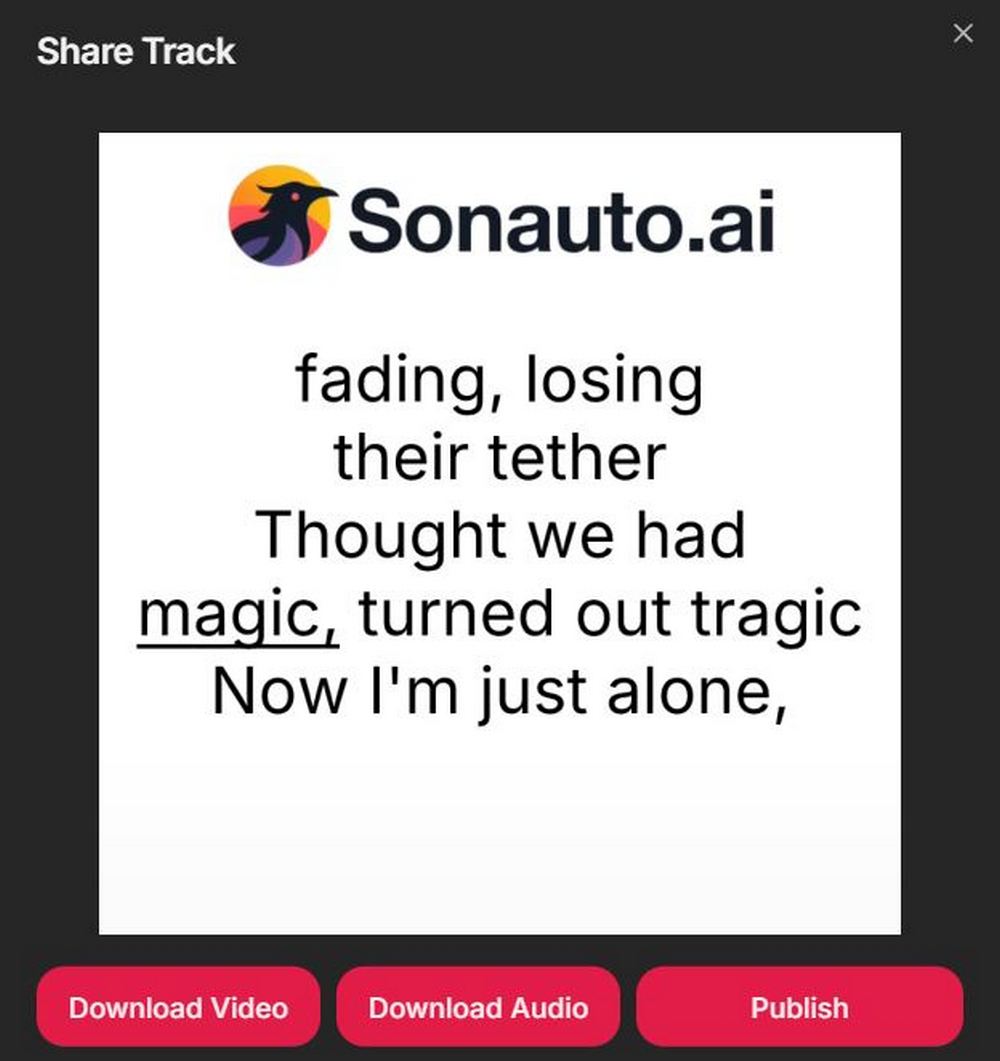
The editor has shared a few songs generated with Sonauto. If you’re interested, you can go to Sonauto to generate music yourself.
Source: KOCPC Chinese