


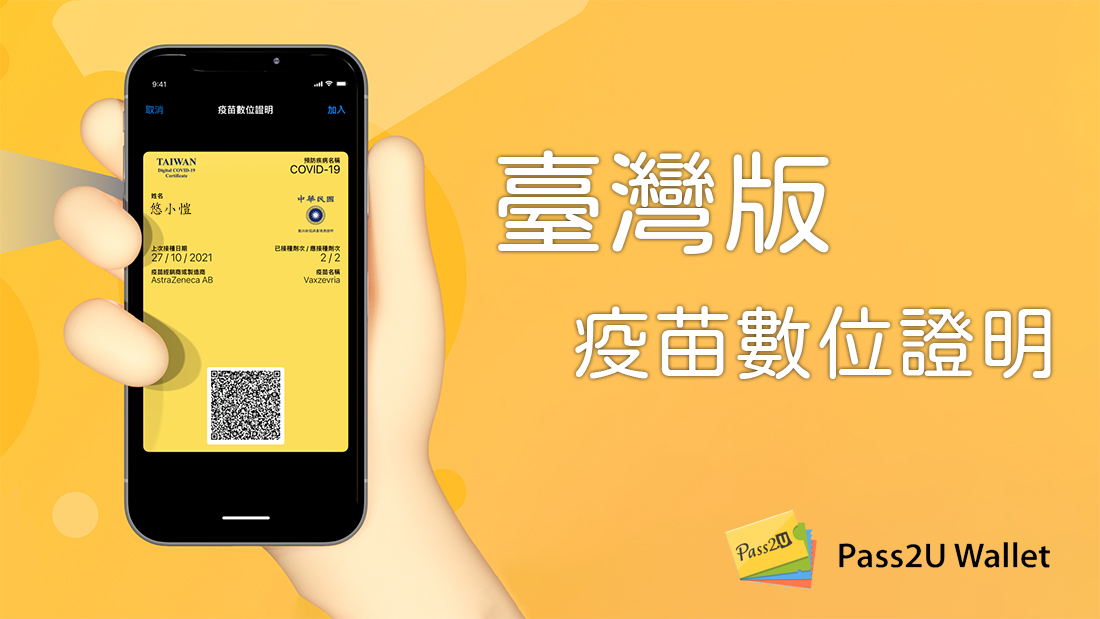
前言:隨著臺灣國內疫情又因春節連假返鄉人潮再度升溫,疫情指揮中心在 1/21 正式宣布啟用數位疫苗接種證明系統,國人可以透過各種方式將疫苗紀錄存進手機,方便攜帶。今天要推薦的是台灣人自己開發的 Pass2U Wallet,也是國內首套可以將各種c會員卡或票證以無 App 的方式放進 Apple Wallet 的系統,十分方便,值得推薦給有需要的朋友:
 Tutorial on putting digital vaccination certificate into Apple Wallet
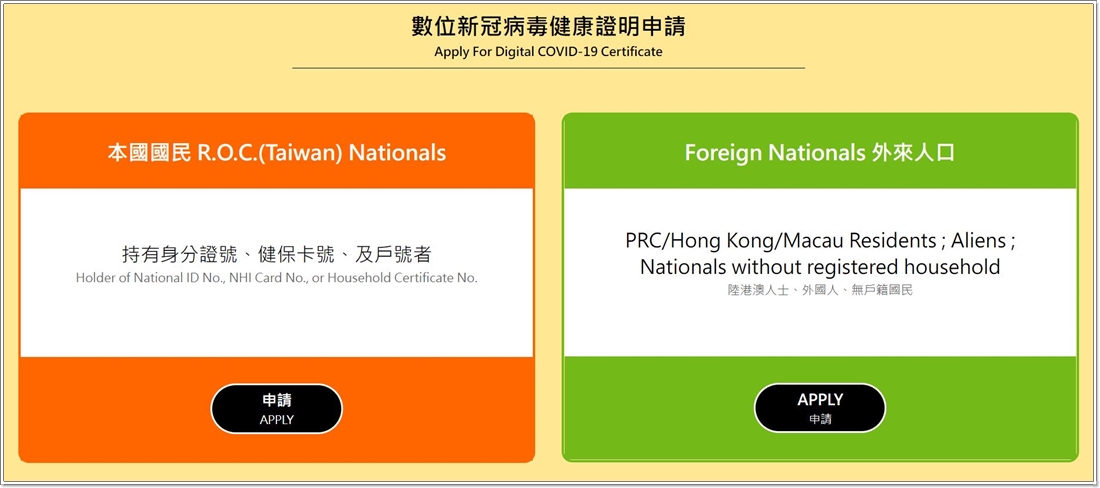
▲Both locals and foreigners can apply throughCDC’s system (please click here)Download a digital vaccine certificate.
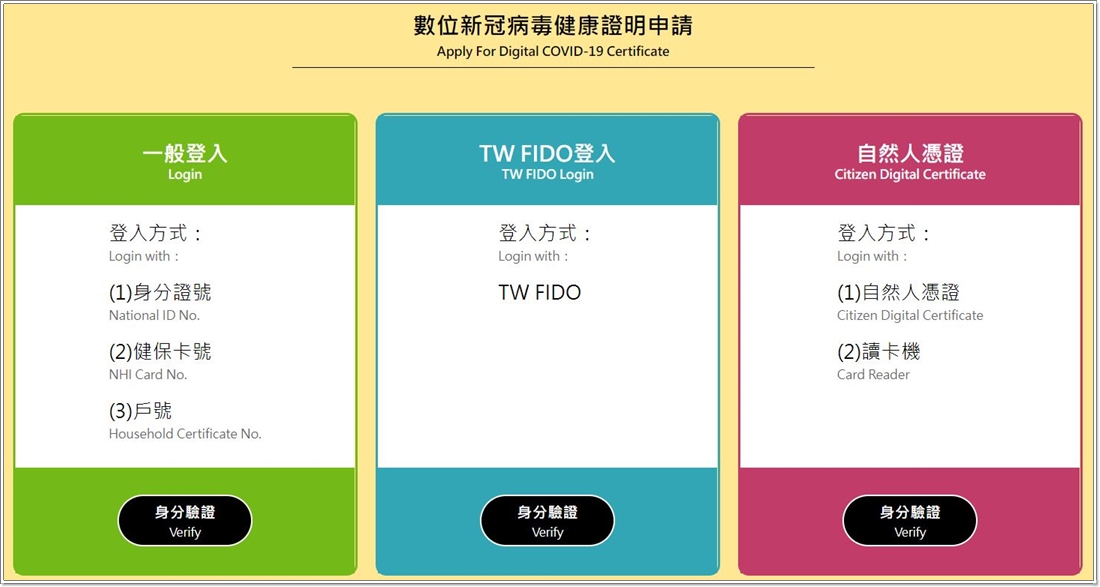
▲There are currently three identity verification methods available for you to choose from.
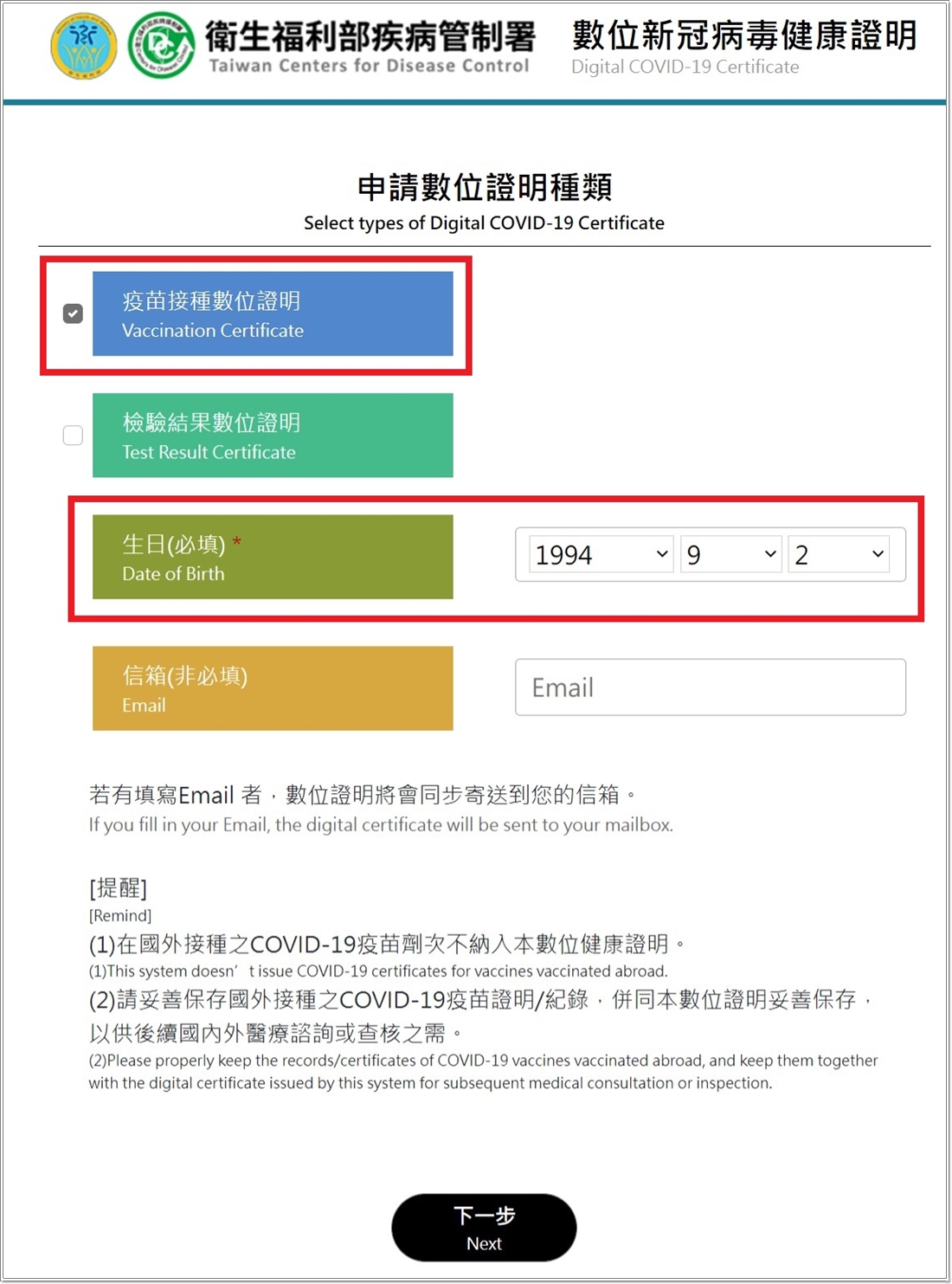
▲Click “Digital Certificate of Vaccination” and enter the “date of birth” to complete the verification.
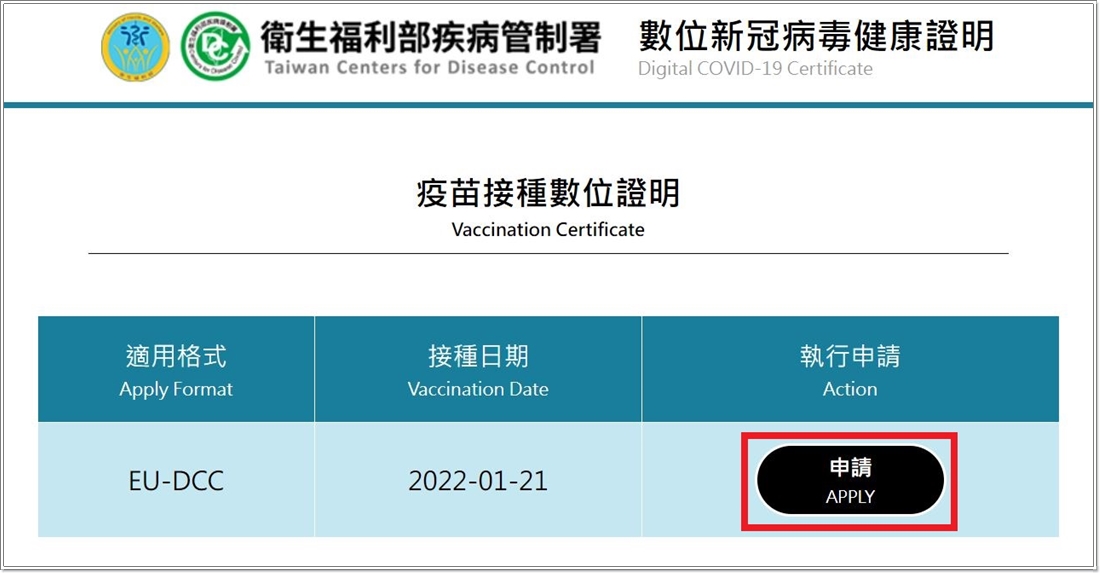
▲If you confirm that the last vaccination date is correct, you can press the application button.
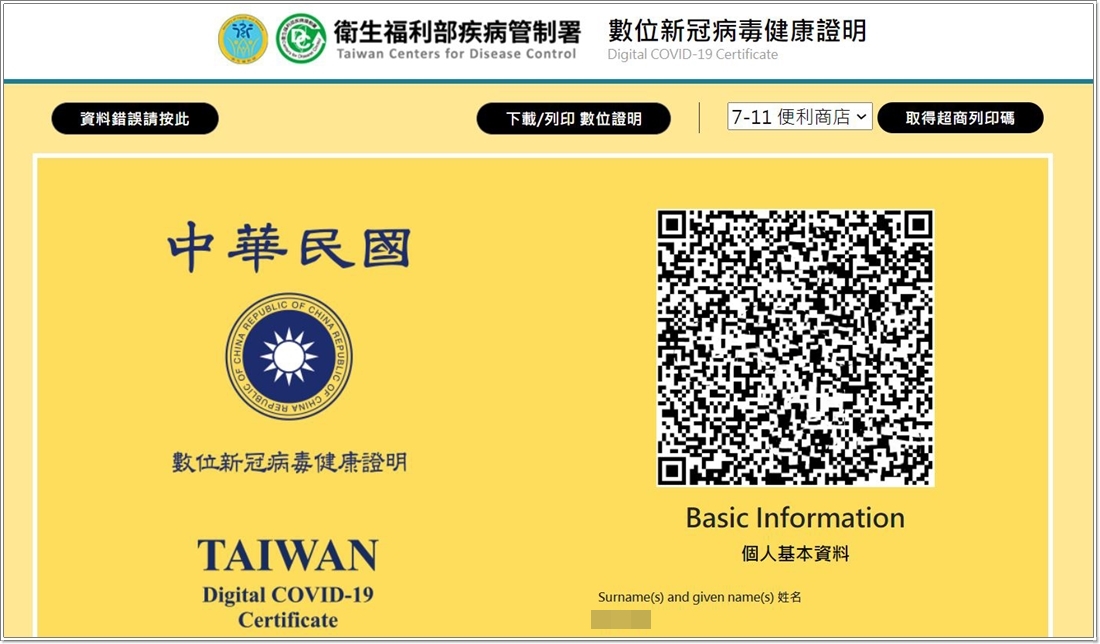
▲Click the download/print digital certificate on the upper right to obtain a PDF file of the digital vaccination record. Users can save it on their mobile phone or computer for easy portability. All Pass2U Wallet requires is the QR Code above.
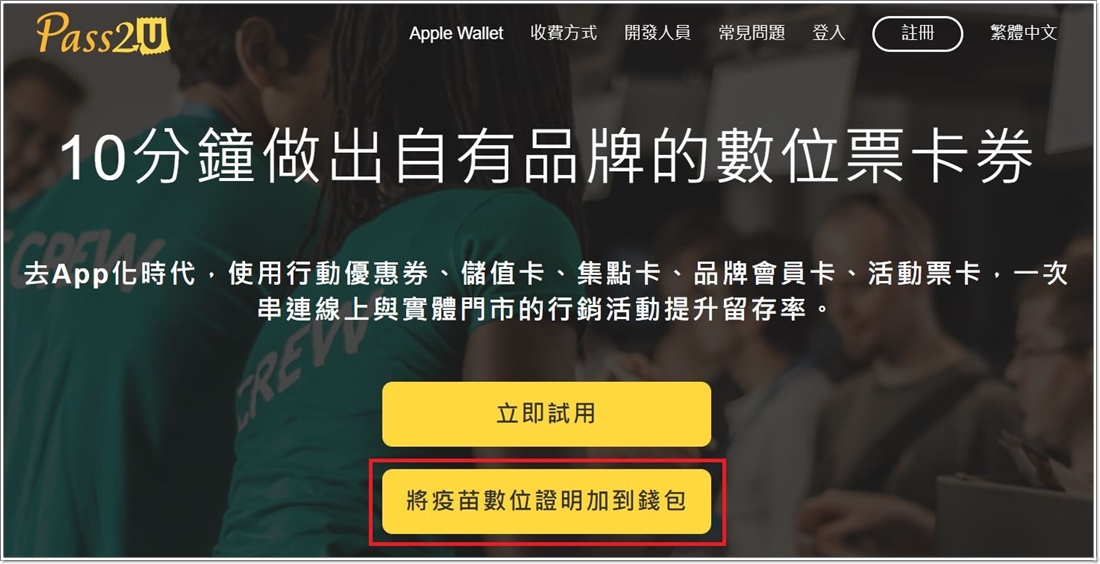
▲Then use iPhone to go to the official website of Pass2U Wallet(please click me)Click “Add vaccine digital certificate to wallet” to enter the system.
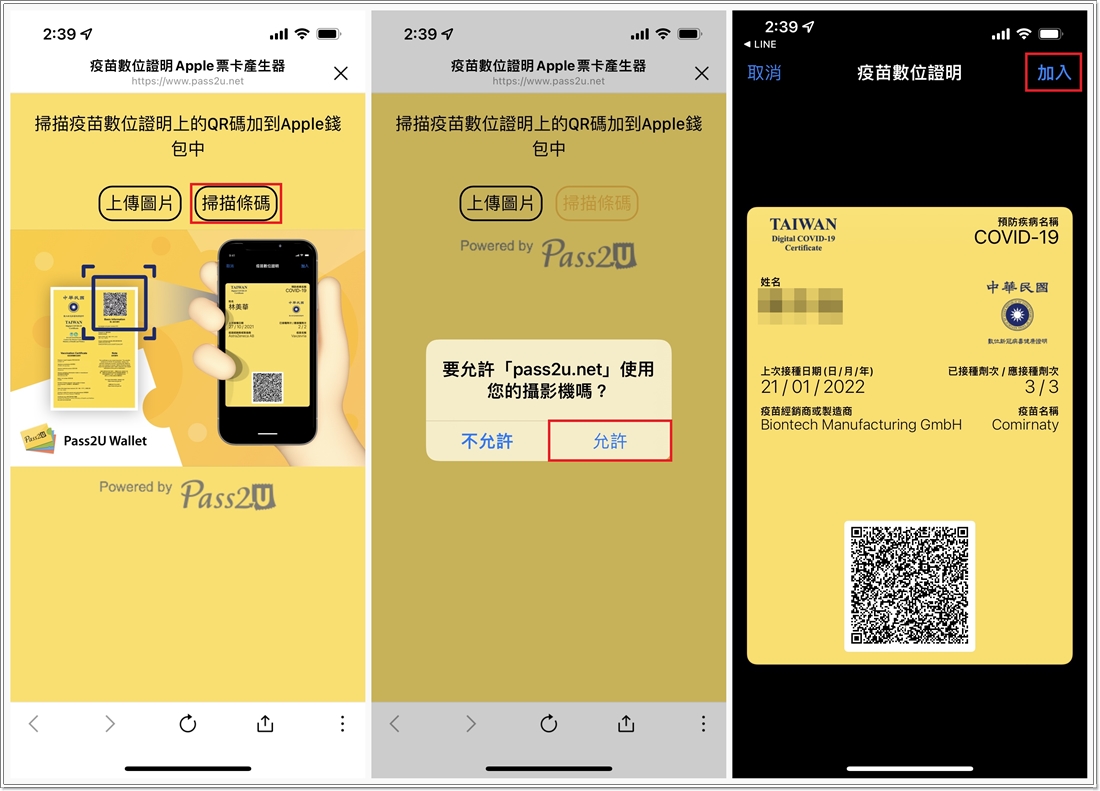
▲Click “Scan Barcode” and “Allow” Pass2U Wallet to use the camera to scan the QR Code. After the automatic jump is completed, press “Join” in the upper right corner and you are done!
The overall procedure is very simple and not difficult for ordinary users. You may be asked to show your complete vaccination records when entering any occasion in the future. It is definitely the most convenient if you can store the things in your mobile phone! Moreover, Pass2U Wallet is a system made by Taiwanese, which is safer and more secure than using the EU system! I recommend it to everyone^^
Source: KOCPC Chinese