


With the launch of Windows 11, many people will definitely want to install it on their old computers. Although there were ways to remove TPM 2.0 restrictions in the past, it required modifications, which was very troublesome, especially for people who are not familiar with computers. This article will teach you a super simple method to directly make a Windows 11 bootable disk without TPM requirements. It is no longer difficult for old computers to install Windows 11.
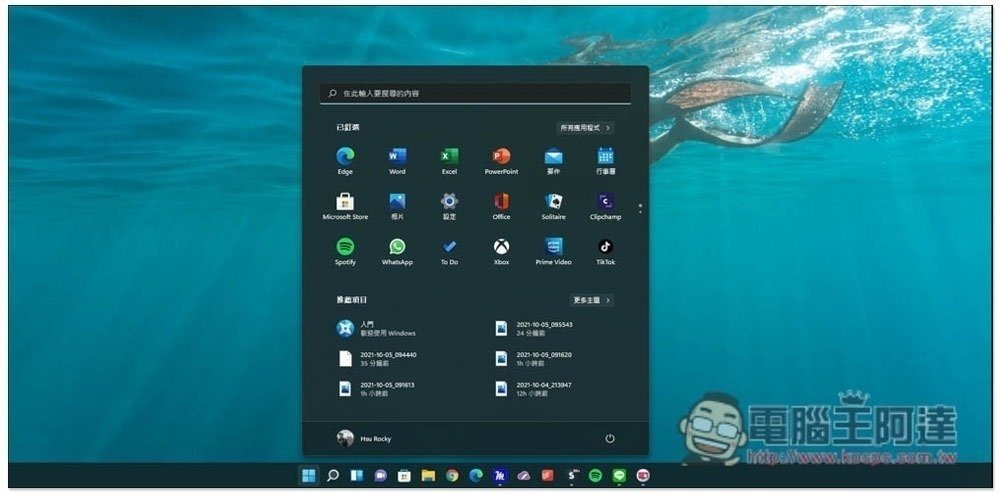
How to create a Windows 11 USB bootable disk without TPM requirements
The following tutorial will teach you how to use a Windows 11 boot disk without TPM requirements. You need to prepare three things:
- USB flash drive at least 8GB
- Download the Windows 11 ISO file from Microsoft’s official website
- Download Rufus latest 3.16 BETA2 version
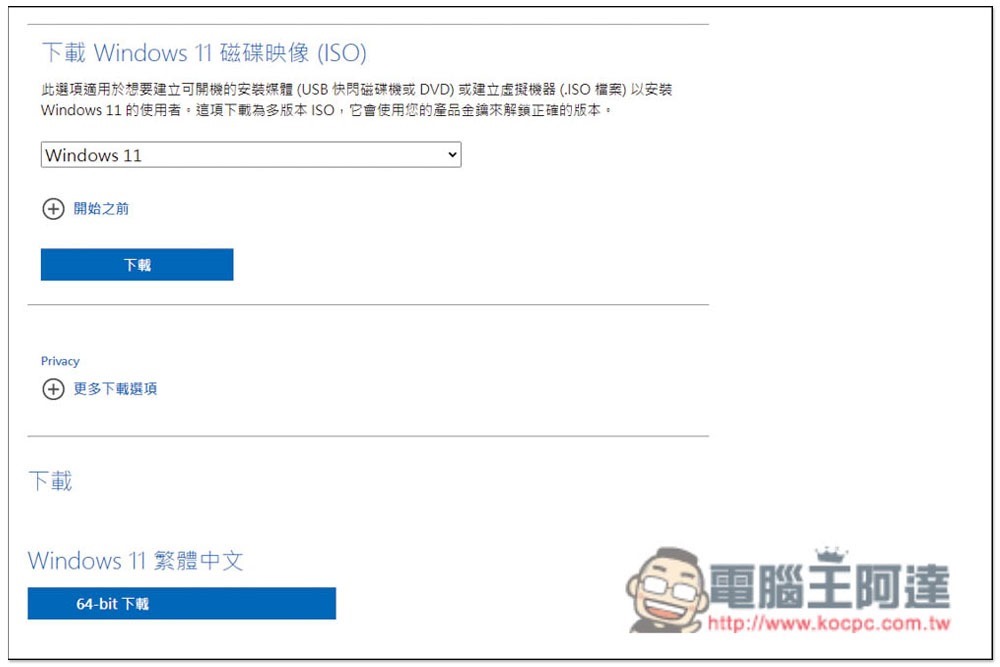
Click here to go to Microsoft Windows 11 official website, scroll down the page and you will find the option to download the Windows 11 ISO file. It is only 64-bit. The language depends on which one you use. I chose Traditional Chinese:
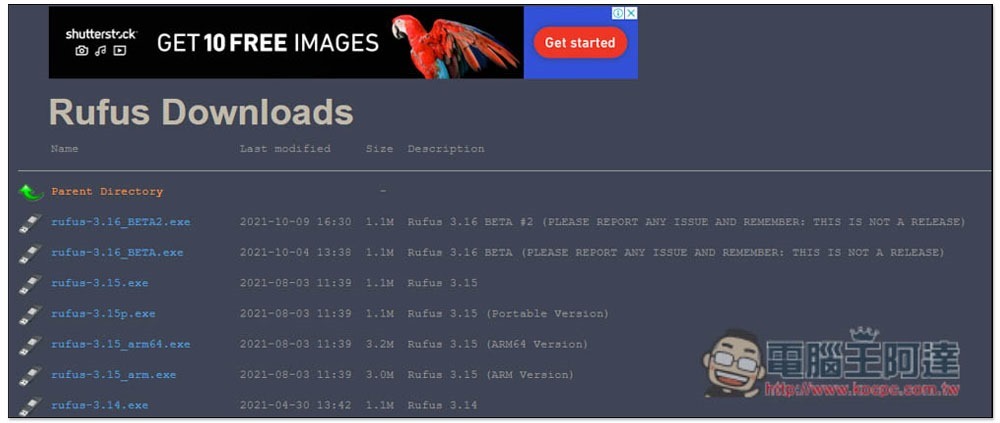
Then download the Rufus Beta version. The official website only has the official version 3.15, so you need to enter the Rufus GitHub page, to find the 3.16 Beta version, please download “rufus-3.16_BETA2.exe”. It is speculated that the official version of 3.16 should be launched soon. If you are not in a hurry and are worried about the unstable version, you can also wait and see:
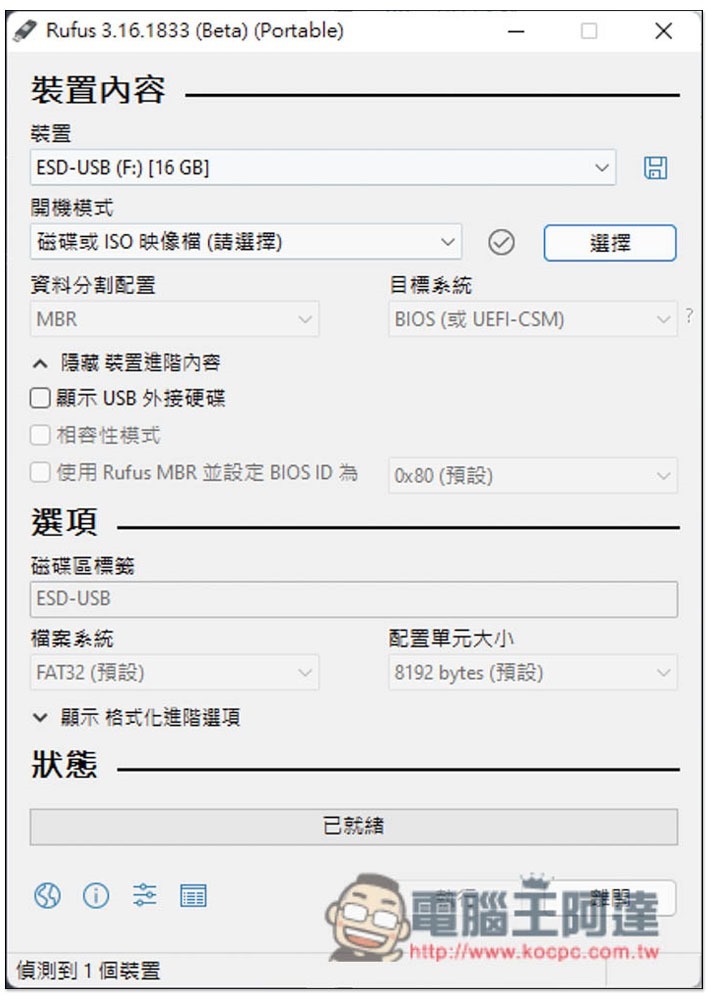
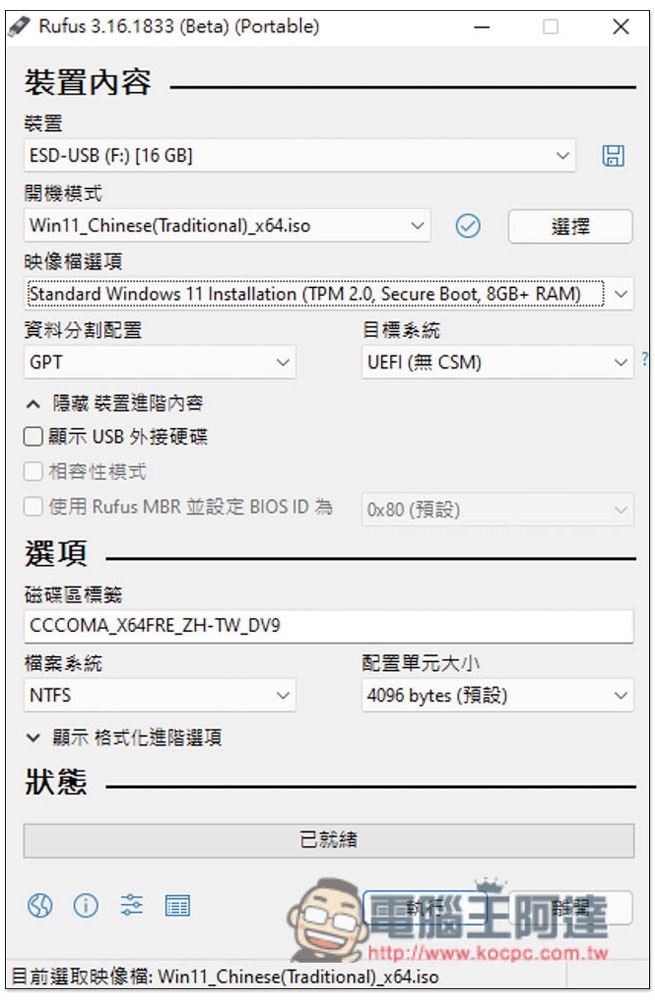
After all three things are ready, open the Rufus 3.16 Beta version (no installation required), click “Select” on the right side of the boot mode (the boot mode is disk or ISO image file), and read in the Windows 11 ISO file you just downloaded:
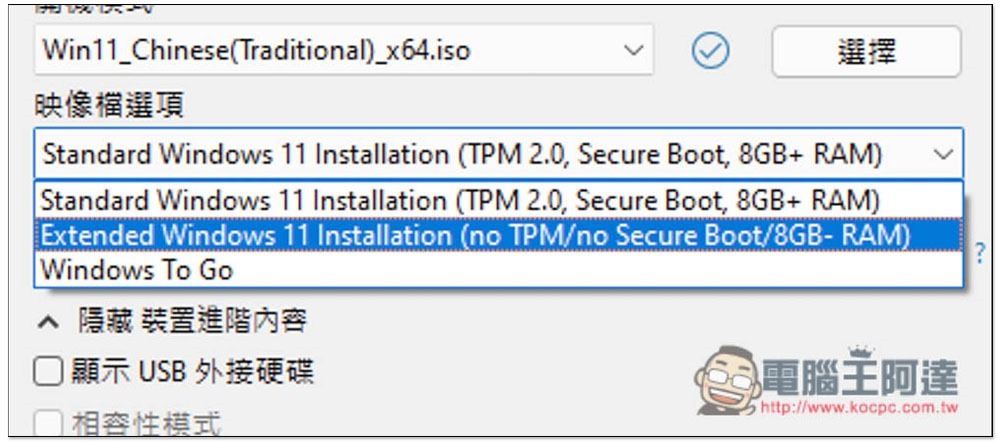
As shown in the figure below, then open the menu of image file options:
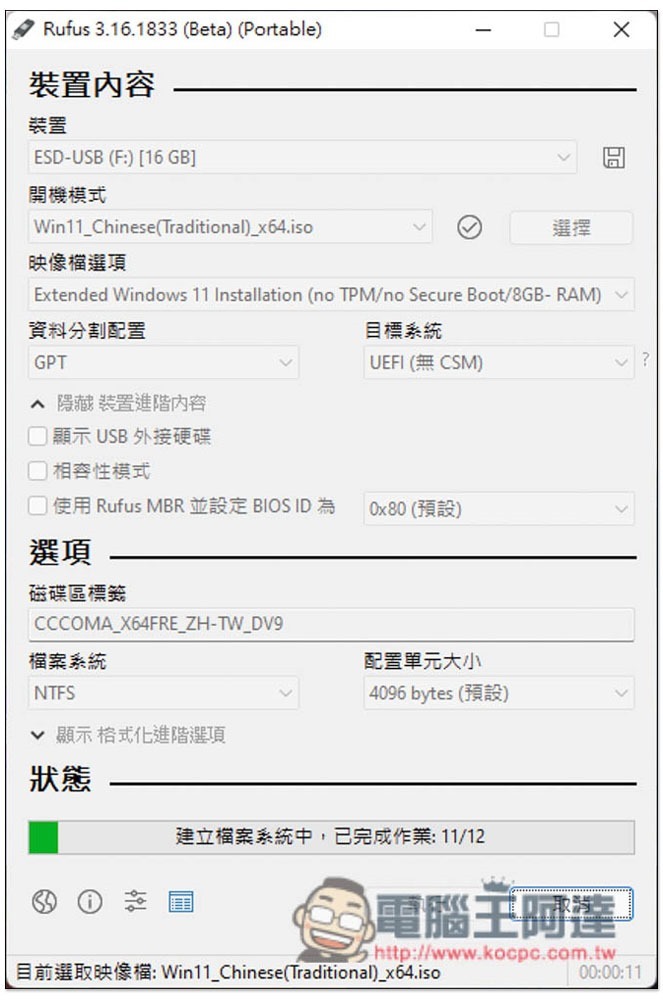
The second “Extended Windows 11 Installation (no TPM/ no Secure Boot/ 8GB- RAM” is the version without TPM restrictions:
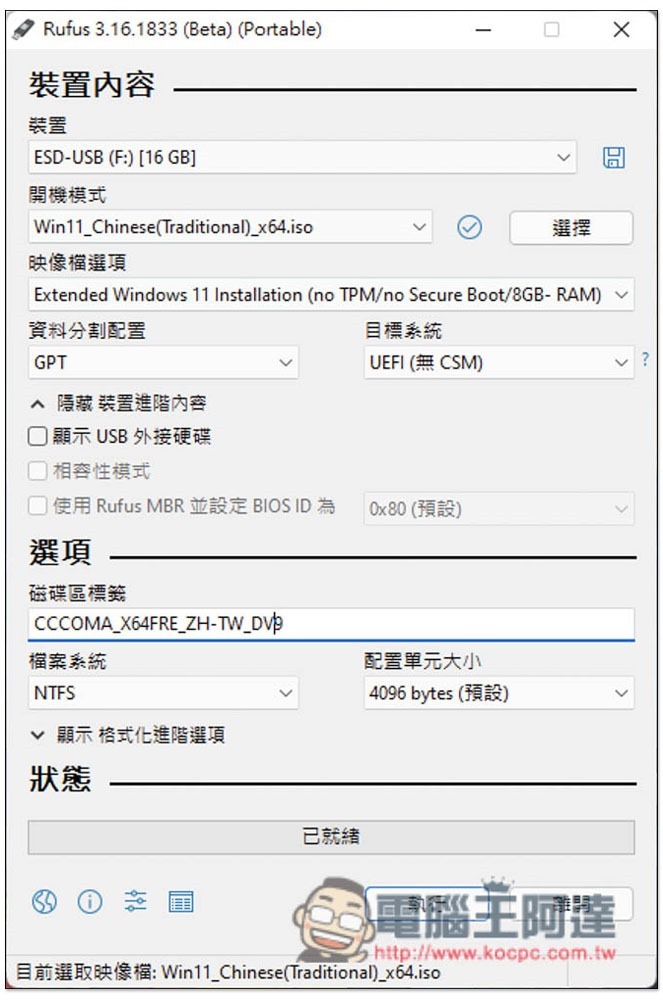
It depends on whether you want to modify the USB name. Basically, no other adjustments are needed. Then press the following to execute:
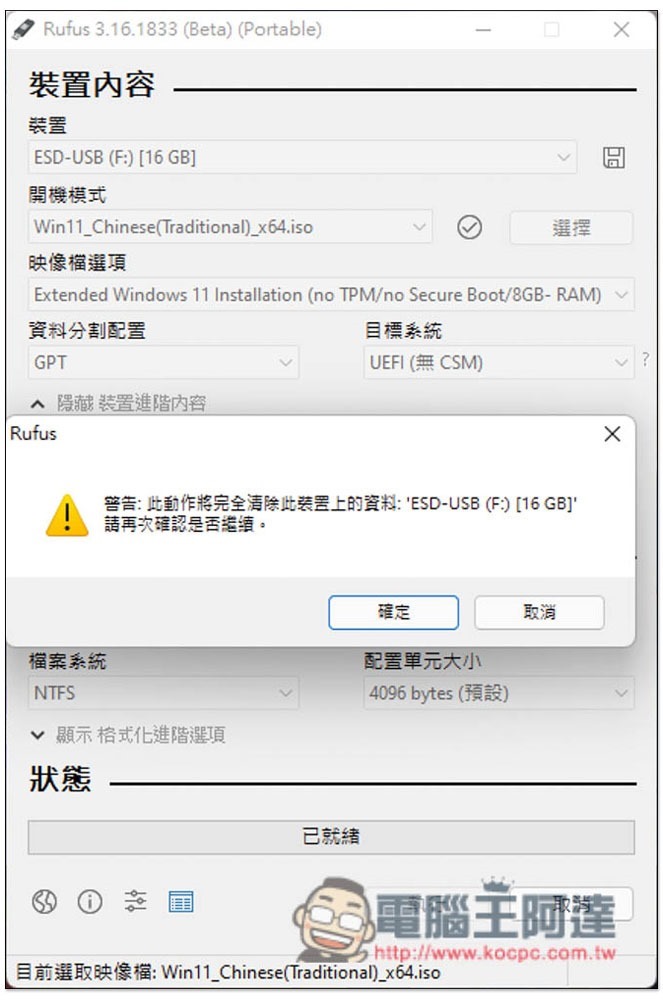
You will be reminded that this USB data will be deleted:
It takes a lot of time to wait for the status column to finish running, and it will be completed in about a few minutes:
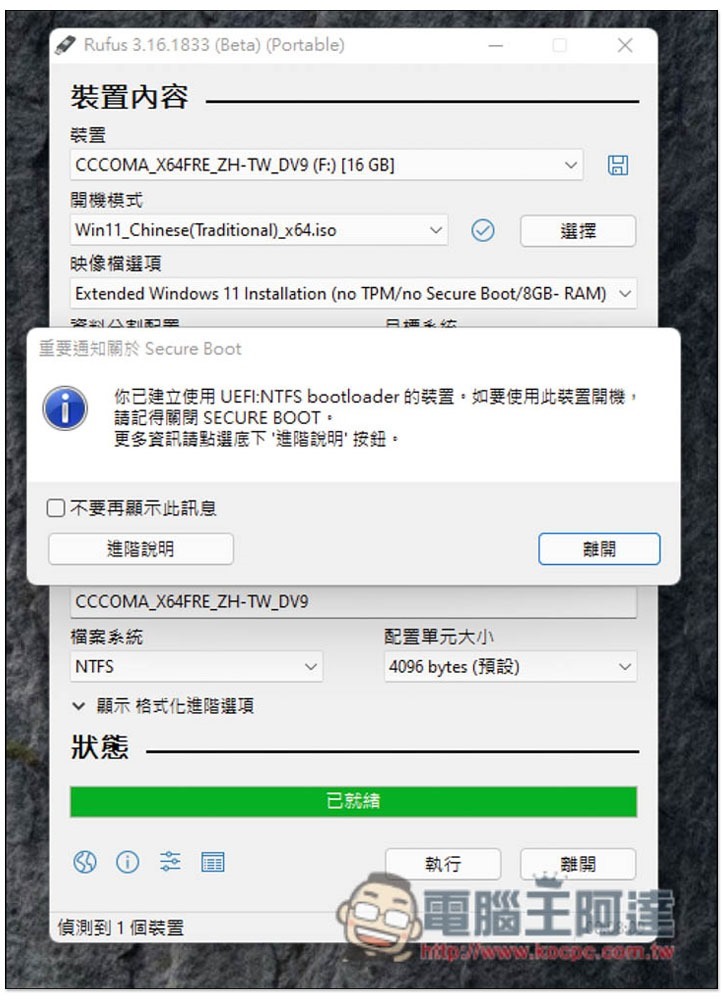
Displaying this message means you are done! Windows 11 USB bootable disk without TPM requirement, you can then install it directly on your old computer:
Source: KOCPC Chinese